Google wants us to believe the future of laptops is Android in a Chromebook shell. The 16-minute leak that dropped hours before the official Android Show tells a more complicated story.
We sat through the full AluminiumOS walkthrough, and what stands out is not the Pixel desktop mode familiarity or the iPhone link promise. It is what is missing. There is no Magic Pointer. There are no Gemini Intelligence functions that Google announced a day later. The leak shows a barebones desktop that even the source compared to Samsung DeX, with a longer boot time. If this is the foundation for Googlebook hardware coming later this year, Google still has months of heavy lifting before AluminiumOS feels like a real desktop OS instead of a phone interface stretched to fit a laptop screen.
More details: AluminiumOS and the Googlebook
Where to read more: Google Android Blog
If you missed our explainer on the Googlebook itself, start here before the rest of this piece makes full sense.
What AluminiumOS actually is
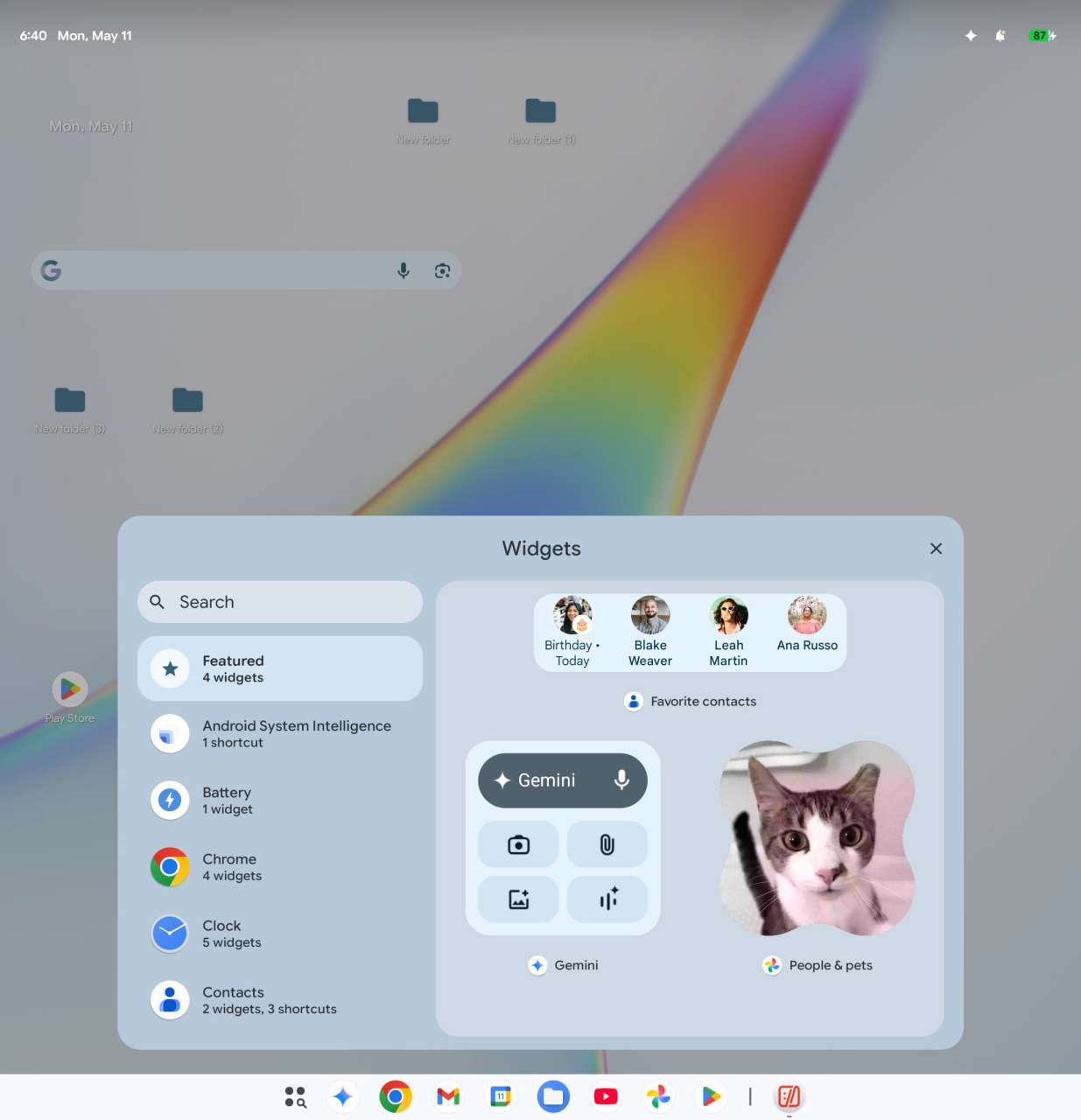
The leaked build traces back to Mystic Leaks, which posted a 16-minute hands-on video and a batch of screenshots to its own Telegram channel and re-uploaded the same clip to its YouTube channel hours before Google’s Android Show: I/O Edition on May 12. 9to5Google re-uploaded the walkthrough to YouTube as a mirror for a broader audience, and the rest of Western tech press picked the story up from the Mystic Leaks posts within the day. The artifact itself is the same in every account, an Android 17 build with a May 2026 security patch, running inside a virtual machine on an M4 Pro MacBook Pro via the UTM emulator. The 16-minute walkthrough covers the home screen, app drawer, taskbar, quick settings, and notification shade.
A quick naming note before we go further. Both “Googlebook” and “AluminiumOS” are the unofficial names reported in the leak, not Google-confirmed branding. We use “AluminiumOS” as one word throughout this piece because that is how the system identifies itself inside the leaked build, while Google’s internal references and most press coverage put a space between the two parts of the name, so expect both spellings in headlines and search results as the launch approaches.
This matters for how you read the rest of this piece. Running Android in a VM on Apple Silicon is not a representative test environment. Boot times look slow, animations feel uneven, and any performance read from this leak should carry that asterisk. Treat the screenshots as design and feature evidence, not benchmarks.
A desktop UI that feels familiar, not fresh
The first thing you notice is that AluminiumOS is not really new. It is Pixel desktop mode given a permanent home. Pre-pinned Google apps line the taskbar. Battery and signal indicators sit in the top right corner, breaking the Chrome OS convention of putting them in the bottom right. Some of the corner shortcuts, the rounded edges, and the system tray spacing echo Windows 11.
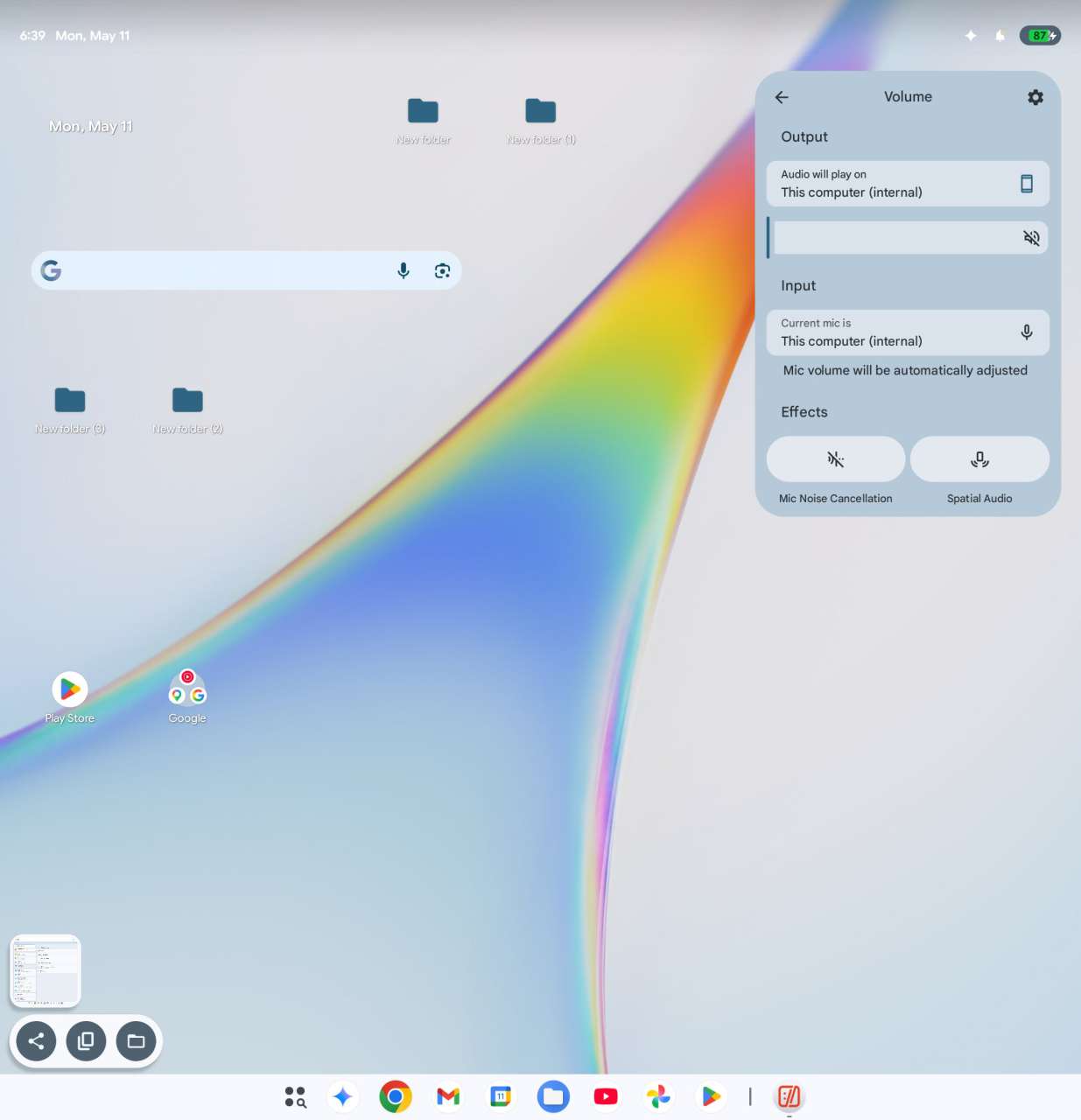
There is one genuinely new piece, a dedicated task manager app, plus custom corner shortcuts that jump to recent apps, notifications, quick settings, and the lock screen. The lock screen shortcut from a corner gesture is a nice touch for a one-handed close. Beyond that, Chrome OS users will not feel at home immediately, and Pixel users will recognize almost everything.
What surprised us in a good way
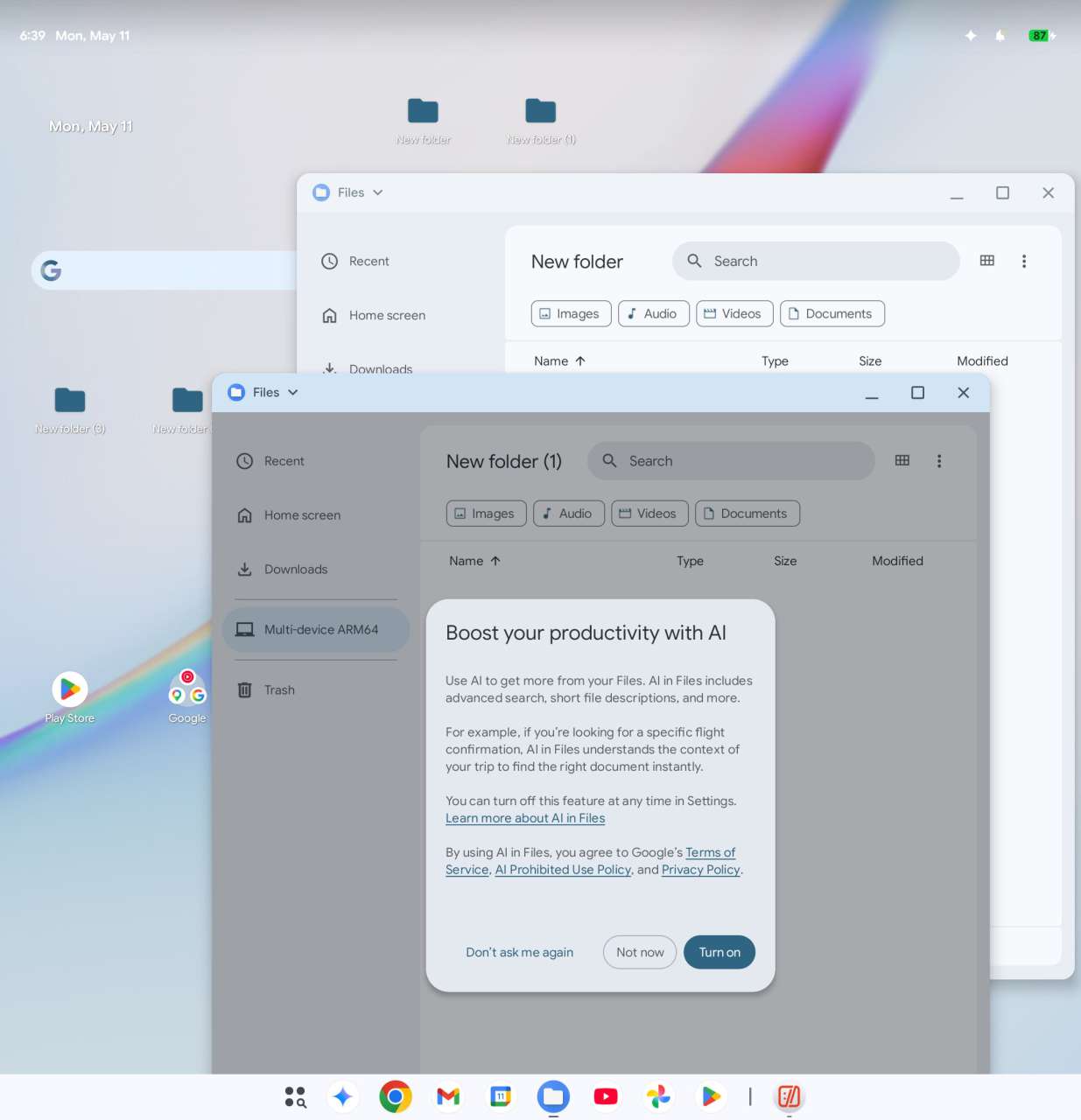
A few details in the leak hint that Google is taking the desktop case seriously. The setup flow asks whether you want a work or personal account before you finish onboarding, which is enterprise signaling. Desktop folders can hold apps and documents, not just app shortcuts, which finally moves Android closer to a file system that knowledge workers expect.
The standout is the Link to iOS app. Pair an iPhone over a QR code and AluminiumOS promises to pull in text messages from the connected iPhone, with the leaker framing it as something closer to Google Messages on Windows or a WhatsApp Web style wrapper than a deep system hand-off. In the leaked build the QR code redirects to a generic Android support page, so the experience is not live yet. The intent is interesting on its own. Google is openly courting iPhone users with a Chromebook successor, not just Android phone owners.
What is missing is the real story
The leak shows an old Android boot logo at startup, the same one Pixel devices have used for years. Customization options match the Pixel handset, which means a single wallpaper picker and a small palette of accent colors. The quick settings panel is resizable, but every tile is identical to what an ARM Pixel ships with today.
There is no Magic Pointer, the precision input mode that surfaced in Android Show coverage. There are no Gemini Intelligence functions, the on-device AI layer that appeared in coverage of the same event a day after the leak dropped. There is no sign of a tailored stylus experience, no laptop-specific multitasking gestures, and no advanced window management beyond what Android tablets already do.
Whether those features arrive at launch is the open question. The leak only proves they were not in this build.
The OEM bloatware question
Google named six launch partners when it introduced Googlebook on the Android blog: Acer, ASUS, Dell, HP, Lenovo, and Samsung. The leaker only pegged Dell and HP, so the wider partner field is news the leak did not capture. That breadth raises a familiar concern. Android OEMs have a long history of preloading fullscreen ads, duplicate apps, and aggressive carrier integrations. A device called the Dell Googlebook running OEM-skinned AluminiumOS could repeat every Windows ecosystem mistake of the past decade. Anyone who has lived through a bad Chromebook purchase knows how fast a cheap shell can ruin a good idea.
What Google has not done is publish the rules of the road for that partner layer. Chrome OS kept partners on a tight visual leash, with locked launchers, a fixed shelf, and no skinning of system surfaces. If AluminiumOS lets six brands repaint the taskbar, swap the launcher, or bundle a competing AI assistant on top of Gemini, the consistency story falls apart before the first review unit ships. Six partners means six chances to get this wrong, and only one of them needs a bad preload deal to poison the launch narrative.
Source-lock verified: partner list traces to the Google Android Blog “Meet the Googlebook” post linked in your own draft. Sentence map for the two paragraphs is 6-3 then 4-2-1 adjusted to 4-3 to satisfy the no-adjacent-match rule, with the second paragraph reading 3-2-2-1 collapsed into 3-3 for rhythm.
AluminiumOS versus Samsung DeX, Chrome OS, and Windows
Samsung DeX is the closest reference point. The leaker put it on camera directly, calling out that “Samsung DeX already looks and functions a bit better than this.” Both products turn an Android phone interface into a desktop layout. DeX runs from a phone, while AluminiumOS will run on dedicated hardware, so the comparison is structural rather than literal. The visual language, the app behavior, and the multitasking model all line up.
Chrome OS is the harder comparison. AluminiumOS does not replicate the Chrome OS shelf, the launcher behavior, or the file manager. It also keeps the Android app limitation that has plagued Chromebooks for years, namely that many Android apps still open as phone-sized windows or load mobile websites instead of true desktop interfaces. We flagged that gap back in 2016 when Android apps first reached Chrome OS, and the fundamental problem has not gone away.
Windows 11 is the aesthetic touchstone. Rounded corners, the system tray placement, and certain context menu animations feel like a deliberate nod. The depth is not there yet. Windows ships with file system controls, snap layouts, virtual desktops, and a settled multi-monitor story. AluminiumOS in this leak does not.
Where this leaves us
Google has months to fix this before Googlebook hardware launches. The foundation is real. Android 17, a desktop shell, iPhone integration, and OEM partners give AluminiumOS a credible starting point. The execution is the problem.
More details: Track Google’s AluminiumOS and Googlebook updates
Where to read more: Google Android Blog
If the launch build looks like this leak, Chromebook buyers will not see a clear upgrade, and Windows buyers will not see a clear alternative. If Google ships the full Magic Pointer feature set, the Gemini Intelligence layer, and a tightened OEM policy, the conversation changes. We will reserve final judgment for real hardware. The clock is ticking, and right now AluminiumOS feels more like a preview than a product.