There’s a moment, usually about a week into living with a new laptop, when you stop noticing it. The keyboard becomes muscle memory, the screen stops impressing you, the fan stops surprising you. With most laptops, that’s when the small irritations start surfacing.
With the Lenovo Yoga Slim 7x Gen 11, that moment never really came. By the end of my time with it, I just kept opening it and getting work done. That’s the whole review, really, but let me explain why.
At a glance
- The good: Snapdragon X2 Elite performance without fan noise, excellent OLED panel, 32 GB / 1 TB base config, all-day battery, MIL-STD-810H build.
- The tradeoffs: USB-C only, no headphone jack, ARM compatibility still has edge cases, 60 Hz panel.
- Verdict: The X2 Elite laptop to buy right now: polished, quiet, and the best-equipped configuration in the bracket at the price.
Price: $1,499.99 (estimated value $1,699.99, 11% off)
Where to buy: Lenovo | Best Buy
Source: The sample for this review was provided by Lenovo. Lenovo did not have a final say on the review and did not preview the review before it was published.
What it is
This is Lenovo’s refreshed 14-inch ultraportable, built on Qualcomm’s newest Snapdragon X2 Elite platform and sold as a Copilot+ PC. The review unit Lenovo sent me is the X2E-88-100 configuration (Qualcomm Oryon CPU, up to 4.70 GHz boost, sitting around 4.03 GHz at light load per Windows on my unit), 32 GB of LPDDR5X-9523 soldered memory, a 1 TB PCIe Gen 4 QLC NVMe SSD in an M.2 2242 form factor (about 954 GB usable per Windows), the Qualcomm Adreno X2-90 GPU, and Lenovo’s 14″ WUXGA OLED touchscreen at 1920 x 1200, 60 Hz, with DisplayHDR True Black 500, 100% DCI-P3 coverage, and 400 nits of typical brightness.
It’s a Copilot+ PC, which means Microsoft’s on-device AI features run locally on the chip’s NPU rather than calling out to the cloud. The Snapdragon X2 Elite NPU here is rated up to 80 TOPS, which is a meaningful jump from the first-wave Snapdragon X Elite hardware that introduced the Copilot+ class.
What’s actually new this generation
If you bought into the first Yoga Slim 7x when Snapdragon X Elite launched last year, the question isn’t whether this is better. It’s whether it’s better enough.
The short answer: yes, but the gains are uneven. The X2E-88-100 chip in this Gen 11 review unit jumps from 45 TOPS to 80 TOPS on the NPU, which is the difference between Copilot+ features running and running without making the chassis warm. The CPU side sees a roughly 48 percent overall lift over first-generation X Elite silicon in multi-threaded work, per Qualcomm’s own testing and early third-party results. Single-core performance holds roughly steady, which means day-to-day responsiveness doesn’t feel dramatically different.
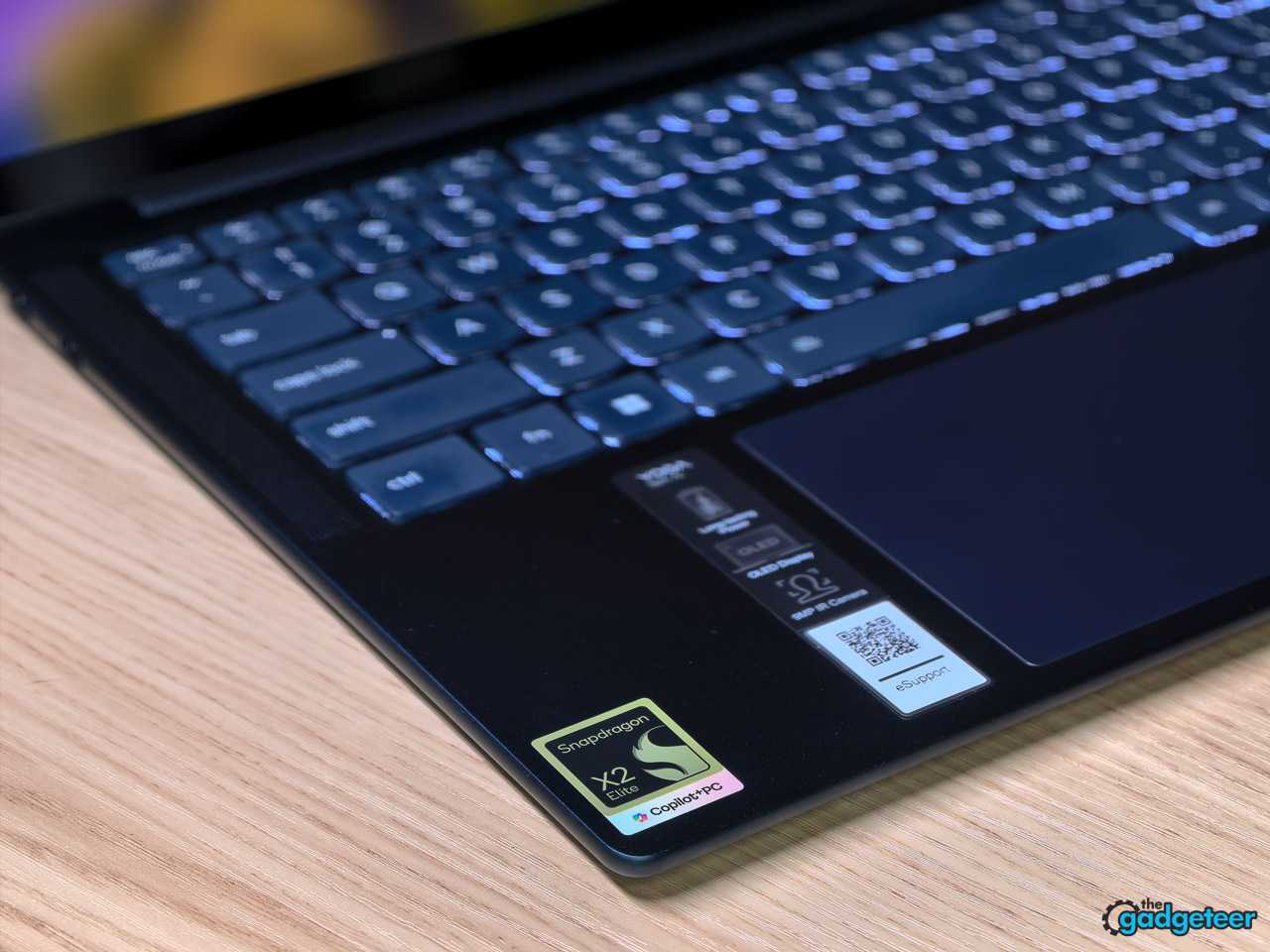
The real upgrade is polish. The first Yoga Slim 7x was a good laptop with first-wave software quirks. This Gen 11 unit, after a sustained stretch of daily use, had none of them. Sleep and wake are instant. ARM-native app availability is meaningfully broader now than it was in mid-2024. And Lenovo’s decision to pair this refresh with 32 GB of base memory makes the entry configuration more future-proof than the 16 GB standard on the first generation.
So if you’re still on an Intel or AMD ultraportable from 2022 or 2023, this is a clean jump. If you bought the Gen 10 Yoga Slim 7x last year, the case is more about the NPU headroom and memory ceiling than a night-and-day performance shift.
First impression that sticks
In the box: the laptop, a compact 65W USB-C charger, a USB-C cable, and the usual setup paperwork. No dongle, no case.
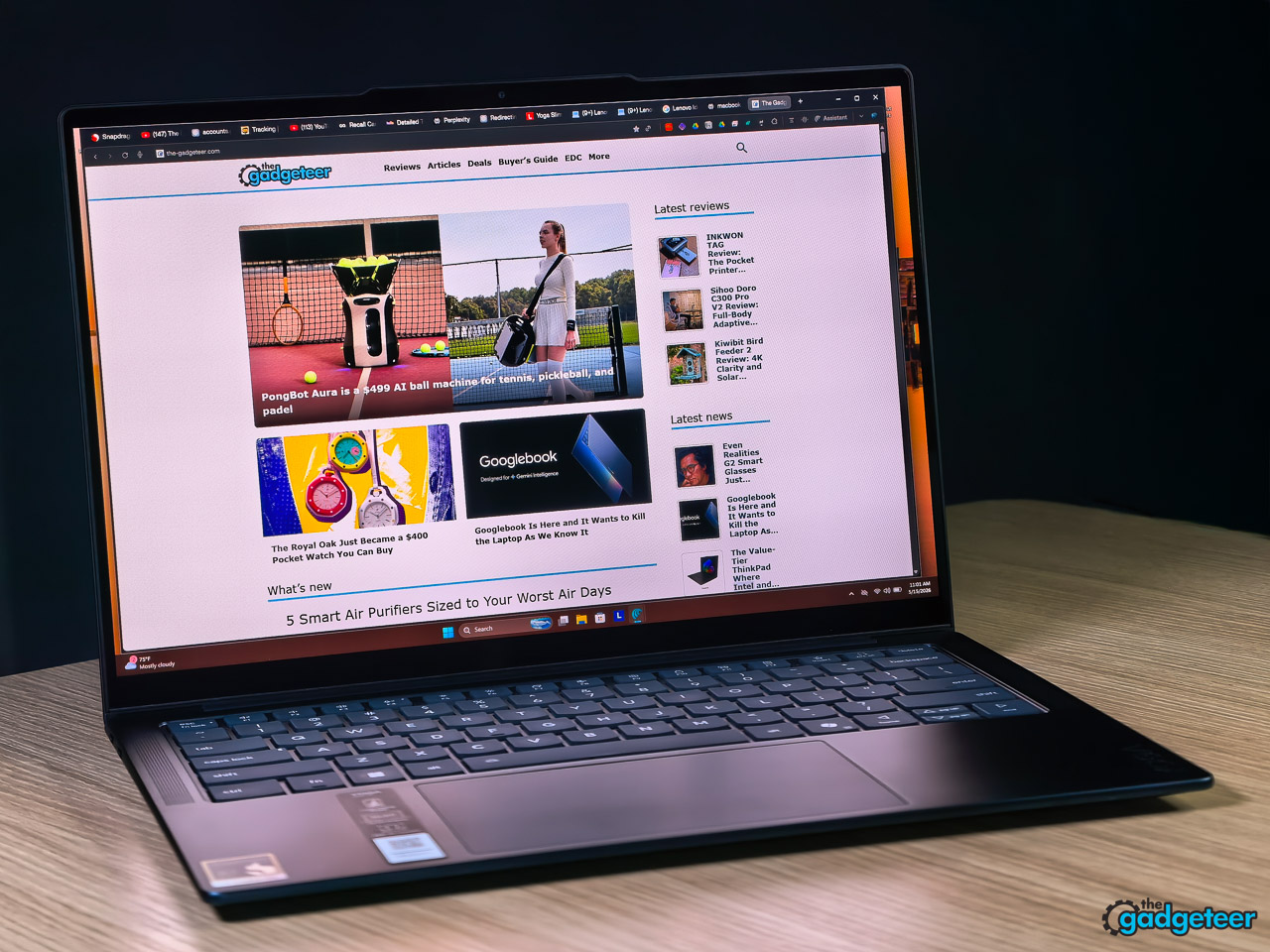
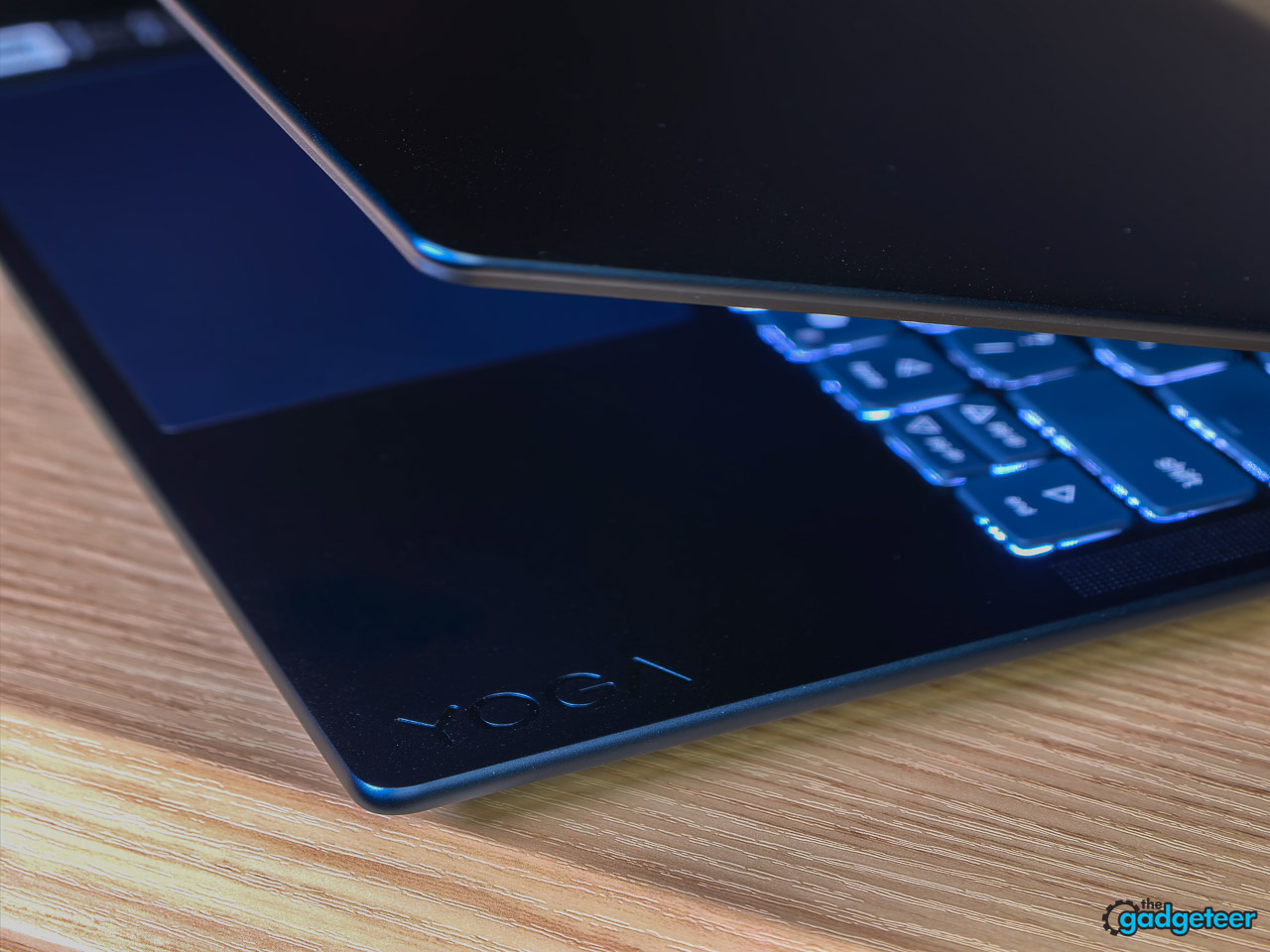
Pick it up and the first thing you register is how thin it is without feeling fragile. At 13.9 mm thick and starting at 1.24 kg (2.73 lb), it’s a laptop you can carry one-handed from a coffee shop counter back to your seat without thinking about it. Cosmic Blue is the only color, and in person it reads more like a deep slate than a marketing word. The hinge holds wherever you stop it, and the lid opens with one finger.
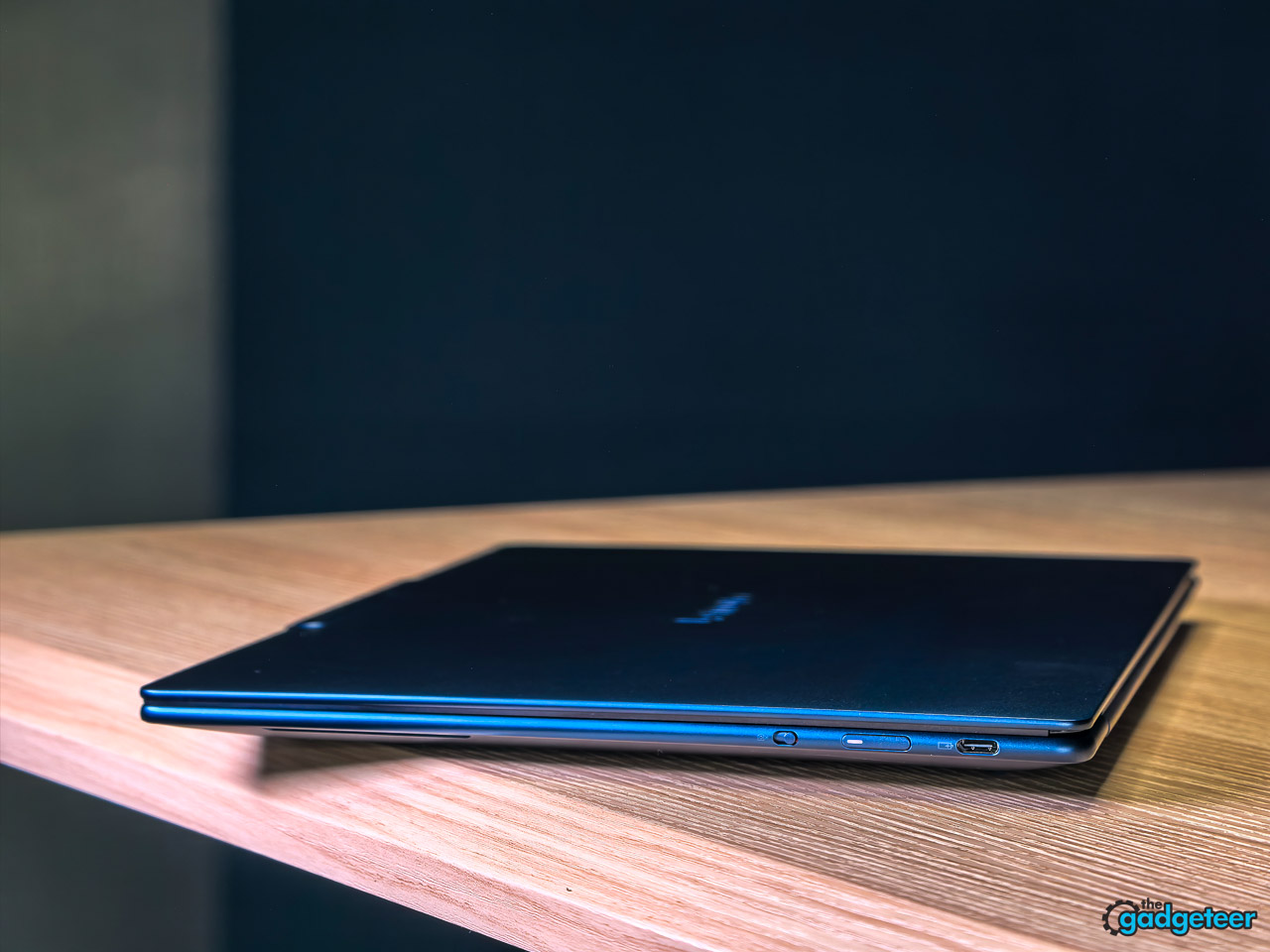
The chassis is anodized aluminum on the top and bottom, and Lenovo says it’s tested against MIL-STD-810H, the same military-grade standard the company uses on its commercial laptops. After a long run of daily commutes in a backpack with a charger, a notebook, and two cameras pressing against it, the lid still looks new.
Living with the screen
OLED on a laptop is one of those upgrades that ruins you for everything else, and Lenovo’s panel here is a good one for the price. Blacks are properly black, not the slightly lifted gray you get on even good IPS screens. Colors are punchy without being cartoonish. Text rendering is crisp enough that long writing sessions don’t fatigue your eyes the way some lower-density panels do.
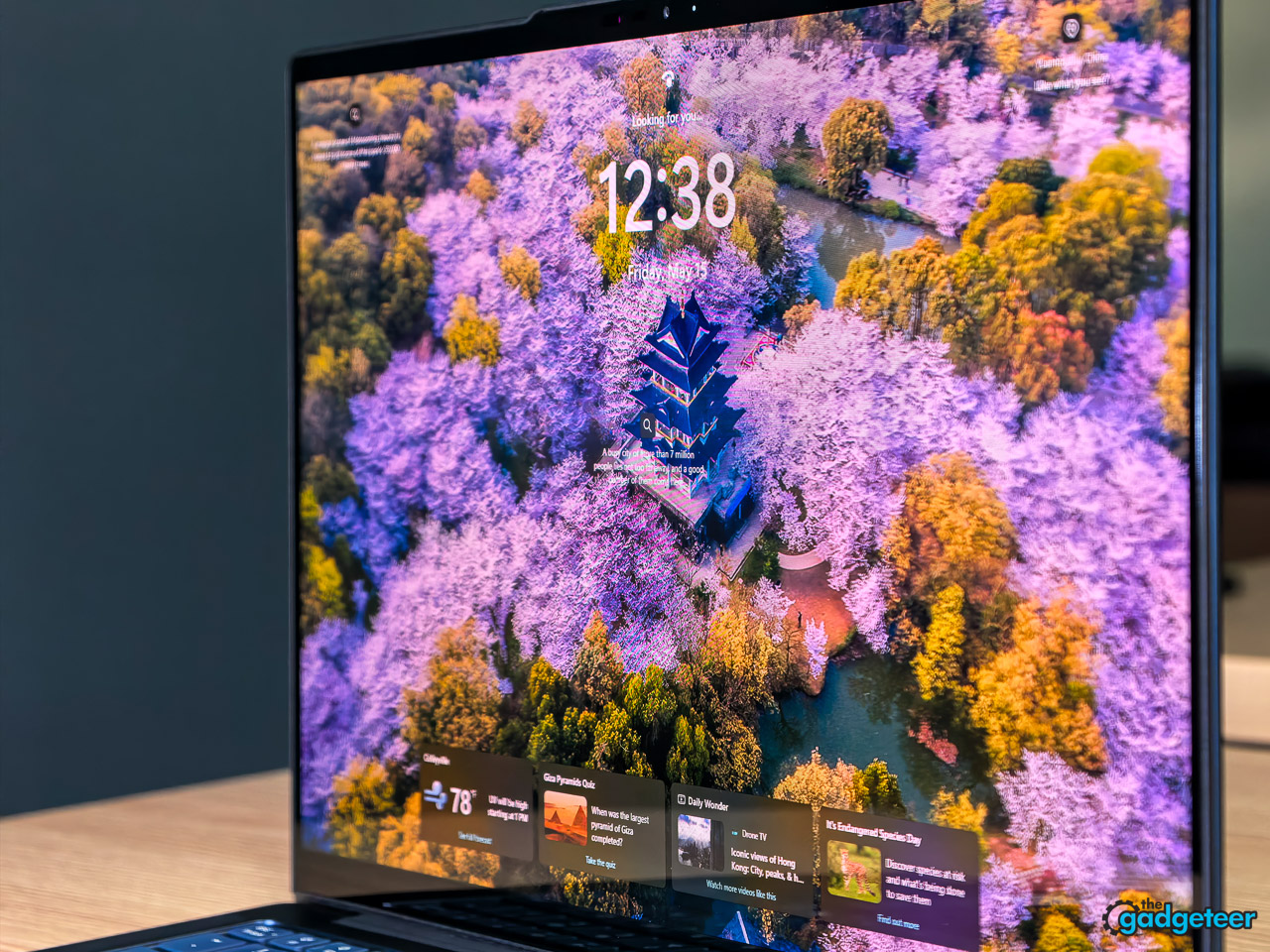
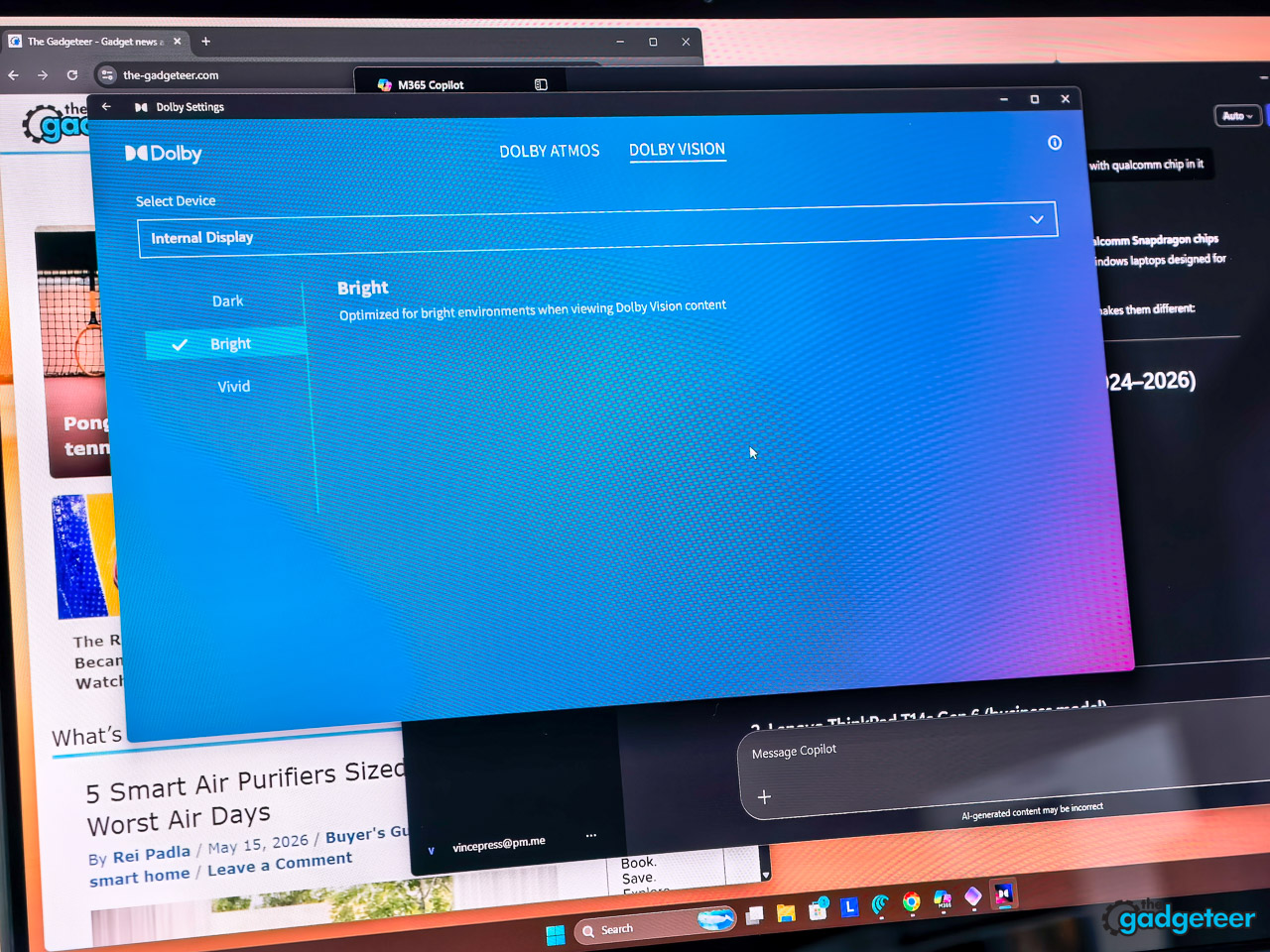
The spec sheet on this unit lists 1920 x 1200 resolution, 60 Hz refresh rate, and 100% DCI-P3 coverage, plus Dolby Vision and DisplayHDR True Black 500, with X-Rite color tuning, Eyesafe certification, and a glossy anti-fingerprint glass surface that’s also a touchscreen. In daily use, that translates to a screen that looks correct for photo and video review without you having to think about it. HDR streaming pops, SDR work stays calibrated.
Is the panel as flashy as the 2.8K 120 Hz option Lenovo offers in the same chassis? No. But the WUXGA panel here is sharper than a 1080p 14-inch screen, avoids the scaling oddities some Windows apps still trip over at higher resolutions, and lets the 70 Wh battery breathe.
The keyboard and trackpad
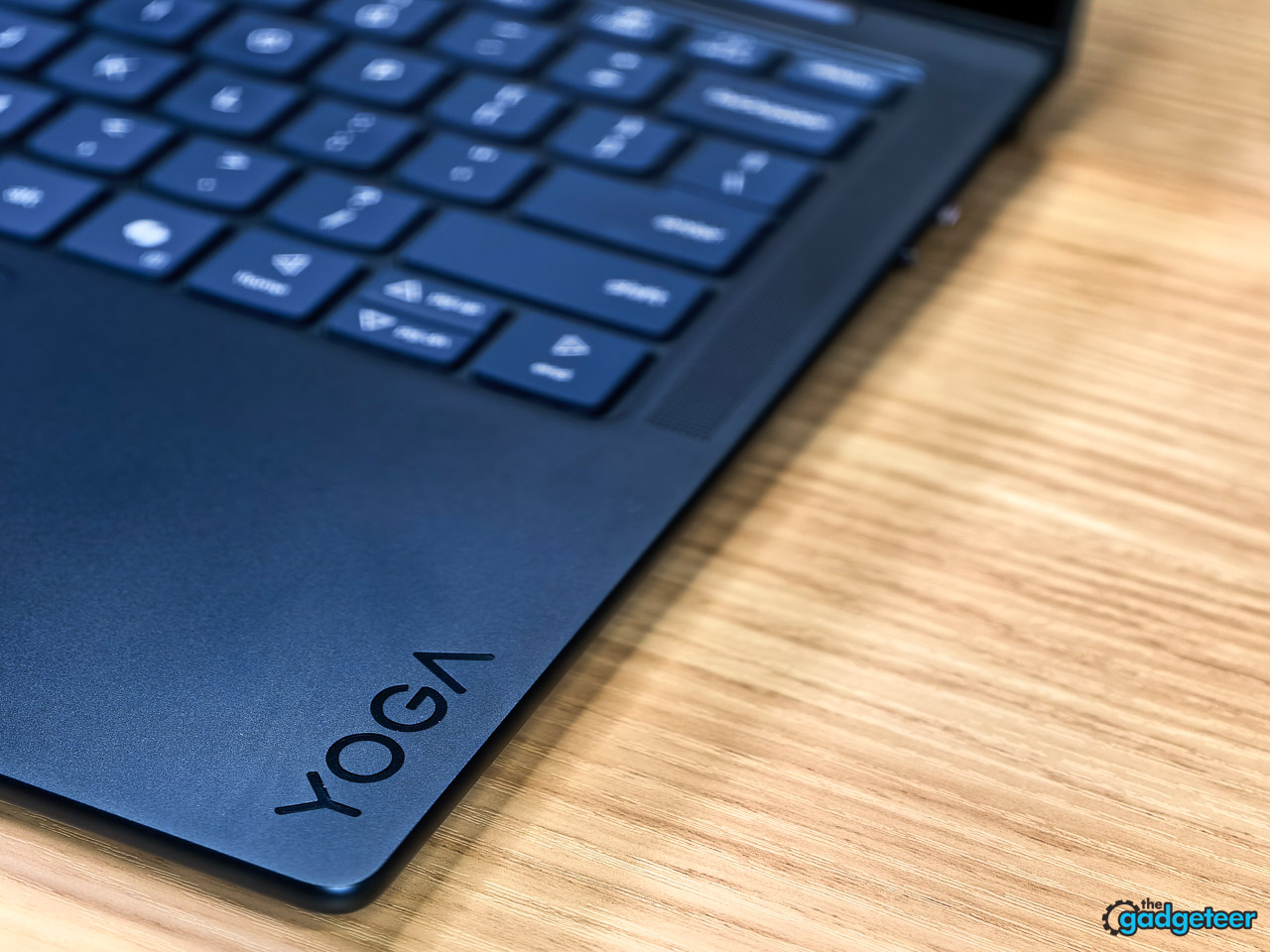
This is where Lenovo quietly out-engineers most of its competitors in this price band. The keyboard is a 6-row layout with a backlight, dedicated Copilot key, and the kind of confident, slightly cushioned travel that makes you faster without you noticing. Keys land where you expect, the layout has no half-sized arrow keys, and the function row is sensible.
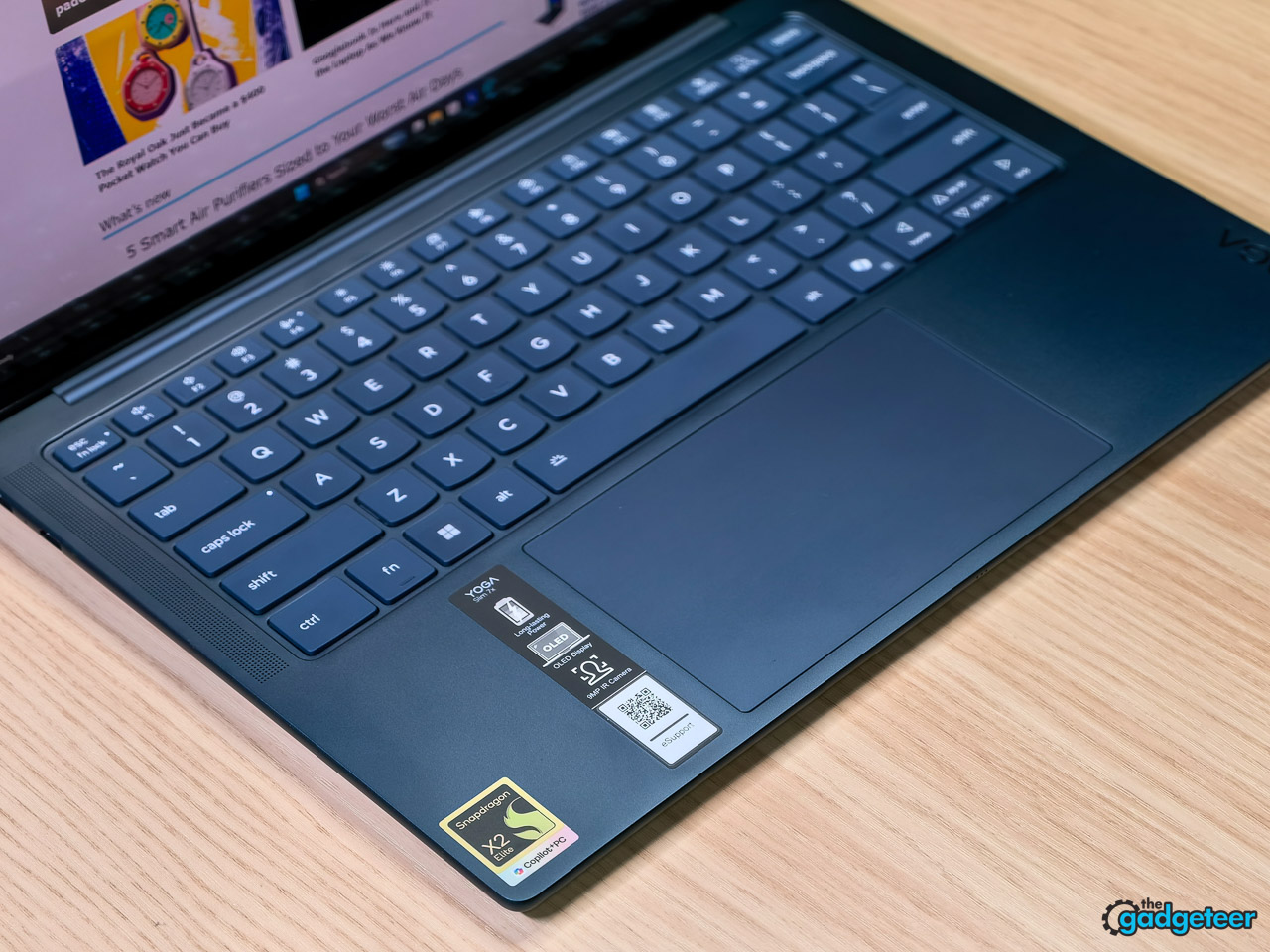
The touchpad is a buttonless glass-surface Precision TouchPad measured at 80 x 135 mm, which is generous for a 14-inch chassis. Across day-to-day use, I haven’t had a single accidental palm input.

What it sounds (and doesn’t sound) like
Lenovo includes a fan in this design, and I can count the number of times I’ve heard it on one hand. Web work, writing in WordPress, dozens of browser tabs, video calls, light photo editing in Lightroom: none of it makes the Yoga Slim 7x audibly work hard. When the fan does spin up under heavier loads, it’s a soft whoosh rather than a whine.
The four-speaker setup deserves a separate paragraph. Lenovo specs it as 2W x2 woofers and 2W x2 tweeters, optimized with Dolby Atmos and a Smart Amplifier. In practice, that means you can watch a movie or take a call from across a kitchen counter and hear it clearly. The quad-microphone array also has smart noise cancellation that, on calls, made my mechanical keyboard inaudible to the other side.
Battery life, the honest version
I stopped carrying the charger after the third day. That’s the easiest way I can describe what battery life feels like on this machine. A full workday of email, writing, research, video calls, and music, and I’d get back to my desk in the evening with a comfortable amount of charge still in the tank.
Lenovo rates the 70 Wh battery for Rapid Charge Express, which delivers a claimed three hours of runtime from a 15-minute top-up. That number tracked closely with what I saw plugging in mid-afternoon before heading out. Standby is where Snapdragon machines really pull ahead: close the lid Friday afternoon, open it Monday morning, and you’ve barely lost any charge.
Some context on how Lenovo frames this: the company defines the Yoga Slim 7x Gen 11 as a multi-day machine, which it pegs at roughly two 8-hour days of mixed work on the 70 Wh pack, with Rapid Charge Express rated for about three hours of use from a 15-minute top-up. Third-party rundown tests of Yoga Slim 7x configurations running similar 70 Wh batteries and Snapdragon X-class silicon have generally landed in the mid-teens to high-teens of hours (roughly 14 to 19) in controlled scripts at around 150 to 200 nits, doing continuous web or document work. I didn’t reproduce those rundown tests on this specific review unit, so treat that range as context from Lenovo’s own claims and third-party labs, not measured results from my time with the laptop. What I can say from sustained daily use: if your day looks like email, browsing, chat, music, and the occasional video call, this configuration clears a full workday on a single charge with enough headroom that you aren’t hunting for an outlet by mid-afternoon.
Daily performance, in plain English
Apps open immediately. There’s no wake-up lag. Browser tabs stay alive in the background without bogging things down. Video calls are crisp, the camera is genuinely good (the 9.2 MP sensor is a noticeable step up from the usual potato webcam, and the IR sensor handles Windows Hello logins fast and reliably), and the noise reduction on the mics is impressive.
Light photo editing in Lightroom or Photoshop runs smoothly. Heavy video editing and 3D work aren’t what this laptop is for, and that’s fine, almost no 14-inch ultraportable in this price band is. Most of the apps you actually use have native ARM versions now, and the handful that don’t run through Windows’ translation layer well enough that I never noticed which were which during normal work.
If you’re coming from an Intel ultraportable from a few years ago, the most obvious difference isn’t raw speed, it’s that this laptop never feels stressed.
That lived-in read lines up with where the X2 Elite has landed in early independent lab testing of the same silicon, which is worth a short detour because it explains why the chip feels the way it does day to day.
On the CPU side, the X2 Elite trades blows with the current Intel Core Ultra and AMD Ryzen AI ultraportable chips in multi-threaded work, sometimes pulling ahead in heavier sustained loads. Single-core sits a step behind Apple’s M-series but right alongside the Intel and AMD field, which is the more relevant comparison for a Windows ultraportable. The detail that matters most for how the laptop feels is plugged-versus-battery parity. The X2 Elite holds essentially the same performance on battery as it does plugged in, which still isn’t the norm for Intel and AMD systems in this bracket. That parity is a big part of why the “never feels stressed” read above holds up, because unplugging the laptop doesn’t quietly tank the chip.
On the GPU side, the integrated Adreno is fine for UI, video, and light or older games at 1080p medium, but it trails discrete graphics and falls behind some competing integrated solutions in heavier titles. Compatibility on the gaming side is also still spotty, with anti-cheat and emulation blocking some popular AAA titles outright. Translation: this is a casual games and creative previews laptop, not a 3D workstation or a gaming machine.
On the NPU side, it’s the opposite story. The X2 Elite’s 80 TOPS block lands at the top of the current consumer NPU field on dedicated AI benchmarks, and Copilot+ features run on it without slowing the rest of the system down. The catch is software. Windows and third-party developers are still catching up on local AI workflows, so most of that headroom reads as future-proofing today, not a workflow shift you’ll feel this quarter.
The AI side
Because this is a Copilot+ PC, Microsoft’s on-device AI features run locally on the X2 Elite’s NPU. In practice that means Studio Effects on video calls runs without warming up the chassis, Live Captions work offline, and Cocreator generates images locally rather than waiting on a cloud round-trip. Recall is also on-device, so the timeline of your activity stays on your machine.
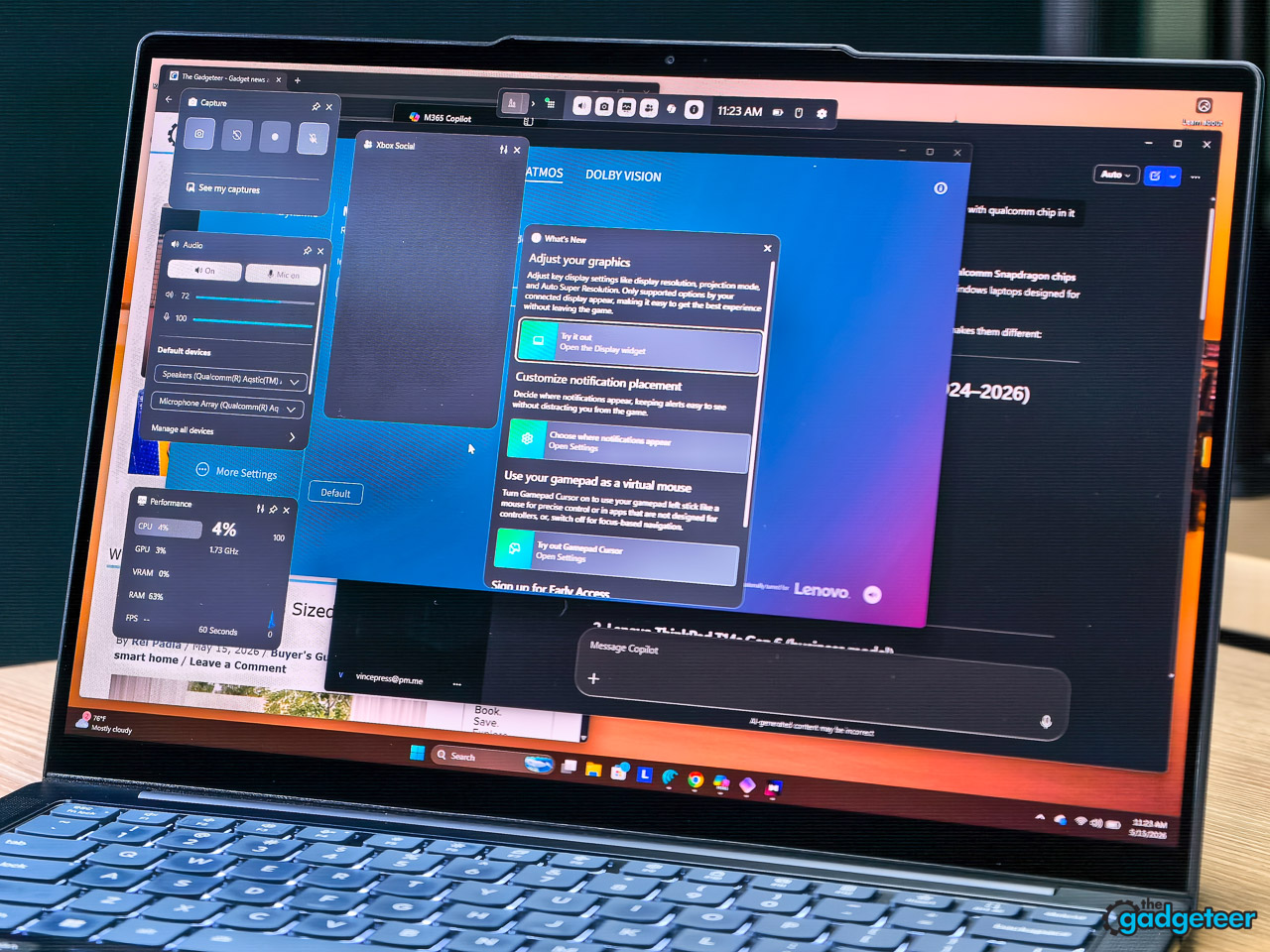
This isn’t life-changing yet, but it’s the kind of foundation that gets more useful as Microsoft and third-party developers ship more local AI features. The 80-TOPS rating on the X2 Elite means the laptop has headroom for whatever lands in the next year of Windows updates.
Camera, mics, and privacy
The 9.2 MP camera is paired with an IR sensor for Windows Hello facial recognition and Lenovo’s Zero Touch features (auto-lock when you walk away, auto-login when you sit down). Both worked without complaint. Even better, there’s a hardware E-shutter switch on the side of the laptop that physically cuts power to the camera. Flip the switch, the camera is dead. That’s the kind of feature that should be on every laptop.
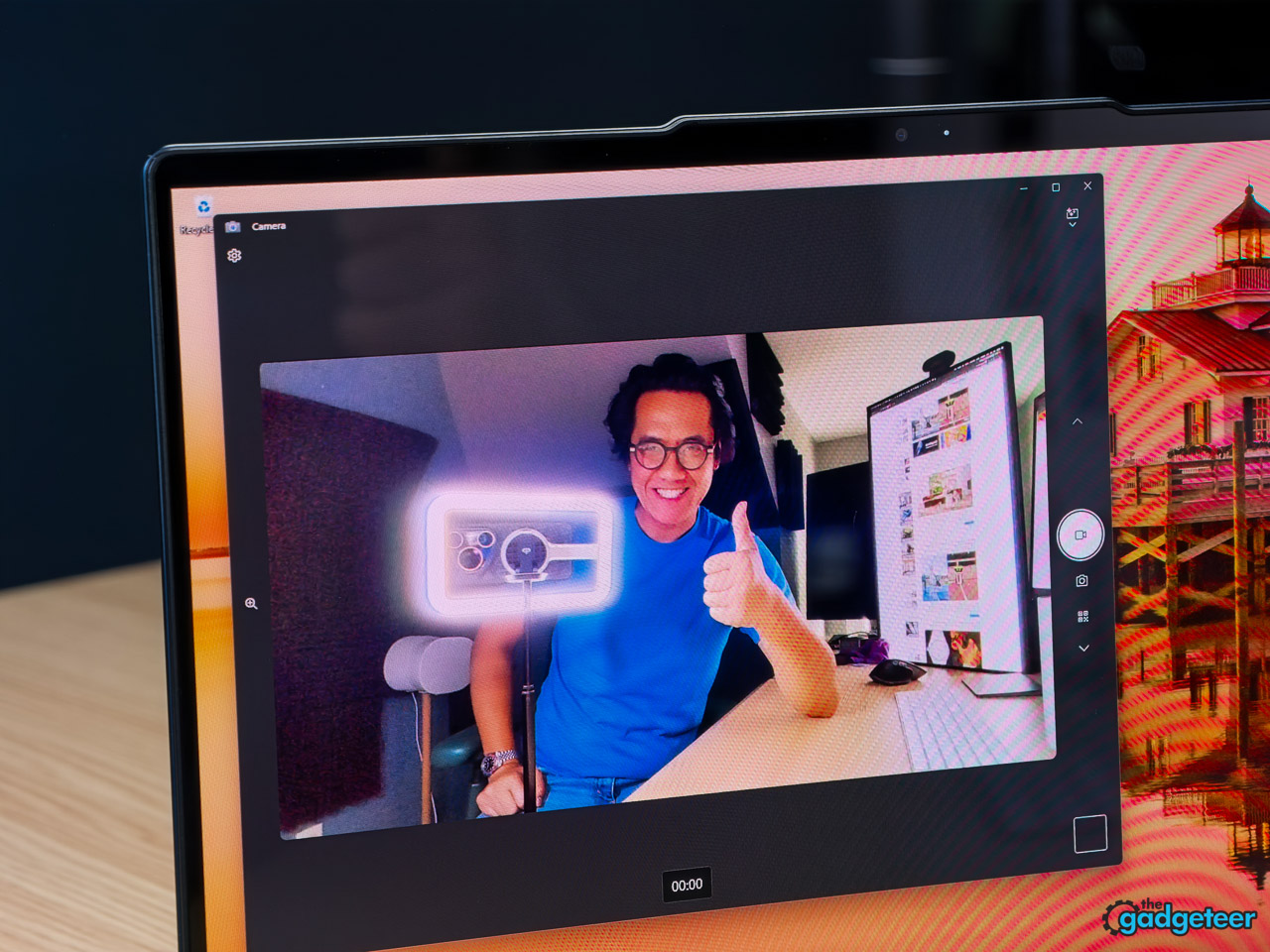
The quad-microphone array with smart noise cancelling is a genuine upgrade over what most ultraportables ship with. On Zoom and Google Meet, callers commented unprompted on how clear the audio was.
What you give up
Two things to know before you buy.
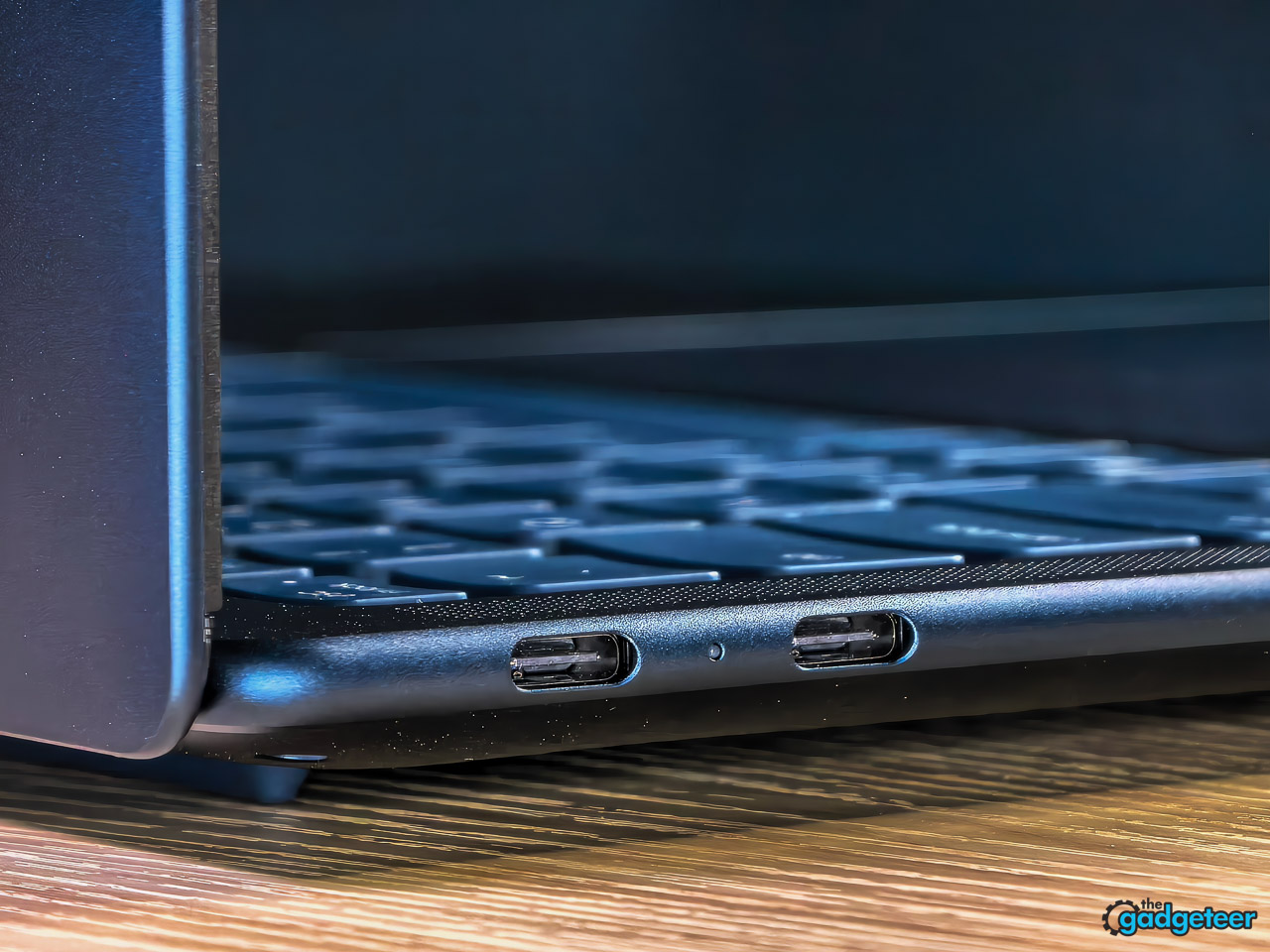
First, the port selection is minimalist: three USB-C ports (all USB4 40 Gbps with USB PD 45-65W and DisplayPort 1.4) and that’s it. No USB-A, no HDMI, no SD card reader, no headphone jack. If you live in a USB-C world already, fine. If you don’t, budget for a small dongle or hub.

Second, this is an ARM laptop. Compatibility is dramatically better than it was a year ago, but there are still corners of the Windows software world (some older games, niche professional plugins, certain VPN clients) where things either don’t run or run with a performance penalty. My time with this unit stayed inside mainstream, ARM-friendly territory: browsers, Office, Slack, Zoom, Lightroom, WordPress. I didn’t push into heavier 3D, native PC gaming, or legacy enterprise software, so my “it just works” read is bounded to that slice of the Windows-on-ARM world. If your daily workflow lives outside it, check your specific apps before committing.
How it compares
The two laptops you’ll see cross-shopped against this one are the HP OmniBook Ultra 14 G2 and the Asus Zenbook A14, both also running Snapdragon X2-class silicon. Neither is the better buy.
HP’s machine lists at around $2,049 and rarely drops below $1,749 on sale for what amounts to a slightly higher-binned chip and a haptic trackpad. You’re paying roughly $250 to $550 more than this Yoga for performance gains you won’t notice outside of synthetic benchmarks, and a design language that’s flashier without being better built. The Yoga matches its 32 GB / 1 TB memory and storage, runs quieter, and is the only one of the three with MIL-STD-810H build testing (the same military-grade durability standard Lenovo uses on its commercial ThinkPads).
The Asus Zenbook A14 wins on weight, full stop. If you absolutely need a sub-kilogram laptop, it’s the answer. But its base configurations ship with 16 GB of memory and 512 GB of storage, which is the spec floor you’d want to leave behind on a laptop you plan to keep for three or four years. And the panel options don’t reach OLED at this price point.
The Yoga Slim 7x Gen 11 is the X2 Elite laptop to buy. It’s the only configuration in this bracket that lands the chip, the memory, the storage, the OLED panel, the keyboard, and the quiet thermals right at the same price. The other two each give up at least one of those to win at something narrower.
Who is this for
Best for: writers, students, creators, and business travelers who want a premium ARM ultraportable, OLED contrast, and all-day battery without paying flagship money. Anyone who used to default to a MacBook Air because nothing on the Windows side felt as polished should put this on their list.
Also good for: people who care about a great keyboard, near-silent operation, and a laptop that doesn’t draw attention in a meeting room.
Skip it if: you live on USB-A peripherals or HDMI cables and don’t want to carry a hub, you’re a serious gamer, or you depend on niche legacy Windows software that hasn’t been updated for ARM.
How I tested
I used this Yoga Slim 7x Gen 11 as my primary writing and browsing machine for a week straight, not as a side device. Daily workload was Chrome with 20 to 40 tabs open, WordPress for article drafts, Slack, Notion and Gmail in the background, Zoom and Google Meet for calls, Spotify or YouTube Music while writing, and occasional Lightroom passes on review photography. Indoor brightness sat between roughly 40 and 60 percent, which lines up with the 150 to 200 nit range most rundown tests use as their baseline.
I didn’t run a formal battery rundown, a Cinebench, Geekbench, or PCMark sweep, or any ARM emulation stress tests on this specific sample. The performance and battery sections describe how the laptop felt across an extended stretch of mainstream productivity, not synthetic scores. For specialized 3D work, native gaming, or legacy enterprise workloads on Snapdragon X2 Elite, I’d point you to outlets that benchmark those scenarios specifically.
FAQ
Is the Lenovo Yoga Slim 7x Gen 11 the best Snapdragon X2 Elite laptop?
For most people shopping this category, yes. At $1,499.99 the X2E-88-100 / 32 GB / 1 TB / OLED configuration is the only one in the bracket that lands the chip, memory, storage, panel, build standard, and quiet thermals right at the same price. HP’s OmniBook Ultra 14 G2 lists higher for marginal real-world gains, and the Asus Zenbook A14 wins on weight but ships with half the base memory and storage.
Is the Lenovo Yoga Slim 7x a touchscreen?
Yes. The 14″ WUXGA OLED panel on this configuration is a multi-touch glass display with anti-fingerprint coating, per Lenovo’s reviewer’s guide.
Does it have Wi-Fi 7?
Yes, 802.11be 2×2 with Bluetooth 5.4.
Can it charge from a phone charger?
The ports are USB-C with USB PD support at 45-65W. A high-wattage USB-C phone charger will trickle-charge in a pinch, but for full speed and Rapid Charge Express, use a charger that delivers at least 65W.
Is it good for gaming?
Yes, with the right expectations, since this isn’t a gaming laptop and Lenovo doesn’t market it as one. ARM-native and well-emulated indie titles run fine. Demanding AAA games will struggle or won’t launch.
How long does the battery last?
Lenovo’s 70 Wh pack supports Rapid Charge Express, which they rate at three hours of runtime from a 15-minute charge. In daily mixed-use, I got through a full workday with comfortable headroom. I did not run a formal controlled battery rundown on this unit, but third-party reviews of the same configuration have reported between 14 and 19 hours in continuous web-work tests at 150 to 200 nits.
What size is the OLED display?
14 inches, 1920 x 1200, 60 Hz, with DisplayHDR True Black 500 certification and Dolby Vision support, per the reviewer’s guide.
The verdict
The Yoga Slim 7x Gen 11 doesn’t have a signature feature. There’s no haptic trackpad, no rotating screen, no party trick to put on a billboard. What it has instead is a lack of compromises: a great OLED screen, a great keyboard, all-day battery, near-silent operation, a chassis tested to military standards, and a Snapdragon X2 Elite chip that simply never feels stressed under daily work.
It’s the kind of laptop you stop thinking about, in the best possible way. And at $1,499.99 for the X2E-88-100 chip, 32 GB of memory, 1 TB of storage, and the OLED panel, it’s the X2 Elite laptop to buy right now. If you’re shopping the bracket, this is the one.
Highly recommended.
Price: $1,499.99 (estimated value $1,699.99, 11% off)
Where to buy: Lenovo | Best Buy
Source: The sample for this review was provided by Lenovo. Lenovo did not have a final say on the review and did not preview the review before it was published.