
Over a year and a half ago in December 2004, the much anticipated Treo 650 smartphone arrived on the market. This first model was a CDMA version from Sprint, but several months later a GSM version and then a version from Verizon also became available. Since its release, the 650 has become the most popular smartphone (combination PDA / mobile phone) device on the market. Time has not stood still for Palm. Their latest smartphone is the 700p. Should 650 owners pony up to buy this upgraded model, or should they keep their cash and wait for something with more revolutionary features, instead of evolutionary?
Hardware Specs
Operating System: Palm OS 5.4.9 (Garnet)
Memory: 128MB (60MB user accessible) non-volatile
Processor: Intel® XScale™ 312MHz processor
Display: 320 x 320 color TFT touchscreen display 16-bit color displays displays up to 65,536 colors
Carrier compatibility: CDMA 800/1900MHz digital dual-band, CDMA2000 EvDO network-backwards compatible with 1xRTT and IS95 networks
Wireless: Bluetooth® 1.2 wireless support
Camera: 1.3 megapixels with 1280×1024 resolution, video capture with 352 x 288 resolution and audio
Audio: 2.5mm headset jack is stereo headset compatible-requires a stereo headset adapter, sold separately, for use with standard stereo headphones
Expansion slot: Support for MultiMediaCard, SD & SDIO cards
Battery: 1800 mAh removable, rechargeable lithium-ion battery, Talk time: up to 4.5 hours, Standby time: up to 300 hours
Power: AC adapter (108-132 VAC/60Hz)
Size: 2.3″ W x 4.4″ H (excluding antenna) x 0.9″ D (58mm W x 113mm H x 23mm D)
Weight: 6.4 ounces / 180 grams
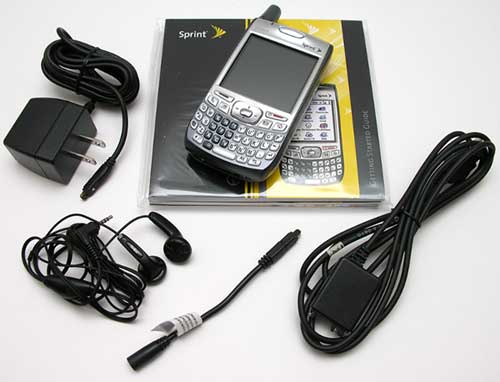
Package Contents
Palm 700p
Li-ion battery
AC travel charger
Stereo headset
USB sync cable
Software installation CD
Read this first poster
Getting started packet
Hardware Design
I’ve been a Treo 650 (GSM) user for over a year now, so I don’t think it will be much of a surprise that this review is going to be really heavy on 650 vs 700p comparisons. The overall design of the 700p, is almost identical to the 650. There are just small subtle changes that a quick glance would probably overlook.
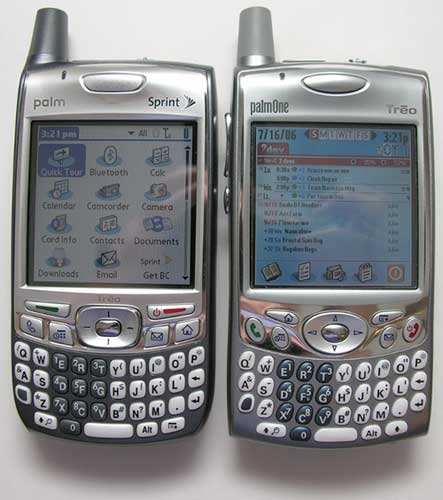
Left to Right: Treo 700p, Treo 650
The main differences that stick out when you compare the two smartphones, are the 700p’s more rounded bottom edge, squarish nav button, and new application button layout. Size and weight are the same, and for the most part, cases for the 650 will most likely fit the 700.
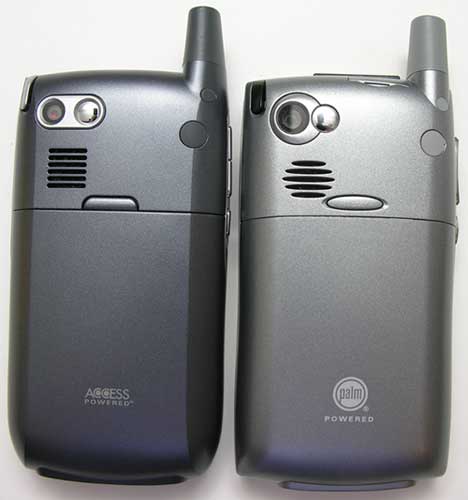
Left to Right: Treo 700p, Treo 650
If you take a look at the back side of both devices, you will again see that they are quite similar. It would have been nice to include a small hole in the shell for reset switch access.
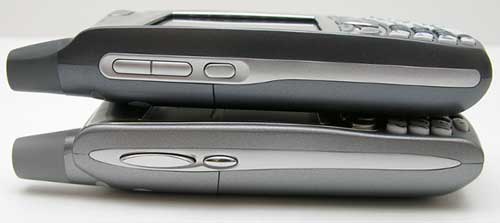
Top to Bottom: Treo 700p, Treo 650
Here we notice a redesign of the Volume up/down buttons. Instead of one large rocker type switch on the 650, there are now two separate buttons to adjust the sound level.
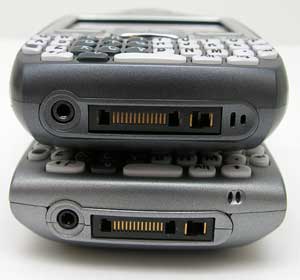
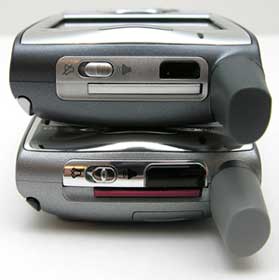
Top to Bottom: Treo 700p, Treo 650
The location of the microphone has changed a little on the 700p, as has the size of the IR port located on the top edge of the phone.
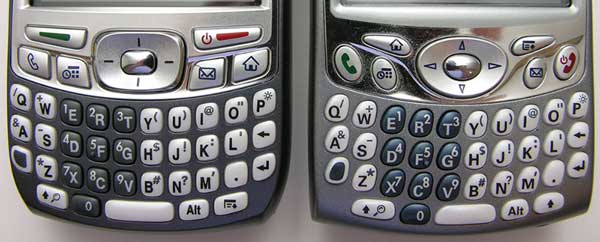
Left to Right: Treo 700p, Treo 650
Of all the physical changes, I would say that the changes with the keyboard are the most significant. The new squarish shape of the navigation button and keys are not a big deal, but the keyboard layout definitely is. At least it is for someone that is already very acquainted with the 650 keyboard. If you look closely, you will see that the Power/Call End and Call Send buttons have both changed in shape and location. The Menu button has taken the place of the right Shift button, and the Application Home button has moved from the left side of the keyboard to the right side. There’s also a new Phone button that launches you directly into the built in dialer application.
Do I like the new layout / design? Right now I would say that I don’t like it all that well. The keys feel a bit cramped and I find myself pressing the Menu button when I really wanted the Shift button instead. That said, I’m sure after a couple of weeks, my brain would rewire itself, the new layout would seem natural.
Let’s take a more detailed look just at the 700p.
Front
Nothing new and exciting here folks. Not that the 700p needed to be redesigned from the ground up right? I mean the Treo hasn’t become the most popular smartphone due to a shoddy design. But it’s human nature to be a bit disappointed that this new version has changed so little.
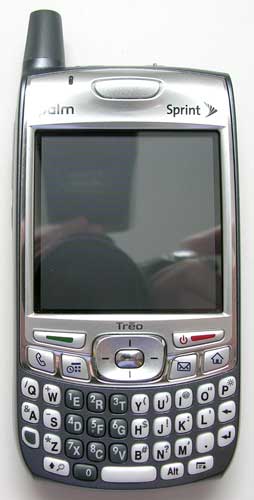
In hand the plastic casing feels solid and didn’t yield too many creaks and cracks when I performed the Gadgeteer squeeze test. Mostly the keyboard seemed a bit more squeaky than what I’m used to with my 650.
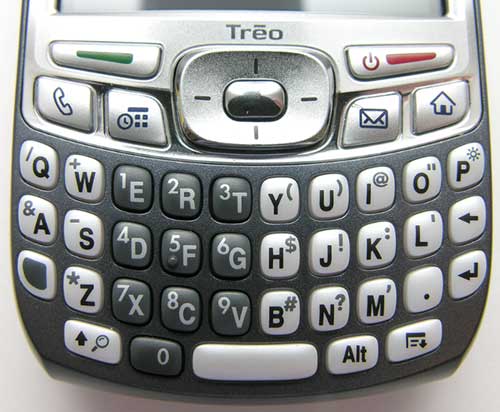
The keyboard has good tactile feedback and is backlit. Each key has 3 different key assignments. Lower and Uppercase letters and then an additional number or symbol.
Left Side
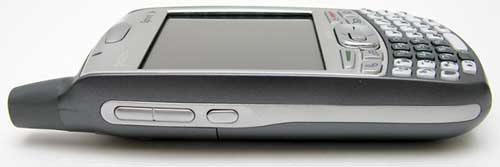
Located on the left side are the Volume adjustment buttons and side key. These buttons are flatter and smaller than the same buttons on the Treo 650. I think they are a bit more difficult to press.
Back
The backside of the 700p has the camera, self portrait mirror, stylus silo, speaker and battery cover.
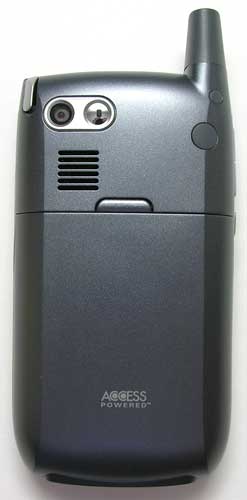
The 700p has “sharper” corners than the 650. This actually makes the phone feel slightly smaller in hand.
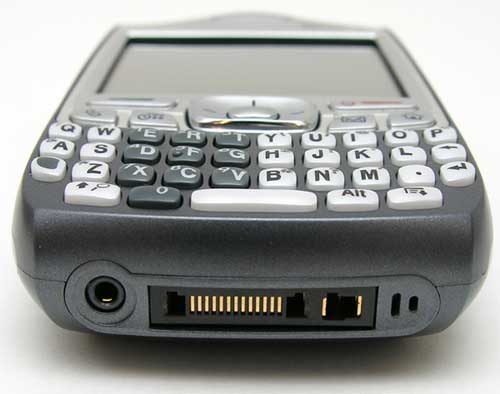
Luckily, the charge / sync port is the same as the 650, so if you do plan to upgrade, your old accessories will be compatible with this new phone. Unluckily, the earphone jack is the same lame 2.5mm instead of the standard 3.5mm size that 99.9% of earphones use. Yes, I know that this size jack has been used because that is the size used for most wired handsfree headsets. But the Treo has Bluetooth, get a wireless headset instead :o)
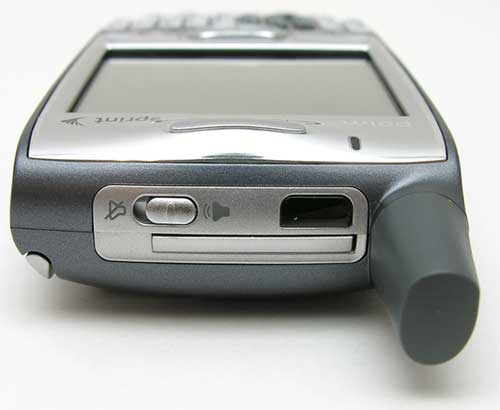
One nice little feature that the 700p has that the 650 doesn’t, is that now when you switch the speaker to mute, you’ll feel a little physical vibration feedback.
Regarding the speaker, the volume through the earpiece seems to be a lot louder on the 700p when compared with the 650. Volume levels for alarms and such remain about the same though. Alarms on the 700p can be set to vibrate in addition to sound.
What about the display? Well, it’s the same 2.57in diagonal, 320×320 pixel, 65K color screen that the 650 has. When I compared both side by side at the highest brightness level, I would say that the 700p’s display was ever so very slightly brighter. I could only tell a difference when looking at the application lists. The White background was a little brighter. I’m being very picky here. Both displays are crisp and clear and very easy to read except in full sunlight.
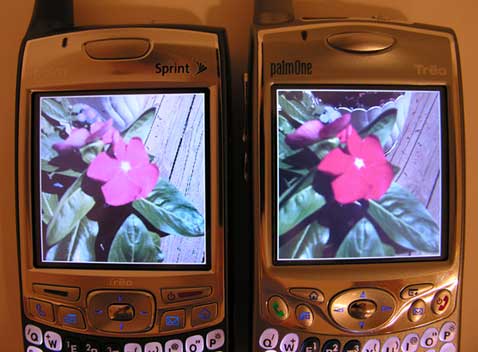
Left to Right: Treo 700p, Treo 650
One main difference with the 700p, is the upgraded built in 1.3mp camera. It has a max resolution of 1280×1024. The 650 only has 640×480. This upgrade is noticeable. Check out the comparison pictures below. Click the thumbnails to view the full-size images.
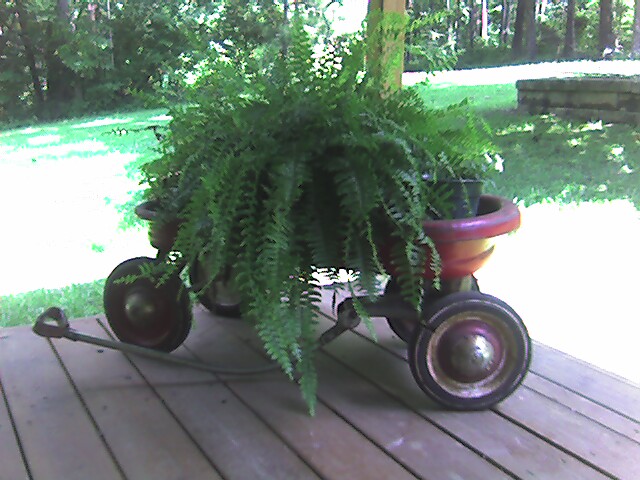
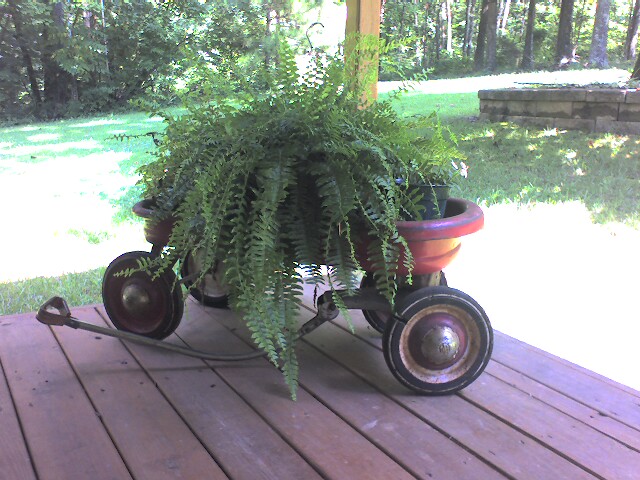
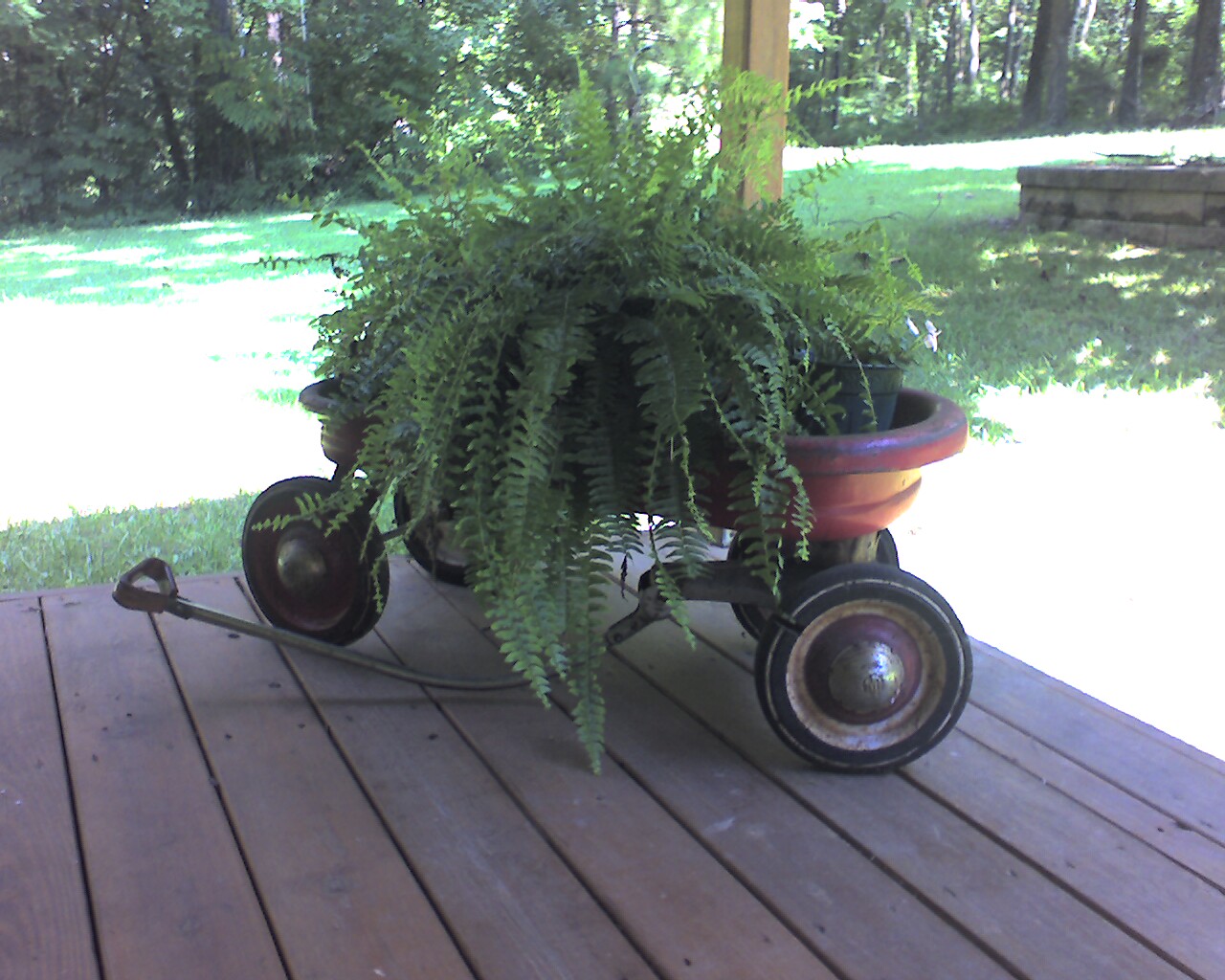
Left to right: Treo 650 (640×480), Treo 700p (640×480), Treo 700p (1280×1024)
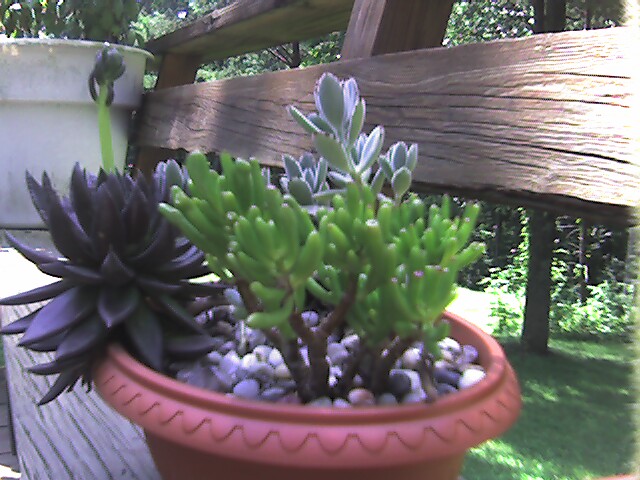

Left to right: Treo 650 (640×480), Treo 700p (640×480)
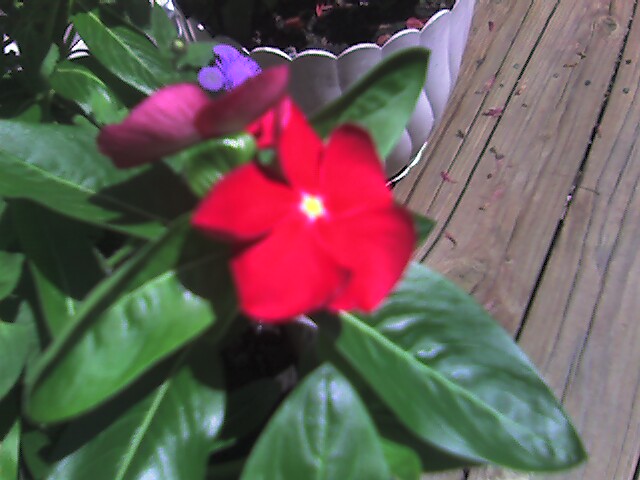
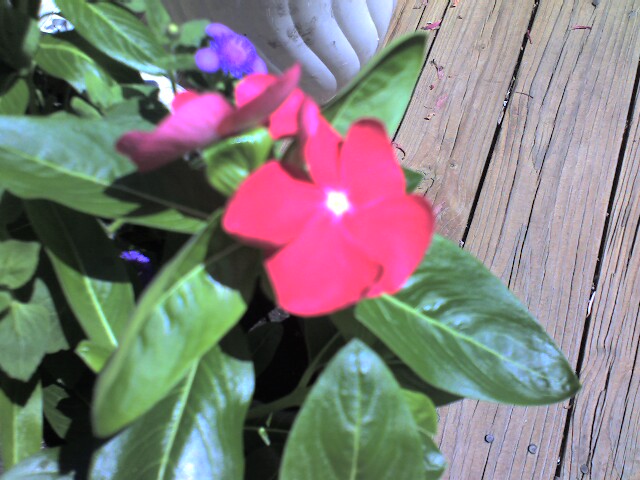
Left to right: Treo 650 (640×480), Treo 700p (640×480)
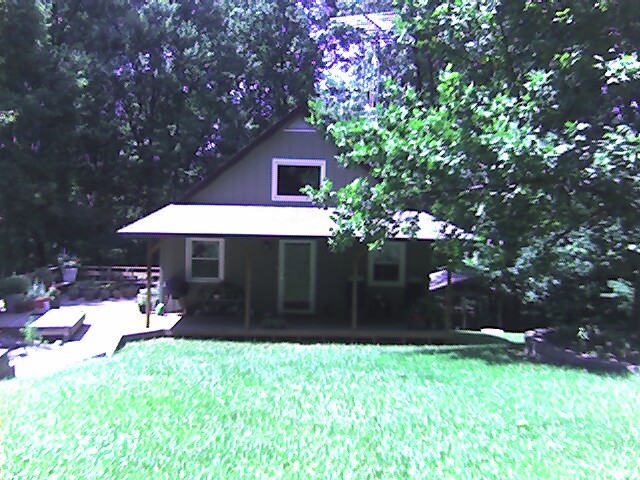
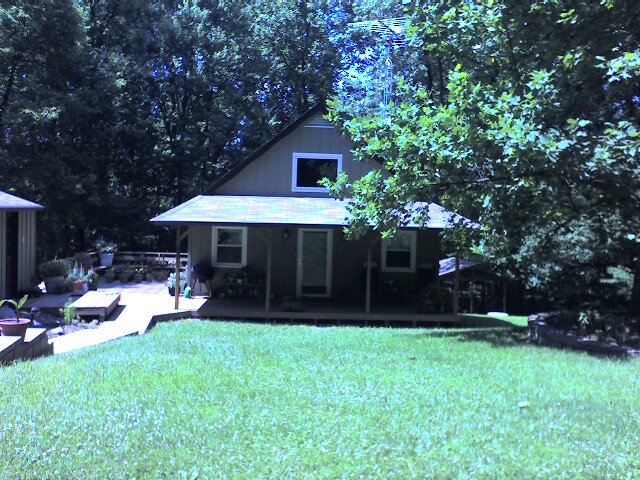

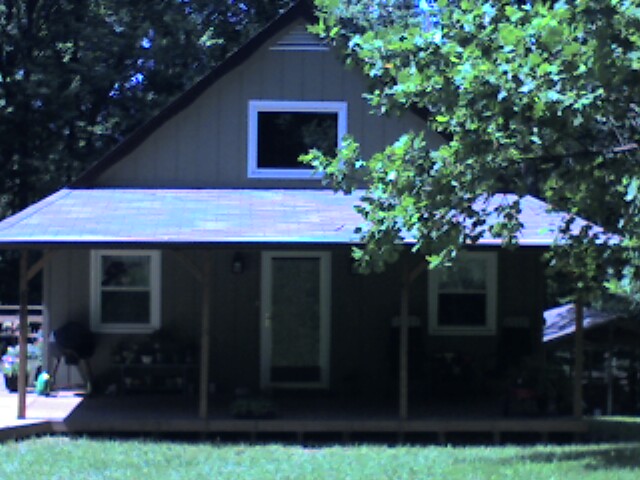
Left to right: Treo 650 (640×480), Treo 700p (640×480), Treo 650 zoom x 2 (640×480), Treo 700p zoom x 2 (640×480)
The 700p still doesn’t have a macro mode, so close up shots still look crummy. I don’t think the 700p does that well with long distance shots either. The house pictures look pretty blah. The best shots are ones where the subject is 3-5 feet away.
Besides the camera update, the 700p’s memory has been increased. Now instead of having just 23mb of user accessible memory, you’ll have 60mb. This is a very nice increase for those of you that like to install lots of 3rd party applications. The processor remains the same though, so you won’t notice any differences in overall speed of the device. Personally, I’ve never had a gripe with the 650 when it comes to system performance.
Battery size remains the same between the 650 and 700p as well. Both use a 1800mAh lithium-ion rechargeable battery.
Bluetooth has been updated from 1.1 to 1.2. No A2DP profile though, so no listening to your MP3s via Bluetooth headphones. I don’t know what the upgrade from 1.1 to 1.2 really gives you. However, it is important to note that DUN (dial up networking) is now supported without 3rd party apps like PDAnet.
My tests on both phones with several headsets seemed to yield the same results. Bluetooth via a Treo works best when the headset and handset are within very close proximity.
Another upgrade for the 700p is EVDO or EV-DO (Evolution-Data Optimized). EVDO is a wireless broadband data standard supported by Verizon and Sprint. It’s only available in some areas of the country. Of course, it’s not available where I live (Columbus, Indiana). Even though the following tests really don’t mean anything because I’m comparing a Treo 650 on Cingular with a Treo 700p on Sprint, here you go anyway…
Using the built in Blazer browser on both handhelds, I visited http://dslreports.com/mspeed. Here are the results of the speed tests.
| Kbit/Sec | Latency | Download Time | |
| 700p 200k (Sprint) | 79kbs | 1.882s | 21.304s |
| 650 200k (Cingular) | 99kbs | 2.654s | 18.8s |
| 700p 600k (Sprint) | 106kbs | 1.73s | 46.367s |
| 650 600k (Cingular) | 114kbs | 2.845s | 44.358s |
As far as the hardware goes, I can’t complain THAT much about the 700p. Of course, there are things I really wish had been included with this new model. Features like compatibility with Palm’s SD WiFi card, A2DP Bluetooth protocol, and better Bluetooth range. But I can actually live without these things…
Now let’s take a look at the software bundle for the 700p.
Software
Installed in ROM
No significant changes to:
Bluetooth Manager, Calculator, Calendar, Card info, Contacts, HotSync Manager, Memos, Phone, QuickTour, Tasks, World Clock, Messaging, Versamail, Camcorder, Camera
Blazer Web Browser v4.5 – Upgraded version now supports streaming media (WMA, ASF, WMV and MP3)
Documents To Go version 8.0 – View and edit Microsoft Office documents including Word, Excel. Also view Powerpoint and PDF files. This is a great app!
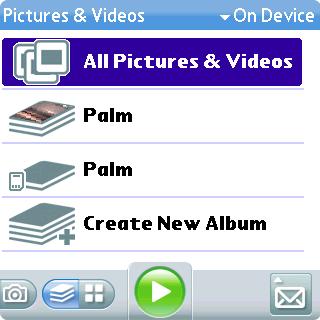
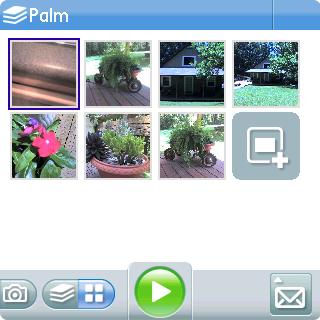
Pictures and Videos application has some interface updates:
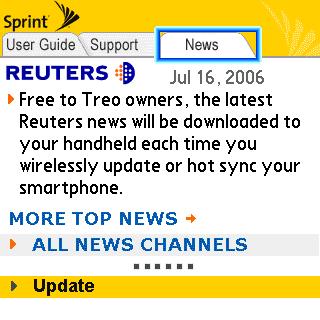
MyTreo – Userguide and news download (via Hotsync or wireless) application:
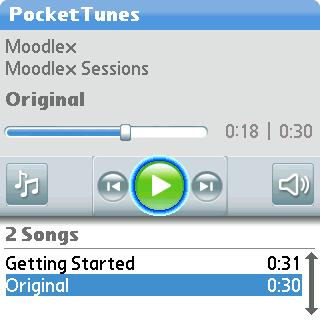
PocketTunes – Replaces Realplayer as MP3 player
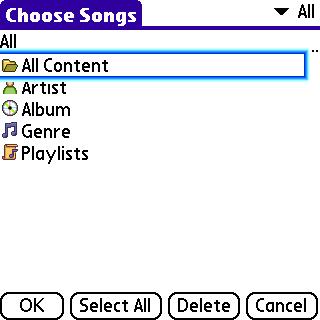
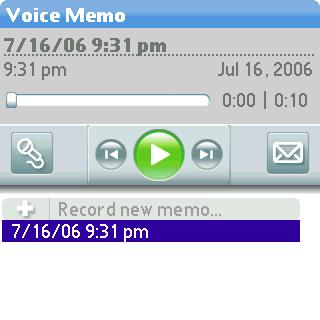
Voice Memo – Voice recorder application. This application is used to record voice memos, voice emails and ringtones:
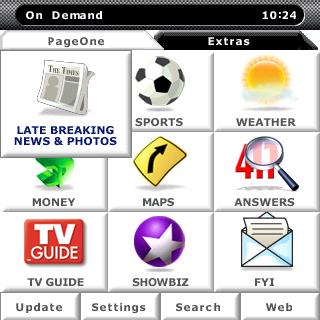
On Demand – Cool wireless portal application from Handmark for news, entertainment and information, weather, etc. I think this is my favorite new application!
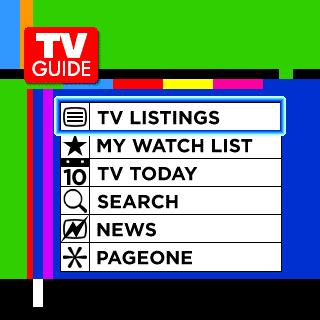
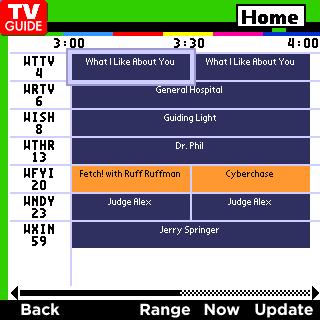
Check out what’s on TV tonight.
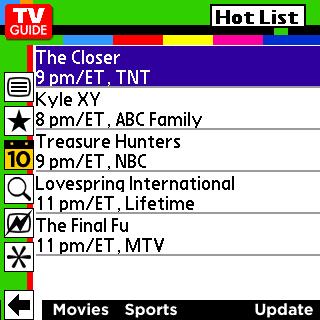
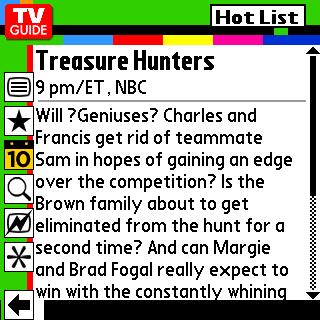
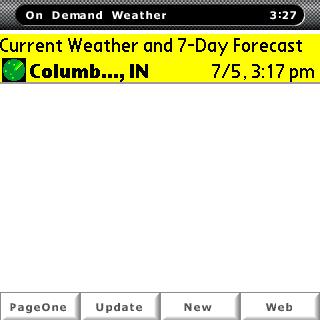
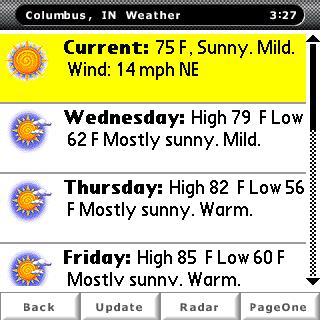
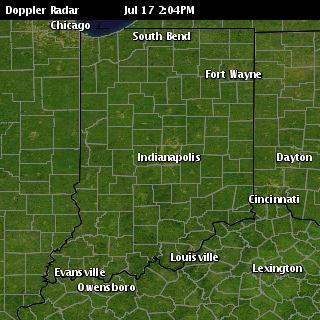
Weather info with forcast and radar.
SprintTV – Watch video on your Sprint Treo 700p.
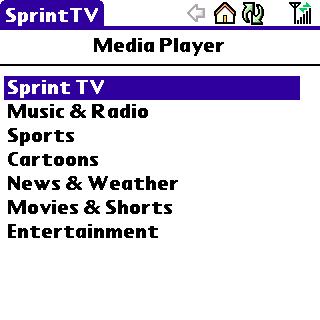
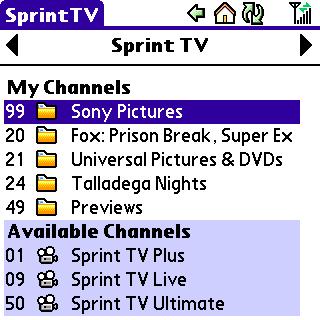
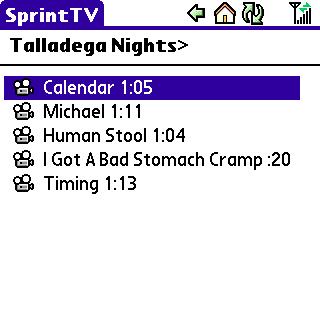
I goofed around a little with this application, but I don’t think I have a EVDO connection in my area.
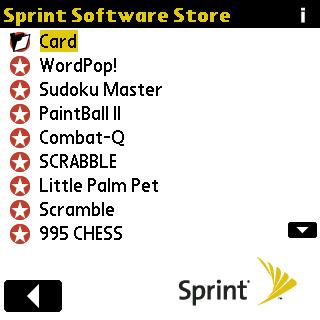
Sprint Software Store – Convenient way to spend money ;o) Cool though.


Software on CD-rom
Audible – Audio book software
Bejeweled – Tile game
Documents To Go (for your desktop) – Sync changes to/from MS Office documents with handheld
eReader – eBook reader
Palm Files
Remote File Access
Solitaire – Card game
Traffic for Treo smartphones
Treo Voice Dialing
So, do I think the Palm Treo 700p is a smartphone worthy of your hard earned cash? My answer is maybe. If you have already have a perfectly good Treo 650, I would say the upgrade doesn’t give you enough oomph to justify trading up. This is especially true for me as I’m on the Cingular network and so far there isn’t a GSM version of the 700p available. But for those of you that have yet to try a Treo smartphone, I would not hesitate to recommend the 700p. It’s an easy to use phone with a great feature set, tons of accessories, even more software and a large established community base.
| PHONE | CARRIER | PRICE |
AFTER REBATE | |
Palm Treo 700p
|
 |
$449 |
$299 |
 |
 |
$379 |
$279 |
|


ESR for MagSafe Wallet, 5 Card Holder with RFID Blocking, MagSafe Sticker Included, Slim Magnetic Wallet for iPhone 17e/17/16/15/14/13/12 Series and Selected Samsung Devices, Not for 13/12 Mini, Black
(as of June 8, 2026 16:32 GMT -05:00 - More infoProduct prices and availability are accurate as of the date/time indicated and are subject to change. Any price and availability information displayed on [relevant Amazon Site(s), as applicable] at the time of purchase will apply to the purchase of this product.)

Gadgeteer Comment Policy - Please read before commenting
Post your comments on the Palm Treo 700p Smartphone review.
http://www.the-gadgeteer.com/review/palm_treo_700p_smartphone
Just click the POST REPLY button on this page.
The killer feature in the 700p is the EVDO radio. I made the jump from a 600, so the speed and feel of the device is a massive leap of speed in comparison. I have EVDO here in Atlanta, and I got dslreports/mspeed numbers from here:
600k 304kbit/sec .0587s latency 16.216s d/l
200k 395kbit/sec .552s latency 4.601s d/l
The 2-4x faster speed that this reports actually seems to be a bit slower than my experience has been so far. I’ve pretty much switched over to using Audible Air, because I can download a 50M audiobook in 3-4 minutes. Web browsing is now quite functional.
The only other nice little feature is .WAV ringtones directly in the phone app.
Couple comments on the review.
The 2.5 and 3.5 headphone adapter can easily be fixed by a $2 adaptor. I found these adaptors about half an inch in size that converts any 2.5 to 3.5 connector. I now can use any headphone or casset adaptor. Works great.
I personaly was disapointed with the 700p. I’ve owned the 650 from the second they were released. Been extreamly happy with it. Only problem I had was with early versions of the firmware were horribly unstable. But after about 3 updates it’s rock solid for me now. I won’t be upgrading simply because I don’t want to deal with a 1st gen firmware again.
I am horrible when it comes to software and abuse of my treo 650. I use it for EVERYTHING.
Zlauncher as a shell replacement (face it the palm os launcher is UGLY)
Pocket express (add on for the 650) direction, phone book, wonderfull app
Mobi-office – found too many problems with doc2go when dealing with thousands of documents. Mobi-office works better for me.
Trips Deluxe – tracks my milage and client time for billing
Turbo passwords – I have to track thousands of passwords, user Turbo password for this
Beyond contacts – Outlook sync and pim managerment. great app
Of course Ihave my ebook readers (tibr pro, and isilo are my favorite)
Adobe and 3rd party pdf viewers
Student toolkit – (great app for students and science/engenering)
Backupman – Single most important app I have, backups treo every 4 hours to my sd card, JUST IN CASE.
Butler, cardexport, CZ Call manager, Filez, Handzip, KBlights rand apps to make life easier
Work apps include (I work on servers remotely)
MobileTs – Remote desktop viewer, terminal services
Palmvnc – vnc client
pssh – Ssh console program (used probably 4-5 times an hour)
PDAnet and usbmodem (lets me use palm as usb data modem)
Ptunes – gotta get my daily shoutcast comedy streams
then there are games
about 20 games installed, including gameboy, nintendo and sega emulators and about 3000 roms installed on card. I will never be bored.
As you can see I work the living heck out of my treo, and would be worried about how all there apps run, and how stable they are. I’d love to watch the bug reports for awhile
The Sprint software store has been included way back with the treo 600. I admit it’s a great way to spend money. 😉
I’d be interested in an updated report when more applications get installed on your 700p
You mentioned in the review that the 700P comes with a voice dialing software package. Does it work well? I am totally used to voice dialing and the absence of it in the 700P (either hard wired or via software) would be a deal killer for me. By the way, voice dialing makes a phone much safer to use in the car.
DON
Treo has had an unofficial pairing with Treo™ Voice Dialing 2.0 for voice management (at least sprint) for the 650. I’ve found this to be a wonderfull dialer. IT does not require training and is very accurate. It reads the contacts from your contact list. I oridinaly had one problem with program, each time it “re-indexed” my contact list, my phone would be unusable for 30-40 seconds. But I had at that time about 9000+ contacts in my list. After importing new company contact lists I probably has close to 50,000 contacts listed in my address book. The program would crash on index. I have since moved my buisness contacts to another contact manager that is not linked to the palm phone application and only have 1000-2000 contacts, and program is quick, and instant in looking up numbers. I can’t really blame the software for being slow. that is a TON of names for it to reference and compare a voice print with.
I suspect the Voice Dial is primarily geared toward the North American speech pattern. Asian and mabbe European users may have difficulty using it.
I don’t really like the use of a 2.5-3.5mm audio jack converter. I am using it, but more because there’s no other option.
My question on Treo 700p is on Bluetooth 1.2. Does it support the A2DP and AVRCP profile? In other words, can I use a Bluetooth Stereo Earphone with mic with the Treo 700p? For AVRCP, what about remote start/stop etc?
As a Treo 650 user for the last 14 months, I can tell you that I was not even remotely tempted by the 700p. My New Every Two renews next March, and unless Palm can come up with something better than the 700p, I will hold on to my 650 a while longer. The only thing I don’t like about my 650 is the extremely limited RAM, but since most of my apps are on a 2 GB SD card anyway, that’s not too troublesome. I do not live anywhere near EVDO coverage, I barely get any coverage at all, and only Verizon provides service in my area (mid-Hudson Valley) with any decent reception. My only bugaboo with Verizon is that their data coverage in the middle of the country (where I go storm-chasing every summer) is terrible. Otherwise, the Treo 650 is still the best handheld device I have ever owned!
moofrank:
Wow, I’m VERY jealous! I wish I had EVDO in my area!
dolteltech:
I’m more than aware of the 2.5mm – 3.5mm adaper since I’ve been using a Treo 650 for over a year 😉 I’m just saying that I don’t really see why they went with that size connector given the fact that the phone has Bluetooth. I guess they didn’t want to stray from a standard.
sigh:
No A2DP and as far as I know, no AVRCP either.
The big thing about Bluetooth 1.2 over 1.1 is, with Bluetooth 1.1 you could only connect to one device at a time, with 1.2 you can have multiple connections.
So, now you don’t need to choose whether you want your headset or your GPS connected, you can have both! Big improvement!
As for GSM models… they’ve already “announced” a 3G Windows Mobile Treo is coming to Vodafone in the UK some time this year, I assume that will have GSM fallback capability as the 3G network here isn’t amazing… we just need to wait for the “real” Treo and I have an upgrade path! 🙂 *dons flameproof-suit*
Julie,
If you have A2DP headphones, would you be able to review this product
Softick Audio Gateway
Advanced Audio Distribution Profile support for Palm and Treo
http://www.mobihand.com/palminfocenter/product.asp?id=5536
If it works well, I would be willing to get a pair of Bluetooth headphones, but I don’t want top put out the money to test it myself 😮
pjbardo:
I’ll see what I can do 🙂
i’m still debating between the verizon 700p and 700w. what do you guys recommend? the reason why i wanted to go toward 700p is because i’ve been using palm desktop calender since palmIII, and i would like to sync the info to a smart phone. another thing i would like to get is a SD wifi card so i can surf the internet wirelessly, instead of going thru verizon. is any SD wifi card possible?
fondoo:
I’ve yet to try a 700w. The low resolution screen would probably be a big con in my opinion…
There are SD wifi cards that work with Windows Mobile devices including the 700w. As far as I know, there have yet to be Palm OS drivers for these SD wifi cards.
I bought a Verizon 700p and it doesn’t come with as many software extras as the Sprint version. The signal indicator also only has 4 bars, but it is a different graphic than the one from the 650.
The new beta of ZLauncher maps itself to the home key properly, by the way 😉
Well, I have an SD wifi card running on my Zodiac. It was a pain to configure, true (“That’s Palm’s problem;” “That’s Tapwave’s problem;” “That’s 2wire’s problem!”), but it seems to work fine.
See, the lack of RAM would be a detriment for me. I like to convert DVDs and watch them on my PDA. The easy way to do this is to use a card reader to download ’em to an SD card, and then put the SD card in the card slot on the PDA. Since there is so little resident non-volatile RAM available on the 650, I would have a lot of stuff on a 2Gb card, which would mean that I would be swapping that sucker in and out all the time.
Now, if they put in 2 card slots…
Any know where I can get beta drivers for the Treo 700P for windows vista?
Just got my new 700p and plugged it into vista… no go…
<rant>
Verizon is clueless and so are the drones that answer the phones in that sweatshop that palm uses for overseas support. I would think that Palm, who is getting its A** kicked by windows mobile and all the other knockoffs would want to be the first to support Vista to really show that you don’t have to use a windows mobile just because you use windows…
but I guess big company = no agility or insight = dead… 🙁
sad state.
</rant>
Well I said that I would not upgrade to the 700p from my 650. But an accident where the screen decided to become a 6000 piece jigsaw puzzle changed that idea. Lucky I did have insurance on the phone. I requested a 650, but they did replace it with a 700p. I did not like the layout of the menu and phone buttons on the 700p. Memory was never a concern since all my apps ran on sd card anyways. Well 3 months have passed. I have adapted to the button change with minimal disconfort. Higher res camera is nice, but since I have a digital camera I rarely use my phone as one. Not a deal breaker either way for me. But I do notice a nice difference. especialy in lowlight situations. Having more memory is nice, tho I really havn’t used it much yet. I run some stack heavy applications on my treo, which require 8-10mb of free space available while running them. I always had to watch out for this on my 650. Usually my free memory floated around 14mbs free. But If I hadn’t cleaned up my mail, or calander (which can end up with hundreds of thousands of tasks on it, if I sync wrong, and don’t use my filters) and my contacts, which between the palm contacts and beyond compare can push into the 100,000 range. I would find myself with less ten 10mb. Which would cause major problems launching some programs. With the 700p, my free space is usually around 46mb. Leaving me one thing I no longer have to worry about.
The biggest improvment I saw was the update in the phone app. Sprint (dunno about other carriers) had a major bug that was never addressed in the phone app. If you are IN the phone app, and you receive a notification (blinky astrisk in upper left corner) tapping NEXT to the astisk and opening your menu would cause a reboot. Usually doing this while driving or not paying attention with my finger, gave me a 90% chance of hitting it wrong, rebooting, loosing my notificaion. and waiting for palm to reboot. AHHHGGGG. First thing I did on 700p was test this. NO MORE BUG. YAY. Tho the astisk has been replaced with a yellow bell. Oh the bell welll.
My 650 died over the weekend and Sprint replaced it with a 700. Still getting used to the button layout, but I am loving the EVDO. This wasn’t available in my area until a couple of months ago, so I wouldn’t have needed to upgrade until then. Already after only one day, I know I would not be able to go back to the 650. This also saved my Sprint account. They were on shaky ground with me, but the free upgrade will keep me as a customer.
Oh…and to the post above regarding Vista: Vista had not been officially released when you made your post. I’ve worked for a large software company before, and hate when you guys jump the gun like that. Wait until the official worldwide release date, you can’t expect support before then.
I’m sure this page was put up on or around 1/30/07:
http://www.palm.com/us/support/windowsvista/index.html
I just bought a 2008 Mercedes C300 with Bluetooth. My problem is that the car will not recognize my Treo 700p, but will recognize my husband’s treo 650. I have went through the owner’s manual on both the car and the phone 100 times and can’t figure out anything other than maybe the 700p is just not compatible. Any recommendations/thought????