
You can’t turn on the television, open a magazine or read a newspaper these days without hearing stories about global warming and hearing terms like carbon neutral and green power. Whether or not you subscribe to the belief that we humans are accelerating our damage to this planet, I think we can all agree that the more power we use, the more we have to pay. Unless you live off the grid (another term we often hear…), you most likely have to pay a monthly bill to your electric company. If you would like to lower your electric bills and maybe even help save the planet a little bit, I have a product that can help you do just that.
What Is It?
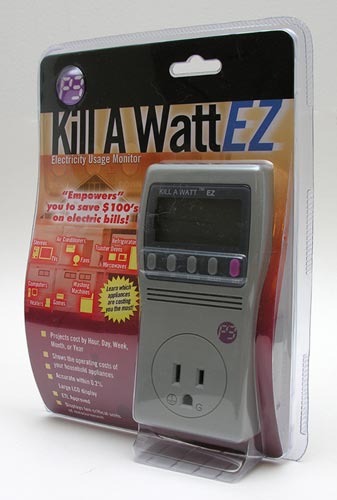
Convenient Gadgets was nice enough to send me the Kill-A-Watt EZ (P4460) from P3 International is an electricity usage monitor that you plug into a 3 prong grounded wall outlet in your house. The appliance or device that you want to monitor then plugs into the outlet built into the Kill-A-Watt. A mono LCD on the face of the Kill-A-Watt reports power and cost info.
Why You Want It
Having the ability to see how different appliances and devices will effect your monthly electric bill is a great asset. Most of us probably already have an electricity ‘monitor’ on the exterior of your house. It’s called an electric meter.
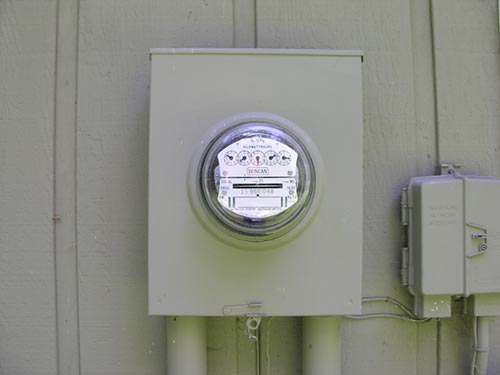
Here’s what mine looks like. It’s a largish metal box that has a glass dome covering a panel of dials and a spinning disk.
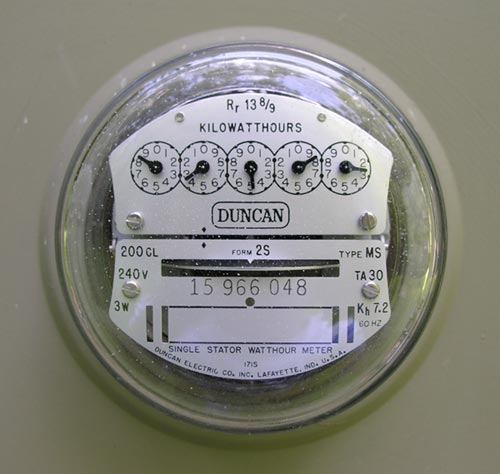
Once a month, a person from the electric company drives out in a truck and records the settings on the meter. I suppose a person could just learn to read one of these meters themselves… or NOT! ;o) The Kill-A-Watt is much more convenient and easy to use… trust me. How about a closer look at the hardware?
Hardware Specs
Operating Voltage: 115 VAC
Max Voltage: 125 VAC
Max Current: 15 A
Max Power: 1875 VA
Weight: 5 oz.
Dimensions: 5.125 x 2.5 x 1.5 inches
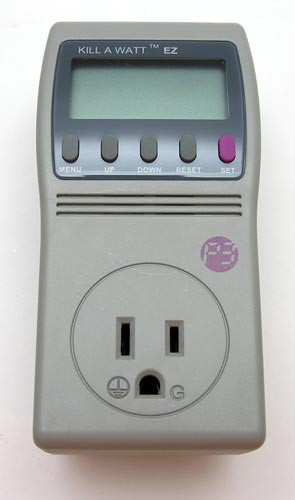
The Kill-A-Watt EZ is made of Beige plastic with a monochrome LCD, 5 rubber buttons and a 3 prong female outlet on the front.
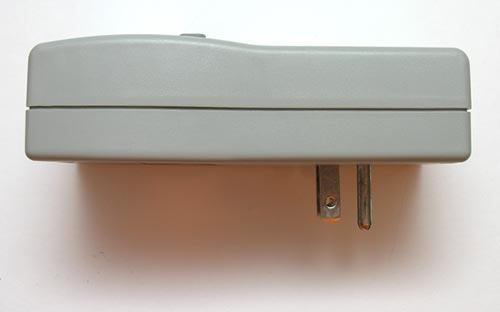
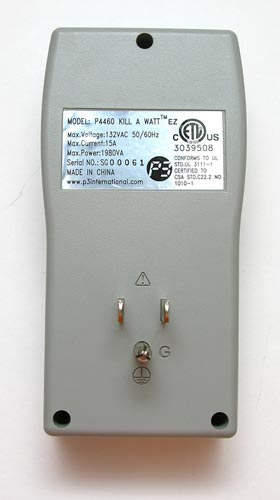
On the back you will find a male 3 prong plug.
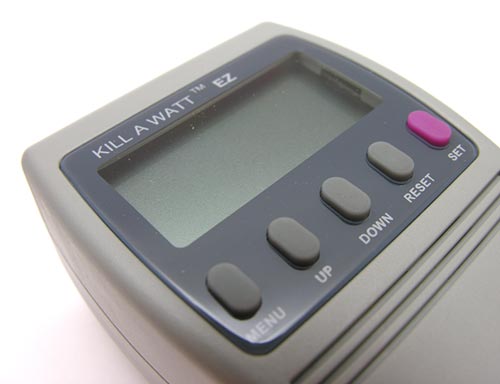
The LCD is not backlit, but it is fairly easy to read in most lighting conditions. I did have to use a flashlight to view it though while I had it plugged into the wall under my desk.
The labeled buttons are adequately spaced and easy to press.
How to use the Kill-A-Watt EZ Electricity Usage Monitor
The Kill-A-Watt comes with an 8 page user guide. Don’t be scared, it’s not difficult to use. The first thing you will need though is your last electric bill. Scan your bill to find what your electric company is charging you per kWh (kilowatt-hour). For example, my electric company here in Columbus, Indiana is Duke Energy. At the bottom of my bill, it says: Average Cost: $0.0825 per kWh. We will need to plug this information into the Kill-A-Watt so that it can correctly figure what an appliance is costing per hour, day, week, month or year. Be aware that your rates can change from month to month based on if you have budget billing or just that the company changes rates often.
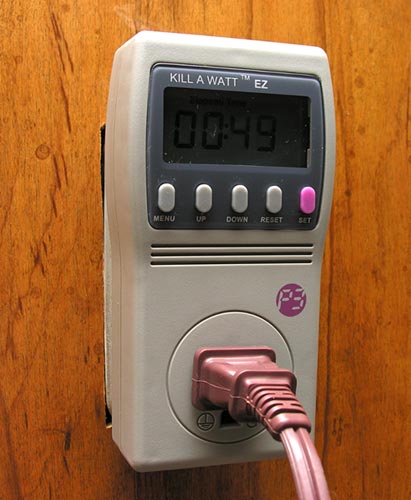
The next step is to plug the Kill-A-Watt into a 3 prong wall outlet. It will power on automatically as soon as you plug it in.
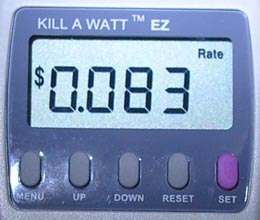
The only setup you need to do is to set the kWh rate that you found by looking at your electric bill. To set this rate, you just hold down the RESET button for a few seconds till you see rESt on the LCD. This action zeros out all previous measurements of elapsed time, kWh and total cost. Then you press the SET button till Rate appears on the display. Then it’s just a matter of pressing the UP and DOWN buttons till the correct rate appears. For me, I had to set it to 0.083 because you’re only allowed 3 decimal places.
After the rate is set, the only thing left to do is to plug in the appliance / device that you wish to monitor.
How I tested the Kill-A-Watt
I looked around the house and decided to test the Kill-A-Watt with 3 different devices.
1. A Craftsman rechargeable flashlight battery charger
2. My 24″ iMac
3. A 4 bulb floor lamp
My first test was with the Craftsman battery charger, which is always plugged in, with a battery in the socket. This is because the flashlight also has a battery. I keep one battery always juiced up and ready to go. So I plugged the Kill-A-Watt into the wall, then inserted the charger’s plug into the Kill-A-Watt.
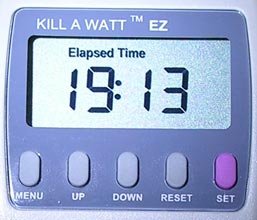
As soon as you plug the Kill-A-Watt into a wall socket, it will start accumulating time. You can view the elapsed time by pressing the Menu button until you come to that screen.
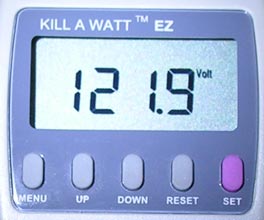
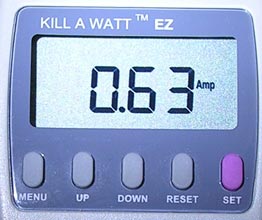
In addition to the time and cost screens (which we will get to in a minute), there are screens that let you see power information for the device that is plugged into the Kill-A-Watt monitor. It will show you how many volts and amps (current) the device is pulling.
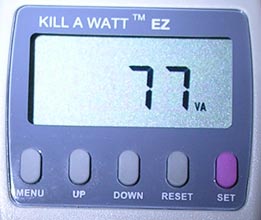
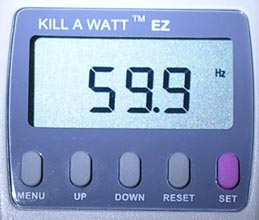
Other measurements shown are VA and Hz. VA is displayed in apparent power VA (VA=Vrms*Arms). Hz is the frequency.
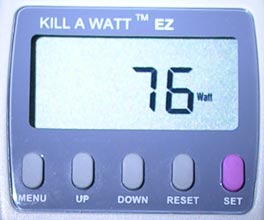
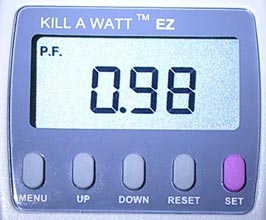
Watts are displayed in active power Watts and the Power Factor (P.F.) is displayed as (Watts/Vrms*Arms).
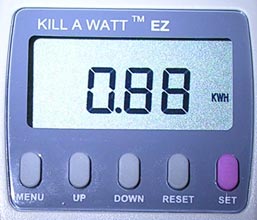
Total consumed power in Kilowatt-hours is another display. This display goes from 0.01 KWH to 9999 KWH. As the KWH accumulate, the decimal point in the display will shift to accommodate a full reading.
Have I lost you yet? Personally, the power unit displays are not that interesting or helpful to me. I just want to know how much a device is going to cost me to leave it turned on and plugged in. So let’s get to the good stuff…
Tests, tests and more tests…
About 30 minutes after I initially plugged in the Craftsman battery charger, I went back to the Kill-A-Watt and cycled through the cost info. I learned that leaving this device plugged in 24hrs a day, 7 days a week and 365 days year will only cost me approximately $0.00 an hour, $0.01 a day, $0.08 a week, $0.35 a month and $4.36 a year. Not bad for the convenience of always having a flashlight that is ready to shine. I checked the cost reports again after 1hr and they remained the same.
Next up was the 24″ iMac. Like the battery charger, I pretty much keep the iMac powered on all the time. The only time I might power it down is if I’m going to be gone on vacation or something for several days.
For this test, I recorded the results after 1hr, 19hrs and again at 115hrs. At 1hr, the Kill-A-Watt told me that my iMac would be costing me $0.00 per hour, $0.11 per day, $0.79 per week, $3.40 per month and $41.44 per year.
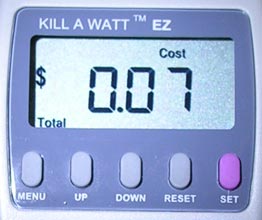
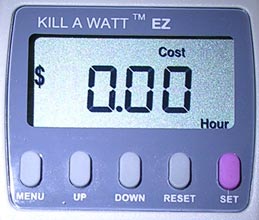
But at 19hrs, the findings were different. I now had a total cost of more than $0, but the cost per hour was still $0.00.
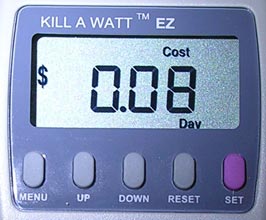
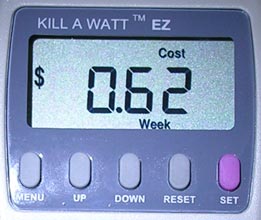
Now instead of $0.11 per day, it shows that the iMac is only costing me $0.08 a day. The price per week went down from $0.79 to $0.62.
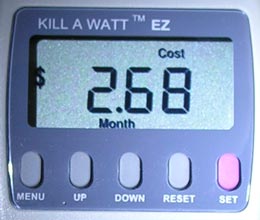
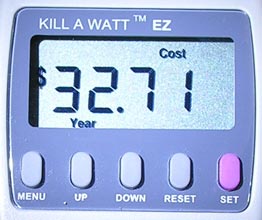
The monthly cost changed from $3.40 to $2.68 and lastly, the yearly estimate charge went down from $41.44 to $32.71.
Several days (115hrs) later, I recorded that the iMac would be costing me $0.00 per hour, $0.09 per day, $0.68 per week, $2.92 per month and $35.62 per year. Why the differences? I guess this is because power consumption varies with some appliances / devices depending on if they are idle or active. This is especially true of an appliance such as a refrigerator. That’s why if you want an accurate estimate of cost information, you’re best bet is to leave the kill-a-watt plugged in for at least a 24hr cycle.

My last test was with a 4 bulb floor lamp. The lamp has 3 60W bulbs and 1 3-way 150 watt bulb that I turned to the 2nd setting (100W). I was pretty surprised to learn how much it costs to power that lamp with all 4 bulbs turned on at once. Turns out that it costs $0.02 per hour, $0.56 per day, $3.95 per week, $16.85 per month and a whopping $205.00 per year! I understand that no one would leave a 4 bulb lamp powered on 24/7 for a whole year, but wow! Just seeing those numbers made me start thinking back to those words again… green power, carbon neutral…
So I decided to do one last test… All this year, I’ve actually been slowly swapping out all my regular incandescent bulbs for the new swirly style compact fluorescent ones.
Do compact fluorescent light bulbs really save you money?
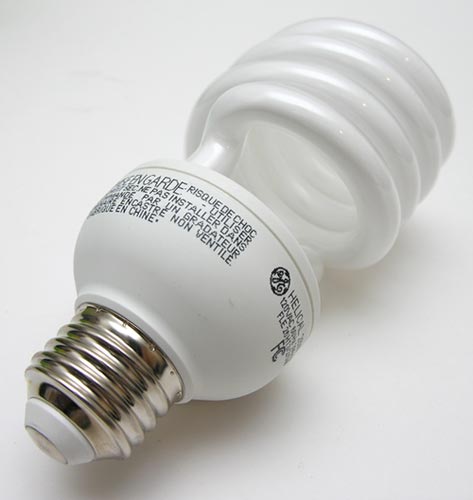
It’s true that the CFL bulbs cost more than incandescent bulbs, but they also last longer (typically 5yrs.) and are supposed to save you enough money to recover that cost. I wanted to find out if that was true. So I switched the three 60W incandescent bulbs in the floor lamp with 13W CFL bulbs and I switched the 3-way bulb with a 26W CFL. FYI: a 13W CFL is the equivalent to a 60W incandescent. Same goes for the 26W CFL and 100W incandescent.
The results of an hour long Kill-A-Watt test showed that the same floor lamp with CFL bulbs costs $0.00 per hour, $0.11 per day, $0.78 per week, $3.34 per month and $40.71 per year. Big difference from the $205.00 per year that the same lamp with incandescent bulbs would cost! Yes, I know those prices are for running the lamp 24/7, but if you think about all the time you have lights on in your house, you’ll soon realize how much money you could be saving if you decide to switch to CFL bulbs. Wow, Al Gore would be proud of me ;o)
This review of the Kill-A-Watt really hit home the fact that with a little knowledge, we can greatly effect what we pay every month / year for our electric usage. Now I make sure I don’t leave the lights on in my office when I’m not in the room. That was a BAD habit of mine. I’ve also been unplugging devices that I only use once a week or once a month. Things like my DVD player. Even while it’s not playing a DVD, it is still using some power when it is plugged in. The Kill-A-Watt easily showed me the prices I can expect to pay for powering a device. It’s up to me what I do with that information. Regardless, this product an easy to use tool that can help save you money.





Gadgeteer Comment Policy - Please read before commenting
Post your comments on the Kill-A-Watt EZ Electricity Usage Monitor review.
http://www.the-gadgeteer.com/review/kill_a_watt_ez_electricity_usage_monitor
Just click the POST REPLY button on this page.
I got one, but apparently they have different models. I have the P4400. It doesn’t calculate your cost directly. It provides volts, amps, Watts/VA, Hz/PF and KWH/Hours. I have do do the calculation manually. It is a handy device though.
Bill
MrBill:
The P4400 was the previous model of the Kill-A-Watt. The model number for the Kill-A-Watt EZ is P4460 and is their latest. 🙂
Yes, it is really handy and eye opening!
I’ve had an earlier model for a while… for the non-electrically-savvy user, I would suggest that the other thing worth understanding is the Amps reading – that’s the “unit” that fuses and circuit breakers are in, so if you watch the refrigerator during a compression cycle, and the microwave on 100%, and add up the values, you can see why they might blow a 15A circuit breaker if they both come on at the same time 🙂
It’s also useful for detecting devices that have “instant on” circuits, like some televisions, where they still draw a lot of power when “turned off” but still plugged in.
(Hmm, they were supposed to come out with a serial-port version so you could record and graph usage, but I don’t see it on the P3 site.)
One thing I noticed while I was doing testing for this review was that my voltage and amp readings seemed to fluctuate a little bit. The readings didn’t vary wildly, but maybe it would show 121.9V and then later it might be 122.1V or something. Is that normal I wonder?
I just ordered the p4460, EZ and I may have it by the weekend.. It looks like it will be a lot of fun. We have a freezer from maybe 1968 that I suspect is an electricity guzzler. It says 4.3 amps on the back. But from what I hear, you can’t really know what it will be until it’s tested. It could be higher or lower. If it’s as much of an electric guzzler as I suspect, it may be costing $600 a year to run. Especially since electric is .14 per kilowatt here! Even if it’s only $200 to run, it’s still an electric hog.
There are tons of other things I want to test as well. I’ll probably test all the computers, the Tivo as well. I’d bet I can get it to pay for itself. But I know it will be somewhat of a toy too because it looks fun to have. 😉
Hi Julie. Yes, the small fluctuation is normal. What the power company delivers will fluctuate ever so slightly. I can see this in my volt meter. I also have a cyberpower UPS and it displays a fluctuating voltage on screen. Any number of things could have slight deviances in them. The EZ could drift a little as well. So given that the meter and the power company can have slight drift, you’ll see it change. My voltage here was 122 last night and now it says it’s 124. Another reason the power from the electric grid can change is could be do to the changing load placed on it at all times. They always try to keep it adjusted. That said, I’m still waiting for my EZ to arrive. Can’t wait!
Sorry for 3 posts in a row, but I wanted to add that you have the [SIZE=”4″]best[/SIZE] review of the Kill A Watt EZ on the internet Julie! The pictures are great too. Thanks for putting it up! 🙂
jzz:
Please do come back and post after you’ve done your tests with your Kill-A-Watt EZ. I want to hear about the old freezer. I actually have one of those in my basement. I know it’s not as old as the 60’s, but it was actually remember it in the house I grew up in. So it has to be from the 70’s for sure. I’ll have to test mine too!
Hi again Julie. I got the EZ right after I wrote. Here are the results for the 20 cubic foot freezer. By the way 18 to 24 hours was more than enough to get an accurate result, but I let it go 32.5 hours before deciding it wasn’t going to change anymore. It was about the same since 18 hours had past. It used 6.69 kWH. At a rate of $0.141 it cost $253/year to run! I wish we your rate of .083 but I’m glad yours isn’t as high. It uses 260watts, 330watts peak. It’s not as bad as I thought, but considering a new one costs between $50 and $70 a year to run it’s about 5 times the power usage. It wastes between $180 and $200 a year. So a $630 replacement would pay for itself in about 3 years. A 15 cubic foot for $430 would pay for itself in about 2 years. The old one was probably bought between 1968 and 1972. Say 1970, but I can’t be exact on it.
There is a small fridge next to it in the garage that I’m currently testing. After one hour it says $125 per year!! That’s not good when one of similar size could only cost about $40 a year. It still needs time to test though. Then there is a kitchen fridge which is a 2001 model, 27 cubic feet and should cost only $92/year to operate.. But it hasn’t been tested yet. Hopefully it’s efficient as they claim. Not as efficient as a chest freezer, but $92 makes sense for a big fridge that everyone uses.
I also tested a 75 watt bulb and it was 85. A 60 watt that was 61. A hepa air cleaner that was 180 on high! If I plug nothing into it, it says it’s using 1watt. Does yours do this too or do you read zero? Not that 1 watt is a big deal, but I was wondering. Over all the EZ is really useful and fun to use. It was worth paying the extra $20 for this one that shows the costs. I’m good at calculating the kilowatts and multiplying by costs, but I don’t want to be continually doing that. If I want to measure 10 different things, it’s more useful to see the costs as it’s doing it in real time rather than continually add it up on a calculator. In comparison to the big electric bills an extra $20 is nothing and worth it. I’m off to measure more things, :wow: LOL! Jim
jzz:
Thanks for all your info, it was very enlightening! It reminded me to go test my old freezer. I just plugged it in, we’ll see how much mine is costing me per year when I check it again tomorrow.
My device doesn’t show it’s pulling 1 watt when nothing is plugged in to it. However, it does show that the P.F. is at 1.00. I don’t know what that is though…
Happy measuring! 🙂
I’m glad you liked it. As for PF, that has something to do with how efficient a circuit is at transferring current. Actually it goes deeper, but for example if you measure something with a very direct current transfer like a hot plate, you would get closer to 1. A light bulb would get .99 or 1. If you measure your old freezer you will probably get closer to .50 because the power transfer isn’t as simple and direct. Typically things with motors get lower numbers especially if they are older.
If you plug nothing into it you should get small random numbers around .1, .15, .14 etc. But I wouldn’t worry if you don’t. These units seem to have small quirks that are unimportant. Like mine showing 1 watt with nothing plugged in isn’t a concern. Also the PF isn’t that important of a measurement for figuring out costs etc, plus the power company only charges for watts anyway. So was your freezer an electric hog?
For some reason my freezer results post isn’t here anymore… Hmmmm… Anyway, my old freezer (from the 70’s) shows that it is only costing me $56.71 per year to run. That’s not bad at all. I’m going to check my electric water heater now. It’s less than a year old.
One con of the product is you can not plug in the device to a wall outlet without first removing the other plug from a duplex outlet. The location of the Kill-A-Watt plug in relation to the shape of the device enclosure does not allow one to also use the other plug in a duplex outlet at the same time. Otherwise, it’s a neat little gadget!
Yeah, if it had a cord of its own and you could slip it into the duplex or the power strip. Otherwise, awesome product and great review!
120 volts AC is the nominal voltage-it can vary quite a bit depending on load. A few volts each way, as you’ve noticed, is normal. Brownout conditions can reduce voltage to 110, or even 105. I’ve also seen as high as 125, usually when there’s a problem in the local grid, when an area looses electricity, and surrounding areas absorb the overvoltage until it’s corrected.
My house has the old style 2 prong plug in’s on the wall outlets.
Will the Kill a Watt work with the grey outlet adapters as most
other things will?
Thanks,
T’ail
Tail Chou:
It appears to work when used with a 3 to 2 prong adapter. I plugged the combo into a wall socket and it powered on normally.
My electric bill just shot up $60 since last month, and my roommate blamed my new laptop. Good to know it’s less than $4/month to run the thing.
Interesting comments. I think I might buy one. Any ideas on how to check a hot water heater – 220 V
I realize this is an older posting, but after reading the comments I thought I could help a little bit. I work for an electric utility (cooperative) and after attending a forum on these I was investigating which in home displays and monitors would be best to offer our consumer-owners. The kill-a-watt looks to me like a good piece of an integrated system that would also include an in home electric monitoring device. As far as plugging in your electric rate, I would recommend taking the bottom line on your electric bill and dividing that number by your kwh usage. This way the fuel adjustment, debt adjustment, taxes, etc. would be included in the cost. This would “true up” the actual cost of a device’s use. Technically you should only add the parts of your bill that vary with the amount of usage: fuel adjustment and taxes vary with the amount of energy used. Monthly service fee or customer charge or whatever your utility calls it is the same every month. Don’t worry too much about PF on the display. This is the power factor and no utility charges residential customer for a poor power factor. Power factor is what some company is using as a selling point on their energy saving device (I think it was around $300). This is just a capacitor to bring a lagging power factor closer to 1.0. It does not save money. One more thing, you are correct about voltage fluctuation. It is a function of how much load is on the line, and at our utility we correct the voltage on average every 30-45 seconds, and then only if it is more than 1.5-2 volts out of range for that period of time.
I dont understand the difference between active power Watts and the Power Factor (P.F.)
I got my Kill A Watt yesterday and my TV, VCR, DVD & Satalite box all turned off ( stand by ) is 30 watts or 50 power factor.
Which number will give me an accurate instant usage reading?
Thanks Les
I have the EZ model now for about a month. Been testing refrigerators. It seems to have a ‘bug’ – hangs; no button works – until it is unplugged from AC and re-connected. I have left it measuring on one frige – and have been reading the $/mo from time to time – always about 3.5-2.8. Then next reading I get is about 9.5. Hmmm. So, I have read out the data – appears that the measurement period is about 94.57 hours …
I noticed that you have measured for 115 hours on one of your gadgets. Anyhow, I’m going to RMA it.
What is the difference between a Kill A Watt and a Kill A Watt EZ ???
@Rod The EZ is the newer version shows the rate by hour, day, week, month, year that a particular device is using. The previous version only showed you the rate and you had to do the other calculations by yourself.
works good, it is being used for my sience fair project
Hi,
Does anyone know if the Kill-a-watt is UL listed? Someone told me not to buy it if it isn’t, but it is priced so much better than the UL-listed ‘Watt’s Up’ appliance monitor.
Thanks
@Linda I just dug out mine and on the back there is a sticker that says ETV Listed conforms to UL Std. UL 3111-1 Certified to CSA Std.c22.2 No 1010-1 Not sure what that means though…
Thanks for the info Julie – that appears to be what is displayed on the back of the device in this article, but it was too small to read the numbers. I believe that is an equivalent certification, but I will check with my ‘electric expert’. I went ahead and ordered one anyway.
Julie,
What a GREAT article on the kill a watt EZ!! I have been on the fence but am getting one today! Your detailed sensible pictured approach was helpfull to us greenies.
This will be fun. Am most curious about a 15 year old fridge and my computer stuff. Have already switched to CFL bulbs – but with the bad mercury, am wondering why we are using these? Not a great alternative overall. Will probably be switching to new LED bulbs.
Only wish there was a similar product for Gas usage. And how about Water usage…
@Gina Thanks! I’ll be interested in what you find out by testing your home appliances. It sure is an eye opener to see what portion of your electric bill comes from different devices. I agree that it would be great to have something similar for Water and Gas. Especially for water… right now the only thing that uses gas in my house is our furnace.
I have a P4460 which I purchased when we moved to a new town, to see where we stood with our appliances and to keep in check with the elec co.
I set it up properly with my wifes laptop computer and it imediately hung up and i could not clear it at first.
So i got it cleared and checked the circuit the service was wired correctly and I have now tried 4 circuits and it hangs up imediately each time.
Has anyone else had this problem?
The warranty reads like a tuff luck letter, shipping charges and loss liability, are borne to us ,which already costs almost if not more than the unit does.
And then the way they cover their butts nowadays I figure they will find a way to blame me.
So I guess I just talked myself out of useing the warranty.
Anyone else feeling defeated by todays quality and service by American distributers selling Chinese Garbage at 600% markup and then turning their back on us?
I have the Kill A Watt P4400. I’m trying to figure out how to monitor the energy usage in our washroom which we share with someone else. The problem is the 220v dryer. Does anyone know if it would work ok simply to monitor one leg of this circuit and just double the kwh number that results? I have plenty of wiring experience and could easily run one leg of the dryer circuit into an outlet for the KAW and then plug in the leg to complete the circuit to the dryer.
Thanks for any ideas/technical advice.
After thinking about it, I realize that the dryer circuit legs may not have equal loads. I’m betting that the dryer motor that turns the drum is 120v and connected to one leg while the heating element is probably 220v and therefore connected to both legs. Even so, it would still be pretty cheap to have a KAW monitoring each leg. I’m still a little hesitant to try it, partly because it is a 30 amp circuit.
@Eric I’d be afraid to try something like that too… I’m not sure how you would calculate the power usage of your dryer. I don’t know if they make a 220 version of their products or not. You might want to contact them directly.
Thank you for your review.
The Kill A Watt meter is handy. However, mine came with no eight page manual. Still working out my bugs. I believe I understand the RESET button. What of the SET button?
@David You can download the manual here: http://www.p3international.com/manuals/p4460_manual.pdf
I purchased the P4460 but haven’t been able to get any readings. I plugged it into our coffeemaker which is on 24/7 since it has a timer but it never registered a reading. I plugged in 1 remote phone and I got the cost but after about 10 mins. everything went back to zero. I tried another remote phone and nothing registers. Anybody else have this issue?
“Belief?” I’m sorry you must be a republican. Anti-fact
It’s no belief we are contributing to global warming. It’s a fact.
Cfl bulbs give off EMF about 1.5 feet.
My TV Samsung 32 was 5 feet
New fridge runs almost continuously has 3 different motors.
Router EMF was awful – 6ft
Printer 3 ft
All computer equient is EmF nasty.
Old tv was ok. Foreign made seems to be bad. House feed was very bad.
Can be harmful over long time. Headaches, dry mouth, numbness, memory, eyes burn , tickles, icky feelings.
Stay away from all TVs by 6 ft
Security systems my be emf nasty depends if linked to house wiring.
Emf goes thru walls so if tv is next to wall where you sleep and all other devices move it or turn off.
Woul be nice to have a circuit breaker at the panel that would display kW of the breaker and a reset button.
New smart meters are controversial emf as they talk to all other local meters
i am looking for a 20 amp kw meter a 15 amp plug will not work i have a 20 amp on a freese drler help me if you could please thank you