
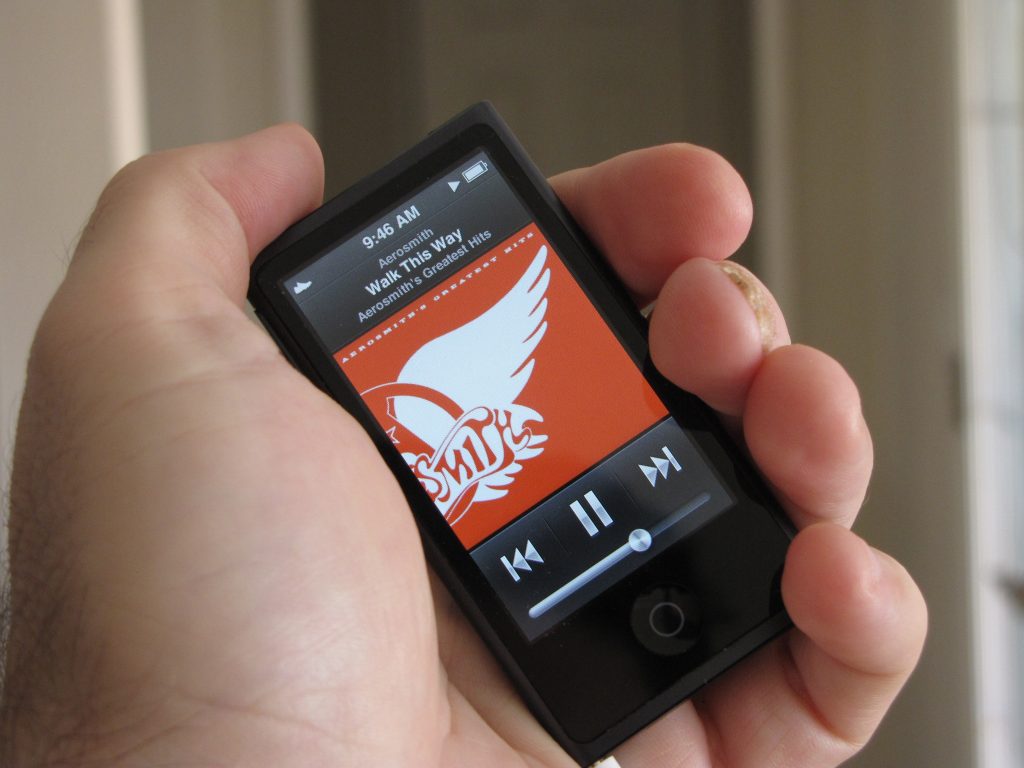
In late 2012, Apple introduced its new line up of iPod devices, including the new 7th generation iPod nano. Having recently moved from a 1st generation nano to a 6th generation nano, I did not think I would have the opportunity or need for the new nano. But when one of my other portable music devices failed, the 7th generation iPod nano was my first choice for its replacement. Although the nano has been around since 2005, it has gone through many design changes, mainly in color choices and size. But the 6th generation underwent a major technology update with the addition of a touch-screen interface, and it’s present in the 7th generation nano, too. Let’s see how the newest generation nano stacks up.
Note: Images can be clicked to view a larger size.
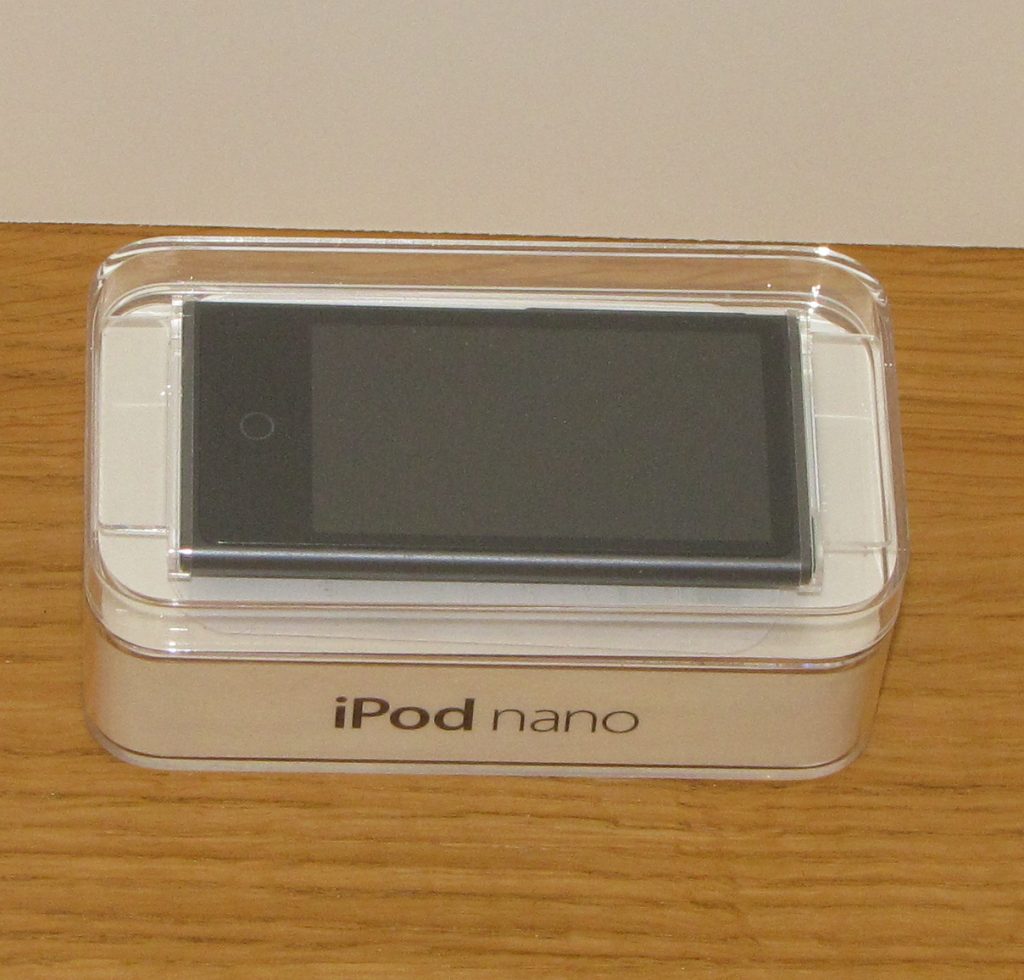
The nano comes in a minimal, plastic package designed to show off the product, not hide it.
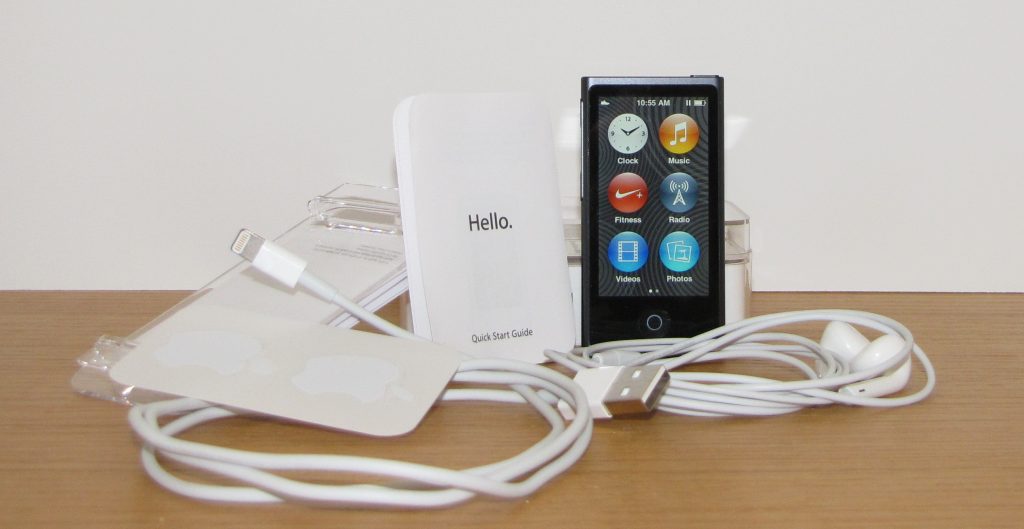
When you open the package, you will see that you get the new Lightning syncing/charging cable and the new EarPod headphones with the nano. You will also receive the obligatory user guides, safety manuals, and one of my favorite items, the Apple stickers.
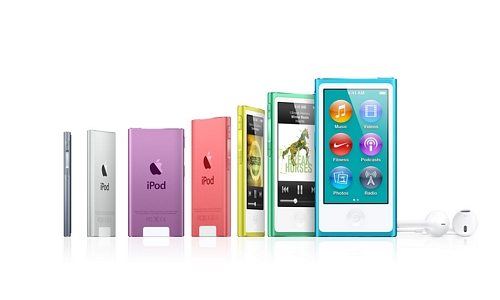
Before I go any further, let me bring up my biggest complaint with the new 7th generation nano. Although this is a personal issue, I have seen it mirrored by many reviewers; I don’t like the color design. While I like the color choices for the back of the nano, the white front does turns me off. In my opinion, it makes the new nano look feminine at best, and childish at worst. I imagine that the nano and the new iPod touch are being marketed more to a kid/teen crowd. That being said, I don’t think that would stop anyone from buying one, not even me.
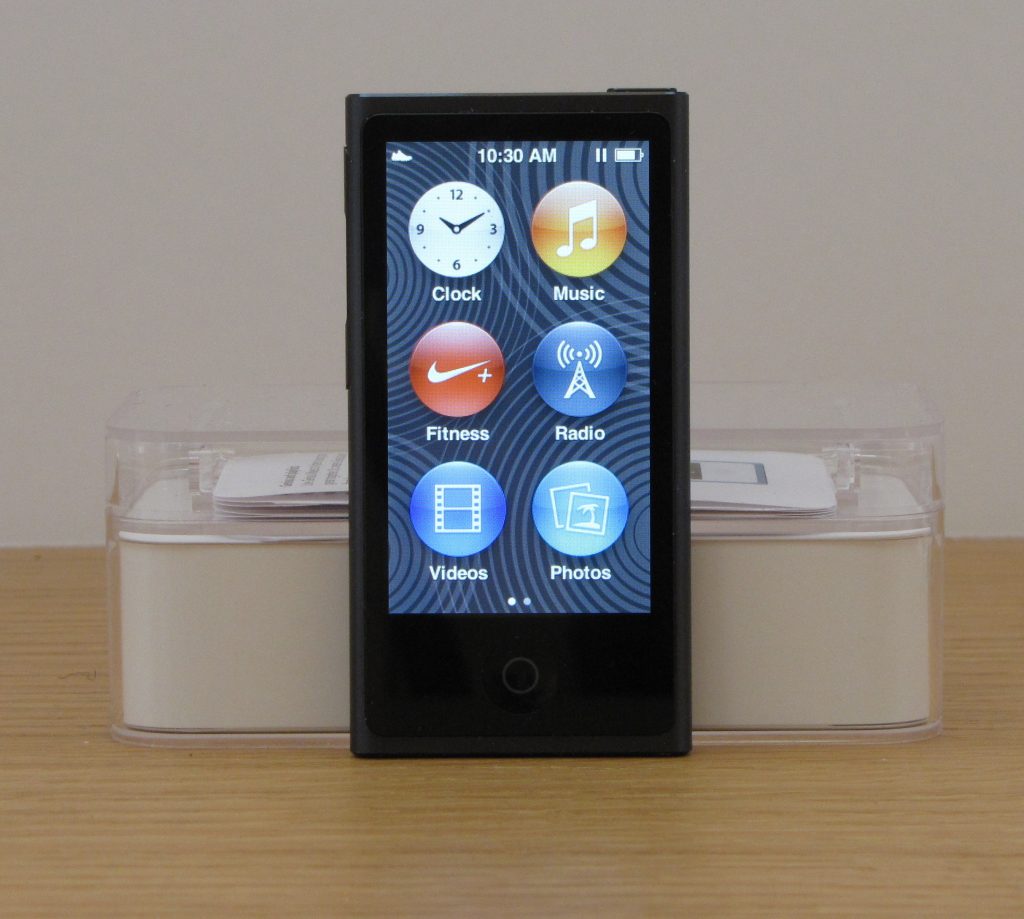
The only color I do like is the slate color nano that is dark gray/slate on the back and black on the front. The slate nano is the one I decided to purchase.

Besides the color design, the most obvious change from the 6th to the 7th generation nano is the size. The new nano is 3.01″ tall, 1.56″ wide, 0.21″ thick and 1.1 ounces and has a 2.5″ Multi -Touch display. By comparison, the 6th generation was 1.48″ tall, 1.61″ wide, 0.35″ thick and 0.74 ounces and has a 1.54″ diagonal TFT display. One other difference in the latest nano is the lack of storage options. In previous models, there have always been at least two size options, giving the consumer two price options. The latest nano only comes in a 16GB model.
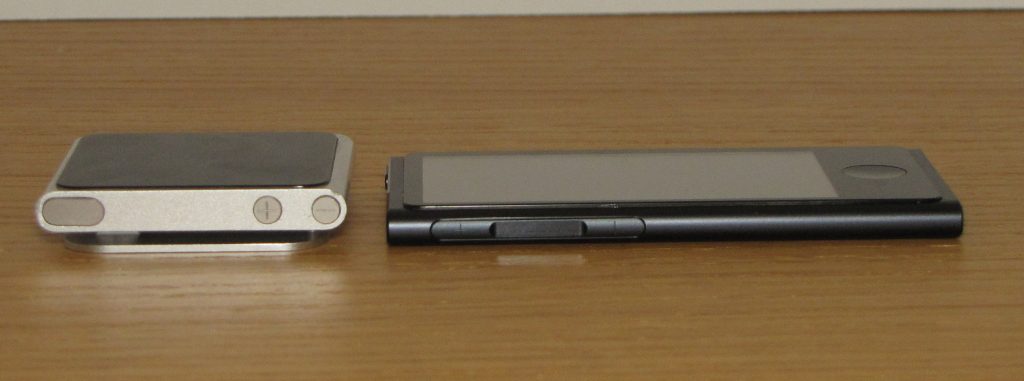
The new 7th-generation nano still retains the three external buttons (on/off and volume), but the on/off button has moved to the top of the new nano. The new nano also picked up a home button similar to those on the iPod touch and the iPhone.
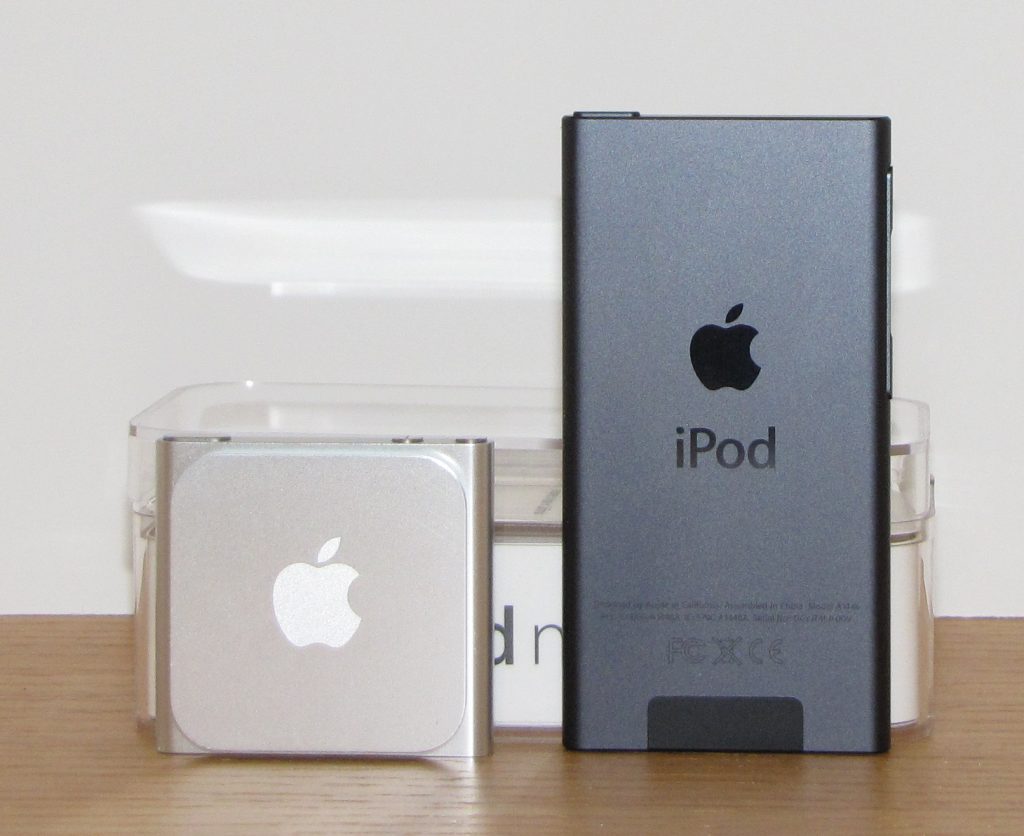
Looking at the back of both nanos, you will also see that the new nano does not have a built-in clip like the older 6th generation does. The clip is one of the features I like on the 6th gen nano, and the clip, believe it or not, is a big selling point for me.
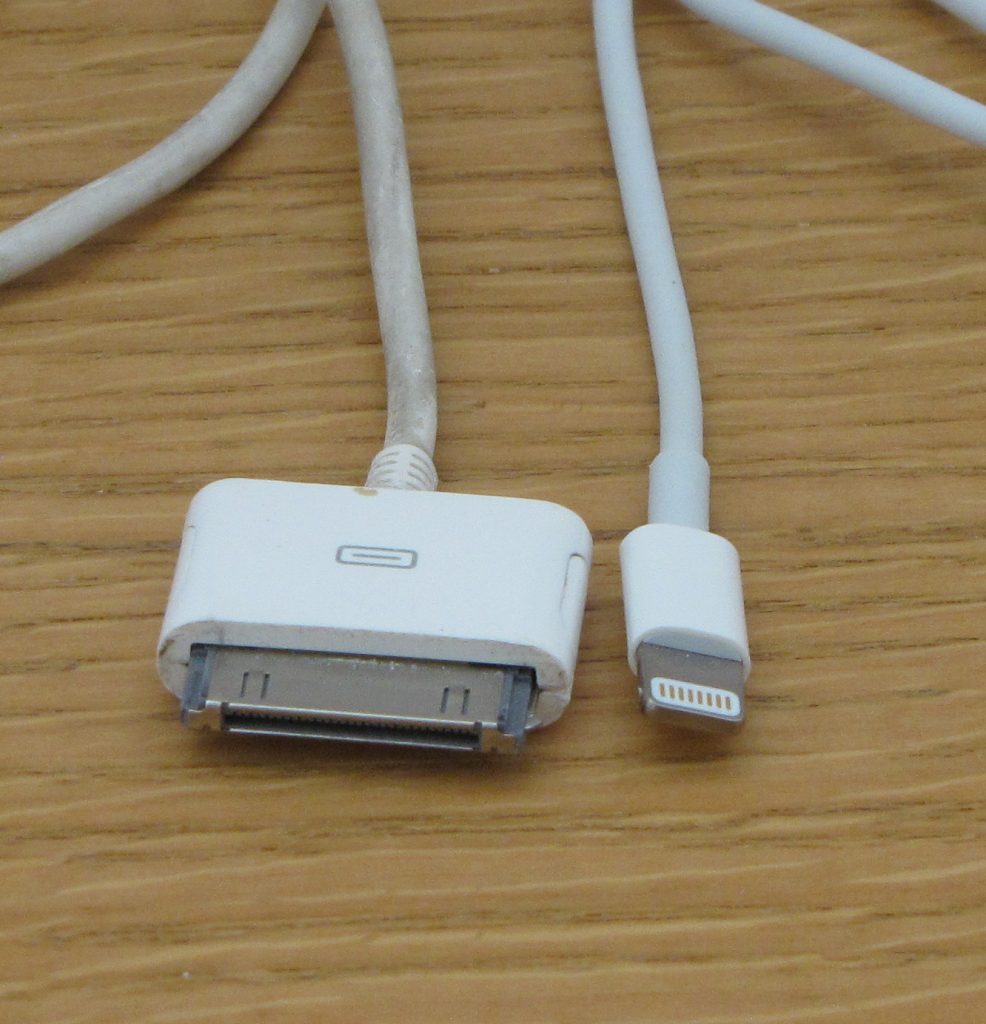
Another change that might not be evident to a new iPod device user is the new Lightning connector and the Lightning-to-USB charging/syncing cable. Older 30-pin cables and accessories cannot be used with the new nano without the use of an adapter.
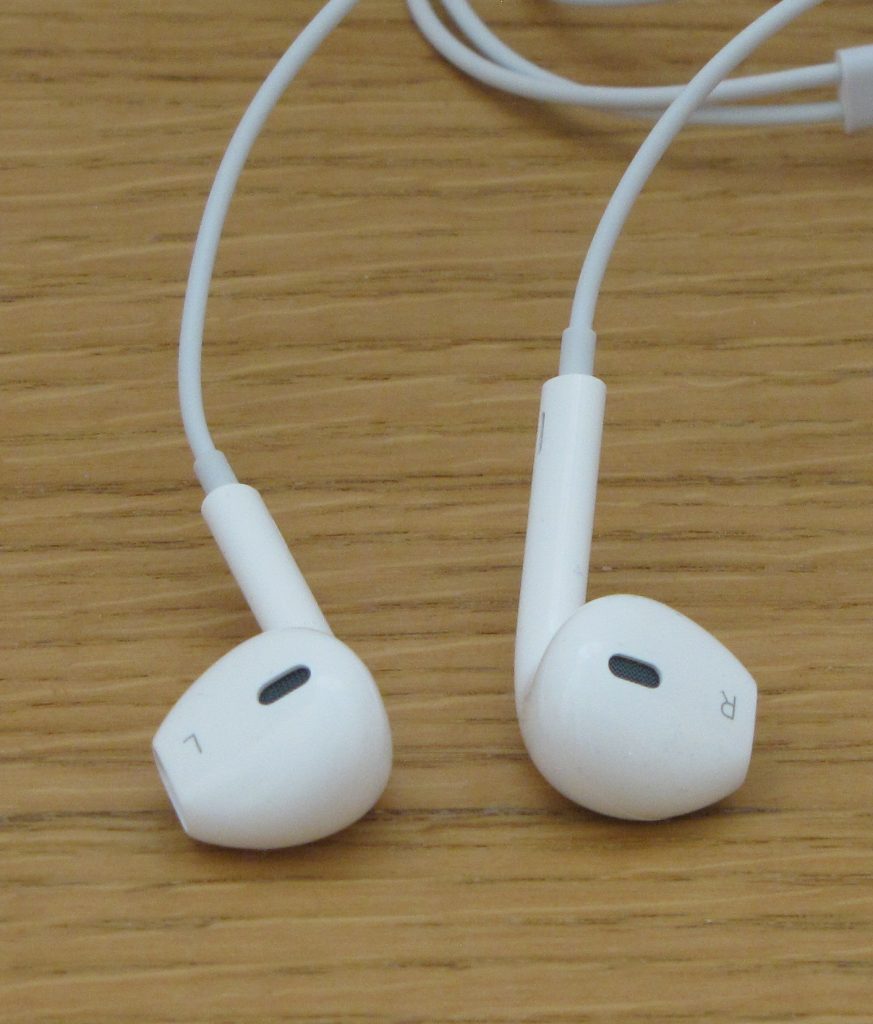
One of the nice surprises with the new nano is the included Apple EarPods. The original earphones for the first through 6th generations were simple in design and did not fit a large number of users comfortably. In my case, they started to hurt my ears after about 10 minutes of use. The newly designed EarPods seem to fit a lot better and are designed to fit a wider range of ear sizes. Although they are still not the most comfortable headphones I have used, they are great to throw in a bag for backup purposes.
The pre-loaded software on the 7th generation nano includes Radio, Clock, Fitness, Music, Videos, Photos and Podcast.
While the operating systems for the 6th and 7th generation nanos are the same, the 7th did pick up Bluetooth and the ability to play videos. The Bluetooth integration, for me, is the most exciting aspect of the new 7th generation nano. With so many Bluetooth-compatible devices being made (headphones, speakers and even cars), you now have many more options and versatility for your music playback. As for the video playback feature, I tried it out and found it is nice to have, but with such a small screen size, I would not utilize this feature much. The resolution is nice for a small screen, and in a pinch, it is usable.
For you Nike+ fans, you can still use the Nike+ iPod Sensor without the need for the plug-in receiver. The Nike+ app also allows you to download the latest information from your nano to your Nike+ webpage. You will be asked if you want to download the information when you sync your nano.
Overall, the 7th generation nano has some nice upgrades and features. If you are in the market for a versatile portable music player, you won’t go wrong with this one. But for my taste, even with all the new nanos upgrades, I am still partial to the 6th generation nano.
Auto Amazon Links: No products found.
Product Information
| Price: | |
| Manufacturer: | Apple |
| Requirements: |
|
| Pros: |
|
| Cons: |
|

Gadgeteer Comment Policy - Please read before commenting
Nice write up…. I purchased one expressly for running. I found that the battery life is really poor- like after two 5 mile runs I’m out of juice. I also found that if you live in a cold climate and wear gloves, you can’t easily operate it. I know you can buy ones that can work with touch-screens, but it’s nice not to have to buy them especially to use this device. The touch-screen/glove criticism I can overlook, the batter life I couldn’t.
@ Reggie If you want a simple MP3 player that can be used with gloves the iPod shuffle may be a better choice for you. As to the battery issue you are having I know my 6th and 7th generation nanos can go at least a week without needing a charge, they get played for about 45 minutes a day.
@Larry- thanks- I actually moved to a Shuffle for that exact reason. Still not sure about my poor battery performance. The shuffle ended up being a better purchase for me- cheaper, use with gloves and easier to operate while running.
With continuing talk about the impending death of the Classic, I keep hoping for a 128+GB Nano so I will still be able to carry my whole collection with me. The other thing I’d miss is the touch wheel, so I can control it without looking while driving.
this is my first one, the 16GB 7th gen. I cant seen to get the shuffle to work. A song ends, and instead of changing to a new one it continues to replay the same song?? Any ideas how to correct this?
please respond to the g-mail adderss. thanks
@Jim Q Off the top of my head, I can think of two things that may be causing your issue. First, you are using a playlist that only has one song in it. Second, you have the song set to repeat. Without actually seeing your nano, and not being a Apple service technician that is the best I can do.
i listen to recorded books on my ipod. the only problem with the 7th generation ipod nano is that there is no way to lock the device, so that when i pause listening, even with a minor accidental touch it often loses its location and moves to another part of the book, and then i spend some time seeking the exact place where i stopped.any idea on how to solve this annoying problem?
@psyp axy I don’t think I have an answer for you but you may try the iPod nano support community https://discussions.apple.com/community/ipod/ipod_nano
and see if anyone there can help you.
@psyp azy You can completely turn the device off by pressing and holding the power button on top of the nano for a few seconds until it starts to shut down (screen dims and a twirly wheel appears). To turn it back on, just press and hold the power button for a few seconds until the apple shows up on the screen. It takes a little longer to get started again, but it prevents the nano from being turned on accidentally and it saves battery, too.
Excellent review and I heartily agree with you about the deletion of a clip. I’ve owned my new nano only 4 days and have already dropped it 7 times due to a lack of an efficient way to carry it and–very irritating! The only case I’ve seen with a clip is all plastic and guaranteed that will break in no time at all. If I had to do it over again, I would buy a different mp3 player. Sorry Apple–you goofed this time.
@Linda Scully Thanks, The only issue with me switching from apple is my investment into apps and music…
how to syncing with your iPod Nano 7th Gen in your car with bluetooth
In relation to short battery life. I believe that extremes in temperature can decrease battery life. U mentioned wearing gloves. Might be the cold weather that is actually using up the battery.
I’ve recently bought an ipod 7G in substitution of a 3G (8 Mb) which was stolen. The 3G didn’t have a clip nor does this. On the 3G I found a cver with a clip… I’ll try to find a cover with a clip for this new Ipod, that’s not a problem..
I’ve bougt this Ipod to listen to music during sport activity, I’ve tested it and it sounds great. The only negative issue is on apple earpods (it has always given the same problem): to hear the music You need to adjust the volume in a high position… I have a couple of Philips earpods and these work definitely better (less than half).
I tested also the videos and for me there’s a great improvement from 3G. Using Itunes, for me is a little tricky, but once You understand how to upload and download to Ipod Your music, videos and whatsoever, not much of an issue.
The 3G had a switch to prevent the ipod to start working when stocked inside Your pocket, this instead is missing this feature…
Concerning battery charge, I still have to test it, but it doesn’t seem that short….
Excellent the touch screen althogh I will be missing the round command of the ipod 3G.
I am having problems using the bluetooth feature of the IPOD Nano 7th generation. Tried to pair it up in my 2012 Hyundai Genesis using the phone pairing optiion. I saw no other way to do it. I can add and connect like a phone but it drops the connections after a few seconds. Any suggestions anyone?
I’m severely disappointed with this model. Many of the detriments of the model I believe are due to the completely unnecessary decrease in size. (Really, Apple? I don’t need to be able to fit it in my wallet. You had it small enough.)
– They changed the USB connection for no good reason, which is just downright rude. But we’re all aware of that one by now.
– There’s no hold switch.
– The lack of hold switch brings us to the next point, which is that the device has terrible battery life. The hold switch could prevent some battery drainage, but NO! My second generation 4 GB iPod nano has better battery life in spite of its age. Bad, Apple, bad!
– The software is atrocious.
– They got rid of the “Shuffle Albums” function, which was one of my favorite functions of all of the iPods.
– I can’t efficiently make a playlist by adding one playlist to another, which I used to be able to do even on the second generation model with the “On-the-Go Playlist” function.
– I can’t save any battery life by limiting how long the screen is lit. That’s pretty bad considering its battery life, as I’ve already stated.
– The headphone amplifier got even worse than it was for the other models, which is a SIGNIFICANT downgrade from their already sub-par amplifier on previous models.
– Oh, and the supposedly improved headphones still put out terrible audio quality. However, they are more comfortable if you don’t really care about hearing your music the way it was intended to be heard.
They really phoned this one in, which is a bit of a pun because the software I believe to be the same as the iPhone. I don’t want stripped-down music software on a MEDIA PLAYER. I really feel cheated.
…It is pretty, though. They still know how to make a miserable product look great.
@Matt Kleine The 7th-gen iPod nano is actually larger than the previous model, though it is smaller than your 2nd-gen. A lot of people were complaining that Apple had made it too big. 😉
Although there is no hold button, you can turn off the nano by pressing and holding the power button until you see it shut down. This will save battery life when you aren’t using it, at least.
@Matt Kleine- As Janet said the 7th gen nano is larger than the 6th gen. The charging cable was probably changed as a business decision, tho make a standardize cable for all simmer products. The new headphones are not actually that bad sound quality wise, for me the issue is fit (they do actually fit me better than the original), You actually loose music quality more to the fact that the music is compressed to a non native format. I believe a lot of things really comes to personal preference. I still use my 6th gan but miss some of the features on the 7.
Hi ! Thanks! You didn´t mention the lightning connector – I hate it! How am I going to play my ipod nano 7th on my old JBL on stage micro III dock station??
I have been searching adaptors but I write that not all of them work with this or that….! Do you have suggestions??
Thanks!
@Cebless The 7th-gen nano has Bluetooth, so just get a Bluetooth receiver that will snap onto the 30-pin connector of your dock. I have the iSkin Cerulean receiver, which works like a champ, but has been dropped from production. Amazon has one called BrightPlay. http://www.amazon.com/BrightPlay-Bluetooth-Receiver-Adapter-Iphones/dp/B00B1K6D5Y/ref=sr_1_13?ie=UTF8&qid=1378343881&sr=8-13&keywords=bluetooth+receiver
Well I just purchased one of these from a friend today. Their charger broke, so now I have to purchase one. Where can I get one? And for how much?
@Raekwon Wilson If you are referring to the charging cable, they can be purchased online at the Apple website. You can also buy non apple ones from various third party venders but be warned that they may not all work.
I got this last December 2012. It has worked well except for a couple of things- one, the battery life is poor when I am playing the radio. And two, in all of the months I’ve had it, I still cannot figure out how to put movies or TV shows on it. I’m not dumb with technology, so this leads me to believe that there is something wrong internally. This is a big let down for me, because after wasting around $30 on movies that I could of spent on music, I’m not very happy.
Other than that, it has been reliable despite denting it twice.
NEW IPOD NANO 7TH GEN PURE CRAP!!! Not compatible with Windows 7 because Apple hasnt make device driver, screen went blank after 1 minute never to light up again, hours of troubleshooting for no result, many horror stories online about returning to Apple store multiple times only to go with ipod shuffle – LAME! NOT RECOMMENDED!!!!!!!
Approximately how many MP3 songs will this model hold?
Thanks
Pleasantly surprised to get a 7G Nano for my Birthday to replace my trusty but malfunctioning 2G Nano (display crashes on wakeup)
Really love the new design but battery life so far has been awful.
I mainly use my iPod to listen to podcasts and music in the car which has an apple 30 pin dock connection. Because the 7G has a lightning connector, I need to use an adaptor which works fine except it does not charge the iPod even if it is the official £25 apple product.
I fully charged iPod for 8 hours using USB port on my laptop while at work yesterday then drove two hours home listening to podcasts. Listened for less than 30 mins today before battery crapped out on me.
Very disappointed.
Trying a full charge/discharge cycle but it’s going back if I can’t make it last longer.
Is there a charger available other than in the computer for the Nano Ipod 7th gen, I mean an adapter that can be plugged in the wall. About the people having issues with poor battery life, in my case I have enjoyed music for close to 24 hours on one charge, it is possible that their batteries didn’t charge properly, I read somewhere that the battery doesn’t charge while the computer is on standby, sleep or shutdown.
@FRANK there are several 3rd party power blocks on the market designed to be used with USB to Micro USB/Lightning/30 Pin connectors. I have seen them for about 3 bucks.
OK. So I have been living with my 7G Nano for a few weeks now. Solved battery issue by:
1 turning off Bluetooth when not using it
2 turning off Nano rather than just pausing it between uses.
Not ideal (didn’t have any battery issues with the 2G) but just about workable.
Hi, I’m using an iPod nano 7g to listen to audiobooks. The problem is that they are never bookmarked when I switch off, leaving me to find where I left off. Is there a workaround for this frustrating problem?
I had a nano generation 6 and the power switch got stuck in the down position and I can no longer turn it on or off. All I can do is turn it on by plugging it in. Apparently it’s a design flaw with the gen 6. So I want to replace it since it’s past it’s warranty, with a generation 7 nano, but I’m concerned that I will have that switch problem again since it looks like the same design. Does anyone know if it has this problem?
I have had my 7th Gen since beginning of January and have no problem with power switch.
If course that doesn’t mean if won’t fail tomorrow but so far it looks good.
Thank you for this page which has turned out to be most informative. I too listen to books and realising that I will not be able to pause and resume at the same place is disappointing – I want the ability to pause. Switching off every time someone wishes to talk to me is not an option.
The 6th (I think it was 6th) gen. didn’t have a sleep button where one could program the player to turn off at 15 or 30minutes or so. I’m guessing this one doesn’t either?
As for it not having a clip. That makes it out of the question for me.
I was about to buy the Nano, until I read this page and sad as I am it seems I am going to need to continue to look for a suitable player.
I have had my Nano 7 since Christmas and love it. I downloaded free software to turn youtube videos in to mp4s and am loving listening to free music and videos: teachings/audio books, etc
When listening to these downloads and I turn it off; it always keeps my place and starts again where I left off.
I love it. I have a little zippered case and I put it inside there and put it in my pocket while I walk.
I don’t have a lot of music yet so I don’t know about space being an issue.
I am looking at buying a nano 7th generation for my wife ( birthday ) but after reading the reviews I have second thoughts on it? She had the nano 6 it was crap! Three times the power button got stuck and apple replaced it. The last time the warranty ran out and the button got stuck. So it’s done! From What I have been hearing the battery life sucks? My wife use to use it while she worked out ( at least an hour ) thinking the battery will always be running out? Also worried about the on/off button sticking like on the nano 6 she had? Have to give it more thought, maybe go to a different brand.
I think I am getting out of this better than some…my Gen7 has been on, and unplugged, for three days straight and I am only just running out of battery. I usually just tap the button on the top to black out the screen and/or pause it and then put it away in my purse until I need it again. I have no BlueTooth type anything, no docks or anything like that so I am at a loss as to all of that stuff.
My question was whether or not I should switch back to my Gen5 or not. This touch screen is getting on my nerves. The Shake-to-Shuffle feature is also annoying since I use my iPod to listen to music while cleaning at work or exercising. Every jump makes it skip to a new song…I have searched a few other sites but everyone is comparing Gen6 to Gen7 and so I am asking anyone who can tell me if they think that a Gen5 would be a better option for someone who doesn’t need BlueTooth, Video Playback or anything like that and dislikes touch screens than a Gen7.
Please and thank you!
I Asked for my father for an ipod touch 5g 16 GB but he didn’t get it and i told him dont buy models that includes cameras so he brought me this one and send it but the problem is that you can’t record any interview or class easily with it without getting busted but at the 6g Ipod nano it was easy with its watch strap by third party companies nobody will easily notice it at all but this Ipod you can’t do things like that
my school in India it won’t allow students to bring in electronics
i am only 13
I just purchased a new IPod nano 16 GB (7th gen) for Christmas. It will not power down. As a result, I charge it up overnight but by the time I use it the next day at the gym, it is almost dead. Is there a fix for this?
i am having problems with my 7tn gen nano’went charge it and cord will not stay in port.i have had better luck with older style conector than the new style!!!
i have had my ipod for about 7 months and after 3 months the charger broke.. about a month after the charger breaking every time i would try to charge it with my new charger it would act as if its charging and when i go to use it the thing has no power….
I have to echo the reviews of others. This is a bad, poorly-designed device. It lacks a “lock” functionality of any kind, meaning you can’t use it while working out. It has hardened encryption to prevent you from using any software besides iTunes to access it, meaning the device is impossible to access on linux. I would just go with an older model or look at a competitor. I feel that the ipod line is dead now, and this device is the nail in the coffin.
I absolutely agree. The iPod Nano should follow it’s name “nano”, and remain small. The 6th generation was really the “right way to go” for this form factor. Enlarging it again to make it look like a miniature iPod Touch was such a bad move. The only problem with the 6th generation is that it is fragile. Make it a little thicker and more robust and it would be a winner. It’s a great easy going device that clips to your clothing and you hardly feel it. This frees your smart phone for other duties rather than draining the battery. I find it VERY easy to pause a 6th gen Nano, use my phone, then resume music playing on the Nano.
I do miss the click-wheel, though. That’s a nice interface that you can only find on the old iPod Classic and the 5th gen Nano.
@RAM I can’t really talk about the software encryptions, but I will echo your thoughts on the Nano line being dead… Recently I have started seeing some rumblings about the Nano line and the fact that it is almost obsolete, with the iPhone line and Apple Watch. While I still use my 6th gen Nano and my partner the 7th gen at the gym, that has been the only place that I have found to use them. We still have not had any battery issues and both still work great, I would honestly think twice about buying another one.
I will say this: My mom, while not having problems with the design of the unit herself, HAS had some problems with battery. Fortunately, she only uses it to sound out my dad’s snoring when heading to bed, so it’s not an issue for her. But I still would NOT say it’s worth the money when you could spend just a little bit more and grab yourself an iPod touch 5th gen or 6th gen. I’ve got a new iPod touch 5th gen right now, and I love it. I’ve got enough battery to get me through an entire day, and that is with heavy use (gaming, online music thru Pandora, browsing the Internet, etc.). Thus, I would DEFNINITELY say that you’d be better off going with the iPod touch at this point if you want Apple, as with that device you have apps from the App Store, as well as Internet access via Wi-Fi, besides the Bluetooth that comes with it and four sizes for storage (16GB, 32GB [what I currently have, and it seems to be enough for me], 64 GB, and 128GB).
Overall, I would whole-heartedly say that if you’re looking for an iPod, your best bet and the better buy would be the iPod touch.
hi I want to ask can I shift songs from my pc to my I pod nano 7th generation instead of purchasing songs from iTunes