Most home office gadgets are procrastination with a USB-C port. The useful ones remove friction. They make your wrist hurt less, make your face look better on calls, stop cable piles from crawling across the floor, or keep one small task from becoming five interruptions.
That’s the standard for this list. No mood lights. No desk toys that photograph well and do nothing by Wednesday.
The Gadgeteer has covered real work setups before, including the Gadgeteer team’s work from home setup, the Eureka Ark X Executive Standing Desk review, the Ergotron HX desk monitor arm review, and the Dexnump Desk Lamp review. This guide is the smaller, more surgical version: the add-ons that make the desk you already own work better.
Quick comparison
| Pick | Price | Best for | Key spec | Watch for |
|---|---|---|---|---|
| Logitech Lift Vertical Ergonomic Mouse | $59.99 | Wrist relief | 4000 DPI, 6 buttons, Bluetooth or Logi Bolt | Right-handed; left-handed model sold separately |
| Quntis Computer Monitor Lamp | $39.95 | Eye comfort | Auto dimming, touch control, USB power | Best on standard monitor tops |
| OBSBOT Tiny 3, Tiny 3 Lite and Tiny 2 | $169-269 | Video calls + content creation | Click for details | A webcam can’t fix bad room audio |
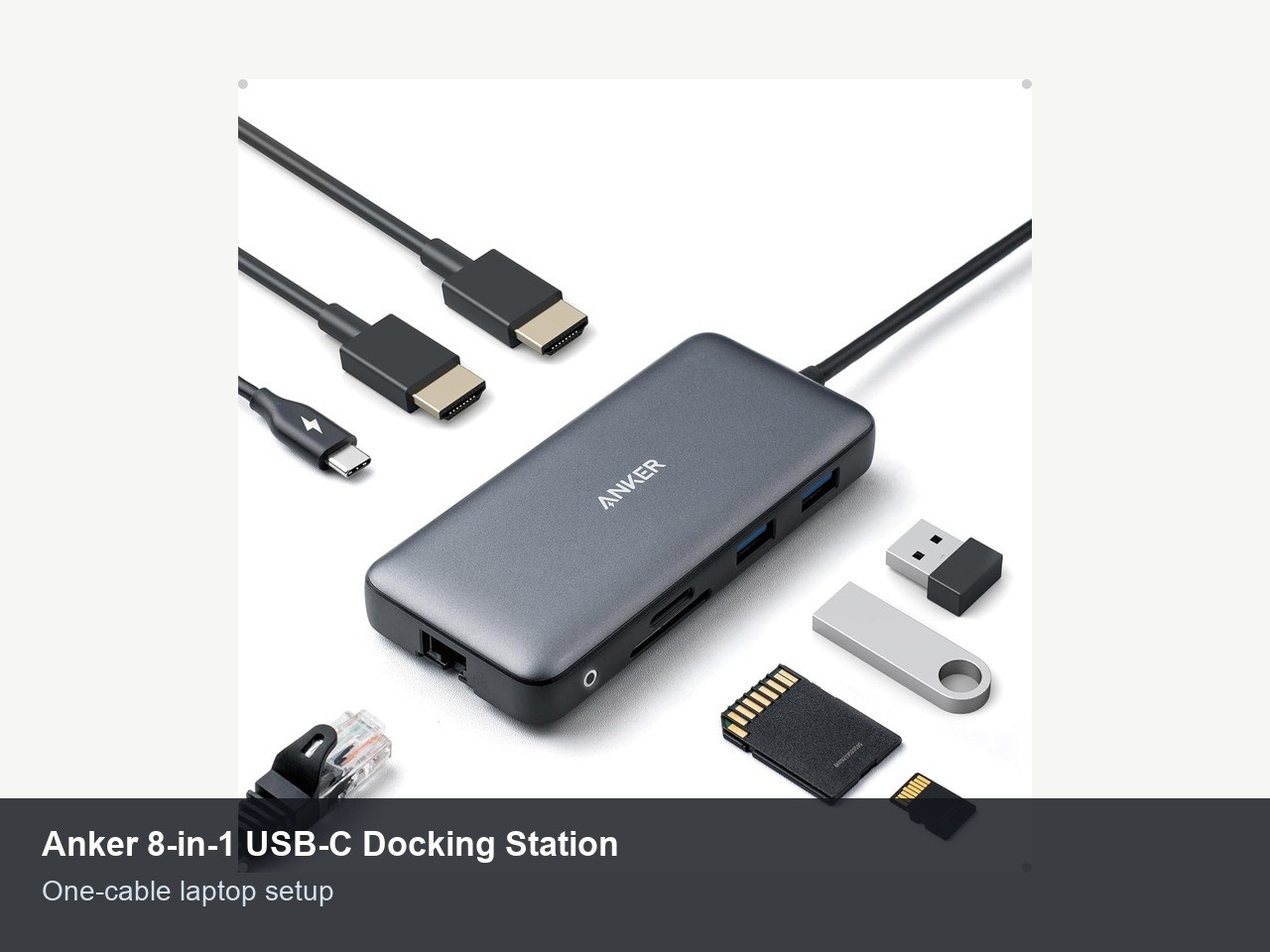
| Anker 8-in-1 USB-C Docking Station | $53.99 | One-cable laptop setup | Dual HDMI, Ethernet, SD reader, 85W PD pass-through | macOS dual-display mirroring limits apply |
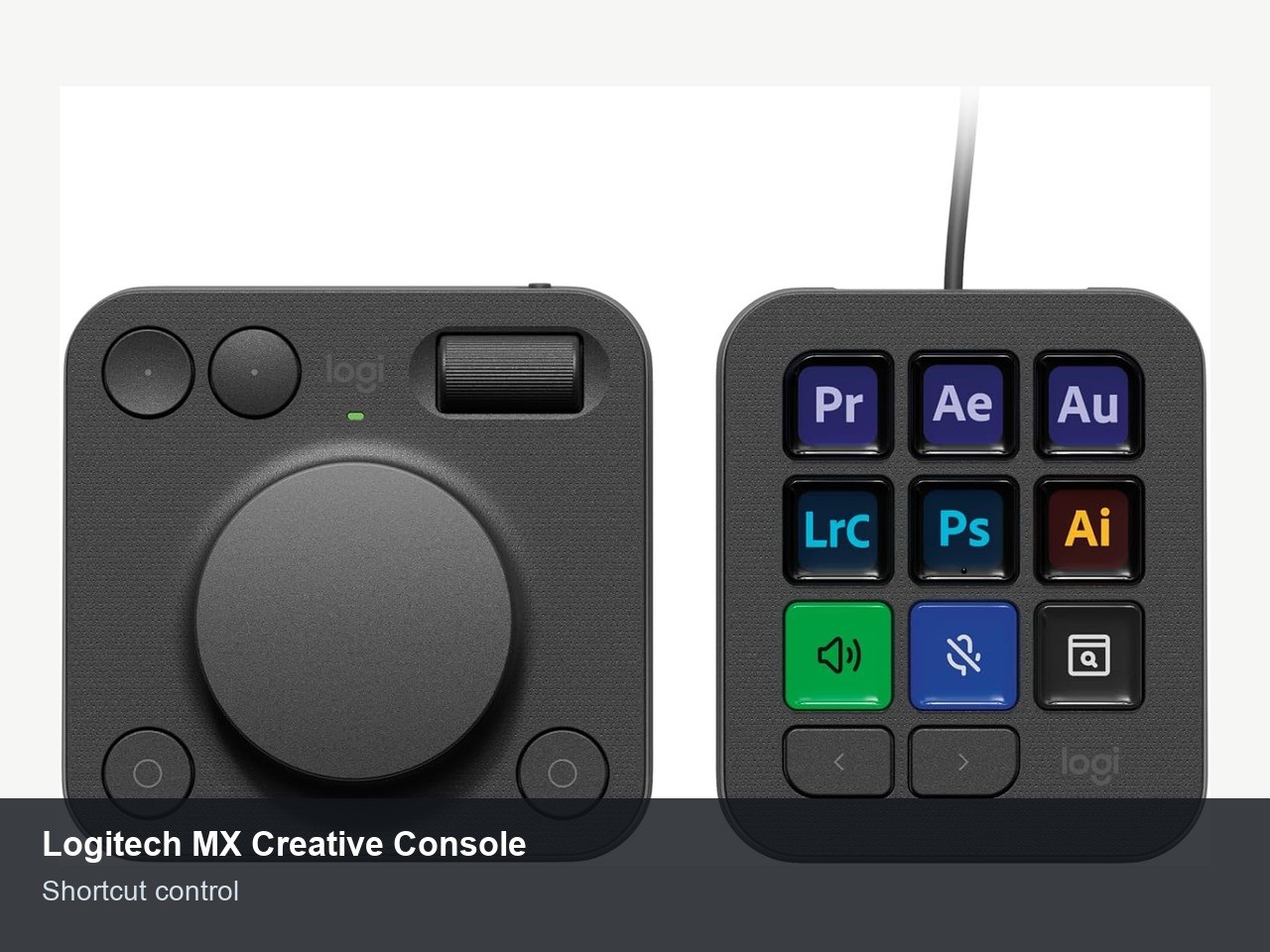
| Logitech MX Creative Console | $189.99 | Shortcut-heavy work | 9 LCD keys plus control dial | Expensive if you only write email |
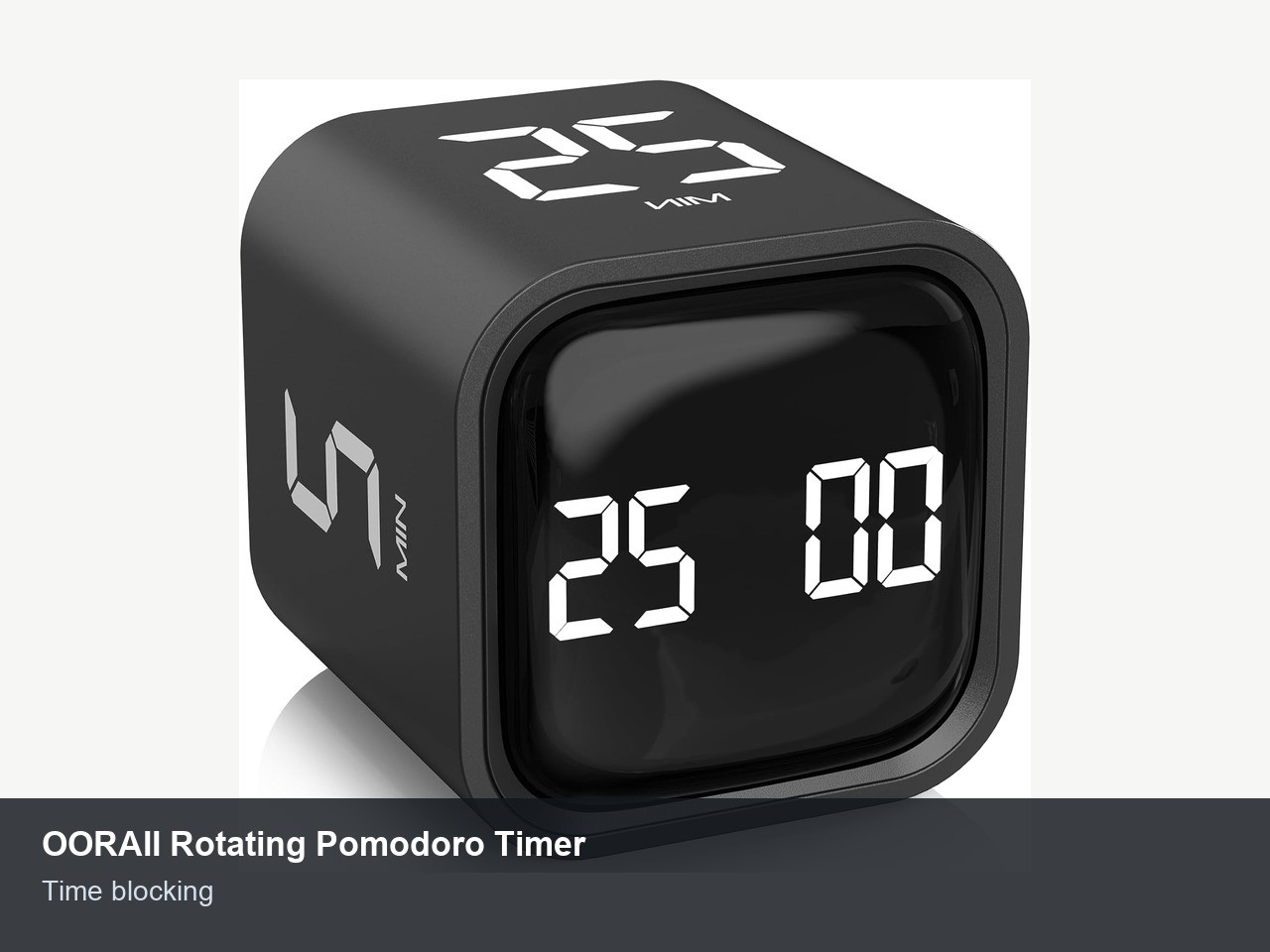
| OORAII Rotating Pomodoro Timer | $16.99 | Time blocking | 5, 25, 10, and 50-minute presets | Small cube, not a big wall clock |
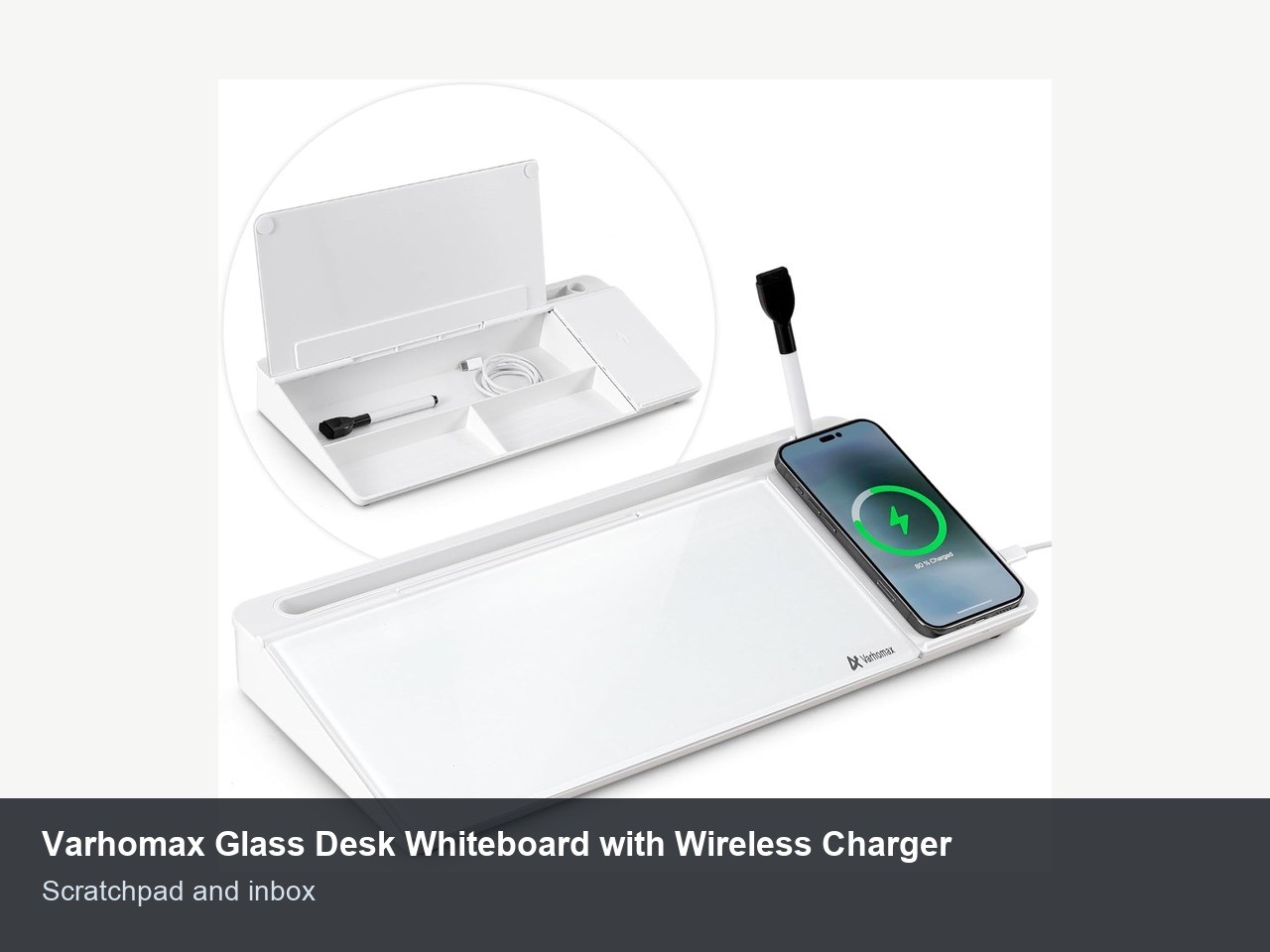
| Varhomax Glass Desk Whiteboard with Wireless Charger | $35.99 | Quick notes | 15.8-inch glass board, storage, phone slot | Buy for the board first, charger second |
| Litwaro Under Desk Cable Management Tray | $13.99 | Cable cleanup | No-drill clamp tray, metal mesh | Check desk edge thickness first |
How to choose without buying desk clutter
If that sounds familiar, slow down.
Start with the interruption you can name. If your hand aches after long sessions, a vertical mouse can earn its spot in a day. If you look flat and grainy on every call, the webcam matters before the fancy keyboard. If you move a laptop between rooms, a dock saves more time than another notebook app.
The second filter is permanence. A monitor light stays clipped to the screen. A cable tray stays under the desk. A dock stays wired once. The more setup a gadget requires every morning, the more likely it’ll become another object you dust.
Price matters less than frequency. A $190 shortcut console can make sense for a designer using it 30 times an hour. A $14 cable tray can be the better buy for almost everyone else. Productivity gear should reduce one daily annoyance, not create a new ritual.
1. Logitech Lift Vertical Ergonomic Mouse

Price: $59.99 (From $79.99)
Where to Buy:
Wrist pain turns a normal workday into a slow negotiation with your own hand. The Logitech Lift is the simplest fix on this list because it changes the angle of the mouse before you start changing your habits. The live listing shows Bluetooth or Logi Bolt connectivity, six buttons, quiet clicks, 4000 DPI tracking, and a claimed 24-month battery life.
What matters isn’t the spec sheet. It’s the hand position. A vertical mouse keeps your palm closer to a handshake grip, which can feel more natural if a flat mouse makes your forearm twist all day. The Lift also stays small enough for normal desks, unlike some vertical mice that feel like a medical device parked beside the keyboard.
Buy it if your current mouse is the sore point and you use a right-handed setup. Skip it if you switch hands, need a gaming sensor, or already rely on a trackball. At $59.99 with 14,613 ratings at 4.4 stars during this check, it’s a practical first ergonomic move before replacing the whole desk.
2. Quntis Computer Monitor Lamp
Start with the use case.
Price: $39.95
Where to Buy: Amazon
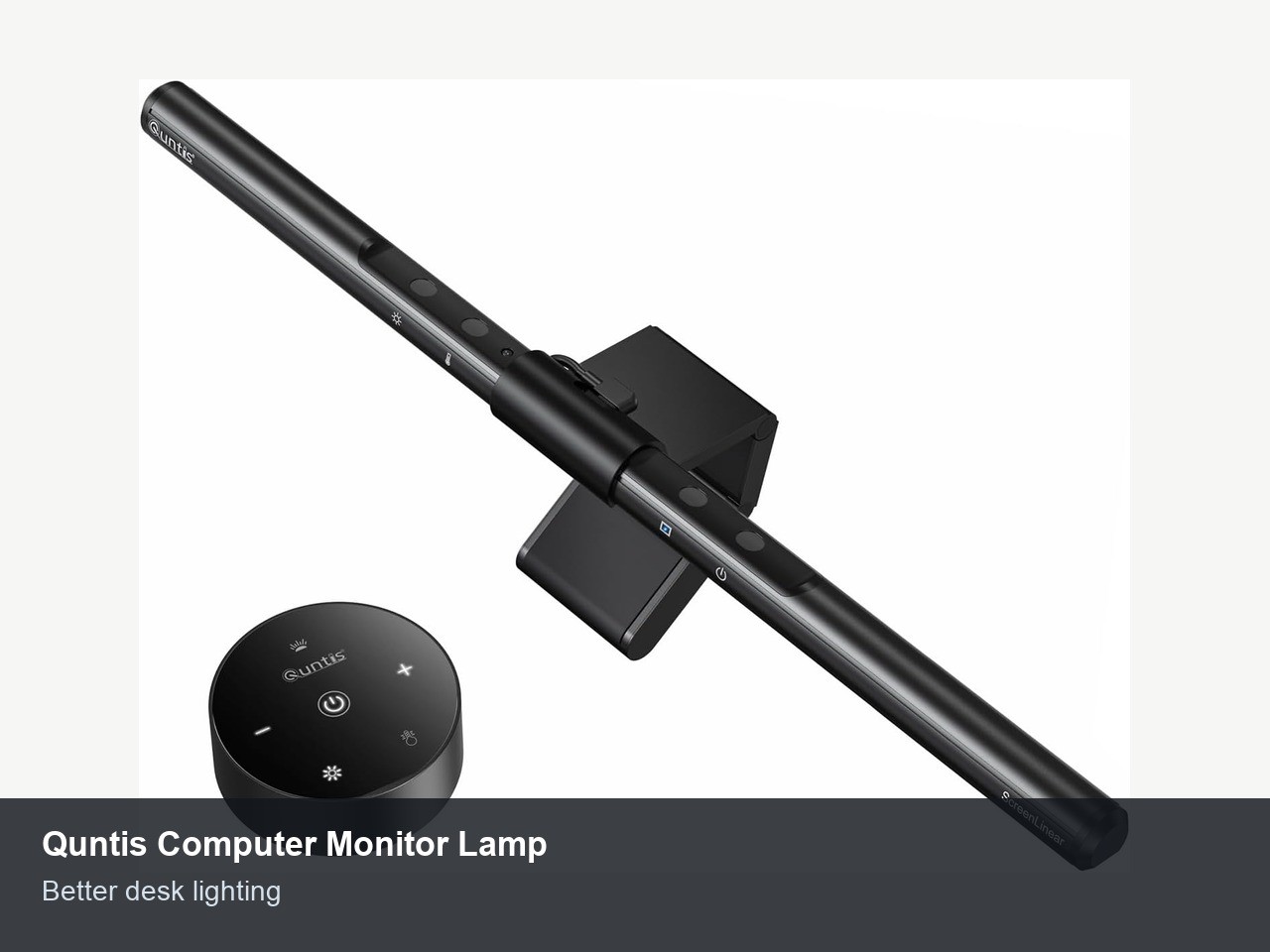
Bad desk lighting creates the kind of fatigue you don’t notice until you stand up. The Quntis monitor lamp attacks that problem from the top edge of the screen. It clips above the monitor, throws light onto the desk instead of into your eyes, and keeps the lamp base off the work surface.
The current listing shows a USB-powered LED light bar with auto dimming, touch control, adjustable color temperature, and a 15. That’s enough for a keyboard, notebook, and small desktop area.
It also has 13,599 ratings at 4. 6 stars, which is a strong signal for a category filled with generic clones.
A monitor lamp is most useful when your desk sits in a room with uneven light. Morning glare, afternoon shadows, and late-night keyboard work all benefit from a dedicated beam that doesn’t take up desk space. It won’t replace proper room lighting, but it can make a dim corner usable.
Check your monitor first. Thick, curved, or oddly shaped displays can make clip-on lights awkward. If your monitor has a standard top edge, this is one of the lowest-cost upgrades here.
3. OBSBOT Tiny 3, Tiny 3 Lite and Tiny 2
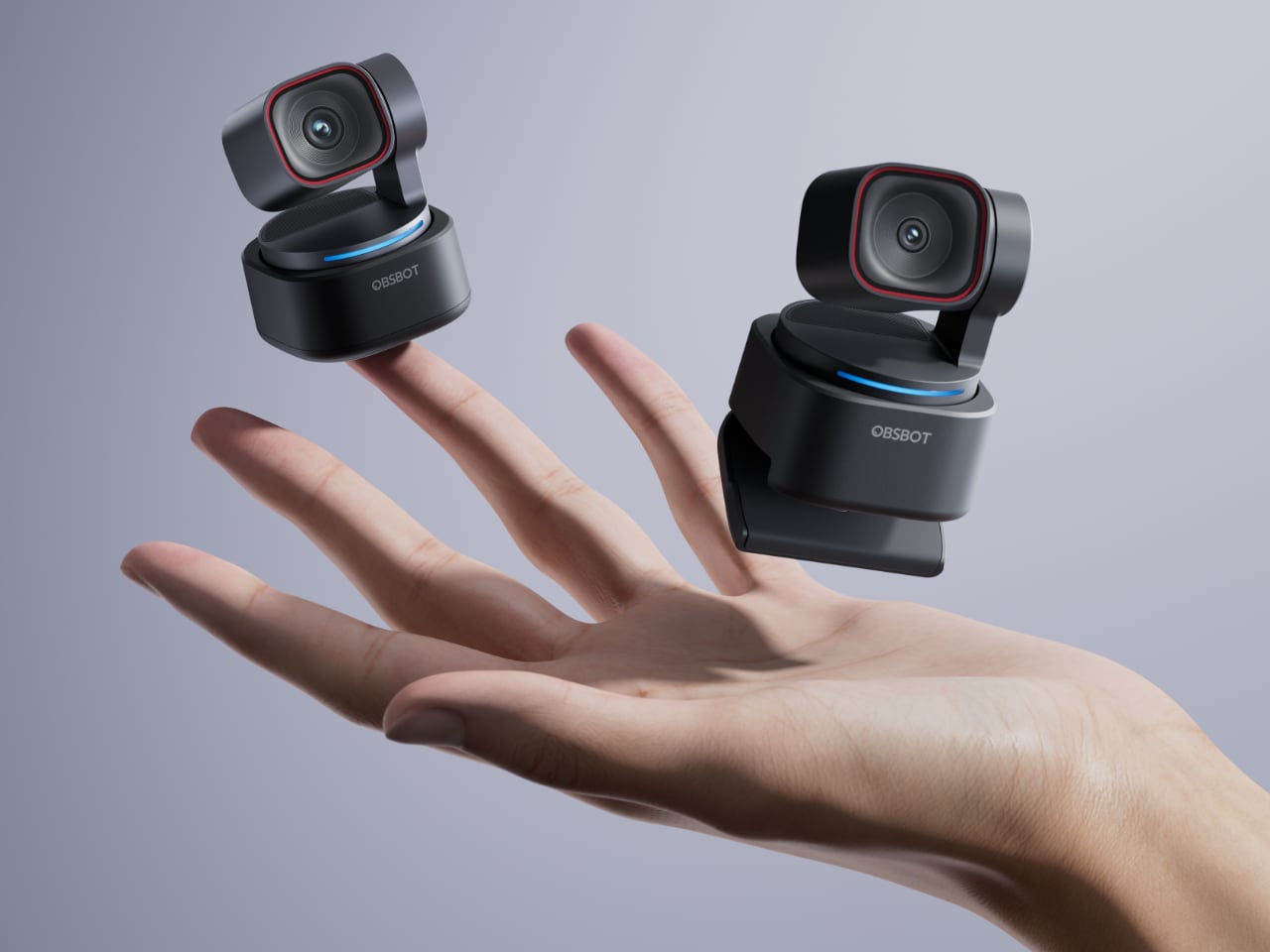
The one desk upgrade almost everyone skips is the camera pointed at their own face all day. Fix that and every call looks sharper. OBSBOT has three webcams that actually earn the space on your desk.
Here is the shape of the lineup. The Tiny 3 is $349, the Tiny 3 Lite is $199, and the Tiny 2 is $299, so you are really choosing how much image quality and headroom you want to buy once and live with.
Start with the Tiny 3 if you want the best image in the group. It is a 4K PTZ webcam, meaning it pans, tilts, and zooms on its own to keep you framed as you move. The 1/1.28‑inch sensor shoots 4K at 30fps and 1080p at 120fps, AI Tracking 2.0 follows you without a button press, and a five‑mode stereo mic saves you from buying a separate microphone later. At $349, it is the camera you buy once and stop thinking about.
The Tiny 3 Lite is the smart‑money pick. For $199 you still get AI Tracking 2.0, 4K at 30fps, 1080p at 120fps, and the same five‑mode audio as the flagship. OBSBOT changed one thing: the sensor drops to 1/2‑inch, and that gap only really shows up when the light gets difficult. If your desk has steady daylight or controlled LEDs, you will not miss it.
The Tiny 2 at $299 is the proven pick, a settled camera with mature firmware and a 1/1.5‑inch sensor that lands between the other two. It feels more like the “default” upgrade from a pandemic‑era 1080p webcam, especially if you want a known quantity that has already lived on a lot of desks.
4. Anker 8-in-1 USB-C Docking Station
Price: $53.99
Where to Buy: Amazon
A laptop desk gets annoying when every cable becomes a separate decision. HDMI. Ethernet. SD card. Charger. External drive. The Anker 8-in-1 dock turns that daily plug-in mess into one USB-C connection, which is exactly what a home office dock should do.
The listing shows two HDMI ports, 1Gbps Ethernet, an SD card reader, microSD support, three USB ports, and 85W power delivery pass-through when you connect a compatible charger. That covers the normal laptop desk: monitor, wired network, keyboard dongle, storage, and power.
The fine print matters. Anker notes that on macOS, the two external monitor outputs mirror each other rather than extending as two separate displays. If you’re on a Mac and need two independent external screens, check your machine and dock requirements carefully before buying.
For Windows laptops and simpler single-monitor setups, this is the sort of boring tool that saves time every day. It doesn’t need an app. It doesn’t need a login. It just keeps the laptop from becoming an octopus.
5. Logitech MX Creative Console
Price: $189.99 (From $199.99)
Where to Buy: Amazon
This is the expensive pick, and it earns that spot only for the right person.
The Logitech MX Creative Console gives you nine customizable LCD keys plus a separate control dial. The listing positions it for graphic design, Zoom, Spotify, and app shortcuts, with USB-C connectivity and a bundled Adobe Creative Cloud membership period.
Shortcut hardware sounds silly until you do the same command hundreds of times a week. Mute, camera, brush size, timeline scrubbing, export presets, window layouts, macros, volume, launchers. If that sounds like your workday, a physical control surface can be faster than remembering yet another keyboard combo.
If you mostly write documents, answer email, and live in a browser, skip this. A better mouse, light, or dock will help more. The MX Creative Console is for people whose day moves through creative software, calls, and repeated app actions.
The rating base is smaller than Logitech’s mouse lineup: 417 ratings at 4.1 stars during this check.
6. OORAII Rotating Pomodoro Timer
Price: $16.99
Where to Buy: Amazon
A timer cube is the least technical gadget here, which is why it may work. The OORAII rotating Pomodoro timer has preset 5, 25, 10, and 50-minute gravity-sensing modes. Turn the cube to the number you want, and it starts. Turn the display upward to pause. Put the display downward to reset.
That physical interaction matters because phone timers are traps. You pick up the phone to start a focus block, see a notification, clear one message, and lose ten minutes. A desk timer does one job, sits in view, and makes time visible without dragging you into the device you’re trying to ignore.
The listing also shows custom countdown, stopwatch mode, silent vibration, high and low volume alarms, USB-C charging, and a 1.8-inch cube body. At $16.99 with 1,133 ratings at 4.7 stars, it’s cheap enough to try if time blindness is the real problem.
Don’t buy it because the Pomodoro method is magic. Buy it because a visible countdown can make the next 25 minutes feel like a container instead of an argument.
7. Varhomax Glass Desk Whiteboard with Wireless Charger
Price: $35.99
Where to Buy: Amazon
Paper notes multiply because they’re easy to write and easier to lose. The Varhomax glass desk whiteboard gives those scraps a fixed landing zone between your keyboard and monitor. The listing shows a 15.8-inch glass dry erase surface, storage compartments, a phone or tablet slot, a wireless charging pad, USB cable, and included marker.
The board is the reason to consider it. A low desk-level whiteboard works well for today’s three tasks, a phone number, a meeting note, or the one thing you must do before lunch. It’s visible without becoming another open app. It also turns the dead strip of desk space below the monitor into a useful zone.
The charger is the reason to be careful. Several customer reviews complain that the wireless charging side is weak or stopped working. The live listing rating reflects that: 3.8 stars from 63 ratings. That doesn’t kill the product, but it changes the recommendation.
Buy it if you want the glass note surface and storage base first. Treat wireless charging as a bonus, not the core feature. If charging speed matters, get a dedicated Qi stand instead.
9. Litwaro Under Desk Cable Management Tray
Price: $13.99 (From $16.99)
Where to Buy: Amazon
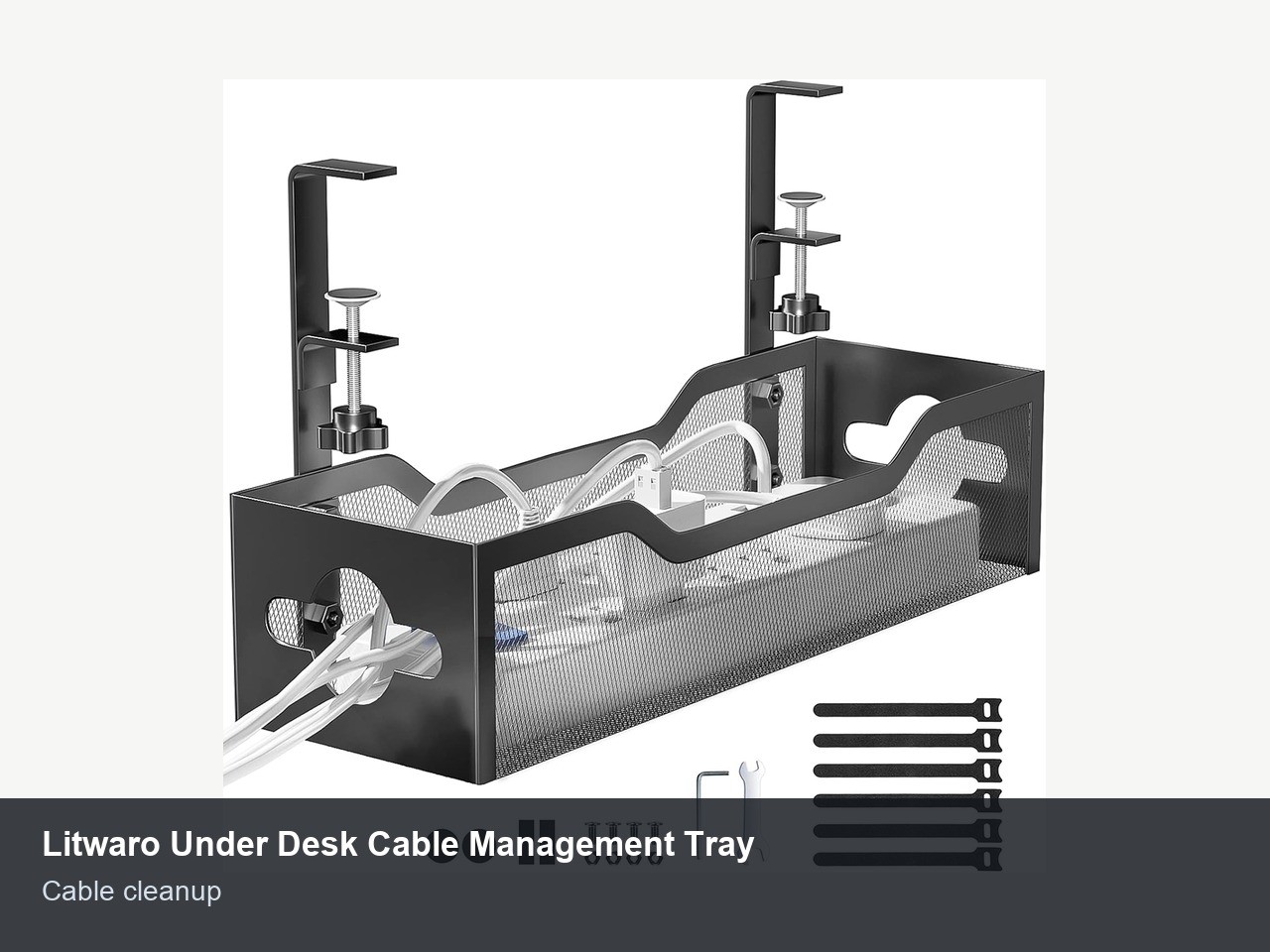
The cheapest item on the list may be the one you notice most after installation. The Litwaro under desk cable management tray clamps to the edge of the desk, holds the power strip and cable slack, and gets the tangle off the floor. No drilling is the whole appeal.
The current listing shows a metal mesh tray, carbon steel construction, a 13.38 by 4.72-inch footprint, clamp installation, and compatibility with flat desk edges from 0.4 to 2 inches thick. Amazon also shows 3,151 ratings at 4.7 stars, which is strong for such a simple accessory.
Cable management improves more than appearance.
It keeps chair wheels from rolling over cords, keeps robot vacuums from eating power cables, and makes it easier to unplug one thing without yanking three others. Clean cable routing also makes a standing desk safer because wires move with the desk instead of stretching across the floor.
Measure before buying. If your desk edge has a weird bevel, rear lip, drawer frame, or metal support bar, clamp trays can be awkward. If the edge is flat, this is the $14 fix I’d do before buying any decorative desk gadget.
What I’d buy first
Start with the problem that interrupts you most often. For physical comfort, buy the Logitech Lift. For lighting, buy the Quntis bar. For calls, buy the Anker webcam. For laptop desk friction, buy the Anker dock. For creative shortcut work, buy the MX Creative Console only if you already know which commands you’ll map on day one.
The two sleeper buys are the timer cube and the cable tray. One protects focus. The other removes desk chaos. Neither is impressive in a product photo, but both can change the texture of a workday.
If I were setting up a normal home office from scratch, I’d buy in this order: cable tray, monitor lamp, vertical mouse, webcam, dock. Then I’d add the timer or whiteboard only if the problem is attention and notes, not hardware.
No mystery there.
FAQs
Are home office gadgets worth buying?
Some are. The ones worth buying remove a specific daily annoyance: pain, bad lighting, poor video, cable clutter, or too many setup steps. Generic desk decor won’t help productivity unless it changes how you work. Choose the practical fit.
What’s the first home office gadget to buy?
For most people, start with comfort and visibility. A better mouse, monitor light, or cable tray improves the desk every day without changing the whole setup. If you’re on video calls constantly, upgrade the webcam earlier.
Do I need a USB-C dock?
You need a dock if you connect a laptop to a monitor, keyboard, mouse, Ethernet, storage, and power often enough that plugging everything in separately gets old. Check display support before buying, especially on macOS.
What’s the best cheap productivity gadget here?
The Litwaro cable tray and OORAII timer are the best cheap picks. One cleans up the physical workspace. The other keeps a focus block visible without using your phone.