
The smartphone designers at HTC recently
introduced their fourth-generation product, code-named “Tornado” and
running the latest Windows Mobile operating system. Like previous
generations, the Tornado is (or at least will be) available under many
different brand names including those of major wireless carriers;
i-mate is among the first to offer it for consumer purchase.
i-mate
markets two versions of the Tornado design which are based on the same
hardware but are packaged differently. The i-mate SP5
is the business-oriented design, while the SP5m reviewed here is
targeted at consumers, with a silver housing and dedicated media player
keys. Other versions of the Tornado (such as should be substantially
similar, but may add or remove software or hardware features. (The
Cingular 2125, for example, lacks WiFi.)
Opening the Box
The SP5m ships with a typical set of accessories:
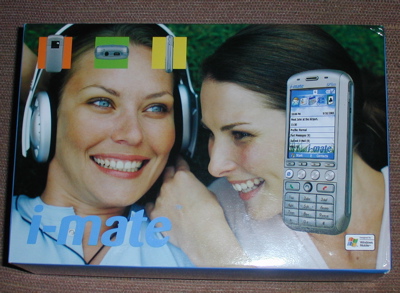
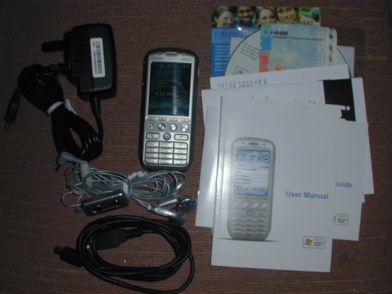
- SP5m phone
- Multi-voltage power adapter with European plug
- Stereo earbuds with microphone and volume control
- USB cable
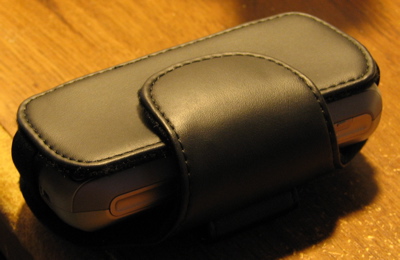
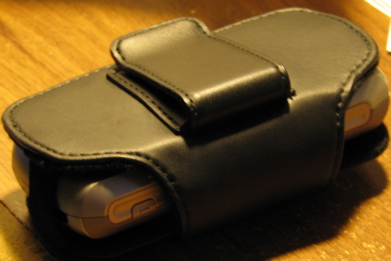
- Belt clip case (not shown in image above)
- ActiveSync and Outlook 2002
- Manuals and documentation
The
review model also included a US power adapter and a 128MB MiniSD card;
retail packaging might differ. The phone will charge through the USB cable, which uses the same mini connector commonly found on cameras.
The supplied case does not fit quite as well as it could, but it holds the phone securely and the belt clip is snug.
Hardware Specifications
The SP5m is comparable to most Windows Mobile smartphones:
- GSM 850/900/1800/1900 for compatibility with all North American and European GSM networks
- GPRS (Class 10, 32-48 kbps) and EDGE (up to 236 kbps)
- Windows Mobile 5 Smartphone Edition operating system
- 64MB RAM (18MB available for user data and apps)
- 200 MHz TI OMAP CPU
- MiniSD memory card slot
- 240×320, 65k color display
- USB port
- Bluetooth v1.2
- WiFi 802.11b
- 1.3 megapixel (1280×1024) camera
- Up to 5 hours talk time, 250 hours standby with included battery
Physical Design
The
SP5m is compact and fits nicely in the hand. Build quality is good with
no creaks or uncomfortable edges, and it has just the right amount of
heft to it. The display takes up more than half of the face, squeezing
seven rows of keys into the area below. The keypad is a bit small;
people with large hands may find it cramped.
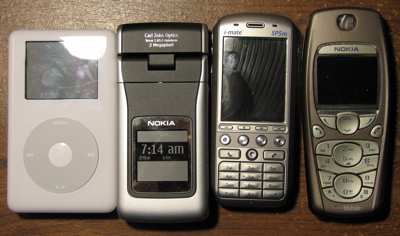
(Left to right: iPod 30GB, Nokia N90, SP5m, Nokia 3595)
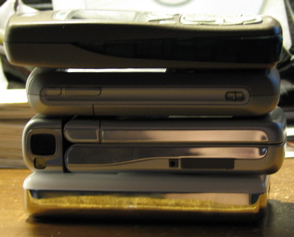
(Bottom to top: iPod 30GB, Nokia N90, SP5m, Nokia 3595)
As
you can see from the comparison images above, the SP5m is compact,
smaller than even the much less featureful, entry-level Nokia 3595.
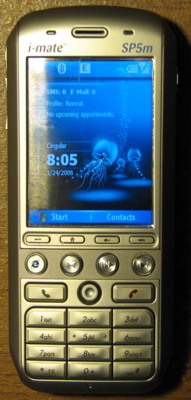

Since
the SP5m does not have a touch-sensitive screen, the small joystick nub
just above the number keys is used for navigation, in conjunction with
the home, back, and left and right softkeys found in the row just below
the display. Also present is a row of four round keys which are
hard-wired to start the web browser and control the music player.
The
display is easily one of the best I have seen on a mobile device
recently. Small details are easy to see, the backlighting is bright and
even, and colors are vivid. (The screen shots I took for this review
don’t really do it justice.)
Above the display, two LEDs
flank the speaker. One changes colors to show network and charging
status, and the other blinks when WiFi or Bluetooth are turned on.
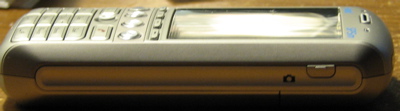
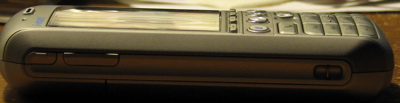
On
the right side of the SP5m, near the top, is a button which starts the
camera software and takes a picture. On the left is the volume rocker
and an additional button which opens the Communication Manager
(described more fully below).
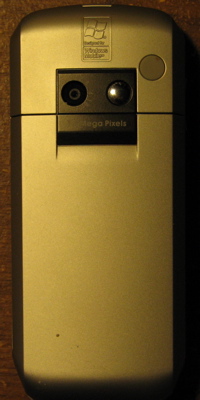
The
camera lens is located in a typical position on the back of the SP5m,
along with a self-portrait mirror. Above it, a gray rubber plug covers
an external antenna port.
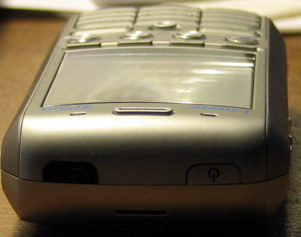
The power button is located at the top end of the SP5m, next to the infrared port.
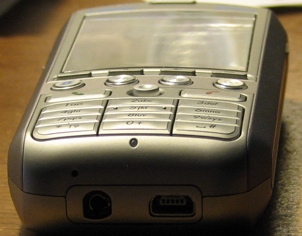
The
only external connectors on the SP5m are a headset jack (which does not
accept ordinary stereo headphones without an adapter) and a mini USB port which is used for both synchronization and charging.
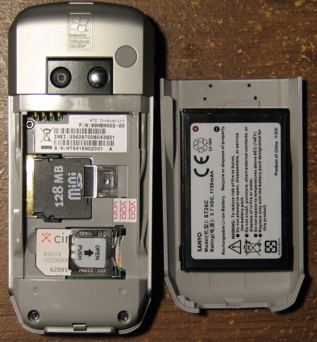
The
MiniSD memory card slot is positioned underneath the battery, a
baffling inconvenience considering that the SP5m is positioned as a
music and media phone.
Software
There are two kinds of devices that are commonly called “smartphones”. Some are the combination of a PDA with a full-sized phone; others are phones with advanced software but without the large touch screen of a PDA. The SP5m is in the latter category; if it is a full-featured PDA you are looking for, consider a Treo or HP iPaq instead.
The
SP5m runs the Smartphone edition of Windows Mobile 5, the latest mobile
operating system from Microsoft. The Smartphone edition of Windows
Mobile 5 shares the same code base as the PDA edition, with changes to the user interface to accommodate the lack of a touch screen. The standard software bundle includes:
- Contacts, Calendar, and Tasks
- SMS/MMS messaging
- POP3, IMAP, and Outlook email
- Voice notes
- Still and video imaging
- Picture and video library
- Mobile Internet Explorer
- Windows Media Player
- Speed dial/voice command manager
- File manager
- Task manager
- Pocket MSN
- MIDlet manager for Java applications
- ActiveSync
- Communication Manager
- Games (Solitaire and Bubble Breaker)
Notably
absent from the usual collection of Windows Mobile software are Pocket
Office and Microsoft Reader, smartphone versions of which do not exist
yet. You could install third-party software to replace them, but if you
need to do that you should probably consider a PDA phone instead.
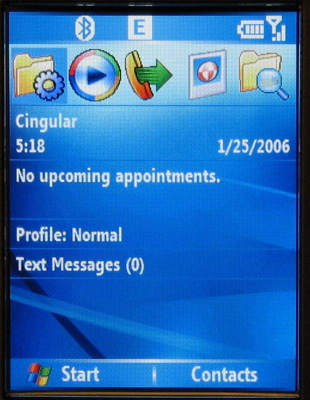
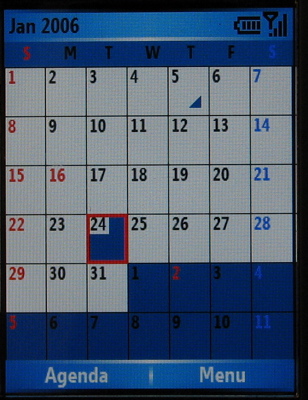
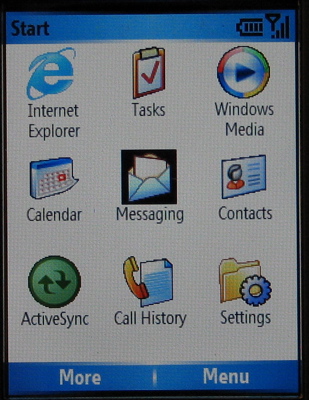
The home screen is customizable, and the PIM
software is similar to that on Windows Mobile PDAs. The program
launcher uses a 3×3 icon grid so you can select applications from the
keypad.
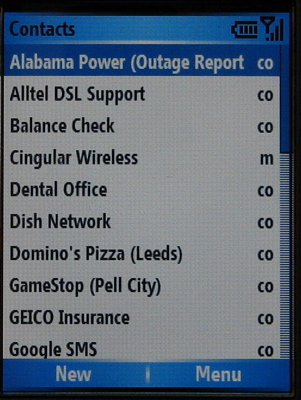
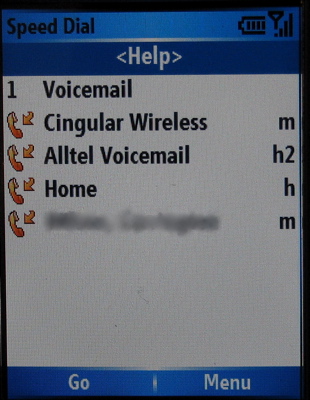
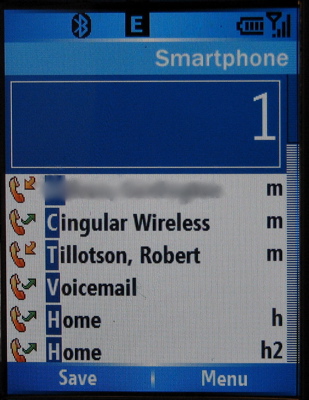
In
addition to the Outlook-compatible contact manager, the built in
software allows programmable voice tags and will look up contacts as
you key in letters of their name.
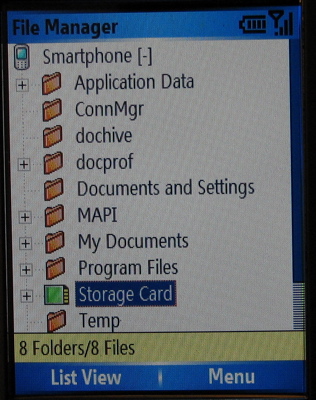
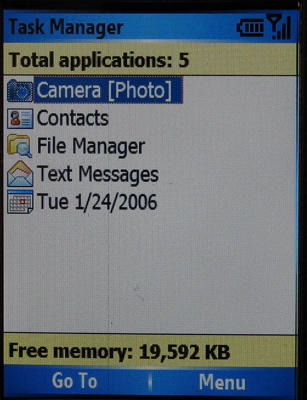
A
reasonably full-featured file manager is included, as is a task manager
from which you can stop running tasks to free up memory. (In normal
usage this should not ever be necessary, but if you use a lot of third
party applications it is still possible for the system to slow down if
too much is running in the background.)
Windows
Mobile 5, unlike previous versions, uses the same code base on
smartphones and PDAs. In theory, this should make it much easier for
developers to write one application that supports all devices. Even so,
running PDA-oriented software on a smartphone is still likely to be difficult because of the lack of a touch-sensitive screen.
Performance
I
tested the SP5m on the Cingular and T-Mobile networks in my area. My
home has usable but not great Cingular “Orange” 850 MHz coverage and is
on the fringe of T-Mobile; Cingular also has 1900 MHz coverage in the
city, on the former AT&T (“Blue”) network. The RF performance of
the SP5m is about as good as most other phones I have tried, with no
unexpected dropouts on either network. I was unable to extensively test
data speeds, but the SP5m successfully uses Cingular’s EDGE network, opening pages and downloading files much faster than my other, GPRS-only phones.
The
SP5m’s software performance is good, but seems to rely on leaving
commonly used applications open; opening a program for the first time
can take several seconds. This is likely to be an issue if you run a
lot of add-on software, but for everyday use of standard phone
functionality the built-in memory is sufficient to keep all the
necessary programs running.
Voice quality is good, and the built-in speaker is loud, though not quite as loud as some other phones I have tried.
Using the SP5m
Music and Media
The
SP5m is positioned as a music phone, to the point of having dedicated
media player buttons on its keypad. The built in Windows Media Player
application handles both music and video, and it will synchronize
tracks and playlists with the desktop. The supported formats include MP3, WMA, and AAC (unprotected only) for audio and MPEG-4 and Windows Media for video. Streaming is also supported, and works well over WiFi. If you have a solid EDGE
connection, you should be able to listen to audio streams over the air
as well, but I wouldn’t recommend trying that unless you have an
unlimited data connection.
One thing you will definitely want
to do if you use the SP5m for music is get a better set of headphones.
A set of earbuds (with mic for hands-free calling) are supplied in the
box, but their audio quality leaves a lot to be desired. The audio
connector uses a four-conductor 2.5mm jack, so you’ll need an adapter
to use a standard headset.
Wireless Internet and Bluetooth
Unlike
most phones, “smart” or otherwise, the SP5m includes 802.11b (WiFi)
capability, so you can use it with existing wireless networks. Not only
is this a great way to save money if you don’t have an unlimited data
plan from your wireless carrier, but it will usually be much faster
than the speeds you will get over the air.
Pressing a dedicated button on the left side of the SP5m opens the Connection Manager, shown here:
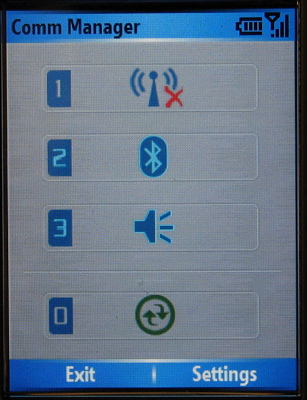
From
here you can turn WiFi and Bluetooth on and off, activate silent mode,
or start ActiveSync by pressing a numbered key. If WiFi is on, the SP5m
will automatically connect to any of your preferred networks whenever
you are in range. If it finds a new network, you will be prompted
before it connects. If you need to configure WEP or WPA security, an advanced settings panel is available in the phone menus.
The
SP5m’s WiFi works flawlessly on my home network as well as at the
public hotspots I have visited. It doesn’t seem to be much harder on
the battery than a voice call, but I still wouldn’t recommend leaving
it on all the time.
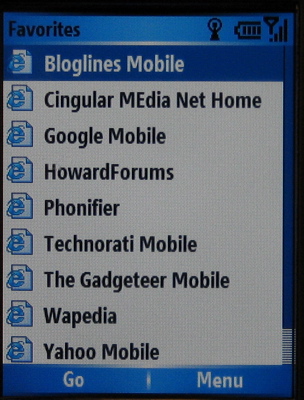
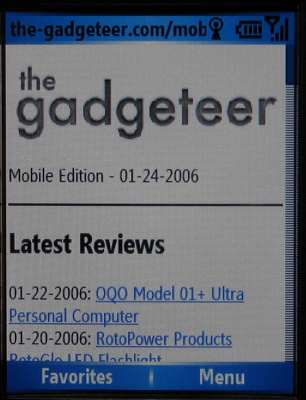
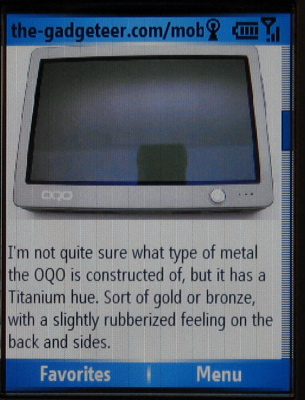
The built-in Internet Explorer web
browser supports many web features and does a passable job at squeezing
full-sized sites into a small display, although you’ll probably want to
use mobile-oriented sites whenever possible.
The SP5m
supports Bluetooth 1.2, which offers improved audio quality and
resistance to interference compared with Bluetooth 1.1. With a
compatible headset (mine is a Plantronics Voyager 510) audio is clear
and voice dialing works well.
I did notice a couple of quirks
in the Bluetooth implementation. One is that there is no way to force
reconnection to a device that is already paired, without pairing it
again. If you use it with a headset that supports multiple devices,
this means that if you turn the headset off after using it with
something else, the SP5m may not find it again later unless you go
through the pairing process again. Another minor issue I noticed is
that if you set the SP5m to be discoverable through Bluetooth, that
setting sometimes doesn’t stick for more than a minute or so. I think
this is probably by design, but since there is no warning about it in
the user interface I can’t be sure.
Synchronization
Like
all Windows Mobile products, the SP5m synchronizes very well with
Windows, and not at all with any other desktop platform. It is supplied
with ActiveSync 4.0 as well as Outlook 2002 (in case you don’t have a
newer version already). Once installed on the desktop, ActiveSync stays
running in the background and keeps the phone’s contacts, calendar, and
tasks up to date continuously as long as it is plugged in. The SP5m
will also use the desktop’s Internet connection as long as it remains
tethered, even if WiFi is available. ActiveSync also provides a browser
for the phone’s file system, so you can easily copy music, pictures,
programs, and other files to it.
Since I normally use a Mac
to manage my personal information, I have only used ActiveSync for
contacts (which I copied over to Outlook as vCards) and copying files.
I was hoping to use Missing Sync or PocketMac, but neither of those
applications support Windows Mobile 5 yet.
I am also somewhat
disappointed that WiFi syncing (or network sync of any kind, for that
matter) is not supported. Microsoft apparently removed network sync in
ActiveSync 4.0, just when WiFi is becoming commonplace in mobile
devices. Bluetooth sync is still supported, though.
Camera
As
with most camera phones, the SP5m’s imaging capabilities are minimal,
useful only for the sake of convenience. Pressing a button on the top
right of the device starts the camera software, and pressing it again
takes a picture. The lens is fixed focus, there is no flash, and the
maximum resolution is 1280×1024. Image quality is typical of most
camera phones: relatively poor.



(Click on the thumbnails above to view the original image taken directly from the phone.)
In
the examples above, I attempted a self-portrait first under normal room
lighting, slightly dim but well within the exposure capabilities of a
typical digital camera. When that didn’t work too well, I tried again
with direct lighting. Finally, the last example is of some trees in my
back yard, to show detail. It should be obvious that the SP5m isn’t
going to replace a dedicated camera any time soon; if you need a camera
phone with decent imaging quality, try something along the lines of a Nokia N90.
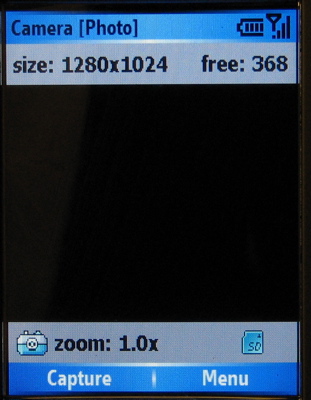
The
camera application is basic, offering modes for general photography,
messaging, and contact photos. The only imaging options are digital
zoom (up to 8x at lower resolutions) and an “ambience” setting which
conflates white balance, exposure, and color settings into a single
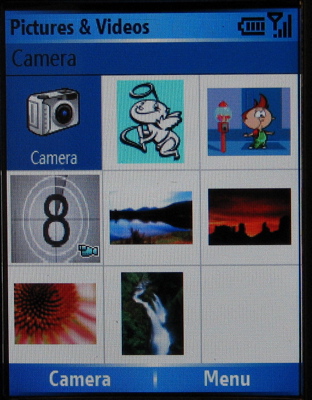
menu. Images can be saved directly to the memory card and managed with
a separate “Pictures and Video” application.
The SP5m can also record MPEG-4, H.264, or Motion JPEG
video at a maximum resolution of 176×144. Given the general quality of
the camera this is a novelty at best, suitable primarily for impromptu MMS messaging.
Locking and Unlocking
The SP5m under review is unlocked in the usual GSM sense, meaning that it will accept a SIM
from any provider. But, as I found out only hours after I opened the
box, there is another kind of lock to be concerned about in the world
of Windows Mobile.
One of the first pieces of add-on software
I tried to install on the SP5m was the driver for the Brando Smart
Keyboard. This is a folding keyboard which uses Bluetooth, but it is
not a standard HID device and requires a driver to be installed. (The SP5m apparently supports Bluetooth HID
keyboards without a driver, but I don’t have one to test it with.)
After downloading the most current driver and copying the .cab file to
the phone, it refused to install because the driver did not have the
proper digital signature.
Windows Mobile’s security
architecture includes a variety of application locks which are
unrelated to the usual sort of “unlocking” we usually associate with
phones. As I was soon to find out, the SP5m ships with some of these
locks turned on by default, preventing you from installing unsigned
applications or changing certain registry entries and files.
Even
if you never try to install unsigned software, there is a good reason
to unlock the SP5m, and that is to change the mapping of the Internet
Explorer key. In its default configuration, it is hardcoded to go to
the i-mate home page every time it is pressed, even if Internet
Explorer was already open and showing another page. This is highly
annoying, but if you have to pay for your wireless data usage it can
also be expensive, since accidentally touching that button will cause
the phone to connect to GPRS/EDGE and download a rather large and graphic-laden page unless you are very quick to bang on the END button to stop it. Luckily, the extra buttons are mapped to shortcuts that you can edit… if the phone is fully unlocked.
The
procedure for removing the application lock is not hard, and you can
find instructions on the web quite easily. But I wish it wasn’t
necessary in the first place. If you’re buying a device at full price
from a neutral vendor (and that’s the only way to get an SP5m, in the USA at least) you should be able to run any software you like on it.
Customization
One
of the advantages of a smart phone is that, in most cases, they can be
customized extensively with not only ringtones and color themes, but
applications and system tweaks. That is definitely true of the SP5m,
but it also displays some odd choices of what parts of the system are
customizable and what parts are not. (This is probably Microsoft’s
doing, not i-mate’s.)
For example, the order of icons in the
application launcher cannot be directly changed. The first ten or
eleven of them are in a standard order, and the rest are in
alphabetical order. By comparison, on Series 60 phones you can create
folders and rearrange icons to put your favorite programs where you
want them. On a Windows smartphone, this requires editing the registry.
Likewise,
you can’t change the ActiveSync name of the phone. If it decides to
call itself “WM_JoeUser_1” you’re stuck with it unless you break out
the registry editor again. A minor issue, to be sure, but some of us
are picky about what our toys are called.
On the other hand,
Windows Mobile has a very flexible system for making custom themes
which goes beyond simple color changes and wallpaper, so visibly
personalizing the SP5m is easy.
Conclusion
I will
admit that I am probably not the target customer for a device like the
i-mate SP5m, since I use Macintosh on the desktop and carry a Palm PDA.
But for the larger market of Windows users, a phone that syncs to
Outlook and Windows Media Player is probably quite handy. It’s hard to
recommend the SP5m over any other current Windows Mobile smartphone,
since nearly all of them are variations of the same design, and the
choice is likely to come down to bundled features and carrier support.
Still, I like the SP5m and am using it as my primary phone.
The
biggest downside to the SP5m is, in my opinion, the oddly restrictive
application locking that prevents essential customizations like
reorganizing the menus and remapping the hardware buttons. If I hadn’t
found out how to unlock it, I probably would have very quickly smashed
it in frustration after my second or third accidental press of the
Internet Explorer button and its mandatory visit to the i-mate home
page. With that fixed, there are no other big issues with the SP5m that
I can complain about, except perhaps the poor quality of the camera (an
issue the SP5m has in common with a lot of camera phones).
The i-mate SP5m is not sold directly by any carrier, though some carriers do offer their own branded version of the HTC Tornado design; it is available through vendors of unlocked GSM phones for a street price of around $500 to $550.

Samsung Galaxy A17 5G Smart Phone, 128GB, Large AMOLED, High-Res Camera, Durable Design, Super Fast Charging, Expandable Storage, Circle to Search, 2025, US 1 Yr Manufacturer Warranty, Black
(as of June 8, 2026 13:24 GMT -05:00 - More infoProduct prices and availability are accurate as of the date/time indicated and are subject to change. Any price and availability information displayed on [relevant Amazon Site(s), as applicable] at the time of purchase will apply to the purchase of this product.)
Motorola Moto G Play | 2024 | Unlocked | Made for US 4/64GB | 50MP Camera | Sapphire Blue
(as of June 7, 2026 20:20 GMT -05:00 - More infoProduct prices and availability are accurate as of the date/time indicated and are subject to change. Any price and availability information displayed on [relevant Amazon Site(s), as applicable] at the time of purchase will apply to the purchase of this product.)Product Information
| Price: | 550.0 |
| Manufacturer: | i-mate |
| Requirements: |
|
| Pros: |
|
| Cons: |
|

Gadgeteer Comment Policy - Please read before commenting
Post your comments here on the i-mate SP5m review.
http://www.the-gadgeteer.com/review/imate_sp5m
Just click the POST REPLY button on this page.
How is the speed of Windows Mobile 5? I’ve heard that the interface can be a little slow, did you find that?
Otherwise, great review, i was thinking of picking this up on T-Mobile when its out next month (that or the Sony w810)
Windows Mobile 5 can take a few seconds longer to start programs than WM2003SE or Symbian Series 60 will, because it’s loading programs from ROM storage, rather than holding them in RAM the way the latter two OSes do. The advantage to this is that you don’t lose any applications or data should the power fail, because the data’s all stored in persistent memory. The disadvantage is that applications can take a second or two more to run, which depending on the program could be a problem.
I’ve HAD S60 phones crash on me before after trying to access the call log, so I’ve seen what happens when everything dies on you – and I don’t believe it kept anything in persistent memory (aka: the storage card I put in), which meant I had to reload everything. Persistent memory’s a nice feature, but whether the SP5M is for you is another question – I’d probably suggest another of the HTC products myself, with a full PDA interface, rather than a Smartphone-series device.
It does take a few seconds to start things up if they’re not running, but otherwise I don’t really feel like it’s slow compared to the other phones I’ve used. It will really depend on how you use it, I think — if you use mostly just the phone and PIM functions, all of the apps can stay loaded in the background and you can switch back and forth quickly. If you use a lot of add-on apps, play games, etc. it may have to stop some running apps and load others, and that will slow things down. (The system info panel reports 45.06 MB program memory, of which 26.55MB is free with nothing running except the OS and task manager.) I must admit, though, that I haven’t used Windows smartphones before (and PDAs only up to WM2003) so I can’t really tell you if WM5 is slower or faster than the older versions.
I’m loving my SP5. It is fantastic! The WiFi works really well for internet, and its fast!! Web browsing over WiFi on this thing is superb!
The screen is gorgeous, and the resolution makes web browsing the same as on a QVGA Pocket PC 😀
Got a 1Gb card for it for music, pictures, videos and apps.
Some pics of it compared to the Nokia 8850 and KJAM.
http://img97.imageshack.us/img97/8608/CIMG5019Small.jpg
http://img97.imageshack.us/img97/2968/CIMG5018.jpg
http://img97.imageshack.us/img97/3360/CIMG5017.jpg
http://img97.imageshack.us/img97/2228/CIMG5004.jpg
http://img97.imageshack.us/img97/8672/CIMG4994.jpg
A lot of the links on this review are pointing to “localhost://”
😮
I had one for a few weeks but sold it on. The WIFI wouldn’t work with my home network. I have a Dell x50V and an iMate JasJar, both connect fine. What really annoyed me is that Smartphone OS is dumbed down – you don’t get the network settings options you do for pocket PC! So no use to me. Nor could I connect to a hotel hotspot that the JasJar was OK with.
That said, the display was superb and the phone was pretty fast – certainly copared to the occaisionally dog-slow JasJar. It’s a great phone IF you can get the WiFI to work. Also, as has been mentioned, someone considering a Smartphone needs to make sure a PocketPC phone/Treo wouldn’t be a better choice. Smartphones are great for PIM, GPS etc but if you want spreadsheet/Office stuff, Smartphone won’t cut it.
thenikjones
Sorry, I just fixed that… it was just the links to the sample pictures, and the N90 review.
–Rob
Application locking is important: someone like you or me will easily find a way around it, but your average joe won’t, and this will stop him from installing crappy software from developers who are not smart enough to get into MS programme and get a key for signing their code.
Good evening,
I am a PDA2K owner and have just purchased an SP5M. My task list is quite large as is my contacts and agenda. Unlike the other two, when trying to load the task list it takes a very long time. There does not seem to be a way to limit the numnber of days ActiveSync looks back nor load the information onto the mini SD card, not that I know it will help. If I can’t find a way around this I am going to hand it off to one of the troops to use for mobile phone traffic which seems a waste.
Regards,
Wes