
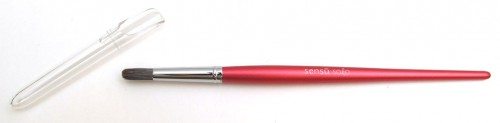

I opened my mailbox the other day to find the Sensu Solo paintbrush stylus waiting for me. Sensu isn’t new to the stylus scene, they have been offering what I consider the most realistic feeling paintbrush stylus for over a year. See my review of the Sensu Artist Brush in the related links below. The new Solo comes in at a lower price point, but it retains the quality look and feel that I’ve come to expect from Sensu.
Note: Images can be clicked to view a larger size.
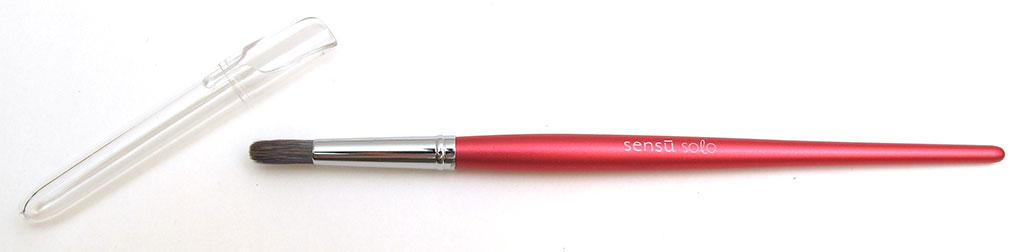
The Sensu Solo is available in 5 colors including red like the one that was sent to me. Their first stylus, the Artist Brush, was a convertible stylus. On one end was the brush tip and the other end a traditional rubber tip. The Solo goes the more simple route and only offers a brush tip. In fact, if you didn’t know any better, you might think that the Sensu Solo was a real paintbrush… for painting. It has a nicely balanced and tapered handle which is milled of solid aircraft-grade aluminum that has been anodized with a satin finish.
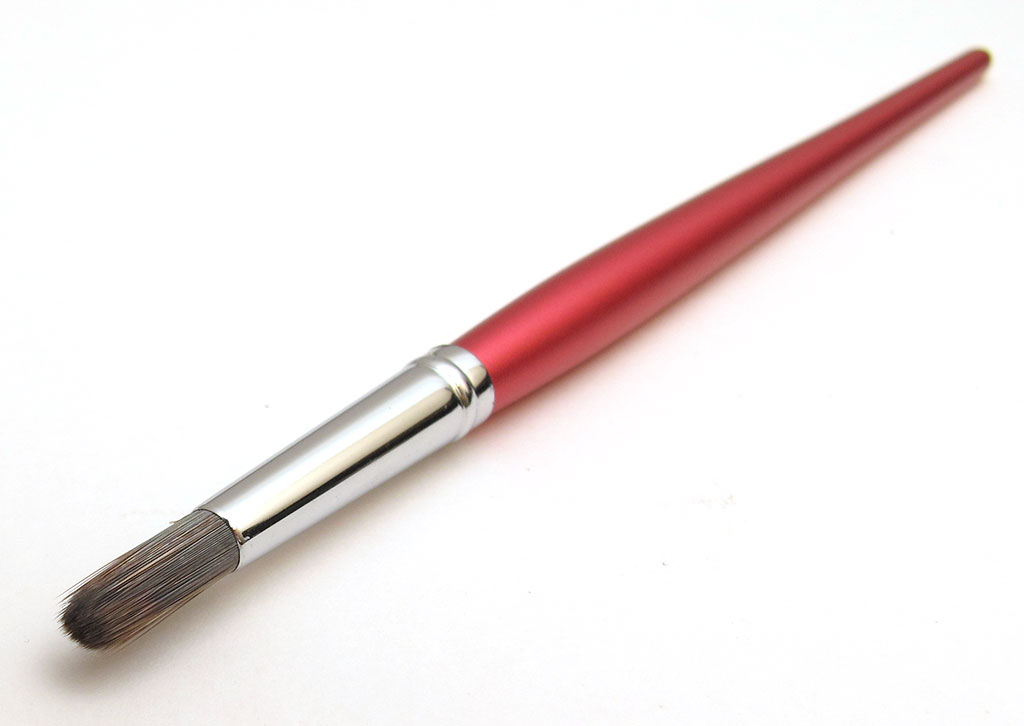
The bristles that make up the brush tip are made of special conductive fibers that allow it to work perfectly on your capacitive tablet’s display. Upon close inspection, I think the Solo has the exact same tip as the original Artist Brush. That means it’s good. Real good. The best I’ve seen and tried. The bristles don’t splay out like cheaper brush styluses I’ve reviewed. They stay together and really lend a paint on paper experience to “painting” on a digital device.
There’s nothing about this brush stylus that I don’t like. It’s really hard to find a fault. The only thing that comes to mind is that the protective cap is hard to remove. Yeah, I’m really struggling for a criticism aren’t I? If you are a digital artist who hasn’t tried a capacitive brush stylus yet or you haven’t tried a Sensu brush yet, do yourself a favor and try the Sensu Solo or the Sensu Artist Brush. I like both equally well and I am sure you will too.


Gadgeteer Comment Policy - Please read before commenting
I just got my Sensu Solo Brush, but how in the world did you get the protective cap off it? I’ve pulled, I’ve twisted – nothing!
Deb
I no longer have this brush, but I don’t remember it being hard to remove it. Maybe try some pliers?
My sensu solo seems to offer very little apps. I have Android and Surface products. Any recommendations? Is like to do colour but apparently Zen Brush only is B&W. Does Art Rage Lite support the Solo Brish?