Hunching over a laptop for hours leaves your neck stiff and your machine overheating. A good stand fixes both by raising the screen to eye level and letting air flow underneath. You do not need a $200 ergonomic rig to see the benefits; plenty of solid options cost less than a takeout dinner. Whether you need something that lives on your desk, collapses into a bag, or straddles your lap on the couch, these are the seven picks worth considering right now.
At a glance: the seven picks
| Pick | Best for | Price (USD) | Weight | Height lift |
|---|---|---|---|---|
| Rain Design mStand | Fixed desk setup | ~$50 | 1.4 kg | ~6 in (fixed) |
| Twelve South Curve SE | Stylish desk with airflow | ~$40 | 0.68 kg | ~6.5 in (fixed) |
| Roost Stand v3 | Adjustable, light enough for travel | ~$90 | 0.18 kg | 6.5–12.5 in |
| Nexstand K2 | Budget adjustable | ~$45 | 0.23 kg | 5.5–12.6 in |
| MOFT Z 5-in-1 | Sit/stand hybrid | ~$70 | 0.96 kg | 4.7–10 in |
| Lululook 2-in-1 Lap Desk & Kindle Pillow Stand | Bed & reading with light laptops | ~$46 | 1.9 kg | n/a (cushion + adjustable arm) |
| LapGear Home Office Lap Desk | Couch and recliner | ~$35 | 1.0 kg | n/a (cushioned base) |
Prices are approximate U.S. MSRP at time of writing and may shift with sales.
Why a laptop stand is worth it in 2026
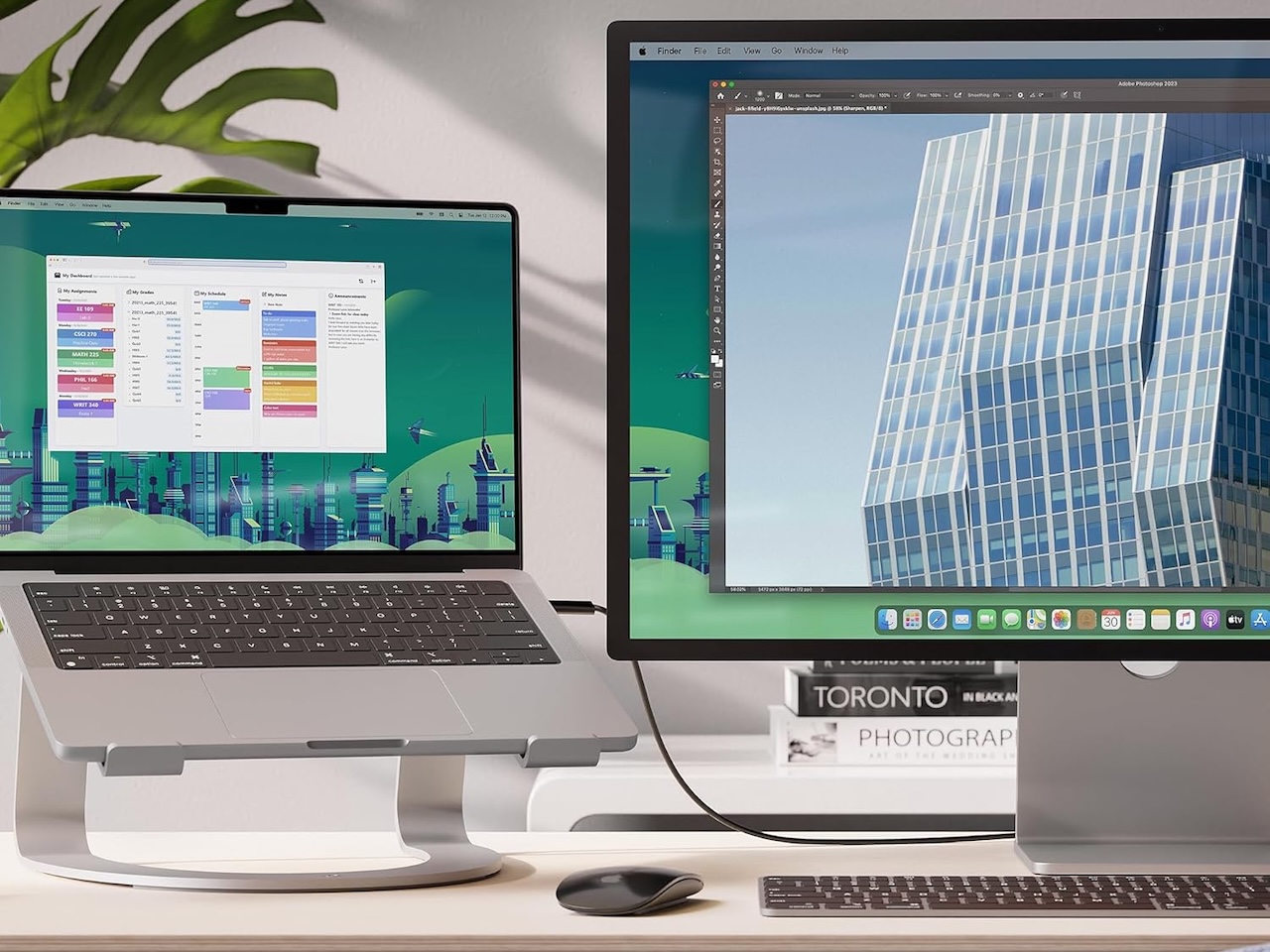
A laptop’s hinge was never designed for marathon workdays. Drop the screen to where your wrists are comfortable and your neck pays for it; raise the screen to eye level and your wrists start to ache instead. A stand breaks that tradeoff: it lifts the display so your head stays neutral, while you type on an external keyboard down at desk height. The same lift opens a gap under the chassis, which lets the intake fans pull cooler air across the bottom plate. On modern thin-and-lights with vapor chambers, that small assist can be the difference between sustained performance and a thermally throttled afternoon.
What a stand will not do: replace a proper monitor for true single-screen ergonomics, or rescue a laptop with a failing fan. If your machine is already loud at idle, fix that first; if you are still running an aging charger, our roundup of 5 New 100W GaN Chargers That Replace Your Laptop Brick, Ranked by Value is a better place to start than a new stand.
How we picked the best laptop stands of 2026
We weighed four things in roughly this order, starting with stability. Any flex at the top of the riser shows up as screen wobble every time you type, which is why aluminum slabs and wide-base tripods consistently win out over thin folding sheets. Height range matters next: a good adjustable stand reaches at least six inches of lift, enough to put the top of a 13- to 16-inch screen near eye level for an average-height seated user. Portability is the third filter: we cared about weight, folded thickness, and whether a stand survives being tossed in a backpack pocket without bending. Finally there are the material tradeoffs most buyers ignore. Aluminum is rigid and cool to the touch but scratches easily, silicone grips well but attracts dust, and plastic is light and cheap but flexes, which is fine for travel and risky for daily desk duty. We also skipped anything that requires permanent adhesive to the laptop lid; in 2026 that is a deal-breaker for resale and warranty.
Best for the desk: Rain Design mStand
For a stand that lives on your desk and never moves, the Rain Design mStand is the boring right answer at around $50. It is a single sculpted block of anodized aluminum with zero moving parts, which means zero wobble, and a back cable cutout that lets a charger and a USB-C hub cable drop straight down instead of snaking across the desk. The 6-inch fixed lift lands the top of most 13- to 16-inch screens close to eye level for an average-height seated user.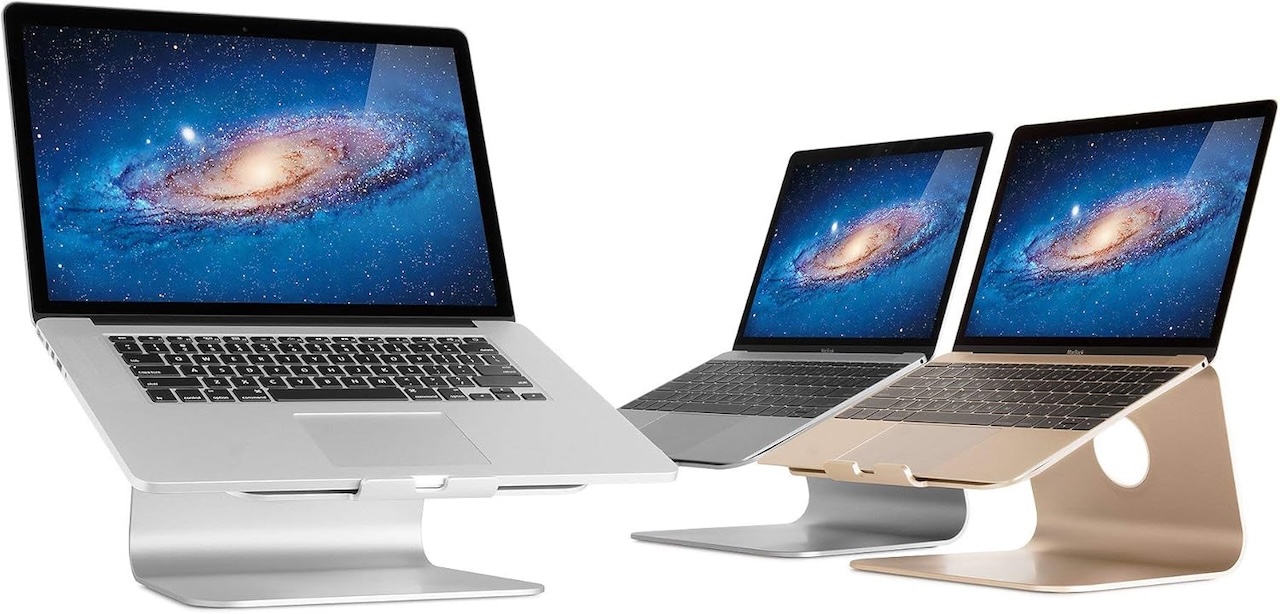
Price: $39.90
Where to Buy: Amazon
Who it is for: People who dock at the same desk every day and pair the laptop with an external keyboard and mouse.
Watch for: The front lip is shallow, which is good if you sometimes type on the laptop directly but means a tilted setup can let a thin ultrabook creep forward. Rubber feet hold well on wood and glass.
Best stylish desk: Twelve South Curve SE
At around $40, the Twelve South Curve SE is the style-forward desk pick that actually costs less than the mStand. The arched aluminum body lifts the laptop about 6.5 inches and leaves the entire underside exposed to room air, which measurably helps thermals on fanless MacBooks during long video calls. At 683 grams it is roughly half the weight of the mStand, and the curved silhouette plus wide front lip keeps even a heavy 16-inch laptop locked in place.
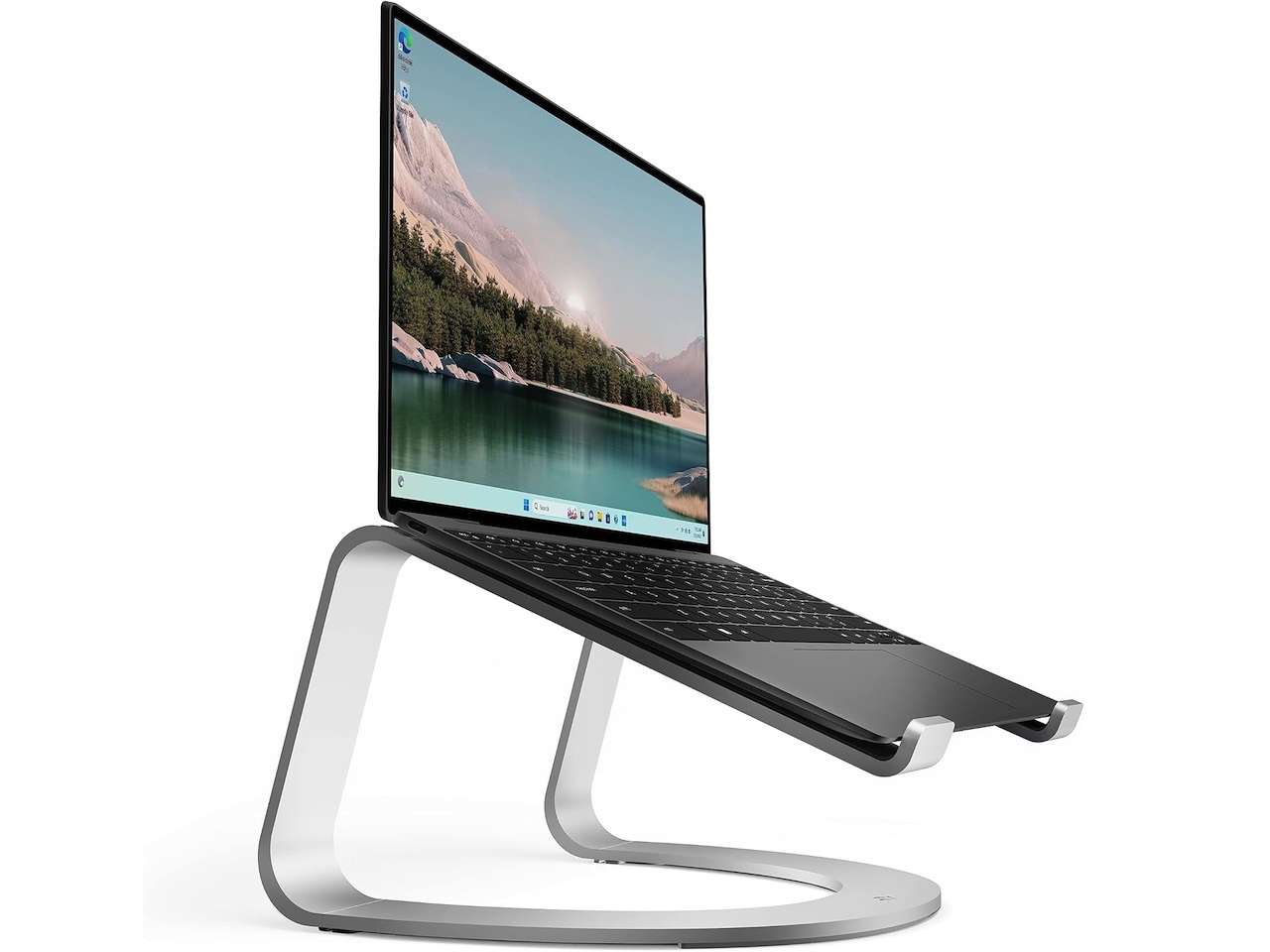
Price: $9.99
Where to Buy: Amazon
Who it is for: Mac users and anyone who wants the stand to look intentional on a styled desk without paying a premium.
Watch for: No cable channel; you will want to route cables yourself. Also slightly taller than the mStand, which is great for tall users and a little high for shorter chairs.
Best adjustable: Roost Stand v3
If your setup changes (sometimes a second display, sometimes laptop-only, sometimes standing), the Roost Stand v3 earns its hinges. At about $90 it is the priciest pick here, but it weighs only 178 grams (six ounces), folds to the size of a baton, and locks across a 6.5- to 12.5-inch range that fits 12- to 18-inch laptops. The patented folding frame has zero visible flex under a real laptop, which is rare in adjustable stands at any price.
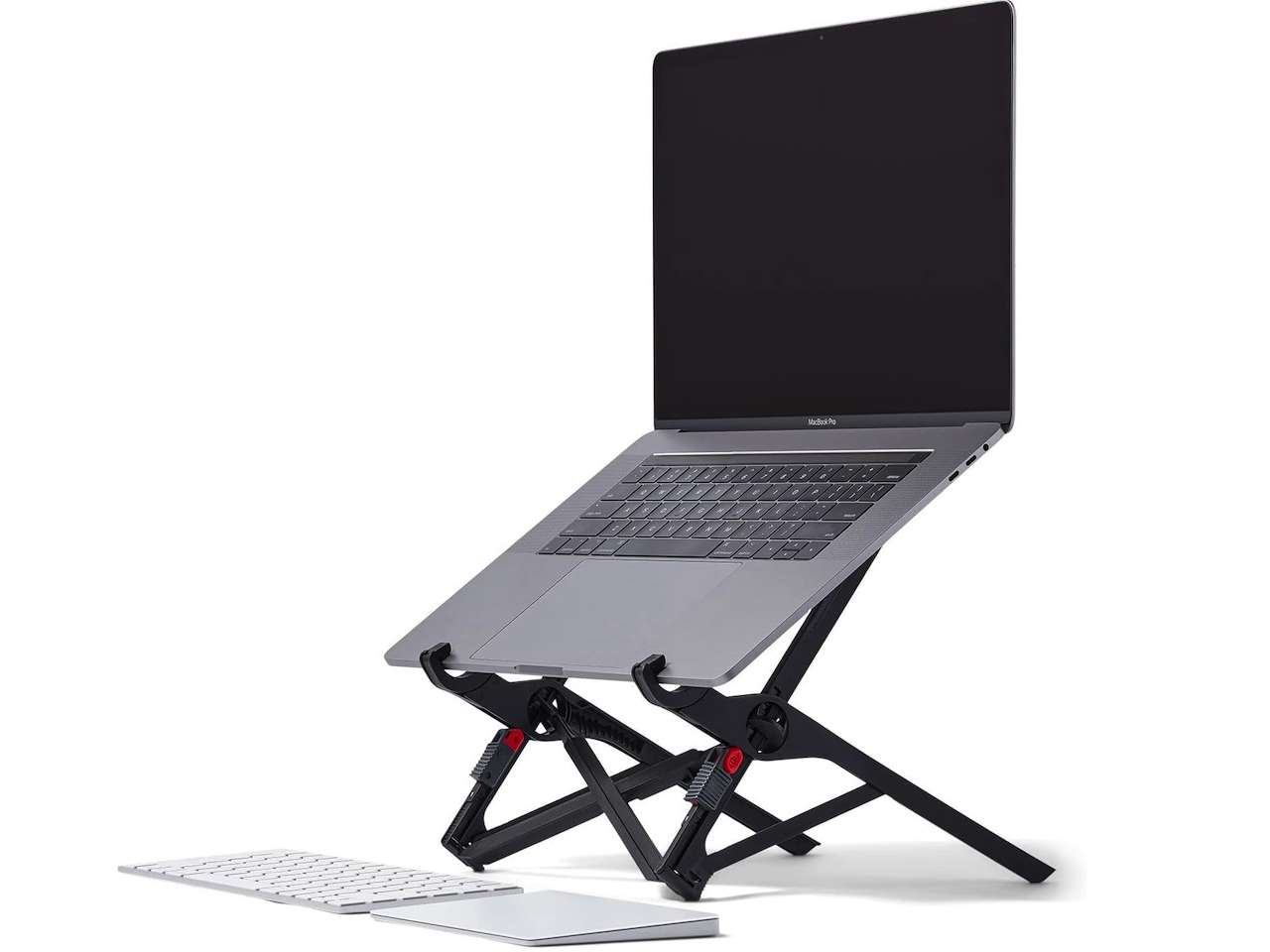
Price: $89.95
Where to Buy: Amazon
How to spot wobble before you buy: Press down on the top platform in product photos or in-store. If the seller offers a video, look for any visible flex when the laptop lid is opened or closed. Reviews that mention “bouncy typing” are a red flag.
Bonus: It is light enough to double as a travel stand if you only want to own one.
Best budget adjustable: Nexstand K2
The Nexstand K2 has been the long-running budget answer to the Roost, and at around $45 it still is in 2026. It uses a similar folding design in glass-fiber-reinforced nylon rather than aluminum, weighs 234 grams, and offers eight locking positions from 5.5 to 12.6 inches. It is a hair less rigid than the Roost under heavier laptops, and the plastic catches do not feel as confident, but for half the price it covers the same daily use cases.
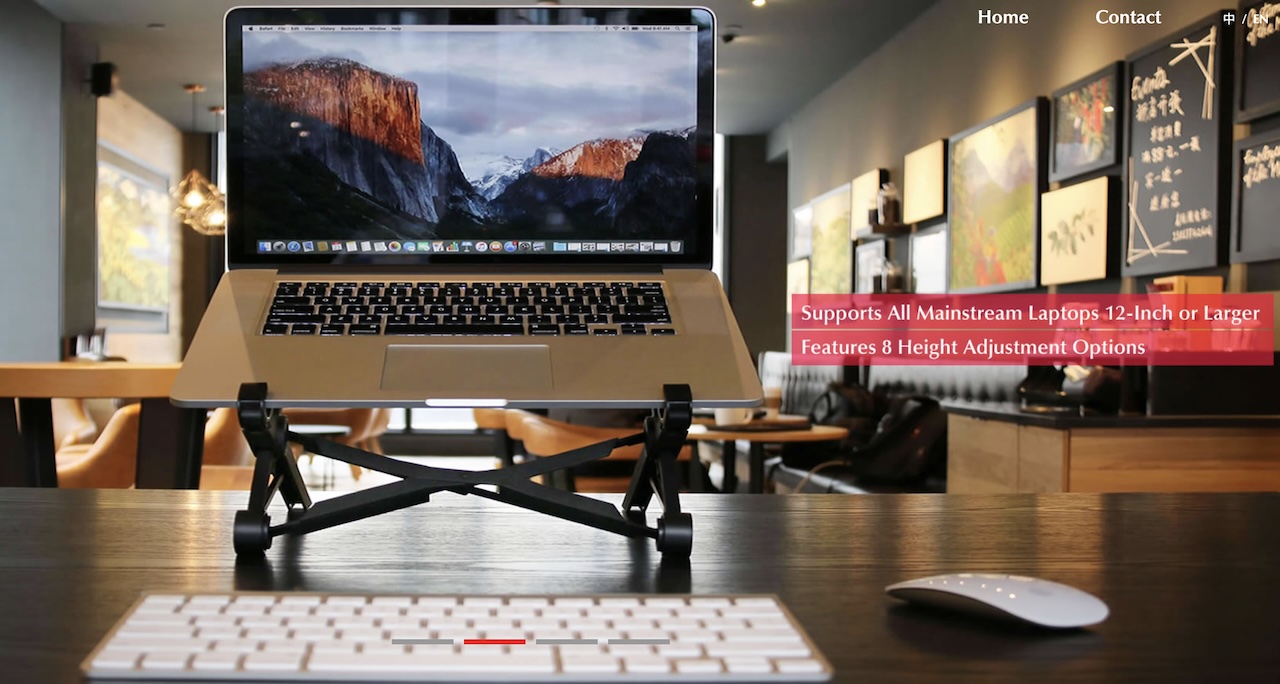
Price: From $10
Where to Buy: Nexstand
Who it is for: Anyone who wants Roost-style adjustability without the premium price tag, or a second stand to leave at the office.
Watch for: The detents wear in over a year of daily folding; if you travel with it every week, budget a replacement after 18 months.
Best sit/stand hybrid: MOFT Z 5-in-1
The MOFT Z is the closest thing to a one-stand-does-everything pick. The origami-style folded sheet of vegan leather and fiberglass sets up in five height positions from flat to full standing at around $70. At 960 grams it is heavier than a true travel stand, but it is still the lightest real sit/stand option around. It is not as rigid as an aluminum riser at full standing height, so we would not pair it with a 16-inch gaming laptop, but on 13- to 14-inch ultrabooks it works as a real sit/stand desk without the desk.
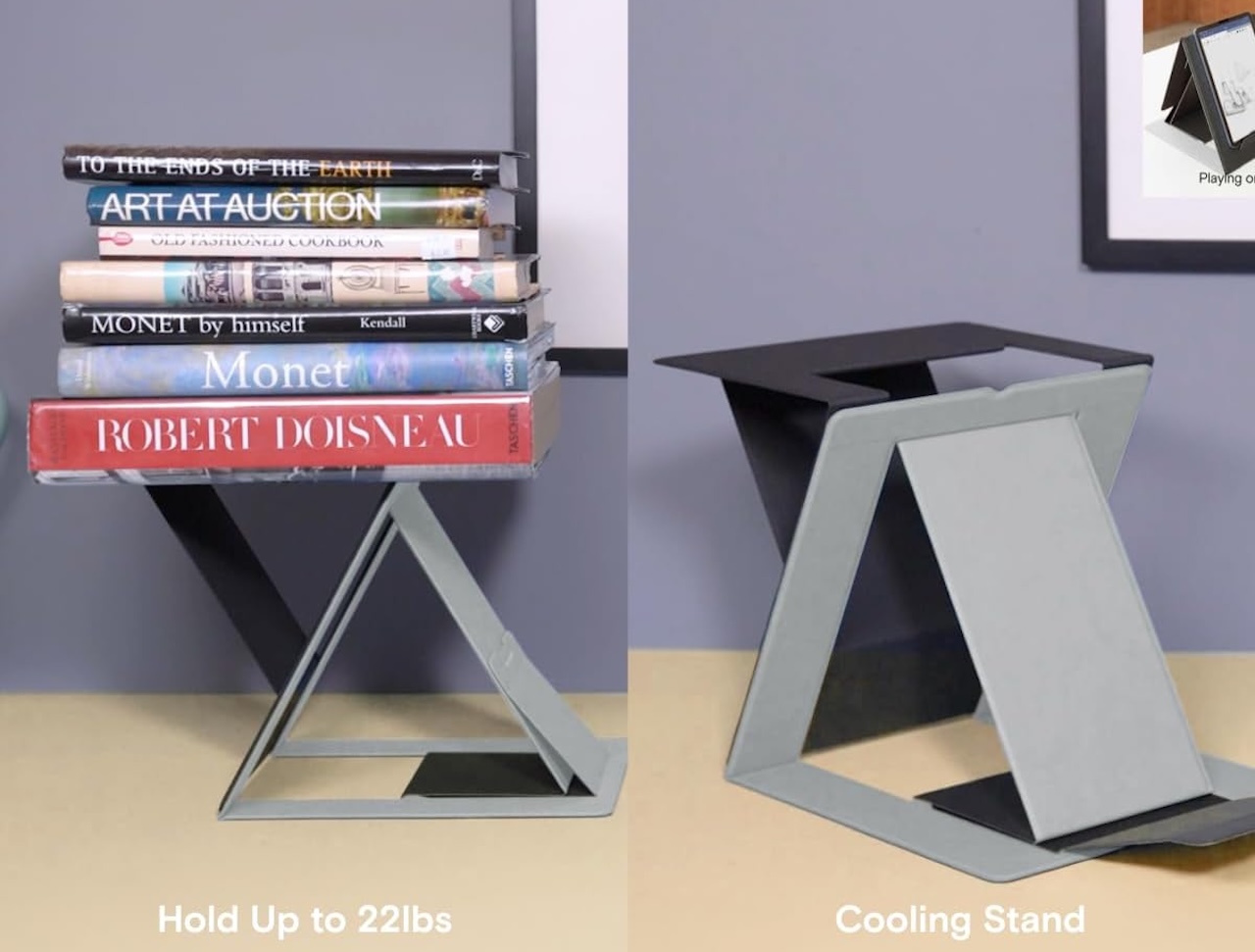
Price: $59.99
Where to Buy: Amazon
Who it is for: Hybrid workers who alternate between sitting and standing during the day and do not want a full sit/stand desk.
Watch for: The folded form is wide and best slid into a backpack’s laptop sleeve. Pair it with one of the bags from our 7 Best Tech Backpacks Worth Flying With in 2026 roundup for the cleanest carry.
Best for bed and reading: Lululook 2-in-1 Lap Desk & Kindle Pillow Stand
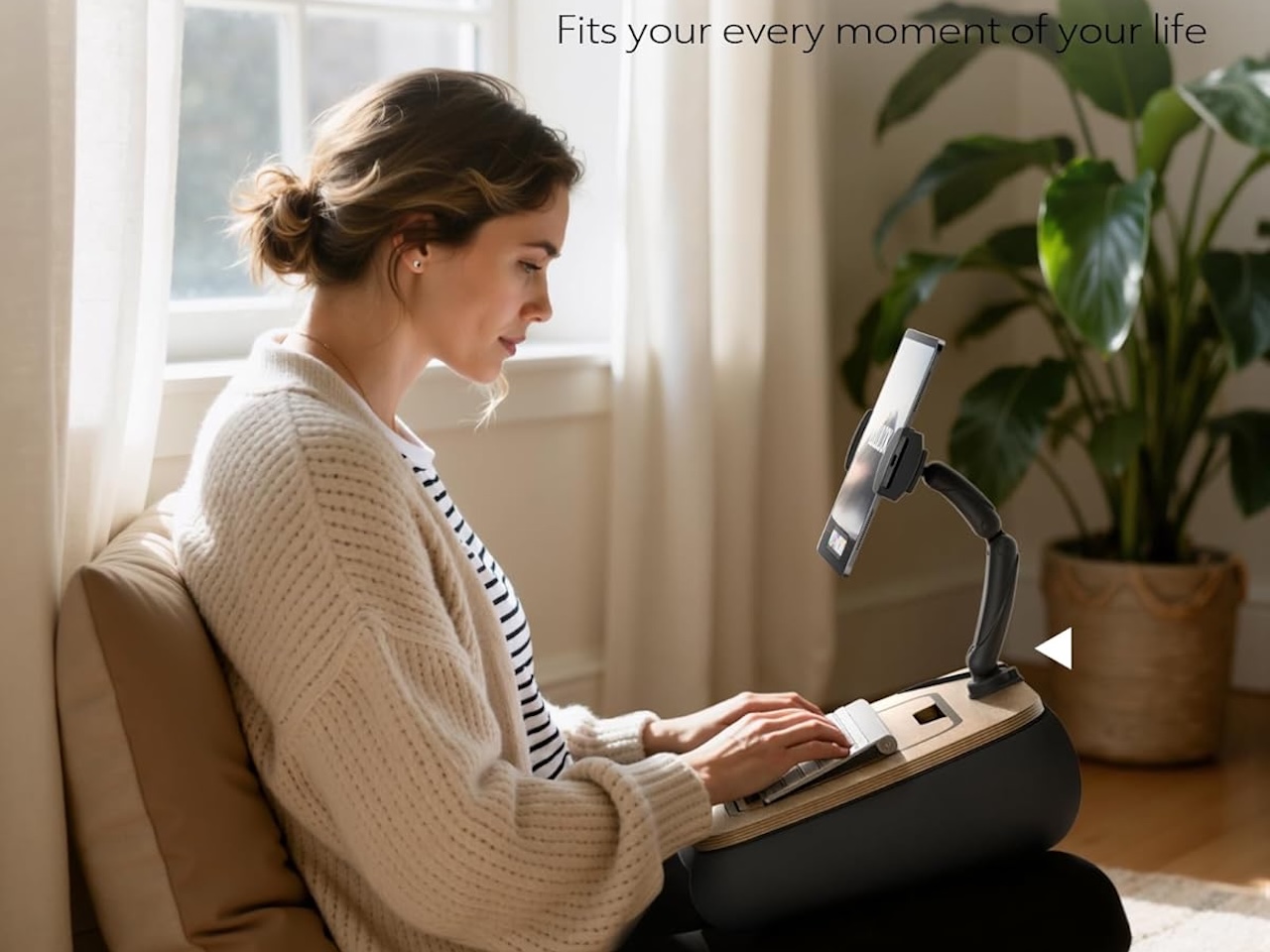
Not every working session calls for a riser. For bed, reading, and casual living-room sessions, the Lululook 2-in-1 Lap Desk & Kindle Pillow Stand pairs a beanbag cushion with an articulating tablet arm so you can switch between typing on a 14-inch laptop and reading hands-free on a Kindle or iPad without changing setups. At around $46, with marine-plywood construction and a yoga-fabric shell filled with EPS micro-beads, it lands between a structured lap desk and a wedge pillow. A small built-in bowl on the cushion holds a phone, snacks, or a remote.
 Price: $45.99
Where to Buy: Amazon
Who it is for: People who work and read in bed or on the couch, especially anyone who alternates between a small laptop and a tablet or Kindle in the same session.
The tradeoff: At 4.18 pounds (1.9 kg) it is heavier than a typical lap desk and not a travel option. The adjustable arm fits devices from 4.7 to 14.6 inches, so a 15- or 16-inch laptop is out of scope. For pure portability, lean on the Roost or MOFT Z instead; for couch-only laptop use, the LapGear below is lighter and cheaper.
Pair it with: Our 10 Digital EDC Tech Essentials We’d Never Leave Behind (2026) roundup for the small accessories that make hands-free reading actually comfortable.
Best for couch and lap: LapGear Home Office Lap Desk
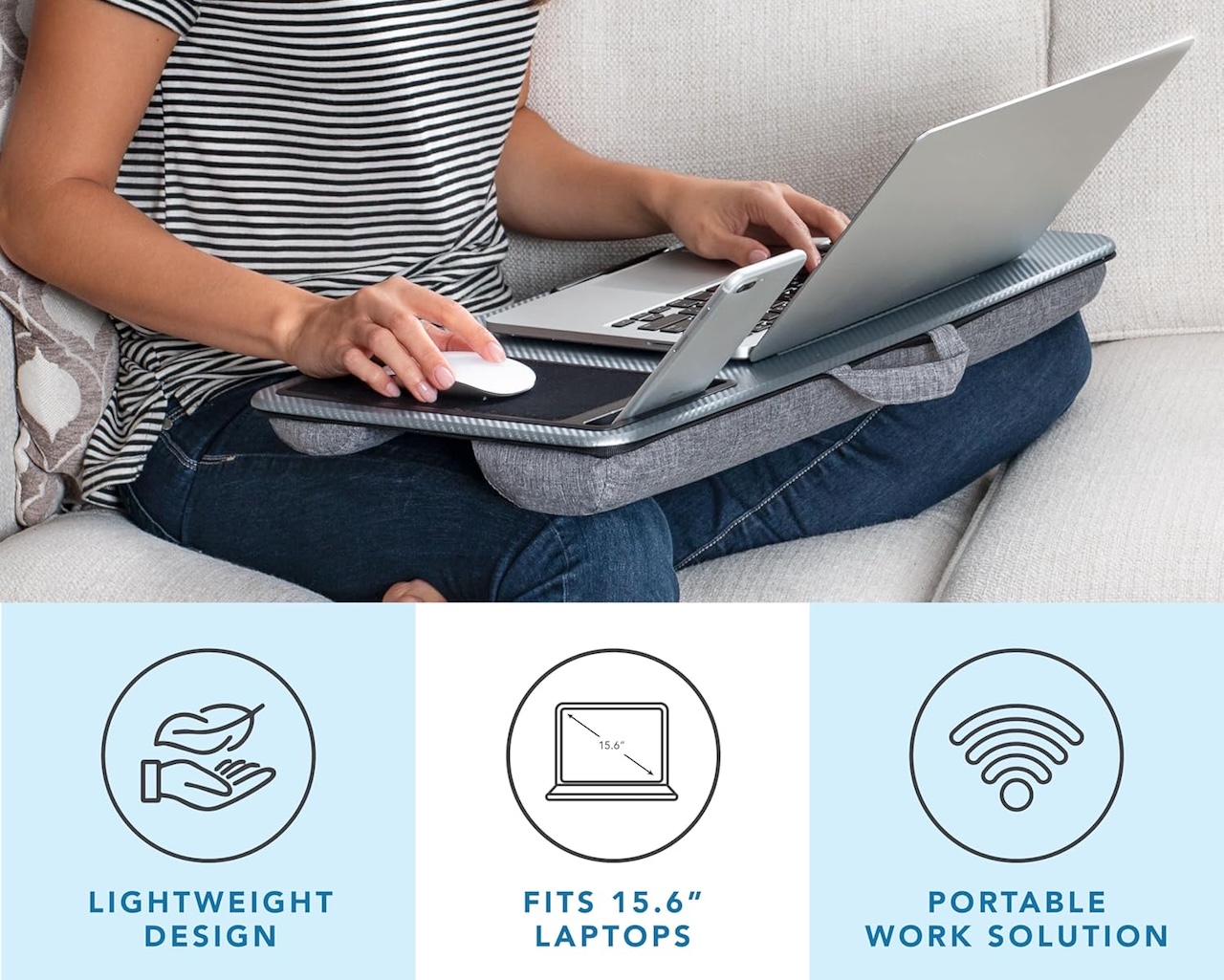
Not every working session happens at a desk. For couch, bed, and recliner use, the LapGear Home Office Lap Desk is our pick at around $40. A cushioned underside conforms to your legs while a hard top surface keeps the laptop level, and small standoffs underneath restore airflow so the chassis is not smothered by a blanket. A front ledge stops a thin ultrabook from sliding off when you shift position, and a built-in side slot holds a phone upright for second-screen reference.
Price: From $24.99 (On Sale)
Where to Buy: Amazon
Look for: A platform wide enough for your largest laptop plus an external mouse if you use one.
Skip: Lap desks with built-in cooling fans powered by USB. They draw from the laptop’s own battery and rarely move enough air to matter.
The skip-it tier: gimmicks that sacrifice stability
A few categories keep showing up in social-media-driven roundups that we would not recommend in 2026. Stick-on kickstands, adhesive pads on the lid that pop out a small foot, lift the back maybe an inch, which is not enough for any real ergonomic gain, and they leave residue when removed. Single-arm acrylic stands look great in product photos but flex alarmingly under a real laptop; the aesthetic is not worth the wobble.
Vertical-only docks have their place in clamshell setups with an external monitor, but they are not a substitute for a riser if you ever need the laptop screen open. Foldable mousepad stands combine two products poorly: the stand portion is too short for ergonomic lift and the mousepad portion is too small for comfortable tracking. As a general rule, if the marketing leans hard on social-media virality, treat that as a warning.
What to watch next: magnetic and integrated stands
The most interesting development in 2026 is laptops shipping with stands designed in from the factory. A handful of new ultrabooks include a magnetic foot that snaps to the underside of the chassis and folds away when not in use, or a hinge that opens to a built-in tilt position without an accessory. If the next wave catches on, the aftermarket riser category will quietly shrink, but for now, almost no shipping laptops have it, and the universal accessory market is still where the value is.
The other trend worth tracking: stands with integrated USB-C hubs and even small SSD bays. Convenient if you want one cable on your desk, but make sure the stand half is stable on its own merits before paying for the dock half.