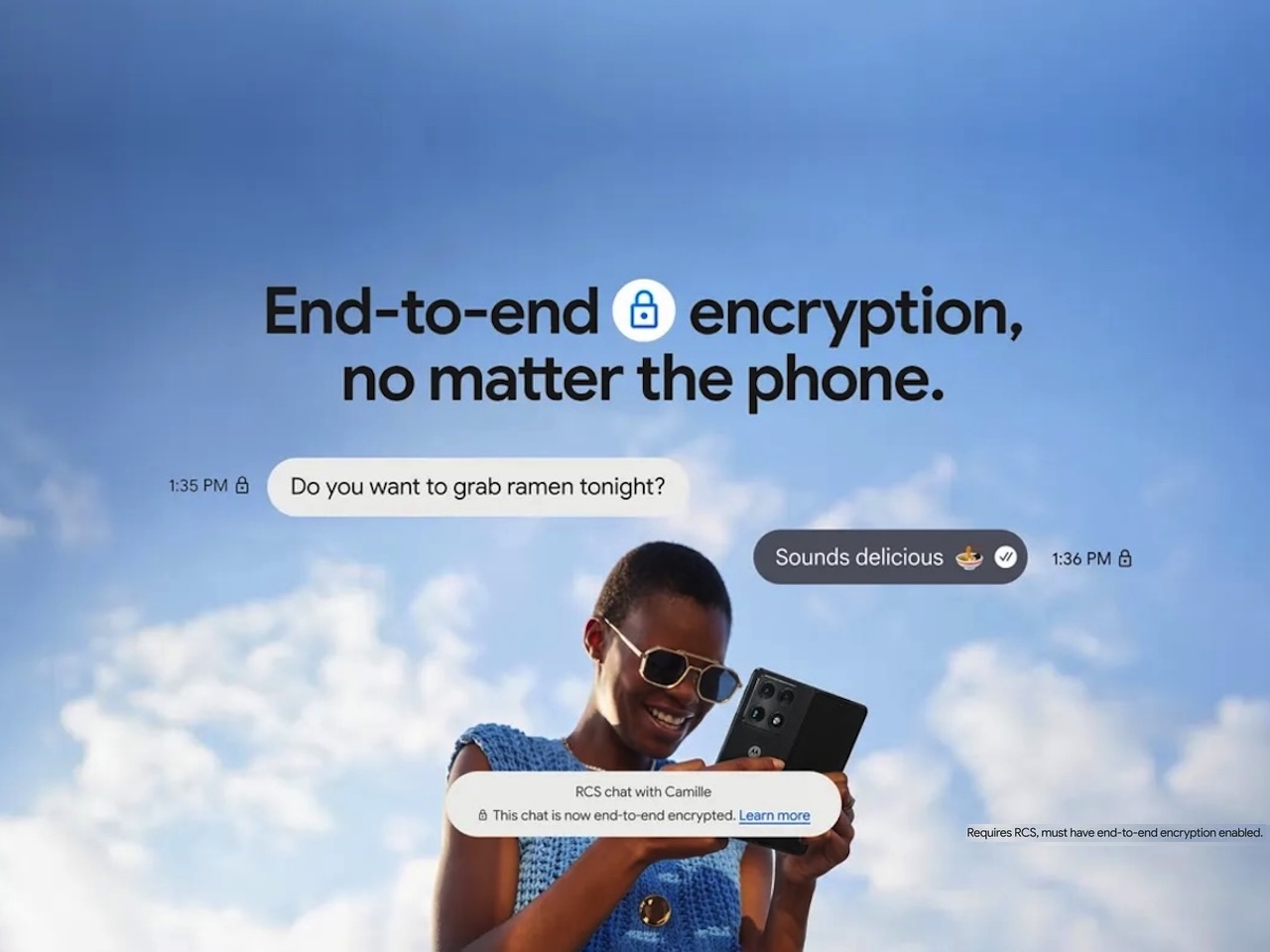
If you’ve ever sent a sensitive text across the iPhone-Android divide and felt a prick of doubt about who else might be reading, that’s just gotten a real answer. Starting yesterday, messages between an iPhone and an Android phone can finally be locked down end-to-end, with no extra app and no setting to dig up.
Google and Apple confirmed on May 11 that end-to-end encrypted RCS messaging is rolling out in beta for iPhones on iOS 26.5 with a supported carrier and Android phones running the latest Google Messages. Encryption is on by default, and conversations get the upgrade automatically as the rollout reaches your device.
What just turned on
For years, RCS was the better version of SMS that everyone kind of had. It carries typing indicators, read receipts, emoji reactions, and longer messages, and on Android-to-Android it’s already been encrypted since 2021. The piece that was always missing was security on the bridge between platforms.
That gap is closing. As Google puts it, when RCS messages are end-to-end encrypted, they can’t be read while they’re sent between devices. Not by carriers, not by Google, not by Apple. It’s a beta, rolling out gradually based on device, carrier, and account.
How to tell when a chat is actually encrypted
The visual cue is identical to what Android users already know.
In Google Messages, you’ll see a small lock icon next to the conversation. It’s the same lock that previously marked Android-to-Android RCS chats as secure. On iPhone running iOS 26.5, the chat surfaces a similar indicator.
If you don’t see the lock yet, two things to check:
- Both phones have updated. iPhone needs iOS 26.5. Android needs the latest Google Messages release
- The carriers on both ends support the latest RCS profile. This is the quietest variable, and the one most people miss
On iPhone, confirm the setting under Settings, then Messages, then RCS Messaging, where you’ll find an “End-to-End Encryption (Beta)” toggle that’s on by default. The same toggle lets you turn encryption off, though there’s no real reason to disable a free privacy upgrade that’s already running.
As carriers fall into line over the coming weeks and months, conversations get upgraded automatically without anyone tapping anything.
Why this is a bigger deal than it sounds
Most people don’t think about messaging security until something goes wrong. Encryption doesn’t fix everything, but it removes one of the biggest exposure points: messages sitting unprotected on cell networks.
iMessage has had end-to-end encryption since 2011. Android-to-Android caught up in 2021. The cross-platform bridge was the one stretch of road still wide open, and it’s the road most casual users walk every day. A parent texting a kid, a doctor’s office confirming an appointment. Any of those could be sitting plain on a server, or being intercepted in transit.
There’s a cultural read here too. The green bubble debate that hounded iPhone-Android group chats for years was partly about features and partly about trust. With encryption now on both sides, the gap that made cross-platform texting feel second-class just got narrower.
By turning encryption on by default, Google and Apple aren’t asking users to opt in. They’re flipping the assumption. Privacy is the baseline now, and that’s a real shift for more than a billion people who never touch their messaging settings.
What this doesn’t do
A quick reality check, because the lock icon isn’t a force field.
End-to-end encryption protects the message in transit. It doesn’t protect against someone with physical access to your unlocked phone. It doesn’t stop screenshots. It doesn’t shield you from targeted surveillance that compromises the device itself rather than the network.
It also doesn’t extend backward to old SMS messages, or to chats where one party falls off RCS and the conversation reverts to SMS. If the lock icon disappears mid-thread, that’s the signal something’s downgraded.
What to do next
Three things, in order:
- Update your phone. iPhone owners on iOS 26.4 or earlier need to go to Settings, then General, then Software Update, and pull iOS 26.5
- Update Google Messages on Android through the Play Store. If you’ve been using a different default messaging app, switch to Google Messages to get the cross-platform encryption
- Open a thread with a friend on the opposite platform and look for the lock icon. If you see it, you’re protected. If not, give it a few days
That’s the whole PSA. Nothing to buy, no setting to configure, no premium tier. One of the bigger quiet upgrades to consumer privacy in years, arriving without the marketing fanfare.
FAQ
How do I check if my RCS messages are encrypted?
Look for a small lock icon at the top of the conversation in Google Messages on Android or Messages on iPhone. If you see the lock, the chat is end-to-end encrypted. If not, encryption hasn’t reached that thread yet, usually because of carrier or software version.
Is RCS encryption on by default?
Yes. Once both phones meet the requirements, encryption enables automatically for new and existing RCS conversations.
What if I don’t see the lock icon?
Three possible causes: one of the phones isn’t on the latest software, one of the carriers doesn’t support the latest RCS profile yet, or the gradual rollout hasn’t reached your account. Give it a few days and check again.
Can I turn RCS encryption off?
You can, but there’s no good reason to. On iPhone, the toggle lives at Settings, then Messages, then RCS Messaging, under “End-to-End Encryption (Beta).” Switching it off downgrades your cross-platform chats to the older, unencrypted version of RCS.