
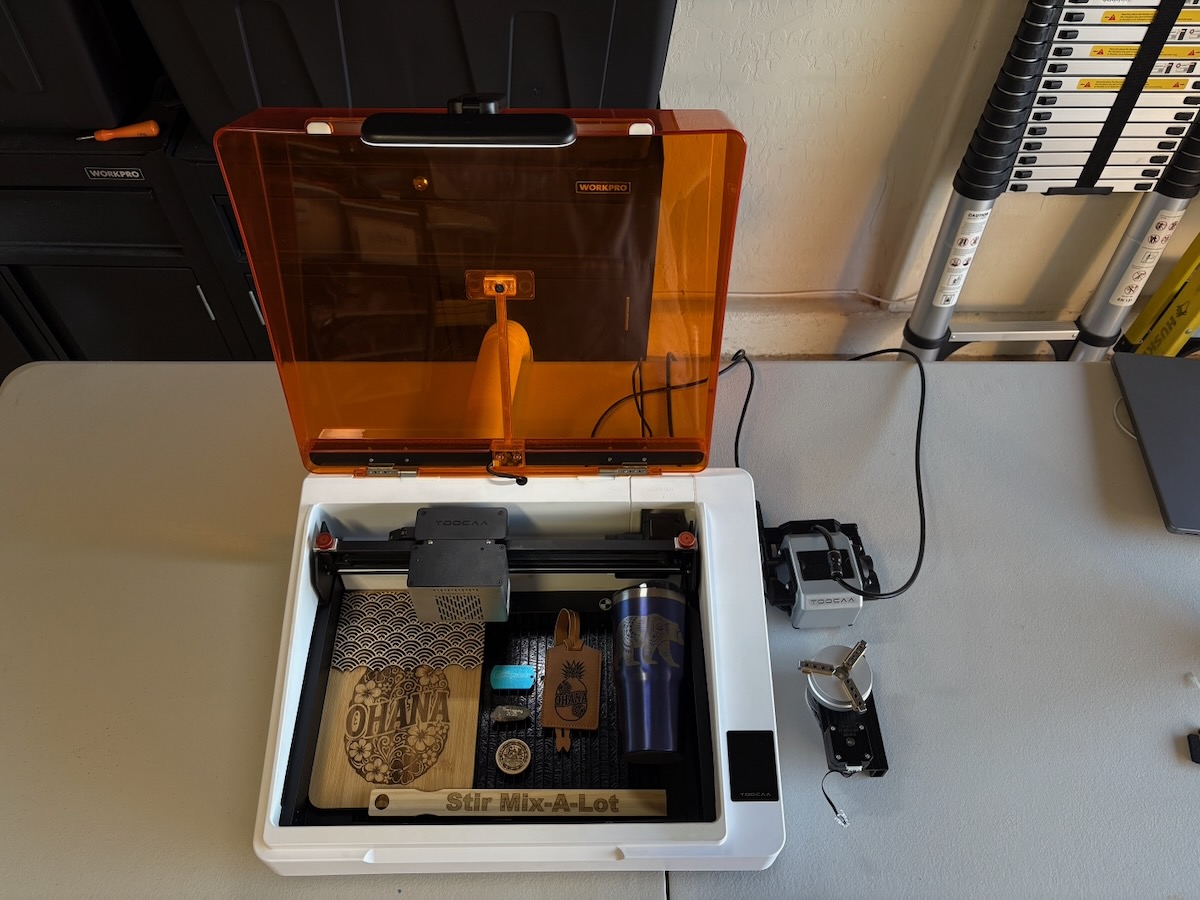
REVIEW – Sometimes, as a reviewer, we get the opportunity to review similar pieces of tech that span across different prices and features. I’m reminded of the story of the 3 bears. In this story, is the TOOCAA NOVA Laser Engraver too big, too small, or just right? Well, that will depend on how you use it. Read on to see how it worked for me and also how it compares to other models I’ve reviewed.
⬇︎ Jump to summary (pros/cons)
Price: $969.75
Where to buy: TOOCAA
What is it?
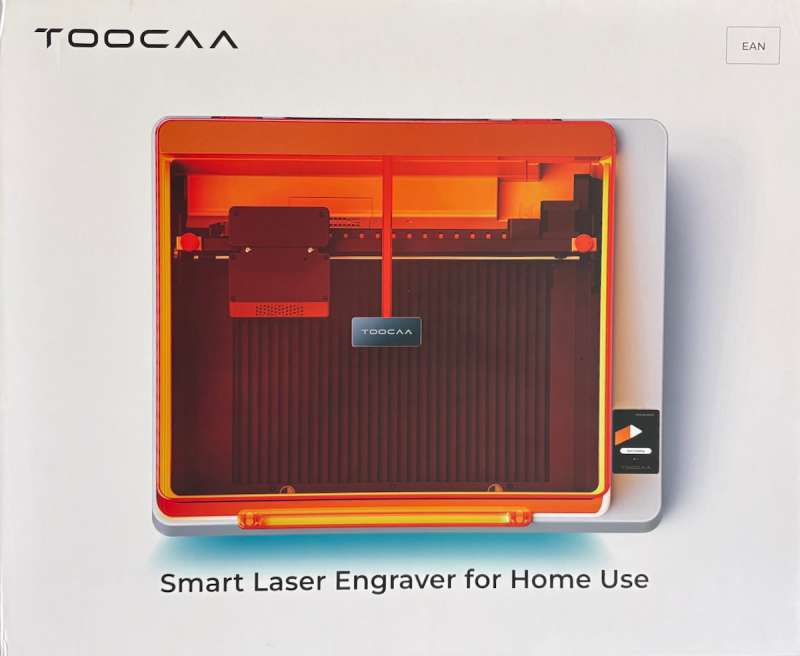
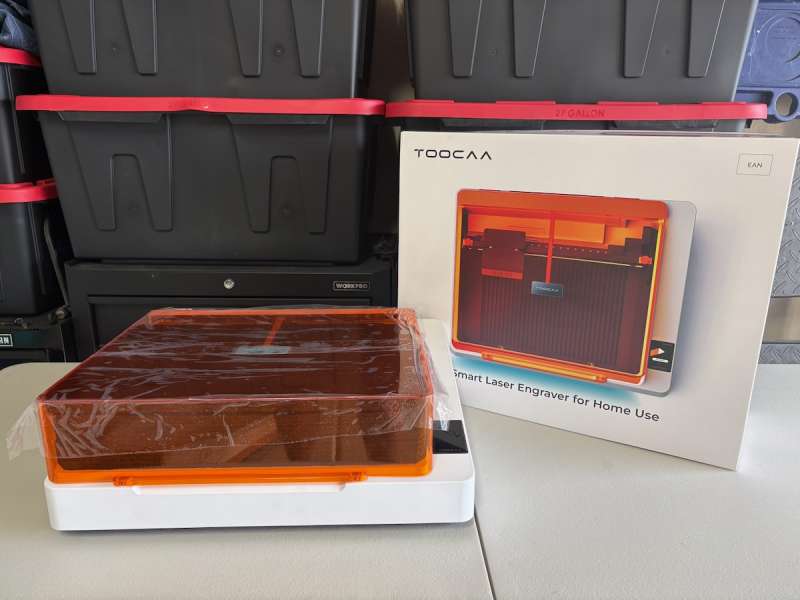
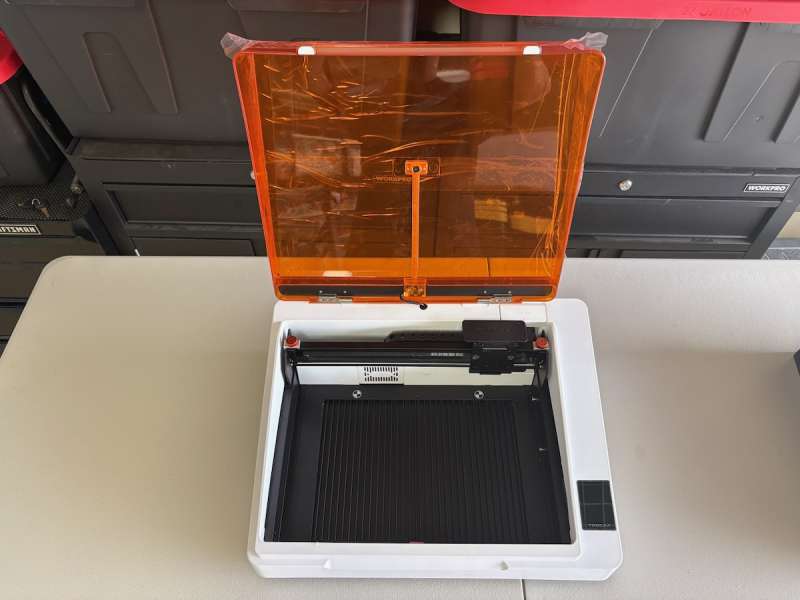
The TOOCAA NOVA Laser Engraver is claimed to be “The world’s first AI-Powered Laser Engraver with Smart Control” by the manufacturer. The TOOCAA NOVA Laser Engraver is designed to easily and safely make things quickly. It is a fully enclosed high-speed laser engraver (the unit I’m reviewing has a 20W laser module) that roughly has the working area about the same size as an A4 (or letter-sized) sheet of paper.
What’s included?
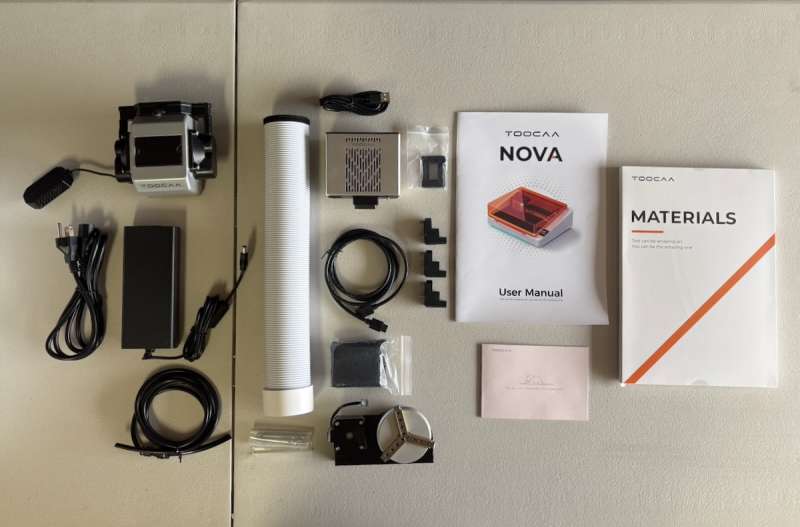
- Toocaa Nova
- Laser Module (20W)
- Air Assist Set w/XT30 Cable
- Rotary
- Air Hose and Connector
- Blade Cutting Panel (4)
- Aluminum Protective Plate
- Lens Mount
- USB-A to USB-C Cable
- Power Cable and Adapter
- Filter Cotton
- Dust Free Cloth (2)
- Sample Materials
- User Manual
- Socket Key
- M3 Screws (2)
Tech specs
Model: TOOCAA NOVA
Laser Type: 10W or 20W Diode
Input Voltage: NOVA(24V ⎓ 8A ), 2W IR(24V ⎓ 4A), 10W Diode(24V ⎓ 1.75A), 20W Diode(24V ⎓3.5A)
Spot Size: 2W IR:0.06 x 0.06 mm, 10W Diode:0.08 x 0.13 mm, 20W Diode:0.15 x 0.15 mm
Work Area: 297 x 210 mm(A4)
Engraving Speed: 36,000 mm/min (600 mm/s)
Machine Weight: 8.27kg
Camera Resolution: 5Mp HD
Machine Size: 513 x 402 x 180 mm
Machine Material: Aluminum Alloy Armor, Plastic Shell
Software: TOOCAA Studio/Lightburn
Connection Method: USB or WiFi
Design and features
I have been fortunate to be able to review a couple of different laser engravers. My first review was the WAINLUX K10 Mini Laser Engraver. This was a small, simple, low-powered laser engraver. My next review was the Acmer P2 33W Cutting Machine. This felt more like a commercial product as it was big and powerful. The TOOCAA NOVA Laser Engraver seemed to be right in the middle of my two previous laser engraver experiences. It wasn’t too small and underpowered, nor was it too big and required a bigger learning curve.
Like the WAINLUX, the TOOCAA NOVA Laser Engraver is fully enclosed, whereas the ACMER P2 was open. This design is great for any projects that fit within the enclosure. In the TOOCAA NOVA Laser Engraver case, the working area is about the size of a piece of letter paper, or an A4 size specifically (8.27″ x 11.69″). The enclosure allows for a little more dimension, but it will not fit materials that are 12″ x 12″. I used 8″ x 12″ pieces of Basswood and Baltic Birch without any problems loading the materials into the enclosure. One other restriction of an enclosure is how high (or tall) the object can be. I found that anything more than about 1.25″ or 31 mm was too high.
But having an enclosure does have a couple of big perks. The TOOCAA NOVA Laser Engraver has a 5MP HD camera installed on the lid. Every time you load new material and close the lid, the camera presents a live image in the software. This makes alignment of the design so much easier and eliminates a lot of trial and error. The camera isn’t razor sharp, but it does give an image that can be trusted. The camera, along with the “framing” function, gives greater confidence that your design will end up where it’s supposed to be. TOOCAA states that the camera comes pre-calibrated from the factory, but there is also an alignment option.
Additionally, the enclosure keeps the smoke or burn off of the material contained, and the TOOCAA NOVA Laser Engraver has a filter in the enclosure that vents out through a flexible hose. I do see that TOOCAA has a separate Air Filter Container that I’m interested in picking up to help keep the exhaust down. In my case, the exhaust material fumes exit through the filter, through the hose, but vent into my open garage. I do have the garage door open with a fan blowing out, but after a few hours of engraving, my clothes smell like whatever I engraved.
The review unit I received had the 20W diode laser module. A 10W diode module and a 2W IR module are also available. Here are some comparisons between the modules:
- 2W IR Laser:
- Spot size: 0.06 x 0.06 mm
- Designed for: ultra-fine engraving on metals
- 10W Diode Laser:
- Spot size: 0.08 x 0.13 mm
- Designed for: high-precision engraving on wood, leather, and soft materials
- 20W Diode Laser:
- Spot size: 0.15 x 0.15 mm
- Designed for: deep engraving and clean cutting
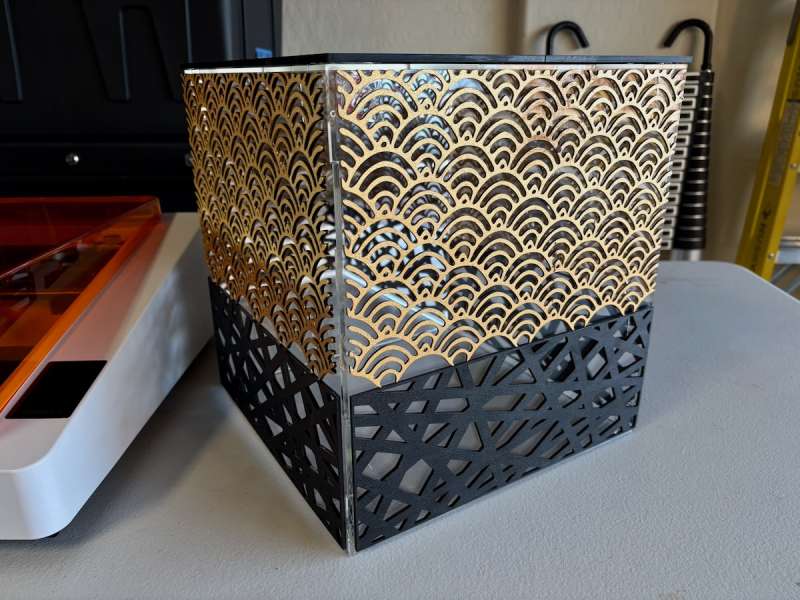
I was easily able to cut through softer woods in one pass, but harder and thicker materials require multiple passes. I was asked to build a stand for a chocolate fountain with a 1920s Art Deco or Great Gatsby design. I found some designs and cut out designs on both 1/8 and 1/16 Baltic Birch without any issues. You’ll notice that I used two different designs, as this was necessary, as the dimensions of the stand were 12″ x 12″, and I had to use 8″ x 12″ sheets of wood. I was okay with how it turned out and received a couple of compliments – plus it allowed me to do extra testing!
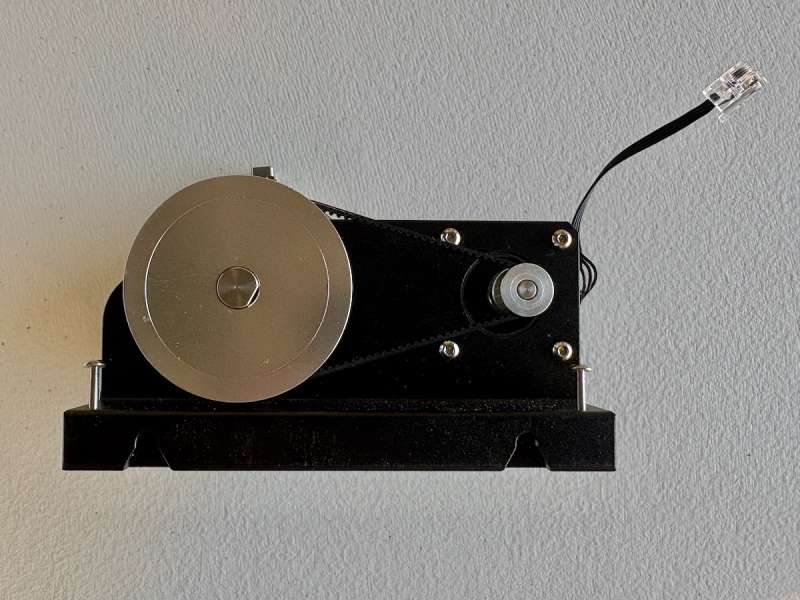
I was able to test out the rotary tool on the Acmer P2, but again, alignment was difficult and required installing risers and tweaking the hardware. The TOOCAA NOVA Laser Engraver also has a rotary tool, but with a literal twist – the laser module rotates 90º! I can go from flat engraving to the rotary tool in less than 3 minutes! I had to do some online sleuthing to figure out the steps, but after knowing what to do, it was very easy. Here are the steps:
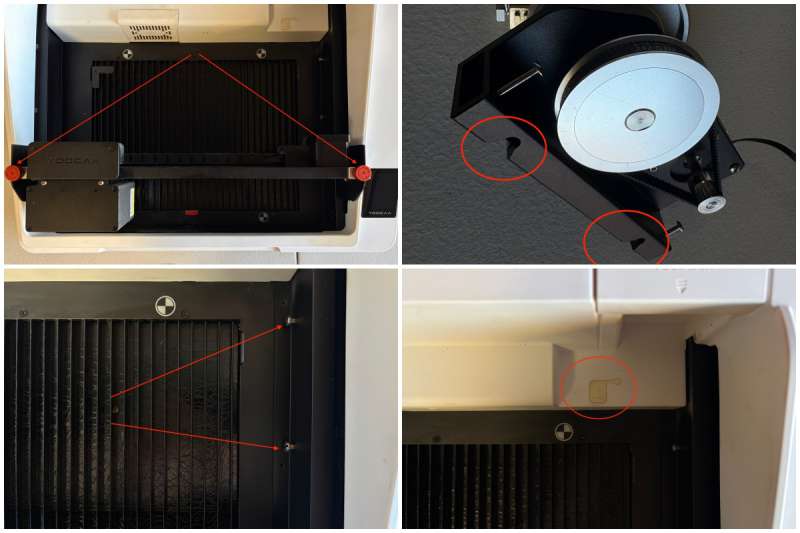
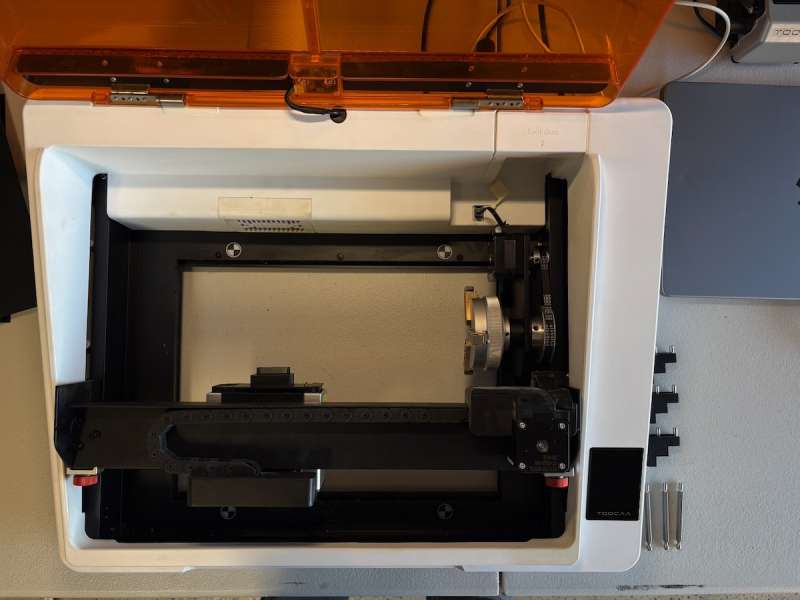
- Remove the 4-blade cutting panels
- Remove the aluminum protective plate
- Pull the laser module to the middle of the enclosure
- Loosen the 2 orange X-Axis lock knobs
- Rotate the laser module away from you
- Tighten the X-Axis lock knobs
- Slide the laser module all the way to the front of the enclosure
- Place the rotary tool on the right side, lignin up the cutouts on the rotary unit with the bolts in the enclosure
- Use the included Allen wrench (found in the tool set) to tighten the 2 screws.
- Uncover the rubber cover for the rotary tool jack
- Plug in the jack (looks like the old landline RJ45 plug) into the connector
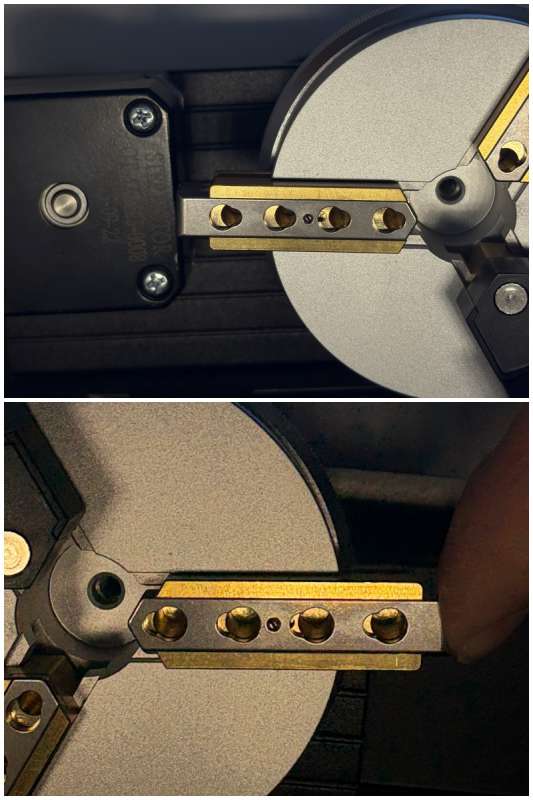
- Install either the posts or the gap wedges on the rotary tool
- Reload the TOOCAA Studio web app
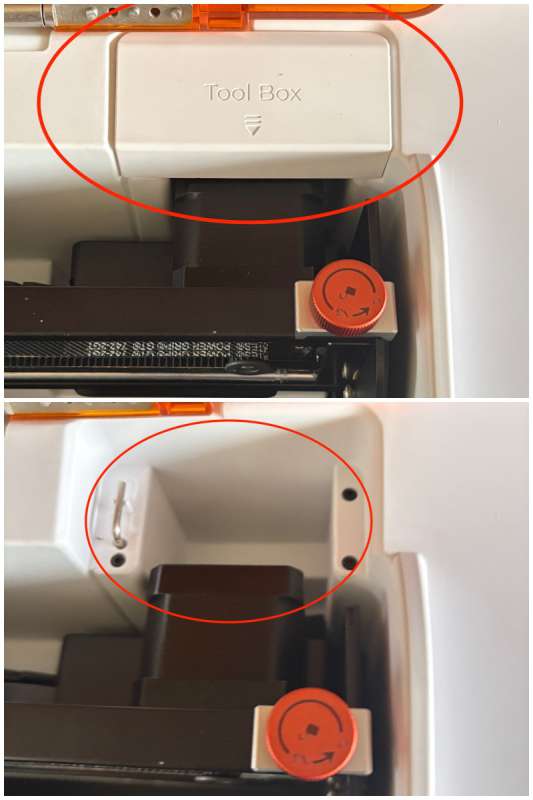
That’s it! I know there are a lot of steps, but it goes really fast. Something I want to point out, another good piece of design by TOOCAA. To attach the pins or wedges to the rotary tool, all you need to do is push the end of each “arm” to open the holes completely, then insert the holder of choice, and then release! No need to unscrew or lose screws. Again, very convenient!
I’m not going to go into too much detail about the different software choices or configurations, since this is a review of the laser engraver, not the software. But I do need to point out a couple of software-related points:
- Lightburn didn’t automatically recognize the TOOCAA NOVA Laser Engraver. I emailed TOOCAA support, and they sent me a configuration file to load. I think this is because of how new the TOOCAA NOVA Laser Engraver is – but something to be aware of.
- I used the free TOOCAA Studio web app for my entire month-long review. I found it okay, but there are some quirks for being a web-based app. You must use the Chrome browser to access the TOOCAA Studio web app. Also, the Studio app is where firmware updates need to happen (OTA). And since this is a web app, the interface can change whenever the developer wants to. This may require more learning of what the changes are and how those changes affect your workflow. I did receive 2 updates during my testing, and the web interface did change a little.
- For Mac users, it’s either Lightburn (paid) or the TOOCAA Studio web app (free). On Windows, you may have the choice of using LaserGRBL, but I wasn’t able to confirm.
- TOOCAA Studio does have some AI features (what software doesn’t lol) called the TOOCAA Genie. There is an option to type what you would like created, or you can upload an image to use as a starting point. This isn’t free; you’ll need to use credits, but you’ll get quite a bit for purchasing the TOOCAA NOVA Laser Engraver, and creations will ding you about 15 credits.
I’ll mention some of the safety features of the TOOCAA NOVA Laser Engraver:
- AI flame detection
- tilt sensors
- child lock
- meets Class 1 laser safety standards
Assembly, Installation, Setup
Assembly was so easy!
- unpack all the components
- slide the laser module into the groove on the axis arm
- tighten 2 screws securing the laser module to the axis arm (using the provided tools)
- connect the exhaust tube
- plug in the power adapter
- plug in the air hose to the back of the TOOCAA NOVA
- plug in the air assist pump to the back of the TOOCAA NOVA
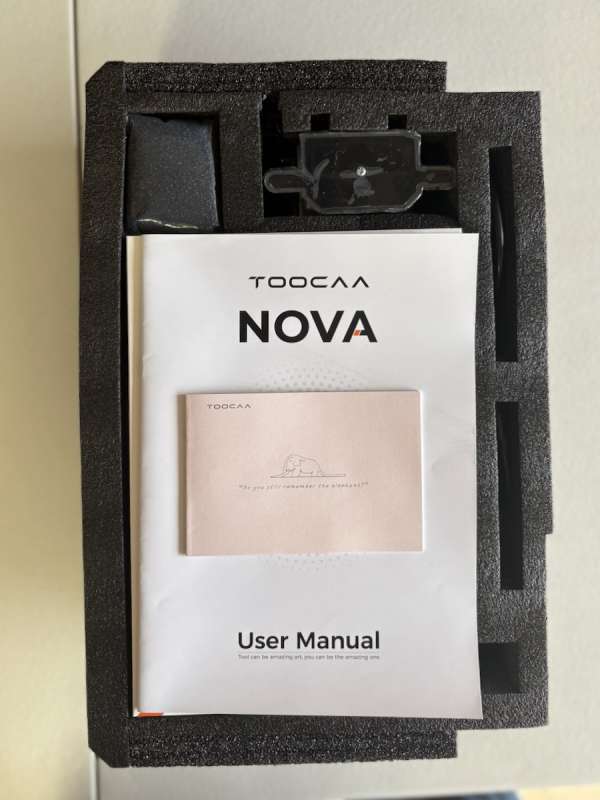
The setup was a little more involved, but not too difficult
- walk through the on-screen instructions to set up language, wifi, etc
- choose your software
- plug in the USB-C cable for direct connection (if preferred)
- software/firmware updates are processed when using the TOOCAA Studio web app
Final thoughts
I found the TOOCAA NOVA Laser Engraver extremely easy to use, even with a few quirks. I also have a Bambu Labs P1S 3D printer, and I think TOOCAA is priming the NOVA Laser Engraver to be similar to the Bambu Labs eco-system model. By purchasing materials through TOOCAA, all you’ll need to do is scan a QR code, and the TOOCAA NOVA Laser Engraver will know all about the material and pre-fill in the correct settings, similar to how Bambu Labs uses RFID tags in their spools of filament to tell the printer all about the filament type and recommended settings. I don’t think it’s a terrible idea, and I can see the appeal of newer people to the hobby who just want to get started right away without a lot of fuss.
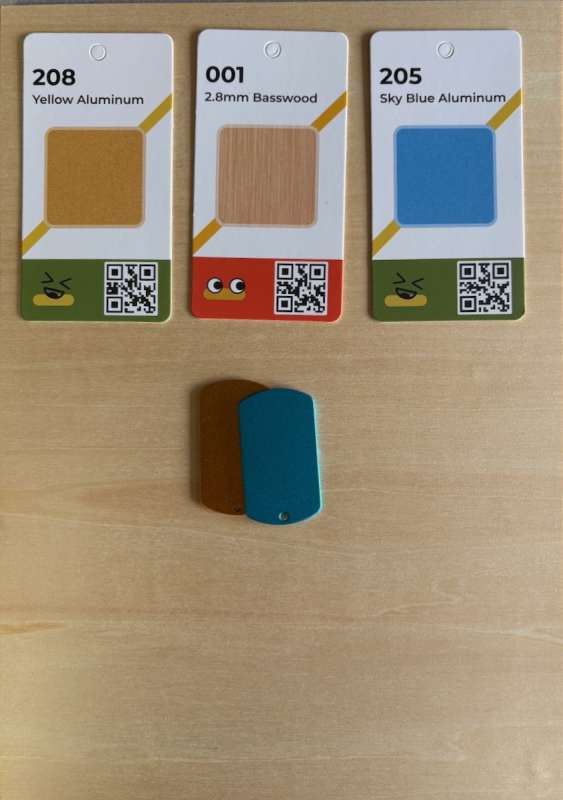
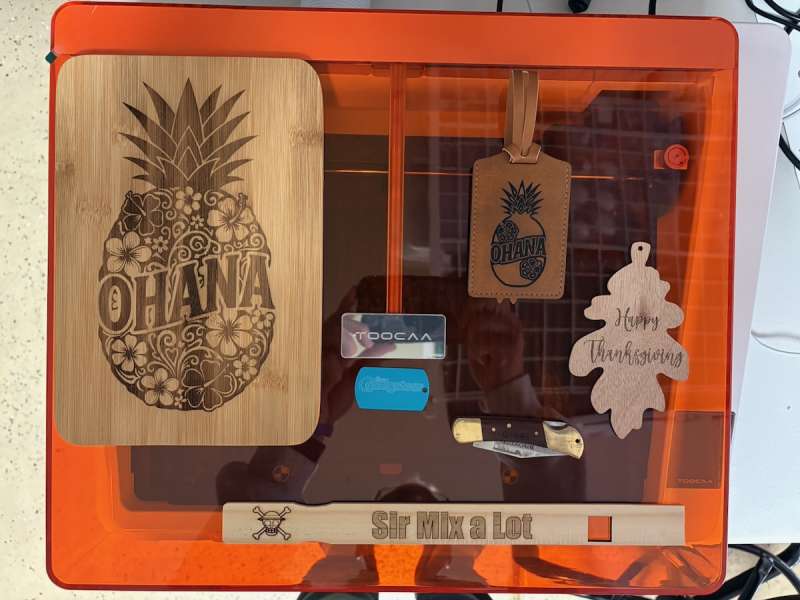
But the TOOCAA NOVA Laser Engraver also allows for manual adjustments and whatever materials that will fit in the enclosure. I engraved:
- multiple kinds of wood
- leather-like luggage tags
- aluminum dog tags
- a rock
- a tumbler
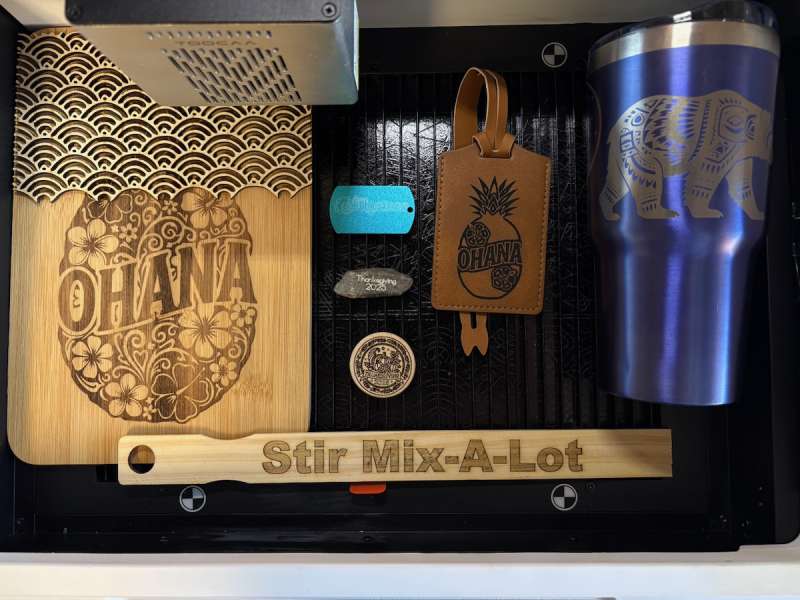
It was all very easy, and after some tweaking, I was very satisfied with the results.
So while the WAINLUX was too small and underpowered, and the Acmer P2 was very powerful and required more fiddling and adjustments, the TOOCAA NOVA Laser Engraver felt just right! There was a balance of power and ease of use, at least for me it was.
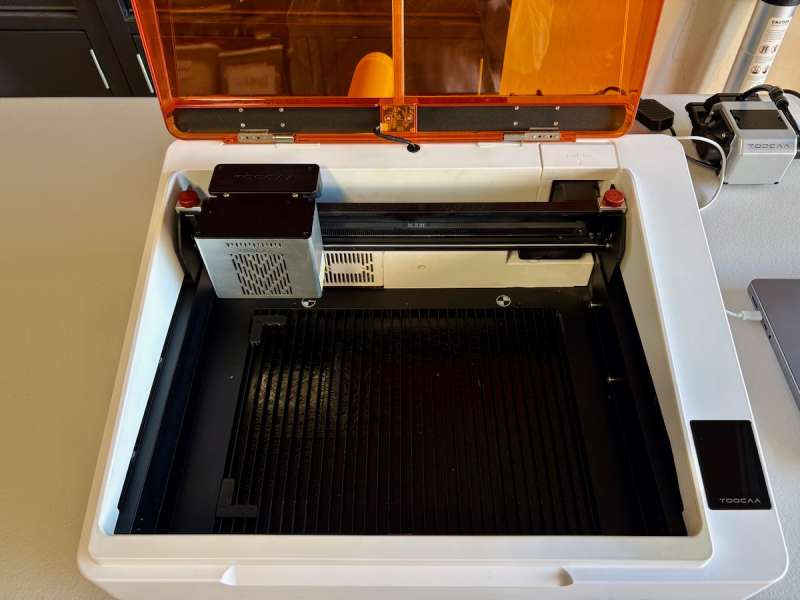
One last note, since the TOOCAA NOVA Laser Engraver is so new, instructions and clear details on how to do things were not readily available to me a month ago. It’s part of testing products before they fully come on to market. I have seen improvements in the last month and feel good that TOOCAA is moving in the right direction, and I can recommend the TOOCAA NOVA Laser Engraver.
What I like about the TOOCAA NOVA Laser Engraver
- the camera, helps a lot with alignment
- the 90º rotary mechanism
- General settings based on material
- QR-Code enabled materials
What needs to be improved?
- Updated instructions
- The rotary preview should be in the same orientation as the product being engraved
- Would like the ability to save custom material settings
- I think the filter may be too dense, as smoke doesn’t clear out very fast
Price: $969.75
Where to buy: TOOCAA
Source: The sample of this product was provided for free by TOOCAA. TOOCAA did not have a final say on the review and did not preview the review before it was published.
Check out these other reviews!
- ORTUR R1 Laser engraver review – Mini laser. Major wow
- xTool F2 Ultra Laser Engraver review – Even better than ever!
- Creality Falcon A1 Pro 20W Laser Engraver and Cutter review – Fully enclosed crafting with lasers
- OMTech Polar Lite 55W Desktop CO2 Laser Engraver and Cutter review
- WeCreat Lumos Color Laser Engraver review – The magic of color chemistry
- AlgoLaser Pixi smart laser engraver review – A great deal for crafters
- Acmer P2 33W laser engraver cutting machine review – Powerful!

Google Review Tap Cards (3-Pack) by TapFive - Tap for Instant Reviews - All Phones Compatible - Reusable Smart Tap NFC & QR - Boost Business Reviews - Powered by TapFive (3 Card Pack)
(as of March 14, 2026 19:56 GMT -05:00 - More infoProduct prices and availability are accurate as of the date/time indicated and are subject to change. Any price and availability information displayed on [relevant Amazon Site(s), as applicable] at the time of purchase will apply to the purchase of this product.)
