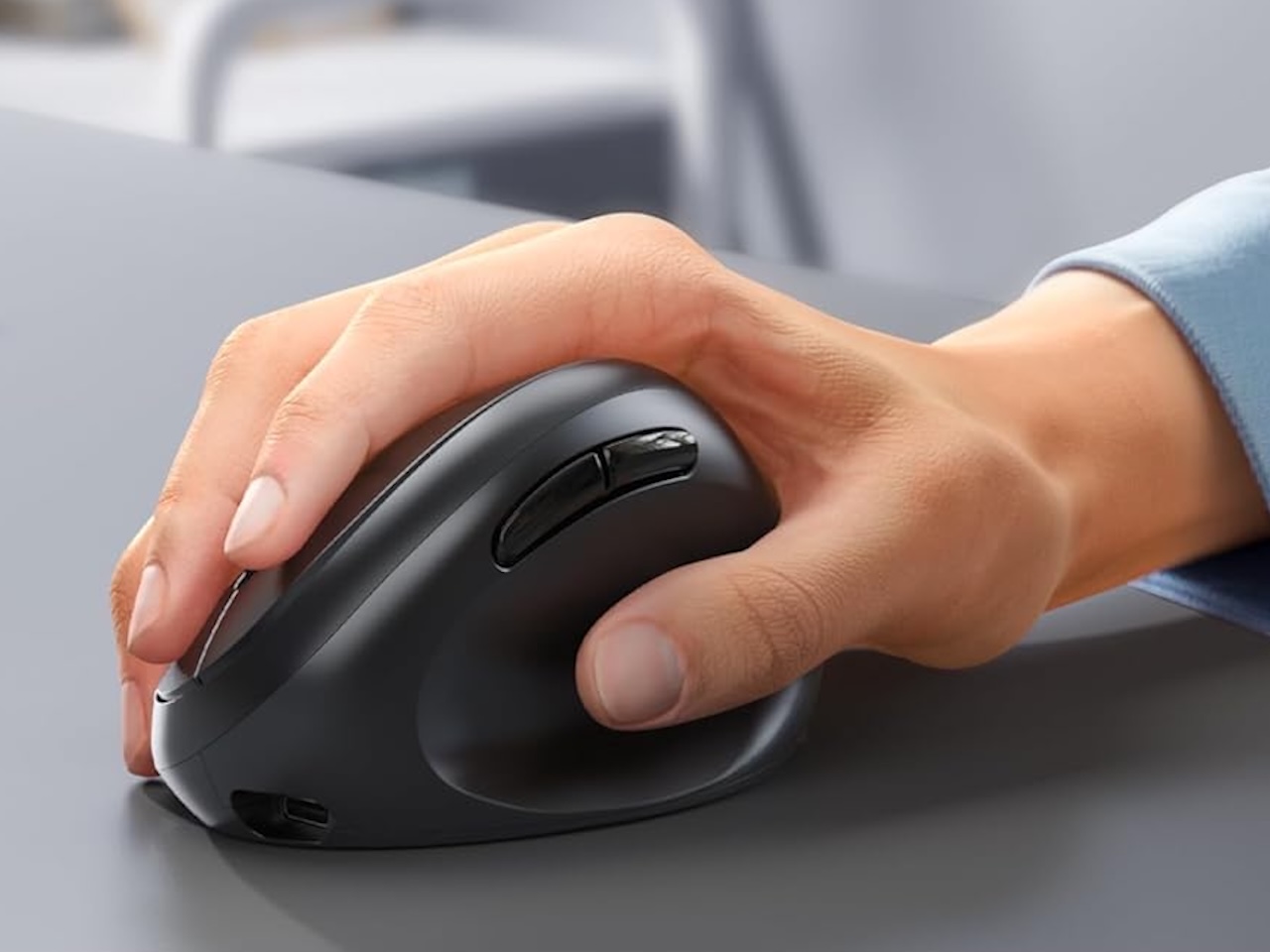
It usually starts in the afternoon. Your forearm aches, your wrist feels stiff, and the last stretch of work turns into a low-grade fight with your own hand. The standard advice is to buy a vertical mouse and move on. But wrist pain does not come from one thing, and a vertical mouse only fixes one of its causes. Some people hurt from the twisting grip a flat mouse forces on them. Others hurt from dragging the mouse back and forth across the desk all day. A few just need a shape that actually fits their hand. Buy the wrong fix and you can spend $60 and still ache.
So instead of rounding up six near-identical vertical mice, I matched six different ergonomic designs to the specific problem each one solves, from a $19 vertical to a thumb trackball that never leaves its spot to a sculpted $45 Logitech. Whatever is actually making your hand hurt, one of these is built for it, and you do not need to spend flagship money to get there.
Quick Picks
- Best budget vertical – TECKNET Vertical Mouse – $24.99. 4800 DPI, silent clicks, two-month battery.
- Best value with volume control – seenda MOU-302 – $19.99. Built-in volume knob, 3-device connectivity.
- Best trackball – Logitech Ergo M575S – $39.32. No wrist movement required, 18-month battery.
- Best multi-device – PHILIPS Ergonomic Wireless – $39.99. USB-A and USB-C dongles, 3-device Bluetooth, silent clicks.
- Best premium – Logitech MX Master 2S – $42.99. Hyper-fast scrolling.
- Best premium vertical – Logitech Lift – $57.99. Most comfortable vertical grip available.
The Volume Knob Surprise: Seenda MOU-302
What if your mouse could also control your music without tabbing out of your work? The seenda MOU-302 has a physical volume knob on top, something you usually only see on gaming keyboards. Tap to mute, twist to adjust. For anyone who listens to music or takes calls all day, this alone is worth the switch. It connects to three devices via Bluetooth or 2.4G and comes in fun colors like purple and green.

Where it shines: Remote workers who switch between laptop and tablet. Streamers who adjust volume constantly.
The tradeoff you need to know: The scroll wheel is basic with no free-spin or horizontal scroll. At 2400 max DPI, it is not for high-res displays.
⚡ Quick Pick Summary: seenda Ergonomic Mouse Wireless – $19.99 | Buy on Amazon
The Value King: TECKNET Vertical Mouse
If you want a vertical mouse that works well, ships fast, and does not cost a day’s grocery budget, the TECKNET delivers. It has 4800 DPI, silent clicks, Bluetooth 5.0 plus 2.4G, and a rechargeable battery that lasts two months. The 52-degree angle puts your wrist in a natural handshake position. A $6 coupon drops it to $18.99, and as a consistent top seller in Computer Mice on Amazon, you are not gambling on a no-name brand.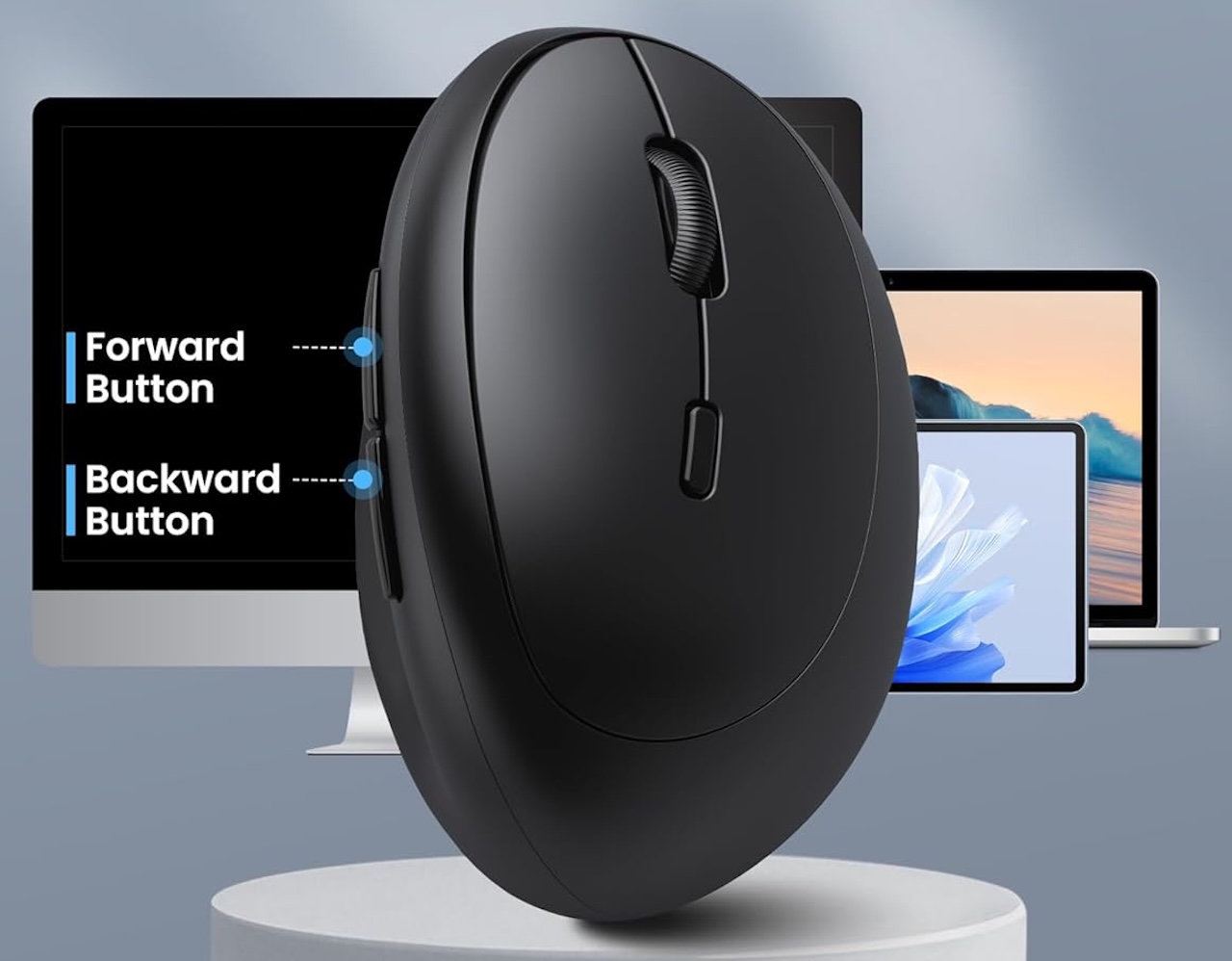
Where it shines: Budget-conscious buyers who want maximum value. Right-handed productivity users.
The tradeoff you need to know: Right hand only. The plastic build is fine for the price but does not match Logitech.
⚡ TECKNET Ergonomic Vertical Mouse – $24.99 | Buy on Amazon
The No-Movement Trackball: Logitech Ergo M575S
This is for people whose wrist pain comes from moving the mouse across the desk, not from gripping it. The M575S is a thumb-operated trackball. Your hand stays still. Your thumb rolls the ball. Your arm rests. It is a completely different ergonomic approach than a vertical mouse, and for some people it works better because it eliminates the arm movement that triggers shoulder and elbow pain.
Logitech’s optical tracking, Bluetooth or Logi Bolt connectivity, and 18-month battery life on a single AA make this a set-and-forget device. It is made from 52% recycled plastic, works with every major OS, and at $39.99 (20% off) it is a steal for a Logitech ergonomic product.
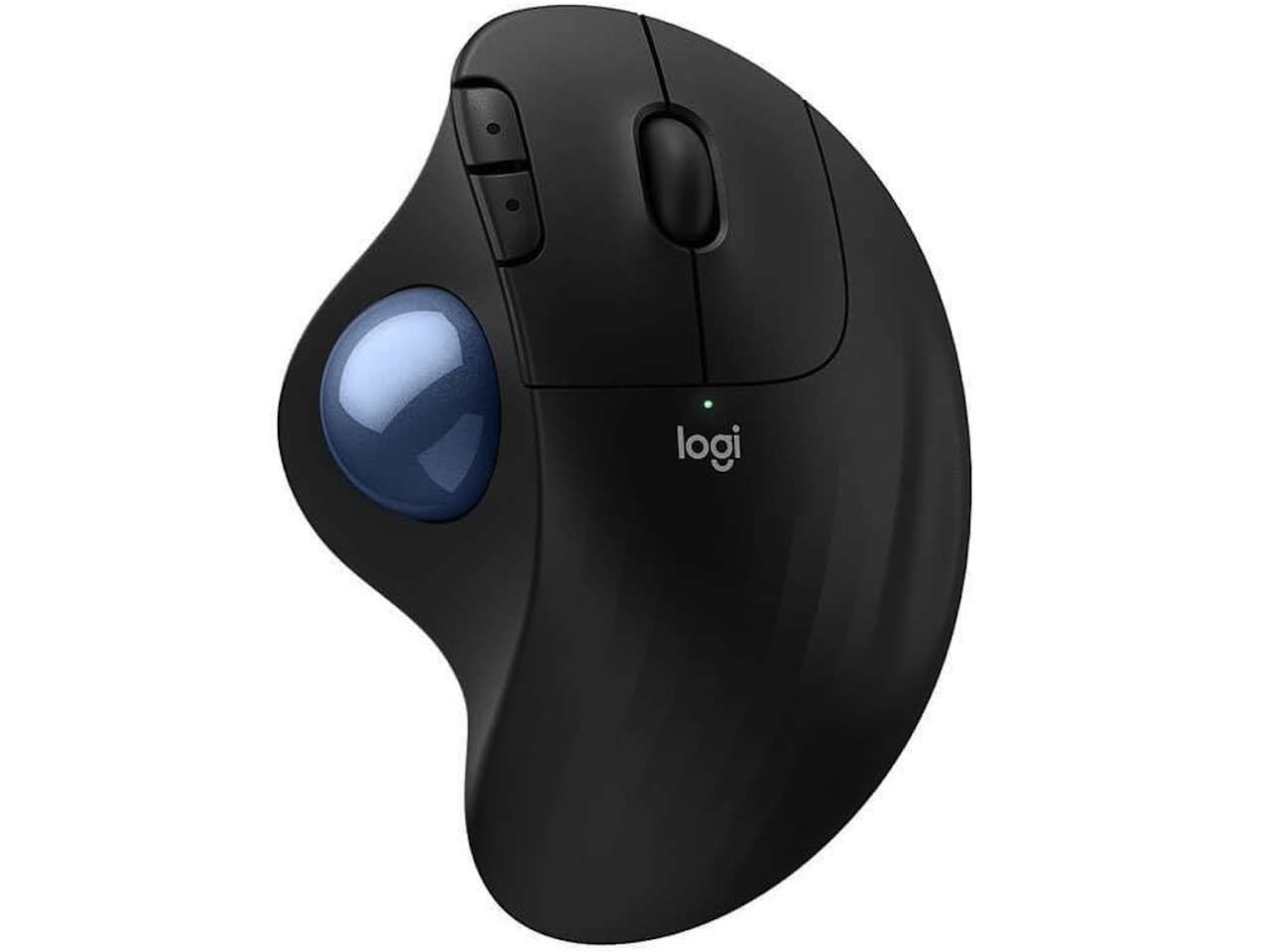
Where it shines: People with shoulder or elbow pain from mousing. Desk workers on small surfaces.
The tradeoff you need to know: Thumb trackballs have a learning curve. Expect a few clumsy days. 2000 DPI is modest. Trackballs collect dust and need cleaning.
⚡ Logitech Ergo M575S Trackball – $39.32 (was $49.95, 21% off) | Buy on Amazon
The Understated Option: PHILIPS Ergonomic Wireless
Philips does not usually come to mind for mice. But this multi-device ergonomic mouse has been selling well for a reason. It connects via Bluetooth to three devices, includes both USB-A and USB-C dongles, has silent clicks, a side scroll wheel, five DPI levels, and a rechargeable battery. The shape sits between a standard mouse and a full vertical tilt, a middle ground that works for people who found vertical mice too extreme.
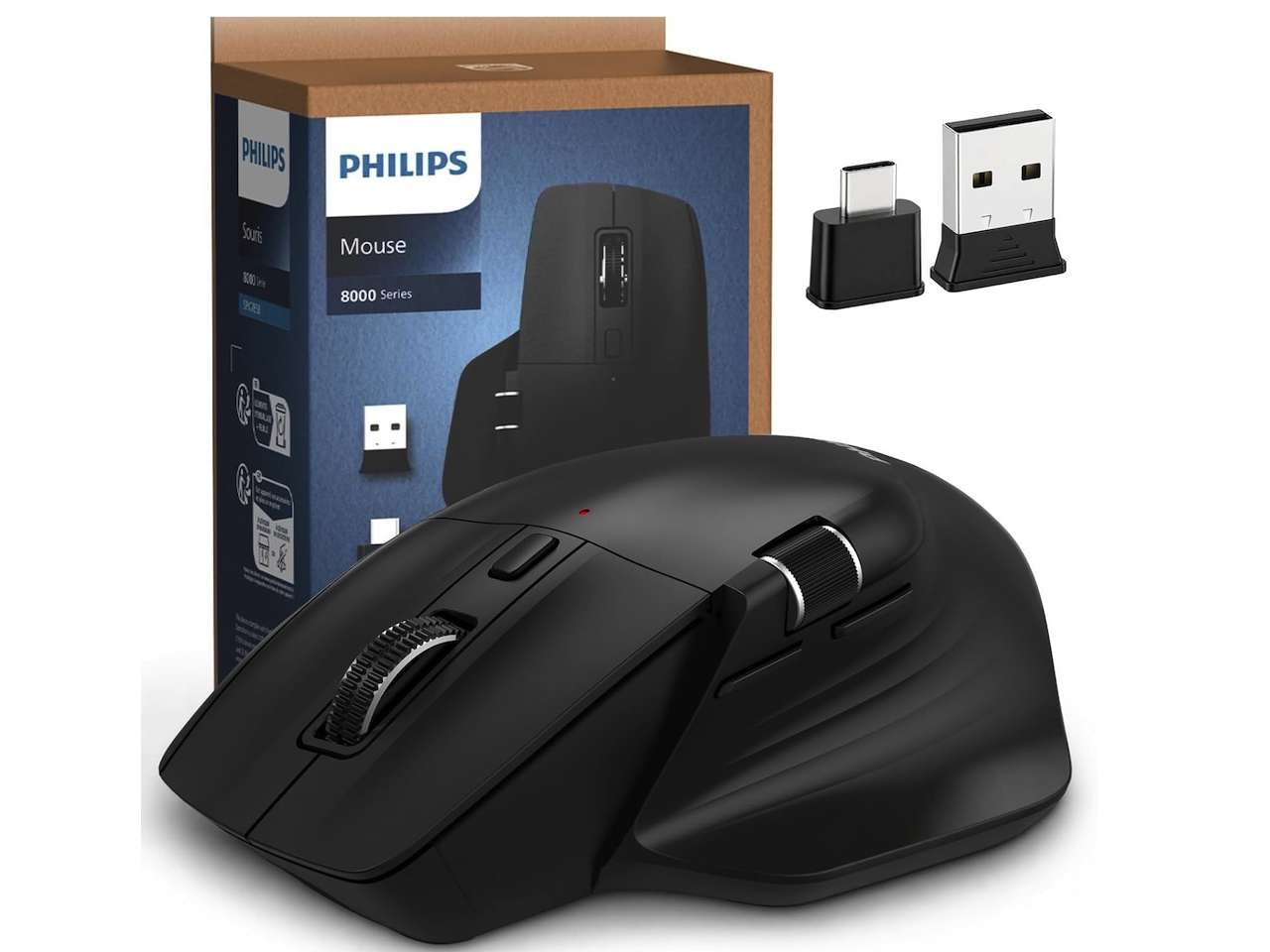
Where it shines: Hybrid workers switching between a work laptop and personal Mac. The USB-C receiver is rare.
The tradeoff you need to know: Not as aggressively angled as dedicated vertical mice. Right hand only.
⚡ PHILIPS Ergonomic Wireless Mouse – $39.99 (From $49.99) | Buy on Amazon
The Gold Standard: Logitech MX Master 2S
The MX Master 2S is one of the most well-known ergonomic mice around. Its sculpted shape fills your palm, the thumb wheel handles horizontal scrolling, and the speed-adaptive scroll wheel lets you spin through thousand-row spreadsheets with one flick. Logitech Flow software lets you control three computers with one mouse. It is not a vertical mouse, but the contoured shape keeps your wrist more neutral than a flat mouse.
At $52.49, the MX Master 2S is far cheaper than the MX Master 3S but uses micro-USB instead of USB-C. That is disappointing in 2026. But the battery lasts 70 days, so you charge it maybe five times a year. The tradeoff is worth it for most people.
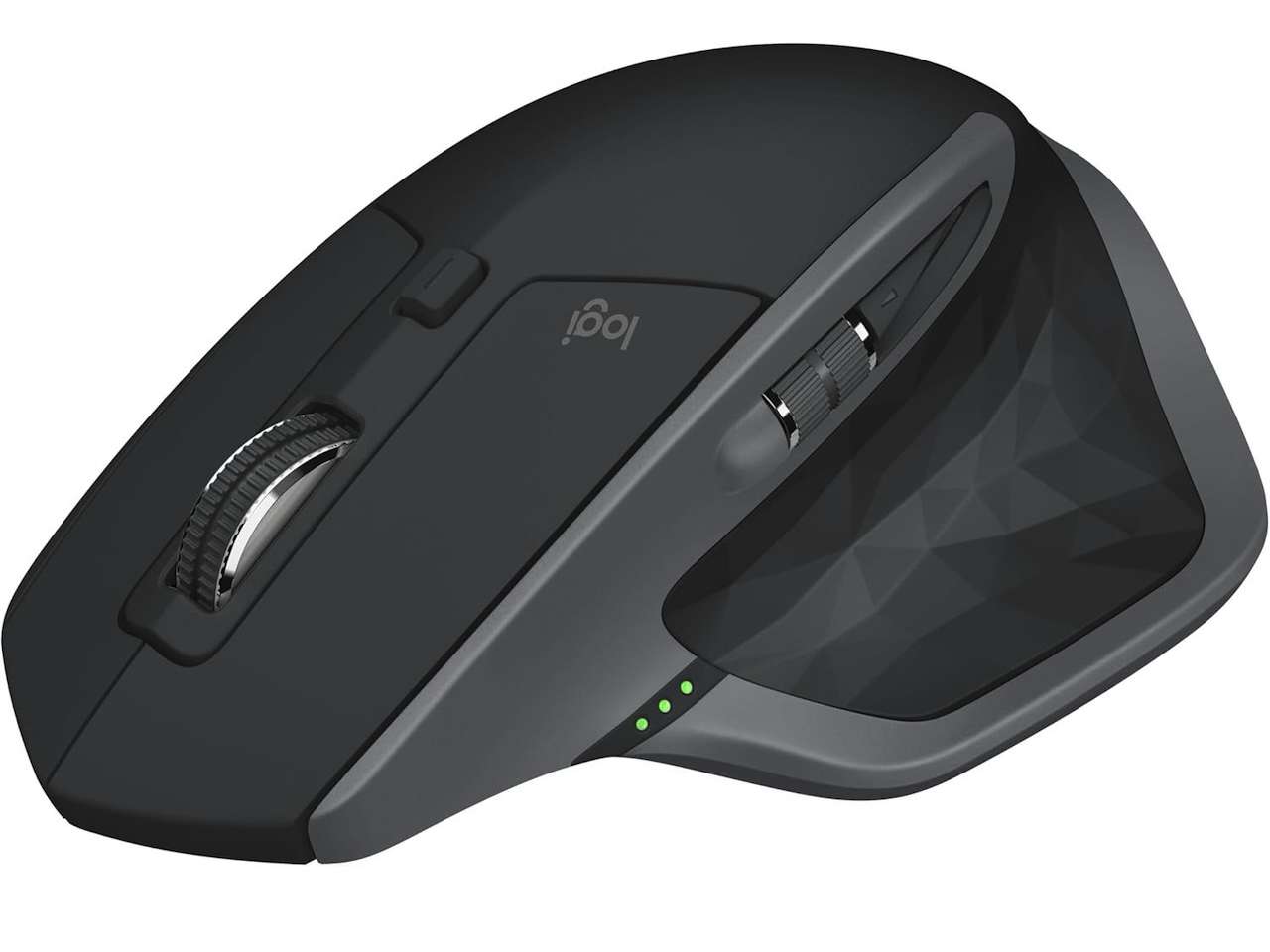
Where it shines: Power users who need horizontal scrolling. Multi-device setups where Flow makes cross-computer control seamless.
The tradeoff you need to know: Micro-USB in 2026 is frustrating. The shape is contoured, not vertical. If you need a 50-degree tilt, get the Lift.
⚡ Logitech MX Master 2S – $42.99 | Buy on Amazon
The Premium Vertical: Logitech Lift
If you know you want a vertical mouse and you want the best one, the Logitech Lift is it. The 57-degree angle is steeper than the TECKNET’s 52 degrees, the rubberized side grip is more comfortable, and Logitech’s silent switches are noticeably nicer than generic click mechanisms. It works with Windows, Mac, and ChromeOS, connects via Bluetooth or Logi Bolt, and runs for two years on a single AA battery. It is one of the most popular vertical mice on the market.
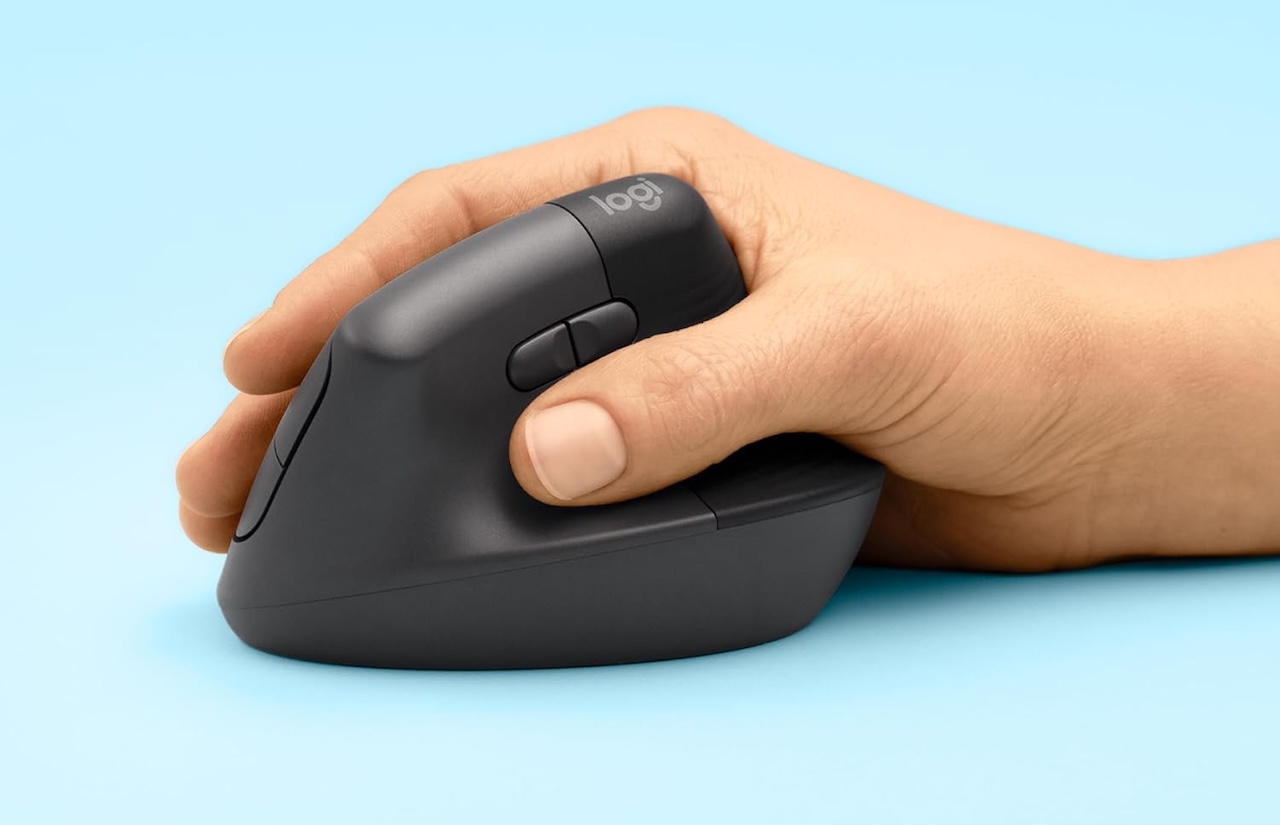
Where it shines: People with diagnosed wrist issues who want the most comfortable vertical mouse. Users who tried a budget vertical and want an upgrade.
The tradeoff you need to know: At $57.99, the Lift costs about three times the price of the TECKNET. The improvement is real but marginal unless you spend 8+ hours a day mousing.
⚡ Logitech Lift Vertical Ergonomic Mouse | $57.99 (was $79.99) | Buy on Amazon
Which Ergonomic Mouse Should You Buy?
Your wrist hurts from the flat mouse position – Any vertical mouse (seenda, TECKNET, Lift) helps. Start with the seenda or TECKNET. Get the Lift for the best experience.
Your wrist hurts from moving the mouse, not gripping it – Logitech M575S trackball. Eliminate arm movement entirely.
You want the best-reviewed option regardless of price – Logitech MX Master 2S. A refined design that power users swear by.
You want a mouse that controls your music too – seenda MOU-302. The volume knob is surprisingly useful.
You switch between multiple devices all day – PHILIPS or MX Master 2S. Both excel at multi-device workflows.
What to Check Before Buying an Ergonomic Mouse
Hand size matters more with vertical mice than with standard ones. A 57-degree vertical mouse designed for medium hands can feel too large for small hands and too cramped for large hands. Measure your hand length and check recommended sizes. Logitech publishes this data. Budget brands often do not.
DPI is important for monitor resolution. On a 4K or ultrawide display, you want at least 2400 DPI. The seenda maxes at 2400. The TECKNET goes to 4800. A low-DPI vertical mouse on a 4K screen means a lot of arm movement, which defeats the purpose.
Connectivity is more important than you think. Dual Bluetooth plus 2.4G lets you switch between work laptop, personal computer, and tablet without re-pairing. Single-device mice will frustrate you on day two.
Final TG Take
The TECKNET Vertical Mouse at $18.99 with the coupon is the smartest buy for most people. It does everything a $100 ergonomic mouse does at one-fifth the price. The only reason to spend more is if you need something specific: a volume knob (seenda), zero arm movement (M575S trackball), or the absolute best vertical grip on the market (Logitech Lift). Your wrist will thank you regardless of which you pick. Just stop using that flat Dell mouse.