
Palm’s newest entry level PDA is the Z22. Coming in below the sweet spot of $100, this PDA gives you all of the basic PIM (Personal Information Management) features that we’ve come to expect in a personal digital assistant, while leaving the power user features for the more expensive models. Unlike Windows Mobile device manufacturers, Palm has always given consumers the choice of price over features. We’ve yet to see a $100 Pocket PC. Of course, the Z22 isn’t for everyone. It’s a device for those of you that would like to dip your toe in the pool of personal organization without having to spend the equivalent of a car or house payment to do it.
Hardware Specs
Processor: 200MHz ARM-based Processor
Operating System: Palm OS software version Garnet v5.4
Memory: Total 32MB with 20MB accessible to user
Display: STN color 160 x 160 display with backlight
Audio: Speaker
Interface: USB (for HotSync operation), Infrared
Dimensions and Weight: 2.7 x 4.06 x .6in, 3.4 oz.
Power: 108-32 VAC/60Hz
Battery: 900 mAh rechargeable Lithium Ion (internal – non user removable)
Package Contents
Palm Z22 PDA
Stylus
USB cable
AC adapter
Graffiti 2 sticker
Software Installation CD
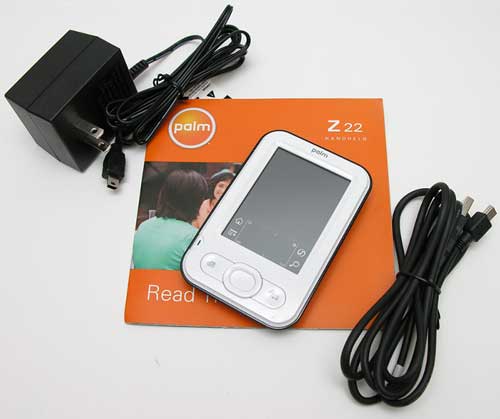
Despite the sub $100 price tag, the Z22 doesn’t feel like a toy at all. It’s a very solid PDA. Yes, it has a plastic body, but it did not disappoint me when I conducted the good old Gadgeteer creak / squeeze test. Nope, no flexing or rattling with this little guy.
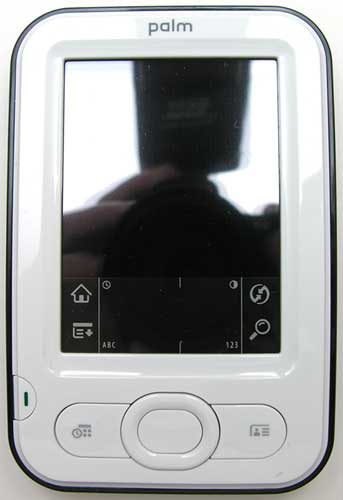
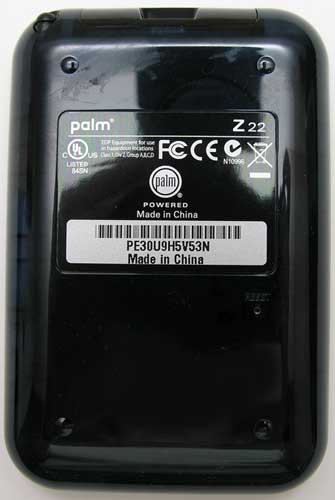
The Z22 bears a slight resemblance to an iPod, if only for the shiny white plastic face. I guess Palm just decided to go back to the shell color of their first Zire. The back of the PDA is a deep blue that you can vaguely see through.
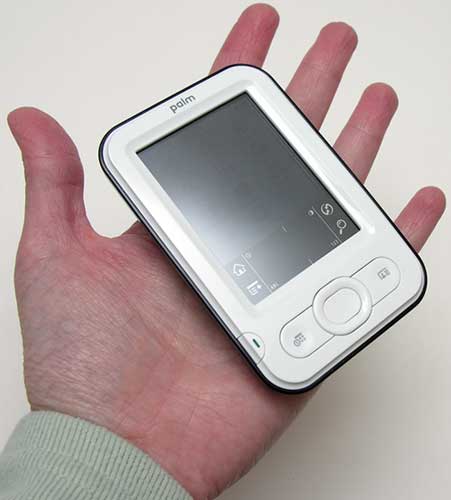
As far as size goes, this PDA is small and definitely very pocketable. The rounded back makes it very comfortable to hold in your hand for an extended period of time.
The face of the PDA has the display, power button, 4 way navigation button, select button, and 2 application buttons. All of buttons are made of hard plastic and have good tactile feedback. I didn’t notice any response issues with the buttons like I had with the TX that I just reviewed.
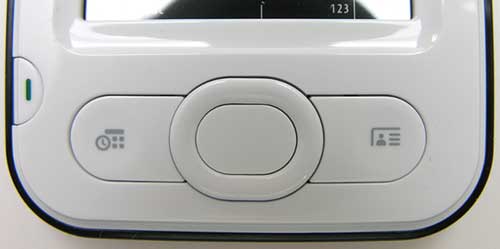
All of the buttons are flush with the face of the PDA, except for the 4 way nav button. I like the button shape as it allows your thumb to easy slide along the raised ring to scroll up and down, left and right. Makes playing games and reading eBooks easy :o)
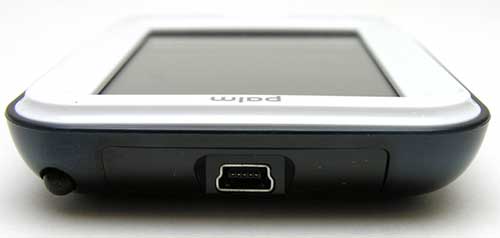
At the top of the Z22, is the stylus silo, mini USB connector and IR port. The PDA comes with a USB cable that you use to sync with your PC or Mac. This USB cable can also charge the internal battery. An AC adapter which also has a mini USB connector on it is also included for faster battery charging.
Regarding the IR port, I did some quick tests and found that the Z22 can send and receive data to another Palm PDA (my Treo 650) at up to 2 or so feet. Not too great…
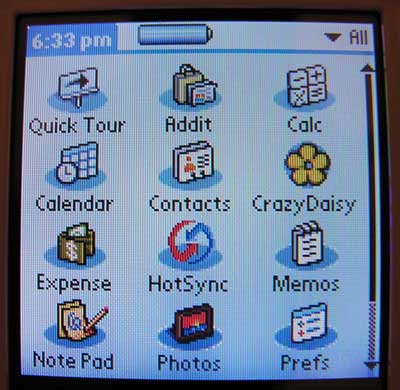
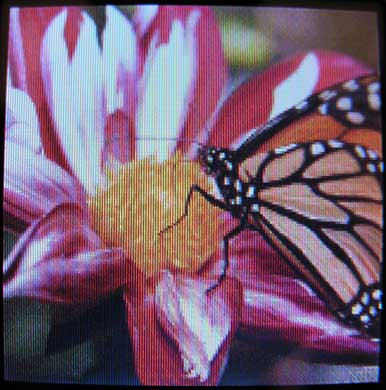
Application launcher and built in Photo application
The 160 x 160 pixel color display is small but readable. The backlight is bright and the colors are vivid. You do have to realize that the display is no where near as good as the more expensive Palm PDAs though. You can see the individual pixels, and sometimes the colors tend to bleed down the screen a little.
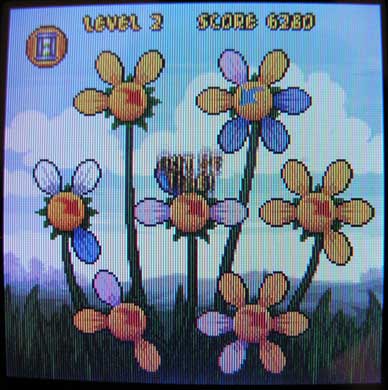
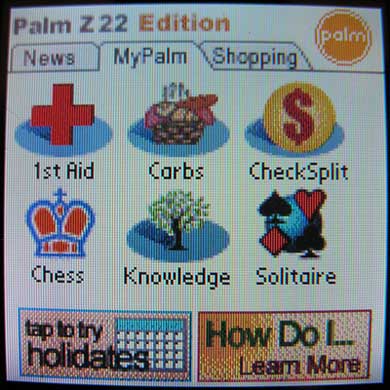
Crazy Daisy game and Addit apps
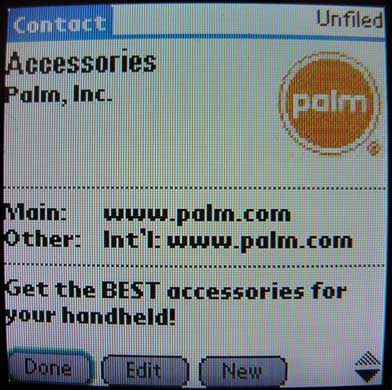
Contacts with photo
All of the pictures above were taken without flash. The Z22 screen isn’t bulgy like it appears in the images. My camera seems to have a problem with skewing lines when taking macro shots…
Using the Z22 for PIM operations like addresses, appointments, memos etc was not painful at all. The 200MHz processor is reasonably snappy for those basic tasks and the 20 megs of memory is more than adequate for most people’s info. If you think you’ll want to use this PDA for reading lots of eBooks or for databases, you’ll probably want to consider a model other than the Z22.
An important detail to note about the memory is that it is non-volatile. This means that if you forget to charge the battery and it completely dies, all of your information will not be lost. This is a great feature for beginning PDA users.
As far as battery life, Palm states that the battery should last around 5 days in between charges for normal use. So far, I’m finding that statement to be pretty much dead on.
Software
Included in ROM:
Addit software catalog with Chess, Carb Counter, Solitaire, 1st Aid and CheckSplit
Calculator
Calendar
Contacts
Crazy Daisy
Expense
Memos
Note Pad
Photos
Quick Tour
Tasks
Security
World Clock
Included on the CD:
Palm Desktop 4.1 for PC and Mac
Photos desktop software for PC & Mac
Power by Hand
eReader
PowerOne Calculator
SplashShopper
The software bundle isn’t too sparse considering the price of the unit. You get all the usual apps, including a cute little Astraware game called Crazy Daisy. A few other games (Chess and Solitare) are included with Addit. Addit is an application offered by Palm in partnership with Bluefish Wireless that allows you to download 3rd party apps to your PDA. It requires a manager program to be installed on your PC. Right now there isn’t a Mac version available.
Yes, the Z22’s hardware is a really bare bones PDA. You don’t get an expansion slot (SD), an earphone jack, Bluetooth or WiFi. But what do you expect for $99? What you do get is a solid little PDA with a color display, great battery life, 20 megs of available storage and a reasonably snappy little processor. The Z22 would be perfect for anyone that is anxious to check out what a PDA can do for them, without breaking the bank.



Gadgeteer Comment Policy - Please read before commenting
Post your comments on the Palm Z22 review.
http://www.the-gadgeteer.com/review/palm_z22
Just click the POST REPLY button on this page.
Hi, I am from Nepal. I have palm Z22 that I got while in the United States. I have been using off and on. But lately I had not used for some time. Now I tried to charge it, it is not charging. It looks dead. Can it die? If so can I revive? Or should I give up on it?
I like to use it again because it has many valuable information that I have stored including addresses.
Please advise me what to do.
I think I had it since 2010
If you leave it plugged in to charge for a long period of time and it still doesn’t charge, then it’s probably dead for good. Sorry!
Two questions:
1. I have heard that the screen sometimes is not sensitive enough and you have to tap things more than once. Is that true?
2. How does the screen compare to the Zire 31 (I think I remember you saying you had one in your house).
Great review, as always, and a happy thanksgiving!
From what I recall in the store, the screen on the Z22’s about the same as the Zire 31 screen – in other words, a big step above the Zire 21. One thing I don’t see mentioned in the review is that the memory is non-volatile, like that in the T|X – in other words, you can run down the battery, and everything remains in the flash memory this device uses. Perfect for beginners who may not be in the habit of charging their PDAs on a regular basis. 😀
I have the Z22 for three days now, and it’s a splendid little thing. The screen is indeed rather ‘coarse’, but quite readable outdoors. The OS is snappy enough for me, and the device is so light and thin that I carry it around in my shirt pocket without hardly noticing it.
One who wishes to keep its PIM at close hand should consider this cheap, light, well-built, easy-to-use, cute little device.
Doug:
I’ve not noticed any problems with the screen sensitivity and as someone else mentioned, the display quality is the same as the Zire 31.
Haesslich:
Thank you for pointing out that the memory is non-volatile. I actually did not know that it was! I didn’t see that fact mentioned anywhere on Palm’s site (unless I totally missed it). I’ll go in and update the review as that is a very important feature.
I like the Z22 for its size (no bigger than a Tungsten T with slider closed), its rounded back, and specially the reset button which is flushed with the case (not hidden under a hole), so no reset pin required!
While i understand that it is a $99 device, the stylus is too lightweight for easy usage. And given that it has little multimedia capabilities, the 20 MB (which you could stretch to 23MB, if you get rid of addit) is more than enough for most people.
I had a T5, and got a Z22 for my little brother, but I ended up using it for a around two weeks as my primary PDA, and I was amazed how it performed everything productive (PIM, notetaking, database, offline news reading), I used to do with my T5 minus the distraction (music, games, videos). If it weren’t that I am used to the high-res screen of the T5, it (z22) might have ended up as my primary PDA…
Certainly a good PDA at $99, I just might get a few as stocking stuffers for my less tech savvy friends this Christmas… Some stores are carrying this at $79 (with extras free) on Black Friday!
http://www.palm.com/us/products/handhelds/z22/details.epl
“Once you put information into the Palm Z22 organizer, you can rest assured it’ll stay there. Even if you forget to recharge and the power runs out. What’s more, you can save everything to your computer. All it takes is a quick cable hook-up and a simple tap.”
http://www.palminfocenter.com/view_story.asp?ID=8138
“The Z22 has physical dimensions of 2.7″ W x 4.06″ H x 0.6″ D (68.5 x 103 x 15 mm) and weighs 3.4 ounces (96 grams). It runs Palm OS Garnet 5.4.9 and is powered by a 200 MHZ Samsung ARM processor. It has 32 MB of nonvolitile flash memory, of which 20MB is user accessible. It has a built in lithium ion rechargeable battery. The X22 has a 160 x 160 pixel CSTN display that supports 4096 colors.”
http://www.palm.com/us/company/pr/news_feed_story.epl?reqid=766708
Still, it’s a nice deal for the price.. but I think I’ll buy something with WiFi. 😀
Hi guys!
First of all, my name is Javi from Europe. I have been reading some replies fo you,but i´ve one more questions about this small-sized model. Can we listen to mp3 music with it? And the most important, can I use Documents to Go for word documents?
Please, i need that info to buy it or not
Thanks in advanced
You will need to buy Documents to Go, it doesn’t come with the model. Also, MP3 capability isn’t possible. If you need those two features, I’d save up the extra $100 and buy a Tungsten E2. It has both of those features plus an SD card slot and a much better screen. Also, you can buy a WiFi card for the E2 if you think you might need it in the future.
Hi !! Thanks for the info buddy. When u say isn´t possible to listen 2 mp3 u mean, it is a hardware or software limitation?because the processor i think is enough, isn´t it?
THnks
The Z22 does not have an earphone jack.
I am ready to buy the Z22 but have one question. Is it possible to add other game software such as Scrabble?
Diana:
Yes, you can install lots of 3rd party applications 🙂
Is it possible to get Graffiti1 working on the Z22?
I have a Tungsten E2 and it doesn’t work on that model, but it does work on the original Tungsten E. I’ll buy a Z22 if I can put Graffiti1 on it… (CIC doesn’t appear to sell Jot to individuals anymore, so that option is out, and TealScript is too slow for me.)
Clee:
I’m not sure you can convert the Z22 back to Graffiti 1. In the beginning, people were doing this by getting the Grafitti 1 files from an older device like a T|T. But at some point, that solution quit working with newer devices. You might consider trying TealScript from TealPoint Software: http://www.tealpoint.com/
Julie,
Thanks for the response; I guess I’ll have to find a Z22 somewhere and see if the Graffiti1 files will work on it or not before I buy it. As I mentioned, TealScript is too slow in my experience – sometimes it takes several seconds to turn a stroke into a character, and that makes it unusable for me.
I take it you haven’t tried reverting the Z22 yourself?
Clee:
No I haven’t. The only Palm OS device I have right now is a Treo 650.
Hello Clee,
Paul from Palm here. I know some folks prefer Graffiti 1, but hadn’t seen anyone mention Graffiti 2. So, just in case, I’ll add that Graffiti 2 is included on the Z22.
Best
Paul
I received my Z22 for Christmas 2006.
The lower section of the screen has become insensitive to
touch.
I cannot bring up the keyboard in alpha or numeric.
I cannot use any of the four comand buttons so I can’t bring up different screens.
I have done the reset multiple times and calibrated the touch screen. That works for the upper sections of the
screen but not the important lower section.
Without the ability to key in new data, the Z22 is not
very useful
Wwhen I touch a letter with the stylus someething else totally differenet comes up on the screen – either from one or two lines above, or below. Now the only way I can enter data is using Graffit – I prefer using the keyboard. How do I realign?
Also if I buy a new one how can I beam all the data from my old one to it. What is and where is IR?
ruth:
Have you recalibrate your PDA by going into the Prefs application? If that doesn’t fix the problem, there are recalibration programs that you can download and install. Here’s one that you can try:
http://www.freewarepalm.com/utilities/scncalibrate.shtml
As for the IR port, it’s next to the little USB connector on the top edge of the PDA (it’s under the plastic). Yes, you should be able to beam your data from one PDA to a new one. If you sync your PDA with your computer, you can copy the information to the PDA that way as well.
I have an Palm M125. Can I load my current information from the M125 to the Z22?
Thanks
@Bob: If you’re using Palm Desktop to sync your M125 data, you should be able to connect your Z22, sync it, pick your user account and have it sync everything.
Is the Z22 still being made???
@Stanlely: No, the Z22 is no longer being made by Palm. They are only selling phones these days. No standalone PDAs.
I have a Z22 and it is junk.. I am going to have to sue to enforce the warranty… I hope Palm goes out of business.
How odd to see that this review is still getting comments after almost 4 years. I had just decided to resurrect my old Z22 for software reviews- I am getting tired of the small Centro screen for review purposes, and I am getting tired of the loading and clean-up.
I’m a first time pda user.I don’t need much but the basic functions.I bought an old palmv for $15.I’m having some problems with it……..could the z22 be for me or should I try to erect the palmv?
Palm has stated that they will continue the PDA’s as long as there is demand. Also that there will not be anything new PDA-wise.
They still list 3 at the Palm Store but the front page would make you think they only have phones.
Tungsten E2
Palm Z22
Palm T|X
http://store.palm.com/family/index.jsp?categoryId=2131241&shCMS=1
dude u guis know how to calibrate the z22
i just got a new palm z22 and i have no clue how to put on pics. or can it put on pics?? i really have no clue. someone help =)
I don’t have a comment, but I do have a question. I have a Palm Z22 and really love it. I wanted a backup in case my old one goes. I bought one on Ebay and the fellow I purchased it from had aboutr 10-15 games loaded on it. I don’t want the games. How do I delete them?
I need the operating software for my z22.
Anyone have it for sale or?
I had a crash and don’t know what happened to my software.
Regards
Rick
@Rick Here you go: http://kb.palm.com/wps/portal/kb/na/zire/z22/unlocked/downloads/page_en.html
Anybody have a definitive/understandable/plain English method of battery replacement? There’s a YouTube video which doesn’t really show much of anything. HELP!
I just recieved this z22 as a gift it was used but I can’t get it past the charging screen? is their something I’m doing wrong??
Natalie: Try pressing the home button on the bottom corner of the screen.