
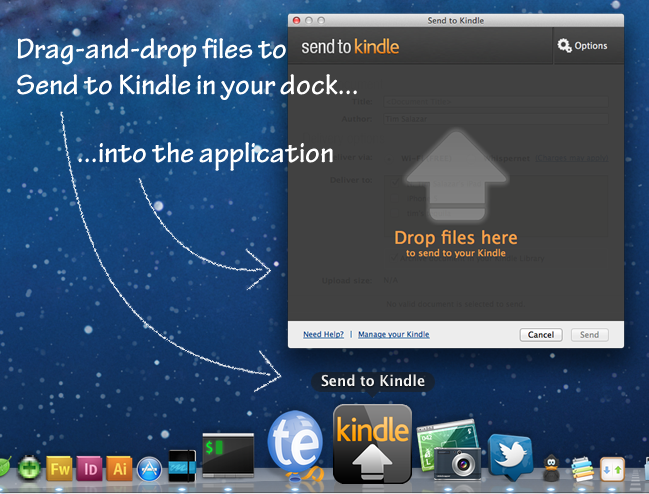
We reported on Amazon’s Send to Kindle for PC utility when it was released, and now Amazon has released their Send to Kindle for Mac client.
- Send personal documents to your Kindle from your Mac.
- Drag and drop one or more documents on to the Send to Kindle icon in your Dock or launch the application and drag and drop one or more documents on to it.
- From any Mac application that can print, select the print menu and choose Send to Kindle.
- From Finder, simply control-click on one or more documents and choose Send to Kindle.
- Choose to archive documents in your Kindle library, where you can re-download them conveniently at any time.
I use this utility heaps across multiple Kindles on multiple accounts, it’s just so handy.
Available from Amazon for free.

Gerber Gear Suspension 12-in-1 EDC Multi-Plier Multitool with Pocket Knife, Needle Nose Pliers, Wire Cutters and More, Gifts for Men, Camping and Survival, Grey
(as of August 11, 2026 09:55 GMT -05:00 - More infoProduct prices and availability are accurate as of the date/time indicated and are subject to change. Any price and availability information displayed on [relevant Amazon Site(s), as applicable] at the time of purchase will apply to the purchase of this product.)
