
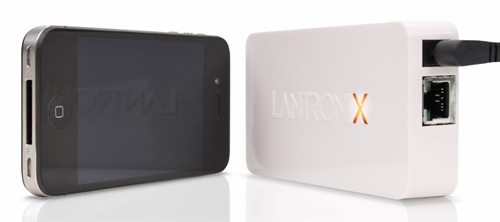
 Because of recent updates to the OS, it is possible to print from your iPhone or iPad directly without having to first transfer your document to a computer, but only to certain Airport printers. There are apps that will let you print to other brands, and that’s fine for home use where you likely have only one printer. But what about a business environment that has a variety of printers from different manufacturers – some of which don’t even have a print app available? The xPrintServer from Lantronix makes it possible to print from your iOS device to any networked printer, regardless of brand and without special apps. Simply connect the small iPhone-sized device to your network via an Ethernet cable, and the xPrintServer will find all networked printers, even older models. Within a few moments of connection, you’ll be able to print from any iPhone or iPad to any printer on your network, without having to load up a bunch of apps. The xPrintServer is $149.95 and is available for pre-order now, with shipping expected in January 2012.

Gerber Gear Suspension 12-in-1 EDC Multi-Plier Multitool with Pocket Knife, Needle Nose Pliers, Wire Cutters and More, Gifts for Men, Camping and Survival, Grey
(as of July 30, 2026 09:33 GMT -05:00 - More infoProduct prices and availability are accurate as of the date/time indicated and are subject to change. Any price and availability information displayed on [relevant Amazon Site(s), as applicable] at the time of purchase will apply to the purchase of this product.)

Gadgeteer Comment Policy - Please read before commenting
Or, if you have a Mac, you could save $149.99 with a Google search for “AirPrint Activator”, since iOS printer sharing is part of OS X, just hidden by default…
There’s also a hack for Windows. A Google search on AirPrint Windows will get you the solution. It’s not hard although I’m sure the product here would be much more readily accepted in a corporate workplace.