Business laptops have spent a decade getting thinner by getting harder to fix. Glued batteries, soldered everything, chassis panels that surrender to nobody but a heat gun. Lenovo went the other direction with the ThinkPad X1 Carbon Gen 14 Aura Edition: it dropped the starting weight to 2.15 pounds, then redesigned the entire chassis so you can open it without a single screw.
That second part is the story. Plenty of laptops are light. Almost none of them earn a 9 out of 10 repairability score from iFixit while doing it, and none of them are the flagship of the most recognizable business laptop line on the planet.
When you pull the ThinkPad X1 Carbon out of the box, the weight hits you before anything else. Two-point-one-five pounds barely registers in one hand, the whole machine carries a premium feel everywhere you touch, and it’s exactly the laptop business travelers have wanted for years: near-zero heft, toss it in a tote or messenger bag, and go.
Price: $2,249
Where To Buy: Lenovo
What You’re Buying
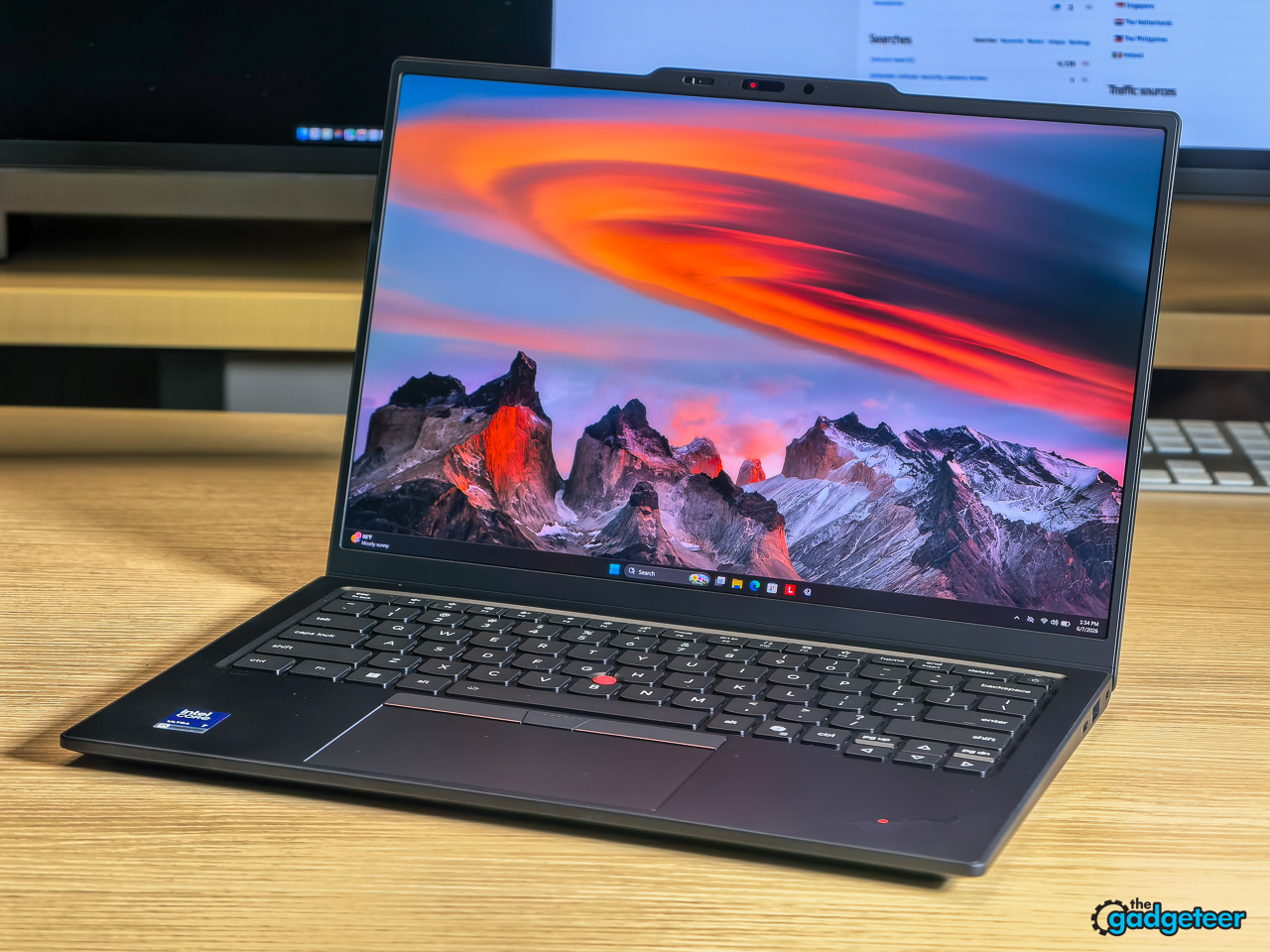
The review unit is the 21V7006EUS configuration: Intel Core Ultra 7 355 (Panther Lake, 8 cores, 8 threads, 4.7GHz max turbo), 32GB of LPDDR5X-7467 memory, a 512GB PCIe 4.0 NVMe SSD, and the 14 inch 2.8K OLED touch-free panel at 120Hz.
The line goes further in both directions. Memory scales to 64GB, which fixes the Gen 13’s biggest ceiling, that model capped at 32GB on-package. Optional extras include 5G WWAN with a Nano SIM slot, a larger haptic touchpad (not on this unit), and Intel vPro for fleet managers.
Design: The Space Frame Changes the Math
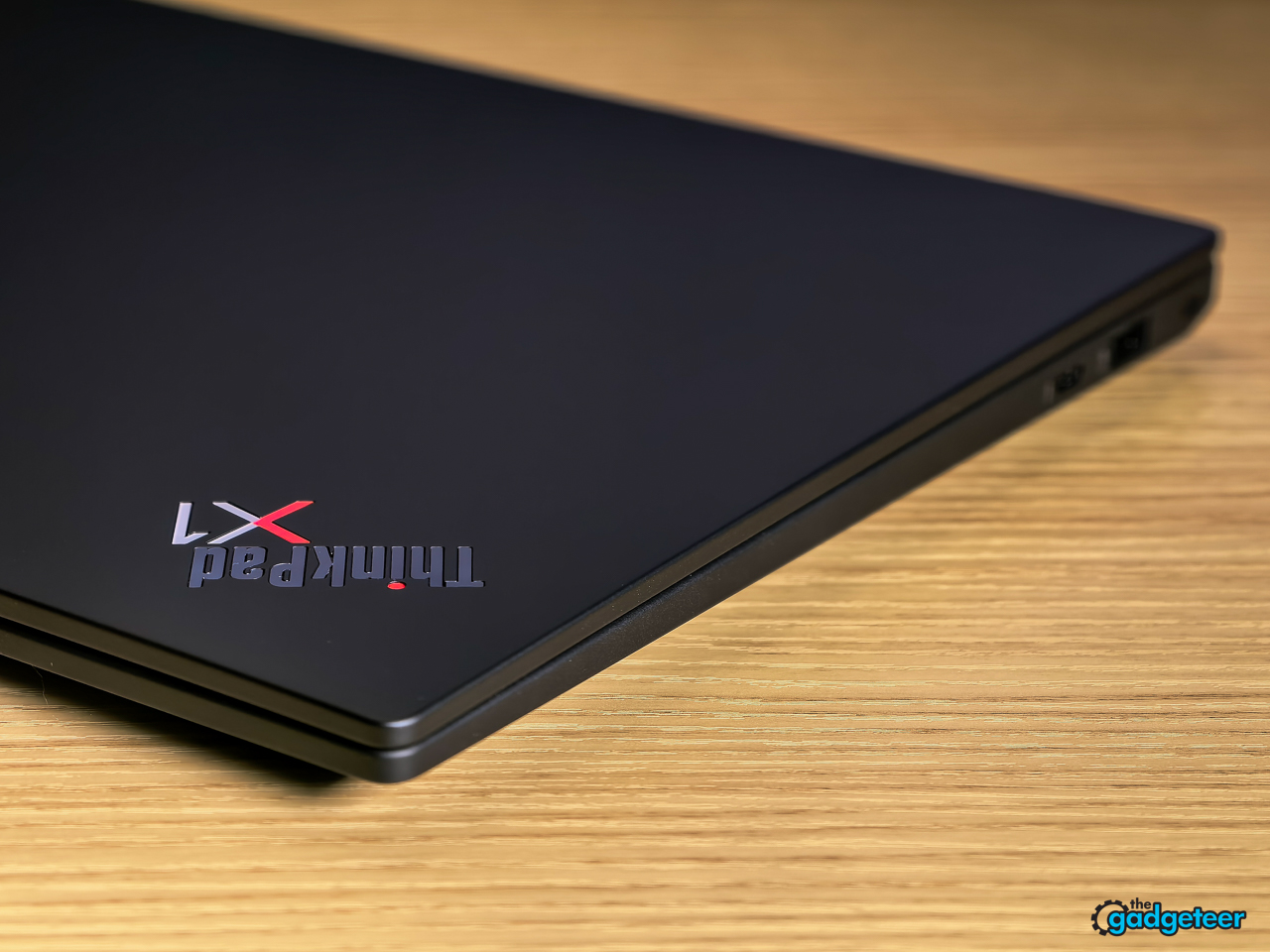
Every ThinkPad X1 Carbon since 2012 has chased the same two numbers, thinner and lighter. Gen 14 hits 2.15 lbs (0.977 kg) at 9.2mm at the front edge, and it does it with a structural redesign Lenovo calls the Space Frame rather than the usual diet of thinner panels and smaller batteries.
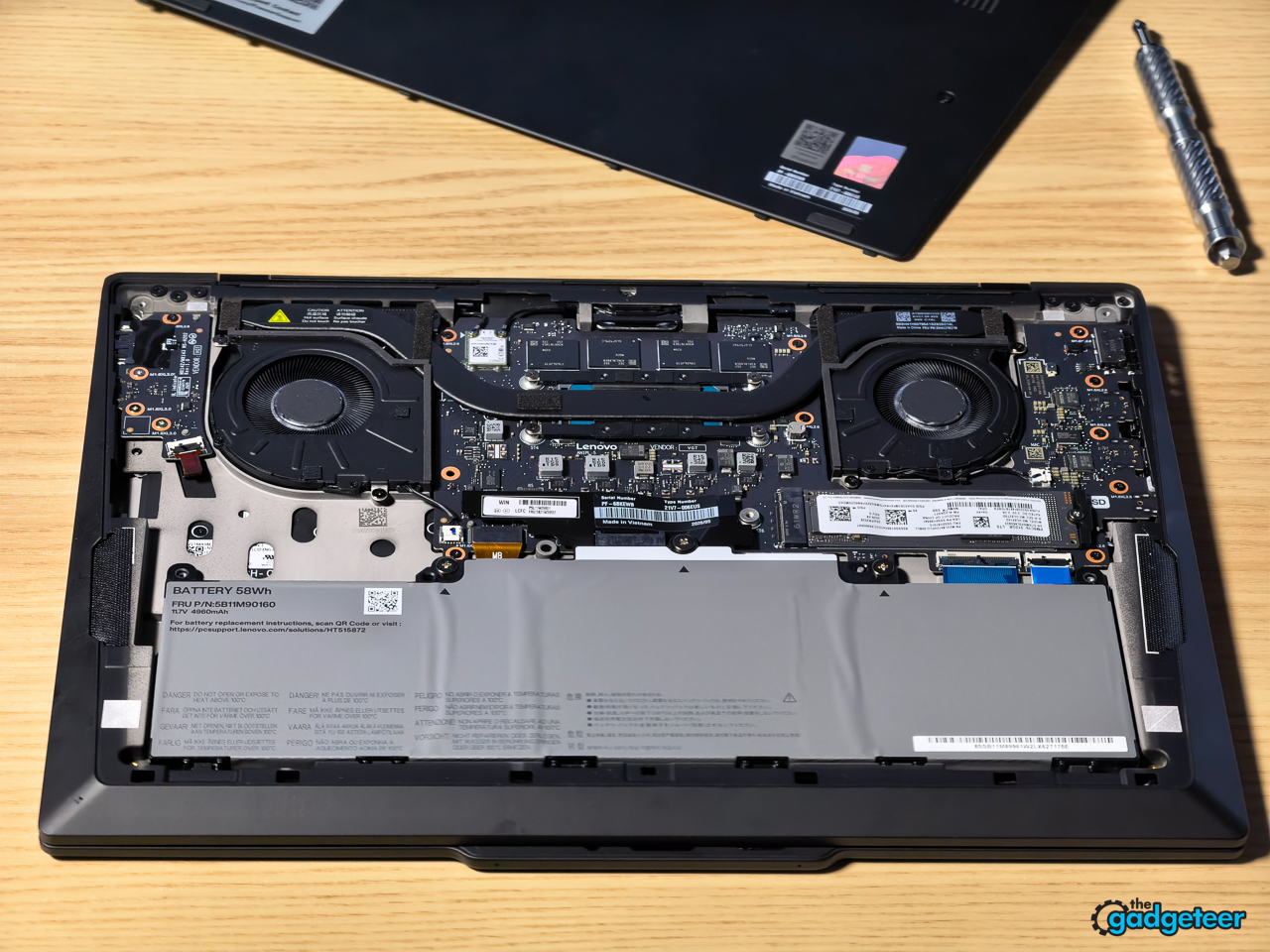
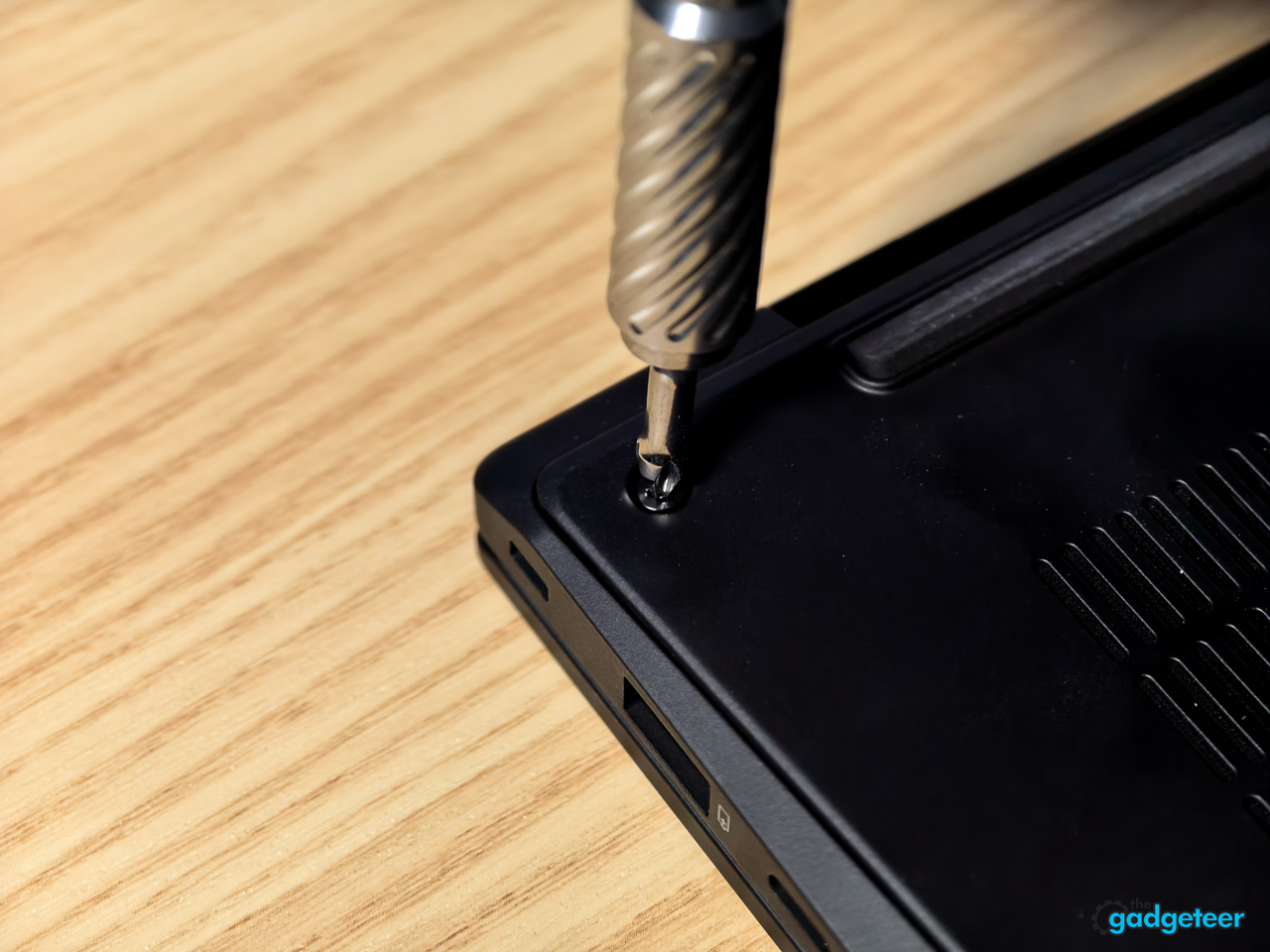
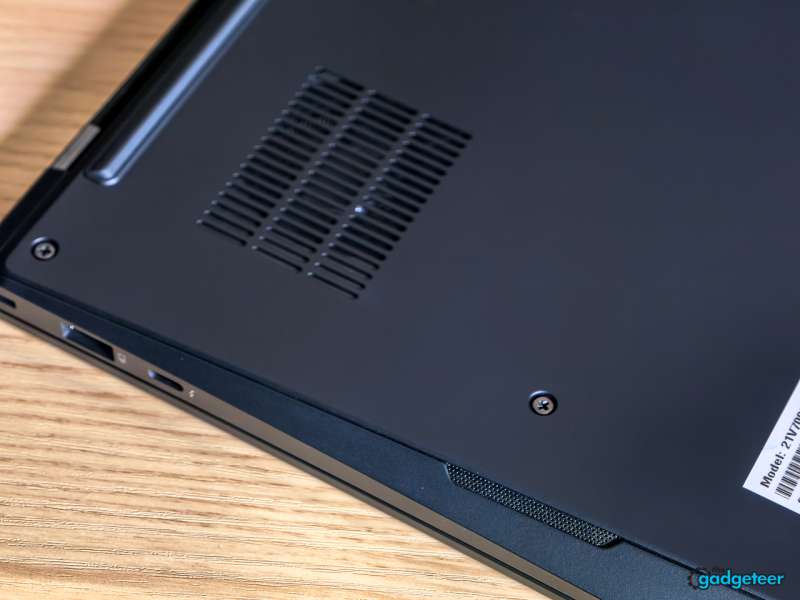
Here’s what the Space Frame actually does. The system board went double-sided, which cut the circuit board footprint by 20 percent. That reclaimed space went to a 70 percent larger cooling fan, which is how a 2.15 pound laptop sustains 30W of processor power. The top panel attaches magnetically, no screws, and internal components sit where hands can reach them. iFixit scored it 9 out of 10, which is rare territory for any ultralight, let alone a flagship.


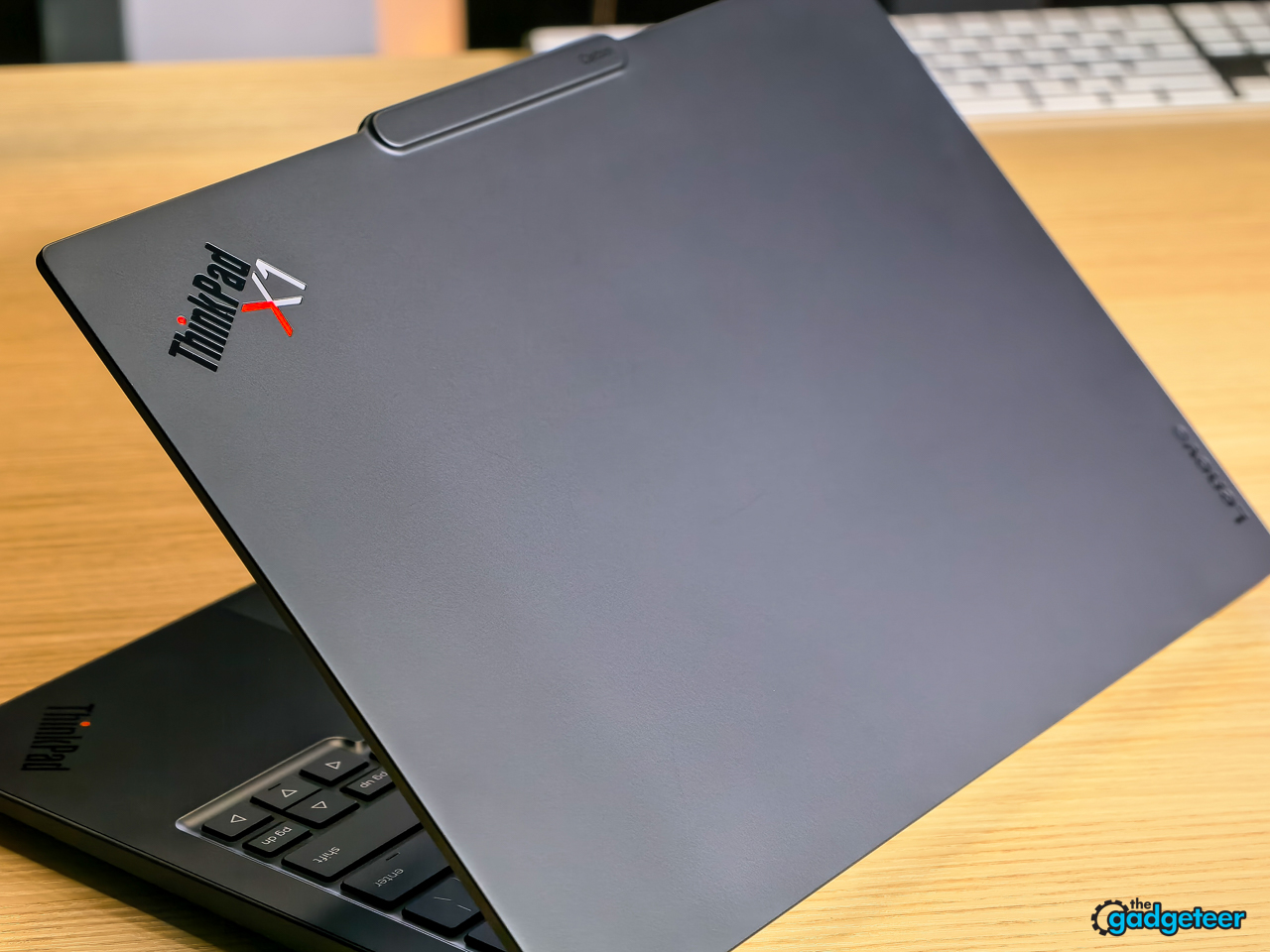
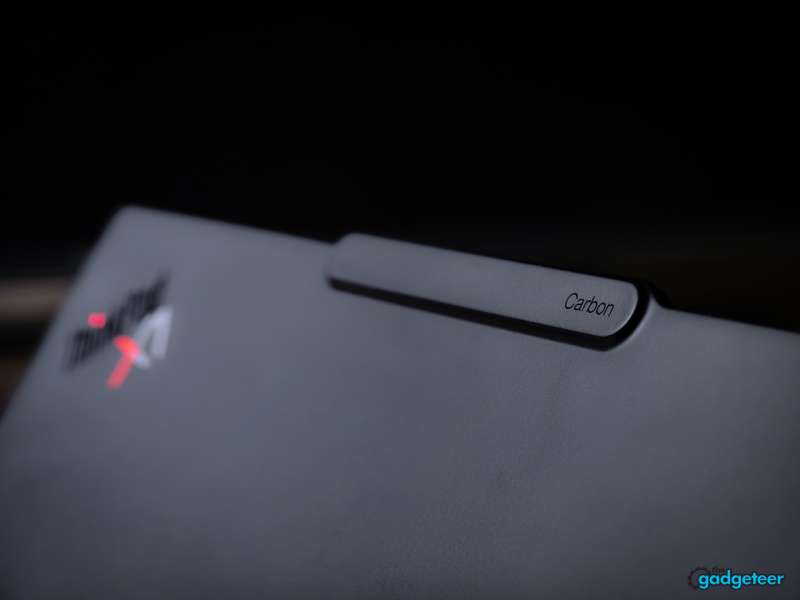
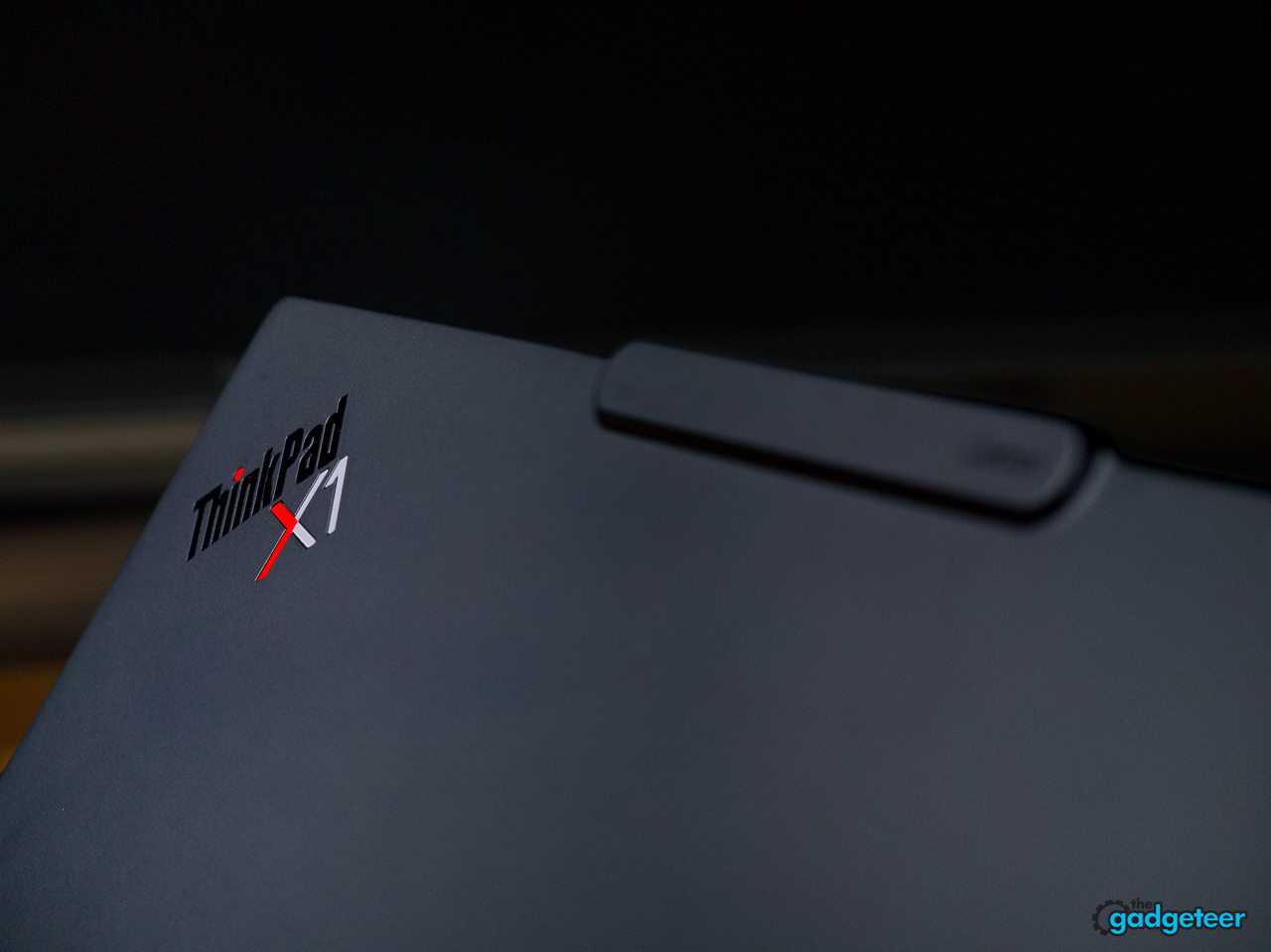
Materials stay true to the line: carbon fiber top cover (100 percent bio-based plate), magnesium bottom, black everything. It’s tested against MIL-STD 810H, 12 certification methods, 26 procedures.
After a week with the unit, none of the premium wears off. Lenovo continues to carry this premium lineage, generation after generation, closing in on something close to perfection in the business laptop form.
The Keyboard Got Its Right CTRL Key Back
Lenovo restored the Right CTRL key on Gen 14. If that sounds like a small thing, you’ve never watched a keyboard shortcut power user meet a Gen 13.
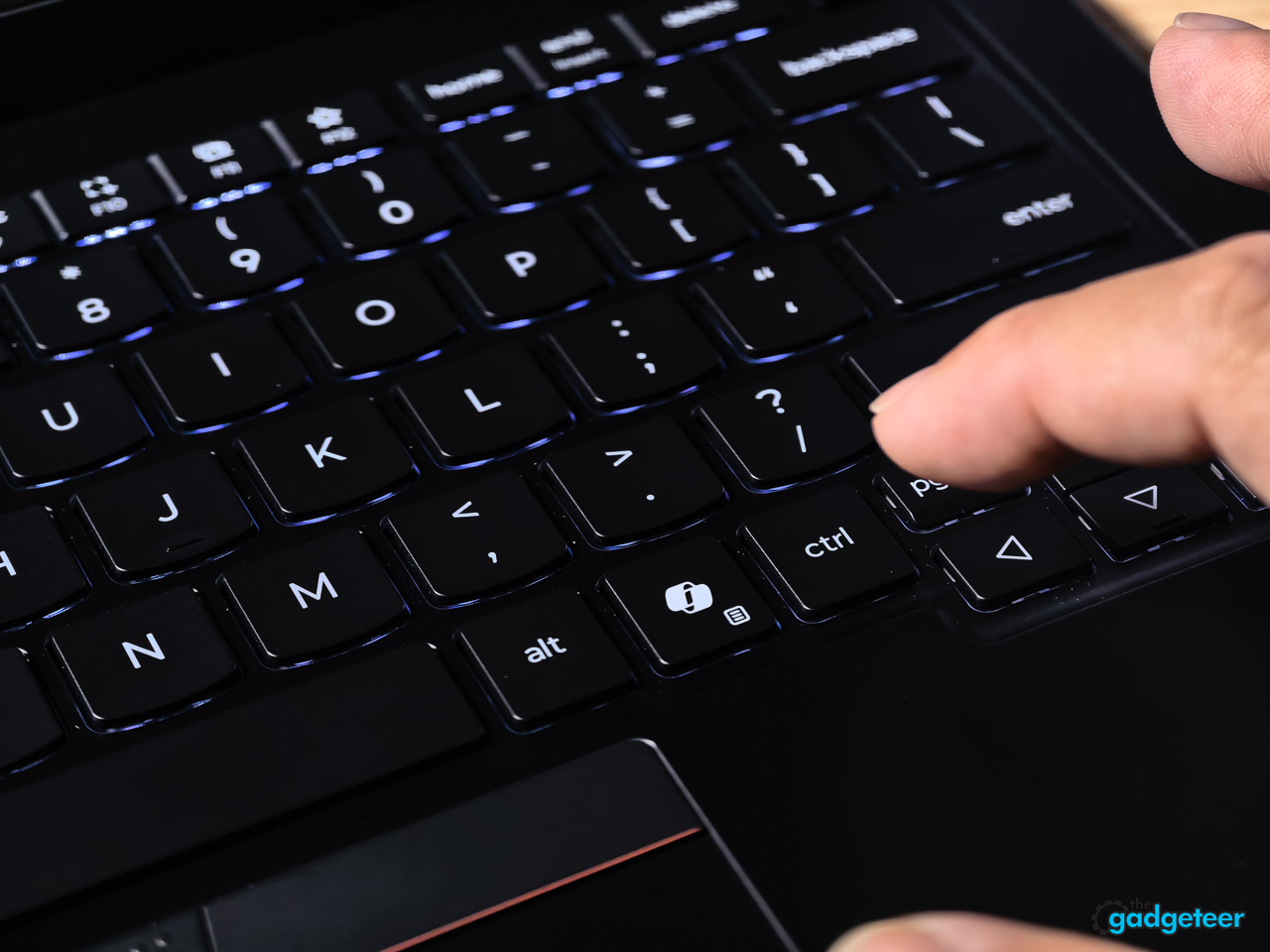
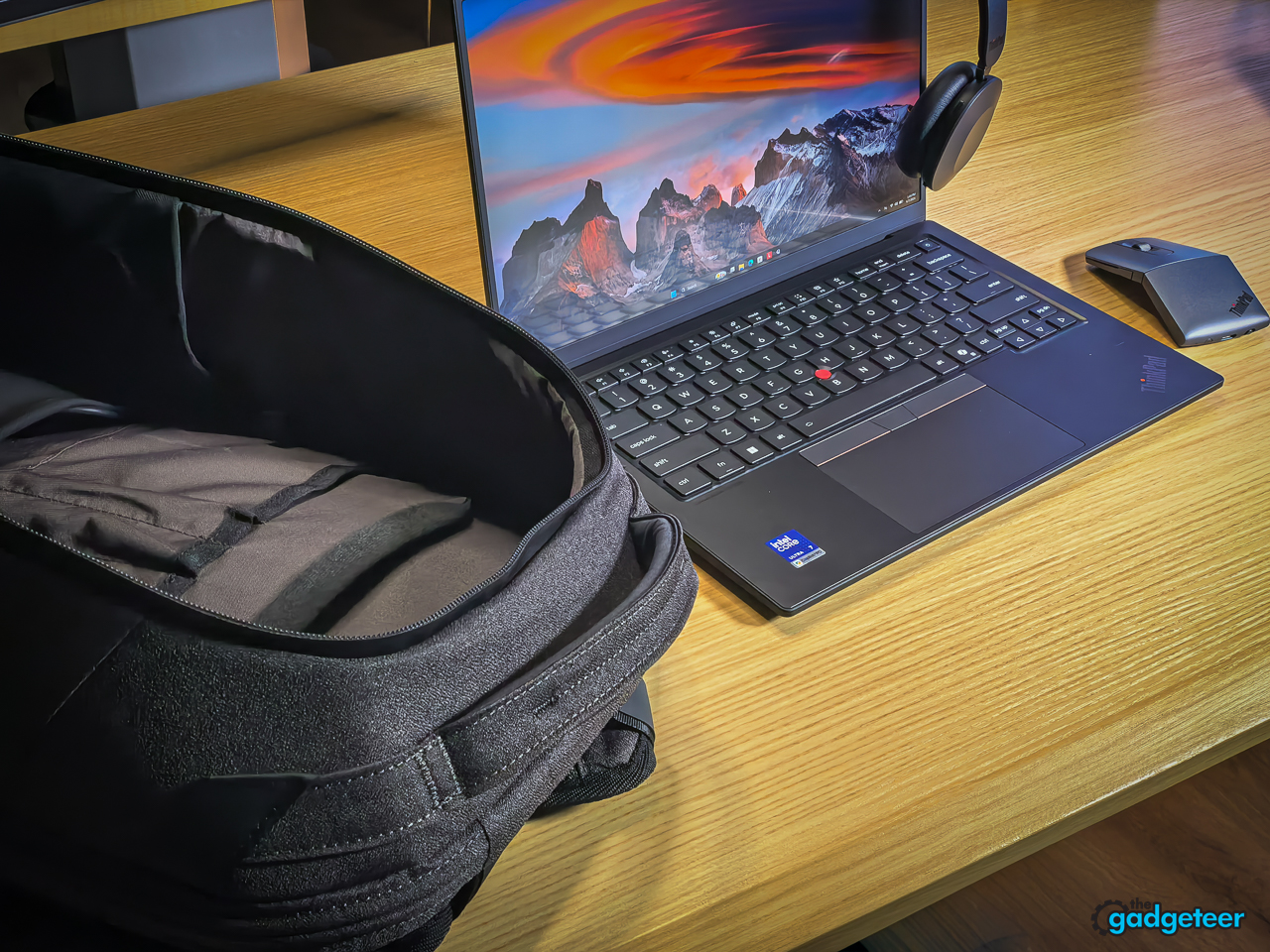
The rest of the deck: 1.5mm key travel, spill-resistant, backlit, TrackPoint red nub where it always lives, and a 120mm glass trackpad. The fingerprint reader moved to the top right corner and now lives inside the power button, so the login flow is press once, done.
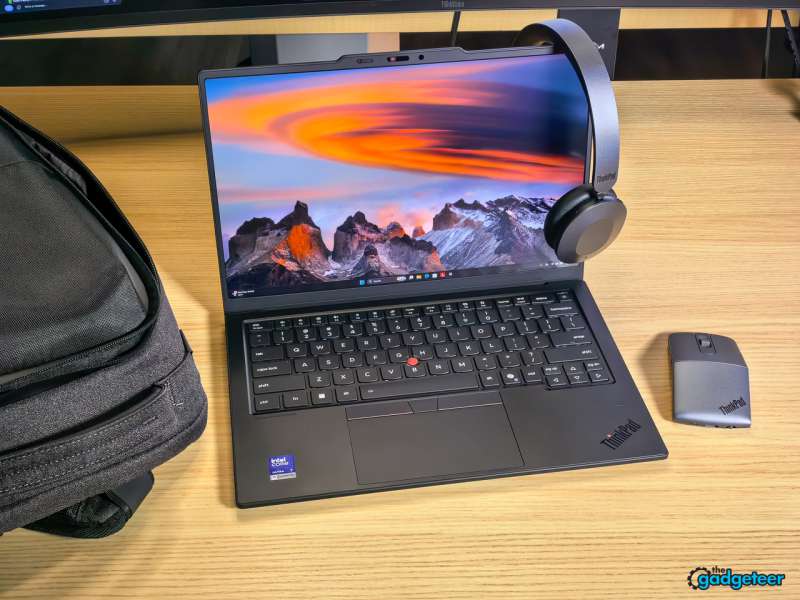
The keyboard on the X1 Carbon Gen 14 is, put plainly, the best typing experience in a business laptop right now. For a writer or journalist, the keyboard is the one interface that sits between a thought and the words that come out, and this one makes that translation feel frictionless. The 1.5mm of travel lands in a sweet spot, deep enough to feel satisfying but not so deep that you bottom out hard. The keystrokes sound good too, a muted, refined thock that never crosses into annoying.
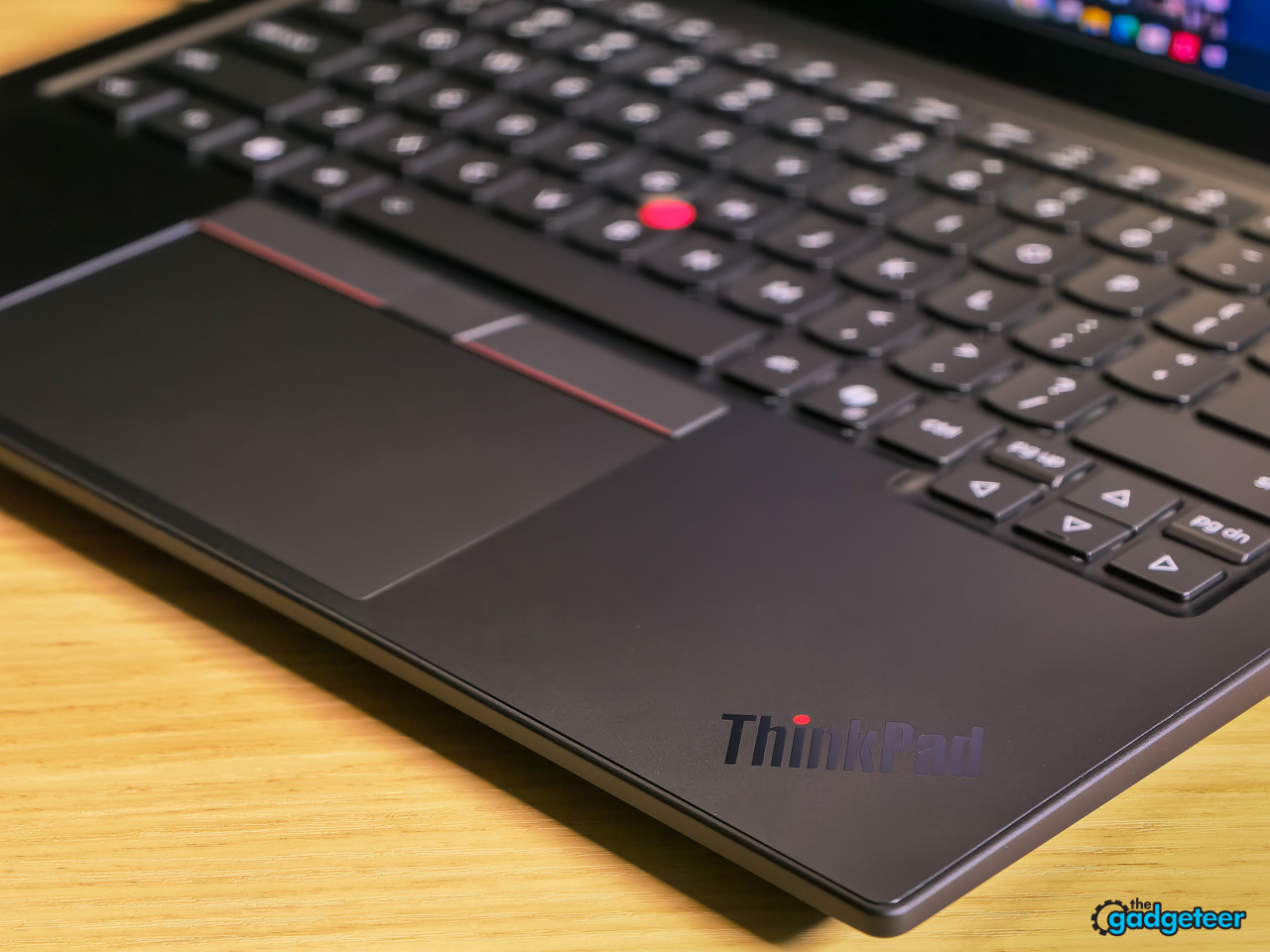
The 120mm glass trackpad is smooth and responsive, though if you’re a TrackPoint user you won’t spend much time on it. The missed opportunity is the haptic touchpad, which Lenovo offers as an option but didn’t include on this review unit. For a flagship at this price, haptic feedback should be standard, not a checkbox.
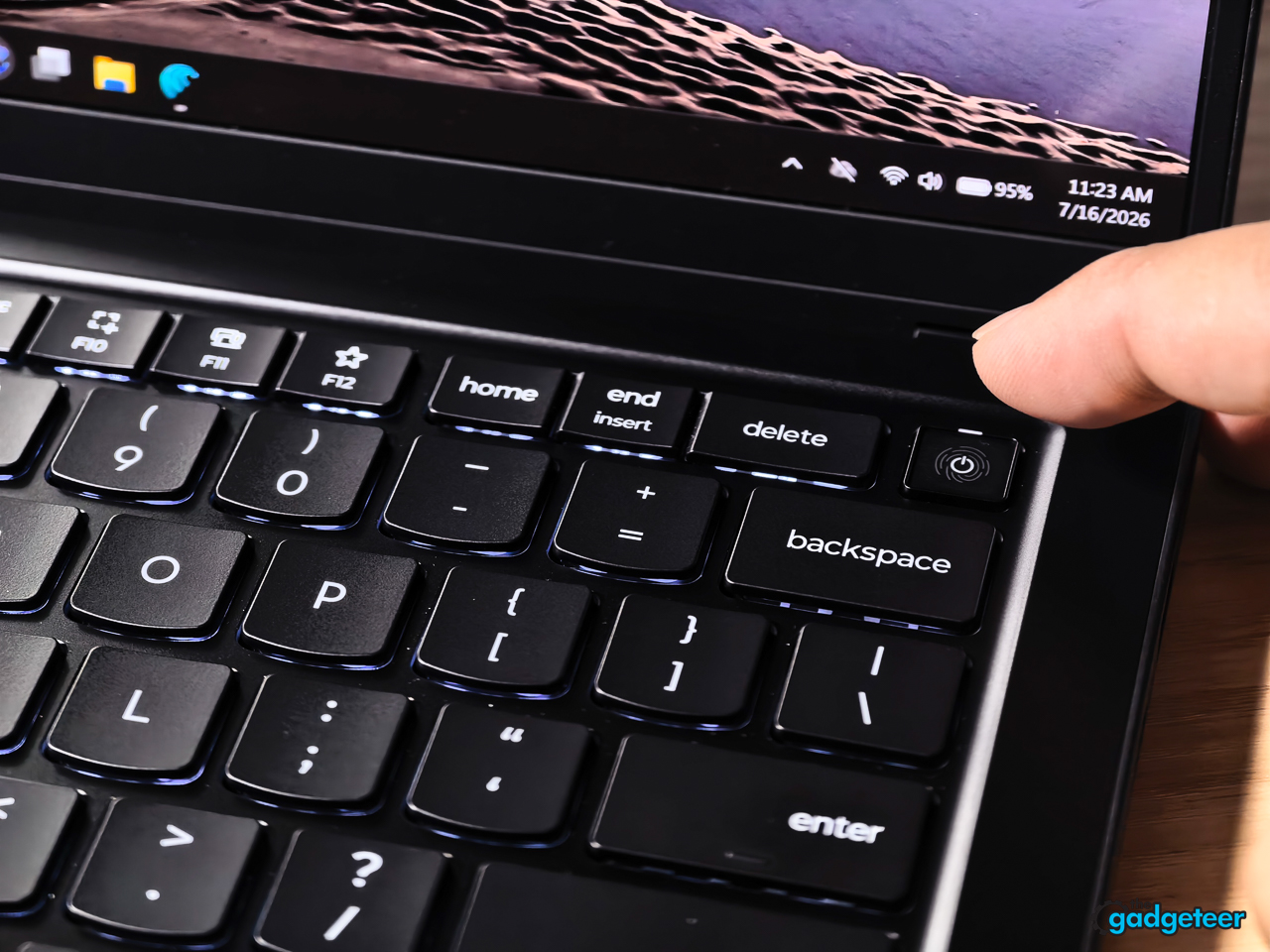
Lenovo moved the fingerprint sensor to the top-right corner and tucked it into the power button, which means one press wakes the machine and logs you in. In practice I found myself reaching for the fingerprint reader in dark rooms where the IR camera struggled, and having both options means you’re never locked out waiting for face unlock to figure itself out. It’s a small touch, but on a machine built for travel, redundant login methods matter more than anyone gives them credit for.
The OLED Panel Is the Config to Get
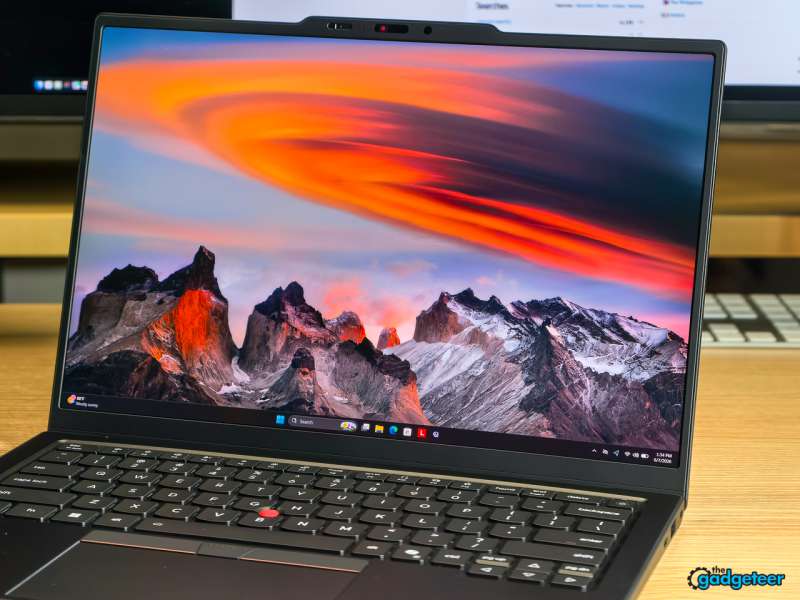
The 14 inch 2.8K (2880 x 1800) OLED runs at 500 nits with an anti-glare finish, covers 100 percent of DCI-P3, refreshes at 120Hz with VRR, and carries DisplayHDR True Black 500 certification with Dolby Vision support.
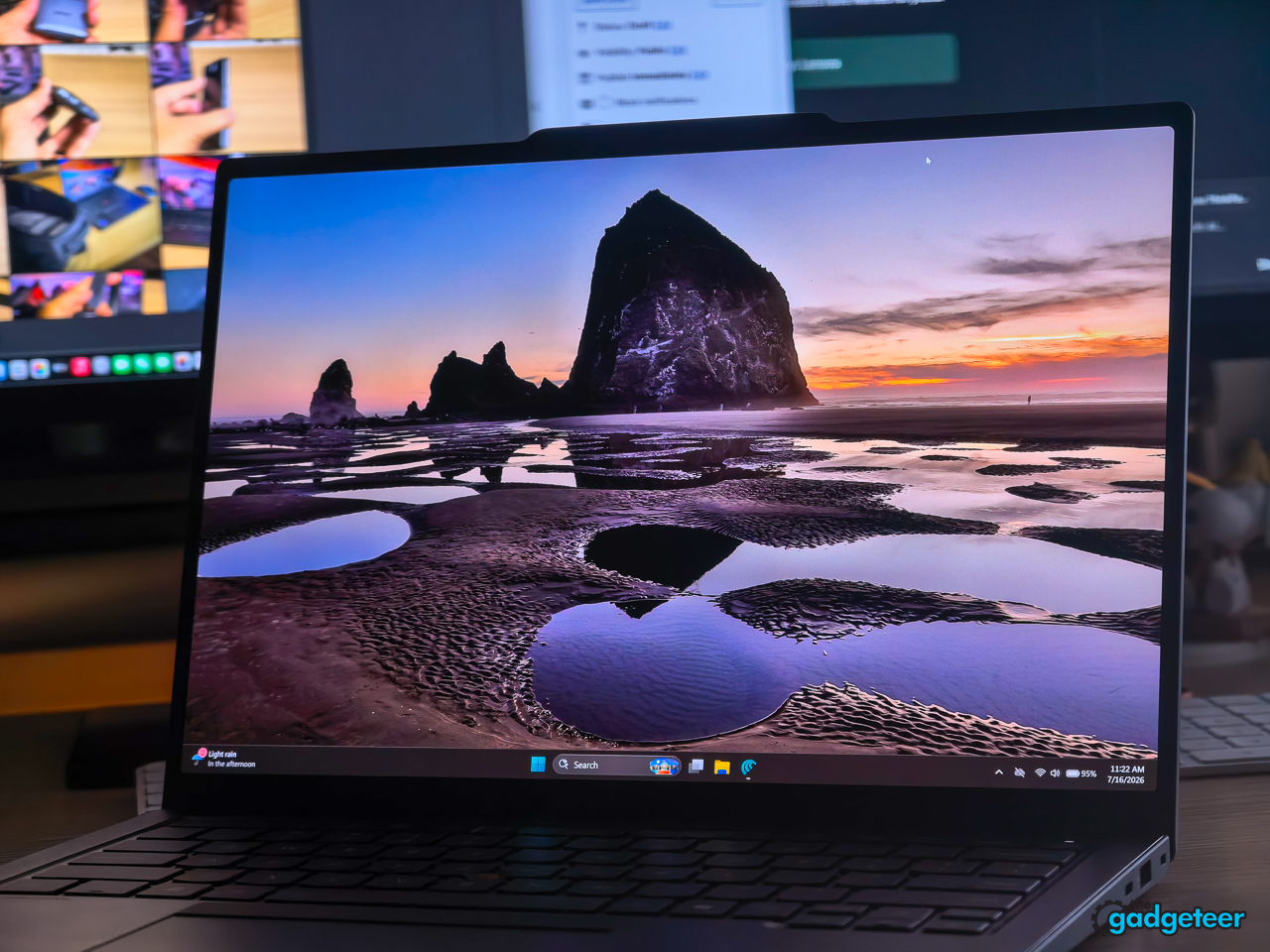
On paper that’s a creator-grade panel in a business machine. In practice, it holds up. The 2.8K resolution is sharp without being punishing on battery, and the OLED delivers what OLED always delivers: deep, true blacks and colors that pop off the screen. On our unit, the panel measured 473 nits peak brightness, 82 percent DCI-P3, and 115 percent sRGB. The DCI-P3 number falls a bit short of the claimed 100 percent, but for everything short of color-critical grading work, the panel looks superb in nearly every lighting condition.
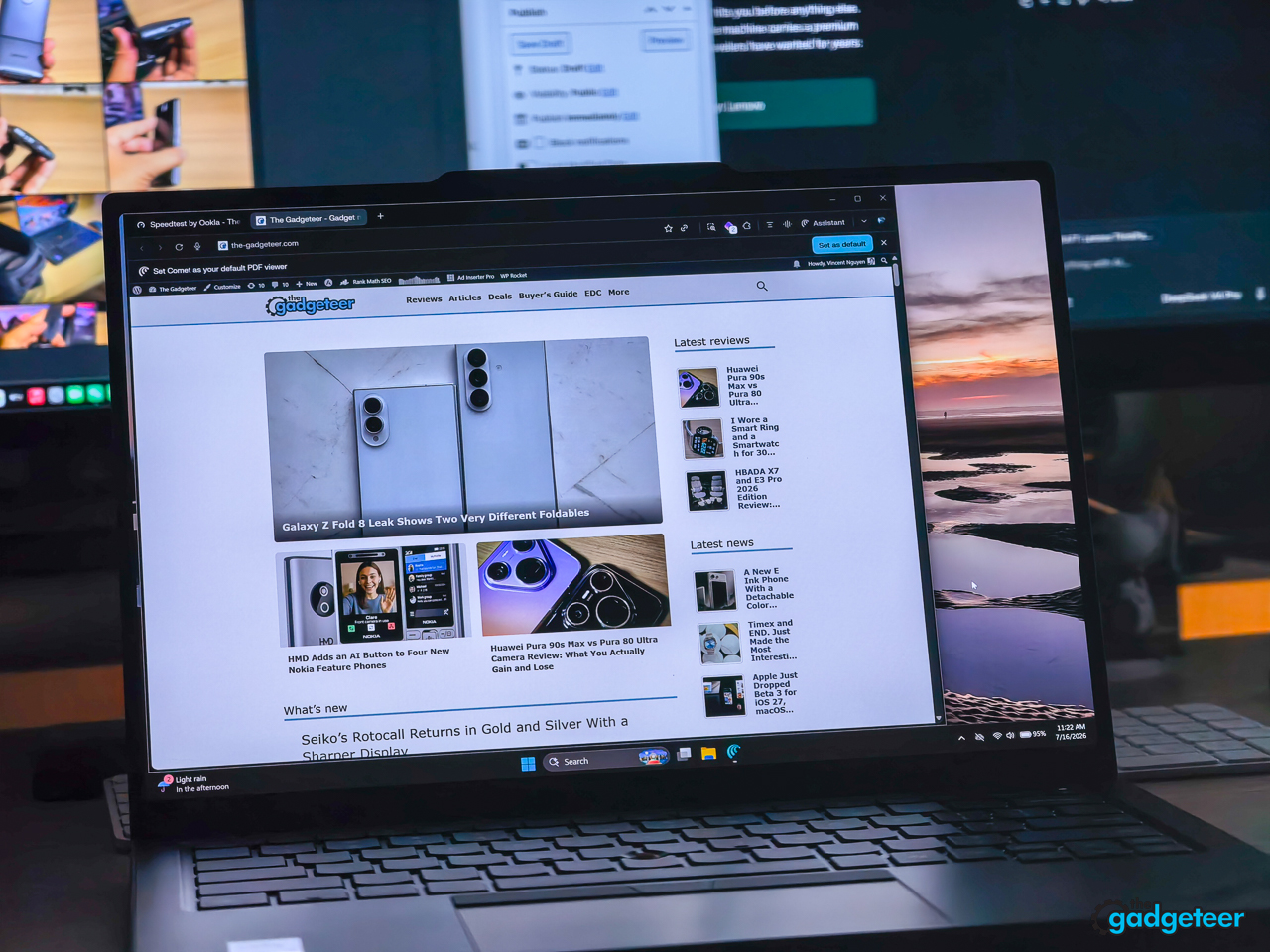
The one place it doesn’t shine is bright outdoor sunlight. At 473 nits it’s perfectly readable indoors and in shade, but sitting on a patio in direct sun, you’ll find yourself squinting. That’s the OLED tradeoff everyone makes, and this panel doesn’t escape it.
The real under-the-radar win is the dynamic 120Hz VRR. Instead of burning battery at a locked 120Hz, the panel dials the refresh rate down when the screen is static and ramps it up when you scroll or play video. It’s the kind of thing you don’t notice working, and that’s the point. It buys the Gen 14 meaningful battery life over its predecessor without asking you to cap the display at 60Hz. One reviewer complaint worth noting: there’s no 4K option here. If you need native 4K for pixel-level work, this isn’t your panel. For everyone else, the 2.8K OLED is the config to get.
Performance: Panther Lake in a 2.15 Pound Chassis
The Core Ultra 7 355 is Intel’s Panther Lake silicon: 4 performance cores, 4 low-power efficiency cores, 8 threads total, boosting to 4.7GHz. The NPU delivers up to 50 TOPS for on-device AI, and the integrated Arc graphics carry up to 12 Xe cores. Memory runs at LPDDR5X-7467 speeds on this config (the platform supports up to 9600MT/s).
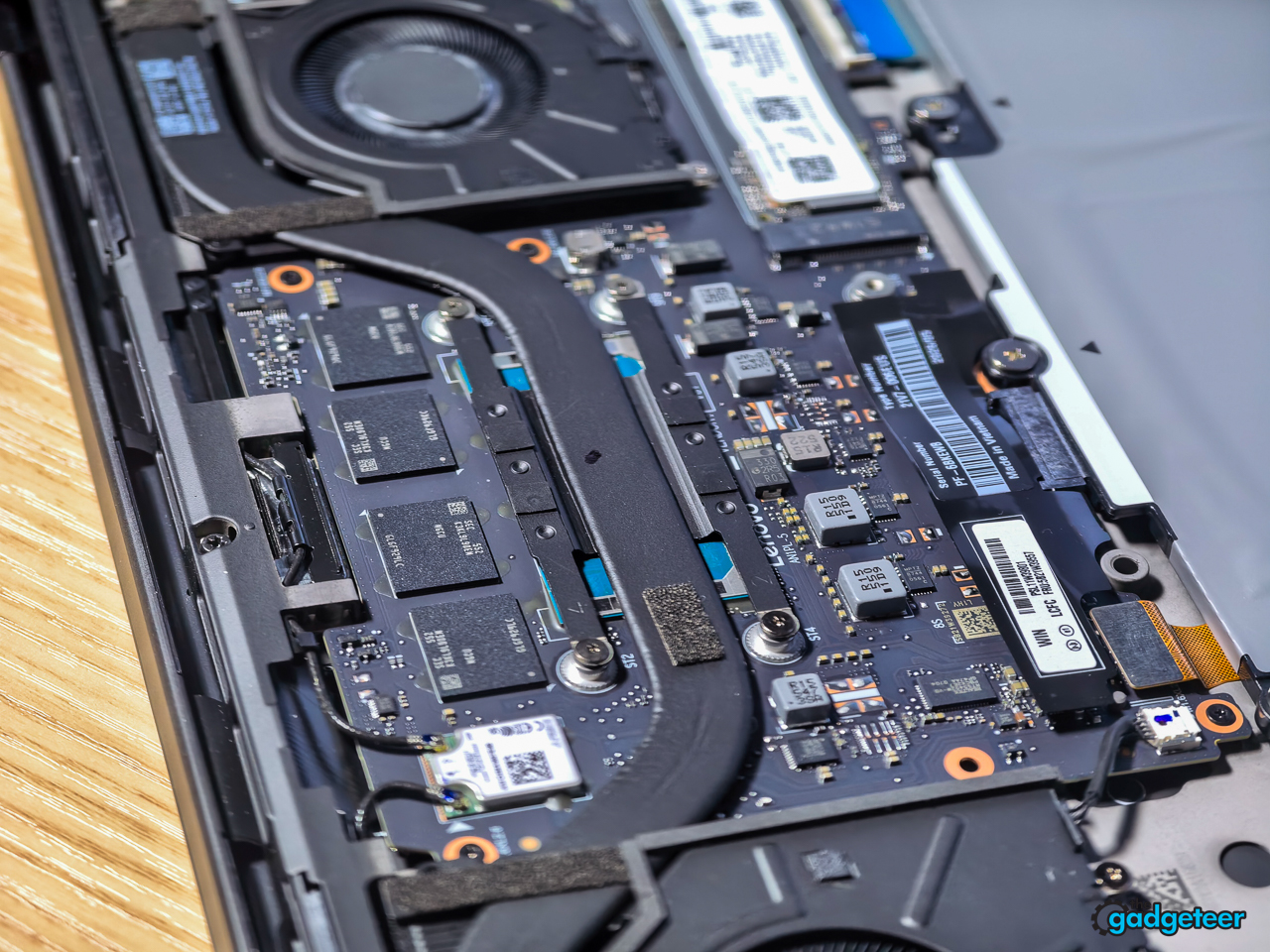
The thermal question is the interesting one. Ultralights throttle, that’s the deal you usually make. Lenovo’s pitch is that the 70 percent larger fan lets this chassis hold 30W sustained.
In Geekbench 6, our unit posted a single-core score of 2,621 and a multi-core score of 11,211 (with a second run landing at 11,263). That’s a genuine generational lift over Lunar Lake in multi-core and productivity workloads, and it puts the X1 Carbon ahead of every ultralight ThinkPad that came before it. But it isn’t class-leading. Both AMD’s latest mobile silicon and Intel’s own higher-wattage Core Ultra X7 outpace it in raw throughput, which isn’t a surprise when you’re packing a 2.15 pound chassis.
The graphics story is mixed. Integrated Arc graphics are fine for presentation decks, streaming, and light photo work, but in some GPU-bound tests the Gen 14 actually trailed the Gen 13. If you need real GPU muscle, this isn’t your machine, and it was never going to be.
Battery: 58Whr and a Fast Refill
The 58Whr battery is a customer-replaceable unit, which fits the whole repairability thesis, and it’s built with 100 percent recycled cobalt. Rapid Charge takes it to 80 percent in 60 minutes on a 65W or higher USB-C adapter.
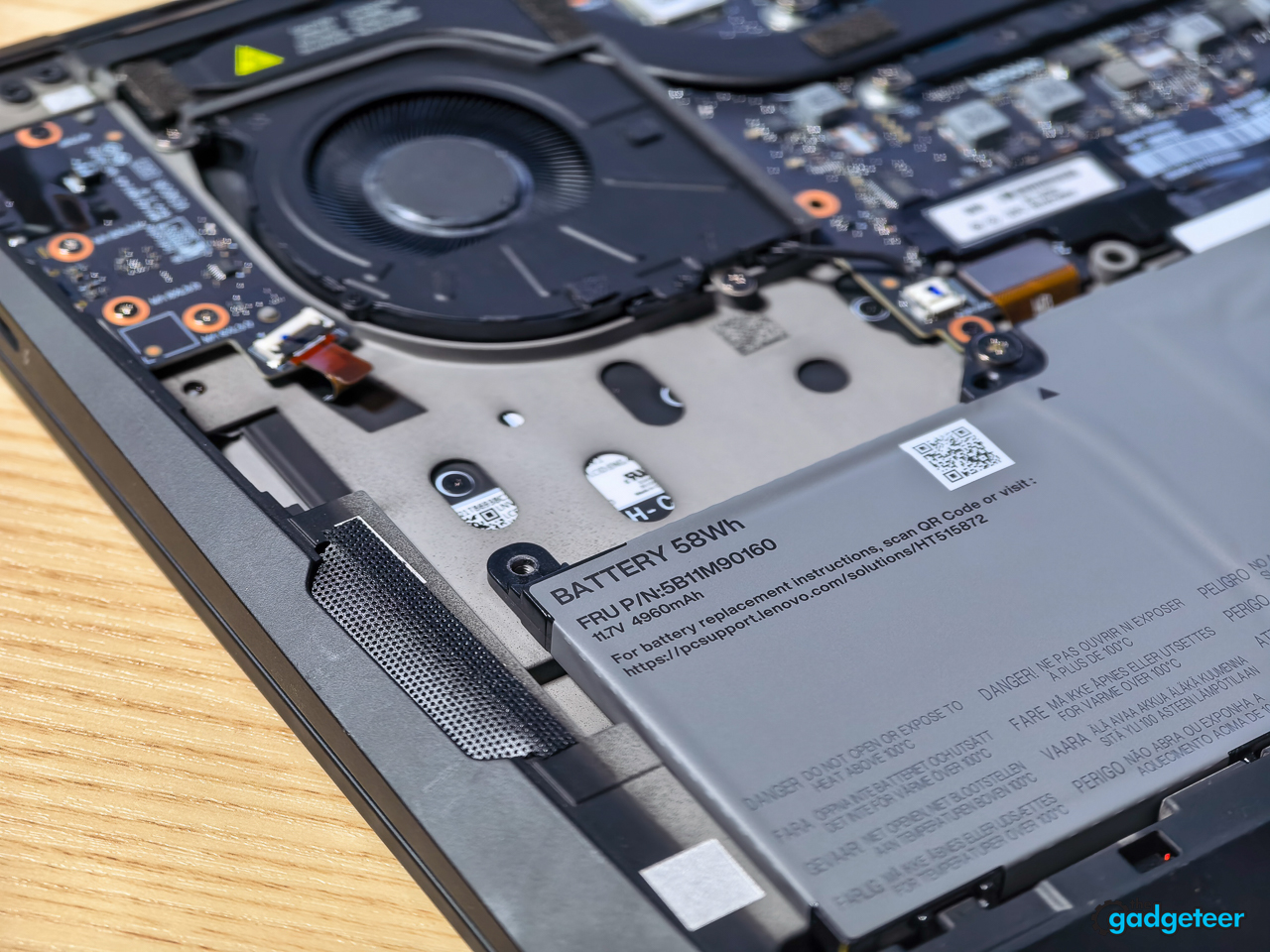
Our video rundown test hit 24 hours, which is excellent for an OLED panel at this resolution. A heavier mixed workload with browser tabs, Slack, and occasional photo editing landed just over 14.5 hours. In real-world use, bouncing between writing, browsing, email, and streaming with brightness around 70 percent, expect somewhere between 5 and 7 hours on a charge. That’s a wide band, and it swings hard based on how much the OLED is lit up and whether the 120Hz VRR is doing its job or you’re pushing the panel hard.
Aura Edition: Software You Might Actually Open
Aura Edition is Lenovo’s co-engineering program with Intel, and on Gen 14 it means three things: Smart Modes, Smart Share, and Smart Care.
Smart Modes are six context profiles (Working, Gaming, Creating, Entertainment, Meeting, Learning) that reconfigure the machine on the fly, VPN prompts, attention timers, distraction blocking, noise cancellation, Dolby tuning. You reach them through an F9 widget or Lenovo Vantage, and the machine can switch modes automatically based on learned behavior.
Smart Share is the party trick. Tap a paired phone against the display edge and your photo gallery syncs to the PC (iOS and Android both, through the Smart Connect app). Tap a Bluetooth accessory against the display edge twice and it pairs, no settings menu safari.
Smart Care puts live Lenovo technicians a chat or call away, with on-site support at the Premium tier.
I won’t oversell the Aura suite. Smart Modes auto-tune your settings by context. I left mine on Working and never looked back, but if your day swings between calls, deep focus, and downtime, the automatic switching has real utility. Smart Share is the sleeper hit: tap your phone to the display edge and photos sync instantly, tap a Bluetooth accessory twice and it pairs. Worked first try with the bundled mouse and headset. Smart Care puts live Lenovo support a tap away for the IT crowd. None of it gets in your way, and that’s the right design.
Connectivity: Three Thunderbolt Ports, Finally on Both Sides
Gen 14 puts USB-C Thunderbolt 4 on both sides of the chassis, three ports total at 40Gbps with 45 to 65W power delivery and DisplayPort 2.1. There’s an HDMI 2.1 port good for 4K at 60Hz, a USB-A port at 5Gbps that stays powered when the lid is shut, a 3.5mm combo jack, and a Kensington Nano slot. Wireless is Wi-Fi 7 and Bluetooth 5.4, with optional 5G through the Nano SIM slot.


Charging from either side is one of those changes nobody puts on a spec sheet highlight reel and everybody appreciates by day three.
Wi-Fi 7 is here on the Gen 14, and whether you notice it depends entirely on your router. I tested on a Frontier 5Gbps connection with a Wi-Fi 7 access point at home, and the short version is this: it’s fast enough that anything beyond this hits diminishing returns for real-world use. Side by side with Wi-Fi 6E, I didn’t see a meaningful speed difference in daily workflows, file transfers landed quick and video calls stayed stable on both. If you’re still on a Wi-Fi 6 or 6E setup at home, don’t upgrade your network just for this laptop. If you already have Wi-Fi 7, the Gen 14 is ready for it. Either way, you’re covered.
Audio and Camera
Two 2W speakers run Dolby Atmos, and the dual-array 360 degree microphones carry Dolby Voice, which does spatial capture, dynamic leveling, noise suppression, and a Collaboration versus Privacy mode toggle that either hears the whole room or only you.
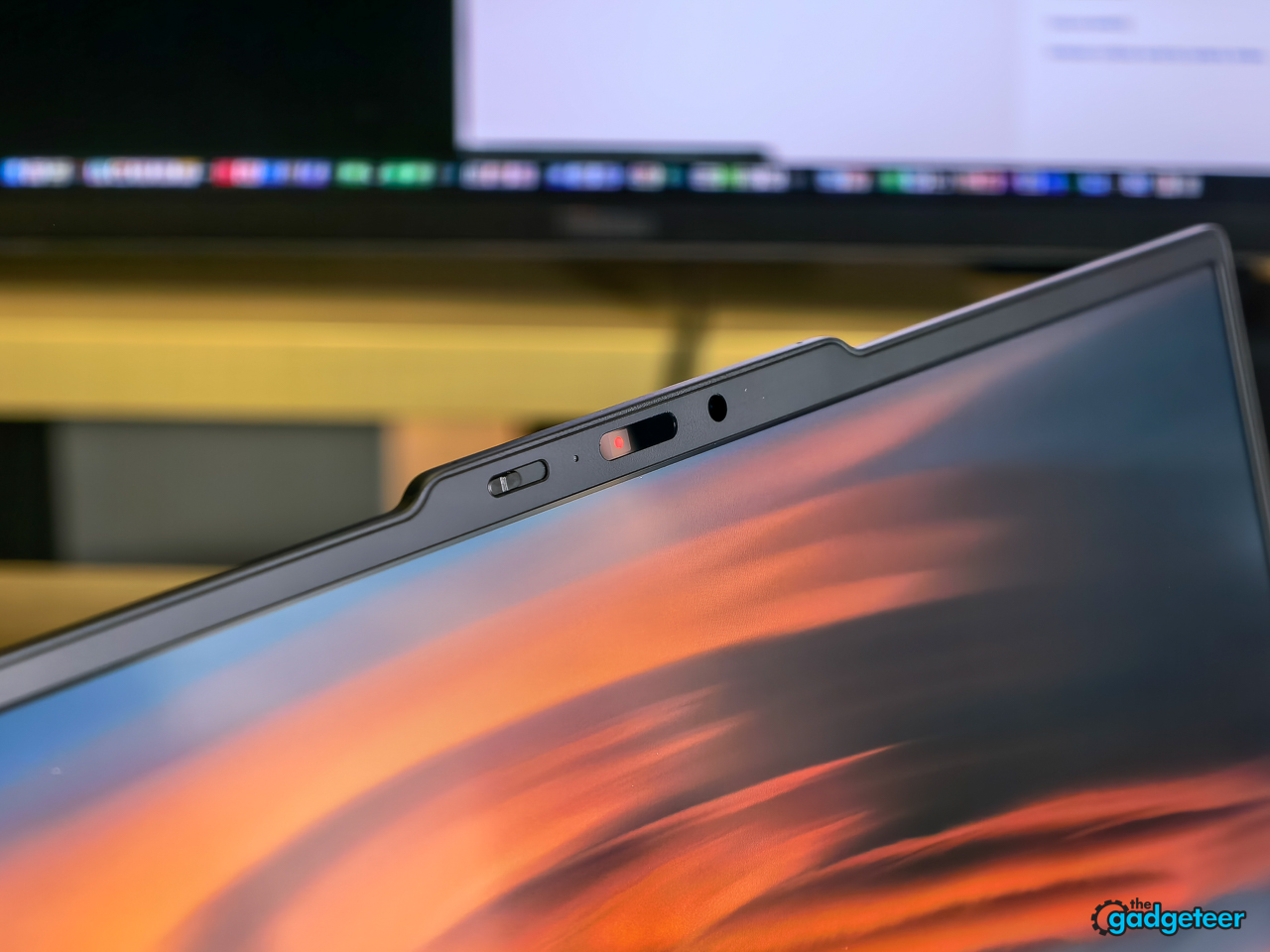
The camera is a 5MP sensor plus discrete IR with a physical privacy shutter, vHDR, and computer vision processing on the ISP.
The dual 2W speakers with Dolby Atmos are better than a work laptop has any right to be. Vocals come through crisp and clear, instruments have real separation and detail, and there’s a hint of bass that never crosses into distortion. The stereo image fills a room convincingly. For YouTube, music, and the occasional video call without headphones, it’s more than enough. Nobody’s buying a ThinkPad for the speakers, but these won’t leave you reaching for earbuds every time.
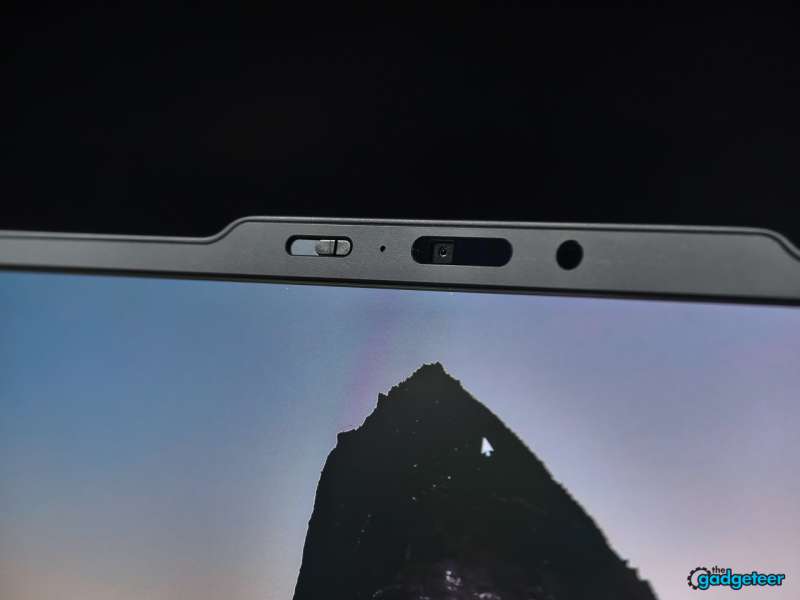
The 5MP webcam with vHDR is fine. It’s good. It’s on par with every other premium business laptop camera on the market right now, which is to say it handles a video call without embarrassment but won’t replace a dedicated webcam. The physical privacy shutter is the feature that actually matters here, and it’s included. The IR camera handles Windows Hello face unlock reliably in decent light. In a dark room, the fingerprint reader in the power button picks up the slack, which I covered earlier. Between the two, you’re covered.
Sustainability Is a Spec Sheet Now
Lenovo published the recycled-materials bill for this machine and it reads like a teardown: 90 percent recycled magnesium in the palm rest and OLED bottom cover, 85 percent recycled keycap material, 98 percent recycled plastic in the speaker enclosure, 100 percent recycled cobalt in the battery, 90 percent recycled steel in the fan housing. Packaging is plastic-free with FSC-certified paper.
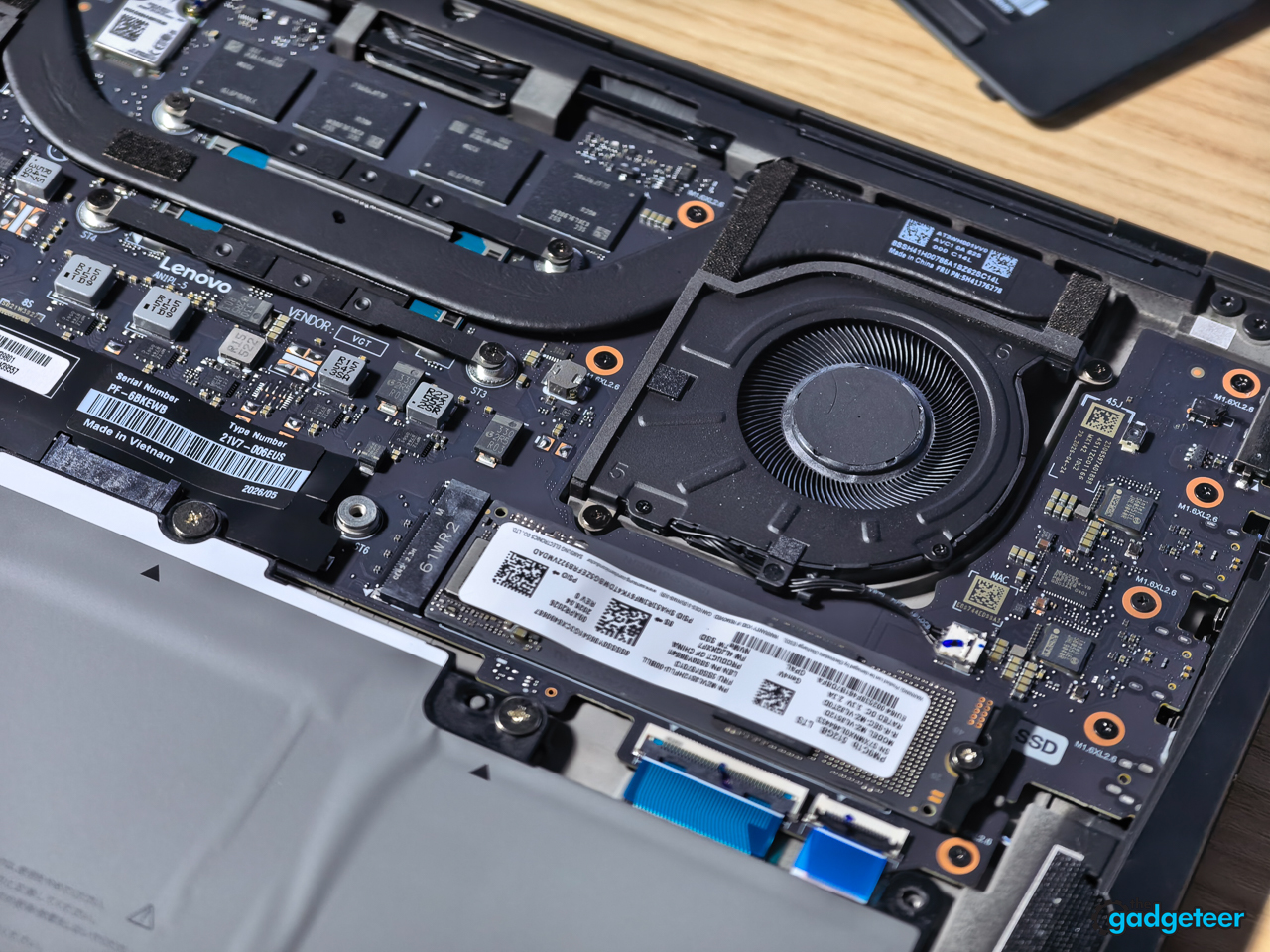
Pair that with the CRU battery and the 9/10 iFixit score and the pitch is coherent: this is a flagship designed to stay in service, not cycle out of it.
The Aura Accessory Bundle
Lenovo shipped three Aura Edition accessories alongside the laptop, and they’ll each get a standalone companion review. The quick take: the Bluetooth Presenter Mouse is tiny at 2.1 ounces, twists from mouse to presenter mode in one motion, and pairs instantly with Tap-to-Pair. The Dual-Mode Wireless ANC Headset punches above its weight, Bose-tuned sound in a 5.4 ounce package that folds flat and switches between Bluetooth and a USB dongle. And the Click-Go Backpack is the sleeper standout, 18 liters with 12 pockets, a one-handed Fidlock magnetic closure, and molded EVA panels that keep its shape empty or full. I love this backpack. We’ll go deeper on all three in the companion piece.
Bluetooth Presenter Mouse


Dual-Mode Wireless ANC Headset


Click-Go Backpack


Value: What $2,255 Buys
As configured, the X1 Carbon Gen 14 costs $2,255, and X1 Carbons have never pretended to be value plays. The premium buys the lightest chassis in the business flagship class, an OLED that embarrasses most business panels, and the only repairability story in the segment worth telling.
The internal Lenovo comparison matters here. If the badge matters less than the budget, the value-tier L14 Gen 7 does the workday for a lot less, and the X13 Gen 7 gets you most of the portability at a friendlier price. The X1 Carbon is for the buyer who wants the ceiling, not the middle.
Verdict
The ThinkPad X1 Carbon Gen 14 Aura Edition is the best business ultraportable you can buy in 2026. That isn’t a hot take. It’s the quiet result of Lenovo refusing to chase specs that don’t matter and doubling down on the ones that do: weight, typing, screen quality, and now repairability.
At 2.15 pounds this thing disappears in your bag and saves your back on a long travel day. The keyboard is the best on any laptop this thin, period. The 2.8K OLED with dynamic VRR delivers the color pop you expect from OLED without the battery anxiety you’ve learned to accept. And the Space Frame internals mean you can swap the battery and SSD yourself, no prayer required, which no other flagship business laptop can claim.
It isn’t the fastest. Other chipsets out there put up bigger numbers, but they burn more power to do it, and Lenovo made the right trade. RAM is soldered, so choose your configuration at purchase and don’t look back. And yes, it’s expensive. The starting configuration starts at $2249, and X1 Carbons have always commanded a premium. The question isn’t whether it costs more. It’s whether you value the things this laptop does better than anything else in its class.
Buy it if: Weight is everything to you and every ounce in your bag counts. You type all day and the keyboard is your primary interface, this is the best on any laptop this thin. You care about fixing your own stuff: the Space Frame means modular ports and accessible internals without glue or heroics. You want OLED color and contrast without carrying a charger everywhere. Ports matter to you: Thunderbolt 4, HDMI, and USB-A mean no dongle life.
Skip it if: You need raw multicore muscle, the EliteBook outruns it. You want a 4K panel, 1800p is the ceiling here. You need upgradeable RAM, what you buy is what you live with. You need a dedicated GPU, this isn’t that machine (it can game in a pinch, but gaming isn’t the point). You want a laptop that stays cool under sustained load, it won’t burn you but it won’t stay cool either.
For everyone else, this is the one to beat.
Price: $2,249
Where To Buy: Lenovo