

Most “best tablet” lists are written for people who already decided to buy. The best tablet for note taking in 2026 is not the one with the longest spec sheet, it is the one you will still be reaching for a year from now, once the novelty of writing on glass wears off.
Quick Pick Summary
Best Overall: Apple iPad Air 11-inch (M4), From $599 at Amazon
Best Premium Android: Samsung Galaxy Tab S10+, $718.75 at Amazon
Best Budget Android: Samsung Galaxy Tab S6 Lite, $299.98 at Amazon
Best Writing-Focused E-ink: reMarkable Paper Pro 11.8, $679 at Amazon
Best Android E-ink: BOOX Note Air5 C 10.3, $529.99 at Amazon
Best Value E-ink: BOOX Go 10.3 Gen 2, $419.99 at Amazon
Note-taking tablets have split into two camps: e-ink slates built for distraction-free writing, and LCD or AMOLED tablets that write well and also run every app you own. We compared the top options across both to find the one that actually fits how you work.
Who Should Buy a Note-Taking Tablet
Before we dive into the picks, here’s a quick look at who each tablet is built for:
- Apple iPad Air 11-inch (M4): The all-around pick. Great stylus support, a massive app ecosystem, and a gorgeous display. Best if you want one tablet for notes, reading, browsing, and media.
- Samsung Galaxy Tab S10+: The premium Android option. Comes with the S Pen included, a gorgeous 12.4-inch Dynamic AMOLED display, and strong multitasking with DeX mode.
- Samsung Galaxy Tab S6 Lite: The budget champion. S Pen included, reliable note-taking experience, and you don’t have to worry about breaking the bank.
- reMarkable Paper Pro 11.8: The ultimate distraction-free writing slate. If you want the closest thing to pen on paper without screen glare or notifications, this is it.
- BOOX Note Air5 C 10.3: The Android-powered e-ink tablet. Runs Android apps, comes with the BOOX Pen3 stylus that never needs charging, and gives you both a reading and writing device in one.
- BOOX Go 10.3 Gen 2: The best value in e-ink. Does most of what the Note Air5 C does for $110 less, though with a few compromises on build and features.
Best Tablets for Note Taking in 2026
Six picks, from distraction-free e-ink slates to do-everything LCD and AMOLED tablets, ranked by how they actually feel to write on.
reMarkable Paper Pro 11.8: Best Writing-Focused E-Ink Tablet
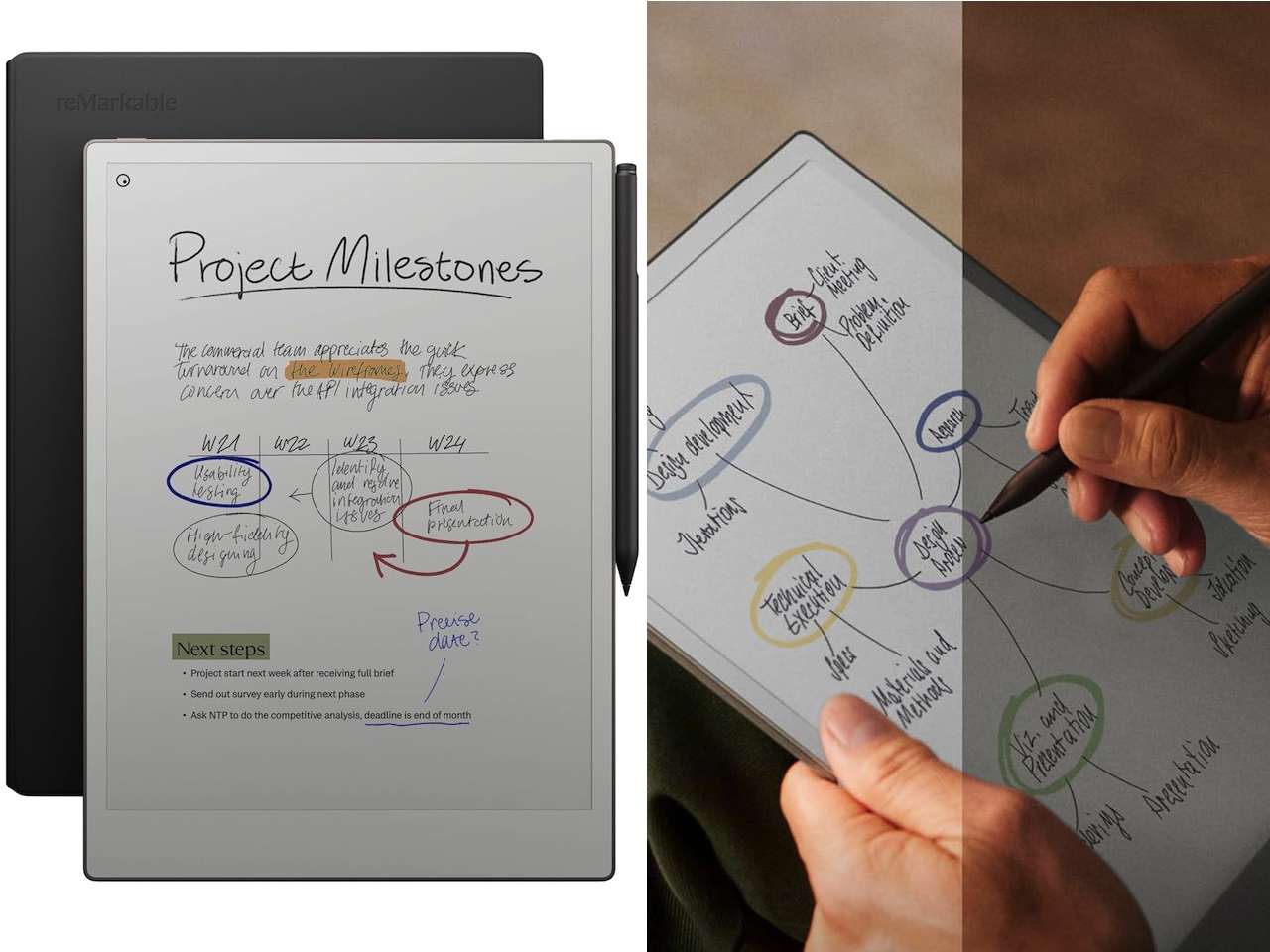 The reMarkable Paper Pro is the closest thing to a paper notebook, built around a front-lit 11.8-inch e-ink display. It uses a textured canvas finish that makes the Marker Plus pen feel like it’s dragging across real paper. There’s no app store, no email, no notifications. Just your notes, organized into folders, synced to the cloud.
Battery life is measured in weeks, not hours. The writing feel is the best in this roundup. You can convert handwriting to text, search your notes, and share them as PDFs. The trade-off is that it’s a single-purpose device. You can’t run Google Docs, load Netflix, or browse the web meaningfully. If you only need to write, it’s fantastic. If you want a tablet that also plays video or runs full Android apps, keep looking.
Price: From $679 | Where to Buy: Amazon
Best for: Writers, students, and professionals who want zero distractions and a real pen-on-paper feel.
Apple iPad Air 11-inch (M4): Best Overall
 The iPad Air with the M4 chip is the best all-around note-taking tablet you can buy right now. It works with the Apple Pencil Pro, which gives you tilt, pressure sensitivity, hover detection, and a new squeeze gesture for quick tool switching. The 11-inch Liquid Retina display is bright, color-accurate, and supports a smooth 60Hz refresh rate that feels perfectly responsive for handwriting.
Apps like GoodNotes, Notability, and Freeform are at their best here. The M4 chip handles split-screen note-taking with a textbook or browser open on the other side without breaking a sweat. At around $599, it’s solid value for a device that also serves as a laptop replacement with the Magic Keyboard. Battery life sits around 9 to 10 hours of real use. The main downside: the Apple Pencil Pro costs an extra $129, which bumps the total closer to $730. We broke down what actually changed in this year’s Air in our iPad Air breakdown.
Price: From $599 | Where to Buy: Amazon
Best for: Anyone who wants one tablet for notes, media, apps, and maybe even laptop duties.
BOOX Note Air5 C 10.3: Best Android E-Ink Tablet
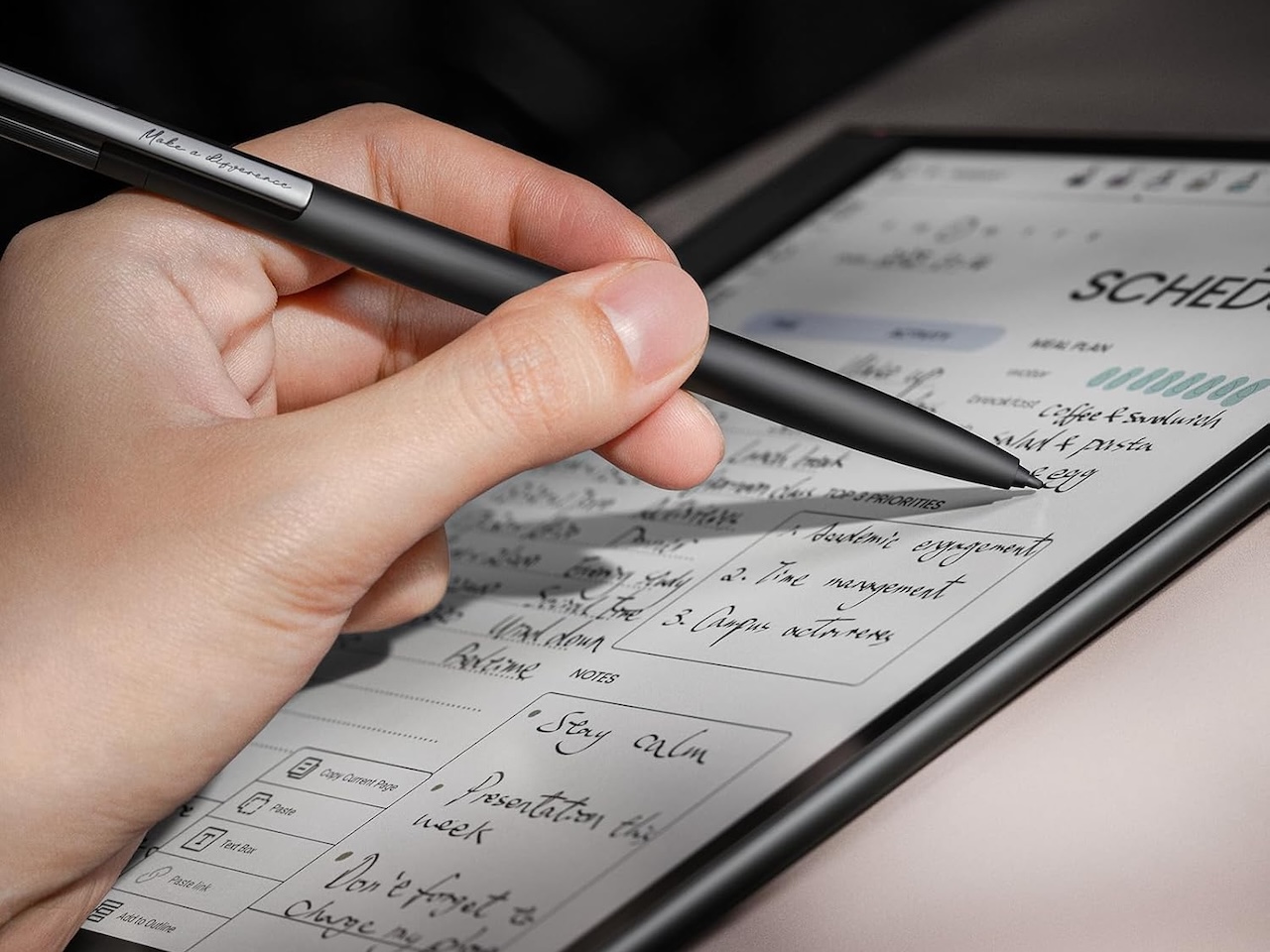
The BOOX Note Air5 C runs a full version of Android, which means you can install Evernote, OneNote, Kindle, or any note-taking app from the Google Play Store. It uses the BOOX Pen3 stylus on an EMR layer, so the pen never needs charging, and the 10.3-inch Kaleido 3 color e-ink display, built on Carta 1200 glass, delivers sharp text with adjustable front lighting.
Write on it, read on it, put a productivity app on it. The Note Air5 C bridges the gap between a dedicated writing slate and a full Android tablet. The screen refresh when navigating Android apps is slower than an LCD tablet, but that’s the e-ink trade-off. Battery life stretches into weeks with moderate use. At $529.99, it’s a strong option if you want e-ink’s eye comfort with Android’s flexibility.
Price: $529.99 | Where to Buy: Amazon
Best for: People who want e-ink comfort plus the ability to run Android note-taking and reading apps.
Samsung Galaxy Tab S6 Lite: Best Budget Android
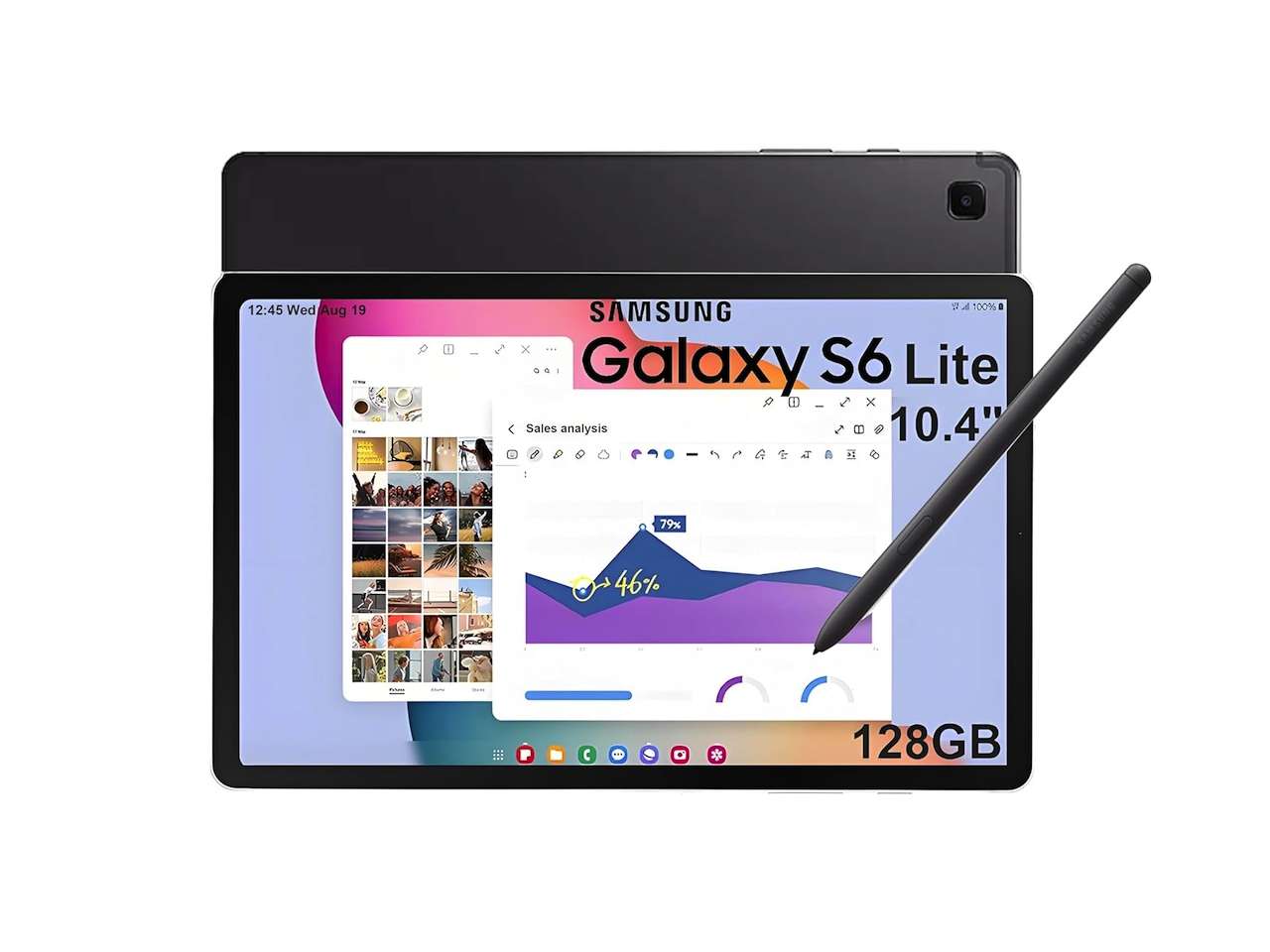 The Galaxy Tab S6 Lite is the smartest budget buy for note-taking. It comes with the S Pen right in the box. No extra purchase, no hidden cost. The 10.4-inch LCD display is perfectly fine for writing, and Samsung Notes is a genuinely good app that syncs across Galaxy phones and Windows.
At $299, you get a tablet that handles notes, video streaming, light productivity, and kids’ use without stress. The processor won’t win any speed records, and the display isn’t AMOLED, but for the price, nothing else comes close to the complete note-taking package.
Price: $299.98 | Where to Buy: Amazon
Best for: Students and budget shoppers who want a capable note-taking tablet with the pen included.
Samsung Galaxy Tab S10+: Best Premium Android
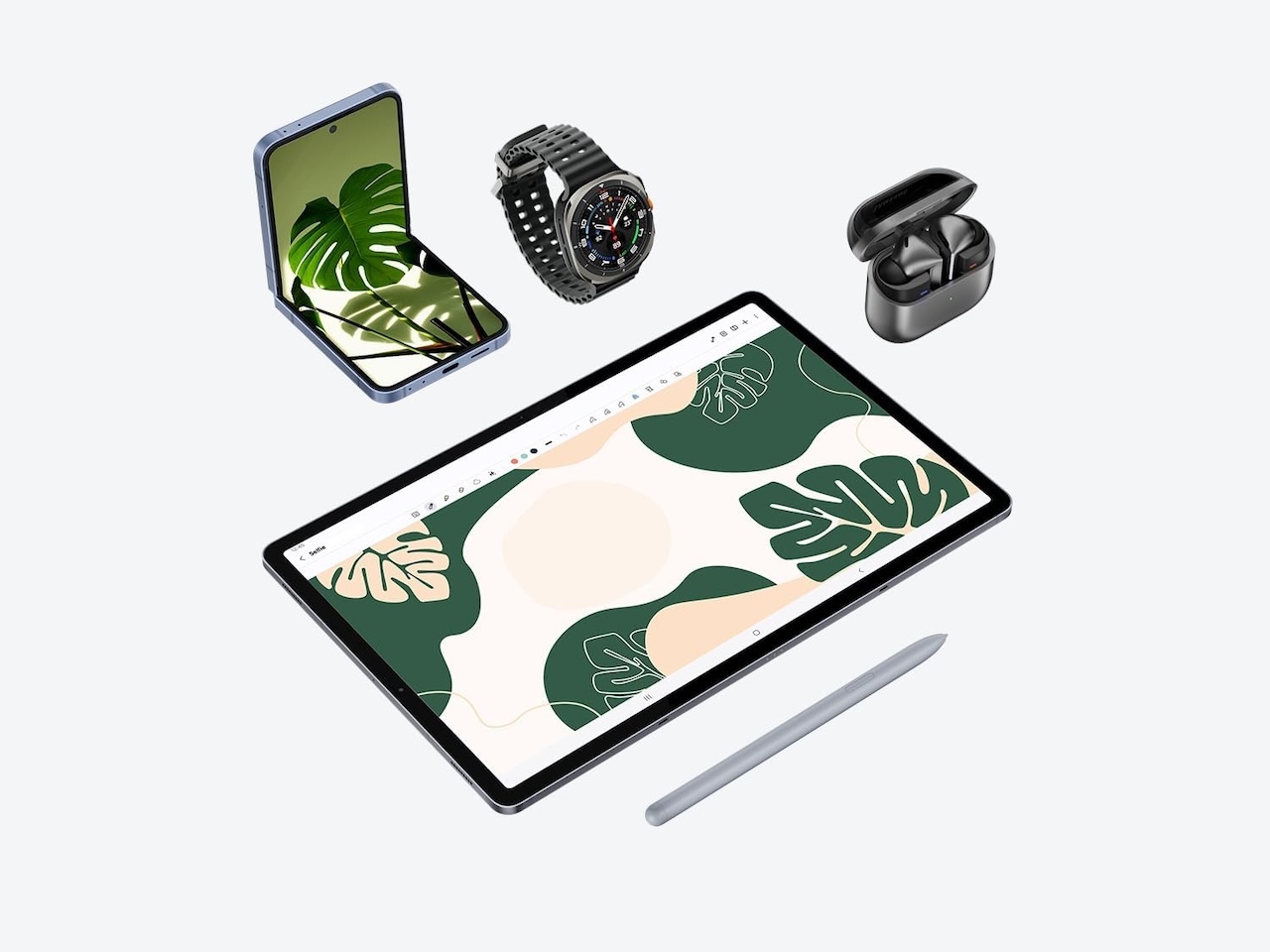 The Galaxy Tab S10+ is Samsung’s flagship Android tablet for a reason. That reason is the screen. The 12.4-inch Dynamic AMOLED 2X display is stunning. Colors pop, blacks are true, and the 120Hz refresh rate makes the S Pen feel like ink flowing onto high-quality paper. The S Pen is included and docks magnetically on the back for charging.
Samsung DeX mode turns the tablet into a desktop-like environment when you connect a keyboard. That makes it genuinely useful as a laptop replacement. You can take handwritten notes in Samsung Notes, split the screen with a reference document, and jump into a video call without skipping a beat. For its price, it’s a serious investment. But considering the display, the included pen, the IP68 water resistance, and the raw performance, it’s the premium Android note-taking experience to beat.
Price: $718.75 | Where to Buy: Amazon
Best for: Android users who want the absolute best display and multitasking for notes and productivity.
BOOX Go 10.3 Gen 2: Best Value E-Ink Tablet
 The BOOX Go 10.3 Gen 2 is the budget-friendly e-ink entry point that still delivers a real writing experience. It has a 10.3-inch monochrome Carta 1200 e-ink display and ships with the BOOX InkSense Plus active stylus, which offers 4,096 pressure levels and recharges over USB-C. The pen is included, and you can install Android note-taking apps just like its bigger brother.
What do you give up? The build is plastic instead of aluminum, there’s no front light, and the processor is a step down. For pure note-taking in good light, none of those matter. At $419.99, it’s a solid gateway into e-ink note-taking without spending over $500. The 5-star rating across 8 reviews is early, but the formula is proven.
Price: $419.99 | Where to Buy: Amazon
Best for: Budget-conscious writers who want e-ink but don’t need front lighting or a premium build.
Tablet Comparison at a Glance
| Tablet | Display | Pen | Price | Best for |
|---|---|---|---|---|
| Apple iPad Air 11-inch (M4) | 11″ Liquid Retina LCD, 60Hz | Apple Pencil Pro (sold separately) | $599 | All-around notes, apps, and media |
| Samsung Galaxy Tab S10+ | 12.4″ Dynamic AMOLED 2X, 120Hz | S Pen (included) | $799.99 (was $999.99) | Premium Android display and multitasking |
| Samsung Galaxy Tab S6 Lite | 10.4″ LCD | S Pen (included) | $209.99 (was $329.99) | Budget note-taking with the pen included |
| reMarkable Paper Pro 11.8 | 11.8″ color e-ink with front light | Marker Plus (included) | $679 | Distraction-free writing |
| BOOX Note Air5 C 10.3 | 10.3″ Kaleido 3 color e-ink, Carta 1200 | BOOX Pen3, EMR (included) | $529.99 | E-ink comfort with Android apps |
| BOOX Go 10.3 Gen 2 | 10.3″ monochrome e-ink, Carta 1200 | InkSense Plus, USB-C (included) | $419.99 | Best value in e-ink |
What to Look for in a Note-Taking Tablet
Not all tablets handle handwriting the same way. Here’s what matters most:
- Pen feel and latency. The stylus is your main input. Look for low latency (under 20ms), tilt sensitivity, and a tip that feels natural. Wacom EMR pens, like Samsung’s S Pen and the BOOX Pen3, don’t need charging, while some newer active pens such as BOOX’s InkSense Plus recharge over USB-C. Apple Pencil needs charging but delivers best-in-class precision.
- Display type. E-ink is easier on the eyes and lasts weeks on battery, but it’s black and white (or grayscale) with slow refresh rates. LCD and AMOLED look better, run all apps smoothly, but need daily charging.
- App ecosystem. iPadOS has the richest note-taking apps. Android gives you flexibility and Google integration. reMarkable has zero third-party apps. Pick the ecosystem you already live in.
- Battery life. E-ink tablets last weeks. LCD tablets last 8 to 12 hours. If you take notes in long sessions away from an outlet, e-ink wins. If you’re always near USB-C, an LCD tablet works fine.
- Pen included or sold separately. Samsung tablets and BOOX tablets include the pen in the box. Apple sells the Apple Pencil Pro separately for $129, so factor that into an iPad’s total cost. The reMarkable Paper Pro’s $679 Amazon bundle already includes the Marker Plus with a built-in eraser.
Quick Pick Summary
Best Overall: Apple iPad Air 11-inch (M4), From $599 at Amazon
Best Premium Android: Samsung Galaxy Tab S10+, $718.75 at Amazon
Best Budget Android: Samsung Galaxy Tab S6 Lite, $299.98 at Amazon
Best Writing-Focused E-ink: reMarkable Paper Pro 11.8, $679 at Amazon
Best Android E-ink: BOOX Note Air5 C 10.3, $529.99 at Amazon
Best Value E-ink: BOOX Go 10.3 Gen 2, $419.99 at Amazon
Which Tablet Should You Buy for Note Taking?
The Apple iPad Air 11-inch (M4) is our top pick because it does everything well. You get best-in-class stylus support, an unmatched app library, and the ability to double as a laptop. It’s the safest, most versatile choice for most people.
If you’re an Android user, the Samsung Galaxy Tab S10+ delivers the best display and performance with the S Pen included. For a more affordable entry, the Galaxy Tab S6 Lite is unbeatable at its price.
If you want zero distractions and a real pen-and-paper feel, go with the reMarkable Paper Pro. It can’t do much, but what it does, it does beautifully. And if you want e-ink with the flexibility of Android apps, the BOOX Note Air5 C is the smart middle ground, with the Go 10.3 Gen 2 as the budget-friendly alternative.
Who should skip a note-taking tablet altogether? If you already carry a laptop everywhere and only jot the occasional note, your phone or a paper notebook will do the job for free. And if you want a fast, full-color screen for video, gaming, and a full app store, the writing-first e-ink slates will frustrate you. Their refresh rates are slow by design, and that is the trade for weeks of battery and eye comfort.




Gadgeteer Comment Policy - Please read before commenting
reviewer failed to look at supernote which, while lacking perhaps the form factor of remarkable and the feel is far better as a note-ticking device and I have used both for quite a while. super note Manta offers all kinds of ways to link notes together where you can create headers, intra and inner document links, indexes, and table of contents. It’s really the best e-ink device for note takers.