
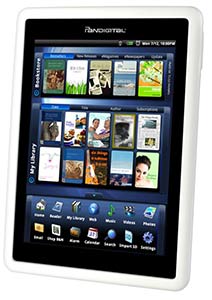
 There was a lot of talk about this unit from Pandigital (maker of Digital Photo Frames and film scanners) around June when they were removed off the shelves of Kohl’s for poor/slow performance. They came back with newer firmware and much quicker response in July at Bed Bath & Beyond Stores along with Walgreens and JCPenny’s. But is this a worthy contender in the burgeoning e-reader market?
Not really. Yet.
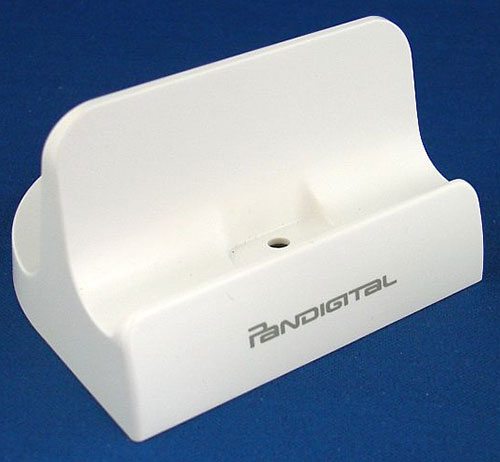
I ran to grab a unit at Bed Bath & Beyond with a 20% off coupon and a PDF of a $20 rebate (to send to Pandigital) in hand to eagerly try it out. The box contains a Mini-USB cable, AC power supply (The Novel DOES NOT Charge via USB; A shame, but not impossible.) A stand (that can be used to sit the Novel for charging or viewing pictures.) and the manual.
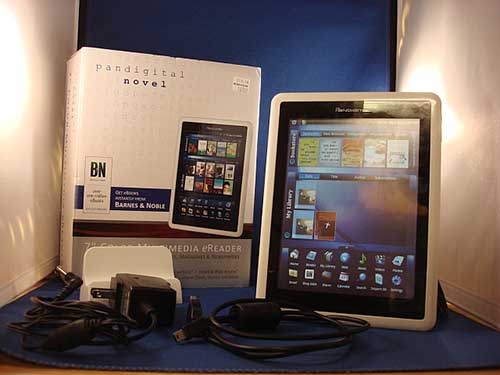
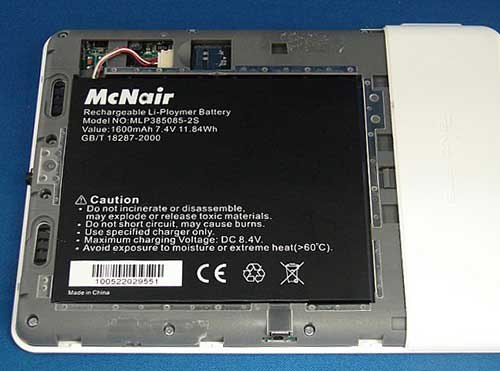
The Novel is a solid unit that uses a rechargeable battery that can be removed/replaced unofficially as well as an internal 1gig Micro-SD card that can be replaced.
The Novel also has a external SD slot that can use up to 32 gigs. NOTE: If you turn on the Novel with the external SD inserted, the Novel will not recognize the internal card. To utilize both memory cards you have to boot without the external card.
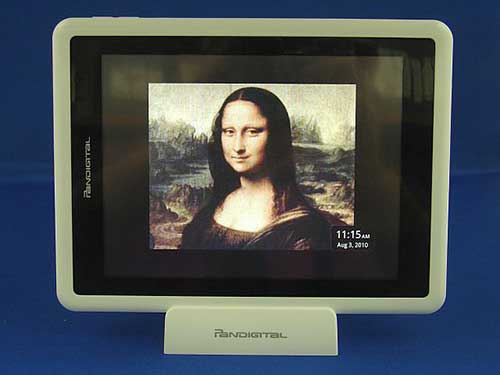
Pandigital currently has one unit out; a white with a black matte 7 1/2″ by 5 1/2″, although an all black unit will be out soon. The white Pandigital weighs about 1.lb 2.0z, about the same as a 326 page hard cover book. The screen is glass on top, and is a fingerprint magnet, but seem to handle wear OK, although I want to cobble a screen protector. The rest is in white plastic; smooth but not cheap feeling.
There are not many controls on the Novel. It has a sliding power switch and a rocker for volume control. They do feel sturdy enough for extended use.
This is a resistive touchscreen (PDA as opposed to a capacitive one (iPhone, Droid phone) so it needs a nice pointy finger, or a stylus for maximum control. I had a stylus from a Palm TX that did the trick (also can use the reset pin when unscrewed on the Novel reset hole.) But when using the Novel, a finger did do the trick. When holding the unit with the left hand and using my right index finger to swipe pages, a firm poke worked, though you can see the reaction (smearing) on screen with the digitizer. It wasn’t bad, but weird to see when using the Novel.
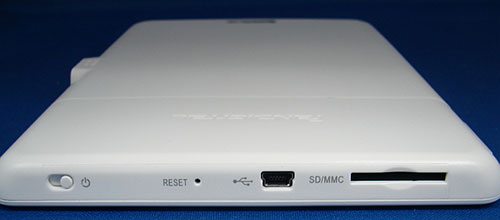
On top contains the power switch, a rest hole (a paper clip or a palm stylus unscrewed will work), a Mini-USB socket and the external SD slot for MMC or SDHC.
The left contains the Volume switch.
The right side is the outlet for the power supply. It does not seem to plug in flush to the unit, but it does not seem to fall out easily.
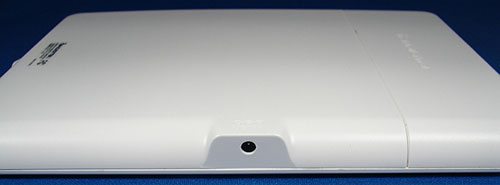
You’ll notice that the power outlet is flanked by a flat surface. It is meant to fit on the stand ( you can plug in the power supply through it) so it can charge on the stand.
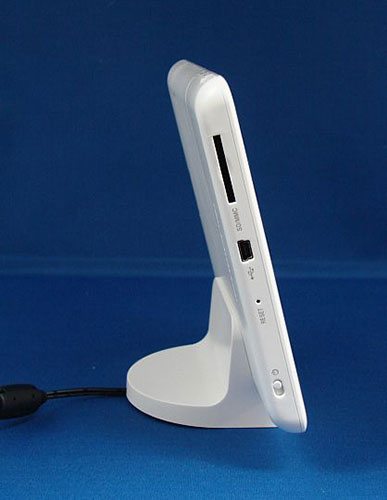
The bottom features the headphone jack for typical earplugs and stereo speakers. The sound output isn’t bad, but I wouldn’t rock out to the external speakers as the videos play in landscape mode, and the sound could get lost unless you crank it up. Fortunately no distortion though.
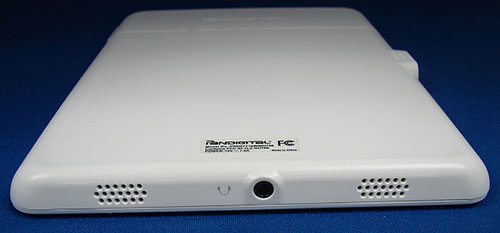
Overall, the unit has a nice weight to it, and a solid feel. I heard a little rattle when shaking although I didn’t see anything loose. I have heard stories of units that has some cracks on the edges, but my unit was fine. YMMV but Bed Bath & Beyond does have a good return policy.
The unit might feel a little slick to hold as it is smooth; so hopefully there will be a case for this.
The back is stuck on with double-sided tape, but is still solid after removing it to replace the memory card. The battery looks removable, although I haven’t researched this.
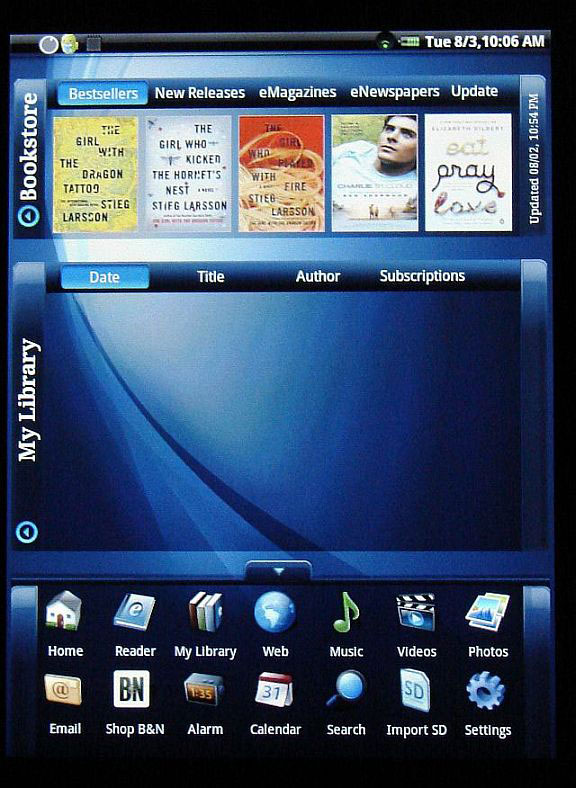
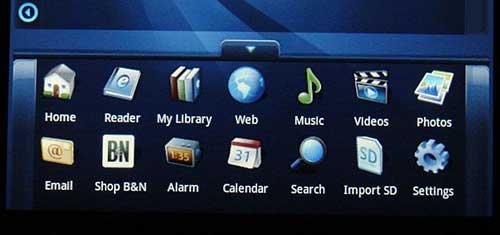
Running on the Android OS, The Novel is a ‘closed’ system; meant to use Pandigital’s proprietary launcher of programs.
It would take approx. a minute to boot up cold.
Under Settings, you can adjust Wireless, Calibration (use a stylus for maximum precision)
Subscriptions, Alarms Photos Support and a Working Reset to Default settings.
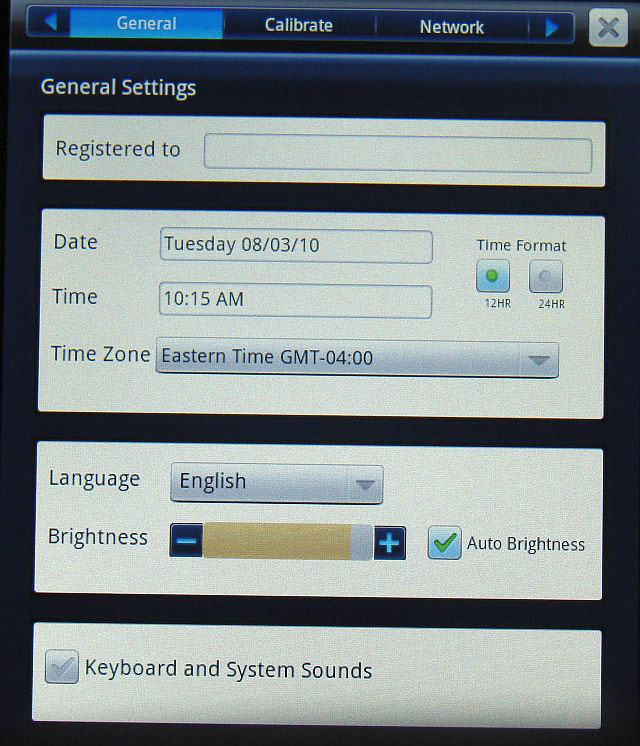
Wireless does a decent job of scanning websites using b/g/n adapter. I had some trouble with finding my hidden network, but the manual says how to use the manual setting. Your mileage will vary on your network. I had to reset my router to finally get the Novel and the router talking to each other.
The Novel’s main feature is the Barnes & Noble e-reader/bookstore software; sort of a full color Nook. I did not have the pleasure of running the Novel in a Barnes & Noble Bookstore to see if there were any special items that appear like they do for the Nook; like free timed in-store book readings or coupons.
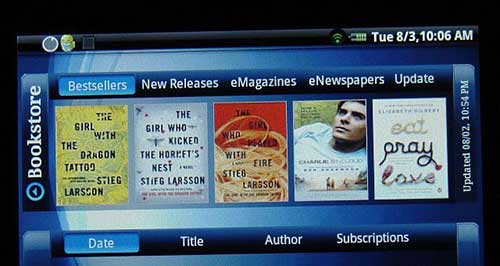
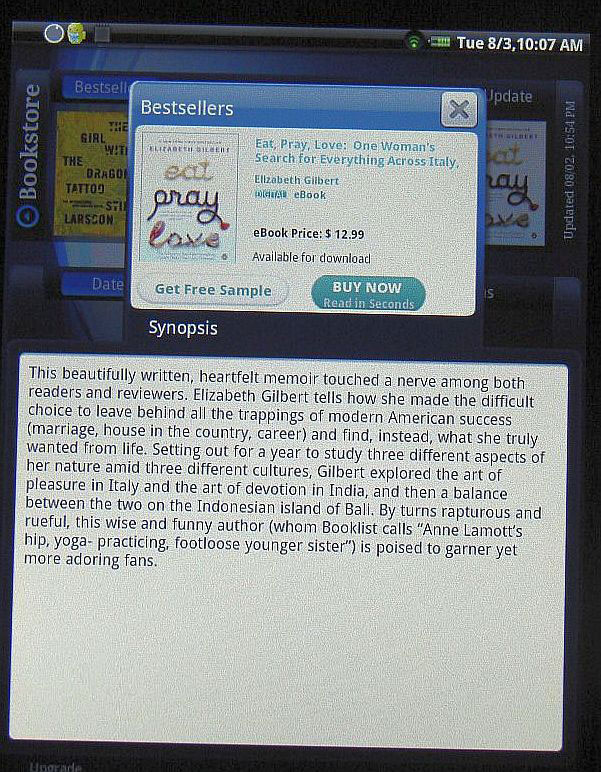
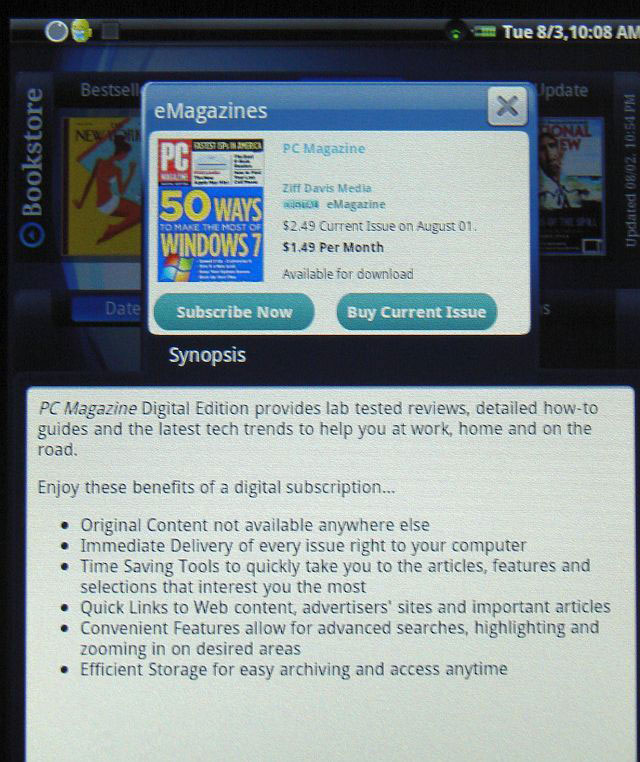
The Bookstore features buttons for Bestsellers, New Releases, eMagazines, eNewspapers and Update to the Barnes & Nobles server. Clicking on the store items brought up a thumbnail of the cover, a description and the price, usually including a chance to download a free sample of the book. Magazines and Newspapers would not offer samples as much as pricing for single issues or a subscription.
MY LIBRARY would feature multiple bookshelves; the first shelf containing what you are currently reading. The other shelves would populate with the other books in your inventory if you put them on the internal or external card. The library would only show cover-art if you had matching title art. The excellent ebook management program Calibre can generate artwork for the Novel as well as other ereader programs.

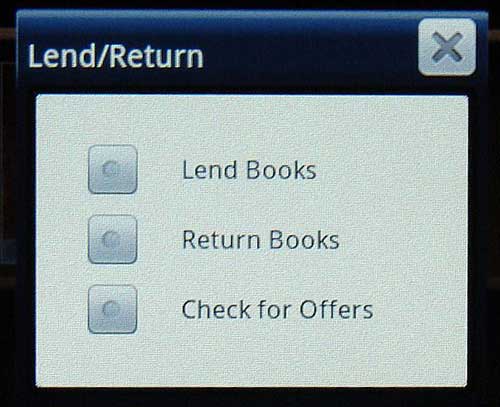
You can download books through Barnes & Nobles website if you have an account as well as lending books out to friends. Not bad.
Pressing on a book title starts the reader program. It reads EPUB & PDF well enough. The reader program features the usual items; changing fonts, day/night reading, bookmarking and a dictionary. The reader can be used either in portrait or landscape mode and can be locked in either mode for reading.
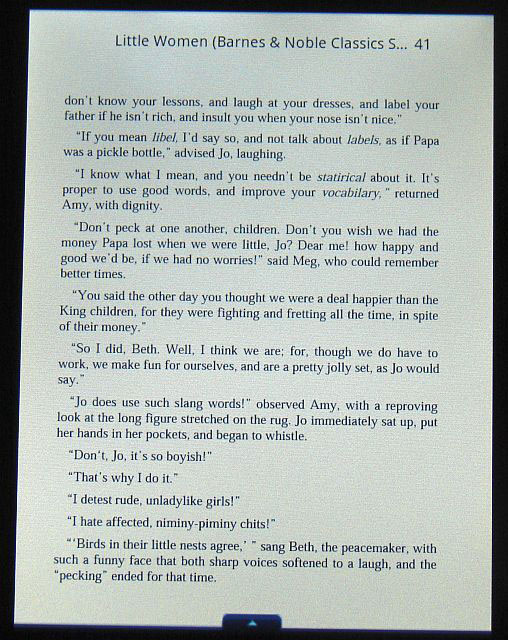
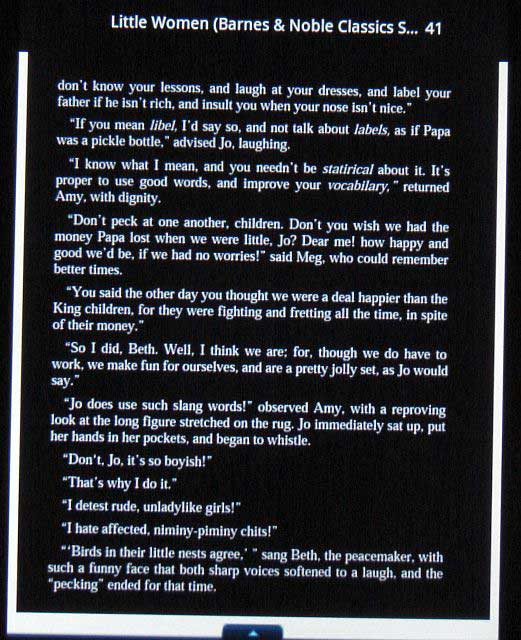
I found the reader program handled EPUBs quite well, either from sources like Google Books or Calibre. But I found PDFs to be a mixed bag. The user guide to the Novel was included and read fine, but I tried some back issues from Maximum PC that was hard to read sometimes, the colors were strong and the layout was fine, but it might be too complex for the built-in reader program. I found many downloaded user manuals in PDF performed better. Maybe they were simpler. I found that books in PDF format performed well.
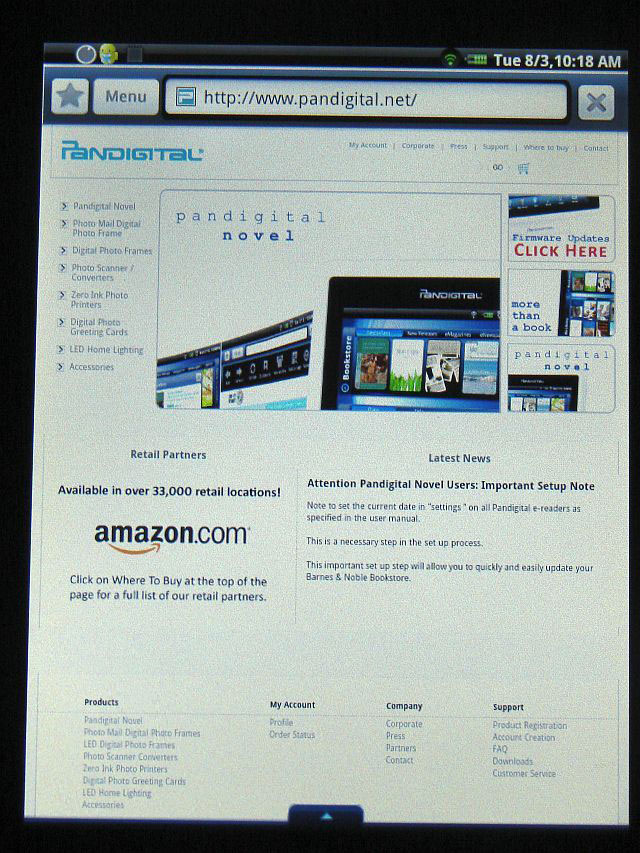
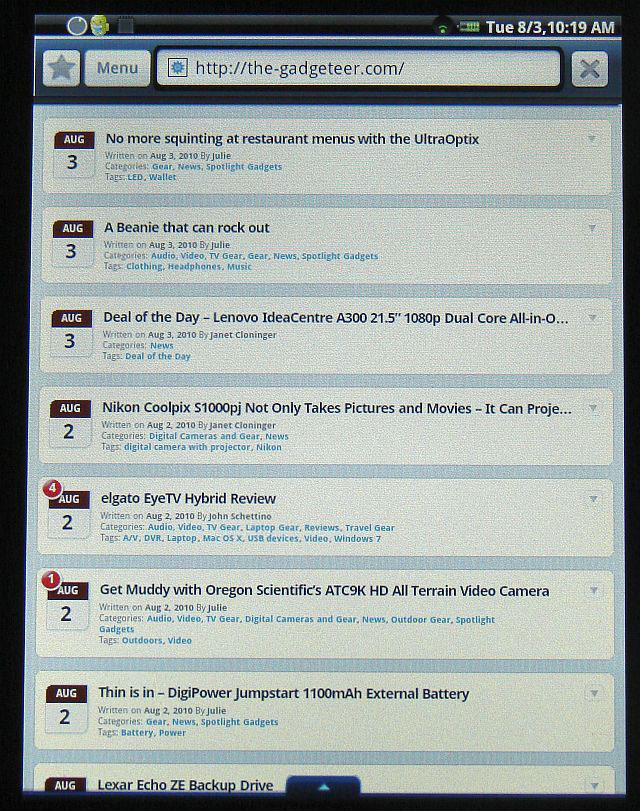
The Web browser program included in the Novel performed well enough. Mostly it would be treated as a mobile phone browser, so it would take you to the mobile website version. The browser handles java script but not flash yet. You can browse the web portrait or landscape with a lock on landscape only. I tried under settings to see how you can adjust for different websites, but no such luck. Going to Google, it would start at Mobile mode and fail to get my location. Trying to go to Google Maps would send me to a page to get the application at the Android Market, where it would give me an web page not found error. But for basic web surfing, it could be worse.
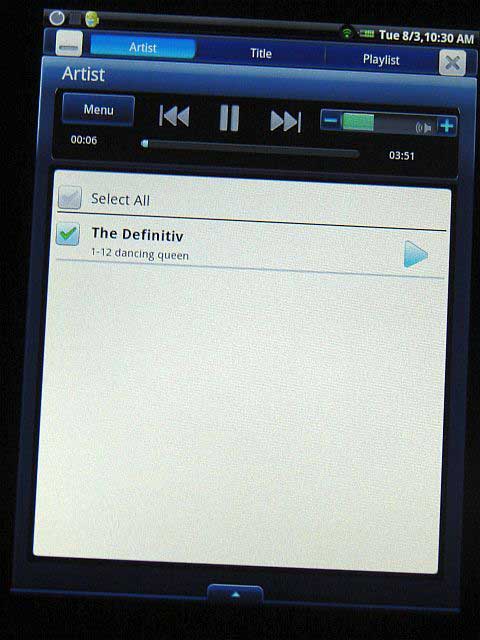
Music takes you to a very basic player that handles MP3, AAC and WAV files. You can create a play-list and delete files simply as well as to be able to minimize the player to listen to music while reading.
The Video Gallery only plays mp4 and that is slightly questionable on what kind of mp4 format. I made some files via Quicktime and Final Cut and they did not play. However, if you try DoubleTwist,( an iTunes for non Apple products,) you might be able to transcode to the right format.
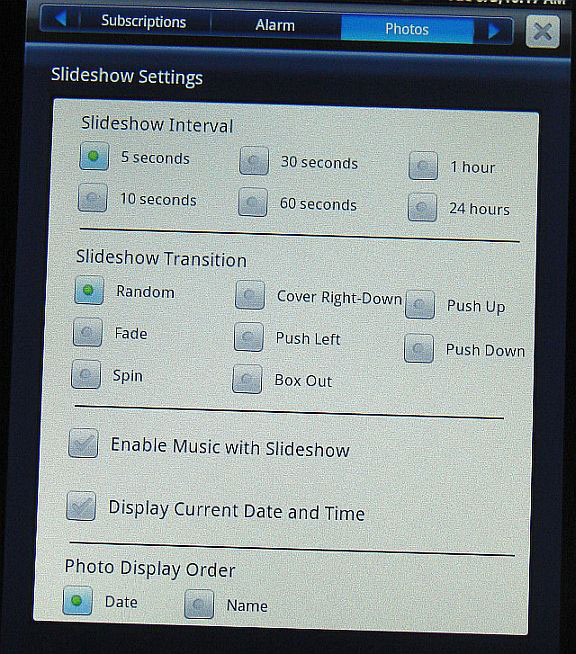
Photos will read from either the internal or external cards to view, create a slideshow or even make wallpaper for the Novel. You can adjust the settings for the slide show under Settings with all the fades, wipes and dissolves you want or leave the date and time onscreen.
Email is a very basic yet simple mail client that can read pop3, smtp, imap or exchange accounts. I tried it with Google and it worked fine for imap.
Alarm is very basic clock program to allow multiple times.
Calendar is simple and allows repeating events, but no syncing with Google or Yahoo.
Contacts is also a simple address book, but again no real means to sync entries to Google or Yahoo.
Stocks and Weather shortcuts uses the browser to connect to Yahoo. Simple but it works.
Facebook goes to the mobile site. Crude but effective.
Shop B&N brings up the browser where you can log on with your B&N account.
Import SD will ask you what you’d like to move to the internal card (photos, books…)
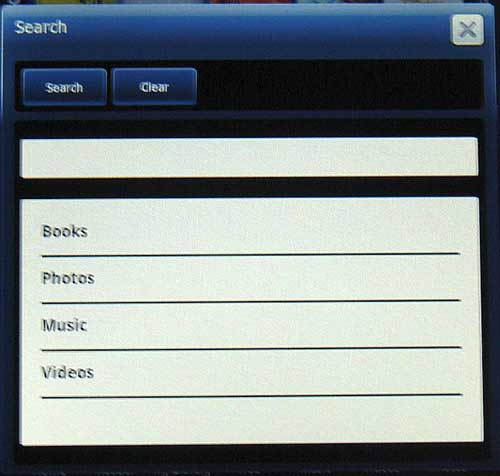
Searching is actually pretty good in looking for media on the Novel provided they are labeled properly and in the right folder (Books/Photos/Music/Videos).
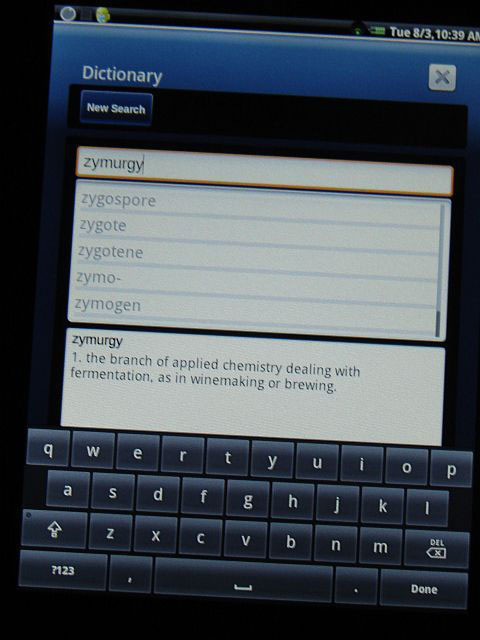
The Dictionary program does handle many words for a quick referral. I do not know how complex it is, but for me it passes the “zymurgy” test ( one of the last words found in many dictionaries that describe the science of fermentation in brewing or wine-making.)
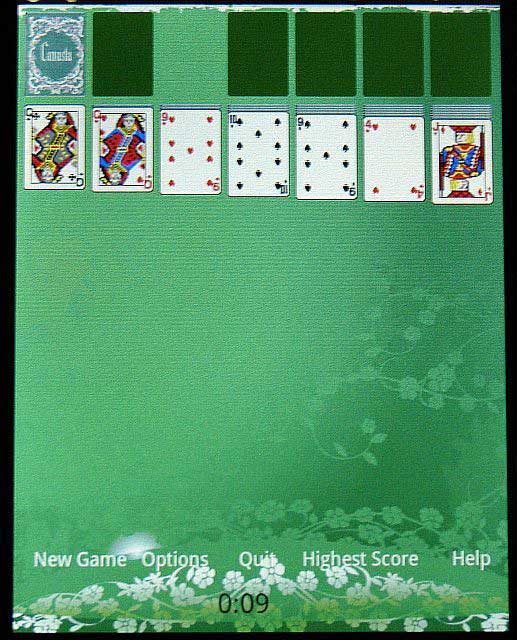
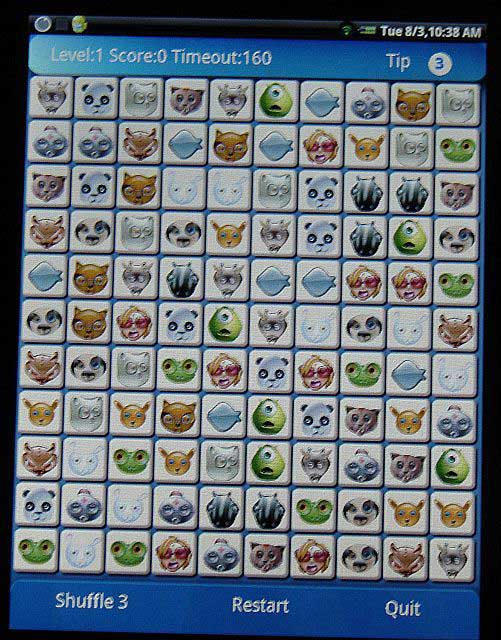
Games provides Solitaire & a Concentration-type game.
Update finally sends the browser to the update page on pandigital.net, so you could download the updated firmware to the external SD card, where you could ‘flash’ your unit on the field, good luck telling Grandma how to hold the volume up button while turning it on…
Right now, the Pandigital Novel is a very basic reader. The online bookstore is nice for Barnes & Nobles customers and I was able to read many of the books I purchased earlier. But it is very crude for anything else. 6 hours battery use is not bad although I would not leave the unit in standby for too long. But by leaving the wifi off and lowering the brightness until needed; I’m able to use the unit pretty well. Firmwares have updated the performance dramatically and I look forward to other changes to the system but we shall see.
The toughest problem for the Novel is not to be able to get applications from the Android Market in this present form. But I don’t really see Pandigital adding market access to the unit as it only has the 2 buttons available (Volume ± and Power.) There are ways to get around these limitations and turn the Novel into a more functional Android unit, but that is for another time.
So, in the end, if you are a Barnes & Nobles fan, it works well. Do you want to buy this to send to Grandma a hundred miles away? Don’t forget to update that sucker or else face the wrath of a confused customer.
L39 Ultra Slim UV Protective Filter for Leica Q3 43 Q2 Camera with Moisture-Proof Case & Removal Tool 19 Layers Mulit-Coated UV Ultraviolet Filter 99.3% Light Transmission Water Oil Scratch Resistant
(as of June 8, 2026 23:37 GMT -05:00 - More infoProduct prices and availability are accurate as of the date/time indicated and are subject to change. Any price and availability information displayed on [relevant Amazon Site(s), as applicable] at the time of purchase will apply to the purchase of this product.)
Ruilogod 32" 2-in-1 Light Mulit Collapsible Disc Reflector 80cm Silver Gold
(as of June 8, 2026 18:42 GMT -05:00 - More infoProduct prices and availability are accurate as of the date/time indicated and are subject to change. Any price and availability information displayed on [relevant Amazon Site(s), as applicable] at the time of purchase will apply to the purchase of this product.)Product Information
| Price: | Varies: $149.99 - $179.99 |
| Manufacturer: | Pandigital |
| Pros: |
|
| Cons: |
|

Gadgeteer Comment Policy - Please read before commenting
Excellent review, Ross. We have been seeing a bunch of these devices flooding into the market, but they seem to be of questionable quality (and legality, as seen with Augen’s latest devices). The iPad gives them quite a target to beat, but the devices that are out now can’t measure up. It will be interesting to see how the Dell Streak measures up.
Apparently this device provides full, WiFi web-surfing capability ???
What other retail E-Book Readers provide normal WiFi web access ?
Thanks for the objective review. I’ve had a Novel for a few weeks now (updated to the latest firmware) and am generally somewhat more positive in my view of the device and its use. I find that it makes a much better ereader than I expected. Page turns are reasonably quick, the night mode is useful, going to a specific page is easy, and changing font sizes works well. It’s certainly no iPad but for $150 minus 20% coupon and the $20 rebate from Bed Bath & Beyond, I believe the Novel represents a bargain in the color ereader field.
By the way, my Novel has no difficulty whatsoever in detecting my SD card upon boot-up. I also upgraded the internal microSD card from 1 GB to 4 GB quite easily, as you suggested.
Very fair review. I have tried out several of these gadgets – Jetbook, The Book, Nook – while looking for a reasonably priced and functional product. I am very happy with the Novel!! The only issue I have is that it doesn’t handle near as many file formats as Jetbook and The Book, particularly, in my case, txt and rtf.
I bought it last week. The Customer Service people were very friendly and helpful – only a couple of minutes wait. I had several questions about SD cards and some pdf functionality. I loaded a new update using the Update function on the device – Wi-Fi connectivity was very good – with no problems and it cured a pdf issue – I wasn’t seeing a drop down menu for changing fonts. I coud not change fonts for some pdf’s that I downloaded from Google and Gutenburg, but I believe it’s a pdf issue specific to the file, since I can change fonts for most pdf’s. I am a happy camper since I got it for less than $110 after all the discounts and rebates.
I got mine two weeks ago. There is a way to break it out, and get away from that interface. you can also hack the volume buttons to give them different/more functionality.
I also inquired last week about the source code, and Pandigital customer service said they will be releasing it, possibly by the end of this month. When that happens, full rooting will follow, and this becomes an even better deal for the money.
It’s a little slow, it’s a little clunky, but it’s $120 after the rebate and coupon…
Ross
What kind of processor and how many Mhz is it running? How much RAM does it have? What version of Android OS?
Thanks!
I purchased a novel about a week ago. I was generally pleased with it, but initially had some issues with it getting confused (bump a button or push too many in sequence too fast and it would freeze briefly). Today, however, I turned it on, and the book I had been reading opened, when I opened the home menu the darn thing froze. It would not allow turning off, resetting, or power/volume reboot. I had to let the battery run out to get the thing to work. Any thoughts? Definitely thinking of returning it at this point.
Does it really take too long to install the downloaded firmware into the novel? Please help! I’m worried that I ruined my novel by updating it with the latest firmware.
mariz: Although I ended up returning my novel, after reading through all of the pandigital info, it seems that if you bought your novel AFTER the initial recall when they were restocked it should already have the most up to date firmware. The firmware on their website is really meant for those who bought the original botched units – although they don’t clearly say this on the download website page, it’s elsewhere in the site. Also, downloading the firmware shouldn’t affect anything if you’ve got the newer model – it essentially just doesn’t change the firmware on the unit since it’s more up to date than the current online version. Hope this helps.
mariz: if you get the exclamation point on the update, it means the update is failed. Do a reset (paperclip in the hole) and try again. Try downloading the zip file on your computer, and copy to a SD card. Do not unzip the zip file.
Whitney: I bought one after the restock and the firmware has been updated twice since then. 7/24 and 8/6
Hi folks,
Could any body just tell how to use that mail-in $20 rebate coupon. Do I have to submit a completed coupon and they give me the discount on the purchase price in the store while checking-out or I submit the coupon and wait till I get the $20 cheque by post on the address I have provided in the coupon.
Anybody please post the answer, as the offer is available till 15th of August and I am going to have to make a quick decision.
Thanks….
My Pandigital Novel also locked up on my while reading a book and I had to drain the battery to restart it. The firmware is easy to update. Connect USB cable to computer, cancel dialog that asks to install Android driver, open computer in windows and you will see pandigital device listed, drag abd drop compressed firmware package to Pandigital device icon in computer drive dialog, disonnect USB cable, slide power switch while holding volume + button for 3 seconds until a robot “android” graphic appears on the screen, firmware will uncompress and install in about 2 minutes.
To Pankaj Parasar: you need to fill out a short form supplied by the retailer and include a copy or duplicate of your purchase receipt and mail it in (post marked) before the specified deadline date. You may want to certify the letter at the post office to prove it was recieved by Pandigital but that will cost 2 or 3 dollars. I bought my Pandigital Novel at Bed, Bath, and Beyond and they gave me a second copy of the receipt to be used to mail in for the rebate. The extra receipt said “copy for rebate”. I hope this helps you.
Thanks for the heads up Chris, I was unaware of the August update. Also of note, a newer black version is being released on 8/18/10 (should be at BB&B), will have some hardware differences and different firmware. “The Digitial Reader” website is planning a review at the release date.
To Whitney: Do you happen to know if the new black Pandigital Novel will lighter in weight? The pictures and videos I have seen showing the black model at trade shows it appears to be a bit smaller and thinner, but that might be my imagination. The white model is 1 pound and that is very heavy to hold for extened periods of time to read.
frank – sorry I’m not sure, per the daily reader website, it weighs a little less, has a textured back, a stylus, a slightly raised frame/edge on the front surface, and is a little wide and long. No exact numbers were listed.
@Frank
Thanks Frank.
That was informative.
Thanks Everyone for the possible feedback. I was torn if I should include how to hack the Novel to make it more useful/functional in the review; but I figured it would be best to start with the basics.
The biggest pain I find is the notification bar is sleeping or off unless you put the unit in standby or near off. (when it asks to turn off or cancel) hopefully, when they reveal their source code; they can fix. But you really don’t use the notification bar with the Pandigital launcher… only when you start messing with it.
I have hacked and reapplied firmwares many times without issue.
After downloading the file at the support site at Pandigital, you save it to the external sd card. The toughest part is the “two fingered reset with holding the power switch on while pressing the volume up button for 5 seconds or more. (I forget how long)
But when it is working you have an Android onscreen with a suitcase and a progress bar on the unpacking….
The process is very easy to get going…
I learned how to hack the Novel by the creative coders at http://www.slatedroid.com,
where it was easy to slide-install apps via USB. The hackers there are very friendly, have many faqs on the unit and can talk
to those who are interested, but leary of wrecking it.
http://www.slatedroid.com/pandigital-novel-android-tablet-discussion/
And there are so many android reader programs out there (both free & paid) that make the Novel really useful.
Setcpu has the unit supposedly running at 800mhz
Android comic viewer is very good for viewing cbz (comic book zip files). http://www.goldenagecomics.co.uk is an excellent place for public domain classics. (You might have to convert them from rar-compression but still good)
vudroid is excellent for reading pdfs with a live zoom bar
The “major” ereading software is available for Android and work quite well (Kindle, Kobo & Barnes & Noble).
last.fm/pandora/i heart radio are excellent free apps to listen while you read…
The other goofy item is the rotation is very strange. The novel can handle portrait & landscape, put a one-sided landscape. When hacked it does not seem to like resting on the side where the power outlet is. You can rest it on the other and have the power plugged in and waving from the top. Minor issue, but a weird one.
All in all, a very slightly interesting thing when used normally, but a really cooler thing when using Android 2.1 fully. At the price, you could do worse.
A review on the black Pandigital Novel from Slatedroid…. with video.
http://www.slatedroid.com/pandigital-novel-android-tablet-discussion/3885-i-have-black-novel.html
The Pandigital DOES DEVELOP cracks around edges after 1 month of use. I have witnessed this on 2 Pandigital Novels. This is a definite design flaw, due to the light plastic frame around the glass display. The cracks only get larger it seems.
We received the Novel 9/21/10 and today 9/23/10 the screen locked. Couldn’t even turn it off by holding Power Button for 3 seconds. Nothing happened. I tried to call Pandigital, but they were closed.
I then held the Power On button for about 30 seconds and then it did shut off. I turned it on again and everything seemed to work. Does anyone know why it locked?
#1- Does anyone know if the Novel has automatic Power Off? I believe it goes in Standby when not in use after 5 minutes, but I wonder if it does shut down automatically after certain amount of time.
#2- I loaded a MP4, but when I played it, it did not play in full screen. It was playing in a small box in center of screen. Why?
Can’t we watch it in full screen?
#3-
Changed the firmware to the Android platform using Pandigital’s offering. No Barnes and Noble access, no Google market access. But after a few days digging I added lot and lots of very good apps, easy to add, try and uninstall, even Skype has a lite version for text. With Android 2.0 this little gem is better then a lot of the current offering, most are a lot higer priced then the Novel.
i have one but i dragged and dropped books on to it but i just unplugged book without doing it thru computer, and now it wont boot back up ? how do i get it to turn back on ???
Most problems can be solved by making sure your unit is charged, plus there’s a reset button. The rest of us old hands do formatting and file replacment to as purchased, or last firmware update.
THIS is a horribly SLOW product, and it’s impossible to add music or video. If you don’t ahve long fingernails or a stylus forget it. It tens to freeze up and then jump back to the hoem library when you’re just trying to turn the page. SUPER frustrating.
I purchase a pandigital novel ereader, and bought 4 book fron barnes & noble. They would not let me download one of the book and i can not find out why. I feel that i got rip off by pandigital and barnes & noble.
Is there anyway to download the nook app to the pandigital.
Has anyone figured out how to connect their Novel directly to their Android cell phone?
Lockup, rather then drain the battery, I slid the back off, since you have to do that to change the 1G card. Then unplug the battery wait a few seconds and plug back in. Had the same problems with early Nook’s, quick work around. Nook owners had major problems with last night’s 1.5 upgrade, took me at least 1/2 hour, gave up on Wi-Fi and ended doing a side-load!
hey
im having a problem with my pandigital 🙁 when i switch it on it freezes on the ” boot up ” page and wont open till its out of battery 🙁 how can i remove the battery? i cant even shut it down or reset it
thnx
It takes a little bit of effort but is simple, lay the novel on its face on a soft cloth and gently slide the larger case part towards you, you will need to get your finger nails into the slot and provide a steady force to overcome the sticky tape. It will move about 3/16 and adds many new features”s of an inch then you can lift it off, remove the tape residue before you slide it back on. The best thing you can do is to go to the Pandigital website and download the new Android software pack, it will change you view of this device completely. The pack comes with a built in Apps installer and makes the Novel really a pleasure to use. I have downloaded several apps such as a newer keyboard, a radio tuner, better media player, You tube link, Ebay link, Opera , Realplayer to name a few. Here is the link: http://www.pandigital.net/android
The Android platform is neat, however without Goggle Market, or the ability to scan, there was no easy way to re-establish the B & L Library access back to my 2203 e-books, since B & N made no move to offer the app as a download. I re-installed the as purchased firmware. Of course I used & stored additional Micro SD and SD’s the return to the Android platform process would be easy.
Richard, How did you re-install the as purchased firmware? I have been unable to figure out how to make go back to how I purchased it. Please help…
After shut down the device comes back on after several minutes. Its as if it goes into sleep mode and does not fully turn off and will randomly wake up on its own. Anyone seen this happen?
I purchased this a few weeks ago and it was going well with the exception of how many times I have had to hit that reset button cuz the thing locks up or won’t turn on at all. I got an email yesterday saying that I had to install the updated firmware so right before it was done installing the novel shut off & at first I thought it may be a battery issue but I have since fully charged it and it will not turn on at all! I also tried to re-hook it to my computer and my computer wont even recognize it, like it has really just died, waiting for tech support and afraid to take back off in case I have to return it, don’t want to void the warranty. Otherwise its been pretty good.
Got the book in the mail Friday and as of today, Dec. 8th, had to return it to get a new one. Last night after downloading books from the PC it turned off and won’t turn back on. Tried reset, drained battery, recharged. Nothing. Hopefully the new one will work better.
I’ve had the eReader since August. Recently, I am having issues shutting down the eReader. It seems to go into sleep mode and wake up after a few minutes instead of shutting down.
Listen, I came here to read Ruined: A Novel by Paula Morris and it talkes me here? i dont wanna watse maii money on this!!!!!!!!!!!no where can i read ruined!!!!!!!!!1111
My mother bought one of these for my father for Christmas, and asked me to get it ready for him with the books he wants. She went out and bought a Lexar 16GB SDHC to use with it, but the eReader says that the disk is “damaged” even though it is a brand new card. I tried one of my own SDHCs (4GB Kingston) that I have been using in my digital camera, and the eReader said the same thing about it: “damaged SD card.” Any suggestions?
Bekah, I had the same problem with a Lexar 16gb too. What finally worked for me was to turn it off, take the SD card out, turn it back on and let the micro SD card inside read and then go to whatever you want to download, such as photos, go to photos, then put in the Lexar SD card, then it will read and when the box comes up to read the SD, it should work. If not, let me know. It is fussy for some reason if the card is in it when you boot on. I have no idea why.
Also if that doesn’t work, what will work is to go to your Windows Explorer, if you use the PC, and put your files, such as photos, and transfer it over to the ereader which will show up as a drive named pd_novel. Make sure the ereader is hooked up to the PC! Put the files in the appropriate files on your ereader such as photos, put your photos, videos, put your videos, ebooks, put your ebooks. Problem is it is limited to 1gb with the internal micro SD but you can put a higher one in it. Make sure it is the little micro, the regular SD won’t work in it internally. If you aren’t a techie than have someone do it for you. It isn’t very hard but you have to be careful and not break anything. Hope that helps.
Now my question to anyone who knows the answer is the
Pandigital website isn’t very informative on how to use their app installer. How do I download and install apps with their installer or do I need to use a program to push the apps onto it and what do you recommend I use? Will it work with the Pandigital’s Android?
I am hoping Pandigital will upgrade their installer to allow us to download Android apps. I hate that most Android websites want you to use the barcode to install their apps, yeah right! Why can’t they allow downloads to our PCs/Macs and then to the SD card or directly to the SD card? It wouldn’t be hard for them to do that. Thanks for any help!
Where can I find games to download? I bought this for my daughter for Christmas, and would like to have a few games on it before I wrap it, I have searched and searched, can anyone help me? Thanks
Received a new Pandigital for christmas this year. Worked fine and was happy with it for a few days then yesterday (4 days after opening the package) it shut off and will not turn back on. Any suggestions before I return it?
Sharon, I think most likely you will have to flash it with an Android based Open Platform mod to be able to download games. You really have to have some techie skills to get it done otherwise you should probably take it back. It is primarily an ereader that does some basic stuff in its original setting such as a calender, surfing the web (wi-fi), reading books and viewing photos. It wasn’t really designed for many games. It does have solitaire and another game on it. If you know how to flash, you can go over to the http://www.slatedroid.com website and change it to be able to download more games. If she like to read, then it is fantastic for that.
Shannon, Try plugging it into the AC, let it charge and then turn it on. If nothing, try flipping the switch then flip it again and wait and see if it does anything. Also if you have a PC, plug the USB into your PC and go to Windows Explorer and see if you see the drive PD_NOVEL, usually. See if you can see if the micro SD has files on it. If so, chances are it isn’t the card. If not, the card might not be working. You can reset it pushing in the reset button – a very tiny little hole, with a straight pin or something sharp and tiny. This resets it and may get it going if something got messed up on it. Good Luck!
When I hold the off button for 3 sec dont goes off but after a few mins seems to go off. is this the way goes off after a few mins?
Cheryl, no. It should turn a blur after a few seconds and then let the power off slider go. It should then bring up the power off box in the window. Push the power off and off it goes. So hold it until it is a blur and then let go. If not, something is wrong. You shouldn’t have to hold it a few minutes.
i was wonder how to connect the wifi to my internet if my computer dosent show.
Just got this from Santa, good build quality, love that it’s color, and the size is just right. Music, photo slideshow, FB access, all useful perks along with being a fine eREADER. First issue, not sure how to HIGHLIGHT passages, or NOTATE. Enclosed User Guide does not address this (or much of anything for that matter).
Second issue: I’m very pleased with the email feature, though basic, it does everything I need… EXCEPT LOG OUT. Every email account is always logged in, there is simply no option to log out. Or is there, and I have missed it?? It certainly is unsettling knowing that right now, anyone who takes a look at my Novel can skim through my private mail as well! THANKS TO ANYONE WHO CAN HELP.
Why cant i watch videos online?everytime i try to, it sends me to a page that says load error or sumthn like that..help? I would really appreciate it
Just got this reader for Christmas. I seem to need to update my firmware, but when I go to Pandigital’s site, and try to update, my computer cannot download the driver, (neither my laptop or desktop – I am running Vista), therefore, I cannot update this. Question is, it was just purchased at Kohls within the last 2 weeks. I would think that all the readers that were recalled would have been returned, and since this was just purchased, it would have the lastest firmware already on it. When I try to do the update, it just says an error has occured with novel.upgrade. I have been trying to use my local library to borrow a book. It downloads it to the reader, but after that I can’t seem to open anything. Also, when I go to Barnes and Noble’s site, I get a choice between 5 different books, and that’s it. Is this an operator error, or do I need to return this?
Thanks!
I just got my pandigital novel. And my grandmother bought a book for me on the barns and nobel site, and it said that the download was successful,but when I went to read it, it said “can’t read. File may be damaged” please, I don’t want my grandma to have wasted her money. What should I do?
I got the e-reader for christmas. I downloaded some of my favorite books, and knda fell asleep with it on. It died on me. I was like ‘No big deal, I’ll just charge it’. Two hours later it still won’t turn on. So I look online and other peope are haveing problems with this too. Unfortunatly, none of them have any solutions. Do you know whats wrong with it?
I just got 2 of these from QVC for Christmas gifts.. One works flawlessly and the other.. we charged it up.. turned it on, set the time/date/etc. and it turned off and now wont turn back on at all?!? My daughter is so upset.. any suggestions other than sending it back?
Brat, for highlights or to use the dictionary as well as taking notes, just go to a book and on any page press your finger onto the page and shortly a box will pop up and give you the option to highlight or take a note. To use the dictionary, press the word on the page you want to look up and shortly the dictionary will pop up. I don’t know about the email since I don’t use it for that.
Until someone lets you know, after you are totally done with email, just go online via your laptop and log out after you are done. I know a hassle but until then at least it will keep prying eyes out. Hopefully someone will chime in soon and give you the answer for that.
Mariela, the videos are probably in another format it won’t recognize. It only recognizes mp4 right now but they update it quite a bit so hopefully soon a new update will add to watching more video formats. You can flash your unit to an open Android platform using Pandigital’s Android open platform download and then download apps that you can then view videos like YouTube, BUT you have to have some techie skills to do it ad it voids your warranty. I don’t recommend a novice doing it. If you have a techie friend, they could do it, or you may be one, but just know it isn’t for any novice to do. Otherwise wait for future updates and even write Pandigital and let them know what you want. Hopefully they will listen to their customers.
I have a Lookbook and I can tell you Pandigital’s Novel is already lightyears ahead of it because Pandigital was smart in using an Android platform and it is just a matter of time before it becomes a really nice unit via updates.
The best way to update is to make sure you have the latest firmware by going to Pandigital’s website and click the download for the latest update and download it to your PC then copy that update to a SD card and make sure nothing else is on the card, just the update which is in a zip format. Do NOT unzip it. Leave it as is and just copy it to your SD card. Make sure your Novel is powered off and put the SD card into the slot. Turn the Novel on by pressing in the Volume + button and the power on slider and hold for a few seconds, like around 5 to 10 seconds and it should then go to a screen with an Android robot and a bar showing the update progression. After the update it will restart and you now have the latest update. If it needs another update after that one, it will update when you go online via wi-fi, otherwise you got the lastest update and are good to go. Hope this helps.
I just got One of these ebooks for christmas,and I tried to download when music on it but it wont let me it says that it took up room on my laptop but when Iil tried to find it on here i couldnt same with pictures?
Just got one of these for Christmas and seems good so far with everything except the ability to actually READ the book I purchased. Managed to download it and its sitting in my libraray but when i tap on the book an error message pops up that says “unable to open this book” Anyone know why???
I am having exactly the same problem. Been on hold for 45 mins waiting for solution with B&N tech support. Please help
The problem resolved itself after another cycle of complete charging.. Oh and the latest ones DO NOT have a reset button. It seems to be working as it should now, but I’m glad it has a 1 year warranty on it. Oh and to the person who wants to watch video, it won’t do streaming media, your video needs to be saved to an SD card.
same problem here, cant read the book i bought from B&N. sounds like its due to this unit not having the B&N Nook app, and there doesnt appear to be any way to download it. ive been tryin to figure it out since christmas morning, and ive gotten nowhere. cant get through to tech support @ B&N either.
just got my first book unlocked. went to the B&N app, my account, and signed out. signed back in and the book opened. wierd
For those having problems this might help as I was having problems. Bought from qvc, spent several days setting up music, photos, facebook, email, etc. Today, 12/26 paid for and downloaded one book from B&N. Downloaded ok but when trying to read would say this is copyrighted material & to contact B&N. Was on hold for 45 min. Customer service says they are getting a lot of calls about this reader, especially the purple one. Don’t really know what difference this makes, but after going over a few things, she had me to go into settings and reset to factory settings. After this everything works fine, book is readable now. Only downside is you lose all photos, videos, settings for facebook and mail. So the reader is working fine now but have to reload everything I had before. Bought for wife and she loves it, hope I don’t have to go thru the reset thing again. It’s my understanding that firmware updates delete everything also. Kinda dumb if you ask me, get the latest updates and lose stuff you’ve worked hard to put on. If any of you do reset, it will take 5 min or more for unit to boot back up afterwards. After that will be normal boot time.
Now I have ANOTHER problem. I went to go try learjet’s idea, but the book isn’t even there! I have no idea where it is. What happened?
Ok, found it. I had put it in my archives for some reason. And learjet, your idea worked! Thank you. Where can you get an SD card?
Correction from earlier post. After resetting I did not lose pictures, music. I did lose email settings and facebook, but no big deal. The way customer service stated it I would lose everything, or I missunderstood. I do have a problem setting up wifes email account which is thru roadrunner, says can’t connect to server. Anyone know fix for this? Gmail, yahoo email work fine.
When I download books from B&N it does not load teh book cover with it. They are just plain blue with the title printed on it. When I did one the first time, it worked. Ever since then, it has not. I know it might be silly but I like the covers to show.
Thanks to anyone that can help.
try the sign out, and sign back in trick kelly
Thanks learjet.
I can open the book but the covers for the books still don’t show up. I didn’t know if anyone else had that problem or not. I did a factory reset but it didn’t change anything. If you know the answer to that one, that would be wonderful. 🙂
Thanks,
Kelly
I just got the Pandigital for Christmas and can not download anything.
Those of you having problems and questions may be able to find some help in the forums at MobileRead. http://www.mobileread.com/forums/
I believe the Pandigital reader is discussed in the Alternative Devices and the More eBook Readers sections of the forums.
Hi, I got my pandigital for Christmas and i bought a book on Christmas and it took a while for me to get the book in my library but i guess it finally popped up. But now i bought another book and it says i bought it on my account but it wont show up anywhere. Not im my library or nothing. I have shut it down and then turned it back on but nothing seems to be working. My book will NOT show up. All i want to do is read my book.
Somebody help me please!
ohh and the other book i bought, i bought it todayy.
I had bought the pandigital novel just a few days ago and i was wondering if there was anyway to lock the novel so no one would be able to access the pandigital novel unless they had known the passcode?
thanks:)
I love the pandigital novel, the only two problems I’ve had with it is that:
1. When I shut it down a few minutes later it will turn back on like I never shut it down.
2. It won’t charge when it’s on which is a problem because it won’t stay shut off….
Lexx
Press and hold power button, confirmation will come on screen that it’s turning off. Not supposed to charge with it on, turn it off then charge. If you’re doing all this anyway, then sounds like bad unit.
Nightfox,
I hold the power button until the confirmation box pops up and then I select the “shut down” option and then it shuts down, but it’ll still turn back on.
and I know I’m not supposed to charge with it on…
what I’m saying is that it won’t stay off, it turns on even when charging which makes it hard to charge.
I’m so annoyed with it, blah.
Lexx,
I would call customer service. I called today and was only on hold maybe 5 min. Fellow I talked to was very friendly, helpful. Here is number if you don’t have it. I would do a factory reset to see if that helps.
Phone: (800) 715-5354
Hours Of Operation
Monday – Friday: 10:00am – 7:00pm Eastern Standard Time
Saturday: 10:00am – 4:00pm Eastern Standard Time
My mom got one for Christmas and i had her leave the unit plugged in while she was using it. Are you telling me that you can’t have the unit plugged in at all when you are using it?
Secondly, is there a way to re-arrange the icons on the home page so, for example, the games icon can be on the first page of the launcher? thanks
i got my e-reader but i cant connect the WIFI i went to networks and it showed me other computers but out of all of them i cant find mine i been trying for a while now. does anybody knoe how to connect it.
if so
-thank you
I’m just wondering, is there a forum or website to help with the purple pandigital? I want to play games and other stuff on it. From what I’ve read, the black and white ones have a game icon. Do I have to download something in order to play games?
Pam, sure you can leave it plugged in with the AC while you use it.
Lauren, I wasn’t aware the Novel came in purple. I thought it only came in black or white. Are you sure you don’t have a skin over it? If it is purple, that is the first I heard of it.
No, its purple. And I can’t find any info on them…
lauren
My wife also has the purple and as far as I know there are no games on it and really no info. Rep at company says main difference is purple has search area at top of screen.
Koko– The color pandigital comes in black, white, purple and red
grrrrrr, how weird is this, i read all these posts last night and was saying i have no problems with the one I got my 83 yr. old mom for Christmas at HHgregg (white one). Welllllll, today she tried to turn it off and it wouldn’t go off. So i had to reset it to get it to turn off. If they don’t fix this problem they are going to have a lot of mad people returning these. The sad thing is she really likes it and was disappointed if I have to return it.
has anyone played the game link up and it stay at level one and stay there even if you win
Wow. I am glad to know they come in other colors. I can only find white or black at my Bed Bath and Beyond and would have liked a red one. The white one is rather generic, but I got it since the tekkies say the white one is the one to buy. Anyway, nice to know they have gone beyond the black and white.
Hi, I have been trying to complete the firmware update, get to the point where I have to hold the + and power button at the same time – but it does not boot back up – or show the progress of the upgrade..can anyone help
I got a pandigital reader for christmas and also just ordered a wireless router. I am trying to download a book that I checked out from my library that I loaded onto adobe ebook program on to my reader from my computer. Is this possible? I know that it must be but I need simple steps to do this? Do I need wi fi enabled also? I was wondering if I need to transfer to a card first? Customer service was not helpful at all and most the time I get a call back messege.
Thanks
Kim Hooper
Yes, I played the game “link up” and it stays at level one and the score goes back to 0. I tried to find the game online but no luck! Any ideas out there or is it just not working.
Di, are you making sure the Novel is shut totally off first then hold the power + and power on at the same time for about 5 to 10 seconds and let go and it should take you to the little robot and progress bar.
Kim, I do think you have to have wifi enabled to get it to download and make sure your PC is broadcasting the SSID. Also an account with Adobe is a must but I am sure you already know that, but for those who don’t, you have to have an Adobe account to download library books. Here is a link for more on setting up wifi. Also any tekkie questions are best answered at that website I have given since these guys know a lot about computers so you stand a better shot at getting a right answer. Hope that helps!
http://www.slatedroid.com/index.php?topic=12947.0
For info on the Novel with a library set up, this is a good answer:
http://www.answers.yahoo.com/question/index?qid=20101225152955AA8LRW7
Make sure the long link above for the library question is copied and pasted in the address bar since it is all one link including the long alpha-numbers.
I meant to say Volume + and not power + on the answer about pressing the Volume + and power buttons at the same time.
I bought Pandigital for my daughter and she tried to download from Nook. I tried to download it and it said Nook was downloaded. How to I bring it up now that it’s downloaded. Can’t find it.
Please help…..
I rec the Pandigital 7″ color Multimedia Reader (Black model) for my birthday; I was so excited! Attempted to update Firmware as indicated, auto detect Serial Number was coming up with completely different number compared to packaging so I double checked SN on unit which matched packaging SN. I attempted to call Tech Sup they had a recorded msg – “we are experiencing high volume of calls and are unable to assist you now” I went to website sent email to tech support on 12/29, I received auto response back immediately that indicated I would get response within 3 business days – still waiting. The response on this unit was super sluggish – had to swipe numerous times for recognition. Unable to setup any emails – unsuccessful for comcast, live & MS exchange accounts. I actually returned the unit & purchased the Nook Color – thrilled with my new purchase!
Kim – I also borrowed an ebook from my library. You need to download the Adobe interface onto your home computer or laptop. Your library should have the instructions about installing the Adobe software (different than the Adobe PDF software we all have on our computers for reading PDF files). Then you plug your PanDigital with the USB into your computer and the Adobe software on your computer will “read” the e-reader like another device and you can just drag your book right onto to device icon and it will be in your PanDigital Novel. Worked like a charm for me.
How do you download e-books?! I tried and everything seemed to go ok but I can’t find it in my library. Is their a NOOK Library?
Please Help!
Rachel, do you mean e-books you buy from B&N, or the public library, or e-books you already have on your computer? It depends on which ones you are wanting to download. The manual explains it really well. Go on the Pandigital website and download their latest manual. It shows how to download library books, B&N books and for your e-books on your computer, just use Windows Explorer and copy and paste your ebooks to your SD card on your Novel via the USB cable. When you are in your reader just import the ebooks using the import button. Click on books and it will download your ebooks to your Novel from your SD card. But you can also just put your e-books on your SD card and when it reads the SD card, your books should show up and you can just read them via the SD card. So either way works. It might be a little quicker when you import the books to your Novel but that is about it.
Hello,
My Pandigital Novel does not include games in the menu bar as well as a few others. Also it is very irritating that when you go to webpages it is not fullscreen and I don’t know if you can fix this. It is very difficult to turn pages and go to a specific page. And when I try to purchase a book in B&N on the pandigital, the actual buttons aren’t visible so you have to take a guess at where they are and click all over the screen searching for the “purchase” and “confirm purchase” buttons! How annoying! Is anyone else having these troubles or is mine defective?
Michelle, you can convert it to an open platform Android tablet by downloading the Android Open Platform on Pandigital’s website and putting it on an SD card then follow the instructions from the website. It will turn it into an Android tablet where you can download games, apps and put whatever reader you want on it like Kobo or Google readers as well as others so you aren’t stuck with the limited apps and menu of the Novel you have now.
What does the white upright rectangular box with an exclamation next to it – in the upper left corner of the Pandigital indicate?
My pandigital restarts after a few minutes, all by itself it’s been shut down. Is this a common problem? or is it how this reader works?
I downloaded the android platform and installed it, but now I can’t figure out how to install apps. I failed to realize that this doesn’t come with the Android Market APP, so even Appbrain does me no good. Is there a simple way to find and download apps to the tablet? Oh, and I have the white novel.
Is there a way to number lock the keyboard – for playing
suduko, etc.
We had one of these and it mysteriously developed a crack in the touch screen while being left to charge. Looking on ebay for a replacement, there are multiple items listed that have a nearly identical crack in the exact same place (running in a gentle curve from roughly 2/3 the way across the top left-to-right, to roughly 1/4 to 1/3 the way down the left-hand side. To me this hints at some kind of production or design issue.
I have one of these and I can’t seem to read any e-book that I down load from a public library. Pandital tells me to down load Adobe Digital Editions, but whe you try that it tells you that you need adobe flashplayer. So you go to download adboe flash player and it tells you that it is not avaible for this device.
Any help???
Phyllis playing suduko means you must have the Android Open Platform right? If so there are some apps at http://www.freewarelovers.com in the android section that can help. I use I think it is called button savior that helps to get you back home and there are other apps too, or you can ask over at http://www.slateroid.com since over there they know everything about the Novel.
Mike, I have a theory and it is just that, a theory, about the cracks. I am wondering if the led light might cause it. Is the crack up near it because if it is, maybe the light is getting too hot when you charge it, or the bulb creates pressure on the glass when touching it that eventually causes it to crack. I do my best to not put pressure in that area just in case. Again just a theory. Also I bought some of that thin clear gel like cover over the glass to not only protect it, but hopefully maybe it will create a buffer to protect the glass.
George, I downloaded the Android Open Platform kit over at Pandigital and got apps over at freewarelovers using the app installer.app from that website and downloaded Adobe Flash and I can’t recall where I found the Overdrive Media Console app at but it has a setting that authorizes Adobe books for library use and you can download lots of free books from Gutenberg and others too. So if you can’t get ADE to work, you might consider this method. I also use Aldiko and iReader too as well as the Adobe Reader and I think I downloaded most of those from freewarelovers.com, over in the Android section. The trouble with the standard Novel is the inability to add apps and should they update it to do so, then the standard version would be fine, but until then, this is the method to use for more apps. If you do decide to go with Android Open Platform, be sure and do EXACTLY as it says so it will go smoothly.
Note for the Aldiko books app using Android Open Platform, to get it to show up the home button, you have to uncheck the volume button for volume, in settings and honestly it was hard to get my Novel to find settings, but I just kept trying to hold the menu button, the three lines button, and pressing it to get to settings, finally it somehow got me to get to the settings, but I couldn’t really explain how it finally went to settings so I think it would be easier to do a button hack and over at Slateroid.com as they would be the ones to help on that. Just know the reason when you press the volume button and it just has volume and not the menu bar in Aldiko is because you have to uncheck the volume for volume setting in settings.
I can not get my Pandigital Novel to let me insert my email. any ideas
Karen, if you have Yahoo here is an answer:
http://answers.yahoo.com/question/index?qid=20101229134501AAu0HMv
If not, I would ask over at Slateroid.com but be sure and read the Pandigital newbie section since some over there can get huffy if you ask a question that has already been asked and answered.
Mine is being so complicated.
I reset it, because I was having problems, and I cannot seem to retrieve the automatic free books that were on there.
I’m having trouble setting up an email account.
I don’t know how to sync music or videos on to my Pandigital device.
Would you be able to give me any help?
Also, is it possible to download books, magazines, etc. from Nook for Pc?
is there a way to move an ebook to my sd card
Mallory, resetting it probably deleted your free books but the few books included were already public domain books so just go to http://www.Gutenberg.org and you can find tons of free books just download them in the epub format. I think one of the books was Bram Stoker’s Dracula and is found there too.
Make sure your wifi is working and when you are on wifi, try getting your email account to work. If that is not it, ask over at http://www.Slateroid.com as they know a lot. I wish I could help on syncing, I am using Android’s Open Platform on the Novel and I use the Realplayer app to sync but if you use the locked down version I am not sure on that. Again a question to ask over there. About the Nook, again you usually have to go with the Android Open Platform to use other apps like Kindle and Nook. I have the Kindle app and I use several other reader apps on the Novel but you have to have the open platform to use them. If you decide you want to have other readers and apps, ALWAYS read everything about it at places like Slateroid before you do and do EXACTLY what they say to do so it will go smoothly. But if you do it right, you can have all sorts of apps. If you have a techie friend that could do it, that is something you might want to look into too, if you aren’t a techie.
Janet, yes, just put the SD card into your PC and copy all your books, using Windows Explorer, (if you use a Mac I don’t know), and find the SD card in the directory (probably will say something like PD Novel, or something like that) and paste all your books onto the SD card, then safely remove the SD card by clicking on the icon down by where your time is at the bottom right and click safely remove, take it out and put the SD card in your Novel and it will find them when you turn your Novel on and it will import your books into your reader when you are in your reader and import the books.
Is there anyway I can download adobe flash player so that I can watch youtube? And play flashgames?
Lauren, as is, the Novel is locked down and you can’t. If you change it to the Android Open Platform kit available at Pandigital’s website, you can then add apps to it, BUT you have to be a techie to do it as you could brick (kill) it and it is important to read everything at the Slateroid website to understand all about it. But yes, then you could download apps like Flashplayer, YouTube, etc onto it.
Just lately – when I go to get a book that I ordered or downloaded, I keep getting “unknown server error” as a message. I’ve rebooted the blessed thing and just can’t get it right? Any ideas??? Thanks
Kathy, Make sure the wifi isn’t cutting out as that can cause it, other than that, I don’t know. Can you download your books to your PC, then transfer them over to your Novel? I always download my books to my PC and transfer because the wifi is so iffy.
Can u download games and how do i download javascript
I just got my pandigital. And iim not happy. it’s giving me many problems. I bought a book, but did not go to my library. I go to barners and noblees and clicked on my library the book is there but when I click download does not do anything. Then I can sing in on my computer to my b&n account, but if I try to sign from my pandigital it sais signing failed. and if I try to sign to the b&n and try to enter my email or password I cant because there is not sign in buttom. What can I do? I went to the place where I got this device and they did nothing. DO i have to download anyaplication? if so which one? please help because i think this is giving me alot of headache. I dont know whAT to do…
Customer service at Pandigital is an Oxymoron It does not exist. One telephone line that puts you on hold forever. Email doesn’t answer. And my reader itself had more flaws than I can mention. Couldn’t get help,so I returned mine
There isn’t any service at Pandigital. One phone line that keeps you on hold…Emails that are not answered. My reader had more flaws,and Pandigital would not help. Finally returned it
Ingrid, ask over at http://www.slateroid.com since they know a lot over there.
I upgraded my pandigital white ereader to the open platform format and I hate it. I cannot get my barnes-n-noble library to come up and it won’t let me download the app. I want to change it back to the original format. Any ideas on how to do that?
Thanks Michelle
Tiara, you can’t download games and such with the Novel as it is, it is locked down. You have to have Android Open Platform to be able to download games and such, but you have to have some tech skills to do it, or have someone with tech skills do it for you.
Michelle, just hit the reset button and it will reset it back. The reset button is the tiny hole near the power switch. Push it in with an end of a paper clip. Voila, it goes back to the original. To add apps, you need an app installer such as appinstaller or know how to push apps onto your Novel. I like the Android Open Platform and have Kindle, Aldiko, Kobo, Nook, Adobe, iReader, eReader, a document and text reader and others on mine so I am not stuck with just one.
I have been trying to download eNewspapers and eMagazines from the Barnes and Noble Site, but when I try to download them to my Novel, it says that they are in an unsupported format. What do I do?
Joey
Thanks for the info but when I hit the reset button it does not reset to the old format. Well since that is not working how do I get an appinstaller? Once I set that up how do I install the different apps, like nook and others? Do I just go to their websites and download and it should work? Sorry I am not usually so end user but this one has got me. 🙂
Thanks
Michelle
I’ve had my Pandigital Reader for a month now and I still can’t figure out how to get a book from B&N downloaded on it.
It seems a waste of money and gift cards.
Michelle, here is something I would do. Put the Android Open Platform download, that you mentioned you put on already, onto the SD card and go to http://www.freewarelovers.com and in the Android section, find appinstaller and download that. Put the appinstaller on the SD card too. Only have those two on the SD card. Reflash your Novel with the SD card, again having the zipped Android OP (don’t unzip it) and the appinstaller app on it. Do the volume + and power switch and press and hold as you turn the Novel on. Release after about 5 seconds or so and then the little android robot comes on with the progress bar. After it does its thing and it is restarted look and see if you see appinstaller installed in the app section, usually the bottom drawer that opens up when you touch it, to show your apps. See if you see it. If so that is great, you can then just use appinstaller from then on to install your apps. A lot of the apps like Kindle and Aldiko can be downloaded at http://www.freewarelovers.com in the Android section, put them on an SD card and put the card in your Novel and Appinstaller will find it when you turn it on and click on Appinstaller to install them. Some file managers like Astro will let you install apps so you could have appinstaller install it and use Astro to install apps as well. What happens is when you flash with the appinstaller on the SD card with the Android OP, the Android OP installs the app that is on the SD card most of the time.
New Firmware for Black Pandigital (1-14-11) allows Android 1.5 applications (without an accompanying message that installing it voids the warranty like the Android Open Platform).
I have the Black Pandigital Novel and it was working fine but it had the firmware from 7-30-10 on it so I wanted to update it. Over the last month I had been trying to install the newer firmware and had different errors on it. Finally last week I received an email from Pandigital that there was a new firmware update that would solve my problems (I had both emailed and spoken to a tech regarding my update problems.) I was able to install the new firmware and it seems that they have now enabled Android applications to be installed on it (for android version 1.5) There was an app installer in the new firmware but it wouldn’t install a solitaire game I downloaded so I installed another app installer from freewarelovers.com and was able to install. The Barnes and Noble Library app was included in the firmware and seems to work fine. I was also able to install skyfire browser but I haven’t been able to view videos on it yet. I also installed Aldiko but the formatting isn’t quite right and I haven’t had time to see if I can fix it. I’m happy with the prospects of some new apps without having to hack it and voiding the warranty.
I installed the Android open platform on my white pandigital. I got this file manager –
http://www.freewarelovers.com/android/app/es-file-explorer
It works great. I was able to in stall Nook from B&N as well other apps. I also found some helpful apps at: slideme.com. I am very happy with this device now. Much more fun than in original state.
Mallory: I had trouble setting up my e-mail, so I called my cable company and they were wonderful. The problem was in the settings. Once they gave me their particular settings, I was up and running. I love it. Katee1302
Ingrid: After you order the book and download go to the top bar and hit get book. It will process and you should get the book. Kathy
Ingrid: Also, Call your cable company and make sure your settings are set up right in the reader. My company (armstrong) was great and helped me to put in the correct setting. So be sure that you have your e-mail set up properly. Katee1302
Is anyone having trouble with the memory game? Mine doesn’t change levels or keep the score.
We received a Pandigital Novel for Christmas. What a piece of junk. If you are considering this reader, I’d encourage you to run, not walk away. The initial one we received didn’t work at all so we exchanged it. This one, after hours of work, finally accepted our home Linksys.
We then ordered a book from B&N and that went well. Now we ordered another book but instead of arriving on the Reader, it came to my computer and we are unable to download it to the Reader from there.
Now, trying to get back on-line with the Reader, we have to log in to thru Linksys and it won’t accept our password so here we are again, back to square one with a Reader that is worthless to us at home. Maybe we can go to a public Wi-Fi site and order books but we shouldn’t have to do that.
Bottom line, we are not computer experts but we use the computer a lot so we are not novices, either. There is very little that is intuitive about this Reader. We’ve spent hours trying to make it work with very little success. If it weren’t an expensive Christmas present, I’d throw it out.
John – Very sorry to hear about your difficulties with the pandigital. You don’t say if you have the black or the white. I have the white, and I have a Linksys router, and I had no problem connecting with my pandigital. In its initial state, the pandigital was kind of sludgy, but once I upgraded to the android open platform (a free download), it was much more manageable. It is slow to boot up, but after that it is quick and responsive and the graphics are good. The pandigital will only save your books on an SD card, so you have to have that in when you get your books. You may already know that, just wanted to help if I could. Once upgraded you can get games and movies, too. Hope it improves for you. I got my help from this site and others on the web, or I would have been unhappy with this device as well.
How do you add music and games to the pandigital?
My huysband and I each received one for Christmas and BOTH have cracksin the glass already. Is is possible to have these fixed? We each have books on them already as well. WHAT CAN WE DO??? We were not rought with them and can’t figure out what happened with either one.
My dad has a white pandigital that I am setting up for him. I have the 9″ myself. I installed several hundred ebooks for him on Aldiko (I upgraded to the new open source firmware.) The problem is the download notifications remain at the top of the device. When I touch the menu – I see “settings” “add” “wallpaper” and “search” but NOT “notifications.” How can I remove these notifications?? Thanks!
Yeah, never mind! You have to “pull down” the notification bar very strongly!
Ok, so I’ve read all the coments and the wonderful review, but unfortunatly, I still have a problem and DESPARETLY would like some help. I updated to the new posted firmware on my white pandigital novel, turned on, reset, could read books, noticed the difference in with the updated, all in all, it worked fine… a couple days later I tried to turn on the unit and nothing… tried the reset, again nothing, pluged in, the little light in the upper corner is red for a couple min. then goes to green (which i’m assuming means it’s fully charged) tried to do the vol. + with the power at the same time for 5 sec., 10 sec., and …. you guessed it, NOTHING. I’ve tried everything except opening up the back to remove the battery…. which i wouldn’t even know how to do, and am a little scared i might break it permantley… if anyone has ANY suggestions or advice, I’d truly appreciate it… got it for Christmas, so it’s been a couple months, not sure if i can still return it at this point… Please HELP!! thanks 🙂
I have the 9″ model and can’t find how to access the free B + N books, mags, etc. Can anyone help me? Thank you.
I just purchased the 7″ White Novel reader. I went to the Pandigital website and downloaded the most recent Android system. Like Michelle, I could not get the B&N app to load. I was able to speak to someone in their support department (not a long wait) and they informed me I had to download it twice, which I did and now it works great. I really love the new screen and the Slideme app works perfectly and it has lots of different apps to choose from. If given the choice, I would purchase it again.
Turning the page on a book seems inconsistent. I don’t seem to have the “touch”. What am I doing wrong?
I recieved a Pandigital Novel for Christmas wanting to read books on it. I have not been able to download the book I bought from Barns & Noble, and I have downloaded the NOOK apps for PC and other devices. Im still unsure of how to get the book I bought so I can read it. Your help would be greatly apperciated!
THANKS!
I just bought this, and I do not have the dictionary app, the upgrade button to upgrade firmware, and a few other things that are off from the manual. How do I remedy this?
hello there.. i seem to be having an issue with just getting the thing to turn on.. i have the white e reader color.. it came on once.. then the battery went dead.. ive charged it to no avail.. the only thing that populates is the pandigital blue home front page.. can you help.. how do i even know that its charged to where i can at least get it to work .. there is a light in the upper left hand corner.. its red and blinking.. ive had this thing on the charger for quite some time.. is it me??
For all of you with questions about applications you need/want, etc. for your (white) Pandigital novel, there is a new firmware update dated 2/15/2011 that fixes all the bugs of the open android platform. Your B/N icon will be back on your home page, etc., and they all work now.
So, this little tablet, which I paid around $120 after all rebates at BB&B, does 99.9% of what the Motorola Xoom can do. I guess we all saved ourselves $700. A big pad on the back to everyone!
One last thing, even after the last update, the device is still running Android 2.0. So just with the Pandigital updates you cannot run flash player. Flash player needs Android 2.2.
PS: I was able to download Angry Birds, but I deleted it because it just ran way, way too slow, oh well!
Help! It shows I am listening to MLB audio game (I subscribe) on my novel but I can’t hear it! The volume is turned up, etc. Can I listen to the games on my novel? Thanks!
I recently bought a Barnes & Noble gift card, and just today, was able to start buying books with it. They went to “NOOK for PC”, but how exactly do I get them onto my Pandigital?
I tried to download different firmware to my pandigital white 7″ ereader… bad move, I know now! Big problem, it won’t shut down. I’ve tried letting the battery run out, but that doesn’t put it in “shut down” mode. In order for it to restart or start up, it needs to shut down right? In order to read the files it needs to start up as well. Now, it’s just a black screen with one word on it (I won’t say). Is there any help for my ereader? I’ve learned a big lesson!
Just purchase 9″ Novel a couple of days ago.
So far, so good, exept of the one thing: the keyboard is still English (e.g. keeping latin characters) regardless to the different (in my case – cyrillic) language settings what I choose in the “area language and keyboard” menu.
Does anybody have an idea how to fix this?
Thanks.
Re some comments about the service, I called in, VERY short wait time. The techie was super helpful and answered everything I wanted to ask about. I was pleased and impressed with the tech service so not sure why some users are having problems. Or maybe that was an earlier problem that is ‘fixed’ now. I recently bought mine on sale for $139, a real-deal IMO, so even if it has some limitations I figure it was more than worth it. Besides, everything electronic is disposable (i.e., obsolete) so fast these days that by the time I figure out things that I don’t currently know, a new model or new e-reader will be leading the pack and I, like everyone else, will be shopping again. LOL.
So I am about to go crazy with my pandigital…I am having horrible problems trying to log in to my B&N account. I go to the B&N icon and go to sign in, but when I sign in it keeps saying it is having problems with my wifi connection, and try again later, but yet I can browse on the internet and do anything else with it. I have been back and forth with both pandigital and with b&n and I am at my wits end. Weird thing is, I can anywhere online, but B&N website will not load…anyways, I have updated the pandigital, I have tried turning the wifi off and on, I have tried several other locations with wifi, with the same problem. I got it to work once, when I changed the time and date, but then I accidentally signed out and when I tried to sign back into my account, it started giving me the same message. Does anyone have any advice?? I have rebooted it, I have cleared data on the B&N under the manage applications field…I just don’t know what to do any more. Any ideas would be appreciated….I am about to return it and get another e-reader, but I would prefer to get this fixed…
Hi, my mother was using her Pandigital WH 7″ today when it froze.. She removed the back and attempted to pull out the battery plug and plug it back in:( sadly both red wires were pulled from the connector.. Can this be fixed easily? Are there replacement batteries that can be purchased? Please Help
I installed the new update with android on my pandigital ereader and now it says that Barnes and Noble app. is not installed. How do I install it so i can get my books back. Please help.
I have the Same question as Jason (above). How do you reinstall the B&N app as well as the OfficeSuite app and Slide App? Please advise.
I received the novel for Christmas and was fairly pleased. It is sometimes slow but otherwise a good little device. Last week I picked it up to resume reading and the screen cracked where I grasped the frame. Of course pandigital says that the crack is not faulty workmanship but my fault. They will not stand behind there product. It should withstand being picked up!!!! DO NOT BUY!
I’ve bought this pandigital ereader last christmas and I wondering whether to hack it or to leave it as it is now. Any suggestion?
I brought a pandigital reader for my daugther and there is now a crack in the screen in exactly the same place as mentioned in these posts I have had the response from pandigital stating that it is not covered so just replace it and will see what response I get from future shop in the next couple of days.
I just tried updating my wifes pandigital 7 inch white ereader to make it a tablet, it all went wrong and half the apps would not work including, slideme, B&N reader, plus several more. I e-mailed pandigital yesterday and got a reply today. They told me what to do and it worked so here are the instructions for anyone else with a similar problem.
1. Plug your reader into your computer using the USB cable.
2. Locate the “My Computer” icon on your desktop or just “Computer”. This can also be found by clicking on the “start” button in the lower left-hand corner of your screen.
3. Locate the drive listed as “Removable disk”.
4. This file should have Adobe Digital Editions as the first icon. Delete everything in this file except for Adobe Digital Editions.
Re-run the firmware update. I have included specific instructions on how to update your Novel:
If you should have any questions after following these directions, please do not hesitate to call our customer service phone number at: (800) 715-5354.
1. Please visit our website on your home computer at http://www.pandigital.net
2. This will bring you to our home page, on the right-hand side of the screen you will see a box with the words “Firmware Updates Click here”, please click on this box.
3.This will bring you to the next webpage asking you to select your region. For your specific Pandigital Novel please click on the [American/Canadian] flag.
4.You have now reached our information page. On this page, please locate the blue lettering that states: “Click here to learn more and to update your Pandigital Novel.”
5.This will bring you to the actual update page. Please read over the information on what the latest firmware update can do for you. The additional features that come with this update are something to be excited about and we’re sure you will be too!
6. Please locate the blue text at the bottom of this screen that states: “Click here to run PC Updater Application.”
7. At this point if you have a pop-up blocker in use, you may get a yellow/gold bar that appears at the top of your screen asking if you would like to allow this pop up. Click on “temporarily allow pop-ups” and refresh the page by hitting the F5 key on your keyboard. If you do not have a pop-up blocker in use, ignore this step.
8.You will now have a download box appear on your screen asking you if you wish to run or save this program. If you are using Windows XP with IE you will choose the “Run” option. If you are using Windows Vista, please “Save” this file to your desktop.
9.Windows XP: At this point you may have an information box appear that will inform you that the publisher of this program could not be verified and ask if you are sure you would like to run this program—Click “Run” again. The Updater Application will start automatically. Windows Vista: Please double-click the download icon on your desktop to being running the Updater Application.
10.The Updater Application should now be on your screen. It lists the steps that you will go through to update your Pandigital Novel. Click on the blue text that states “Click here to start the process”.
11. At this point, the program will list some steps you will need to do before updating your novel. These steps are:
1.Unplugging any other USB mass storage devices from your computer. These kinds of devices include flash drives, cameras, photo frames etc. Keyboards and mice are not considered storage devices so if you have any of those plugged into your USB ports, they are ok to leave plugged in.
2.Powering your Pandigital Novel with the supplied AC adapter (please ignore this step and just be sure that your Pandigital Novel is fully charged before you attempt the upgrade process).
3. Connect your Pandigital Novel to your computer using the USB cable that was supplied with your device.
4. Power your Pandigital Novel on (your Novel will go into “PC Mode”- this means that your Novel will be inoperable while connected to your computer).
12. Once you have completed these steps, please click on “Ok” to advance to the next step.
13. The Updater Application will then display a screen and ask you to confirm the details of your device (serial number, model number, etc.). Confirm these details by clicking on the “Confirm” button.
14. You will now begin the download process. (This process can take some time depending on your computer and your internet speed).
15.Once you have finished the download the screen will display that you have successfully downloaded the firmware update. At this point you will see another text box on appear on your screen giving you more instruction. These instructions will include:
1.Removing your Pandigital Novel device from your computer
2.Informing you that your Novel may or may not turn itself off, if it does not turn itself off, please power the Novel completely off by pressing the power button and choosing the “power off” option.
3. Now it will ask you to power your Novel back on in a very specific way. Please press the power and volume up button (located on the top of your device and is the + key) at the same time (not one and then the other, they must be pressed at the same time) for 10 seconds. Please do these steps until you see two lines of white text appear at the top of your screen that states the boot count and firmware version. As soon as you see these lines of text, let go of the power and volume + buttons. This should begin the update process in the form of a blue progress bar appearing at the bottom of the screen that will state things like “verifying update.” If you have reached this screen your Novel is now updating properly. If you do not see this screen, please power your device off once more and try the activation process of holding the power and volume + buttons again. Do not be discouraged if this takes a few tries, and be sure you are holding the edge of the power + button; holding it too close to the middle will not activate the update.
4.Once the update is complete, please power off your Pandigital Novel completely, then reconnect the device to your computer using the USB cable and power it on after it is plugged in.
5. Click on “Ok”. This will then run a process called a “restore”. Once this has finished please disconnect your novel and once more perform the activation process of holding down the power and volume + buttons. You will again get another blue progress bar at the bottom of your screen when done correctly.
16. Congratulations! You have now updated your Pandigital Novel successfully!
Help! I reset my pandigital and now it wont turn on…. Can any one help?
actually you do have the option of viewing facebook without the mobile site.. you have to click on more i believe and when the list comes down simply click desktop site..it will pull up the regular thing..
@Phil D-
Phil, can you clarify more what happened for you at Step 5 of this process?
I am in the same situation as you. Updated the firmware andf it looked like i worked but all of the applications said “Application not installed”
I followed the instructions you gave above, but at step 5., after you install the update, you are supposed to sshut down the unit, connect it to USB and “Click OK” to run a restore.
If you plug the unit back in then turn it on, the only thing that happens is that you get the usual pop-up in windows that you’ve connected a USB device and it wants you to Click “OK” to select what to do with the device (Open as a folder in Windows Explorer, ect.) This can’t possibly have anything to do with a restore operation. Likewise, the Novel simply boots up to the Android desktop. Is the OK I’m looking for on the desktop? Or on the novel? What did your screen look like? Is it really supposed to be doing something for me at this point?
I’m basically still at the same point after going through those instructions. I realize you probbably have nbo clue… just wondering what you saw and if step 5 really made sense to yoou. Cause it absolutely doesn’t to me.
Okay the stage you are at the updater has run the install and asks you to disconnect the unit and power it off. Then you reconnect it to the computer and turn it back on. All this time the installer should have a menu still on your computer screen waiting for a restore, (I think you have to click “OK” on it) this is to put back in to it any files that were backed up on to your computer before the update began (although at the start of this we know we deleted them all) after this you just go through the power down bit where you holds the power button and volume + button at the same time and it will reboot with a progress indication again and that should be it.
Now the secret to all of this is if you had problems on any of this a lot, go back to the beginning and use a newly downloaded version of the installer update program. It seems to be that if you have trouble its due to a corrupted version of the updater, possibly site troubles or just occurred during the download.
Hope this helps
Thank you so much PhilD for posting the instructions on how to upgrade it. It worked! I really didn’t want to have to email them and wait two days for them to email me back. Thank you so much for helping me out. =]
I’m trying to download the android firmware update. But when the update screen pops up it just closes and turn the ereader on without doing any thing. I have the novel 7inch black version and this is my second one because the last one got steped on. But my first on had no problems but this one won’t even update what do I do, can it be fixed.
Hi If someone could please help, I downloaded & installed “Pandigital Novel Android Open Platform Kit” followed instruction online at Pandigital, removed internal sdcard. After installation, Pandigital is not recognizing my internal sdcard.
Anything I can do to fix this? Thank you Doreen
For the people who have installed the update to make the reader a tablet if it says the B&N app is not installed and others this means the installation went wrong.
Read my addition to this site on May 7th and follow the instructions as listed. Basically you have to delete everything and start again with a new download of the update.
For dylan who is having problems I do not believe the update is for the black ones only the white ones but confirm that with pandigital.
I have the white model and I just noticed cracks all along both sides and along the top just above the joint. I am very meticulous with it and it has never been dropped or abused. Anybody else have this same problem. BTW, the screen is not cracked, just the case itself.
The on/off button on my ereader is loose and I cant turn it on. I have researched it and found nothing on the subject of how to fix it. Help would be appreiciated.
mine just wont tun on sometimes.its fully charged and in good change but its just complicated.
This is the worst thing I ever received….It only works while plugged in, the font changes constantly, it goes from up and down to sideways while you are reading, etc…I could go on and on…I complained twice to the company and never received a reply!!!
I’m a newbie of sorts. I bought a WPDN this month used. It had an added 8GB internal micro sd card. It was slow and had few apps. I used PhilD’s info from May7th. It took a lot of patience but it worked. Previously I had no books in the BN Library but when completed I had 6 free books plus the latest Pandigital’s User Guide. The tablet is now quick for the most part but no IPad but then I only paid under $100 with a faux leather case. I have since went to Amazon and have loaded a number of free apps which work great with one exception. If the file loaded is larger in size then it will be slow functioning such as Angry Birds which worked but most feature boxes were blank so I deleted it. It also works with a ‘paid’ Yahoo email just fine. One of the things you need to do is be sure you press the volumne + button and the off/on at the same time. Not always easy and often the source of my problems. When it did work I got a white file with and orange arrow and the android symbol showing it updating. The load bar would show about one inch then reboot but it worked. The WI-FI took a few repeats but once it was setup it connects quickly now but the range is not limited but I have a cheap wireless router. In the end I am impressed with this tablet. I loaded Kindle and free books are great. I added some games, Huffington Post for news and all apps work with ease and quick. As indicated Slatedroid has some amazing information and worth the visit. Initially my tablet had about 15 apps or so from the Android update. Now I have 45 apps all free and mostly from Amazon Android apps including YouTube. I loaded a lot of apps, music & video’s to my sd card and they all work great. Many tunes/video’s were from Apple that I paid for and converted to MP3’s or MP4. Everyone’s basic app need is different but for me I got what I want and they work quick. I also have had good email reponse from Pandigital within 24 hours. I wanted Flash but they said it had to be Android 2.2. Mine is currently Android 2.1 as I understand it. I have been tempted to experiment with updating to 2.2 as some user suggest from Slatedroid but currently mine works without problems so why change a good thing. I also use a new pencil’s rubber end as a stylus to move pages and it works just fine. I hope this helps others haviing problems.
i like my reader, however one problem persisits…..if I quit reading and turn it off, when I go back to read again, the battery has drained. It seems to ignore the shut down and comes on
at random; thus the battery depletion. Wish I could get a solution.
to “pat”. Just askin’, are you sure you’re turning it off? or are you just putting it in sleep mode? When you move the power button to the left, you need to hold it for a couple seconds, until the screen shows the choice to “shut down pandigital” you tap on that on your screen, and then you are actually turning it off instead of just putting it in sleep mode. Hope this helps.
I recently downloaded and upgraded my White Pandigital 7″ eReader of the pandigital.com/ANDROID website. Is there anyway to go back to the original version? If not, how do i get the B&N app to work so that I can open my libary to read my books?, because when clicked on it tells me that the app has not been installed on your phone.
Thanks, Tianna.
I bought my panditigal a month ago and was very happy with it until last week when I tried to load some music on it from my pc. It wiped out the music library including the demo music and then froze. It never shut off on it’s own so I reset the system using a paper clip. The unit unfroze but I lost my access to my barns and noble account although I could still go on line.
I contacted both Barns and Nobles and Panditigal and I recieved the instructions to reset the unit listed above. However when I pushed the power button, reset and +volume button simutaneously I got a triangle with a ! inside it and was frozen for three hours without powering off. I hit the reset button and it turned off, but I am unable to get it to turn back on. Please help!!! I am not a computer wizard at all, and at this point I am pressing reset, and power button and volume button in every combination and nothing is working!!!
Please help!!!!
I have no issues with my novel except that I put in a memory card containing photos. I was able to set one photo as wallpaper, but I had 14 pictures on the card out of over 100. I cannot find the photos anywhere on the novel. I cannot even find the wallpaper photo! Any suggestions on where the photos may be? I’m so upset about losing them, but am holding onto hope they may somehow be retrieved. Any suggestions?
Hi,
I have two problems with mine. It won’t hold on the portrait or landscape display. I lock it in the settings, and lock on the book shelf icon as well. It just malfunctions, goes back and forth. Anyone have this problem, is it fixable?
Also, blue light at top has not worked from day one. Any thoughts?
Tania.
I purchased this 7″ White Pandigital for my grandaughter.
We downloaded the updated firmware but still can’t download books, music or games. Seriously considering taking it back. However, I’m going to follow your instructions and see if this corrects all my problems. Thanks for sharing.
Ok so i have had my novel for almost a year and it has decided that it does not want to update.. the wifi is on and connected and if you click on the web browser it works just fine.. if i go into settings and hook up my b&n account it says wifi unavailable and it will not update my library.. any suggestions??? i have factory reset it. i let it die and rebooted it after it was completely charged. i erased the wifi and re did the address for it and nothing works??
Firstly, let me thank all of you for your comments and suggestions. They have been most helpful.
My son in law gave me a white Pandigital Novel a couple of weeks ago, and although I was starting to become frustrated with it, after reading the information posted here, I upgraded to the open platform version and have been very pleased with its performance.
Perhaps someone could clarify this situation for me. Whenever I try to download programs from ‘appbrain’, I always receive the message that I have not synced to a device yet, and it wants to connect with my telephone, (which I am not using). Every program I try to download from them is the same, yet when I go to freewarelovers.com there is no problem. I can download whatever I want. Any suggestions? Thanks.
If anyone updates to the new tablet version of firmware and it states the B&N reader or anything is not installed when the shortcut is there for you it means the upgrade failed, you have to go back to my original posting telling you what to do to reinstall. Its a pain but it works.
Perhaps someone could clarify this situation for me. Whenever I try to download programs from ‘appbrain’, I always receive the message that I have not synced to a device yet, and it wants to connect with my telephone, (which I am not using). Every program I try to download from them is the same, yet when I go to freewarelovers.com there is no problem. I can download whatever I want. Any suggestions? Thanks.
Hi,
My comment on August 23rd has not been answered so I’m going to assume no one else has these problems. My pandigital is now not booting up at all – tried charging it with the recharger cord, charged it with the PC; nothing is working and I’ve about had it with this thing. Turning it on was hit and miss but now it just won’t turn on at all. – maybe mine is just a lemon??
Hi,
Can you download and install Abode Flash Player to Pandigital 7. I couldn’t find any thing… if anyone knows, please send me the link for it. thanks.
I did the Android 2.2 update from http://www.slatedroid.com and latter got the Barns & Noble working below.
These apps with work B&N-eReader-2.1.apk, Yahoo Mail v1.0.4.apk, Youtube 1.0.apk
yxplayer v1.6.1.apk for playing almost any video format except flv and mkv formats.
Google-Maps-v411.apk in Wifi mode.
FlashLitePlugin.apk will work and latter install the DroidEmuLite.apk is an emulator enable you to play Nintendo & Sega games by downloading ROMs or games for it.
Skyfire2.0 browser supports flash playing like Youtube videos but not online games.
Hope this will help you all.
My question is , my pan digital does not start over by the power button. Tried un plug and replug, holding down buttons same time as start time still no power start up. I transferded some photo’s to the internal sd card. I left it for an and then that was it..Is there another way to start it up than the usual start up button..
I have the same power issue as Ian on Nov 5. Almost as frustrating as the lack of response from Pandigital. And now there is an error when updating firmware.
What’s with slateroid.com? When I go there all I can do is search and then nothing comes up.
I had that issue once before with mine Ian. I just reset it using the little pin hole button and it worked fine afterwards…hope that helps 🙂
After I reset mine I was having problems connecting with almost everything. Then I noticed I had the date wrong. After I set the date correctly it worked just fine.
I just bought the black Pandigital Novel for my son. I upgraded to the Android platform and went ot Amazon apps for Andoid to download some game apps for him. After about 5 games, it says the memory is full. We haven’t downloaded any books, magazines or anything else, just these few games. Is there a way I can increase the memory or something. I bought an SD card thinking I could save some of the apps on it, but couldn’t find a way to do it. Obviously I’m not very tech savy. Can anyone help with this?
Season’s Greetings:
I just opened my new white Pandigital sent by mail from Wal-Mart.ca. After I powered on, the PanReader icon is nowhere to be found. According to my undertanding of the included instructions, that’s pretty much the main icon to download books, which is my main purpose with this device.
Can somebody please help me with this issue? I basically would like to know how to proceed before I screw this up trying by myself. I am novice to the tablet world although I know how to use computers. So, good instructions will get me going in the right direction.
Thanks a lot in advance and Happy Holidays to all of you!
Mac.
First thing you should do is go to Pandigital website and upgrade your firmware according to which model you have ie:(US or Canada). If you are US model when the firmware is done you will have Barnes and Nobel icon wear you would buy your books and a default reader when you click on the book you’ve purchased. You can download a manual from Pandigital site, I would recommend you do this first and foremost. Good luck on your new E-reader.
Wasn’t there a recall on these?
And i have one. Do i need to register it to download apps?
And when try to load something on the app store sometimes it says “error on 505” can you help?
i got the pandigital for christmas, and it has been a real disapointment. all of the music that i have transferred from my computer(mp3) to my pandigital shows up but will not play. i have called geeksquad but they arent much help. it seems like anything i do with this tablet is in vein! any suggestions?
@megan. I suggest if you can, take it back and upgrade to something better. If this is a Pandigital Novel, the longer you have it, the more dissapointed you will be.
Well my son opened the black Novel on Christmas, and just 4 days later, the screen cracked whie on the charger. I had read some reviews that others had cracked but hoped ours wouldn’t be one of them. Guess I was wrong. Very dissapointing!
im having a hard time with this thing i got this because im very computer savy and i cant do anything with it i want to download some games and things for me and my 2 year old but it wont let me i cant figure it out im ready to return it please help
I have the black Pandigital and am about to throw it in the garbage can. Somehow it has reset itself and all my original data is gone and it wants a Wi-fi setting. What is a SSID? I am so sorry I wasted my hard-earned money on this piece of crap. I should have waited and got a Kindle Fire. Live and learn, I guess. Anyway, can someone help me with this?
@Ruthann The SSID is the name of your wireless network
Pandigital SuperNova – How do I turn Pop Up Blocker off and on?
Have lost ac adpater for black 9inch ereader………..can’t find one help.
Amazon.com has thew all Home House Charger AC Adapter Cable Cord for Pandigital Prd07t10wwh7 Prd07t10wwh756 Novel 7-Inch E reader.
$16.94
http://www.amazon.com/Charger-Adapter-Pandigital-Prd07t10wwh7-Prd07t10wwh756/sim/B004G5WFSK/2
where do I find a replacement battery for the( wht PN7), I’ve tried to searching by model no and type, please help.