
If you’re a fan of tiny RC (remote controlled) race cars, you’ll have a blast with the Q-Steer from Takara Tomy. Brando sent me the Mazda RX-8 version. He carries several car types including a Hummer, Subaru, Nissan and Toyota.
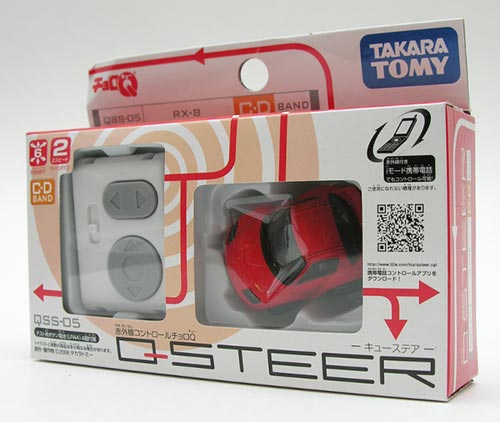
Always popular, these little race cars are great for both the home and office.
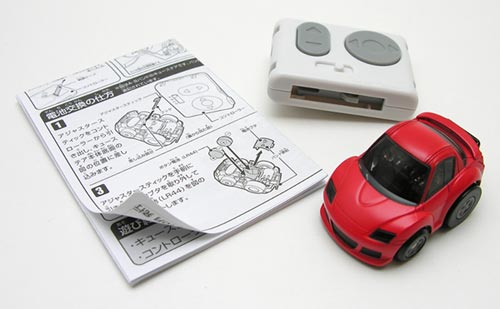
The Q-Steer comes with an instruction sheet (includes English instructions), a small remote control and the car.
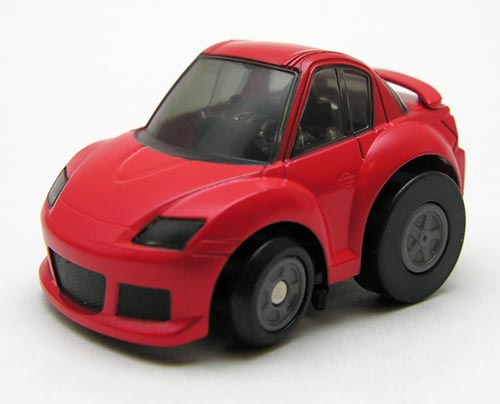
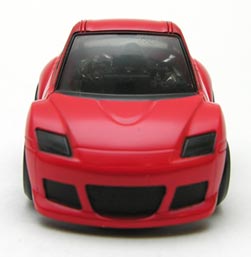
Each car is only about 2 inches long by 1 inch tall. Yes, they are very tiny. But that means you won’t need much space in order to play with them.
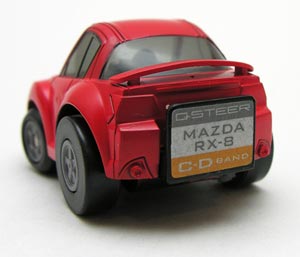
Unlike some of the other miniature RC race cars that I’ve reviewed here in the past, the Q-Steer does not need to be charged before racing. It actually houses 2 coin cell batteries in its base. Two LR44 cells are used in both the car and the mini hand held remote. Brando offers a package with an extra set of batteries for an additional $2.40. These batteries aren’t very expensive, I’ve seen 10 packs on various online sites for less than $7.00.
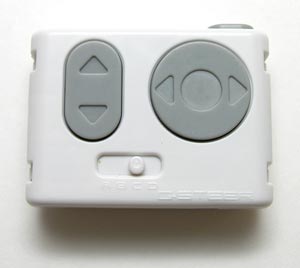
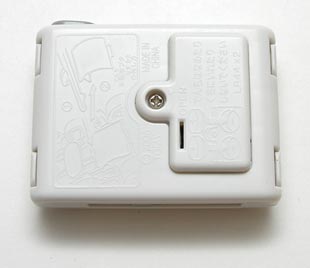
The handheld Infrared remote is 2 x 1.5 inches. It has a forward and backwards direction button, as well as a left and right steering button. There is also a channel selector switch that you can set if you happen to be racing more than one car. More about that in a minute.
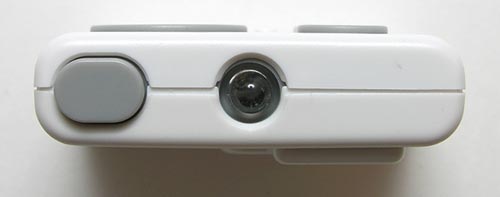
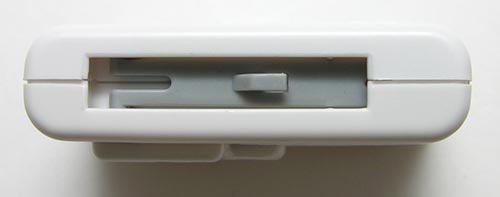
There’s a button next to the IR lens on the top of the remote. When you press it while driving the car, it gives it a little boost in speed.
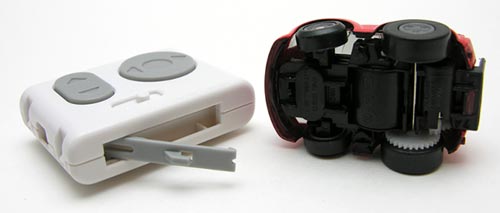
On the bottom edge of the remote is a pop-out tool that you can use to set the channel on the car.
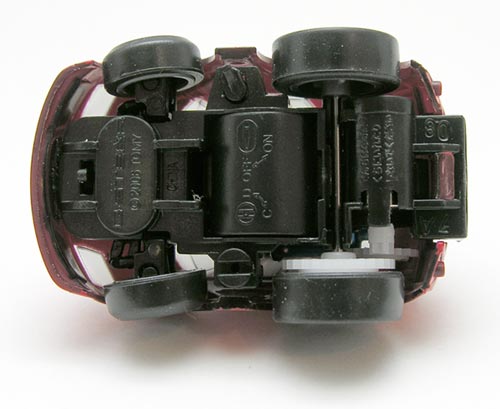
If you look between the bottom front and back tires, you’ll see what looks like a small slot screw head. This is the channel selector. My little Mazda Q-Steer can be set to either C or D channel. Other cars can be set to A or B channels. This way, you can race several people without having your remote interfere with theirs.
If you look between the top front and back tires, you’ll see a little lever. This is the On/Off switch for the car. This is a really tiny switch, which you can use the tool on the remote to flip (if your fingernails don’t work for you). Once you flip it to the on position, you’re ready to race it. Find a nice flat surface like a hard tile or wood floor. Carpet won’t work well as the fibers will wind around the axels and cause the car to slow down.
The Q-Steer isn’t as fast as some of the RC cars that I’ve reviewed, but it is easy to steer and a lot of fun to play around with. It’s also great for terrorizing your cat! ;o) This little car would make a fun gift for any kid or those of us that will always be young at heart.
Product Information
| Price: | 15.5 |
| Manufacturer: | Takara Tomy |
| Retailer: | Brando Toy Shop |
| Pros: |
|
| Cons: |
|

Gadgeteer Comment Policy - Please read before commenting
Post your comments here on the Takara Tomy Q-Steer RC Race Car review.
http://the-gadgeteer.com/review/takara_tomy_q_steer_rc_race_car
Just click the POST REPLY button on this page.
Finally, after maybe 12 years, hopefully it’s still Working….
I bought Xanavi red via HLJ,
Because of termites… need to remove the box…
Thks for the info…
That seems like good, cheap fun! So small…
Hello…
I have bought a Q-steer RX-7 Police Car in Japan….
No idea how to use it…the info are obviously in japan language, even with the draws I don’t manage to move it…
Can some one make a few picture more to explain me to use it
Under the car there’s written A and B On and Off…
Am I so stupid ???
Thanks
Christian
Christain,
If the batteries in the car and in the remote are not drained, you can just flip the switch on the bottom of the car between the front 2 tires and make sure the channel switch on the top of the remote matches the channel selected on the bottom of the car (the little slot screw).
I bet your batteries are dead and you need to replace them.
my car won’t seem to work i have tried everything and still no light or anything will come on. my uncles works, why wont mine?
Shay:
Batteries dead maybe? You might need to change the ones in the car and remote.
If there is an English instructions included, could you please post it so that it can be downloaded since we only have the Japanese instructions. Thank you.
At least you guys figured out how to turn it on.Thanks this site was a big help. If you could tell us how to change the battery and how to open up the motor housing it would be great. Again ,,thanks for explaining how to turn it on.
By the way, on the package box, there is a little mobile icon, whats that for?
And whats the range of the romote?
Does anyone know how to change the battery or swap out the motor?I got an extra race motor and an extra race pinion. Come on someone here must know . The directions in my box were in Japanese. No English translation provided.
Neil, That mobile icon indicates that you can control the car via your mobile phone. I have no idea how to accomplish this as my instructions are in Japanese but I saw this feature on another micro r/c car.
The on/off dial is the one on the side of the car, opposite the channel selector dial. The on/off dial has a ridge on it – the OFF position is with the ridge running from left to right (as in the picture above) and the ON position is with it running from front to back of the car (so you have to turn it counterclockwise from the pictured position to turn it on). The other switch between the two front tires is to adjust the steering (start with it in the middle and adjust from left to right as necessary).
I’d given this as a gift to someone a while back and just got one for myself and it took a while of experimenting to figure that all out (all the directions included were in Japanese). It also seems like it might power down after a few minutes of inactivity, so try turning the switch on the car from OFF to ON if you are still having problems.
From what I’ve heard, an Iphone can control it (haven’t found any more info than that), as can a PSP (Google “q-steer psp” and look for results like http://www.psp-hacks.com/file/1383).
Sorry, I almost forgot, you can use the tool in the controller to open the battery compartment in the car, which is the round bulge between the channel dial and on/off dial. Stick the end of the tool in the opening just to the front of that with the bump on the tool towards the back of the opening. It should catch on the lip of the batter cover and then you can pull it open (so it basically “hinges” on the back side of the cover). You can just push it shut again with your fingers after replacing the batteries.
So I know these cars take LR 44 batteries but which ones? Does the second number series on the battery matter?
how do i make my q-steer get powered by my phone
the mobile icon is for your cell phone (you can steer it with your cell phone). You have to have some kind of software called like imode or something. it is like a type of mobile internet.
how do i get parts for the cars it make go faster and things?
the air hogs teraian titians are a little bit faster and can jummp and drift!
I have a Q-steer car and lost some of the gears are their places to get replacement drive gears? It is the 4WD buggy.
Hey, Julie I also have a Q-steer car. Qss-01 SKYLINE GT-R (R34).
Nice ……, very nice performance. It’s my 2nd RC and really faster than my 1st RC, that is the BMW.
I own 3 of these for past 2 yrs, and to answer the cellphone controller question, you have to have a cellphone with a built-in infrared capability. Unless you live in Japan, forget trying to control it with your phone (plus it’ll drain your phone batteries faster).
The button batteries, just look for LR44 size, any other number listed is not relevant (usually date code or where it was manufactured, etc).
Range of remote? I tested it as far as 20-30ft in an office space hall way (walls were white, its a factor).
How long does it last? Not sure, I only play with it for 5-10mins at a time on occasion and I’m still on my first pair of batteries (that came with them). 🙂
Continuously play: I hear it only lasts about an hour or 2.
iPhone IR capabilities = “no” following links says it:
http://answers.yahoo.com/question/index?qid=20100212023702AAMpd4I
iPhone with IR accessory:
http://uiremote.wordpress.com/
Hi,
I was thinking… why not takara tomy make more q-steer cars, for example ferrari, porsche, lamborguini or more.
I got one takara tomy q-steer race car but i wonder how can i exchange battery, use it and race with it?????????????
My takara tomy q-steer race car is so smooth and quick now I know how to change the battery.Cool
i got a pokemon q-steer a little while ago n ive tried everything and still it wont work i even changed the batteries… my instructions are in japanese n i have no idea what they say plz help me!!
to change the battery, you need to insert the “fork” all the way in, it is exactly as shown in the instruction. Next you have to pull the “fork” back out and then the battery cover will slip out smoothly.
Yes, look at the drawing, it’s drawn universal. I’m driving mine with my iPhone thru my L5 remote. The only problem, it is impossible to press 2 direction simultaneously, except if you drive ridiculously slow.
I’ve just opened my car. There are 2 L1154 batteries. Is it the same type as you wrote?
i m looking for takara tomy q-steer series. where can i buy?
@henry woon
There are a lot of Q-steer cars on eBay.
The remote range is 1.5 meters? That’s about 6 feet. Someone listed 20 to 30 feet???