
 Continuing my streak of good luck, I received a Droid Eris to review. This is the second Android phone that Verizon is releasing. Some have referred to it as the Droid Light because it comes with a slower (528 mhz) processor and no keyboard. It is also shipping with Android 1.5 (Cupcake) with the HTC’s Sense UI interface. This puts it one version behind my G1, and 2 behind the Motorola Droid. I assume this is due to the need to update the Sense UI to work with the Android releases.
You can see the details in the press release. It is essentially a thinner HTC Hero.
Let’s start off with my preconceptions. I have spent just over a week with the Motorola Droid at this point. The Eris has a slower processor, older OS, smaller and lower resolution screen and no physical keyboard. I knew this going in. I did not expect this phone to be such a strong alternative to the Motorola Droid.
What the Eris Has
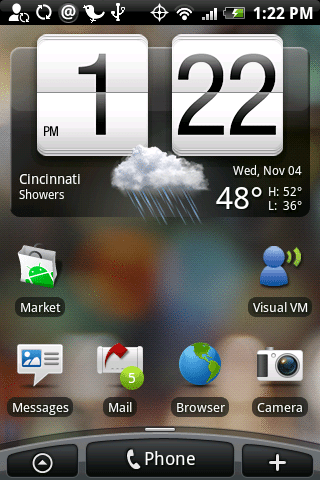
The Sense UI is very nicely implemented. Instead of only a centered tab to open the applications panel, this UI moves that tab to the left, places a large phone button in the middle and a button to add to your home screen on the right. You can still “long-press” to add an item to the screen, but the add button makes that option a little more accessible. I like the Phone button, but with this phone you get physical call begin and end buttons, so it is not really necessary.
HTC has loaded the phone with a number of HTC-designed widgets. Some are entirely new, others are improved versions of the Android widgets. My first impression of them is that they begin to fully realize the potential that the Android widgets have. Here is an example of the Music widget.
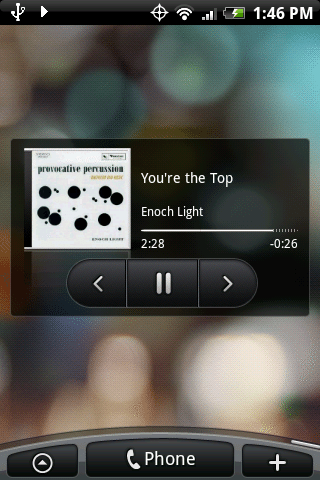
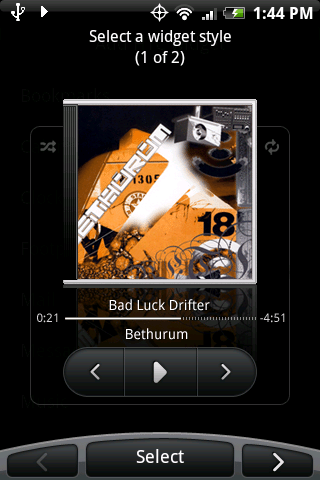
Like many widgets, you can choose among multiple styles. I chose the smaller style. Here is a look at the larger style.
There are quite a few widgets including ones for your contacts, calendar and mail. It would not take long to fill up your three home screens, so the Sense UI has seven home screens. You have the center home screen, and three on each “side”.
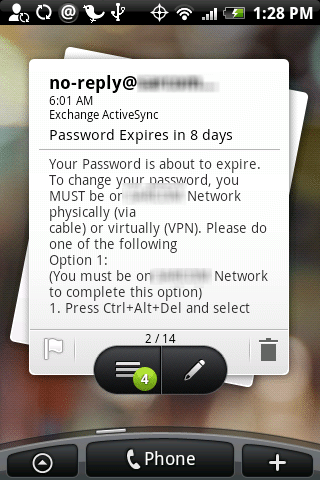
I was not expecting Exchange support since it was added in 2.0, but it does provide support for Exchange accounts. It was easy to set up my exchange mail account. It allows you to sync your Mail, Contacts and Calendar. There is also the option to sync to your PC (just your contact and calendar) in case your Outlook mail is not on an exchange server, or you cannot access your exchange server. Here is a look of the mail widget displaying my Exchange mail:
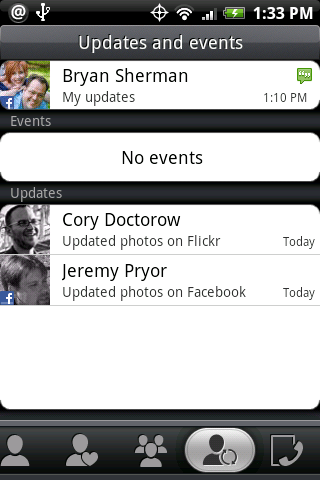
This phone also supports Facebook, and Flickr accounts and updates. I really like the Flickr integration, since that seems to be the one area of my life that Google doesn’t own. You are alerted of updates for your contacts. Here you can see both a Flickr and a Facebook update appearing on the same screen.
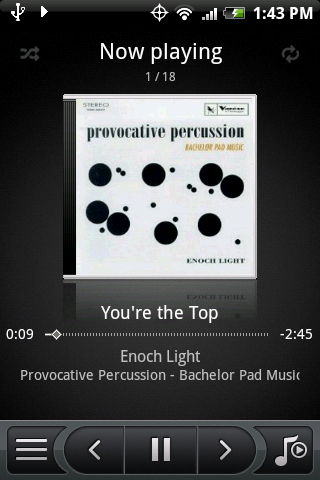
The music player is improved in both looks and functionality over the stock Android music player. Here is a look at the Music Player:
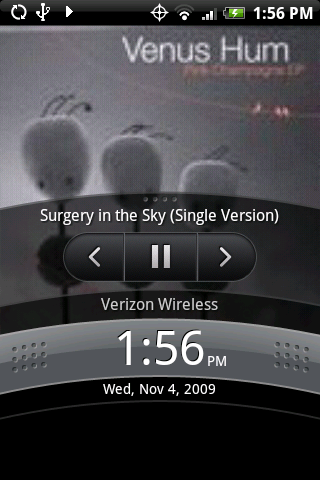
A really nice touch is what the Eris does when you wakeup the phone while playing a song. You actually get some controls without unlocking:
The Eris comes with a 5MP camera, but no flash like the Motorola Droid. However, in early tests, the Eris’ camera is much better. I had no issue using Shop Savvy with it. I’ll need to do some more in-depth comparisons, but my initial impression is that it is a better low-light camera.
So far this phone has really surprised me. I look forward to putting it through its paces. I would like to get a review up tomorrow (since it is releasing with the Droid) but not sure if I can pull that off. This will be a shorter series than the Motorola Droid series. Right now I am only planning a post on the Sense UI and then the review.

Gadgeteer Comment Policy - Please read before commenting
Is the phone being slower than the droid a problem? is it laggy like the G1? And do they have a terminal or command app? Could you install tools like nmap?
@Adam
It’s too early to be definitive, but the Eris feels snappier than my G1. I was a little surprised by that, since it has the same processor speed, but a.) I have not loaded it up as much as my G1, and b.) it has more memory. The G1 has 256 MB ROM/192 MB RAM while the Eris has 512 MB ROM/288 MB RAM.
I am not sure what the difference in processor is. The G1 has a Qualcomm® MSM7201A™, 528 MHz while the Eris has a Qualcomm® MSM7600™, 528MHz
But how do I actually get the music on to my Eris? From CD, itunes, or anything else?
I am looking for a phone that has a larger calendar. I’ve seen the I Phone, but worry about how fragile (I’ve heard) the phone is. I’ve seen the calendar on the Eris and it’s not much bigger than my Blackberry Pearl Flip. Can you suggest something with a great calendar oh yes and a keyboard (not one that slides…)
Does anyone know how to change the email address on the mail widget that comes default on the first homepage to the left of the main one? The person at the store set up my gmail to the mail button on the home page and I accidentally set up gmail on the widget and am stuck on how to change the account it is hooked up to. Any help would be much appreciated!
Hi,
I was told the only way to sync the I Phone with Outlook calendar was to go through I Tunes..Is this true, why and isn’t there a better way?
Thanks,
The Eris is fragile and the screen is prone to crack from any accidental drop. A protective case is a must, and HTC should include one as standard. Insurance? Yeah, right. $7.99 per month and $89 non-refundable deductible for each claim. Overall it’s a very capable device and fun to use, but it requires extreme care and investment in protective accessories. If you carry your phone on a belt case or holster, the Eris will eventually disappoint you.
I have the Eris and I love this phone. I don’t think it is fragile at all. I have dropped this phone and had things dropped on it. Nothing has broken yet. So glad I bought this phone over the Droid!!
I was down on the Eris as the marketing of slapping the droid name on the end of it rubbed me as just an inferior phone that they’re trying to market up for sales, piggybacking on the good press of the Droid.
That said, the Eris is actually a pretty good little phone. I don’t live with one, but we recieved a demo unit at the office, and I played around with it for a bit. Snappy, no delay, and if you’re a fan of the HTC UI, that worked well, and looked good.
The one thing I didn’t get a chance to fiddle with is disabling the Sense ui and playing with it like a regular Android, but for all purposes, it operated well and smoothly.