
Product Requirements:
PC running Windows 98/NT 4.0/2000/Me/XP (Windows NT, 2000 and XP require admin rights to install. Windows NT and systems without USB ports, require the Palm HotSync® Cradle-Serial, SKU P10828U, sold separately) Or Mac OS X, version 10.1.2 or higher.
It wasn’t that long ago that Julie and I were sitting huddled around a conference table in a side-room at COMDEX. On the table before us were laid out the new Palm PDAs and their various accessories. At the time, Palm was heavily promoting their Tungsten|T and Tungsten|W models. Julie and I both already owned Ts, but had never had the opportunity to check out the Ws “live.” As we perused the W, we were both impressed with its form factor and features, but there were a couple of issues that kept us from being completely gung-ho about the device: mainly that it used the previous operating system (Palm OS 4.1.1, when 5.0 was already out) and then there was the fact that it used a wireless service that neither of us could get reliable 24/7 access to.
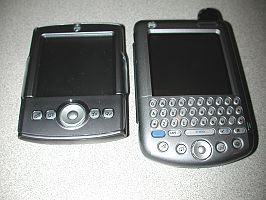
Palm Tungsten|T and Tungsten|W
Fast forward half a year, and once again Palm has just announced their new devices: the Zire 71 and the Tungsten|C. It doesn’t take much of an imagination to see the physical similarities between the Tungsten|W and the Tungsten|C; but once you get under the hood of the new C, you almost immediately realize that this is a whole new breed of Palm. The bar has been raised, and the game just got more interesting. Gone are the issues that made the W a doubtful choice (for me, anyway). and in their place are a set of features that sure look good on paper…
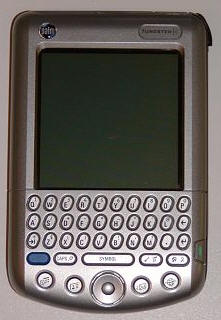
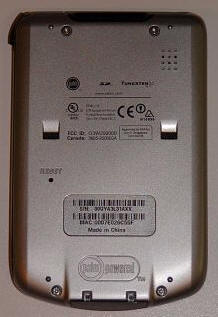
Hardware Specifications:
Size and Weight : 4.8″ x 3.07″ x .65″; 6.3 oz.
Memory: 64MB (51MB actual storage capacity)
Operating System : Palm OS® 5.2.1
Processor: 400MHz Intel® PXA255 Processor with Intel® XScale Technology
Screen: 16-bit, 320×320 transflective TFT color display supports more than 65,000 colors
Battery: 1500mAh Rechargeable Lithium Ion/Polymer
Expansion Slot: SD/MMC, SDIO Accessories, Palm Universal Connector
Built-in Keyboard: Quickly type and respond to emails, easily enter information
5-way Navigator Button: Access information with just one hand
Mobile Radio: WiFi Certified 802.11b Radio
Hands-free Headset Jack: Accepts Palm Tungsten W and C Hands-free Headset for audio playback, 2.5mm connector, mono
Notification: Vibration, Audio, LED Notification
Opening the Tungsten|C box was a sense of déjà vu. The C appears to be the exact same form factor as the W, but without the nubby antenna. Here is an overview of the C’s physical specifications, taken from the Palm
site.
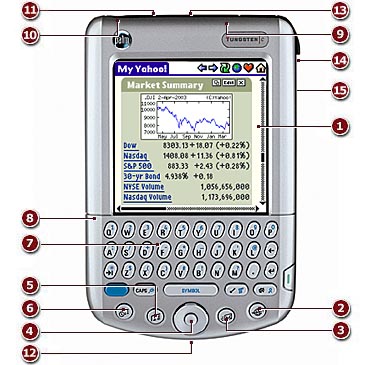
| 1 | 65,000 Transflective Color Display |
| 2 | Web |
| 3 | |
| 4 | 5-Way Navigator |
| 5 | Address Book |
| 6 | Date Book |
| 7 | Integrated Thumb-Size Keyboard |
| 8 | Rechargeable Battery |
| 9 | Embedded Antenna for Integrated WiFi (802.11b) |
| 10 | Headset Jack (2.5mm) |
| 11 | Palm™ Expansion Slot |
| 12 | Palm™ Universal Connector |
| 13 | Infrared Port |
| 14 | Stylus |
| 15 | Speaker (in back) |
Inside the box:
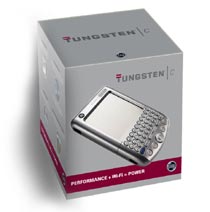
I was actually quite surprised when I saw the Tungsten|C’s box. It is relatively tiny compared to the boxes most PDAs appear in these days. Inside were the following: Tungsten|C handheld, Stylus, Flip Cover, USB HotSync Cradle, Desktop Installation CD with PDF-file Users Manuals, Palm installation & Software Essentials CD, and various “Read this first” type pamphlets.
The Tungsten|C:
I have been using the metal bodied Tungsten|T for months now, so I have become accustomed to using a PDA with a bit of heft to it. With that in mind, I was almost slightly disappointed when I removed the C from it’s box and felt its plastic body for the first time. Even though the C feels very solid and substantial, and even though it actually weighs a couple tenths of an ounce more than the T, it just seems lighter to me. Of course, for many that will be a good thing (I know that I can be weird sometimes about things like that).
Just for a size comparison, here is the Tungsten|C shown with a Tungsten|T, Sony CLIÉ NR70V, and because it also has built in 802.11b – I am including the HP iPAQ 5455 in the lineup.
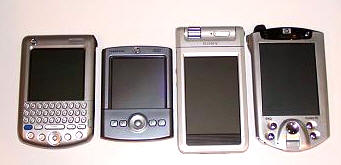
Tungsten|C, Tungsten|T, NR70V, iPAQ 5455 Stacked up, the C is the second smallest of this group…
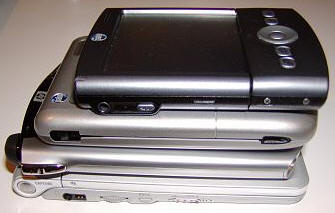
NR70V, iPAQ 5455, Tungsten|C, Tungsten|T
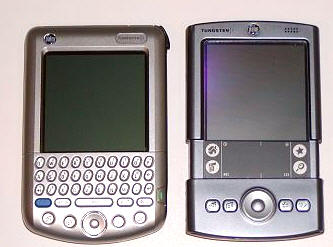
Perhaps the most telling example of the C’s size, is the fact that it is roughly the same length as the incredibly compact Tungsten|T, when the T’s graffiti slider is open…With that in mind, I believe that the Tungsten|C should easily escape being labeled a brick. While it isn’t the smallest PDA out there, it is certainly one of the more compact. When in my hand, it feels comfortable, easily graspable, and perhaps as an added bonus – the power button is where my left pinky finger naturally falls – making it easy to hold the C and flick it on or off. My right hand is then free to push buttons, work the nav-pad, or tap on the screen.
When I squeeze the case, applying Julie’s famous test, there is a slight creaking sound, although there is not much if any actual “give.”.
Here are some views of the Tungsten|C…
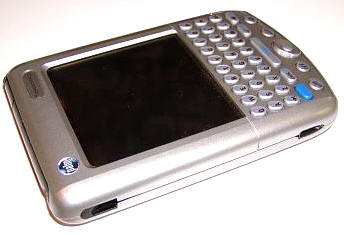
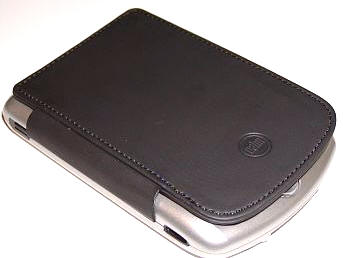
This is the Tungsten|C’s left side, showing the slots that attach the flip-cover.This cover is a reinforced vinyl that mainly serves as a screen and button protector. It will be perfect for people that want something with the absolute thinnest form factor – but for those that need more than the merest screen protection, a better case will need to be on your shopping list.
One thing worth mentioning about my experience with the flip cover is that I have found that during the course of the day it will pop out of the silo’s top. Since I am a little bit obsessive, I find that I am constantly checking to make sure that it is where it is supposed to be.
Even with what can be viewed as faults and limitations, it is still nice to have a cover, though, and I like the way it lies flat against the back of PDA
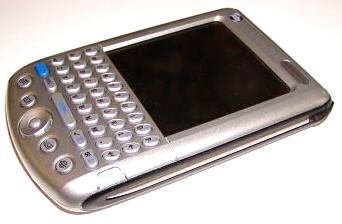
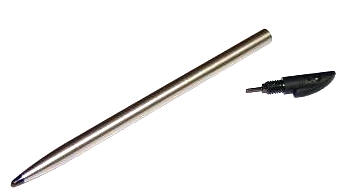
This is the right side of the C, showing the silo which holds the new metal stylus.
Unfortunately, you’ll notice that the top of the stylus unscrews – revealing the dreaded reset pin. This is, in my opinion, a step backwards for Palm. I was so impressed with the way that this unnecessary step was removed in the Tungsten|T, by including a large enough reset hole that could accept the tip of the stylus. I realize that this is a little thing for most – but when you do as many resets as I do, it can be incredibly annoying.
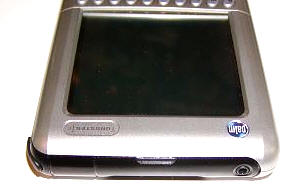
The top of the Tungsten|C reveals the SD/MMC/SDIO slot in the middle. The translucent area above it is the LED status light that glows a bright green when charging or as an alarm goes off. On the right is the 2.5mm mono headset jack and on the left is the Infrared port. Obviously, if you were holding the PDA up facing you (instead of it lying on its back, as in this picture), these sides would be reversed.
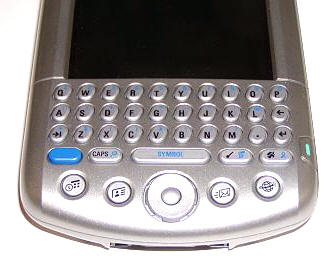
The bottom area of the C is quite feature packed, including a thumb keyboard, the reconfigurable Date Book, Address Book, email and Web buttons, as well as the five-way center nav-pad.This nav-pad is virtually identical to the Tungsten|T, but it is about 75% of the size. This doesn’t make a big difference for navigating, but it did make a huge difference when I would try to tap the center to return to the home (launcher) page. I quickly found myself using the home button, instead.
Because there is no graffiti area on the screen, there are instead dedicated buttons to activate control, menu, home, and shortcuts.
The blue button that you can see to the left, is a type of “shift” button that allows you to type the smaller characters (in blue) that appear on each button.
Pushing the large middle button labeled “Symbol” will either put a space in between what you are typing, or when pushed in conjunction with the previously mentioned blue shift button, a soft keyboard will appear on the screen with a variety of common (and not so common) symbols from which to chose.
The buttons on the keyboard are made of hard plastic, and while they have a good tactile feedback, I can’t help but wish they had been composed of hard rubber instead. They feel a tad slippery when you are “typing,” and I think that rubber might have provided a better grip.
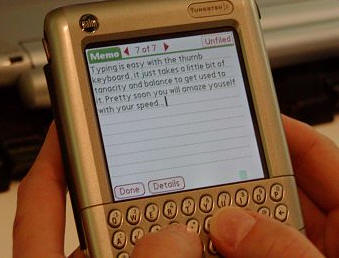
Using the thumb keyboard is quite easy, as it is laid out in a QWERTY pattern that everyone is familiar with. Even though there is a shift key, making capital letters is as simple as holding down the button after you type a letter. All numbers and common pronunciations are accessible by hitting the blue shift key. It takes a little while to get used to the system, but once you get it down, you will most likely amaze yourself with your typing speed.For the record, I much prefer this keyboard over the one on my Sony CLIÉ NR70V.
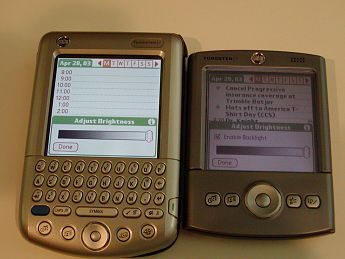
The screen on the Tungsten|C is easily the most beautiful that I have seen on any PDA to date. I thought my Tungsten|T was bright, crisp, and colorful…but this one just blows it away. In fact, it makes my T look washed out and ugly. :0(Even on its lowest setting, the C is still brighter than my T…
The only gotcha is that the bottom of the Tungsten|C’s screen has the same four little dark spots like the Sony CLIÉ NR70V shows. It is a small tradeoff for the brilliant screen though, believe me.
The Tungsten|C has a 1500mAh battery, which is exactly the same as the one in the T. I am not sure if the C’s processor is just that much more efficient, or what the deal is exactly, but the battery on the C seems to last much longer than the battery on my T. Even with the WiFi running, and the backlight on medium bright, I got over an hour’s usage before the battery showed any movement. Amazing!
Before I forget to mention it, the 400MHz Processor is blazing fast…I am talking virtually no waiting whatsoever, for any reason. If someone tells you they can’t think of any good reason for a Palm to have such a fast processor, then just tell them this: it does because it can. What this means for you is that you will never see an hourglass or little clock thing mocking you as you wait for it to open an application, do a sum, or whatever. The only program I have had to wait on is Bookworm, one of my favorite Astraware games. This is a graphics heavy game with a huge dictionary that it has to sort through. Needless to say, it has cut the load time to at least half of what I am used to waiting with my Tungsten|T.
Back to WiFi for just a moment, this is as good a time as any to talk about how impressively easy this feature was to set up and use. There is a wizard that you follow, and before you know it any and all possible WiFi connections will be located and accessible.
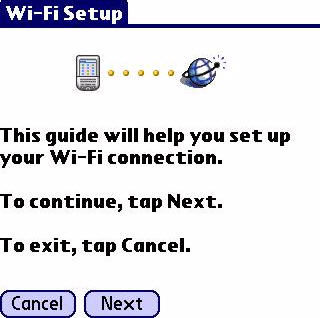
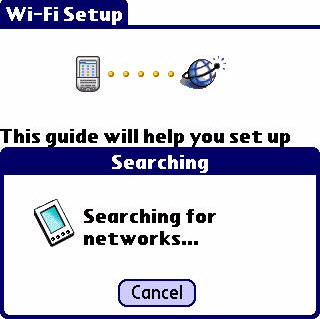
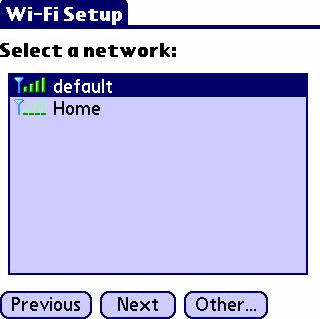
I am honestly not sure exactly how this button manages to make the WiFi conserve power, but I kept it on all the time and my battery life never seemed to suffer, so it must be a good thing. ;0)
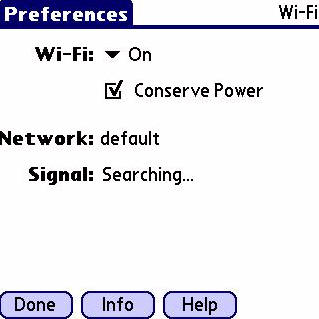
While we are on the subject, I have to admit that I was a little bit surprised that there was no flashing light to announce when the WiFi was on. I even went so far as to wonder if perhaps when I exited from a screen the WiFi might be shutting itself off. With a little help from Michael A. Waldron, one of Julie’s extremely knowledgeable contacts, I learned of a simple way to tell immediately if I was connected or not. Check it out – all you have to do is hit the Command button, and you’ll see that there are some new additions to the tool-bar. The first snapshot shows my WiFi is not on, and the second shows it on with a strong signal.
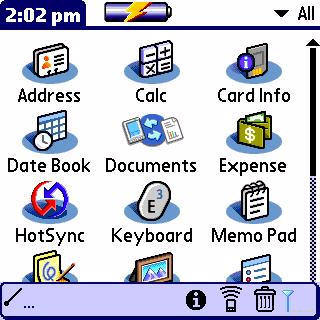
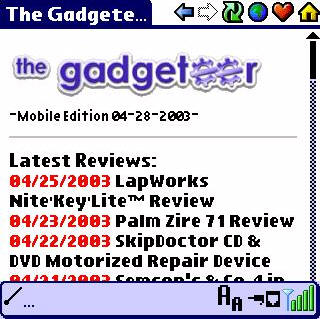
The WiFi range seems to be about as good as the range on my Fujitsu Lifebook 2110 laptop – I can be two rooms away (15 – 20 feet) from my wireless point, and still get a good signal. I can sit outside my back door (20 ft) and also receive a signal, but I can’t sit in my living room (35ft) and surf with either device. Neither device has an external antenna, and my old house (1920s) has extremely well insulated walls, so perhaps that is why I don’t get a better range. I have to tell you, the WiFi feature is one of the coolest things I have ever had on a Palm. Sure, surfing on my Palm will never be at the top of my “Best things in life…” list, but there is something awesome about being able to get your e-mail when you are away from your desk – or in an airport or coffee shop. It is too cool to be able to check the weather, watch an eBay auction, get a stock quote, or any number of other things you can do wirelessly. Next to the screen, this is a feature I am going to sorely miss when I have to return this unit to Palm.
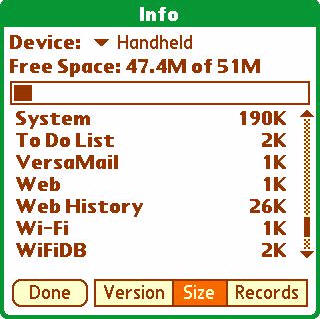
Here is a sight I had never thought I would see…sure, I had hoped for it, but I still never really thought I would get it: 51MB of available storage space on my Palm – without having to send it off to a third party memory specialist.
There are going to be those that get upset that the box says 64MB and you only really get 51, but here is my take on the issue: If this were a Pocket PC device and it said 64MB, you would only really have 32MB for storage, since the device would need 32MB to run the programs. With the Palm, you actually get all 51MB to store and run your programs, so you really are coming out ahead. If that doesn’t make sense to you, post a
comment at the end of this review and I will explain it further.
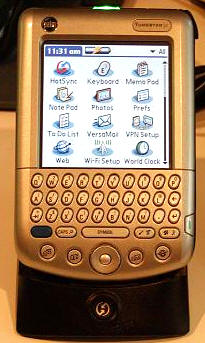
The Tungsten|C’s cradle is very similar in form to the universal cradle that was included with the Tungsten|T, with one difference: The power cord now has it’s own slot on the rear (instead of tying in with the USB line). I would have gotten halfway excited about this change had there been a way other than through the universal connector on the bottom of the C to keep it charged. A separate AC port built into the C would have been a great way to take the power cord along on trips for charging without syncing…
SOFTWARE:
The Palm Desktop Software 4.1 for Windows installation CD includes the following:
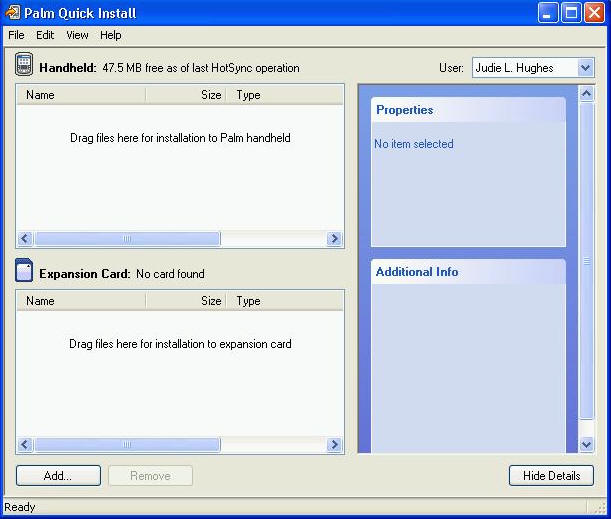
– Palm™ Quick Install for easy transfer of Palm OS® applications, photos, and more from your computer to your handheld.
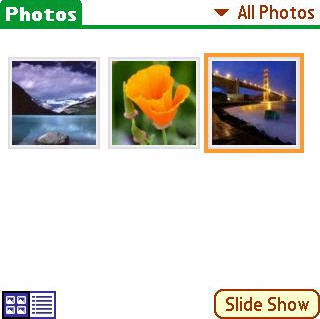
– Palm Photos – a simple program for viewing downloaded pictures on your handheld.

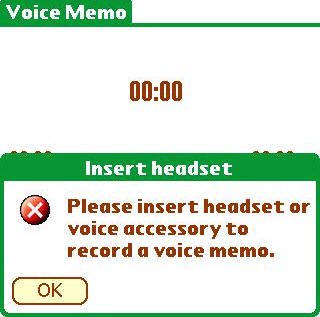
– Voice Memo – this is an application where you get hosed unless you buy the optional headset. There is no external voice memo button on the outside of the Tungsten|C (like there is on the Tungsten|T), instead, you have to use the button on the mono headset. This appears to be the same headset that the Tungsten|W uses, but I have not had any luck in finding a link to purchase one.
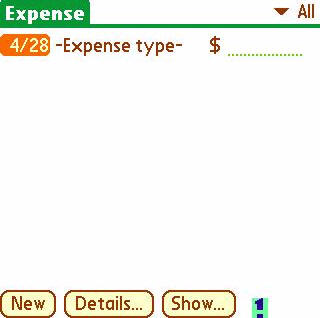
– Expense Palm Desktop plug-ins
– Palm Desktop Software 4.0 for Mac
-Infinity Softworks powerOne Personal Calculator – a multi featured calculator that makes the regularly included one seem quite anemic.
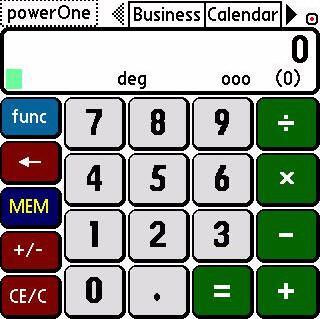
– Chapura PocketMirror 3.1, for synchronization with Microsoft Outlook (Windows Only)
–Printboy Printing Software by Bachmann – printing program that allows you to connect to various printers via WiFi, Bluetooth, and Infrared
-Adobe® Acrobat® Reader® for Palm OS
-Copytalk – Allows you to get and send email by talking on your mobile phone. Allows you to hear email, then compose a reply. Also allows you to dictate notes on Palm handheld.
-WorldMate – this is a must-have application – especially if you have a wireless enabled PDA. You can set your PDA’s clock to an atomic clock, get up to the minute weather forecasts for all around the world, and it even includes a money converter, unit converter, area codes, and world-wide size conversions. If your PDA isn’t wireless, you can get the same info when you sync…
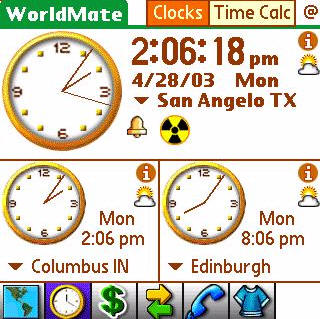
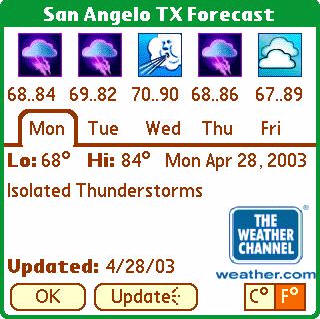
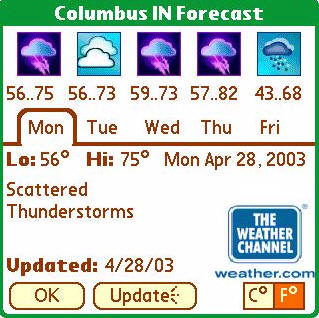
Installed when user performs first HotSync® operation:
–DataViz
Documents To Go 5
-Palm Photos Conduits
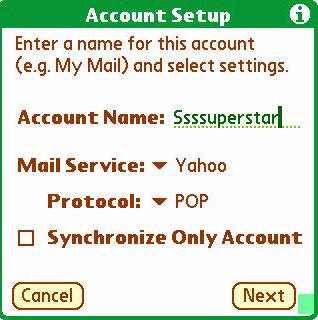
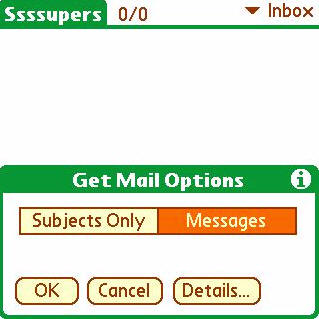
-VersaMail 2.5
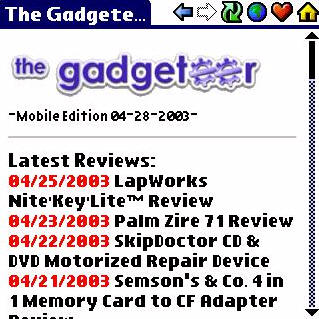
-PalmSource Web Browser 2.0
-Palm Photos 1.0
-DataViz Documents to Go Pro Edition 5.003
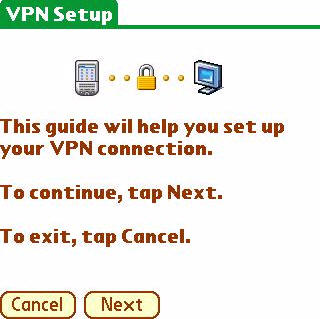
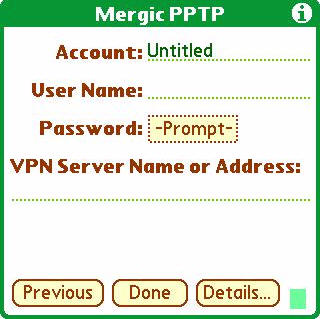
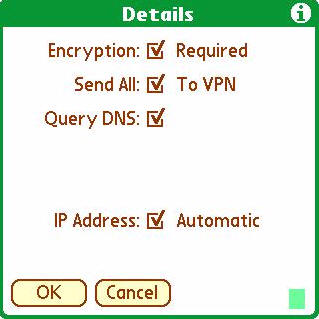
-PPTP VPN client by Mergic – Includes a wizard to get you up and running in no time…
–Colligo Meeting for WLAN (Internet download link) –
–AOL for Palm OS (Internet download link)
–AvantGo for Palm OS (Internet download link)
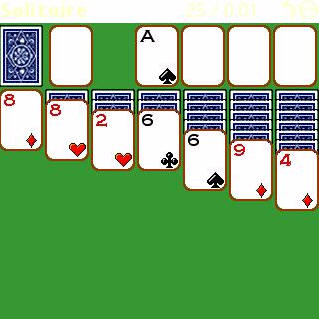
–Solitaire by Handmark -Solitaire coming from the factory on a Palm PDA…oh the irony!
–Kinoma Player and Kinoma Producer – watch and produce movies for your Palm
–Palm Reader – my personal favorite for reading eBooks
Included on the Handheld are the usual standard Palm built-ins, including:
-Address book
-Calculator
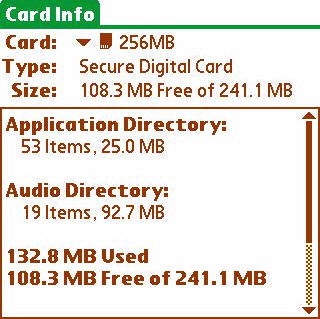
-Card Info – gives information about the card inserted in the expansion slot.
-Date Book
-HotSync
-Memo Pad
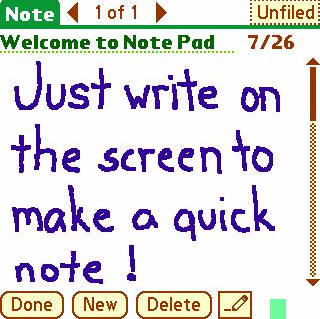
– Note Pad – for creating handwritten notes on the fly. You can attach an alarm to these notes, so they are very handy for upcoming To-Dos.
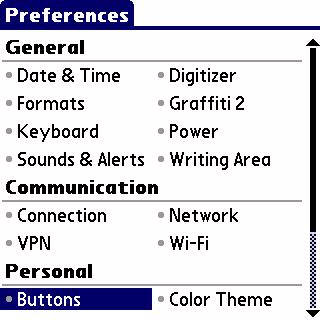
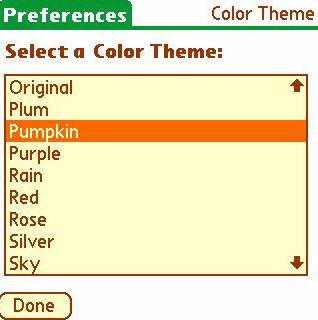
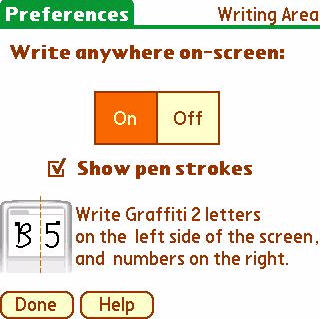
-Preferences – This is a newer, more user friendly version from the last. Easy to figure out, navigate, and specially set up for the new WiFi/Communication capabilities of the Tungsten|C. Cool new color themes are included in this newest OS, as well as the ability to write directly on the screen (completely necessary with the Tungsten|C).
-To Do List
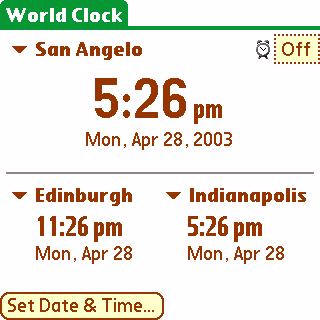
-World Clock
-Enhanced Security with Built-in Encryption and Password Masking Options
-Installed on first HotSync® operation to RAM:
-Quick Tour for device overview, keyboard, and 5-way navigator.
Conclusion:
There are plenty of things about the new Tungsten|C that I like: the fantastic processor speed, the expanded memory, the built-in WiFi, the gorgeous screen, and yes – even the built in keyboard. If I didn’t already have the Tungsten|T, you had better believe I would be ordering one for myself. It does have some “gotchas,” but as long as you are informed when you make your purchase, you won’t be in for any surprises…
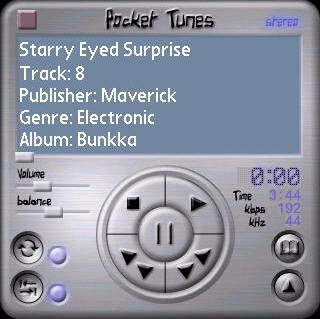
I like to listen to MP3’s on my PDA. I don’t want to carry a separate device for that purpose. If you are the same type of person, then while the Tungsten|C won’t totally disappoint you, it may let you down a bit. There is no software included in the box to enable it to play music. With the built in mono speaker and the mono headset jack being just a 2.5mm size, you might think that music on this PDA is an impossibility. Well, it’s not. You can either download the Real Player for free, or get my favorite, Pocket Tunes. Even though the sound isn’t great – it is better than nothing (or as we say here in West Texas, mejor que nada).
As I mentioned before, you can’t use the voice recorder without the additional headset. I honestly think that this is something that should have been included in the box, and I will never understand why it wasn’t. If you are someone that doesn’t really need voice memo capability, then this will be a non-issue to you.
I have been reading our bulletin boards here at The Gadgeteer for years, and I have found it interesting how passionate people can be when they are talking about what they want or don’t want in a PDA. Sometimes, I think that most people must feel that the big companies either don’t listen or don’t care about what we desire in our “perfect PDA.” But the fact of the matter is that there is no company out there that will build a consumer PDA to order. PDAs have to be built according to surveys, demographics, and price points that people in certain groups are willing to pay. Users have to be wooed by the options offered by a particular brand or operating system, and there is absolutely no way that any one PDA will ever please everybody. That’s why there are so many different models, offered by so many different companies, and why there are several different operating systems available to chose from: It is all about meeting different people’s needs.
With that said, I can honestly say that if you want the fastest processor ever available on a Palm, if you want WiFi, if you want a built in keyboard, if you want 51MB of built in RAM, and if you want the most brilliant screen that has ever been offered on a PDA, then you can’t go wrong with the Tungsten|C.
Price: $499
Tungsten|C
Accessories are also available
Pros:
The most beautiful screen on any PDA, ever!
WiFi access without too much bulk or battery drain
51MB of built in, usable RAM
Fantastic processor speed – virtually no waiting!
Built in QWERTY thumb keyboard
Extensive third-party software included on disc
Cons:
Mono speaker and mono headset jack
Headset jack is 2.5mm – perfect for mono voice/phone – but not perfect for stereo earbuds
Can’t use voice recorder without optional headset
All the new desktop software appears to only support Windows PCs and not Macs
Product Information
| Price: | 499.0 |
| Manufacturer: | Palm |
| Pros: |
|
| Cons: |
|

Gadgeteer Comment Policy - Please read before commenting
Post your comments here on the Palm Tungsten|C.
http://www.the-gadgeteer.com/tungsten-c-review.html
Just click the POST REPLY button on this page.
I personally noticed that PDA screens seem to eventually decrease in quality/brightness with use.
Does anyone else notice this?
Do the gadgeteers take this into account when comparing PDA screen qualities?
Thanks for the review Judie, I’ve been checking back a few times a day since noticing you had one in your diary. Any chance of getting a side view photo with the T|C stacked on top of an M515 or M505?
Paul
Paul,
Unfortunately, I no longer have either of those models to compare the C to. :0/
Judie
1. In your opinion, do you think this PDA will be upgradable to OS 6?
2. Since the battery is not removable, have you ever had a problem with Palm batteries dying early?
3. I am thinking about buying this PDA but am also thinking about the 5500 and 2200 pda’s from HP forthcoming.
Any thoughts on them?
Poncho,
I have no idea when OS6 will actually be available, so I can’t comment on whether this PDA would be upgradeable or not. I suppose anything is possible.
Regarding batteries – I have NEVER had a Palm with a rechargeable battery die on me (knock on wood!). As a matter of fact, the IIIC that I gave a friend is still going strong. :0)
The 5500 is $200 more and a completely different OS. It just depends on what you need as to whether you would be happier with it. Julie wants a 2200, so I am sure a review will soon follow.
Judie :0)
What are people’s general impression and/or comments regarding the new Palm offerings not having a grafitti area?
I didn’t really think about it until I started considering the Z71 vs the T|C. What is lost with this area gone? Is there any way to use grafitti for data entry anymore, or is the user expected to use the keyboard exclusively?
As Judie already alluded to, it’ll be pretty hard for anyone to come out with a device that meets everyone’s expectations completely, but I am bummed that the ‘high-end’ offering from Palm has the limitation of mono vs stereo capabilities and having to use the headset for memos. I could even live with the mono if I didn’t need the headset for voice memos (somehow forgot to finish this thought before originally submitting…) urg…
I’ve seen the new screens on the T|C and Z71 and they are beautiful. I wish the T|T had this screen.
You can still use Graffiti2 on the screen itself. This option can be turned on or off if needed. I was bummed about the mono output, but look at it this way; Stereo would be viewed as a negative by corporate managers and those making the company purchasing decisions.
Altema,
I am not sure where I read it, but if I understand correctly, Palm may be aiming at offering software that allows WiFi voice calls over the C’s headset. In order to do voice calls, you (supposedly) have to have a mono 2.5mm line. If this is true, then I suppose that will be a PRO for business users.
Judie :0)
Ditto here. I’ve worn the icons off the buttons and still had the battery working like new. More than one associate at work still has their Palm V with the original battery.:cool:
Regarding the battery question: I’m still using a IIIc as my daily PDA (it was free from a Palm seminar WAY back) and have never had problems with the battery. It’s with me all day being used and in its cradle almost every night.
As far as a new PDA is concerned, it’s all about that new screen to me. The T|C and Z71 screens are just amazing. I played with the thumb keyboard a little bit on the W and was a little surprised at how much I liked it. The other tough decision is whether the T|C is worth the extra cash – this is compounded by the fact that I have a discount at Target and that would only apply to the Z71 since they don’t sell the T|C. 🙁
Some things are missing from the review:
Does the WiFi support business critical wireless security functions such as 128-bit WEP and 802.1x authentication?
Without these it becomes a MUCH LESS compelling Business Tool. You effectively add an insecure device to the corporate LAN.
Question About Web Browsing:
With the Tungsten C can you browse any site or are you still limited to specially created pages? I seem to recall reading on another forum that there were issues with sites that had pop-up windows, etc.
To me a major reason for WIFI would be to visit the Internet.
And a MAJOR downer would be to spend $500 and only be able to browse specially designed pages. For the same money the iPaq’s browse anything.
Thanks for the review – enjoyed reading it.
Wayne
Great review!
Julie also said that the Zire 71 screen is very good. But which is better of the 2 new Palm PDAs?
Ryvil
dweebus,
According to Palm, You can check the WEP Encryption Code button when setting up WiFi Networking on the PDA for networks that use WEP key encryption ranges from 40-bit to 128-bit. So, I would say that the answer is YES.
mas90guru,
Web browsing is possible in sites that aren’t optimized for mobile devices, it’s just not as smooth as browsing on those that are. In fact, there are some sites that are downright “unfriendly” for mobile browsing. I generally tend to think that handhelds are more for quick information than for the full web-browsing experience…one day, hopefully that will change.
ryvil,
Unless I am mistaken, both new PDAs have the same screen.
Hope this helps,
Judie :0)
I believe I know why the Tungsten C’s battery lasts so much longer than the T’s: It’s not the Processor, but rather the battery itself: The T and the Zire 71 have 900 mAh batteries, the Tungsten C “inherited” the W’s battery of 1500 mAh.
Actually, that was the big reason for me to switch: My Tungsten T ‘s battery would last half as long as my old Clie 710 and would regularly give me low-batt warnings after a busy call night. I hope this will not be the case with the Tungsten C!
Listening to mp3s in mono will be a bummer though!
rontam75,
You may be right about the battery sizes being different. I can’t find any documentation regarding the size of the T’s battery – I was told it was a 1500mAh also, but I don’t know for sure.
What I do know is that the battery life of the C is GREAT, and you should notice an improvement over the T’s.
Judie :0)
Judie, great review as always. As rontam75 said, though, I’m fairly certain that the T|T does NOT have a 1500mAh battery, so you should probably edit your review there.
One other criticism: I think it’s unfair to compare a T|T in open position. The whole idea behind the collapsible T|T design is that it’s much more compact for carrying. Who care’s how big it is when you’re holding it in your hand to use it? But I think the rest of the pictures you included in your review make a good case for the T|T’s size advantage.
Scott
I’m surprised you didn’t say anything about the price. $499.00 seems over the top to me, $399 would be much better. Not a fan of keyboards or “Graffiti 2” i.e. Jot, but to each his own. Either the new Zire without the gimmicky camera or the Tungsten C with a graffiti area would be perfect for me….at $399.00/. Wonder why they have a keyboard on the Tungsten C and graffiti area on the Zire? That screen is really nice….guess the Tungsten sliding graffiti area concept is dead. maybe the Tungsten itself is too. We’ll see how long it sticks around.
Scott,
I don’t think that it is unfair to show the C next to an open T, because it was more as a size reference than anything. I figure that by now most people know what size a T is, so they would “get” the comparison.
I am waiting on confirmation of the T’s battery – but I have a feeling that I will be changing the sentence about the battery sizes being the same.
tthiel,
I paid $699 for my iPAQ 5455, so I fugured a Palm with the same amount of RAM, a gorgeous screen, and built in WiFi was worth $200 less than a PDA with the same features plus Bluetooth. I would like to see it come down to $399 too – and I bet you that in a couple months it will – just like the T did. It’s just a matter of waiting a little bit and then buying if you don’t have to have it right now.
Thanks for writing!
Judie :0)
Greetings! First, let me say that your review of the new Palm Tungsten C was as excellent as your prior reviews! Thanks!
A question though… you state that the Palm Tungsten C has the “best screen on a PDA, ever”. I’m wondering how it stacks up against the slightly lower res, but larger, screen of the 5455. The excellent screen quality of the 5455 is one of the major reasons I left my Palm roots and went for the Pocket PC. (I didn’t care for the Sony’s form factor.)
Thanks again,
Steve
Steve,
The only thingI can tell you is that if you look at a 5455 screen next to a Tungsten|C screen and both are displaying comperable pictures, then I think you will agree that the C’s screen is the better of the two. It’s not just a matter of higher resolution, it is truer colors and brighter whites. I would give anything to have that screen on my T…and the extra memory…the faster processor…the battery life…and the WiFi…but I would like to keep my Tungsten|T’s form factor. Wishful thinking, I know.
Judie :0)
Thanks, Judie. Since I have alot invested in the 5455, I am more or less locked into the iPAQ family at the moment, which is why I am interested in seeing if the upcoming 5500 series will offer any improvements in the screen, processor speed, reliability, etc.
However, being into digital imaging, I am still happy with the 5455, although I think it could improve on video (Mpeg-4) play.
Steve
It’s a pity that the T|C doesn’t have either bluetooth or GSM/GPRS in addition to WiFi. The latest Ipaqs have b/t and WiFi. I have a bluetooth phone (Sony-Ericsson T68) and I’d hate for it to go to waste. Not that many people live in WiFi coverage areas, but many more are in GSM/GPRS areas.
Also, If I want to use a keyboard, I’ll plug mine in.
Pity about the mono output, but the reason seems valid (for future WiFi voice calls).
Disappointed overall. I’ll stick with my T|T for now. It’s the best I’ve had yet, and that’s a few: Cassiopeia A-11 (then 2.0 ROM upgrade), Sharp Mobilon 1500, Cassiopeia E-15, HP Jornada 545, Palm m 515, now Tungsten|T.
i hate this reveiw.:x
Judie, I don’t think that you were trying to mislead anyone, so I hope you didn’t get that impression. I guess I just would have liked to have seen that photo (with the T|C next to an open T|T) paired with a similar photo with the T|T closed. Again, though, a similar photo (showing other handhelds besides the two) was shown in the article, so the average reader certainly has enough information there to get all of the facts they need. Part of the background of my post is that there’s a certain group of people who have posted elsewhere that Palm’s sliding T|T design was gimmicky and undesirable. While I agree that there could be some concerns about reliability of the slider over time, I think the portability advantage is significant.
My ideal Palm would probably be a T|T with a transflective screen and a thumbboard hidden behind the slider. This might require them to make the device a little bit longer, but it would still be significantly shorter (when closed) than the T|C and would give you the larger nav pad of the T|T (IMO, the T|C’s is too small and too low). I wouldn’t complain about having the T|C’s memory and processor, either. Bottom line for me is that I see limited value in WiFi in a handheld (in general – but especially for me specifically), but I see a lot of value in having a thumbboard in a Bluetooth device.
Scott
Nice review, as always. This device is mucho impressive, but I don’t get the mono-jack. What was Palm thinking there? And, more importantly, why has Palm not implemented 480×320?
Anyone have any opinions on the TG50 vs this one. I think they are pretty comparable.
thanks
Mark
I find the design choices that palm has made in its new line to be rather interesting. It has totally abandoned all the old form factors (V and III series). It has introduced some fabulous new screens, and put out two “higher end” pda’s. My real wish is that the C had a camera like the Z71. Wifi and a camera would rock: take picture and email. They’re probably afraid of gettting sued by a mobiel phone company 🙂
Judie;
Thanks so much for posting this review! Very informative, and hopefully very useful in getting my department to buy one for me. 😉
I purchased a Dell Axim and a 802.11 WiFi card for the express purpose of testing it in our network environment: internet, instant messaging, and updating trouble tickets in our gripe system. It’s been very useful, and I’d been waiting for Palm to release a WiFi model for some time now (I’d been using Palms since way back in the day of my old USRobotics Palm Professional 1000, and I much prefer their OS).
Speaking of IM, I suppose there’s no out-of-the-box Instant Messenging client, is there?
I’m especially pleased that Printboy’s printing software is included, and that it can print over WiFi. Did you test that in any way?
Thanks again!
It looks really good, but is hard to believe that they created a device without bluetooth!
It looks like Palm has awaken, but their flashpopupboxad make you believe it’s a mobile network device, always connected.
it’s a great review.
Ragards,
Rodrigo
Onestar,
The C comes with AOL in the box, but there are probably other ones you could use, if you would rather.
I was not able to test Printboy – my printer only uses USB. Now I want a BT or WiFi one. 😉
Judie :0)
Judie,
Could you please tell us what new fonts are available on the TC? Does it support small fonts? As I understand it, the TT did not provide a small font, which affected the support of certain features of DateBK5 on the TT.
Also, does the launcher support small icons for the applications? My current HandEra 330 had this feature and it could show a lot more application on a screen.
Thanks for a nice review.
dhiebert,
Unfortunately, I just boxed the Tungsten|C up and sent it back to Palm’s PR comapany <sniff>
But, as I recall, the T|C supports the same four different fonts that all the newer Palms have in apps like Date Book, Memo, ToDo and Contacts.
The Versa Mail program did have additional fonts, which were fun to play with. I am not sure what you meant about the T|T not having a small font, as it has the four I was referring to before, which are: small, small bold, large, and large bold.
Regarding the smaller launcher button view, that is achieved on both the T|T and the T|C with an aftermarket launcher product. I use MegaLauncher.
Judie :0)
Thanks, Judie!
AIM would work perfectly…that’s the one the majority of folks around here use anyway.
More fuel for the proverbial fire! If I can get them to spring for one, I’ll have to see if it can print over a network…
😀
I have been playing the T|C for three days now. The VPN to my work works well, and I was able to use printboy and WiFi to access a network printer to print a microsoft word document.
CW
Couple of points that I think the C really has going for it.
Docs to Go is loaded in ROM – what gets installed from the disk is a desktop conduit. Now, this can be a bummer if they upgrade again – but I like the idea of out of the box Office compatibility. Especially knowing that DtoG has better compatibility w/ desktop Office than the Pocket Office apps on a Pocket PC.
Also – the Intel chipset in the C is the newest version of the 400 mhz. Intel tweaked it recently to increase the bus speed and lower power consumption – which explains the great battery life that everyone is reporting.
In terms of upgrading to OS6 – my fingers are crossed that these Palm units (T, C and Z71) will be flash upgradable. The Palm CEO (hardware side) was recently quoted as saying he was making the units with that capability but that he had no control over Palmsource (software side) as to if a ROM update would be released.
What I do know is that between Sony and Palm – Palm has the history of offering ROM updates for older devices, they have done it a couple of times – once for free and once for a small fee.
Sony offers ROm updates as well, but it always involves the purchase of new hardware 🙂 Don’t think they have every offered a ROM patch for an older handheld (could be wrong here) So that is keeping me leaning toward Palms.
I hope that was not your network in the WiFi setup! 🙂
Things to do for at home WiFi Security…..
MAC Address filtering
MAC Address’s can be spoofed, but home networks aren’t generally a target for hackers in this way.
WEP 128 bit
I know, it’s pretty much cracked, but it’s another layer……
DO not EVER broadcast your SSID or make it a common one (it should not STILL be Linksys. It DEFINTELY should not be related to your meat world address and should also never be Home, your pet’s name, your name, your favorite tv show…… It should use password type security.
The above is not going to keep you secure as Fort Knox or as your computer at your job. That’s not the reason. The reason is to deter Script Kiddies and other otherwise normal folks from getting on your network and stealing bandwidth from you. If you desire more security, install the AP on the other side of a VPN and use a VPN to get to your internet service. This will at least encrypt your traffic. Also, make it so you have to authenticate to get to your network period. I am now waiting for Linksys(or Cisco since they are buying them) to bring out a VPN box that stacks with their switches. Base it on Linux or something and make it so you can use Windows VPN client. This would be great for home users who want to be absolutely secure.
That said, as a Toshiba e740 user, I love sitting in my recliner checking e-mail, checking the weather report and reading Avantgo Wireless pages.
These are the same fonts that were in the original Palm. I would call them normal and large (rather than small and large). Other high res devices (e.g. HandEra, Sony) supported more fonts, with a smaller font than what I call normal (and you call small). These fonts were available to applications without them having to provide their own custom fonts. DateBK can do nice things with the small fonts in monthly and yearly views.
I think it is rediculous that PalmOS 5 still does not provide decent font support (beyond what came with PalmOS 1), requiring every app to handle this itself if it needed something more. The PocketPC is way ahead on this.
Way ahead? How so? My Pocket PC (old iPaq 3630) offers similar choices to the Palm in the built-in PIM apps and, in fact, using the smallest PPC font results in less data shown width-wise than doing the same on a Palm (e.g. – in the contacts app, names get truncated with the “…” where the same names don’t on a Palm). I know that there are hack programs for the PPC that let you change the system fonts, but the same sorts of hacks are available for the Palm OS.
Scott
Speaking of which…
I just downloaded Fonts4TT from Palm Gear. They also have a version for the Tungsten|C and Zire71.
I am really impressed with this product!
Judie :0)
I was going to ask for a link, but it’ll be easy to find on PalmGear.
BTW, I got my hands on the T|C for a little while today. It’s smaller and lighter than I thought it would be, and also better looking than it appears in photos. Tried it with the GPS… but no dice due to physical size being just a little too long. I know it should not be a big deal, but the primary item I’d use the RAM for is maps! If it was not for them, then 12Mb would be adequate. Also spent some time with the T|T today. It fits the GPS in the closed position, and in the almost-open position. This one also was a US version with 8Mb ROM which means I’ll have 14 Mb RAM and about 4Mb ROM for a total of 18Mb. Sooo, I’m gonna go with the T|T for now and then pass it along to my wife when I upgrade again. She will like the T|T for her dance rehearsals. She currently iis using an M505, and I know she would appreciate being able to actually understand the lyrics;)
Re ROM upgrades–PalmSource’s higher-ups (i.e. David Nagel, Michael Mace) have said that OS 6 will fit in the same footprint as OS 5, and that it’s a question of whether or not the licensees offer it, but they do have that option. So that puts the ball back in Palm SG’s court.
Just thought I would have a quick moan about why I think the C sucks fat ones.
Is putting a keyboard on a PDA really a step forward? I haven’t used the C, but I think I would rather have Graffiti. I can’t believe such a small keyboard lends itself to easier data input. Also since you still need the stylus, you’ll be swapping between the two in order to use it.
No Graffiti area. I notice Palm designed the C with a misleading seam between keyboard and screen. This I assume was in order to fool people into thinking it had a T style slider.
No Bluetooth. This will be essential on PDAs from now on I think and certainly very important if they’re designed for business use.
No stereo socket. Come on! Would it have really made the unit more expensive?
Here is how the C could have been a killer PDA. 320×480 screeen with virtual Graffiti area like the Clies, doubling as virtual keyboard. WiFi perhaps, BT certainly. Stereo socket, nice transflective screen. Keep the processor and memory. It would sell like hot cakes.
That feels better.
From reading your review, I can’t tell what it is like to actually use the keyboard on the Tungsten C. Do you still need the stylus to move from field to field, or can you do everything with the keyboard? If I have to pull the stylus out anyway, it would seem that the keyboard is of limited utility unless you are entering alot of text all in one field, as in a Note.
Thanks,
– Gardner
Judie,
You mentioned in your review that no PDA will satisfy all users of which I would somewhat agree. However, Palm really screwed themsleves with this one.
On a side note and before I start my rant, the Cs screen is “not” better than the 5455 IMHO. Ive done a side by side and the only difference is the higher resolution on the C. They are both transflective (T/T was reflective) and, more importantly, a SMALLER screen is never BETTER, even if it does have a higher resolution. (For future reviews).
The lack of a Stereo headset is a HUGE deal and you seemed to really dance around it. No Stereo Mp3 playback, no switch back to Palm. Hell, my 5455, has WIFI, BLUETOOTH and STEREO PLAYBACK. Jeez, how hard would it have been?
No Bluetooth? Why? Cost savings? Poor TT sales so they thought they would just leave it out?
Palm missed another great opportunity here whether you want to admit so or not. Had they added bluetooth and a stereo playback though the headphones and sold the product for $50-$75 more more they really could have done some serious damage to the PPC market.
A couple of things: You state that a screen can never be considered better if it is smaller, even if the resolution is higher. That’s a subjective comment (just as Judie’s statement was). For some people a smaller high-res screen IS better than a larger lower-res screen. It really depends on your needs. If I’m using it for video watching on-the-go, I’d probably want the larger rectangular screen (viewed sideways). If my requirements include web surfing and emailing on-the-go and a thumbboard is one of my requirements (better for emailing), then I might consider a smaller screen (even lower-res one) “better” simply because it allows the device to be smaller and more portable. A wireless device with a rectangular screen and thumbboard results in a very large device (note the upcoming Hitachi Sprint PPC device).
Again, this demonstrates your particular biases. Believe it or not, a large part of Palm’s target userbase may not agree. Judie provided all of the relevant data and didn’t cover up the fact that it was mono (she even put it in the list of “cons”). What she didn’t do is spend a paragraph or two ranting about it, which is fine by me. Everyone has their own biases. All I want in a good review is for all of the relevant data to be available for me to make an informed judgement based on my personal biases/wants/needs. In that regard, I think she did an excellent job overall.
To address your specific points as it relates to Palm (and not Judie), here’s what I think…
Screen: I like a thumbboard in a wireless device. Without using a clamshell shape (or something like Sony’s NR/NX/NZ-series), there’s really no way to have a nice big screen and a thumbboard in the same device without making it too big.
Mono MP3: Supposedly they’re using this mono jack because it’s compatible with some upcoming VOIP uses. The alternatives? Use a stereo jack and forget about VOIP? Not in a business-targeted device, no. The other alternative would be to include two jacks, one for stereo listening, the other for mono VOIP. While the components may be cheap, there may not have been room for this. It’s also possible that because they’re targeting business users, they’re purposely crippling the multimedia aspects of it. This would appeal to IT departments who might want to buy a truckload of these things to deploy to their employees and don’t want them “goofing around” listening to MP3s, playing games, etc. I remember for the longest time at the last company that I worked for, none of the computers had built-in CD-ROM drives or audio. That said, if this is the/a reason, I don’t necessarily think this is a good idea. I’m not seeing companies equip their employees with PDAs at large. Most of them have to buy their own and in those circumstances you want your device to appeal to the employee as much as to the manager. But who knows? I doubt many consumers were buying the 5455. So if there were companies buying those in bulk, those same companies would probably be attracted to the T|C as well and the fact that the audio was mono-only would be a non-issue for them (or even a benefit – see previous comments)
Bluetooth: This is my biggest complaint as well. My best guess is that they couldn’t integrate both Wi-Fi and BT into the current device size and/or that battery life was a problem. But I agree that you need both. Wi-Fi does you know good once you’re on the road and want to check your email.
Scott
Scott
You mention my biases but realize I started out with IMHO. If Judie has a right to say or not say something about this unit, then so do I.
In addition, who says that you cannot run a VOIP with a stereo jack? Ive heard from many people that you can and it performs well.
My whole point is that Palm needs to start giving people options. This “you can have speed and wifi BUT no bluetooth and Mp3” attitude is ridiculous.
Finally, they sure RANTED on the 5455 for subjective issues. Lets give Palm the same scrutiny.
I didn’t say that you didn’t have a right to voice your opinion. I was just disagreeing with some of your points.
I don’t know. That’s a good question. If that’s true, I’d certainly be harder on Palm about it. Do you have any links on this?
IMO, the Palm licensees give more options to consumers than the PPC licensees do. Palm’s hardware side has always put a big emphasis on trying to capture a big chunk of the (possibly nonexistent) enterprise market. They shouted from the rooftops when they first launched the Tungsten line that the Tungsten would be targeted at enterprise customers.
Are you talking about the “gadgeteer girls”? I just took a quick look at that review again (didn’t re-read the whole thing) and much of the ranting was over features which were built-in but didn’t work properly (e.g. – Bluetooth, finger scanner). There’s a big difference between ranting about a feature that the manufacturer chose not to include vs ranting about a feature that they did include but doesn’t work right.
Scott
You know, I bought the 5455 after their review and found all of the things that they complained about were unwarranted. The bluetooth functions great and the fingerprint scanner works without a hitch.
Since then, I have to question the reviews of Palm products as a whole and the lack of serious scrutiny as to why the Zire lacks the DSP processor that the TT had as well as why the almighty Tungsten C didnt have a simple stereo jack.
Im beginning to think that because Palm is dishing some $ to advertise on the site and its twisting some of their reviews. Its hard to be vocal on weaknesses when they are fattening your pockets, dont you think?
kstedman,
You are completely entitled to your opinion, and I would have let you keep on voicing it without saying a word – but there is a major innacuracy that you just stated, and I feel I must respectfully step in and comment.
Palm does not pay to advertise on our site specifically. We use a service called Tribal Fusion, and while there are some Palm ads in the mix, they are not there because Palm is paying us directly.
These Tribal Fusion advertisers also have no effect whatsover on what Julie and I write when we do our reviews. In fact, if it were true that money, free stuff, advertising, or whatever could sway our opinions, then as most of you know – we should have swung in Microsoft’s direction ages ago and stayed there.
Speaking of which – if I were that concerned about Palm’s opinion or good will – would I have posted a rant about their service (or lack thereof) on our front page? Think about it.
As it is, Julie and I try units – whether we purchase them ourselves, whether they are given to us as evaluation units, or whether we have to send them right back to the manufacturer after the review (as is the case with Palm), and each and every time, we write about what our experience with the product was, and our impressions.
Since they are our experiences and impressions, they will not always be the same as our readers’ experiences and impressions – and that is why we have this forum so that you, the readers, can also voice your opinions on the products that we have reviewed. Sometimes we will agree, sometimes we won’t, but as long as we can respectfully talk about whatever the subject is, I think we can all benefit from the experience.
Regards,
Judie :0)
I don’t quite fully understand this. On my trusty old iPaq 3660, with 64 Mb, I have loads of applications installed in Ram, while most games are installed to Compact Flash. I don’t fully understand why you say that a PocketPC needs 32 Mb to run the programs. As I understand it, PocketPC intelligently manages the memory and divides it into ‘storage’ and ‘memory’ space. If I install 45 Mb of apps onto my iPaq, that would mean I have about 19 Mb left as RAM memory, for loading up applications. Off course I allways need to have about 10 Mb to free, to make sure even the larger programs keep running, but I surely don’t need 32 Mb free, unless I would choose to run all my programs at the same time, which would be kind of useless 😉
I never had a Palm, so maybe I’m missing something here. Is the memory stated on Palms solely used for installing applications to ? Does that mean that on this Palm you have 51 Mb for storage and then still have memory free for running applications ? Please elaborate on this, as I don’t quite understand it.
Kind regards
P.S. I’ve allways disliked Palm for their lack of technological innovation, but this new batch of Palm devices is getting intruiging. If they added bluetooth to the pack (I like my T68i), then I even would consider switching over. Having the power and technology of a PocketPC, combined with a smooth and user friendly OS is a tempting combination :p
Yes. On a Palm you get to use the full amount of availible RAM to store your programs on. This amount is always less than the installed RAM for example only 51 MB is free out of 64 MB on the TC. The reason you don’t need to have any free memory to run programs is that on a Palm there is something called heap memory. This “heap memory” is a set aside amount of RAM that the Palm has to run programs and this memory can’t be filled for use as storage. And it doesn’t take much to run a program on a Palm OS machine unlike a Pocket PC. 😎
Interesting. So this ‘heap memory’, is that the difference between the 64 and 51 Mb in this example ? So the Palm has 15 Mb of reserved ‘heap memory’ to load applications, is this correct ? I assume 15 Mb would be largely sufficient for loading up applications, even with heavy multitasking…at least I’ve never had problems on my iPaq regarding free memory, even while using Textmaker, so I assume it’s the same deal on the Palm. Damn, I find myself getting too much interested in those darn Palm devices 😉 … Must resist…dark side… :p
denivan,
Here is a little more elaboration on the memory issue:
If you have a 64MB RAM iPAQ with 32MB ROM (like a 3800 series), the OS is stored in the 32MB ROM with a couple MB left over for the File Store application. Of the 64MB RAM, imagine the slider that you see in the memory program that sits at roughly the halfway mark – representing memory for loading programs and memory for running the programs. While it is true that you won’t need exactly half of that 64MB RAM to load and run – the Pocket PC will certainly try to spread it that way.
Contrast that with a Palm: If the memory is 64MB then you actually get to use 51MB for loading and running programs for all the reasons Masterchief outlined.
I am not going to fill you with any of the bull about how Pocket PC programs are bloatware and Palm programs are so tiny (which most of us know is not the case anymore, even if it once was). I will say though, that I think that Palm manages its memory better.
By the way, why does there have to be a “dark side”? Why can’t we just choose the PDA that does what we want, without worrying about who we are or aren’t supporting?
Judie :0)
Well the heap memory makes up part of the difference. The other part is stuff installed from Palm itself. Most is heap but some include hacks and other add-ons to the OS that wasn’t included in the ROM itself. I have to do a little more research to find out what else Palm uses that chunk of memory for. 😎
P.S.- Judie I just read your post above and totally agree 100%.
Well, I’ve allways been a PocketPC fan, and after a couple of years of usage you find yourself to be part of an (online) community that focuses on the PocketPC. But seeing that I’m starting to like those new Palm devices, I guess resisting the ‘Dark Side’ just means that I need to resist the urge to buy a new PDA :p I’ve been thinking of upgrading to a new PocketPC like a Dell, because of the improved battery life over my old iPaq, but I guess I’ll just wait a little more and see what Palm will come up with. Something like the Tungsten C, but with Bluetooth added would seem perfect for me.
Kind regards,
Ivan
Julie and I are Pocket PC fans, too – there just aren’t any units out right now that are so *exciting* hardware-wise and feature-wise that we are using one as our main PDA.
That may change with the 2200 – Julie really thinks that will be the golden PDA. I am waiting to hear what she thinks when she actually buys one – and if she thinks it is “all that,” then I am sure I will have to buy one, too. 😉
Judie :0)
is there any way to use the sdio bluetooth card from palm? palm says no. any workarounds. this is a major drawback of the c
Just FYI, the “power saving” option is about controlling a specific 802.11 operation mode – you probably don’t *actually* care about it from a performance vs. power consumption perspective, but you may find (as we did on the Clie NX-70V with some basestations) that it serves as a “works” vs. “doesn’t work” switch. The problem was fixed with basestation firmware upgrades on some platforms; it was discussed extensively over on cliesource, if you run into the problem it may be worth checking there. But other wise, I’d suggest just leaving it on, and remembering it’s there and try toggling it if you have trouble getting a connection from a particular AP…
Perhaps none of you noted, but Toshiba has sweetened it’s deal and has, in my opinion, turned out the best Pocket PC device ever. The new e755 is absolutely incredible. Here are some hilights:
:love:
It’s a $100 more, but it does have both compactflash and SD and stereo audio.
Just for us PPC users to not feel like we’re losing the battle 🙂
At this time, the answer is no. The slot is a true SDIO slot, but there are no drivers for using the BT card for OS 5 devices. Not sure if they are working on this or not, but I *imagine* that they should be.
Judie,
I apologize for the ad comment. Its just when I see a product that lacks something obvious that every other PDA out there has, and important items at that, I expect you and/or Julie to do a combined body slam like you did with the 5455.
My bone to pick with you is that you only had a small blip about the headphone jack being a MONO jack. Thats huge because it means no Mp3 in stereo which 95% of PDAs contain now. Another thing, NO complaints about the tiny small screen on the T/C and a stab at the 5455s screen for being bright BUT 320×240. Right? Where is the criticism that reviews are supposed to contain? No bluetooth either? C’mon, where is the criticism?
Consistancy is important when your doing reviews because it lets us know that your working from some sort of standard.
And when I flip back to the main page going “Why, oh why, did she not blast Palm for this.” I see a Zire 71 ad at the top of the page. Maybe it was just bad timing.
Cut me some slack here.
Judie! I am simply ASTOUNDED! After recently ordering (2 days after it’s release) a Tungsten C to replace my stolen Sony NR70V, (and instead of a previously ordered Sony NZ90 which I returned unopened), I was hungry for reviews and information about my yet-to-be-delivered “C”. CNET was lame. Palm.com even worse. Imagine my delight in finding your sensible, comprehesive, detailed review! And the PICTURES! How do you do them?
Now that I found you, I will never go anywhere else for info. You are my new heros, and I don’t give out accolades lightly!
I will be receiving my “C” in about a week, and I will give you my impressions then. I just wanted to say “thank you” for confirming for me that I made the right choice, even though I didn’t get to “try-before-I-buy”.
Other comments: I have a TiBook/500, and an iPod 10 Gig. I won’t miss the lack of “stereo” on the Tungsten C at all, as the iPod is the best MP3 player on the planet! Palm still needs to work closer with Apple to provide better support for their products.
I just got my C and find that your review is right on.
My additional .02 which may be related to my unit or systemwide:
-My device “creaks” when the buttons are pressed in the lower right (immediately below the power switch). The “play” is enough that I can actually activate the HOME button by pushing the plastic below it.
-The device has an annoying pop/crackle that resembles static electricity and is intermittent and seems to be a problem with the C and ZIRE 71 as reported by users.
-I hope the keyboard is backlit – but I haven’t found out where to turn it on yet.
My .02 is that for $499 I’m sitting on the fence about whether this device is going to stay. I’m getting tired of laying out decent cash for compromise units with annoying flaws — though I’ll freely admit the flaws I noticed could be just a problem with my unit.
FWIW
Wayne
Schulz Consulting
Wayne,
The “play” that you are experiencing that allows you to activate the home button by pushing the surrounding plastic sounds like it is a defect to your C – mine definitely didn’t do that.
When are you experiencing the pop/crackle?
The keyboard isn’t backlit – it would be nice if it was, but I imagine they did it to conserve battery life.
Keep us posted,
Judie :0)
Judie,
The pop crackle seems to be a widely experienced problem. It is a sound very similar to static electricity. There seem to be a few people experiencing this – here
The loose case may or not be widespread – I’ve seen at least one other report discussed here
No backlight on the keys is a very odd thing to leave out – along with stereo, absent microphone.
Also I haven’t used this enough, however Versamail doesn’t seem to display HTML emails.
Technology companies should look at these types of issues and ask themselves if this “rushing out the door” mentality isn’t what is getting people to back away from making future purchases.
It only takes a few sub-par $500 gizmos to make one rethink future purchases.
I’m going to take the weekend to evaluate the Tungsten C. I’m to the point now of not waiting to see if their will be vaporware firmware updates or future releases to fix issues (snap-crackle or html email) – I’d just as soon vote with my $$ and let the manufacturers know I don’t want to purchase expensive empty promises….
Regards,
Wayne
Schulz Consulting
Wayne,
Well, I guess it makes sense that the unit Palm sent me to review wouldn’t have those problems…and they sound very annoying. :0/
You are right about voting with our money – it is the only way to express our dis/approval of anything, anymore.
Judie :0)
I agree that the lack of keyboard backlighting is a big letdown. I have it on my Treo 300 and it is extremely valuable. Keep in mind that while the T|C is just coming out now, it was probably “in the bag” at the same time as the T|W (the FCC reviewed both at the same time) and they obviously used the same “mold” for both devices, just swapping out a couple parts here or there. That said, that’s not really a good excuse for the lack of backlighting because the backlit Treos have been out for a long time.
I would consider that more of a “nice to have” than a significant flaw. Supporting HTML essentially requires that they build a web browser into their email client, which is not a trivial task. FWIW, one of the upcoming releases of SnapperMail is supposed to support this.
Scott
Here’s Palm’s take on snap-crackle-pop of the Tungsten C – basically “we’re working on it and it isn’t your hardware” — Palm Knowledgebase on Tungsten C Pop sounds while using screen.
Don’t they catch this in beta?? I mean it isn’t like you have to push the screen 12 times, stand on your head, scroll 3 times and click the datebook icon to make it happen……the clicking (near as I can see) is ever-present.
Wayne
Hi,
I’m interested in getting myself a new PalmOS PDA and I’ve been deciding between the NZ90 and the Tungsten C. Therefore your review on T|C is very useful to me. However it didn’t touch on the temperature issue. According to some forums, (ie http://www.kvpug.org/forum/viewtopic.php?t=2555&highlight=hot ) the T|C becomes very hot after only 5 minutes of use.
Any comments on that?
TIA
Azmi
Drtamil, if I may inject my 2 cents, having been a former Palm user (Handspring Visor Platinum/Treo) who switched to Pocket PC (HP iPAQ 5455), I think have a good perspective on both camps. I have come to the conclusion that while the Palm OS and apps were “tight”, reliable and efficient, I think that the Pocket PC is a more powerful OS, and integrate seamlessly with Windows, since it too, is a Windows OS. In addition, the 65K color, transflective screen on the iPAQ is quite beautiful, which is important to me since I’m into digital imaging. I realize that the newer Palm devices now come with screens that rival the iPAQ’s, but I still prefer the Windows “look and feel” of the Pocket PC realm.
However, it all comes down to personal taste and preference, since both will do the job for most people. And quite frankly, I almost went for one of the Palm T series, were it not for the omission of an onboard speaker/mic system (ala the Treo). The thought of fumbling with a wire earbud whenever the “phone rang” was quite distasteful to me.
Thanks for allowing me to share my opinions! Good luck in your choice!
Stevelink
Just replaced my Palm Tungsten C with the loose fitting at CompUSA and the new unit appears ok.
Big plus imho is the ease of WIFI configuration. My 5455 is a constant wrestling match with reboots required during power on and off of the wifi.
Battery life is a close second in terms of features.
Lack of backlight on the keyboard is a big disappointment.
I went and bought a Tungsten C on Monday, and a Palm Folding Keyboard XP on Wednesday.
Some random impressions and gotchas:
The screen is the best I’ve ever seen on a PalmOS device, no question. One thing I wanted it for was word processing on the hoof, and it is eminently readable in DocsToGo zoomed right out to display 20 lines of 60-column text on-screen. (Previous PalmOS devices simply haven’t shown enough textual context for me to follow the plot, so I couldn’t use ’em for creative writing — with the possible exception of the Alphasmart Dana, which is a whole ‘nother kind of device.)
The thumboard is good, as thumboards go — better than the one on the Sharp Zaurus 5500, for example, as a point of reference. Neither can hold a candle up to the old Psion Series 5/5MX, though — arguably no other built-in PDA keyboard can.
I had fun (cough, cough) with the driver for the XP keyboard. Downloading the latest driver from Palm is a *bad move* — just install the one on the CD that comes with it. Then go to DataViz’s website and read the support documents for Docs to Go explaining precisely what you’ve got to do to make all the shortcuts work (mostly: disable the “Active Text Field” option in Word to Go, or you won’t be able to navigate/cut/select/paste with the keyboard).
Also note that while the keyboard driver is switched on hotsyncing won’t work, and unchecking the “driver enabled” button in the “Keyboard” app *doesn’t* automatically trigger a soft reset — if you’re going to alternate between keyboard and cradle a lot, a bent paperclip for the reset hole is going to be your friend!
Having said that, once you get the Keyboard XP and the Tungsten C talking it is the closest thing you’ll find to a writer’s dream in the palm of your hand. Seriously. Things you’ll want: Fonts4TC, of course. Probably the $20 upgrade to the full version of Docs to Go. A couple of games (Lemmings, Space Trader …) an ebook reader (Mobipocket). If you want a decent calculator, try http://www.mindspring.com/~hildinger/Power48/ (Power48) — complete overkill, but great fun. Being a UNIX pervert I also added Top Gun SSH, which successfully connected me to my CoLo server over WiFi (albeit with an absolutely horrible font).
On another note: I’m annoyed by how much software doesn’t work on PalmOS 5. (I’ve been alternating between my old Psion 5MX and Palm IIIc before I got this new machine, and it’s a bit of a culture shock.) SimCity doesn’t run in colour — why not? Hacks not working I can understand, but the number of apps that don’t, or that look crap, is annoying. And I’d be happier if WordSmith supported PalmOS 5, and Palm Desktop for MacOS/X supported network hotsyncing. And if Palm would pull their collective finger out and release a Bluetooth driver for their own Bluetooth card. (My phone does IRdA and Bluetooth, but Bluetooth — when it’s working — is more robust: it’s hard to keep the IR ports lined up constantly.)
Hardware: the cover sucks. It’s a limp flap that doesn’t clip shut. I want a robust plastic cover that clips over the front or back, like the one on the old Handspring Visors. A third-party opportunity, maybe? Having scratched a PDA screen badly once because the limp flap didn’t stop a sharp object sliding between PDA and cover when I stuck it in my pocket I’m a bit touchy about this.
Still, I’m happy overall. It’s a really amazing toy and it’s the closest I’ve ever come to having a usable laptop in my pocket. I mean, I’ve got a trip to North America to make in August and I was expecting to have to haul along a laptop and a big PDA (Psion Netbook) along with their respective chargers and cables. Now I can just haul along the contents of my pocket. And I’ve got no excuse to stop working in flight …
I messed around with one of these in a store and it did a better job than any other previous Palm/Sony (incl the original Tungsten) I’ve used in removing the need to get the stylus out.
Anyone whose has got one find different?
John Morrison
I thought the reveiw was so good that I went out and bought a Tungsten C right away. I think I’ve owned practically every Palm model (bar the toy ones) and I found the C super-fast and the screen as good as the reviewer claims. However, I was very disappointed to find a bright dead pixel near the centre of the screen. This really spoiled using the PDA, especially with something like Galax which has a black background and allowed the dead pixel to drill me in the eyes!! I’ve sent the Tungsten back to the seller as I don’t want to use a screen with a fault like that. I’ll buy another tungsten if I’m given a refund. Finally, the WiFi is fantastic and it demolishes the slow and cumbersome offered on my old Toshiba E740.
I have had a Tung T since it came out. The one thing that drives me nuts is that I keep hitting the Voice recorder button on the side. This drains the battery. Every once in a while I have to re syc everything as the battery has completely decharged, thus all the info is lost. So I am glad this is a little harder to activate on the Tung C
tjj
Following the Gadgeteer and other reviews on the Tungsten | C I decided to take the plunge, sell my NX70V, and get the T|C. So far the only thing I miss about my NX70V is it’s bigger screen. Everything else about the T|C I love, except for the popping/crackling sound I get occaisonally. I do believe Palm when they said it was a software problem and I hope to see a patch for that soon too.
There are a few things I feel Palm could improve upon to make the T|C the ultimate PDA. One, is to add a standard 3.5MM Stereo Headset jack (and leave the 2.5MM one), and add a backlight or glow-in-the dark ink to the keyboard so it can be used in the dark. Coming from the NX70V, the T|C is petite and downright portable. I can forgo my belt case and carry it in my pocket, something that I’ve missed doing since my SJ30.
I’ve also tried the TG50 and while it nails a lot of areas right, it’s thumboard implementation is nothing like Palm has accomplished with the T|C. The only thing I wish could’ve been included in the review was a bit of a comparison and contrast of the thumboards between the two models. For me, like I said above, all Palm needs to do is add a backlight for the thumboard to make it perfect.
Having the 51MB of internal RAM is also very nice. I have loaded all of my bibles, bible reading programs and other programs I use regularly and have plenty of room left. Right now I’m only use 16MB of RAM, but that is 5MB more than what the TG50 offered.
One thing I’m concerned about though on my T|C is it’s battery life. It’s supposed to be able to last a week with no WiFi enabled, and with it disabled on mine just with basic PIM use and some games the battery meter is down about 25%. I just wanted to know if anyone has seen this as normal use?
I bought another C whilst waiting for the refund on the one I had with a dead pixel. This new one has a perfect screen and is just lovely. No creaking. No buttons activating on their own. I’m very pleased.
Hi,
You mentioned in your review that the Tungsten T and Tungsten C both had a 1500mAh battery. The T-C may have a 1500mAh battery, but the T-T only has a 900mAh one.
I would get this Palm to replace my Axim (which I am very displeased with), but I use my PDA as a MP3 player, so I would be unhappy with the headphone jack (non-standard 2.5mm Mono). It would also be better with a 320×480 screen (ie. like Sony NR70VG)
Otherwise, the best PDA I have ever seen.
How do you get such great screen shots of the Palm?
I am familiar with Bitbank Software’s Virtual CE – is there an equivalent Palm app?
Something that allows you to view and capture your Palm screen over a wireless or cradle link on your desktop/laptop screen….
Control of the Palm touchpad with the laptop mouse cursor would be great too….
I use LinkeSoft’s Screenshot program:
http://www.linkesoft.com/
It works great!
Hi,
I posted this question back in May, 2003, but I never got a reply.
Your review (or any other) does not mention how much of the Tungsten C functionality can be accessed from the keyboard. Obviously, you can type, but can you select applictions? can you go from field to field? How much do you still need to use the stylus. This is a fairly important usability factor, since if I still need to pull out the stylus to enter a new address book entry (for example), the it doesn’t really help that much to have a built in keyboard.
Thanks,
– Gardner
Gardner, I’d like to know more about this as well. I suspect that the answer is that you’ll still need to use the stylus more often than you’d like to. I own a Treo 300 and can move from field to field in my address book using the up/down buttons on the front of the device. I’d be surprised if you couldn’t do the same thing with the Tungsten C using the D-Pad. However, on my Treo 300 I can’t change a person’s category (e.g. – family, friends, etc.) without tapping on the screen, nor can I select on-screen buttons, though there are some hacks that work (but not perfectly) for the latter. Again, I suspect the same is true for the Tungsten C.
Handspring apparently put a lot of effort into better integrating the D-Pad on the Treo 600 into the OS so that you can do much more without needing the stylus. It’s not beyond the realm of possibility (though I’d bet against it) that palmOne could integrate some of this into a flash update for the Tungsten C. If nothing else, I believe PalmSource has said that they plan to make Handspring’s OS mods a part of the next version of the Palm OS, so future thumbboard-equipped Palm devices should be much more usable.
Scott
Gardner,
i am so sorry – I must have missed it when you asked that question. I suspect you already know the answer, as Scott R pointed out – you would have to use the stylus (or your finger, or the d-pad in some instances) to change fields in certain applications.
This nails on the head one of the (many) reasons why a built-in keyboard isn’t the deciding feature for me with any PDA.
Perhaps there is a software solution, or one of our readers knows a work-around.
Judie :0)
So i have a very dated Palm Vx, with a dying power button and far to much databas info for the slow processor on that thing to keep up and have been considering an upgrade for a while now. The biggest thing that’s kept me from ditching the Vx is the case i have it in. It’s a wallet. A real wallet, meaning i have my credit cards AND my cash in it. It opens like a wallet, it feels like a wallet and it doesn’t take a whole lot of time to negotiate out of my pocket (that one might be unavoidable…)… SO. Anyone seen any good WALLETs for the Tungsten C? I don’t have a particular desire to muck up the device with velcro so going with something universal doesn’t really appeal to me. Any suggestions?
I liked your review, but I have to admit reading it after my purchase!
This is my first PDA and I was impressed about how easy it is to configure – moistly. I integrated it into my home wireless LAN easily and today into my local free coffee shop LAN.
I have a couple of questions, though, are there some sites, other than Palm, that offer add on hardware and soft ware? I have two interests – I’d like to be able to connect to a wired LAN and I may want to get a GPS addon.
Now, I have yet to look through this site so I’ll do that now.
Hi all, I am about to buy a used Tungsten C but I like Document to go 6.. is there anyway to upgrade DTG5 in ROM to 6? I went to DataVitz (sp?) and it says US$30 to upgrade.. but how to load it up to the ROM?
thanks and have a good day!
Ernest
Try JackFlash.
thanks! but I don’t know.. $20 for JackFlash and then $30 for Ver6.. maybe I should just get the Tungsten E then…don’t really need wireless or keyboard…
I was extremely pleased to read your thorough review of the Tungsten C. I have a
I have a Treo 90 and just updated my desktop to a new HP unit. I also use
a Powerbook G3 Firewire and Apple Airport basestation to go to the
internet via WiFi. My question is whether the “C” will work with the
Airport basestation? I use prescription programs on the Treo 90 to print via
irda but would like to “WiFi” them to the pharmacies via the “C”. Any
problems foreseen?
Marc Grobman
Oztpath:
yes, the Tungsten C will work with AirPort base stations.
Thanks for the reply. I look forward to buying the new unit now.
Glad I could be of help 🙂
Does the unit have any WEP problems, that is must I turn of the WEP
encryption protocols on the Airport basestation?
In follow-up to my questions of last weekend, I stumbled upon my own
answer. The passwords we use to control access to the base station are
converted to a “network equivalent” by some magic process. The Base
Station will not recognize passwords longer than 5 characters (mine was 6).
After changing to 5 characters and opening the Admin Utility, I found under
the base station pull down menu, the network equivalent conversion and
programmed THAT series of characters into the WEP portion of the WiFi
set-up. Finally everything worked out and I am surfing.
I want a PDA that will allow me to do this over wi-fi:
FTP
Web-based email
SSH
Downloads (Office docs)
AIM
is this possible? Will the Tungsten|C meet these needs?
If you are using a MAC with an Airport system, then follow my previous note. If it is Windows-based, I do not know.
Marc Grobman
I am looking at getting this model of palm. I really like the fact it has wifi and a built in keyboard.. however.. how is the web sofware? I would like to browser any website.. is this possible or is it more like on a cell phone that only gives sites that has a protocol for PDAs? I understand I might not get flash or active X, but I would like it to have HTML and be able to surf the web.
Thanks
[email protected]
The Tungsten C is great. I recommend it highly. Buy it on Ebay. I bought mine for a total of $187.00 by clicking on “buy it now”. It’s in perfect condition and looks brand new. I definitely recommend Ebay. The reviewer who said the wifi range is 20 feet is wrong, unless someone in my co-op building has a router that is 20 feet from the recliner in my living room 🙂 Thanks for the 24-hour internet access! The Tungsten C automatically finds a signal and connects. The keyboard is great. I don’t know why anyone would want a PDA without a keyboard.
Keep smiling,
Gary
I bought a “like new” Tungsten C on Ebay for a total of $187.00 Who the heck is willing to pay the full retail price? Forget trying to win a bid and “buy it now”. It’s an awesome PDA! I recommend the Zen Touch as well.
grhyink
The keyboard is great! To knock it without trying it is not too… in my opinion.
i have a question. does the palm tungsten c go to sleep when your not using it, like the tungsten tx? like when you listen to mp3’s does the screen go to sleep and your music still plays? and one more thing… does it have a setting for the background or will i have to get a 3ird party app for that?
I want buy tungsten C charger… Very urgent!!!!
You’ll probably need to buy the whole device used through eBay to get a charger that works with this PDA.
I have not used this device for many years and need to install the software on a Macbook IOS 10.6.8. The reason why I am returning to using this is that ChessGenius works incredibly well for chess games. Where can I get the installation disks for this device?
From what I am reading, Apple discontinued support for Palm starting with Snow Leopard. Your best bet is to try a 3rd partying syncing app like Missing Sync: http://www.markspace.com/products/missing-sync-family.html