A desk refresh usually starts with the wrong purchase. You buy the monitor first, then spend the whole semester tripping over the same power strip and finishing every study session with the same sore lower back. The picks below fix the parts of a workspace you touch every single day.
Everything here comes from our own hands-on coverage over the past four weeks, and every price was checked as of July 27, 2026. Amazon listings and coupon codes move quickly, so confirm the number on the page before you buy.
1. Satechi ChargeView 240W: The Fix for a Crowded Desk
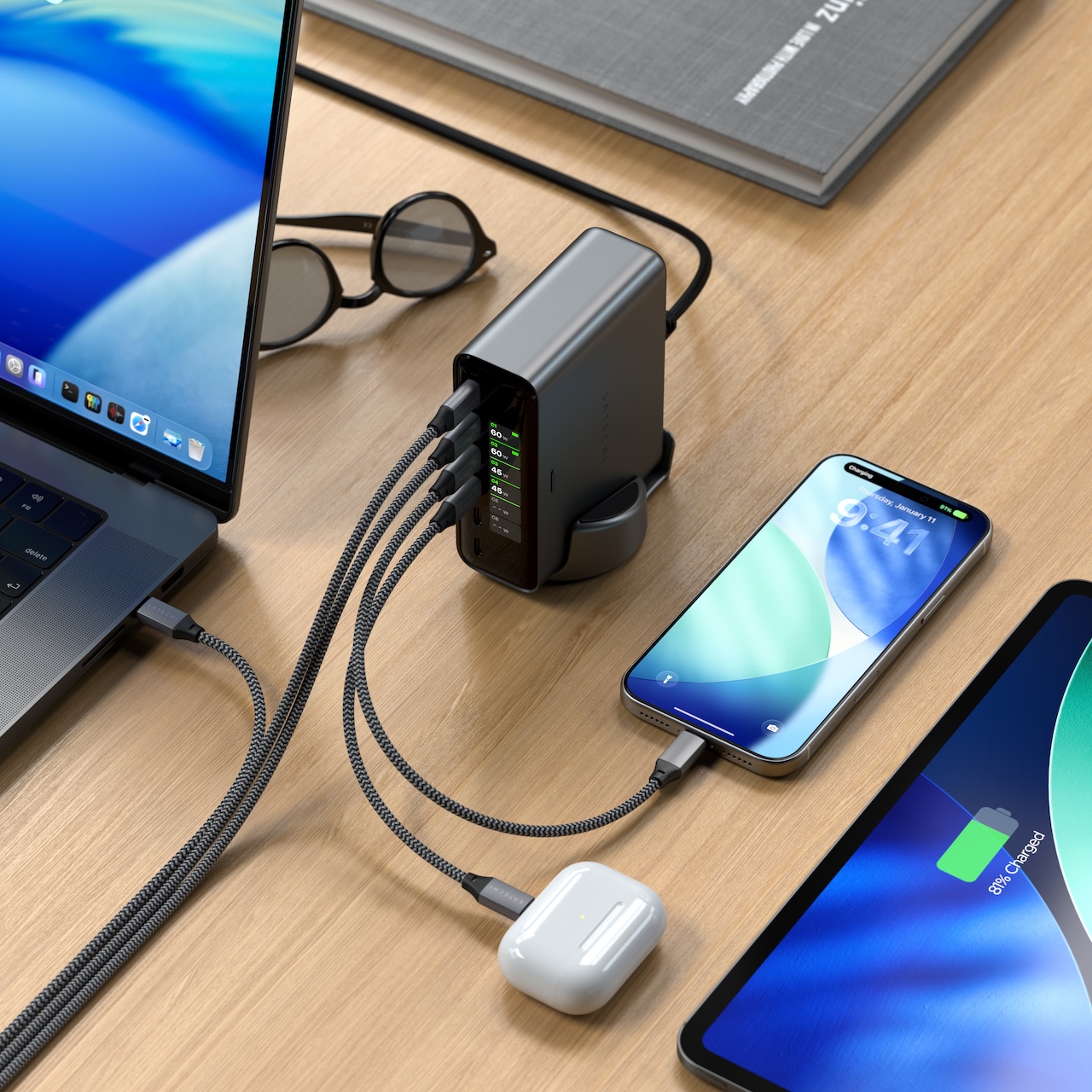
Six USB-C ports share one 240W budget on the ChargeView 240W, and the front LCD shows you how that budget gets split in real time. The first two ports each deliver up to 140W over USB PD 3.2 EPR AVS, C3 and C4 reach 100W, and C5 and C6 top out at 30W. That’s room for a laptop and a tablet at full speed while your phone and earbuds fill in around them.
The screen is the part you’ll actually use. When your laptop slows down after you plug in one more device, you can watch the charger reallocate power instead of squinting at a battery icon.
It comes in Space Black with a stand that works vertically or horizontally, and the horizontal position tilts the display toward you while you’re seated. Satechi uses GaN components and says its controller keeps charging stable without excessive heat. We haven’t tested that under a full six-device load, so treat the thermal claim as unverified. If you only ever charge one laptop, this is more charger than your desk needs.
⚡Price: $149.99
Where to Buy: Amazon
2. KAMRUI Mini PCs: Four Desktops From $230 to $540
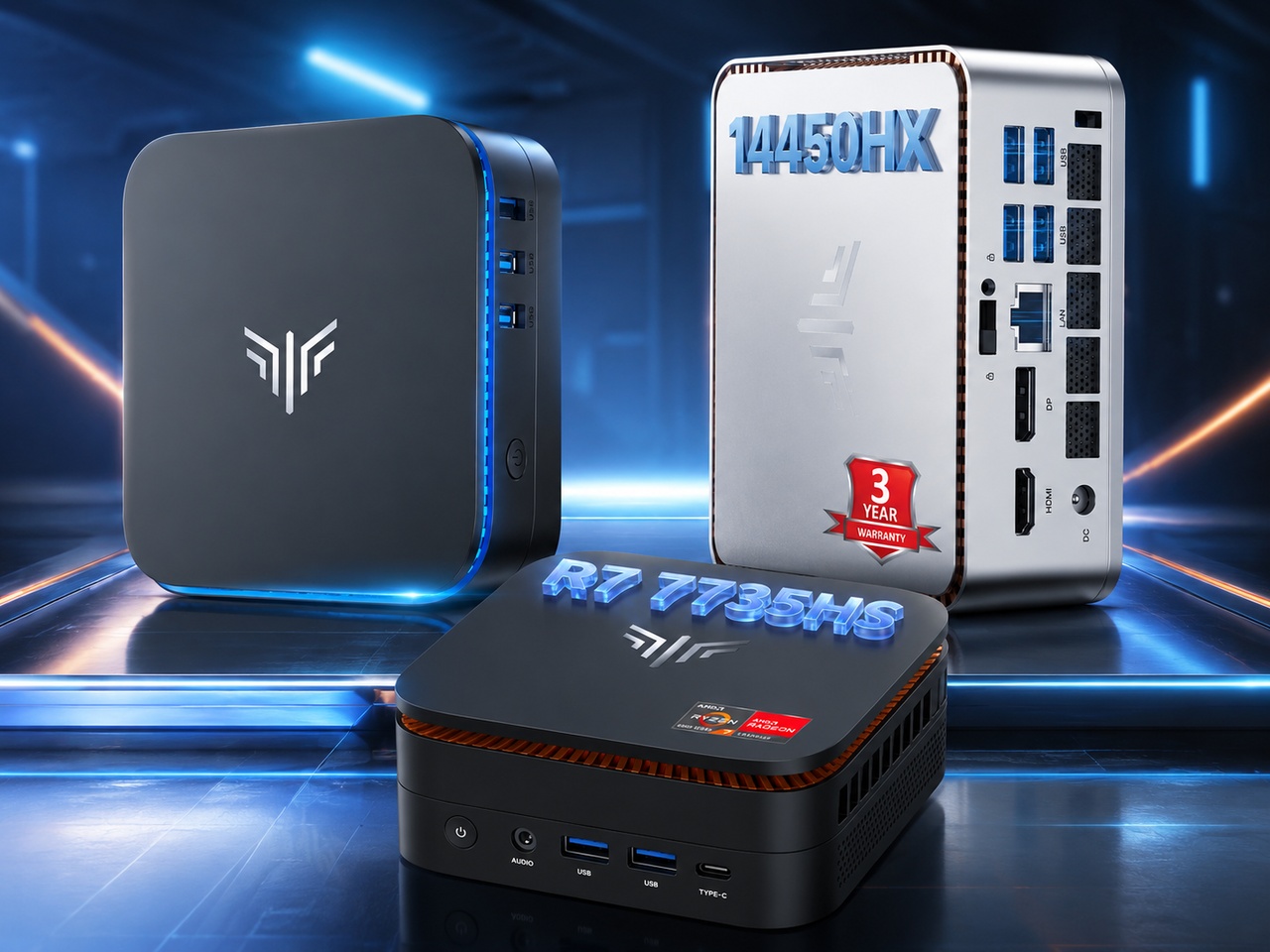
A mini PC is the cheapest way to turn a dorm desk into a real workstation, and KAMRUI’s four-model lineup spreads across budgets without much overlap. The AK1 Plus covers browsing, Office work, 4K streaming, and light file serving on a Celeron N5095 with 16GB of RAM. The Hyper models move up to a Ryzen 7 7735HS or a Core i5-14450HX, which is where emulation, Docker containers, and media transcoding start working properly.
All four ship with Windows 11 Pro, and both Hyper models drive three 4K displays where the AK1 Plus handles two. Only the Hyper H2 uses socketed DDR4, so the other three lock you into the memory you buy on day one. Every model runs active cooling that ramps up under load, which matters in a quiet room. Prices below were current when that guide published on July 9, so confirm the listing before you buy.
- AK1 Plus (N5095, 16GB): $299.99
- Hyper H1 24GB/512GB (Ryzen 7 7735HS): $438.99, the balanced pick for emulation and homelab work
- Hyper H1 24GB/1TB: $629.99, same performance with double the storage
- Hyper H2 32GB/1TB (Core i5-14450HX): $599.99, the strongest CPU and the only upgradeable RAM
3. ThinkPad X1 Carbon Gen 14: A Flagship You Can Open Yourself
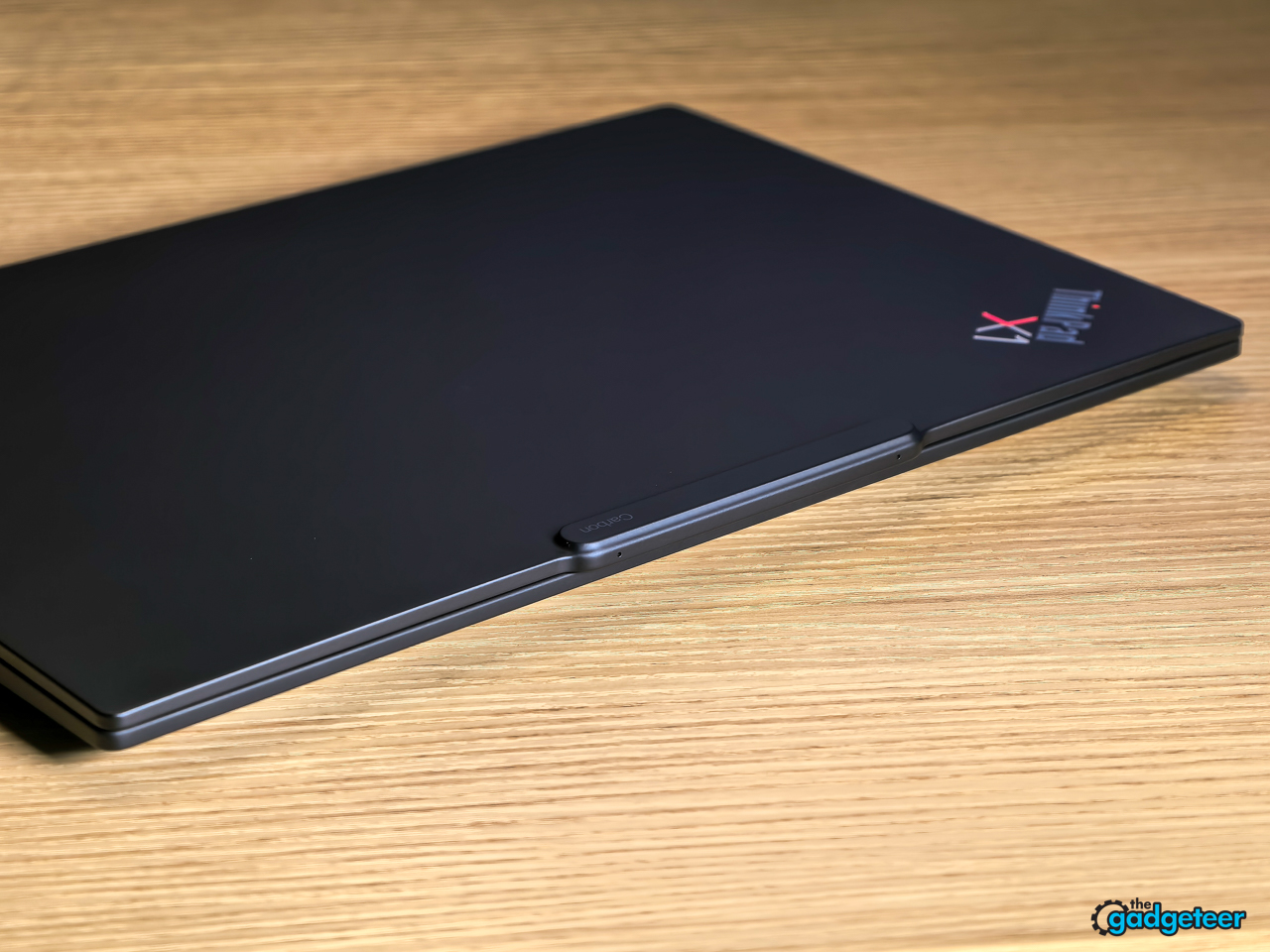
The X1 Carbon Gen 14 Aura Edition weighs 2.15 pounds and measures 9.2mm at the front edge, and Lenovo hit those numbers with a structural redesign it calls the Space Frame rather than a smaller battery. Our review unit ran an Intel Core Ultra 7 355, 32GB of LPDDR5X, a 512GB NVMe SSD, and a 14-inch 2.8K OLED at 120Hz. Memory scales to 64GB, which fixes the ceiling on the previous generation.
Repairability is the real reason it belongs on this list. You can swap the battery and SSD yourself, which no other flagship business laptop in this class can claim.
Our video rundown test hit 24 hours, and a heavier mixed workload landed a little over 14.5 hours. Real-world use with brightness around 70 percent lands between 5 and 7 hours, and that band swings with how much of the OLED is lit. The RAM is soldered, so pick your configuration once and live with it. There’s no 4K panel option either, since 1800p is the ceiling here.
⚡ Price: From $2,249
Where to Buy: Lenovo
4. HBADA E3 Pro and X7: Two Chairs, One Clear Value Pick
Vincent tested both chairs over a two-week stretch, and the E3 Pro 2026 Edition is the one most readers should buy. Its 3-zone mechanical lumbar leads the field under $600, the CloudMesh seat stays cool through long study sessions, and the 720-degree armrests track your elbows through every recline position. It carries BIFMA certification and a 5-year warranty.
The X7 goes further with an AI lumbar system: pressure sensors and small motors nudge the support forward or back whenever you shift position, backed by 3-level massage, graphene heating, and a 4D headrest. That system delivers on the promise, with 50mm of electric travel and 10 intensity levels, though you’ll hear a faint motor hum in a quiet room. Both chairs handle 330 pounds, though the height range isn’t identical: the X7 fits 4-foot-11 to 6-foot-5, while the E3 Pro’s range is a narrower 5-foot-1 to 6-foot-5. For most buyers that overlap is wide enough that this comes down to budget and features rather than fit. The X7 also weighs 83.78 pounds, so check your doorframe dimensions before it arrives at an apartment.
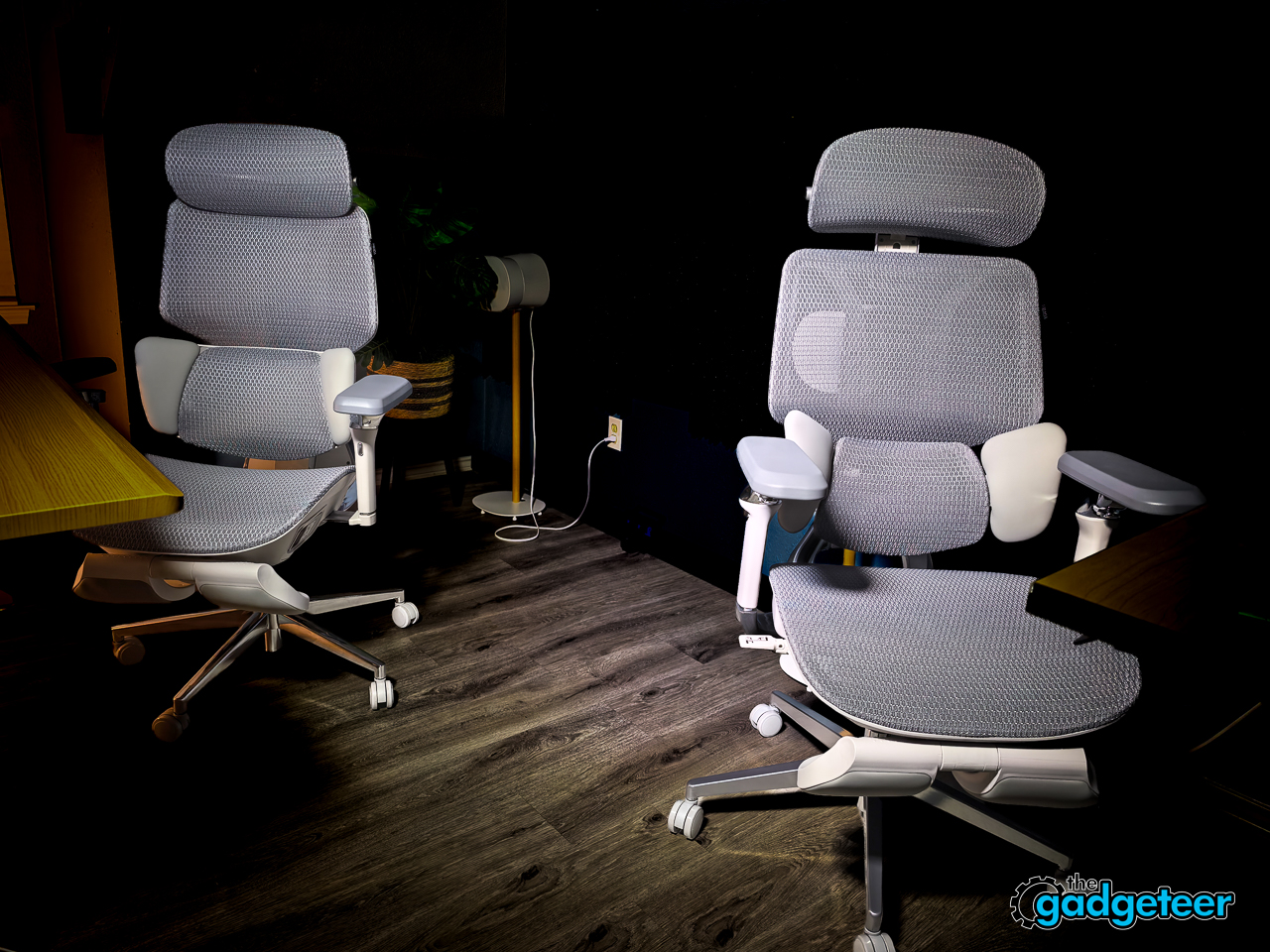
HBADA E3 Pro 2026 Edition
HBADA: Regular $659.00
Amazon: Regular $709.00
HBADA X7
HBADA: Regular $1,509.00
Amazon: Regular $1,227.00
5. RingConn Gen 3 and Watch Fit 5 Pro: Tracking That Survives Finals Week
Vincent wore both at the same time for 30 days, and the split was clean. The Huawei Watch Fit 5 Pro won the utility side with a sapphire LTPO display at 3,000 nits, heart rate accuracy that rivals a chest strap, passive ECG and AFib screening, and NFC payments. It runs on Android and iOS.
The RingConn Gen 3 won the part that changes behavior. At 2.7 grams it disappears on your finger, and the automatic three-night sleep apnea screening found something worth asking a doctor about.
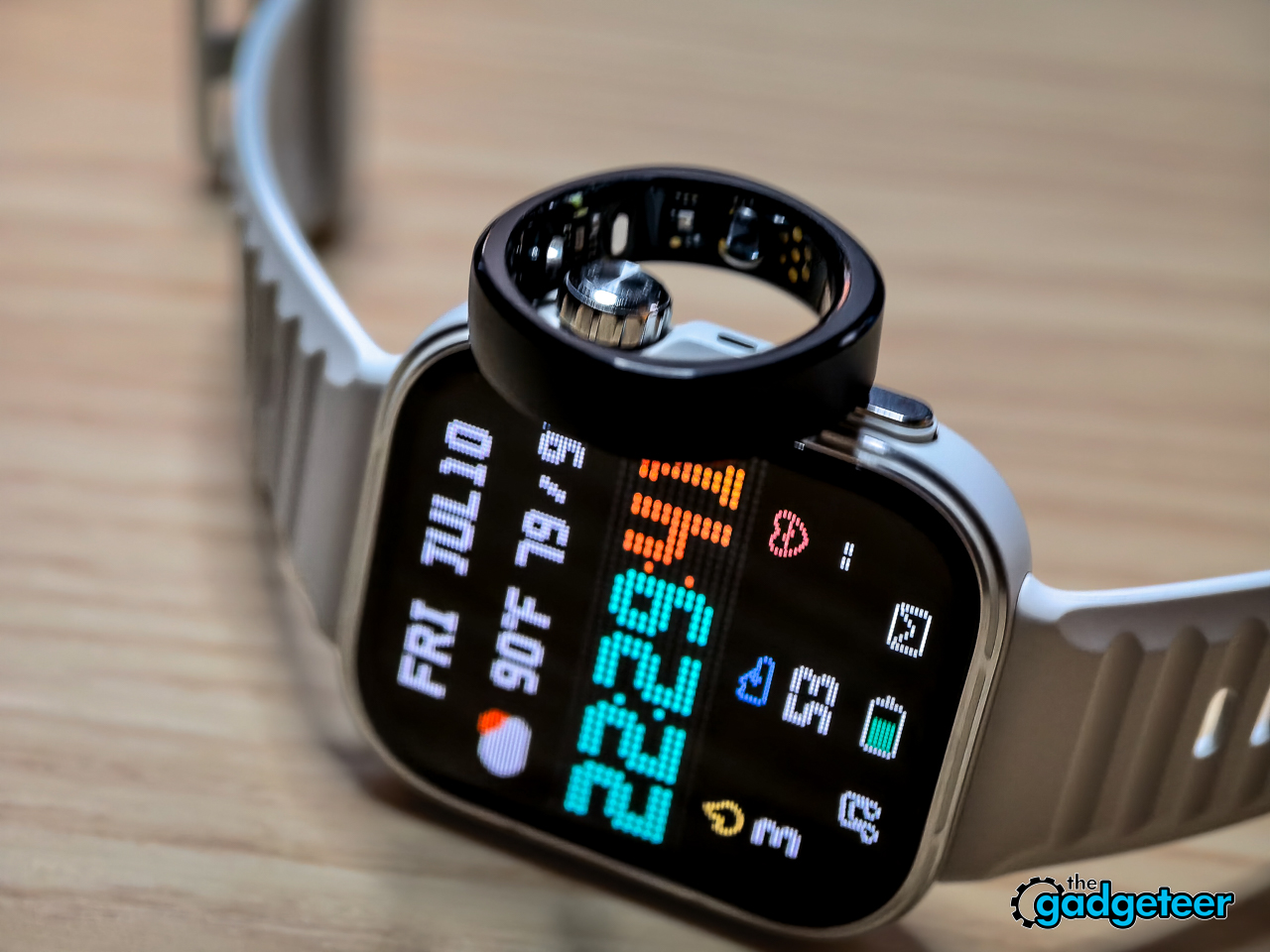
Battery is where the two diverge for a student schedule. The watch lands between five and eight days in real use and refills to full in about 60 minutes on its wireless charger, while the ring clears roughly 10 days and its case holds 15-plus charges. Neither one charges a subscription, which is the part that matters over a four-year degree. The watch is listed at 249.99 GBP, so it needs a US price check before you shop.
Price: $349 (RingConn Gen 3 ) | 249.99 GBP (Huawei Watch Fit 5 Pro)
Where to Buy: Amazon
6. Huawei Pura 90s Pro Max: The Zoom That Reads a Whiteboard
A phone camera earns desk space when it can read a lecture slide from the back row. The Pura 90s Pro Max puts 200MP of RYYB resolution on a 1/1.28-inch telephoto sensor, which is the sensor area most flagships reserve for their main camera. That gives you lossless crop room from 4x out to 8x, and CIPA 7.0 stabilization holds it steady handheld.
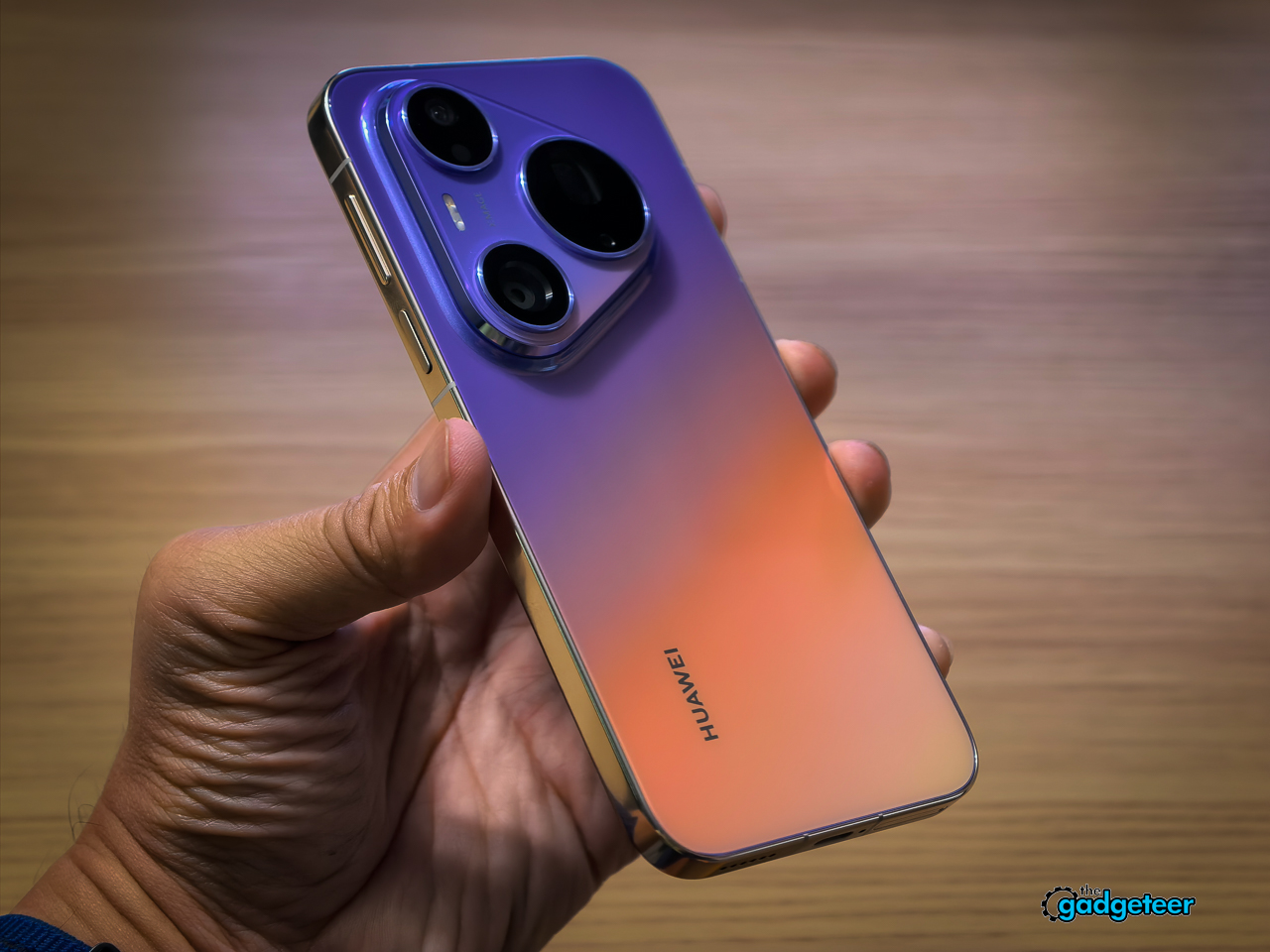
It gives up some ground to get there. Optical reach stops at 4x where the Pura 80 Ultra hit 9.4x, and the main sensor shrinks from a 1-inch unit to 1/1.28-inch, though a wider f/1.4 aperture and Huawei’s first LOFIC design recover most of the light. There’s no 24fps capture in any mode, including Pro Video. US availability and pricing aren’t confirmed, so check your region before planning around it.
7. Westy King First Edition: For the Walk Between Buildings
Not everything in a refresh sits on the desk. The King First Edition is a handcrafted Japanese titanium frame with a 45-degree double spring hinge, and the arms move with the controlled action of a precision pocket tool. Titanium is hypoallergenic, which helps if metal frames usually irritate your skin.
The lens stack is the functional argument. Westy’s MAXIMUS Zeus lenses embed a polarizing film directly into the polycarbonate instead of spraying it on, rated at 99.9% polarizing efficiency, and glare drops without the world going dim grey.

You get two sizes, 60mm and 64mm, both on a 16mm bridge with 140mm temples, plus a 1-year frame warranty and a 30-day return window. Production is capped at 600 units for this edition. These aren’t built for night driving, direct sun viewing, or impact protection, and prescription buyers go through a separate partner path.
Price: $595 (Dark Grey), $615 (Blue Reflective or Chrome Reflective)
Where to Buy: WESTY
What to Buy First
If you fix one thing this month, fix the chair. The E3 Pro 2026 Edition at around $487 does more for a long study session than anything else on this list, and the ChargeView at $149.99 solves the second-biggest daily annoyance. Together they land under $650.
Skip the ThinkPad unless weight and repairability drive your buying decision at $2,249, and skip the sunglasses unless you already care about eyewear at $595. Everything else here is optional until your budget says otherwise.