
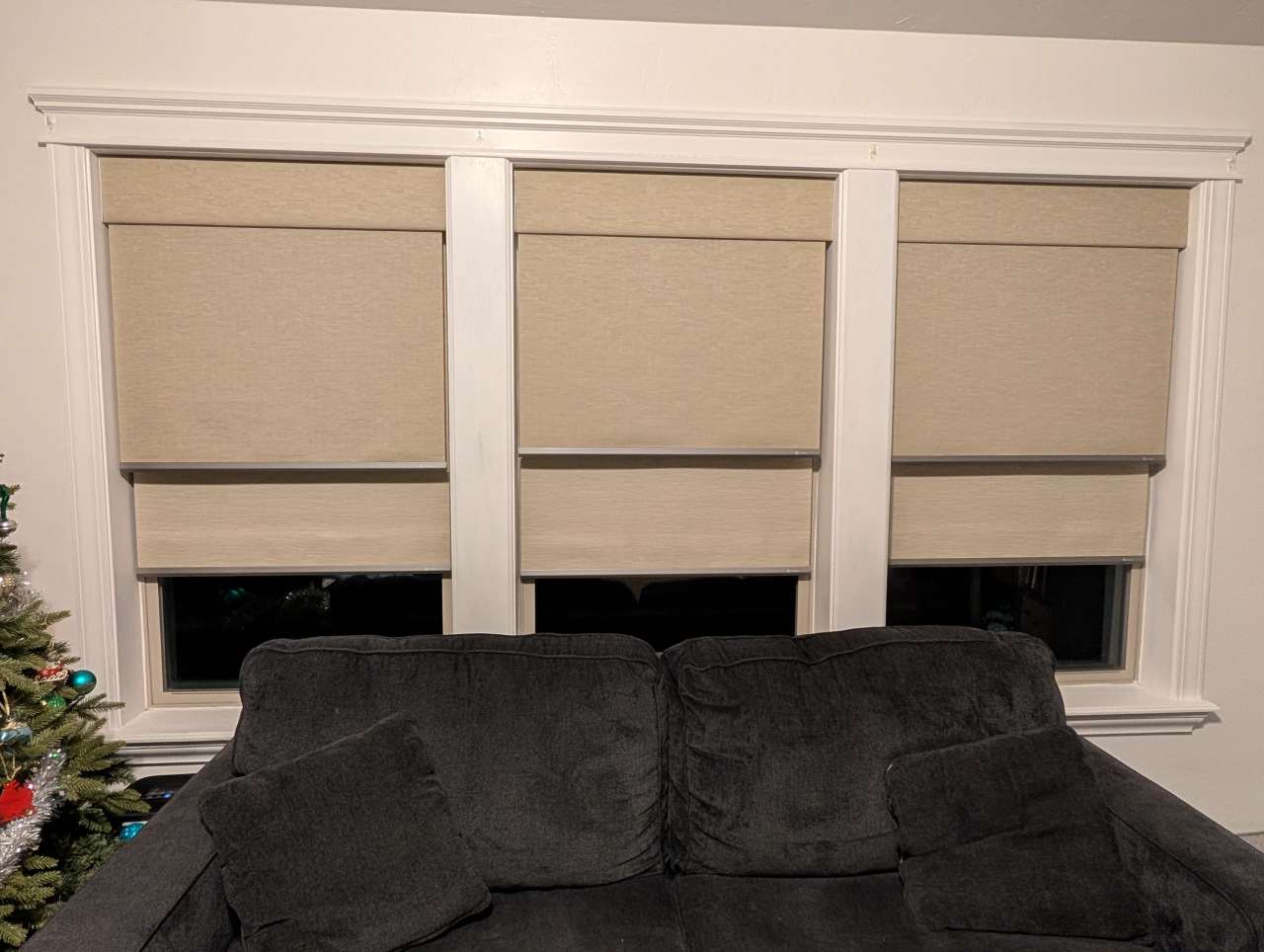
REVIEW – Opening and closing the same three blinds every morning and night gets old fast, especially when they’re on different windows and wrapped in cords. I wanted something that could give us soft light during the day, blackout at night, and do it automatically without anyone yanking on chains.
That’s what led me to the Yoolax motorized dual roller shades: a single unit that hides both a light-filtering shade and a blackout shade, runs on quiet motors, and can tie into Apple Home so it opens with sunrise and closes at sunset. After a couple of weeks living with a set of three, here’s how the install, automation, and day-to-day use have actually worked out.
⬇︎ Jump to summary (pros/cons)
Price: Varies by options selected. Reviewed set is about $400 per dual shade
Where to buy: Yoolax
What is it?
The Yoolax Motorized Dual Roller Shades pack two separate shade systems into one unit: a blackout shade for full darkness and a light-filtering shade for soft daylight. Each runs on rechargeable batteries, responds to wireless remotes, and integrates with Apple Home, Alexa, Google Home, and SmartThings.
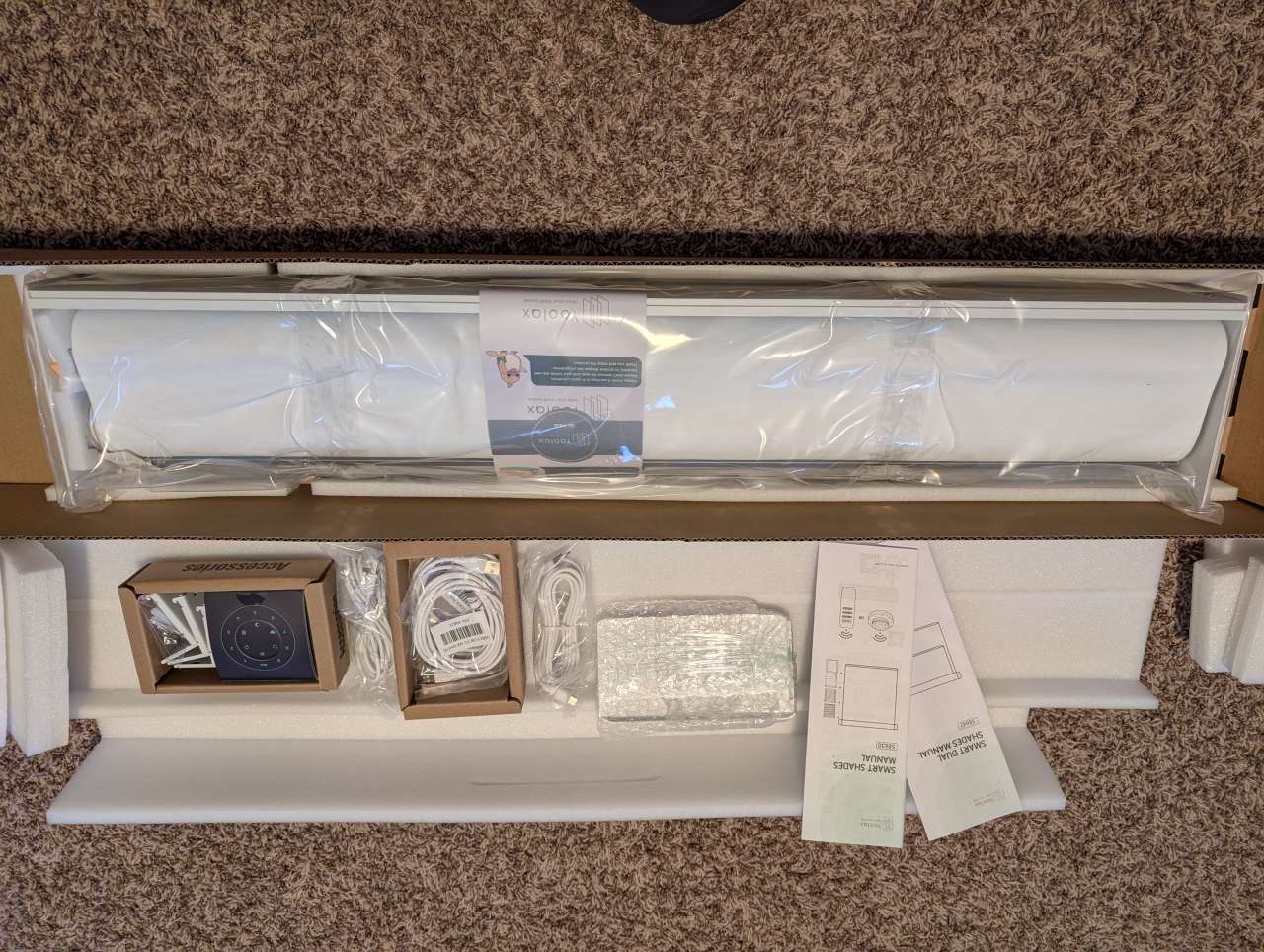
What’s included?
- Motorized Shade Unit
- Remote control (LightTwirl and 16 Channel Remote)
- Mounting Kit
- Charging cables
- User Guide
Tech specs
- Material: Polyester
- Width Range 21”–100”
- Height Range 20”–100”
- Minimum Inside Mount Depth: 2.4”
- Low-Noise Motor (<48 dB)
- Smart Home Integration: Alexa, Google Home, SmartThings, and Apple Home
Design and features
Each unit hides two motorized rollers: one for a blackout shade, one for a light-filtering shade. You can go from “movie night” to “soft daylight” without touching a cord. Yoolax lets you pick fabrics, colors, width, motor type, and mounting style, which is great if you like to customize and a little dangerous if you’re prone to analysis paralysis.
Installation and Setup
Installation was easier than I expected. The shade unit arrives fully assembled, so you’re really just mounting the included brackets.
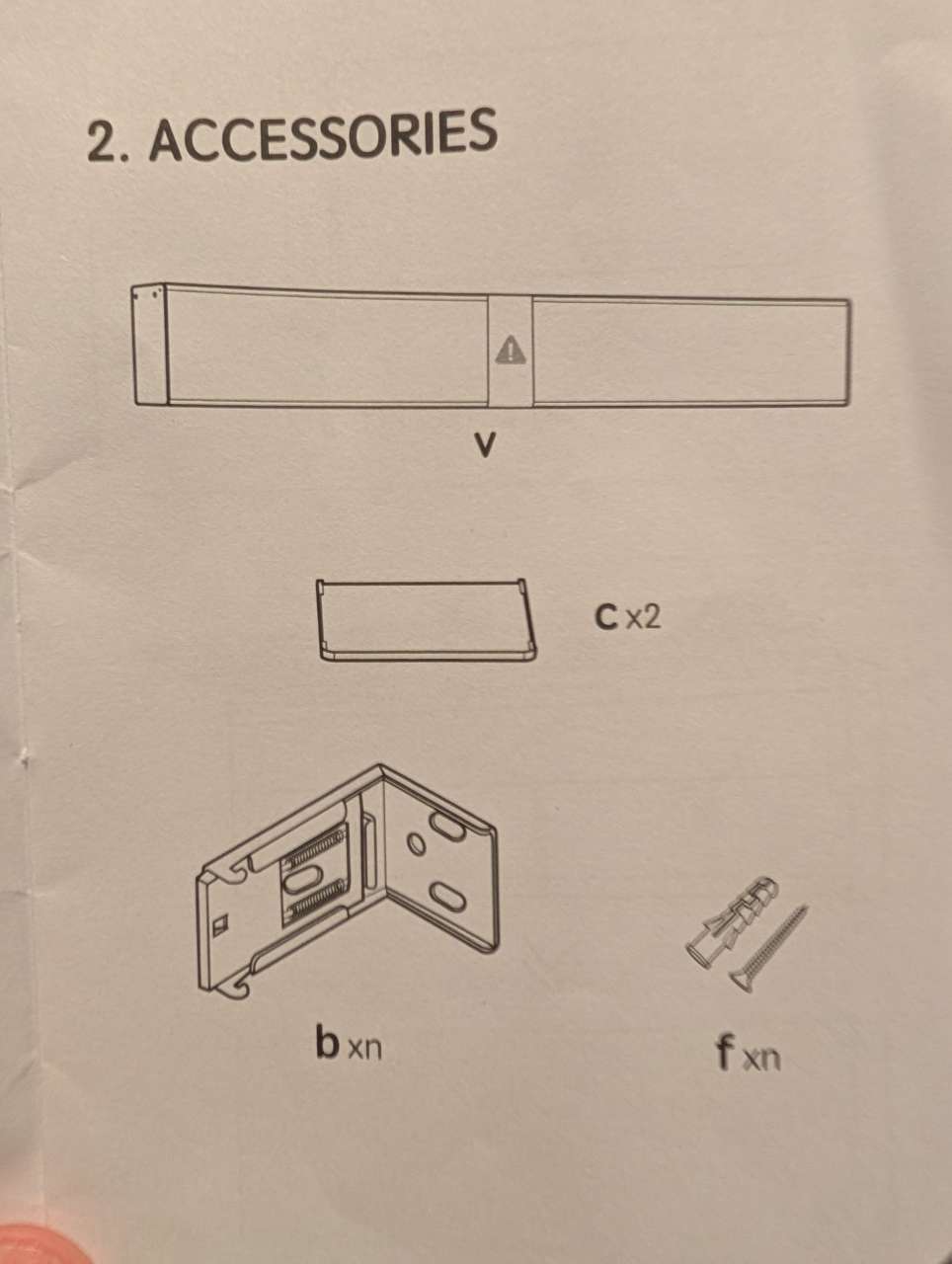
My previous shades used a similar bracket placement, so swapping in the new hardware was quick.
(Mounting brackets and LightTwirl remote)
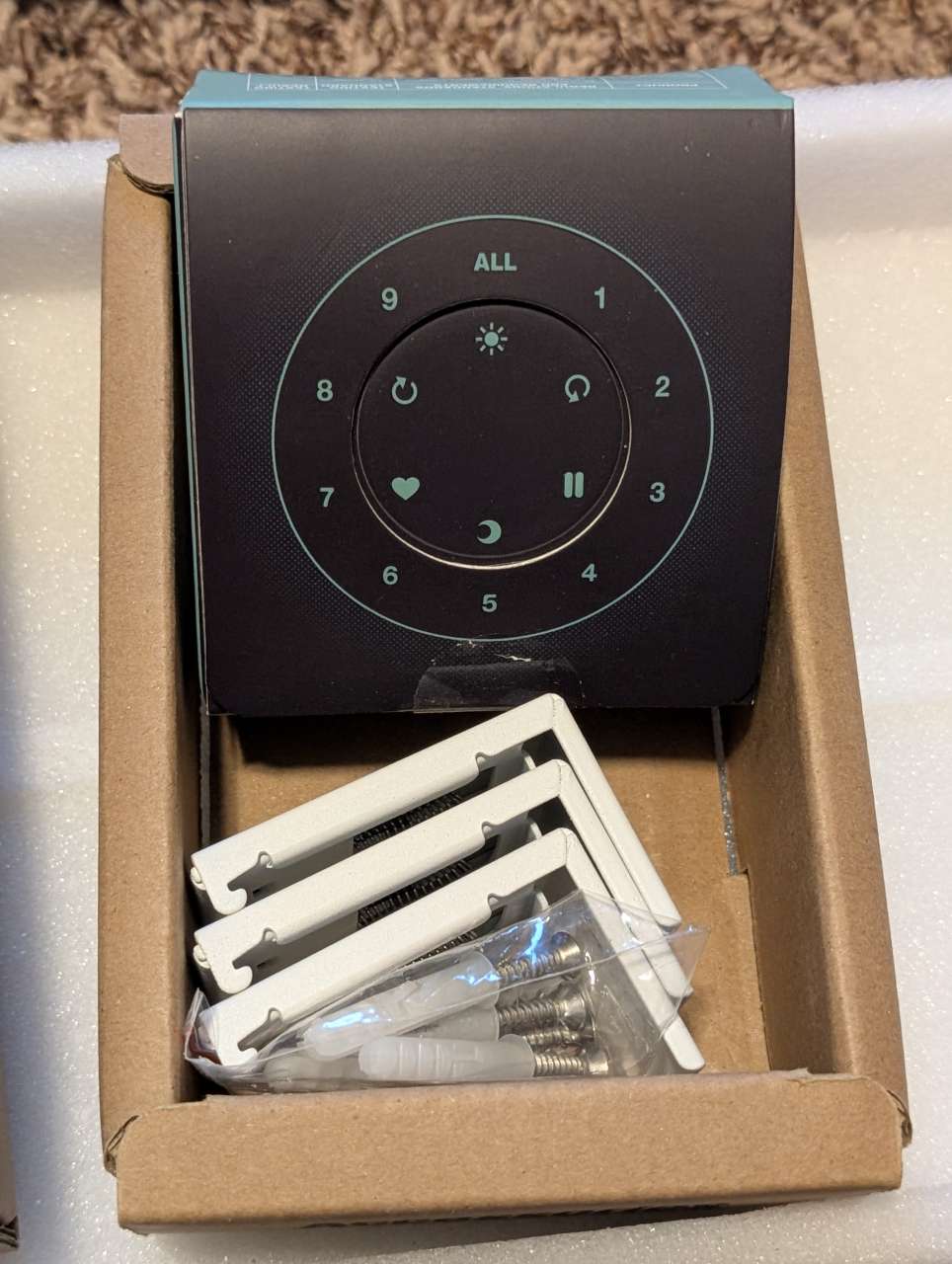
The bracket lines up with the rail on the back of the shade and has a spring-mounted clip. Installing is just push in and lift up until it locks. Removing reverses the process. I had all three shade sets mounted in under 30 minutes.

Each shade has its own rechargeable battery and charges separately. The expected life of a charge runs six to eight months depending on usage. The clever bit is the magnetic USB-C charging tips. You leave the tiny tip plugged into each shade, and when it’s time to top up the battery you just bring the long cable near the rail and it snaps into place. No fishing for ports behind the shade.
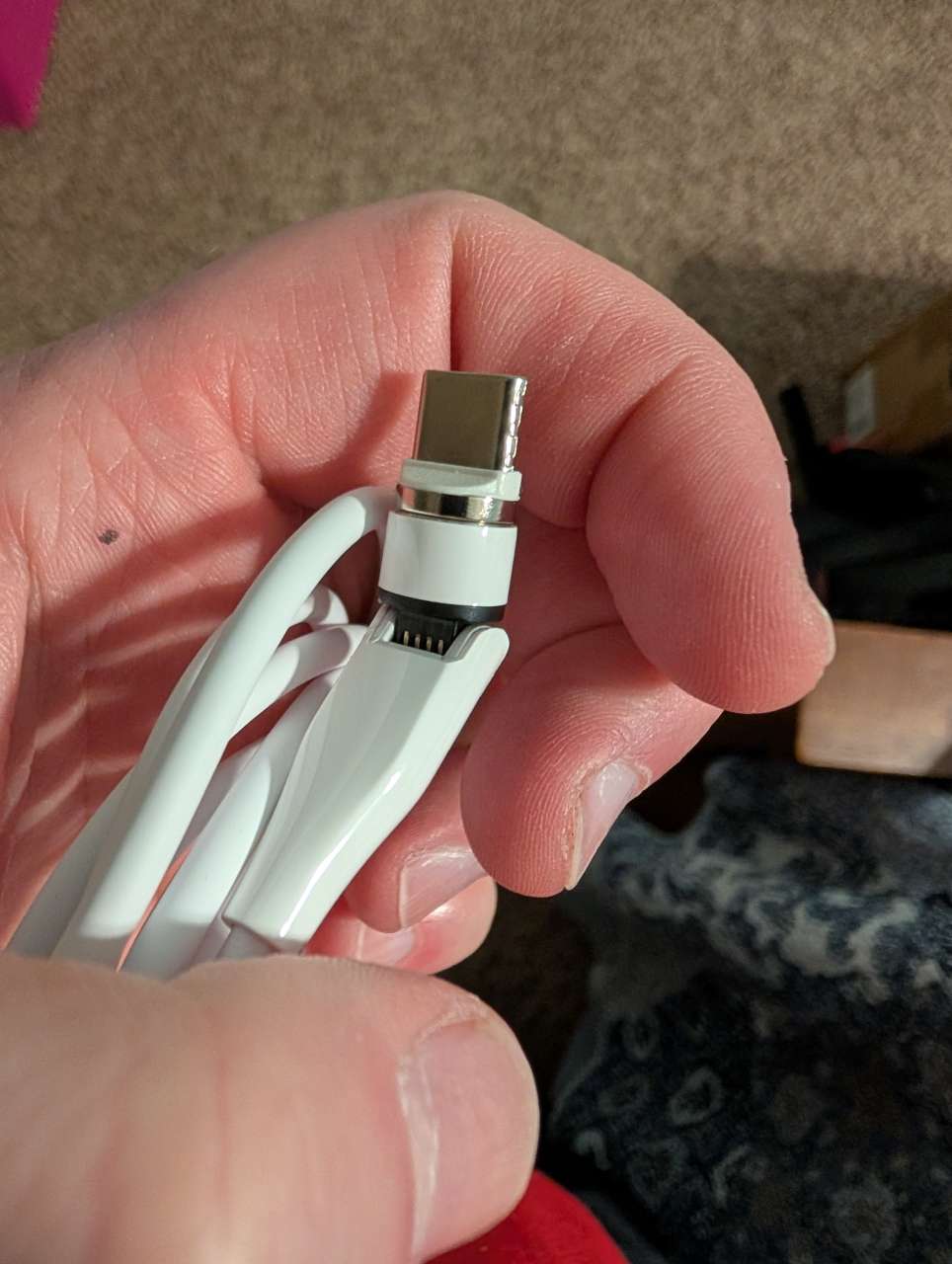
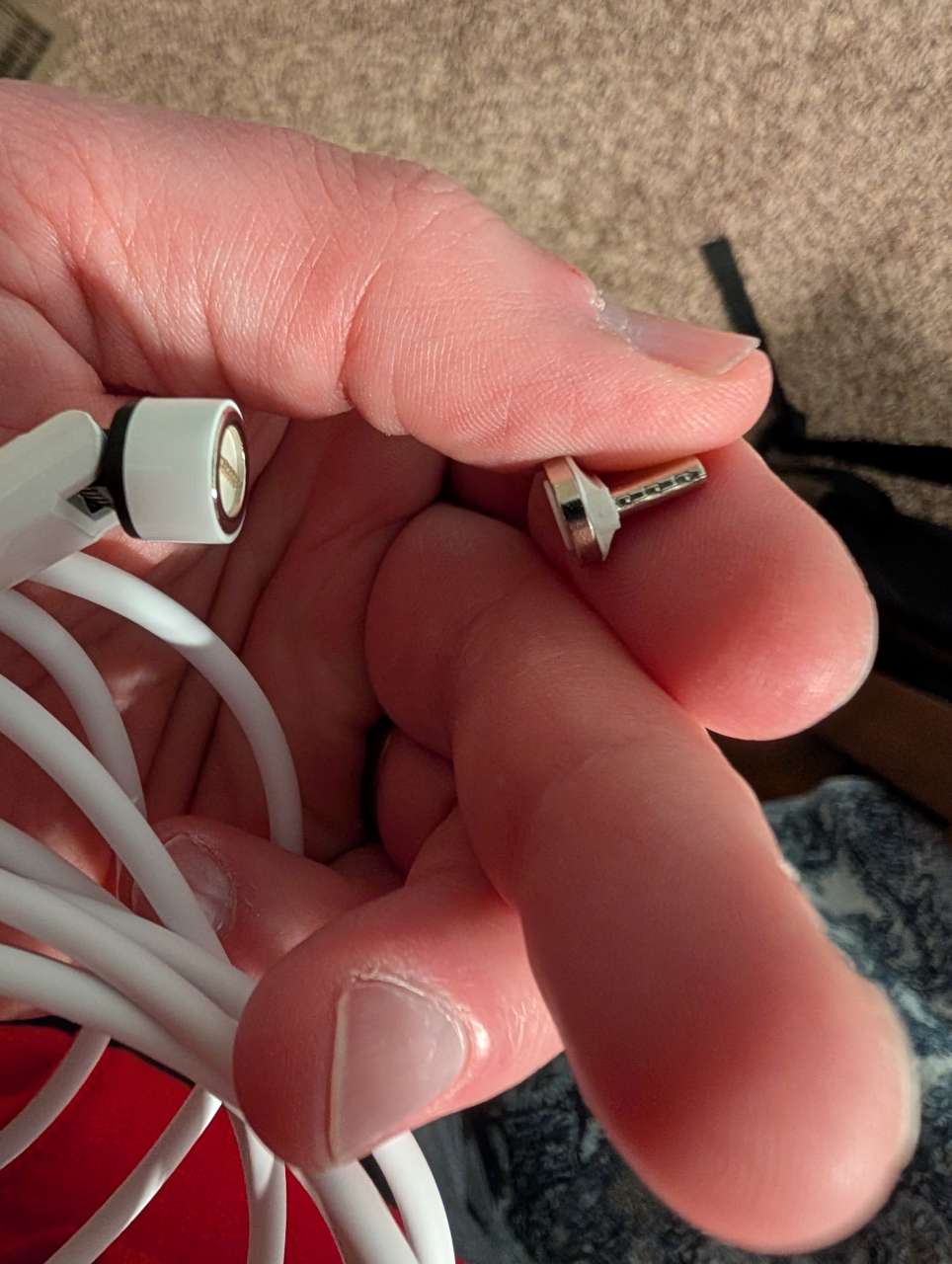
Installed, the charging tips look like this on the unit:

You can also see the pairing indicators in the picture above. They’re a little hard to reach once the unit is installed because you have to reach around between the unit and the window. Thankfully, most of those functions can be accessed through the remote.
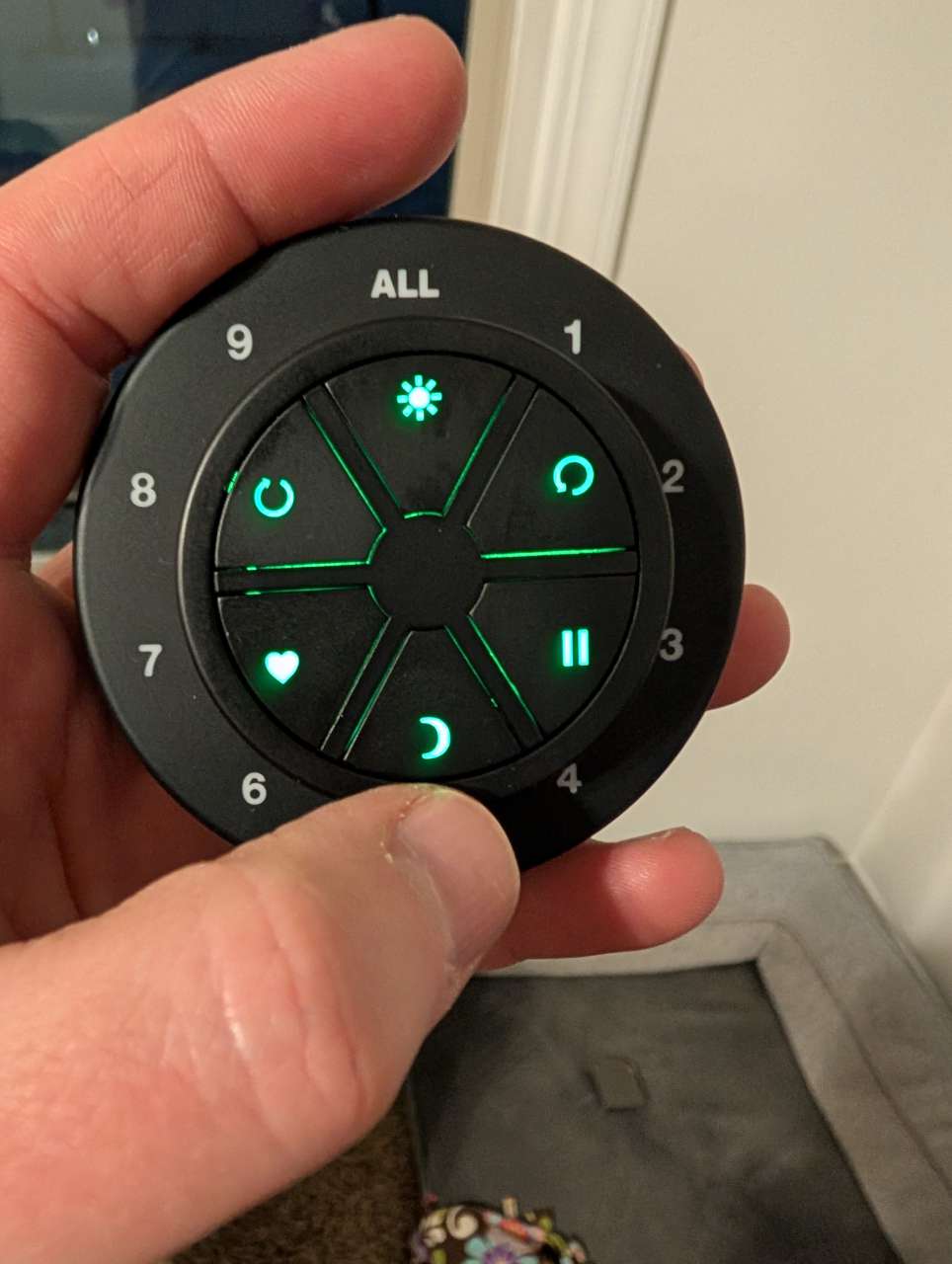
Yoolax sent me both remote options: the LightTwirl and a 16-channel remote. Both arrived pre-programmed from the factory, so there was no synchronization necessary.
LightTwirl Remote:
16-Channel Remote:

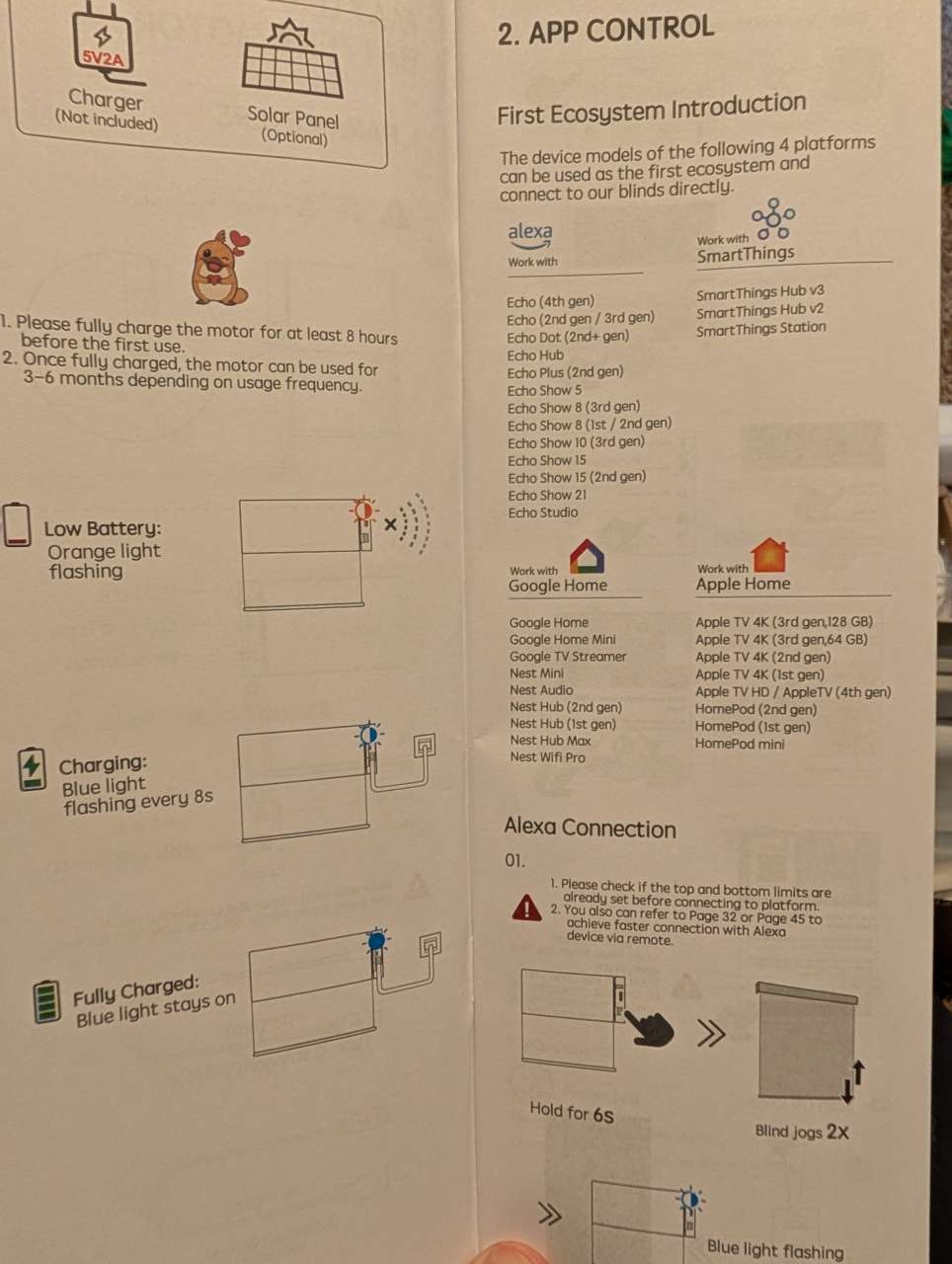
Each shade ships with a signal-blocking USB-C plug that includes a QR code for connecting to Apple Home, Alexa, and other platforms. If you get these shades, do yourself a favor: label which plug came from which blind. It will make pairing much easier later.
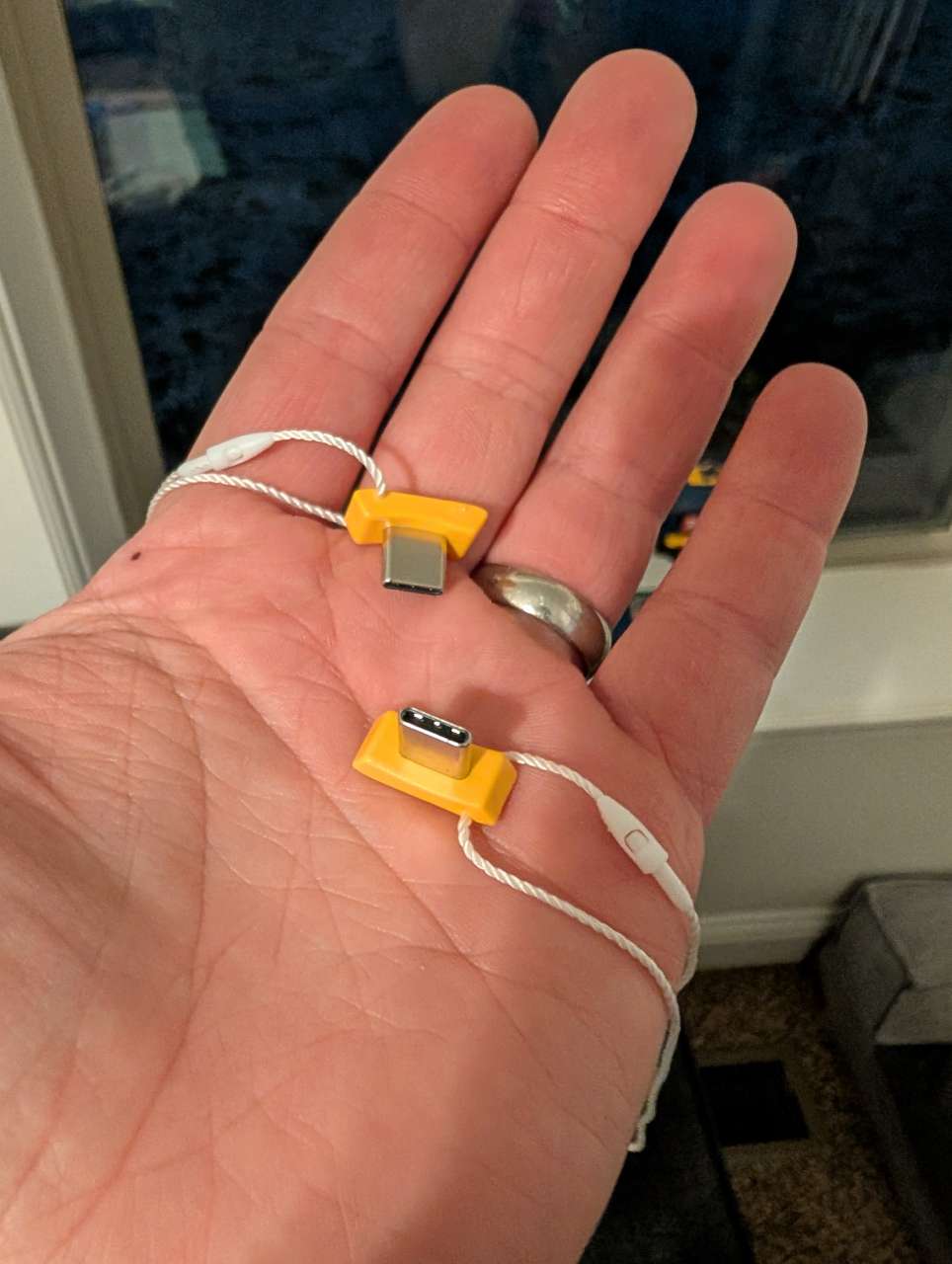
I paired these with Apple Home, using the included QR-coded USB-C plugs and a HomePod as the hub. Adding each shade was straightforward but repetitive. You have to add the light-filtering and blackout rollers as separate accessories, and labeling the plugs ahead of time would have saved me some confusion.
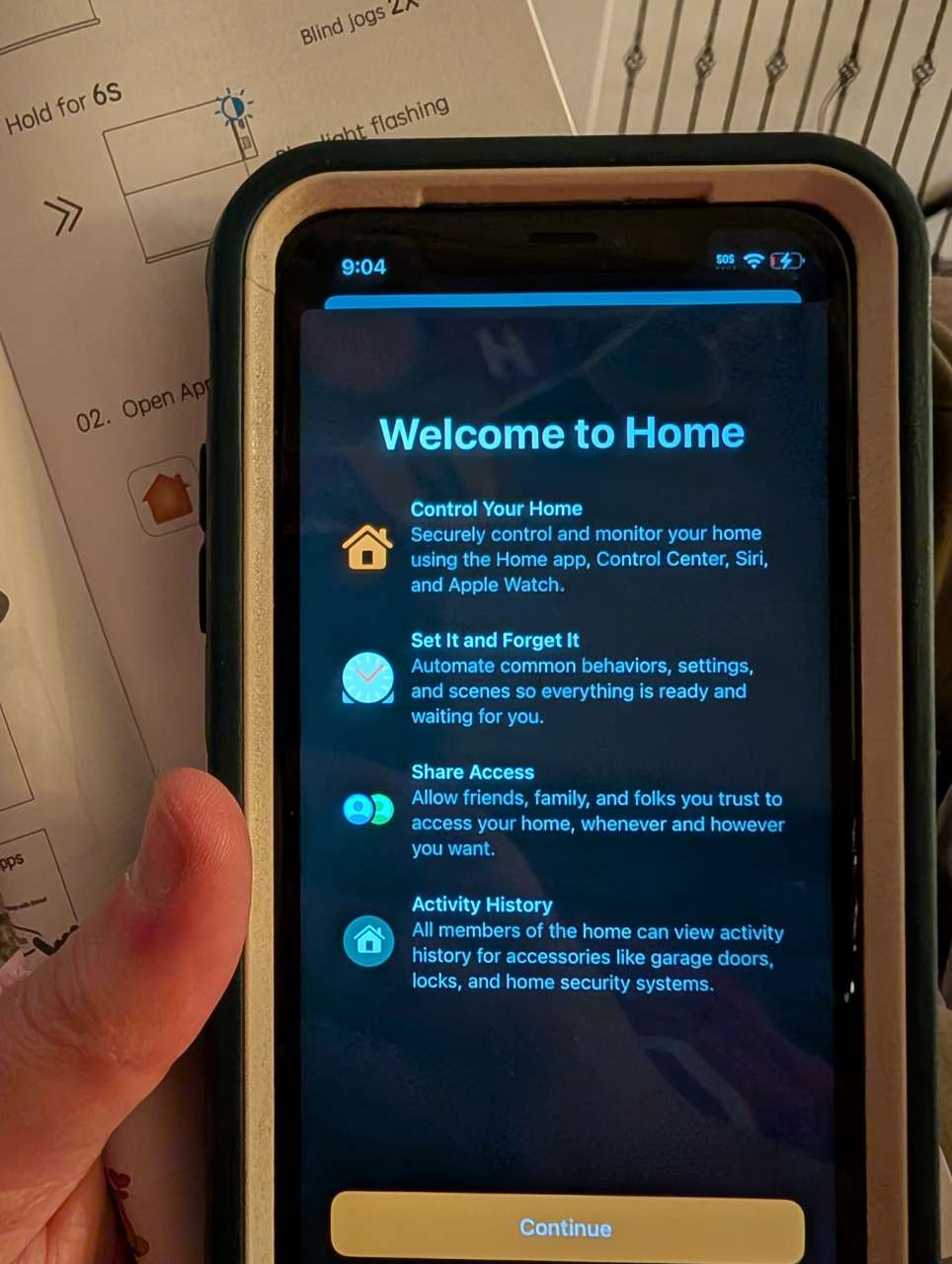
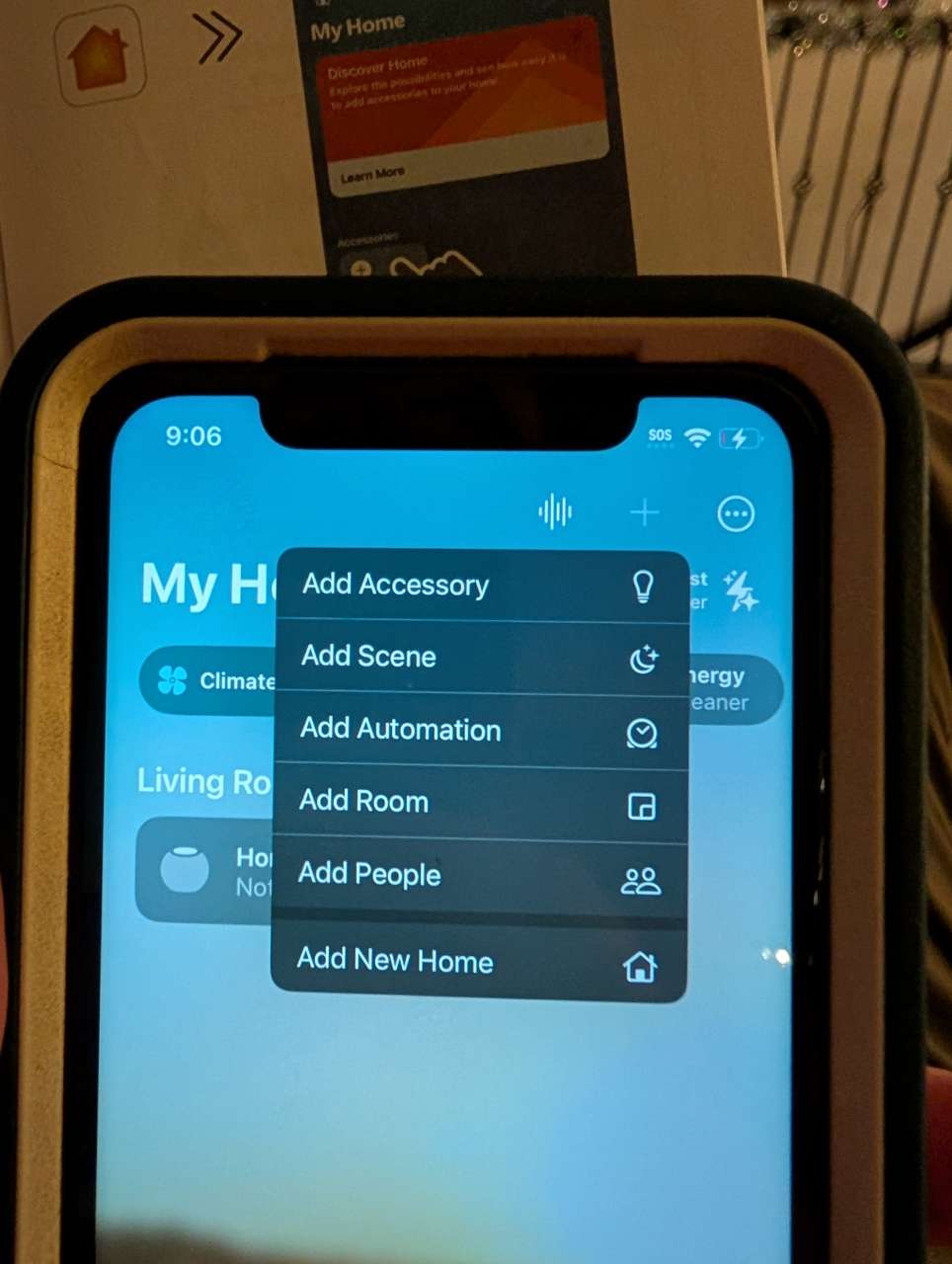
The user manual has instructions for each home automation platform. You’ll need the remote controls and the USB-C dongles with their attached QR codes.
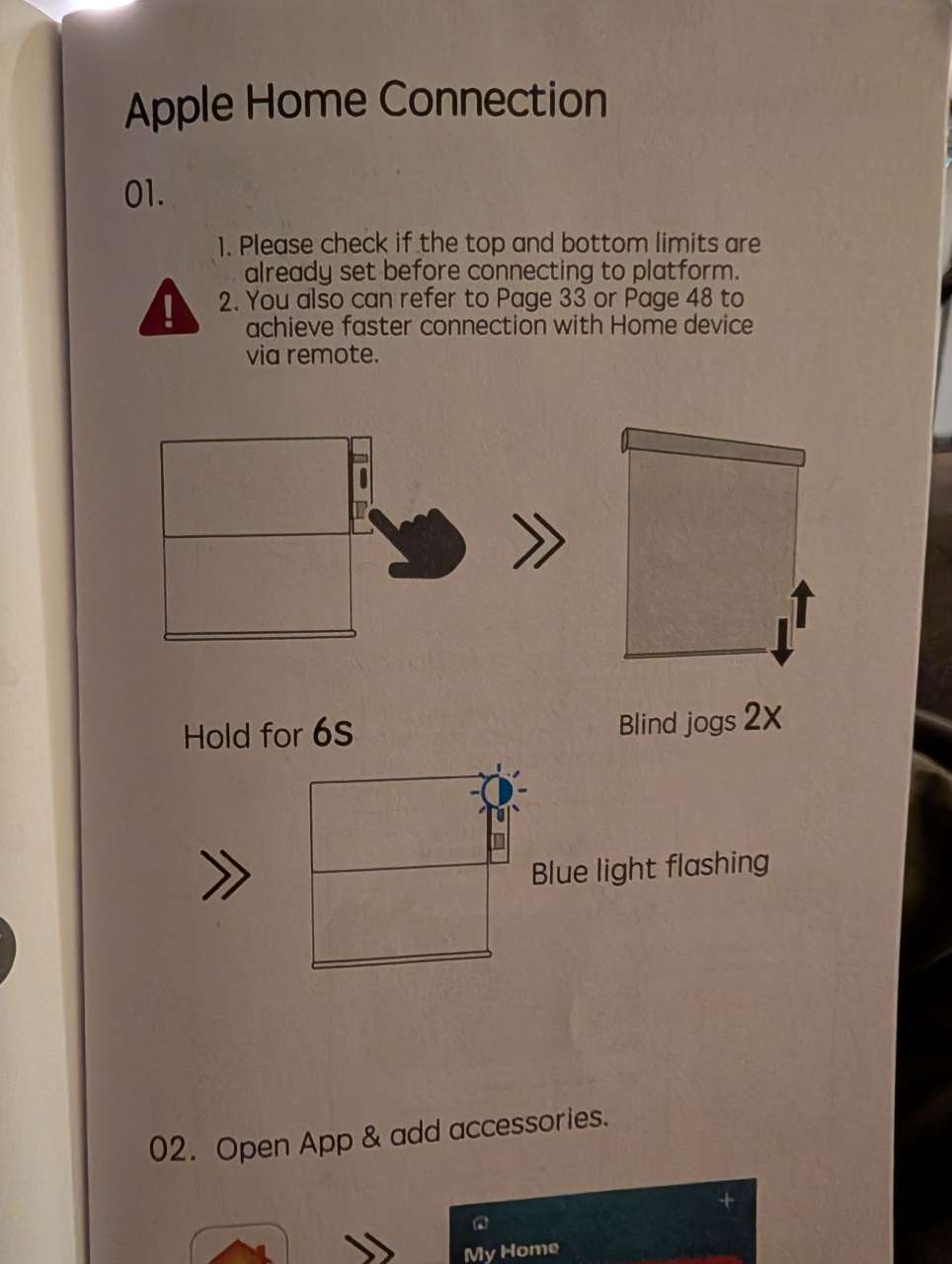
Adding accessories in Apple Home is straightforward. Scan the QR code and make sure the blinds are in pairing mode.

Select the room where each device belongs.
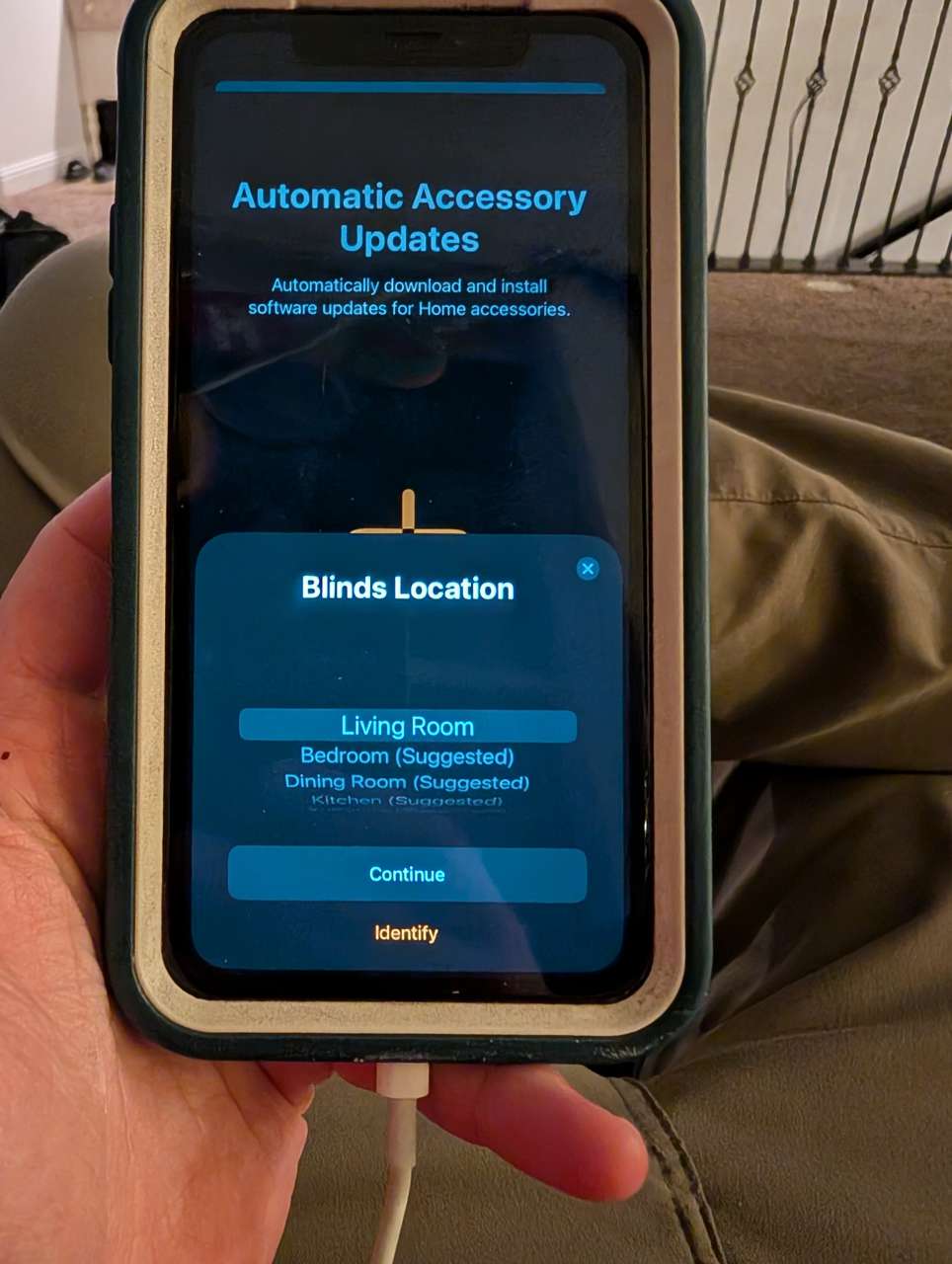
Repeat for each shade: twice per unit, once for the light-filtering shade and once for the blackout shade. When finished, all units should appear together.
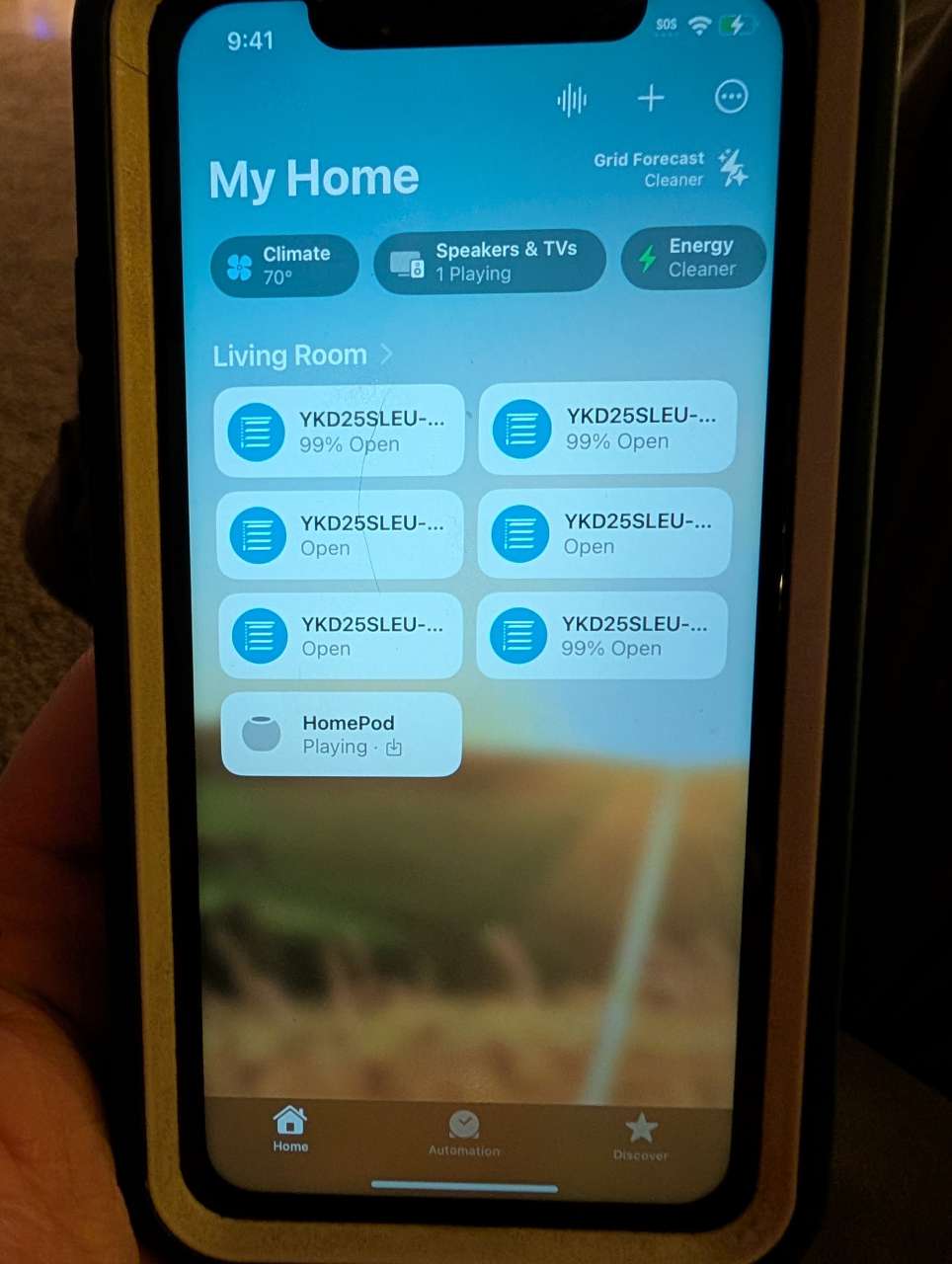
Once they were in, the fun part kicked in. I set the light-filtering shades to open with sunrise and the blackout shades to close at sunset, and for a while it felt like the house was just doing the right thing on its own. You can also trigger automations based on time of day or your presence in the room.

Performance
Day-to-day, the shades themselves have been great. They’re quiet, they stop exactly where you set the limits, and the pre-programmed remotes just work. Figuring out which channel controls which shade took a minute, but wasn’t difficult.
The included remotes are intuitive, and with a little light reading you’re a pro.
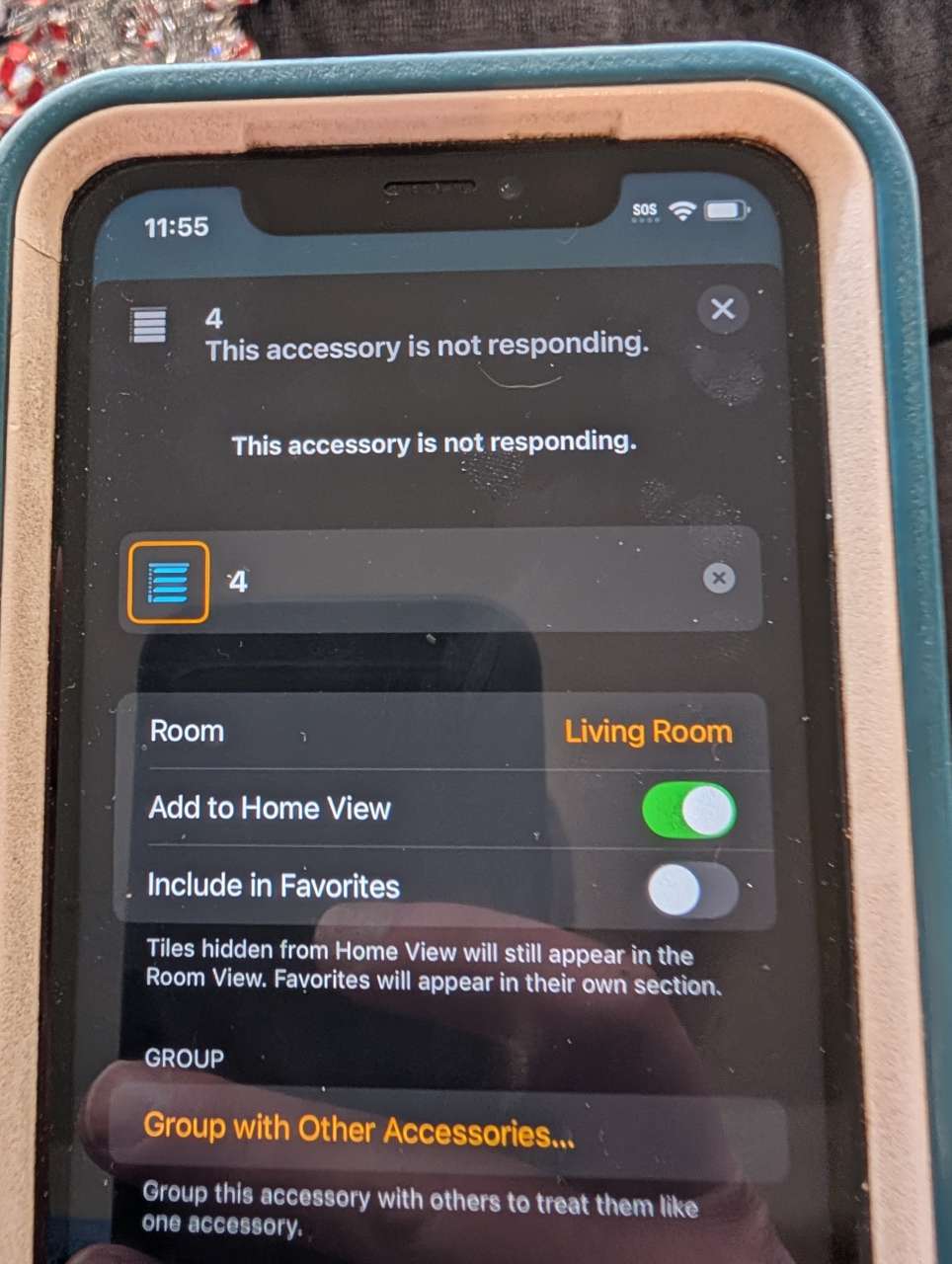
Apple Home was more mixed. After a while, the blackout shades stopped talking to the hub. I was able to remove and re-pair one, but the others refused to rejoin. I’ve let Yoolax know and will update if there’s a fix. For now, I’m relying on the remotes and treating automation as a nice-to-have, not a guarantee.
Final thoughts
The hardware side of these shades is solid. Installation took under 30 minutes for three windows. The LightTwirl remote looks sharp and works reliably. The dual-shade design means you can switch between blackout and light-filtering without swapping anything. If you have mobility concerns or just want to eliminate dangling cords, this is a clean solution.
The smart-home side needs work. Apple Home pairing was fiddly, and some blackout shades dropped off the network entirely. The remotes still work, so the shades aren’t bricked, but if automation is your main reason for buying, temper your expectations until Yoolax irons out the connectivity. I recommend these with a minor caveat.
What I like about the Yoolax Motorized Dual Roller Shades
- Easy install (three windows in under 30 minutes)
- Dual shades in one unit (blackout + light filtering)
- Pre-synced remotes that work even if automation flakes out
- Quiet motors and no dangling cords
What needs to be improved?
- More reliable Apple Home and smart-home connectivity
- Easier access to USB-C ports and pairing buttons once installed
Price: Varies by options selected. Reviewed set is about $400 per dual shade
Where to buy: Yoolax
Source: The sample of this product was provided for free by Yoolax. Yoolax did not have a final say on the review and did not preview the review before it was published.
Check out these other reviews!
- SwitchBot Roller Shade review – Now I want all my windows SwitchBot controlled!
- Graywind Motorized Dual Shades review – easy to install room transforming shades

Google Review Tap Card Stand | Boost Online Reviews and Google Rank with Fast Zappy NFC Tap QR Code Stand Works Like Digital Business Card | Compatible with iPhone and Android Devices (1 Large Stand)
(as of March 29, 2026 20:35 GMT -05:00 - More infoProduct prices and availability are accurate as of the date/time indicated and are subject to change. Any price and availability information displayed on [relevant Amazon Site(s), as applicable] at the time of purchase will apply to the purchase of this product.)

Gadgeteer Comment Policy - Please read before commenting
Well, about the smart-home part, since they can be connected and controlled once, which seems the motors work fine. I have the same issue before, and it turned out to be the distance between the HomePod mini and the motors.
The HomePod was only a few feet away, but I don’t know what the range is. I’m working with the vendor to see if there’s something else going on.
Thanks!