
The house that we live in was built in 1928, but it had a major remodel in
1995. One of the many selling points when I purchased it in 1997 was the
built-in stereo speaker system throughout, which was controlled by a
multi-knobbed box which was attached to the wall by a bundle of cables. All the
system needed to work was to be hooked to a stereo receiver, and then music
would fill the house – every room, even the bathrooms. The control box allowed
music to be played at different levels or to be totally turned off depending on
the room, and I thought it was something that I would use every day. However,
the room that the speaker control was located in was eventually claimed by my
daughter. Even though she and I have a healthy respect for each other’s music,
having my music playing in her room – as it has to be for the system to
properly work – soon turned out to be an intrusion that I wasn’t comfortable
with. As a result, I can probably count the number of times that I have actually
used the house’s speaker system on both hands.
While I am still sold on the idea of having music playing throughout the
house, or at least in whatever section I happen to be in, the current wired
solution obviously hasn’t worked for me. I would like a system that doesn’t
necessitate entering a now 16-year-old’s private space to control and something
that doesn’t necessarily have to be played aloud at the "base" location. I don’t
necessarily need the music to play in every room of the house – just whatever
room I happen to be in at any given time.
While writing about the
Saitek Eclipse Illuminated Keyboard, I took a look at some of the other
offerings on their site. One item which caught my interest was the
Saitek Audio
A-250 Wireless 2.1 Speaker
System, which is supposed to be enable music to stream "wirelessly from your
PC… To anywhere around your home." The idea was intriguing, and it wasn’t long
before I had a review unit in my possession.

Picture courtesy of the Saitek Audio site
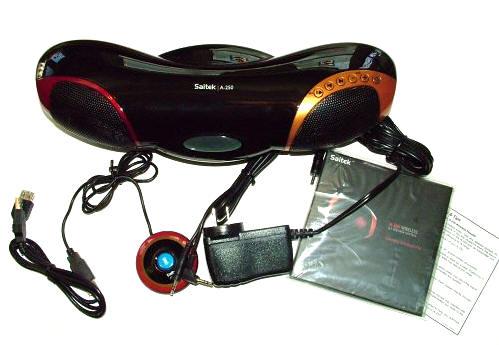
Included in the package are the Saitek A-250 speaker box, a USB powered
transmitter, an AC adapter, a USB extender cable, a 3.5mm to 3.5mm jack adapter,
the Quick Start Guide, assorted pamphlets covering performance hints and tips
and a black microfiber cleaning cloth. Due to the fingerprint and dust
attracting qualities of the case’s gleaming black finish, I would soon find the
cleaning cloth quite handy.
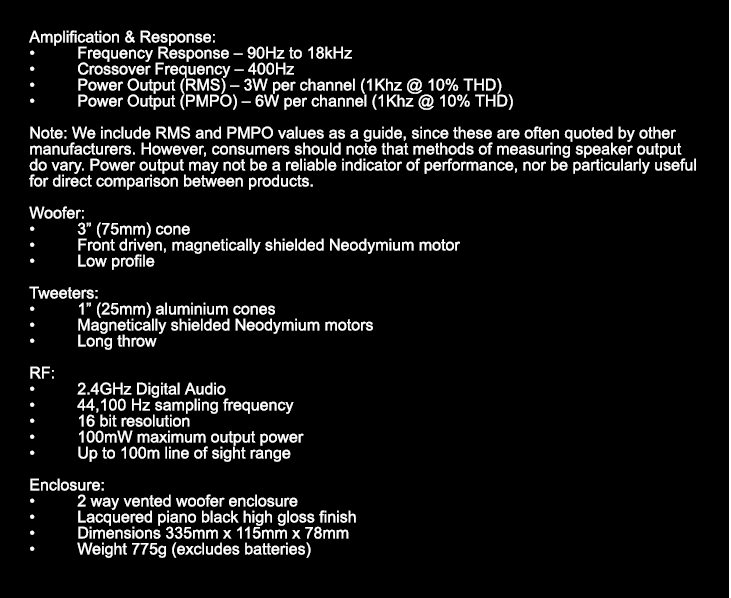
Specifications:
The A-250 speaker box is approximately 14" long x 5" wide x 4" tall. It is
extremely portable, weighing in at one pound 14 ounces. Its case is almost
entirely composed of gleaming black plastic, a veritable dust and fingerprint
magnet as I mentioned. Although the box has a curvy futuristic design, it should
fit in with almost any decor.
According to the Saitek site, the A-250’s "reliable high-fidelity wireless technology streams your music to Saitek’s
Neodymium speakers which provide exceptional clarity and bass performance."
With the A-250, one can "transfer music easily from room to room, whether you’re studying upstairs,
cooking in the kitchen, working in the garage or entertaining friends," and
according to the site, the A-250 offers: True digital 2.1 stereo delivered through two 3W tweeters and 3W sub-woofer (RMS), Neodymium speaker technology with active crossover boosts bass clarity and
reduces noise for outstanding audio response, LCD display and volume, play, skip, back, pause and stop buttons to control
your PC/Mac, Reliable high-quality wireless link receives and controls audio within 30m
range, Wireless connection to PC only (requires Windows 2000/XP) and Connect to MP3, CD and portable media players via 3.5mm jack audio cable
(provided).
Here is the futuristic speaker box set up in my cozy kitchen…eh, it works.
;0)
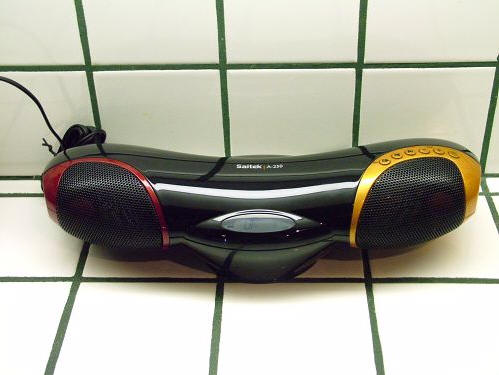
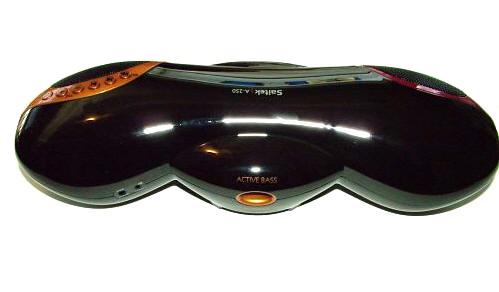
You can easily see the two front tweeters, and on the underside is the bass
speaker…

…and on the back side is a sub-woofer port.

Setup is fairly easy. The speaker box is powered either by four AA batteries or via the included AC
adapter. On the underside of the box is a hatch that when popped open reveals
the battery tray.

On the back side of the box are two jacks – Line In and one for the AC
adapter. When being used indoors, it makes sense to hook up the included AC
adapter rather than using batteries.
There is an included double 3.5mm jack cable which can be hooked directly to
a digital music player for non-wireless operation. I’ll talk about that option a
bit more, later…

The wireless transmitter has a USB plug, and it should be inserted into a
free USB port on the computer. Because the transmitter’s center button needs to
be tapped to establish a connection with the speaker box, the transmitter should
be placed in an easily accessible area. The transmitter’s USB cable is 36" long,
but can be extended another 36" with the included USB extender.
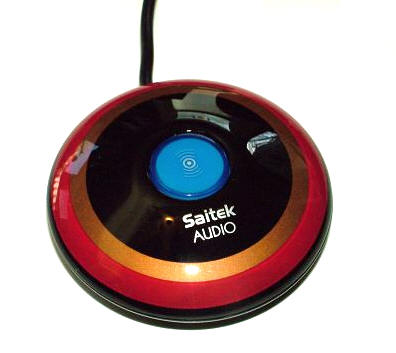
The center of the transmitter will glow bright blue
when transmitting.
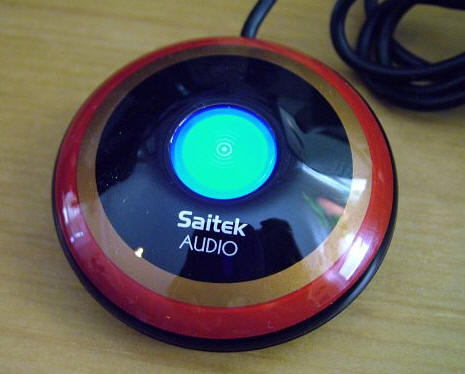
When the transmitter is plugged into a USB port and its button is pressed, it
will immediately be recognized by the computer. I use iTunes as my default music
player, but the A-250 should work with any of them.
I originally hooked the A-250 up near my computer and enabled the
transmitter. I got a small surprise when I realized that the Saitek had
hi-jacked my normal system speakers and all of my system sounds were now coming
from the speaker box. That was my first clue that everything was working
correctly.
It might alarm some readers when they realize that the speaker box will not
usually be sitting on their desk, meaning that if it is running they would not
have any sound through their computer. Just realize that the only reason the
sound will be hi-jacked is because the wireless transmitter is on. When it is
turned off, system sounds will play through the default set of speakers on the
PC, meaning that no sound will be playing from the Saitek.
The front of the speaker box has a small oblong gray area, which is actually
an LCD screen. It will display the current button selection, whether it be
Play/Pause, Previous selection, Next selection, Volume -, Volume + and Power
status.

Here are a couple of screen shots of the backlit LCD, which show some of the
icons displayed. When the box is first switched on, the main display will show
—–, as the wireless receiver searches for the wireless transmission. Once it
is found, the LCD will display "OK". On the left is a battery icon, which shows
as full since the AC is being used. When batteries are being used, the bars
above the battery icon will disappear as the battery life fades. Four AA
batteries are supposed to get approximately 20 hours of battery life.

The circle with radiating lines around it indicates wireless is working, but
they do not indicate the wireless signal’s strength. The lines under VOL
indicate the volume level at which the speaker box is set, which can be from one
to ten. Pressing the Volume – button one more step past "Vol 1" will mute the
box. Muting can also be achieved by pressing the Vol – and Vol + buttons at the
same time.

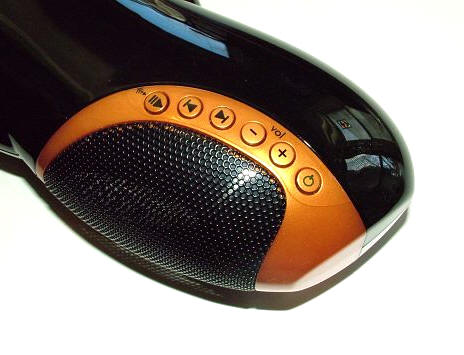
Here is a close-up of the row of buttons above the right side speaker. I
would soon find that all but the Power and Volume buttons would only work if the
PCs music player was maximized on the computer screen. When working on the
computer, this might be a bit of a nuisance, but if I am using my PC as a
transmitter while doing things in another room, then it is usually no problem to
leave iTunes maximized.
The wireless reach of the A-250 is supposed to be approximately 30m or 32
yards, as long as there are no major barriers or obstructions in the way. My
kitchen is approximately twenty feet, through three very thick walls from where
the transmitter is located, yet I received an excellent signal. My front
living room proved to be too far from the transmitter, as it is approximately 38
feet from the transmitter through at least four thick walls. Transmitting to our
screen enclosed hot-tub room, located outside and approximately 20 feet away
from the transmitter, worked flawlessly when the window next to the desk was
opened. Homes with thin walls or large open rooms will probably get even better
reception further away from the transmitter.
I found the sound produced by the A-250 to be surprisingly rich and bassy,
especially when using the system in the kitchen where the Active Bass system
seemed to really bounce off the tile counter and backsplash. The sound seemed
incredible good to have been coming from such a small speaker set, and
wirelessly to boot! I did not notice any obvious degradation to the music, which
I sometimes notice when using FM transmitters, and I am not exactly sure why.
For times when transmitting wirelessly is not practical, I like that there is
an option of using the direct link of the Line In jack. My digital music player
can be connected directly to the A-250 via the included 3.5mm jack cable, and
I’ll have an instant portable stereo setup. Switching to Line In functions is
accomplished by pressing and holding the Play/Pause button for three seconds.
When the speaker box is in Line mode, the only buttons on the front of the box
that will control the music are Volume + and Volume -, all other functions
should be controlled directly from the attached digital music player. Wireless
mode is achieved again by pressing the Play/Pause button for another three
seconds.
Of course, playing music stored on the PC or digital music player is not the
only use for the Saitek. It can also be used for listening to streaming
broadcasts from internet radio or
from
Sirius Satellite’s site.
For my needs, the
Saitek Audio
A-250 Wireless 2.1 Speaker
System has proven to be a viable alternative to a full-home wired speaker
system. It’s earned a spot on the kitchen counter – but I foresee it
being used in the hot tub room quite a bit in the spring and fall.

Trullypine Laptop Cooling Pad with 12 Quiet Fans, Slim Portable for 12-17.3 Inch Laptop Cooler Stand with 5 Height Adjustable, Ergonomic Gaming Cooling Fan Pad with Two USB Ports & Phone Holder (Gear)
(as of June 7, 2026 22:31 GMT -05:00 - More infoProduct prices and availability are accurate as of the date/time indicated and are subject to change. Any price and availability information displayed on [relevant Amazon Site(s), as applicable] at the time of purchase will apply to the purchase of this product.)
Deco Gear 49 Inch Curved Ultrawide Monitor, 5120x1440 Dual QHD 32:9 1500R VA Display, HDR400, 120Hz, Adaptive Sync, 1ms MPRT, USB-C 65W PD, KVM, PIP/PBP, Gaming & Workstation Setup, for PC & Laptop
(as of June 8, 2026 03:41 GMT -05:00 - More infoProduct prices and availability are accurate as of the date/time indicated and are subject to change. Any price and availability information displayed on [relevant Amazon Site(s), as applicable] at the time of purchase will apply to the purchase of this product.)Product Information
| Price: | 129.95 |
| Manufacturer: | Saitek |
| Requirements: |
|
| Pros: |
|
| Cons: |
|

Gadgeteer Comment Policy - Please read before commenting
Intersting to this speaker, but where can we buy this? Any store in singapore?
BR,
WY
Is it possible to get a replacement for the usb driver