
I’m a bit of a webcam aficionado. I have several – my Dell XPS M1330 and eeePC 701 have integrated webcams, plus I have an older
VGA Logitech QuickCam and a new 2MP QuickCam Orbit AF. Video chatting can be a lot of fun when your friends live out-of-state – or on the
other side of the globe. Julie sent over a couple webcams for me to review – the
IPEVO PoV and a networked security camera from Brando.
The PoV is a different take on video chatting – rather than a camera that sits on your desk, it’s designed to be picked up and
pointed at things (hence the PoV, or point-of-view, brand name). It has a manual focus ring and a shutter button on the camera
itself, so you can take photographs to send to your friends. It’s definitely not your typical webcam.
IPEVO is big on the Skype market. They have created a number of products specifically designed to work well with Skype, including
USB phones and other webcams. I’ve done a lot of video chatting and personally perfer to use Windows Live Messenger. I find Skype
uses far too much memory and processing power. At any rate, we’ll see if this camera is a worthy competitor to my Logitech Orbit AF.
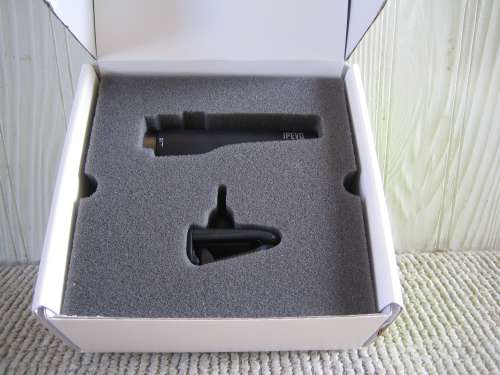
Right off, IPEVO’s packaging is very slick. Included are some cards with line drawings illustrating suggested uses, along with a
drivers and software CD-ROM and the camera itself. The camera is nestled securely in thick foam blocks.
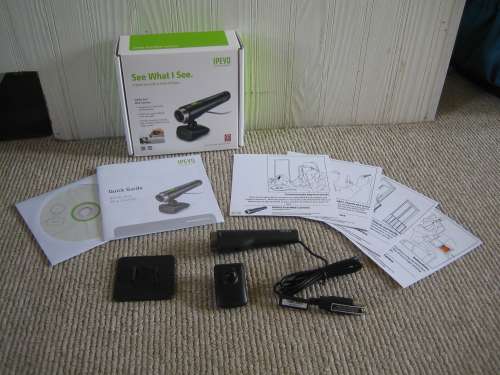
In the box is everything you need to get going:
- VGA (640×480) web camera with attached USB cable
- Clip to attach camera to laptop or desktop display
- Desktop stand to position camera on a flat surface
- Drivers/software CD-ROM
- Instruction manual
- Suggestion cards
The camera itself is extremely easy to use. The included software worked perfectly in Windows XP SP2 and Vista SP1. I used it
with both Skype and Windows Live Messenger without any problems.
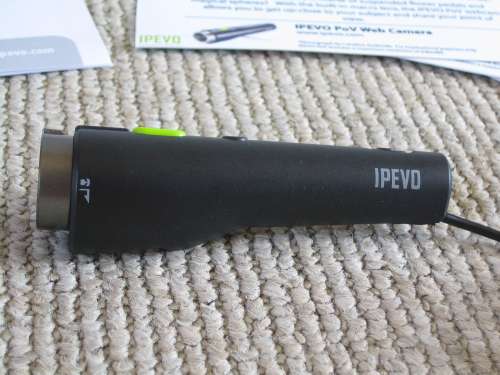
From the side, you can see that the camera is well-shaped to accomodate even large, adult hands. You can hold like a pen or a
remote control to point it at various objects.
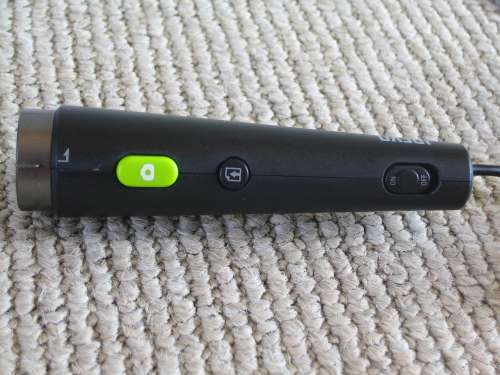
The top of the camera has a large shutter button for taking still images, a “send-out” button (more on that in a moment), and a
convenient on/off switch. The front has a green power indicator LED and a red recording indicator LED.
Because you might want to use this as a regular webcam once in awhile, IPEVO includes two different mounting options – a tabletop
stand and a spring-loaded clip to attach the camera to a display. The stand actually attaches to this clip, as shown below.
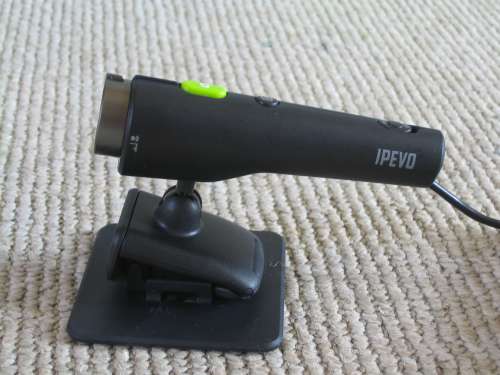
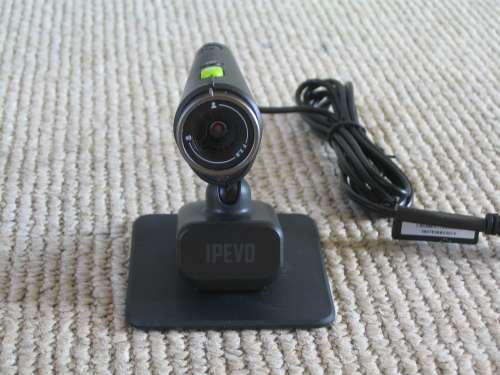
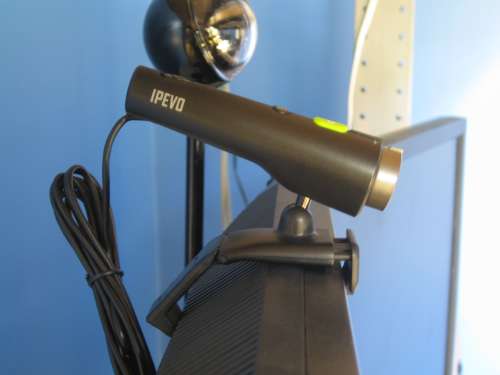
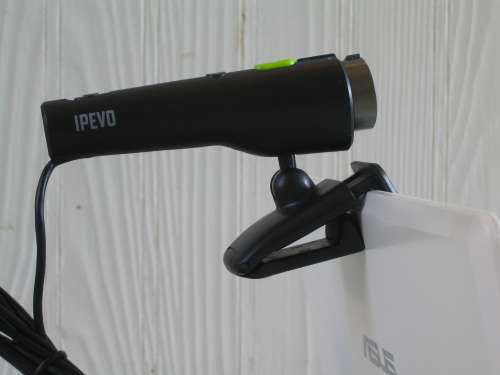
The monitor clip is pretty cool. It’s designed to be mounted on a regular CRT or LCD desktop display, or a thin laptop display. It
has a spring-loaded piece that can be pulled out to accomodate different display sizes. It attached securely to both my
desktop’s LCD and my eeePC’s display:
This camera does not have autofocus, so you must use the thumb ring around the lens to adjust the focus manually. The ring moves
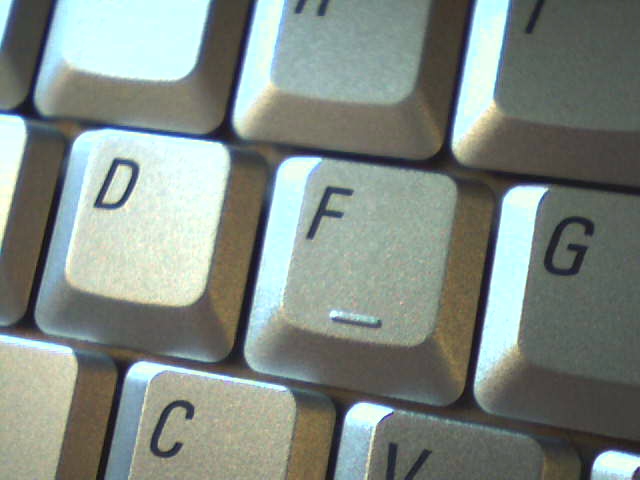
smoothly without being too loose, and it has a wide focus range – you can zoom in on objects as close as 4cm (about 1.5″). Even at
its low VGA resolution, close-ups are pretty sharp, as you can see here:
Click thumbnail for fullsize image
Image quality from some distance isn’t spectacular, but it’s pretty on par for any VGA camera. The default settings are a little on
the blue side, but the software provides image adjustment options to correct this as necessary. I wouldn’t use this camera in lieu of a
regular camera for face shots, but it’s pretty good for quick macros of text and small objects. Here’s a sample regular image in
medium lighting:

Click thumbnail for fullsize image
As you can see, my cat is thrilled to be an Internet celebrity. Hah!
The software is really designed to work in tandem with Skype. The “send-out” button I mentioned earlier will, when running the included
software and logged into Skype, immediately take and send a picture to the selected Skype contact. Given that I know a grand total of one
person who ever uses Skype, this feature is pretty useless to me. Without Skype, it functions as a normal webcam. The software is still
usable for tweaking the camera’s image quality, as well as taking still images with the shutter button (or the software shutter button,
if you prefer).
Overall, this is a pretty decent webcam for the price, given its added point-and-shoot and macro features. If you’re a heavy Skype user,
it might be just the thing for you. I like that it’s compact and very portable, and the display mounting clip is really ingenious. It works
just fine as a standard webcam, and the ability to use it as a point-and-shoot camera might come in handy.

Zip Ties Assorted Sizes(4”+6”+8”+12”), 400 Pack, Black Cable Ties, UV Resistant Wire Ties by ANOSON
(as of June 8, 2026 13:53 GMT -05:00 - More infoProduct prices and availability are accurate as of the date/time indicated and are subject to change. Any price and availability information displayed on [relevant Amazon Site(s), as applicable] at the time of purchase will apply to the purchase of this product.)
WOLFBOX MF60&MF70 Compressed Air Duster-110000RPM Super Power Electric Air Duster, 3-Speed Adjustable Rechargeable Cordless Air Blower with Fast Charging for PC Keyboard Cleaning, Car, Home (Black)
(as of June 8, 2026 13:53 GMT -05:00 - More infoProduct prices and availability are accurate as of the date/time indicated and are subject to change. Any price and availability information displayed on [relevant Amazon Site(s), as applicable] at the time of purchase will apply to the purchase of this product.)Product Information
| Price: | 39.99 |
| Manufacturer: | IPEVO |
| Requirements: |
|
| Pros: |
|
| Cons: |
|
