

Apple has been particularly
busy these past few months. We’ve seen updated aluminum iMacs, the new
iPod classic,
new iPod nano
fatty and of course, we can’t forget the mega hyped
iPhone. Redefining
both mobile phones and digital media players, the iPhone has made a definite
dent in tech history. Now we have the iPod touch. This device takes all the
music and video related features that have made the iPhone so popular, and made
them available to people that don’t want to switch carriers or phones.
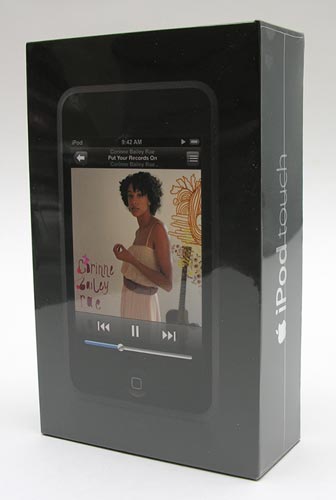
Hardware Specs
- Storage: Available in either 8GB or 16GB Flash drive capacities
- Display: 3.5-inch (diagonal), 480 x 320 pixels at 163 DPI
- Frequency response: 20Hz to 20,000Hz
- Audio formats: MP3 (16 to 320 Kbps), MP3 VBR, AAC (16 to 320 Kbps), Protected AAC (from iTunes Store), Audible (formats 2, 3 and 4), WAV, and AIFF
- Video formats: H.264 video up to 1.5 Mbps, 640 x 480 pixels
- WiFi (802.11b/g)
- Audio: 3.5mm stereo headphone minijack
- Power: Rechargeable lithium polymer battery (up to 22hrs of audio playback time and
5hrs of video playback time) - Size: 4.3 x 2.4 x 0.31in (110 x 61.8 x 8mm)
- Weight: 4.2oz (120)
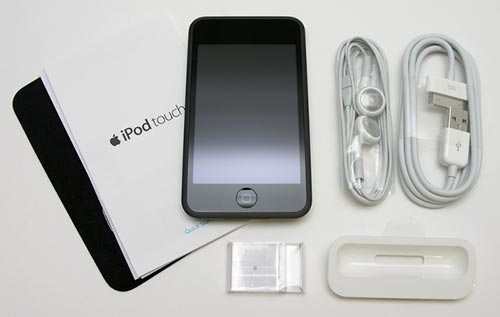
Package Contents
- iPod touch
- Earphones
- USB 2.0 cable
- Dock adapter
- Polishing cloth
- Stand
- Quick start guide
- Apple stickers
To say that the iPod touch is just an iPhone without the phone,
really isn’t an accurate description. At first glance, the touch does look like an iPhone, I’ll give you that. But once you look a little closer, you’ll see that it’s an entirely different device. One that just happens to look like the iPhone…
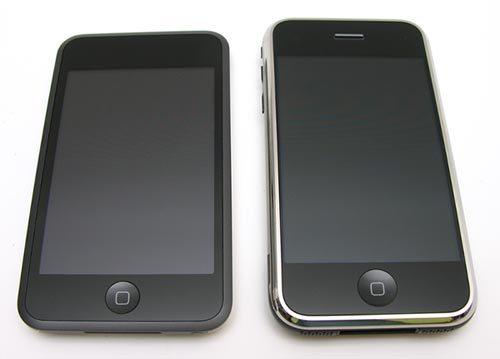
The touch is almost half the thickness of the iPhone. It’s also a little bit shorter and the select button is smaller in diameter. You will also notice that the rim around the display is Black instead of chrome like the iPhone.
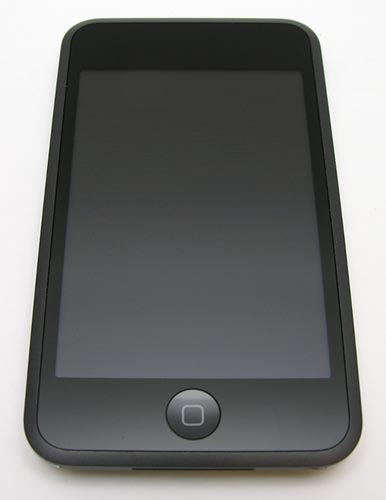
After carrying around my iPhone for the past few months, the touch feels considerably thinner. It is comfortable in hand although a bit on the slippery side. Squeezing it yields no flexing creaking or cracking. It’s definitely a solid device.
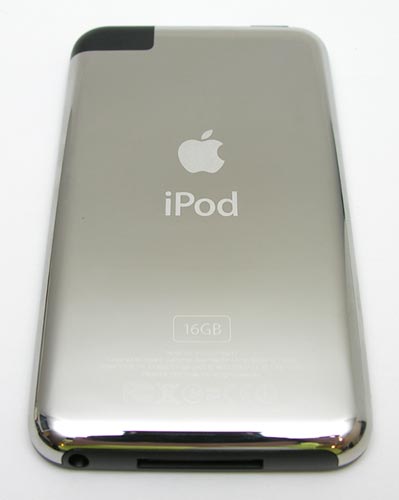
Oh look, it has a chrome back. Yay. Not. Apple, please stop this madness!!! Chrome is smudgy and way too susceptible to scratching. It’s time to move on. Really!
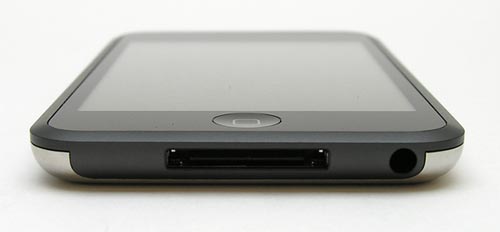
Along the bottom edge, you’ll find the universal dock connector and a stereo earphone jack. Unlike the iPhone’s earphone jack, this one can accommodate any type of 3.5mm earphone connector.
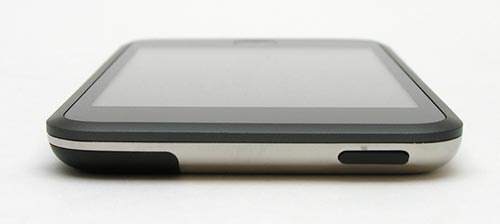
The only other button on the touch is located on the top of the device. This thin button turns the screen on and off. The lack of hardware buttons to adjust volume, pause playback, and navigate forward and backwards through tracks was immediately evident. Without such buttons, you have to turn the display on and use the onscreen touch buttons for these functions. This can be a bit annoying.
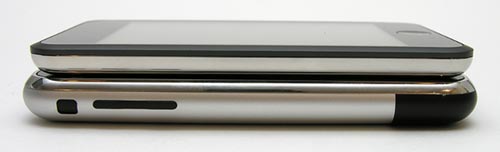
To give you an idea how the touch compares to the iPhone size-wise, take a look at the image above. The touch is on top, iPhone on bottom.
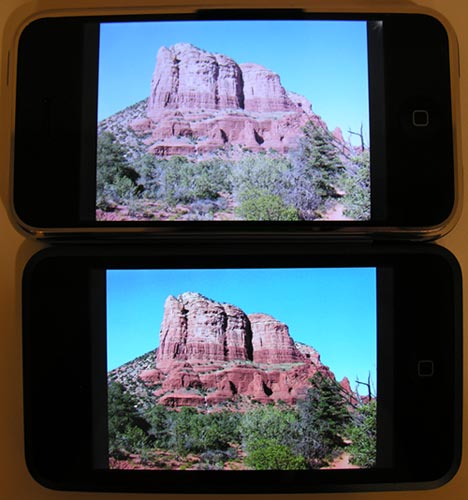
Top: iPhone, Bottom: iPod touch
The touch’s color display is the same size and resolution as the iPhone’s display, but it has a slightly higher density of pixels. The iPhone’s DPI is 160, while the touch’s DPI is 163. Is this difference noticeable? Only when viewing images side by side like you see here. Comparing the exact photo on both devices, I think the touch has a slightly sharper picture and brighter colors. That said, some people have been complaining about issues with their touch’s display. They are saying that they have negative Black problems when viewing video with dark scenes. The picture will wash out and be hard to see. I’ve also heard reports of dead pixels. Luckily, I’ve not seen either of these issues on my own iPod touch.
User Interface
As soon as you turn the touch on, you are greeted with the same screen that you would see on the iPhone. It’s obvious that the iPhone’s interface has been stripped down and pumped into the touch.
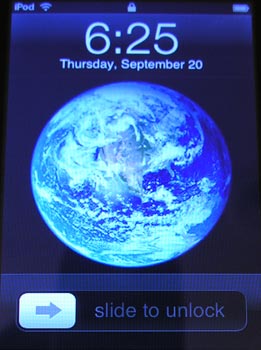
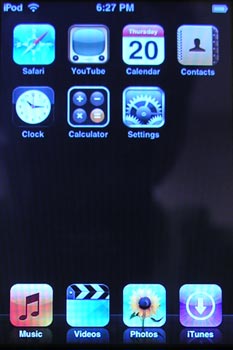
Don’t like the earth wallpaper on the opening screen? You can change it to one of your own photos using the settings dialog.
The built in features / applications are represented by 11 icons. In my opinion, Apple should have created larger icons and filled the entire screen. The way it is now, it just looks lame to me. It’s like, what happened to the rest of the apps? It’s too iPhone-ish.
Let’s take a look at each one… First up, Safari.
Safari
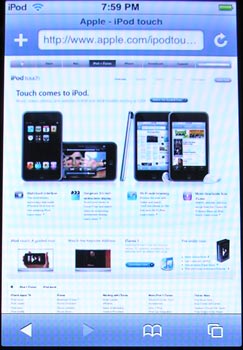
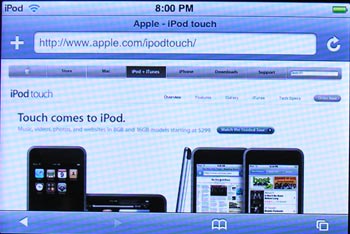
The touch has WiFi built in, which makes it a great little surfing device. Safari is the best web browser for small devices, that I’ve ever used. With those remarkable pinch and spread finger gestures, that allow you to shrink and enlarge sections of the page for easier viewing, surfing is a lot of fun. There’s also the automatic changing from portrait to landscape mode when you physically rotate the display. The two images above are the same web site shown in both portrait and landscape orientations.
YouTube
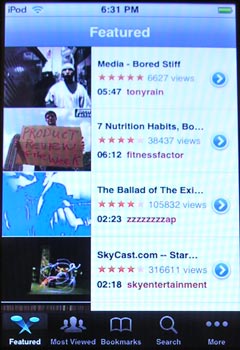
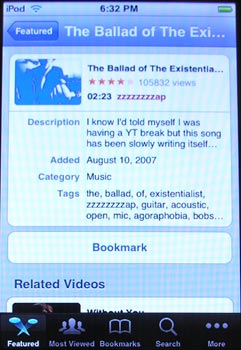
If you’re addicted to watching user submitted video content, then the YouTube app will keep you busy busy busy. You see thumbnails of featured and most viewed videos, and also have the ability to search for other videos.
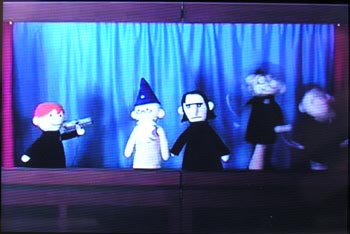
Oh joy! A Harry Potter puppet show video on YouTube. Can life get any better than that? I think not!
Calendar
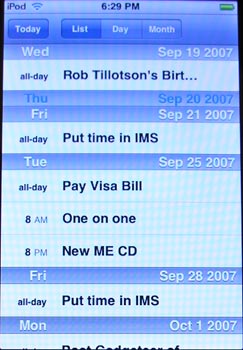
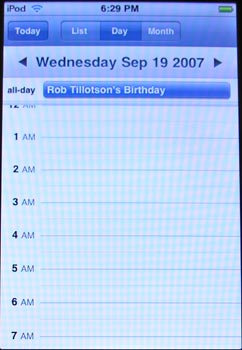
Just like the iPod classic and nano, the iPod touch also has a calendar app. It looks like the same calendar app that you find on the iPhone, minus one important feature: the ability to edit and add new events. I guess since the touch is an iPod, that means that it is not privileged to have those features. Grrrrrr…
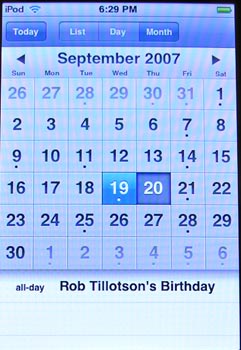
You have three views, agenda (List), Day and Monthly views.
Contacts
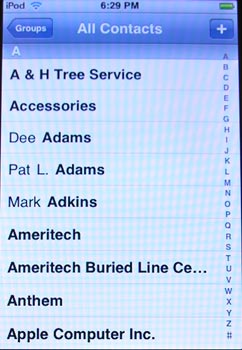
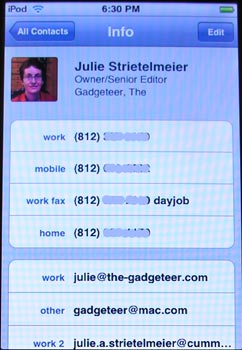
The touch makes a nifty rolodex for all your addresses. Pictures even sync with Apple’s desktop contacts app (Not sure how and what it syncs with for Windows users).
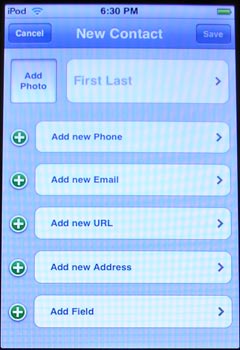
Hmmmm, look what we have here! The ability to add and edit new contacts records. What is up with that? Doesn’t it seem odd that Apple says it’s ok to edit and add new addresses on your touch, but it’s not ok to edit and add new calendar events? Are you as confused as I am?
Extras
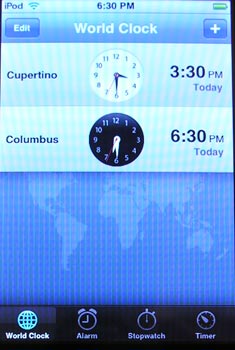
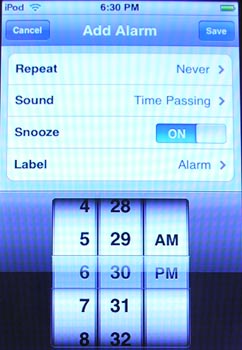
You also get a world clock, alarms, stopwatch and a timer.
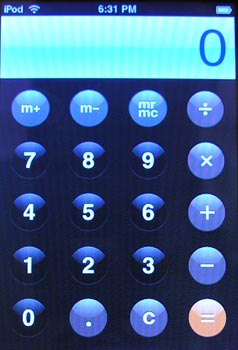
We can’t forget the calculator too.
Music
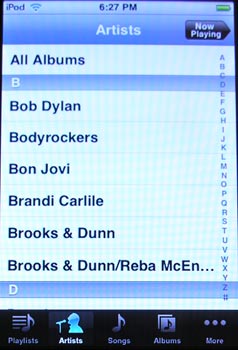
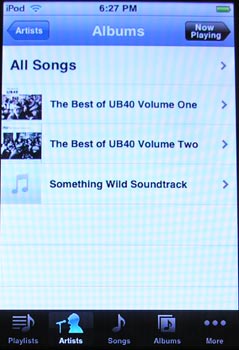
The touch interface on the touch (sorry) makes finding music almost as fun as listening to it. Scrolling through lists of artists with a flick of your finger has the be the greatest way to navigate content ever invented. The music interface on the touch has been lifted directly from the iPhone. I haven’t noticed any differences.
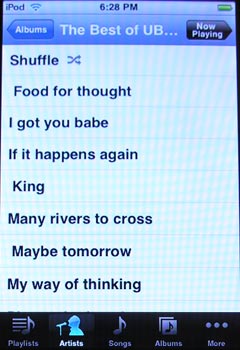
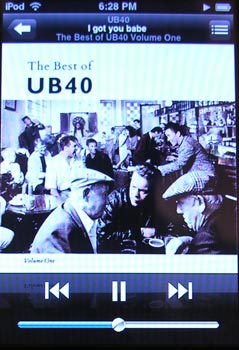
While music is playing, you can see the album cover art.
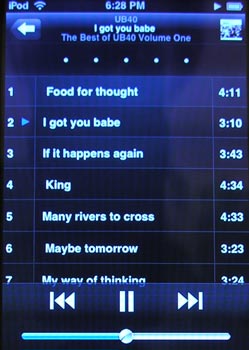
Tapping on the list icon in the upper right corner of the now playing screen, will pop you into the album song list screen. From there, you can rate the song by tapping on the 5 dots at the top of the screen. You can also jump to a specific song by tapping on it.
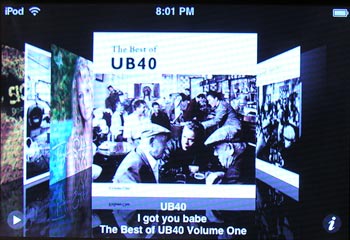
Rotate the iPod touch into landscape orientation while in music mode, and it will convert to cover flow. In this mode, you flip through your albums by their cover art.
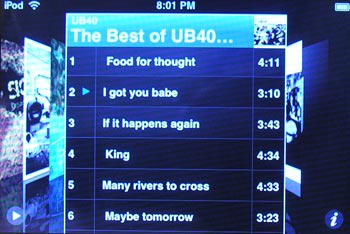
Tapping the small i in the lower right corner will display the songs in the facing album.
The touch’s audio quality is very good. I rip all my music at 192 kbps VBR (Variable Bit Rate) and am more than happy with the way music sounds through even the stock earbuds.
Video
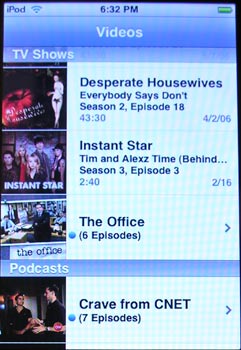
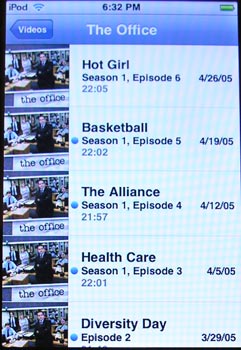
Watching video on your touch is very enjoyable. The screen is large, bright and vivid.
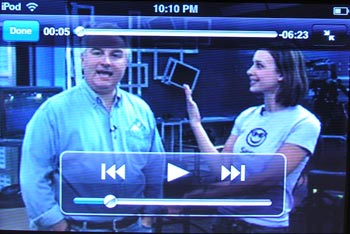
I had no problem watching an entire movie on this device. My eyes never got tired.
Photos
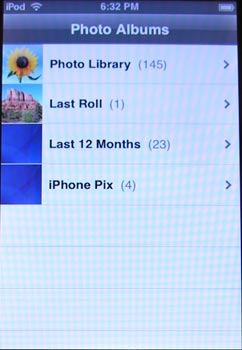
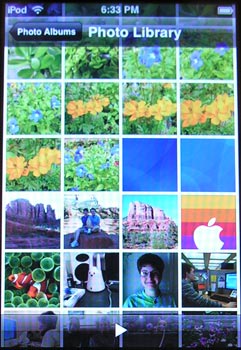
The iPod touch does not have a built in camera like the iPhone, but you can sync your photos to it and view them.


The touch makes a great little digital photo frame when you put it in slide show mode and set it up on the itty bitty plastic stand that comes with it.
iTunes
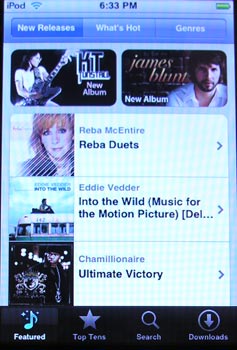
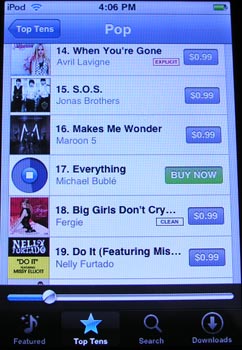
Finally, a feature that the iPhone doesn’t have (yet), but the touch does… iTunes! Yes, you can now browse, preview and purchase music directly from your iPod touch using a WiFi connection. It’s extremely easy… too easy really… which of course, Apple is banking on.
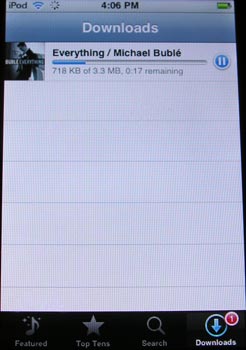
When you find a song (or album) that you want to purchase, you just tap the BUY NOW button with your finger. You’re then prompted for your iTunes password. After you type it in using the on-screen keyboard, your song will download directly to the device.
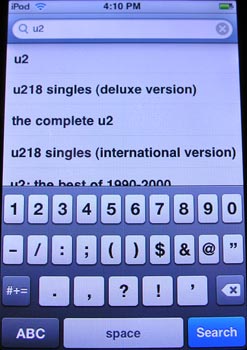
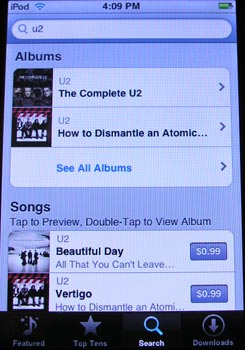
You can also search for artists, songs, and albums.
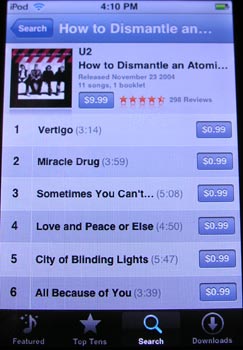
Entire albums can be purchased, or individual songs. At the moment, you can only find and purchase music. Videos, TV shows and movies are not available. Of course you can purchase them with your desktop version of iTunes and sync them to your touch.
Unlike other iPod models, the touch does not come with any games. :o(
Final Thoughts
I have to confess something to you guys… Until I purchased the iPhone, I felt like I had to always have my entire music collection with me on one device. All 60GB of it. That’s why I was happy to buy the new 160GB classic. I knew I’d be able to have all my music and lots of video too. But after using the iPhone for these past few months, I’ve come to love the touch-screen interface and large display so much that now I really don’t care that I can’t carry everything with me. Now I just create a playlist and cycle various new music in and out of it on a daily / weekly basis. I sync unplayed videos and podcasts too. It’s working out great for me. I have enjoyed using my iPhone as an iPod so much that I am really not sure that I’ll ever go back to using a regular old iPod again… I say all of this because I have a feeling that the iPod touch will dwarf the classic and nano in sales and that eventually, the regular non-touch screen iPods will be discontinued. We’ll see how it plays out…
The touch’s largest capacity is 16GB and is priced at $399. This is the same price as the iPhone, which does make it pretty pricey for a media player. If you’re already an iPhone user, I don’t believe that there is anything that should compel you to buy the iPod touch. But if you don’t have the iPhone and don’t intend to buy one, by all means, I’d go for the iPod touch over the classic and the nano. If the physical size of the device is a non-issue for you, if you enjoy surfing via WiFi and especially if you watch a lot of video content on the go. The large display is so much nicer than the ones on the other iPods.
Questions for all of you
If you’ve tried the iPod classic, nano and touch, which did you like best and why?
Gerber Gear Suspension 12-in-1 EDC Multi-Plier Multitool with Pocket Knife, Needle Nose Pliers, Wire Cutters and More, Gifts for Men, Camping and Survival, Grey
23% Off
Gerber Gear Diesel Multitool Needle Nose Pliers Set, 12-in-1 EDC Multi-Tool Knife, Survival Gear and Equipment, Black
$129.99 (as of November 25, 2025 18:03 GMT -05:00 - More infoProduct prices and availability are accurate as of the date/time indicated and are subject to change. Any price and availability information displayed on [relevant Amazon Site(s), as applicable] at the time of purchase will apply to the purchase of this product.)Product Information
| Price: | 399.0 |
| Manufacturer: | Apple |
| Pros: |
|
| Cons: |
|

Gadgeteer Comment Policy - Please read before commenting
Post your comments on the Apple iPod touch review.
http://the-gadgeteer.com/review/apple_ipod_touch
Just click the POST REPLY button on this page.
It is very tempting to get a touch since it has 16 GB instead of 8 GB like the iPhone. I also always wanted my music library with me. But I understand with smart playlists its easy to rotate music in and out. I am really annoyed that the touch has so many features cut like e-mail and adding to calendar. thats just idiotic for a $399 device. I dunno…decisions, decisions.
I had the chance today to play with all the new ipods.
I was never really tempted by Apple products but had the chance of buying two 6gig iPod Minis a few years ago. I then upgraded to a 30gig G5 video iPod just over a year ago. I use to be a DJ and are a giant music fan that loves to have music were ever I go.
I love my iPod, but to tell the truth I do not really use it to its full capacity.
I have never sat down and watched a video or film on it. I have a Sony PSP with a larger screen and better battery life if I really needed to. I do keep a selection of photos on it and also as a backup storage for the data from 3 memory sticks. I also have an Alpine car stereo with a direct interface connection for my iPod that allows me to charge it and control the iPod directly from the head unit.
When I am actually playing music I tend to listen to my whole collection on shuffle, or to a specific genre if I am in a chillout mood.
I tend to push the play button and just carry on working while the iPod does it thing.
So would I buy a new iPod?
The original nanos did not appeal to me. Less storage than my mini and more prone to scratches, and the switch from plastic to metal on the case did not really add anything extra. But the new nano is a whole new story. The size is very nice and the screen is good enough to watch a film if needed. This player is idea for the occasional listener with some added extras for those time when waiting. This is an ideal upgrade for my wifes old 6gig mini.
The classic feels nice but I am not a fan of the metal case. I actually prefer my G5 with the slightly transparent plastic front which makes it look more modern than the new classic. But I do like the extra storage capacity on the classic for the price. Over there in USA you pay $249 (£123), here in the UK we pay £159 ($321).
But what about the touch?
Like I have already said, I do not tend to flip through my music or have time to sit there browsing through album covers. I also tend to carry my iPod in my pocket while I am walking around and so have a case to stop it getting scratched. If I do the same to the iTouch then the touch screen becomes hard to use.
Here is the UK we do not have many free WiFi spots. Most points are at cybercafés, so if you are going to pay for air time, you might as well use one on their machines. And if I am at home I would rather use my computer or laptop.
But the real downside to the touch is the storage space.
I have over 2gigs of movies, 20gigs of music and 4 gigs of data on my G5. How am I going to fit that onto a 8gig iTouch? Surely if it is aimed as a video and music device it need loads of storage?
But the number one reason I will not be buying an itouch is the price. In the USA you pay $299 (£149), here in the UK we pay £199 ($402). That is a lot of money to just shuffle a few songs!
But then the itouch is very much like the iphone.
In the UK we have been sitting back and watching the fuss over the iPhone in the USA. Again the UK is behind the times and we do not have the technology for fast data over a mobile network making the iPhones internet connection similar to an old dial up internet connection. And just as we get swindled out of money by companies increasing the price of items in this country, they do the same with our mobile phone networks. We pay a fortune for our mobile networks each month. A phone connection with an unlimited slow internet connection would cost you around $90 a month. When they release the iPhone next month here they are increasing the cost of the monthly charge and the length of the contract. By the end of the contract the added extra makes the price of the iPhone $1819.00!!!! And at the end of the day what does the iPhone really do that my mobile phone, touch screen PDA and G5 iPod do not already do together? Plus if the battery runs out on one, the others keep working!
So just like the iPhone the iTouch Apple is trying to make us believe that they are changing the world, when in fact they are just adding a bit of shine to something we can already do and then charging us a fortune.
Why does the story “The Emperors New Clothes” keep coming to mind?
So with hand on my heart I would have to say that if I had to buy a new iPod tomorrow then the last choice for me would be the iTouch. But my wifes getting a nano for xmas, just dont tell her!!!!
tthiel:
I was / am also really annoyed that Apple left a lot of the goodies out of the touch. I can understand why they did it though. One reason is that all the other iPod models do not have those features. They are trying to keep the feature set similar. It’s a shame really… The touch could make a great little light weight PDA if it had more features. But hey, I have said the same about the iPhone. I’m still waiting for Leopard to see if things are improved.
solidhog:
I really feel for you guys over the pond! And here I thought I had it bad living in a very small town (population 40k), with no 3G coverage. I guess I should not be complaining anymore after I read your post!
Apple is very very good at taking basic functionality, sprinkling in a few new features and making it irresistible to consumers. I should know, I just purchased the 160GB classic, 8GB nano and 16GB touch with my own money. How’s that for crazy? 😉
After the iPhone, my favorite media player would be the touch and then the nano and lastly the classic. The large display really does it for me. If I never cared to watch video, my fave would instantly be the new nano.
Let us know how your wife ends up liking hers!
Help! I’m confused.
I ordered my iTouch yesterday. I have do not own an iPhone however I have played with one and I’m familiar with but not at all an expert at using it’s features.
Okay, so my confusion is in the Calendar feature. I was reading Julie’s review (very informative! Thank you) and I see that you aren’t able to add or edit calendar entries? However the pics on review show items added to the calendar. Are you able to add things to the calendar? This is an important feature for me b/c I like most people have tons of appointments and I was looking very forward to adding my appointments to this device.
Help.
Samantha
Ahhhhhhhhhh… nevermind! I see that I can sync it with MS outlook and add appointments that way but not add/edit appointments on then fly! That stinks but I’m glad I can at least sync it w/ my outlook calendar!
Samantha
Sammannthaa:
Sorry that I wasn’t clear about how the entries got in the touch in the first place.
How do you like the touch so far?
I haven’t received it yet! I ordered it from apple online and I’m a little pizzed that it’s not going to ship until Oct 9-12. ARGH. I did however change my order from the 8GB to 16GB. They also have free engraving at apple online which is not a huge selling feature unless you are a HUGE geek like me and like your name on things 🙂
My husband, who is not at ALL a huge computer lover like me told me to go ahead and order it for my birthday present. I was psyched so I jumped on it immediately (even though my bday isn’t until Novemer). If he knew to go to apple.com and order it for me maybe he could have gotten something really “romantical” engraved in the back (hint, hint for all of you ordering for your significant other).
I really wanted the iPhone but I have sprint that is paid for by my work so I’m not about to switch carriers!
I was kind of bummed that a few of the goodies are missing from the iTouch that the iPhone has. When/if Apple comes out with an iTouch/iPhone combination that is basically a PDA I’ll be ALL over that! I realize though that they can’t put the carriage before the horse.
I’ll let you know how I love it (yes, I said HOW… not IF) 🙂
Can you search through your photos on the iPod touch? I know you can search through your music, but what if you had 9,000 photos you wanted to carry around with you? I have all my photos tagged with keywords, so it’d be nice to say, search for all pictures of my friend James and just have those show up so I don’t have to go in and out of 20 different albums. Or if you don’t have albums and just have all your pictures in one giant folder, it would be a pain to have to physically flick your finger through 700 pictures before getting to the one you want. Or even if you just have a really large album from a long trip…
As far as I have been able to tell, the iPod touch does not have a search feature within the Photo app. Can anyone confirm/deny this please? Thanks!
-William
There isn’t a searching mechanism on the touch. The only way to organize is by albums and rolls.
thanks; I appreciate the quick reply.
That’s too bad; it seems like it wouldn’t have been too difficult to add that feature, given that you can already search through your music with keywords…Guess I’ll have to wait until they add that feature before I buy an iPod touch.
mrbofus:
I have hopes that Apple will add searching features to both the touch and the iPhone at some point…
indeed; particularly given that even as far back as iLife ’04, Apple made it so iPhoto could deal with up to 25,000 photos per collection, showing that they realized people had massive photo libraries. And with iLife ’07 with the “skimming” feature, they realized that people needed a better way to browse through their media quickly to search for the picture they need.
all of this could be fixed in software, but we’ll have to just wait and see if Apple releases an update, if ever. [sending picture messages on the iPhone, using the keyboard in landscape mode in other programs beside Safari, not being able to add calendar appointments on the iPod touch, etc…all examples of simple software fixes that Apple chooses not to fix for some reason…]
Maybe I’m confusing the Touch with the iPhone, but is there a note taking application?
Also, do you know if it’s possible to get a “data only” contract with AT&T (no phone).
Thanks,
-Eric
There is no Notes application on the iPod touch, as far as I know; another odd choice on Apple’s part.
As for AT&T’s data options, I know that with regular phones, you can get just a data plan [unlimited data + 250 text messages for $19.99/month], but they do charge you $10/month just for having the phone if you don’t get a voice plan. So you can basically get an unlimited data plan + 250 texts for $30/month. However, the iPhone may fall under special pricing plans, since it seems to be the exception for every rule under AT&T. [no unlocking, no apps, etc…]
i meant iLife ’08, not iLife ’07 in my previous comment regarding the new “skimming” feature.
Hello all ,I have many favorite dvd and video.
Some days ago , I want to put them onto my ipod video , some friends recommend a software to me at http://www.oursdownload.com/convert-DVD-video-to-iPod-video.html
It works pretty good . I am very glad .
It support ipod touch , too .
Thanks for the info. I guess that rules out using the Touch as a PDA, especially with the calendar being read-only also. The iPhone would be worth it as a web-pad for $30 per month. That’s what it would cost to a data plan to my Verizon phone. I think Verizon wants $45 per month for a Blackberry plan, so as long as it was less than that, I’d be ok with it.
-Eric
:edited for clarity.
I like my ipod touch .
I want to put them onto my ipod touch , some friends recommend a software to me at http://www.oursdownload.com/convert-DVD-video-to-iPod-video.html
It works pretty good . I am very glad .
It support ipod video , too .
For those of you who are considering purchasing an iPod Touch (IPT). You do have an option as a do it yourself (DIY) for now to have most of the applications mentioned here. Maps, Weather, Email, Editable Calendar, Notes, Sending Photos, Sending Songs, IM, Games and a lot more applications that I haven’t installed yet. These new non-profit (free) features are becoming very popular for the iPhone and Touch. Apple has recognized the popularity and the needs for these Applications for their iPod Touch customers, and announced the release of the SDK (Code) to help individuals/companies make more applications.
Careful for what you wish for, it may come true!
For more info you can search the internet for “ijailbreak” or go to a site I visit often at apple-touch.com
Hope that helps 🙂
Thanks for the link, thats a really great site for iPhone owners and we the techies
Thanks, Julie, for an excellent, informative review of the new iPod Touch. As an owner of the original iPod nano (2 GB), and an avid opponent of cellphones (actually their inconsiderate users), I am now quite interested in the new iPod Touch. One feature I anticipate is the WiFi internet ability, hoping it will work fine with my home AirPort system as well as other “hot spots” away from home: Starbucks, etc. In response to my question to a “Genius” at my local Apple Store about the ability of using WebMail via Safari, he assured me that it would be possible; I hope he is correct. Has your review of the iPod Touch investigated this ability of using WebMail on Safari? That would be a critical feature in my consideration. Thank you, Julie, and HAPPY 10th ANNIVERSARY to The Gadgeteer!
cdmagfox:
You shouldn’t have any problems using a web mail client on the iPod Touch. The only issue would be the small screen… But other than that, you should be just fine.
My Ipod Touch is being stupid!! I play a song and it only plays for like 4 or 5 seconds. Then it switches songs! I have no idea what to do and Ive searched the internet sevral times. It does this to every song. Please please please help me!!!!
Actually, I own a 16GB Ipod Touch and you CAN edit and erase events on your calender, all you have to do is view the calender in month mode, touch the day the event is on, it should highlight in blue, touch the event listed at the bottom, touch the “edit” button at the top right hand corner, scroll down and it gives you the options to edit and delete event.
My dad just bought me a 32gb Ipod touch and I just love it. It’s awesome!
From Julies discription ipod touch’s sound AWESOME!!! Im getting one soon! I hope… 😀
@hypnotoad: Let us know what you think of the touch once you’ve had the chance to play with it.
btw thx for the help
thnx Julie for this well infoormed document. It really helped me wityh my dissision to buy the iPod Touch 8GB. I will be getting it in like three months.
@Danyail: You are very welcome! Hope you enjoy it!
Hey guys i just bought a 16gb ipod touch and its driving me insane. I bought it to use at work cuz i liked the internet feature. Apparently i have no wifi connection at my job so i can’t get on the internet. I’m really mad . Do anyone no of any way 2 get around that perhaps i can buy internet from somewhere. Please help
hey, i just bought an ipod touch 8gb on ebay second generation and cant wait 4 it to arrive 🙂 i’m just wandering what is an itrip ?
e-mail me if anyone knows thanks!
[email protected]
hay does the itouch 16gb have voice control features ?
I REALLY LOVED THIS BUT AM FREAKED OUT THAT CONTACTS AND CALENDER EVENTS ISN’T IT CRAZYNESSS!!!