ARTICLE – Somewhere between the Kindle and the smartphone sits a category of devices that promise the best of both worlds: e-ink readability without notification distractions, plus the flexibility of Android apps when you need them. The DuRobo Krono plants itself firmly in that space, packaging a 6.13-inch e-ink display with a full Android operating system, a voice recorder, and an AI assistant into a pocketable form factor. At £239 (roughly $249), it’s priced like a premium e-reader but marketed as something more ambitious. The pitch sounds compelling until you actually use it. What follows is a story of good intentions undermined by rushed execution.
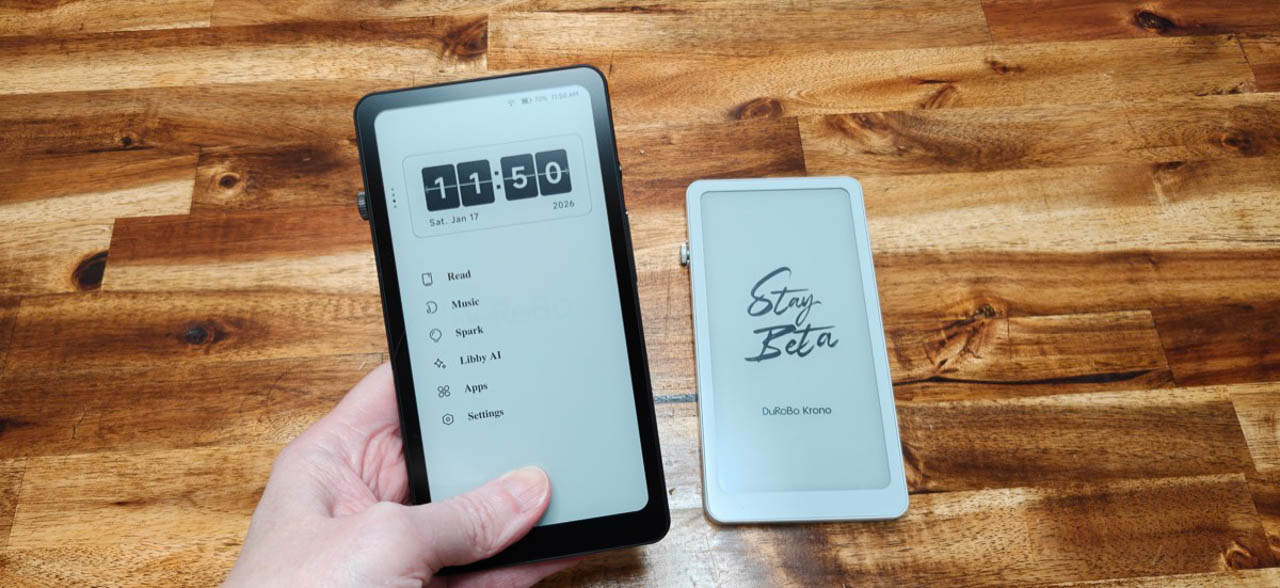
Julie spent a couple weeks with the Krono, reading books through Google Play Books, testing the voice transcription, and poking at the built-in AI features. What she found was a device that gets the basics mostly right but stumbles badly on the features that justify its existence. The e-ink display does its job. The Android foundation works. Everything layered on top of that foundation feels half-baked, slow, or inexplicably broken.
Price: €239.99
Where to buy: DuRobo
Hardware That Makes Sense (Mostly)
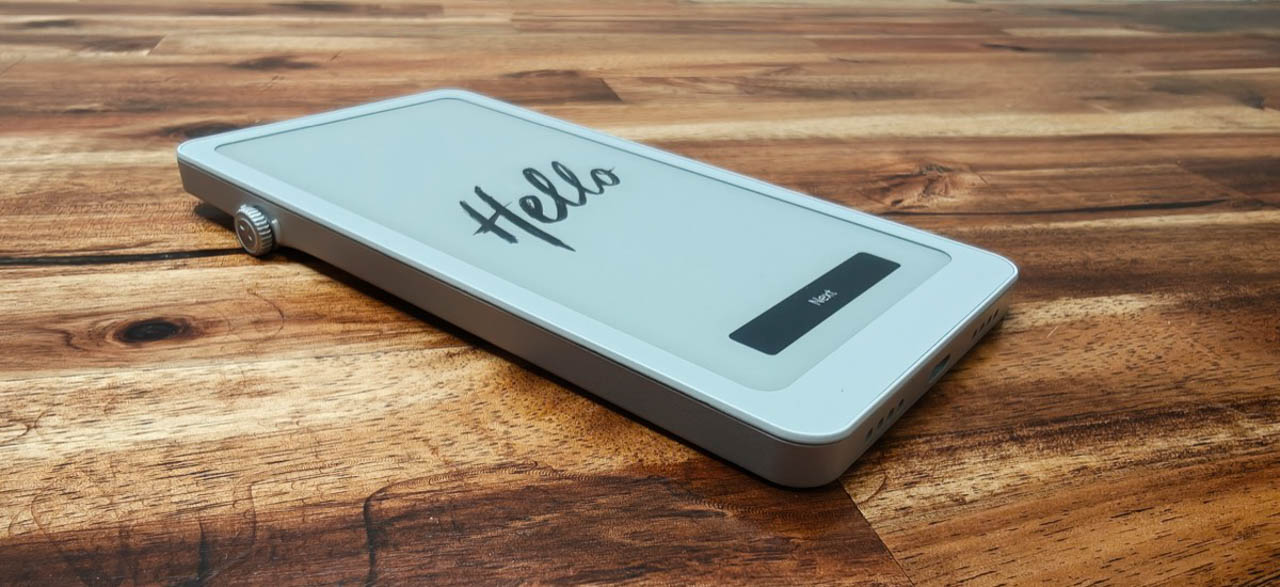
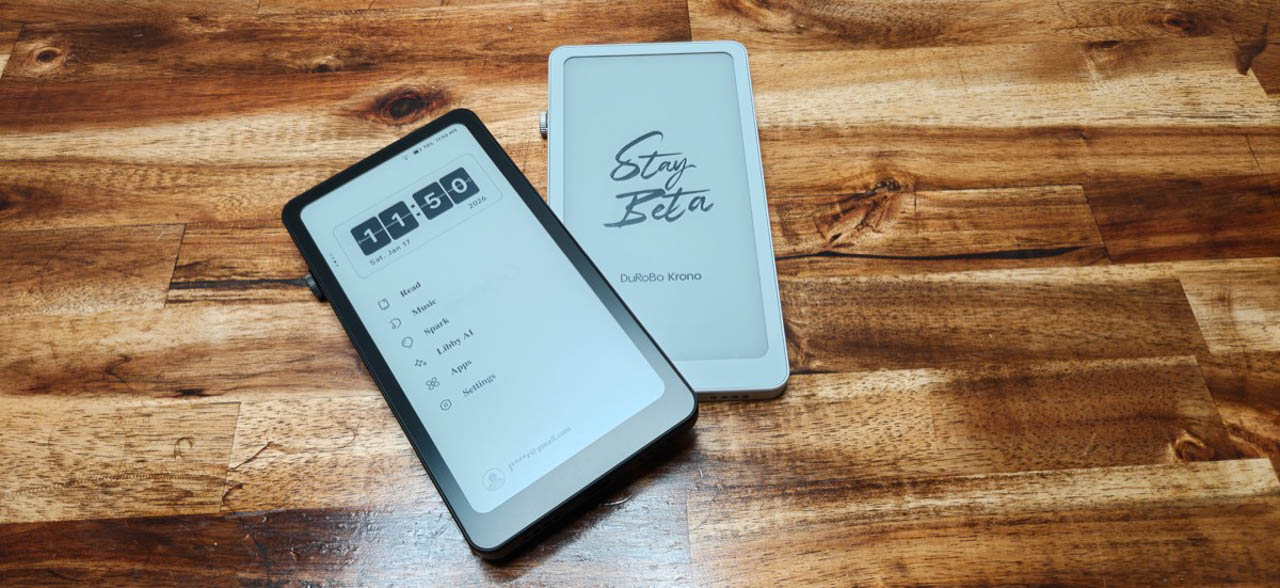
The Krono comes in black or white, and the physical design makes practical sense. A “smart dial” on the right edge rotates freely, presses inward, and handles backlight adjustment plus voice recording activation. Power and volume buttons sit on the opposite side. There’s a microphone up top, speakers on the bottom alongside a USB-C port for charging and file transfers. The back features a distinctive rod-like design element with segmented LED “breathing lights” meant to remind you about reading goals.
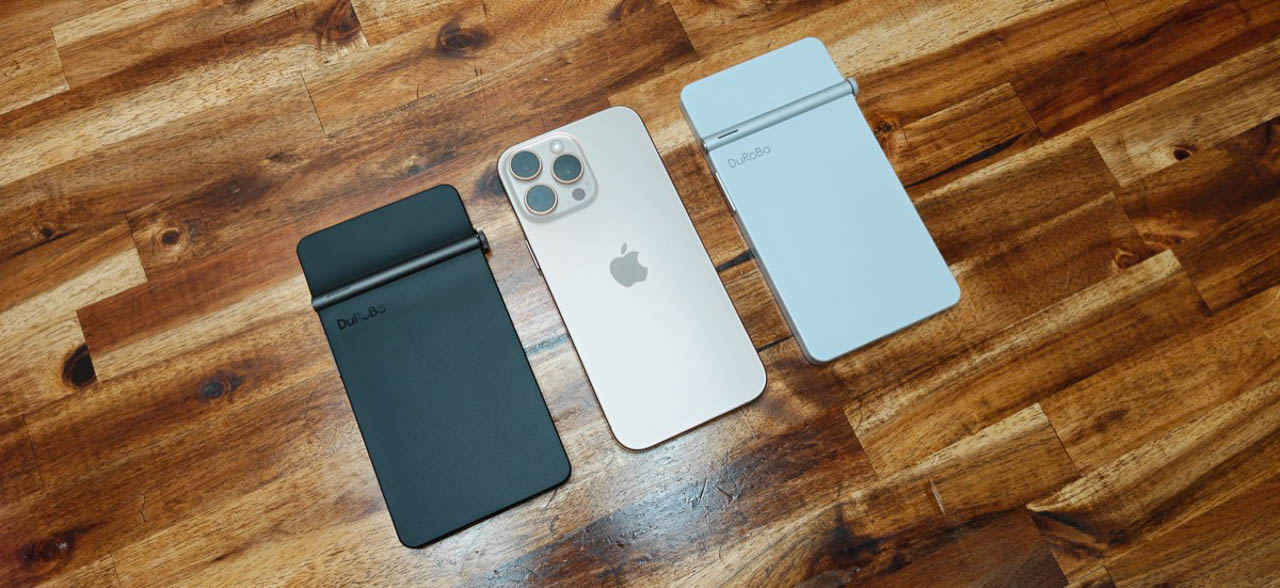
That smart dial is the most interesting piece of hardware here. Press and hold it from almost anywhere in the interface, and it starts recording audio. The tactile click feels deliberate, and rotating the dial to adjust backlight brightness works exactly as you’d expect. What doesn’t work: using that dial to turn pages while reading. In Google Play Books, the dial does nothing. You’re stuck tapping the screen, which defeats half the point of having a dedicated physical control. It’s a puzzling omission that suggests the software team and hardware team weren’t talking to each other. The reading experience itself tells a different story.
What doesn’t work: using that dial to turn pages while reading. In Google Play Books, the dial does nothing. You’re stuck tapping the screen, which defeats half the point of having a dedicated physical control. It is a surprising limitation, especially because the dial is positioned as a primary control. The reading experience itself tells a different story.
Reading: Where It Actually Delivers
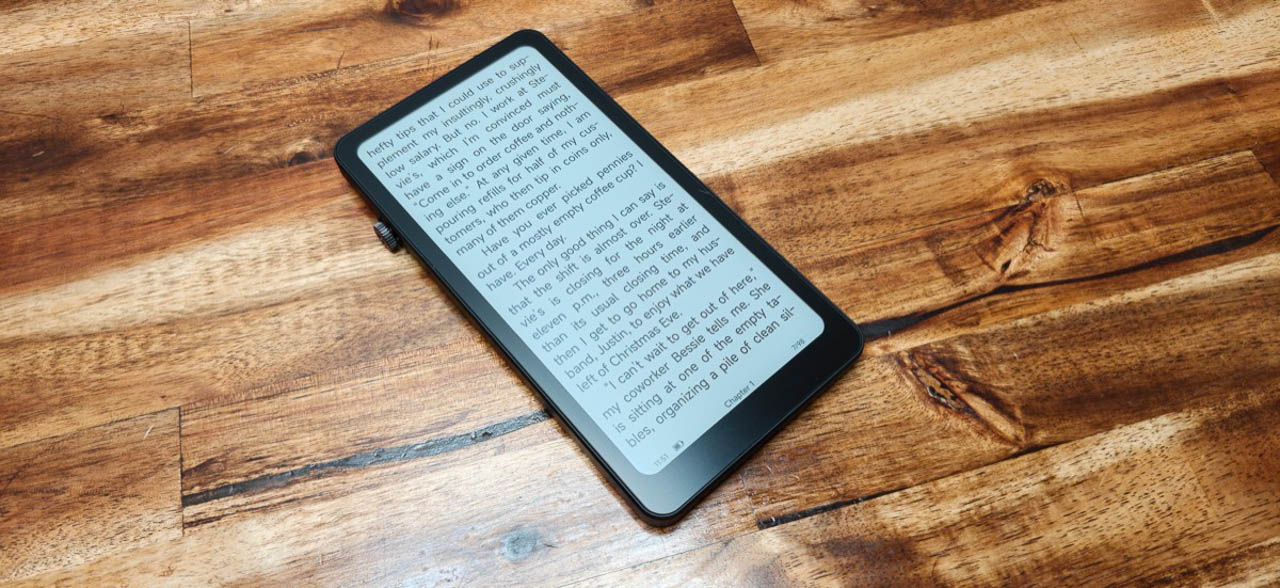
If you treat the Krono purely as an e-reader running Google Play Books, the experience is acceptable and workable. Page turns happen quickly enough that the e-ink refresh doesn’t become maddening. The 6.13-inch display provides reasonable reading real estate. Backlight adjustment via the smart dial is straightforward.
Add The Gadgeteer as a preferred source to see more of our coverage on Google.
The built-in reading app exists, complete with those breathing light reminders for reading habits, but using it requires getting your ebooks onto the device first. That’s where things fall apart.
The Krono refuses to mount as a drive when connected to a MacBook, even with Android file transfer tools. Julie plugged in a USB SSD, and while the device could see it, importing EPUB files or MP3s simply wouldn’t work. After multiple attempts across different methods, she gave up and installed Google Play Books instead. The workaround works, but it shouldn’t be necessary.
Spark Voice Recorder: Decent Until You Need AI
The Spark voice recorder is one of the Krono’s headline features. Hold down the smart dial, speak, release, and you’ve got an audio note saved. It records voice notes reliably. Transcription accuracy lands in the “pretty good” range. Then you tap the AI summary button, and the waiting begins. Even on a short clip, the AI summary took longer than expected. The summary itself was roughly as long as the original transcription, which raises the question of what exactly it’s summarizing. The speed makes it hard to rely on in the moment.
Libby AI: Wrong Answers at Dial-Up Speed
The Libby AI assistant might be the most disappointing feature on this device. Hold the smart dial button, ask a question, release, and wait. And wait. The response time feels slow.
Julie asked about the weather in Columbus, Indiana, and Libby eventually responded that today’s high was around 81 degrees with a current temperature of 78. Small problem: it was January in southern Indiana, and the actual temperature was about 50 degrees. The AI confidently delivered completely wrong information for the correct location.
Asking Libby to search through your voice notes for specific content? It can’t. The AI has no access to your local files, which limits what you can actually do with it. Instead, Libby feels unreliable and too slow to trust.
The Interface Tax
Beyond the specific feature failures, the Krono often feels sluggish. Tapping app icons sometimes opens the wrong app. Scrolling through menus has that characteristic e-ink lag, and touch navigation felt confusing and slower than expected. You can install Android apps from the Play Store, which theoretically opens up possibilities. But this is an e-ink display without color. Installing TikTok or YouTube is technically possible and practically pointless. The device works best when you’re doing one thing: reading a book with as little interface interaction as possible.
Who This Is Actually For
At $249, the Krono asks you to pay premium e-reader money for a device that works okay as an e-reader but struggles with its added features. The voice recording works. The transcription works. Several of the other features either do not work reliably or are too slow to matter.
If this thing cost $100, I could recommend it as a pocketable e-ink reader for people who want Android app flexibility without smartphone distractions. At its actual price point, your phone does everything better with a better screen, or you could buy a Kindle Paperwhite that does one thing really well for $50 less. The DuRobo Krono tries to occupy a space between those options and ends up belonging to neither.
Pick up the Krono, and you feel a device that could have been something. The hardware foundation shows promise. The software needs serious work before this device deserves anyone’s money.
Price: €239.99
Where to buy: DuRobo