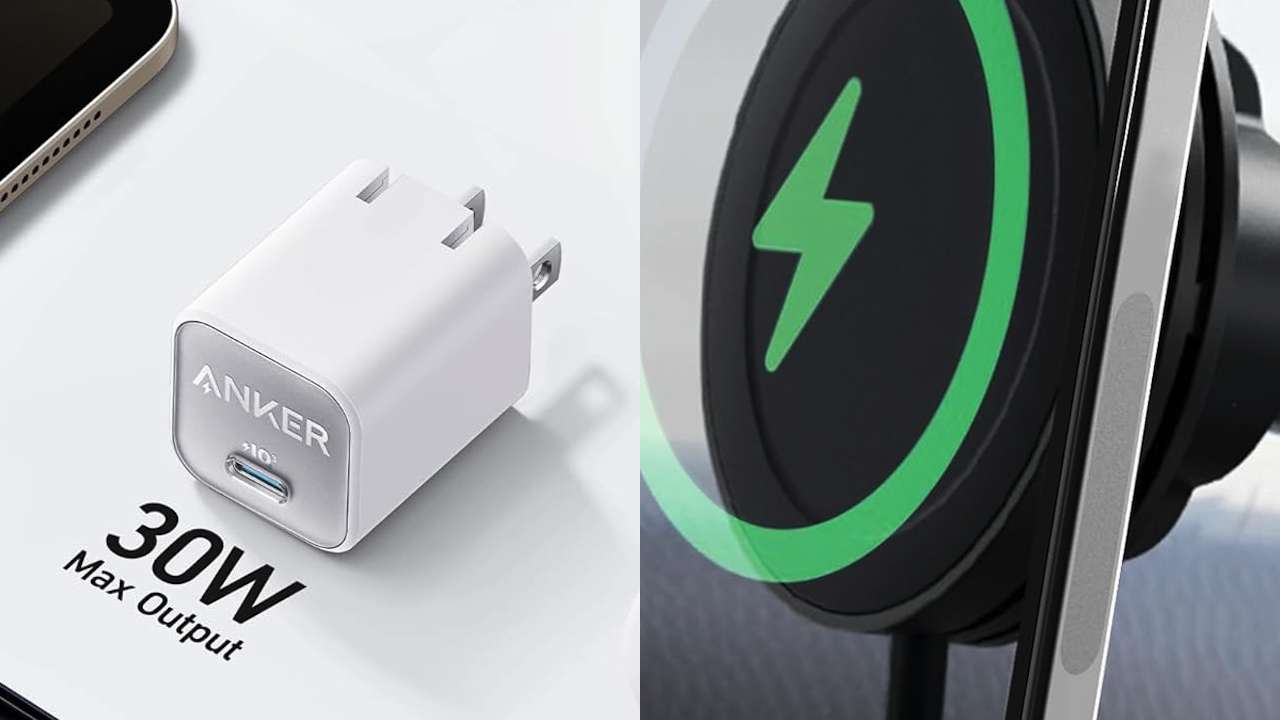
Buying a Pixel 11 is the easy part. The accessory shopping gets messy fast.
You need a case before the first accidental drop. You probably need another charger. Then there are screen protectors, magnetic batteries, car mounts, charging stands, and a growing pile of products promising Pixel 11 compatibility before many reviewers have had enough time to properly test them.
That’s the catch with shopping this early. “Compatible” and “recommended” aren’t the same thing. A specification sheet can establish that a charger supports the right standard or that a case was made for the right phone. It can’t tell you whether the case becomes slippery after a week, the charger gets unusually hot, or a screen protector makes unlocking your phone annoying.
The Pixel 11 generation also makes accessories more interesting because Qi2.2 and integrated magnets bring magnetic charging and mounting directly into the Pixel ecosystem.
With that in mind, these are the 11 Pixel 11 accessories I’d start shopping for and, just as importantly, who should actually buy them.
1. Google Pixelsnap Case for Pixel 11
You haven’t dropped your new Pixel 11 yet. That’s exactly when you should buy the case.
I’d start with Google’s Pixelsnap Case for Pixel 11.
Going first-party makes particular sense during the early days of a phone launch. Google designed the case around the Pixel 11 rather than adapting an existing design, and it keeps the phone’s Pixelsnap magnetic system usable.
That last part matters more this year. If you’re planning to add a magnetic charger, stand, battery, or car mount later, you don’t want your first accessory getting in the way of the next one.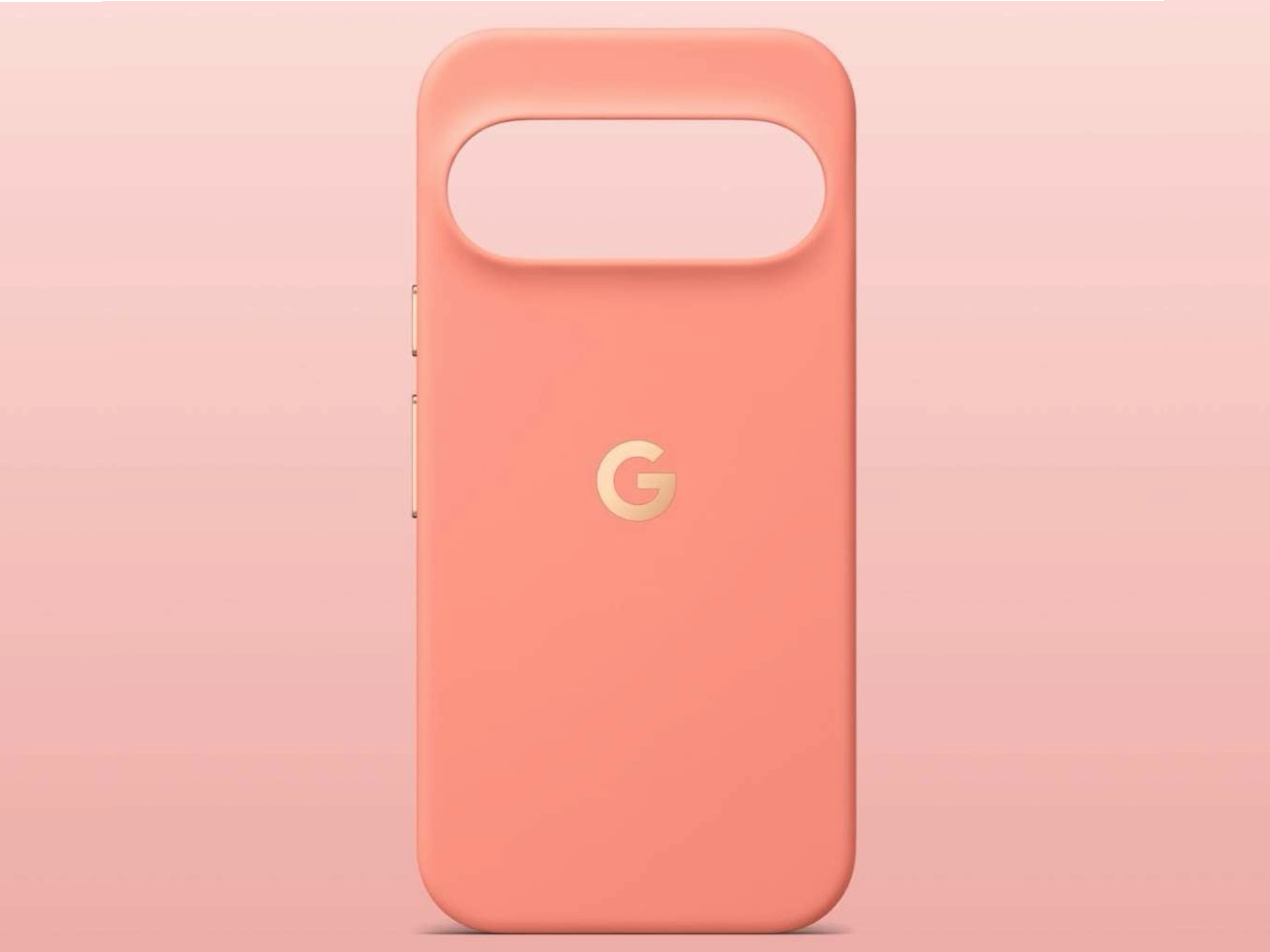
What we can establish early is fit and intended Pixelsnap compatibility. What takes longer to judge is how the case ages, whether it stays grippy, picks up scratches, or looks rough after six months of pockets and bags.
Buyer fit: This is the one accessory almost every Pixel 11 owner should consider buying before the phone arrives.
Price: $49.99
Where to Buy: Google Store
2. Spigen GlasTR EZ Fit: Once the Correct Pixel 11 Version Is Available
A perfect display tends to stay perfect until it meets the one grain of sand hiding in your pocket.
That’s why a tempered-glass protector is near the top of my list.
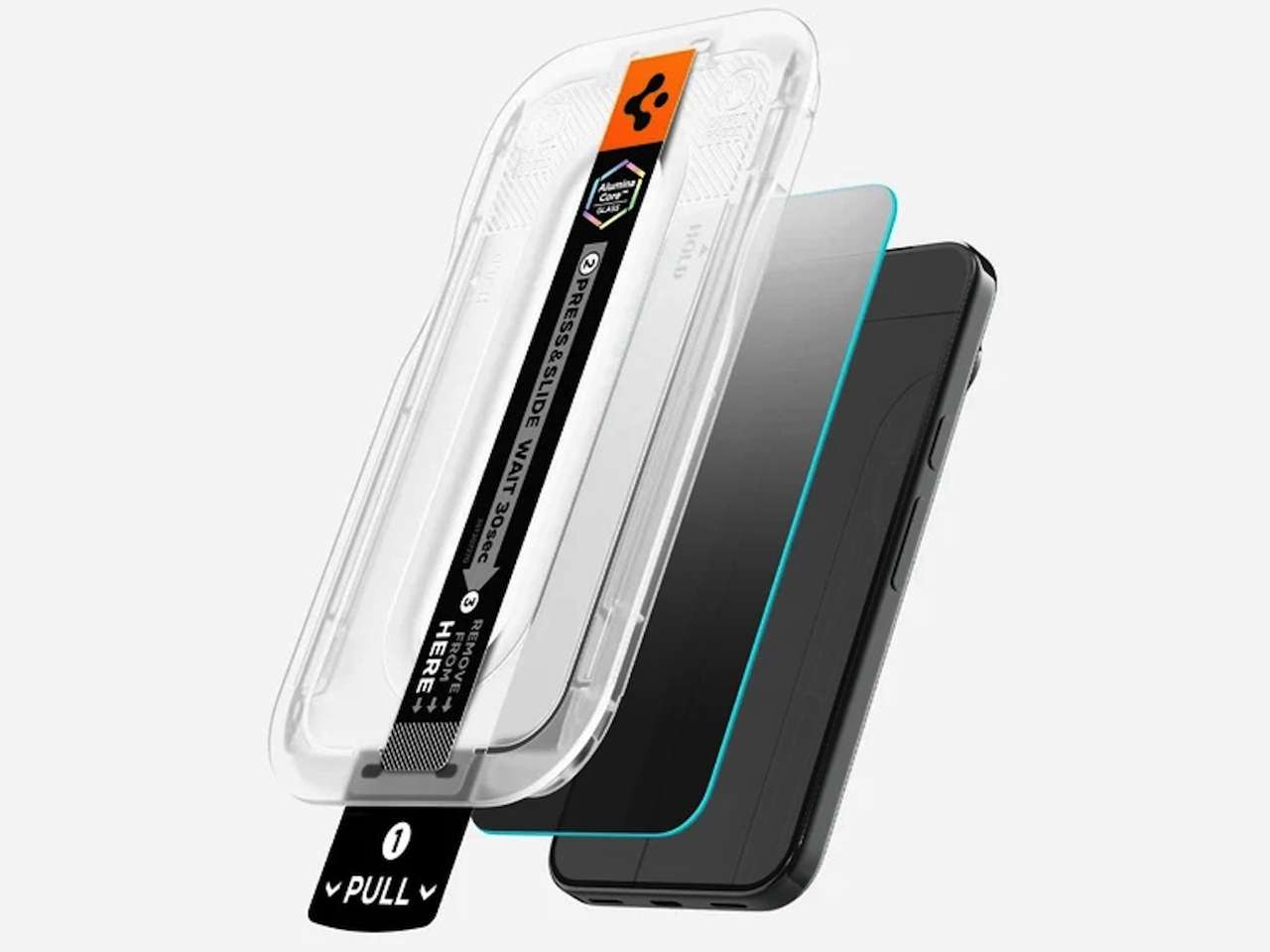
I’d watch for the Spigen GlasTR EZ Fit specifically made for your Pixel 11 model. The attraction of Spigen’s EZ Fit system is the installation tray. Instead of manually lining up a sheet of glass and discovering it’s two millimeters crooked after you’ve committed, the tray does most of the alignment work.
But this is also an accessory I wouldn’t buy on assumption.
Price: $39.99
Where to Buy: Spigen
Make sure the product listing specifically identifies your Pixel 11 model. Similar dimensions don’t guarantee that an older protector will line up correctly.
There’s also the fingerprint question. A manufacturer can claim biometric compatibility, but the useful evidence is whether people can repeatedly unlock the Pixel 11 after installing the protector.
Until there’s enough hands-on testing, keep those two things separate.
Buyer fit: Buy one if scratches drive you crazy or you’re planning to keep the Pixel 11 for several years. Otherwise, waiting for more user reviews is reasonable.
3. Anker Nano 30W USB-C Charger
You plug the Pixel into the random charger beside your bed and wonder why “fast charging” doesn’t feel particularly fast.
The charger could be the problem.
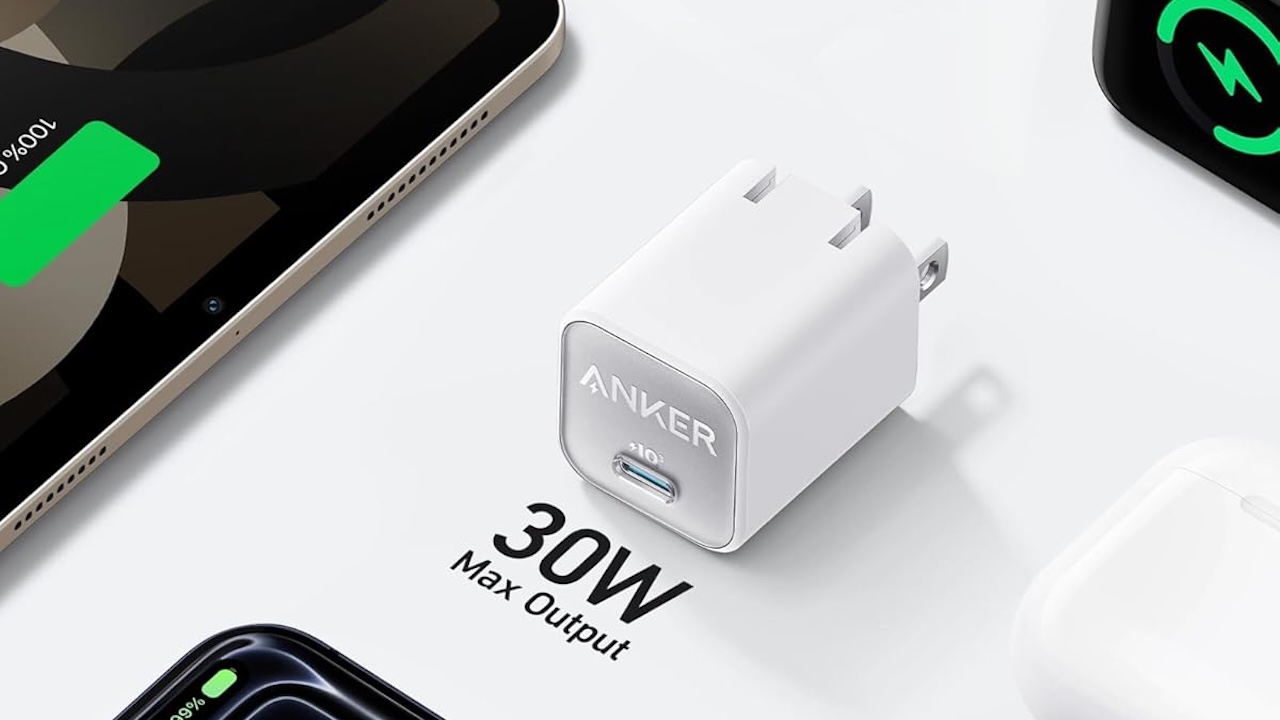
For the standard Pixel 11 and Pixel 11 Pro, the Anker Nano 30W USB-C Charger is a compact option I’d consider.
Google’s charging claims for those phones are based on using an appropriate 30W PPS charger, with the company claiming up to a 55% charge in 30 minutes under the specified conditions. The Pixel 11 Pro XL calls for a higher-output 45W PPS charger for Google’s faster charging claim.
That doesn’t mean a Pixel 11 continuously pulls 30W from empty to full. Charging power changes as the battery fills and can also be affected by temperature and other conditions.
Price: $15.99
Where to Buy: Amazon
The Nano’s real advantage is less exciting but more useful: it’s small. You can keep one in your travel bag or behind the nightstand instead of constantly moving the same charger around the house.
Buyer fit: Pixel 11 and Pixel 11 Pro owners wanting a compact dedicated charger. Pro XL buyers should look at an appropriate 45W PPS alternative.
4. Anker Prime 100W GaN Wall Charger
Your phone isn’t the charging problem anymore. Your entire backpack is.
Phone. Laptop. Tablet. Earbuds. Maybe a watch.
Once you’re carrying several rechargeable devices, another single-port phone charger doesn’t solve much. That’s where I’d consider an Anker Prime 100W GaN Wall Charger.
The 100W number isn’t there because your Pixel can consume 100W. It can’t. The reason to buy a charger like this is to replace several power adapters with one multiport unit.
Pay attention to the port-output table before buying. Multiport chargers generally redistribute their available power when additional devices are connected, so “100W” on the box doesn’t mean every port delivers 100W simultaneously.
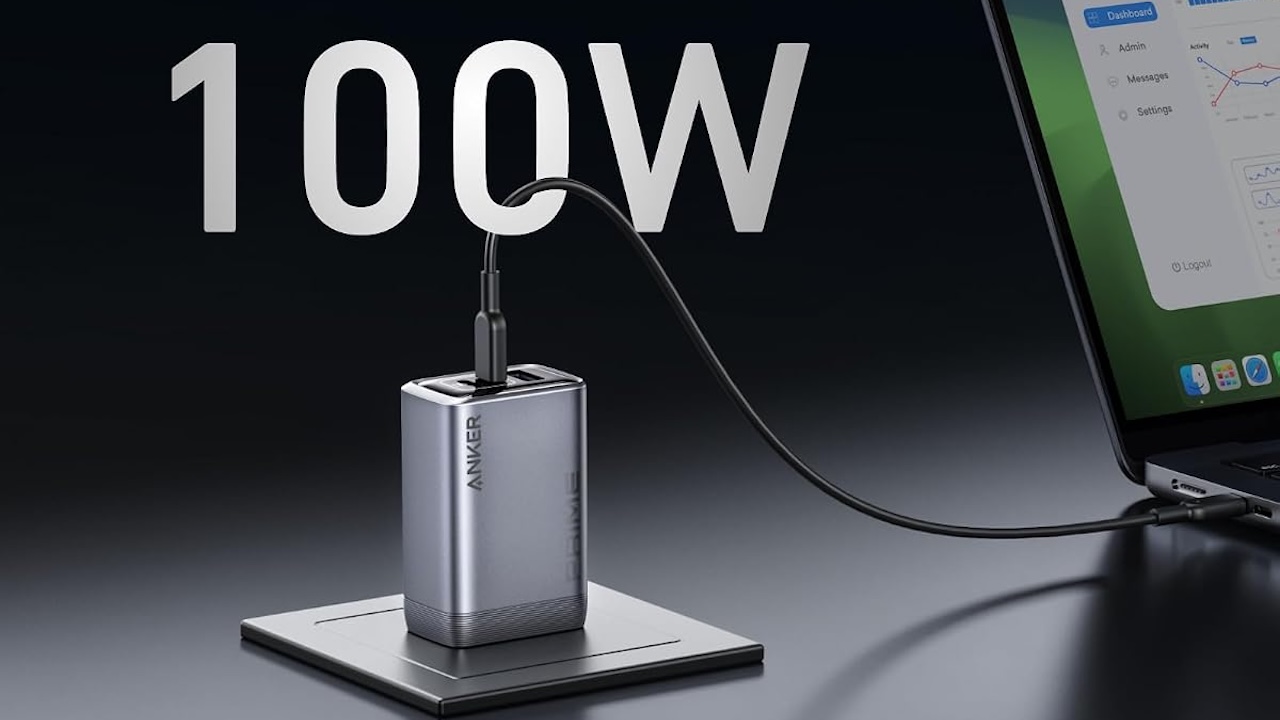
Price: $59.99
Where to Buy: Amazon
For someone traveling with only a Pixel, this is overkill. Add a USB-C laptop, and the equation changes considerably.
Buyer fit: Frequent travelers and anyone who routinely charges a phone and laptop from the same outlet.
5. Anker 333 USB-C to USB-C Cable
You bought the right charger, connected the mystery USB-C cable from your drawer, and charging still isn’t behaving as expected.
Don’t overlook the cable.
The Anker 333 USB-C to USB-C Cable is a straightforward spare to consider for an everyday charging kit.
USB-C tells you what the connector looks like. It doesn’t tell you everything the cable supports. Charging capacity and data-transfer performance can vary, which is why the anonymous cable you’ve had since 2021 isn’t automatically interchangeable with a newer one.
This also means you should buy for the actual job.
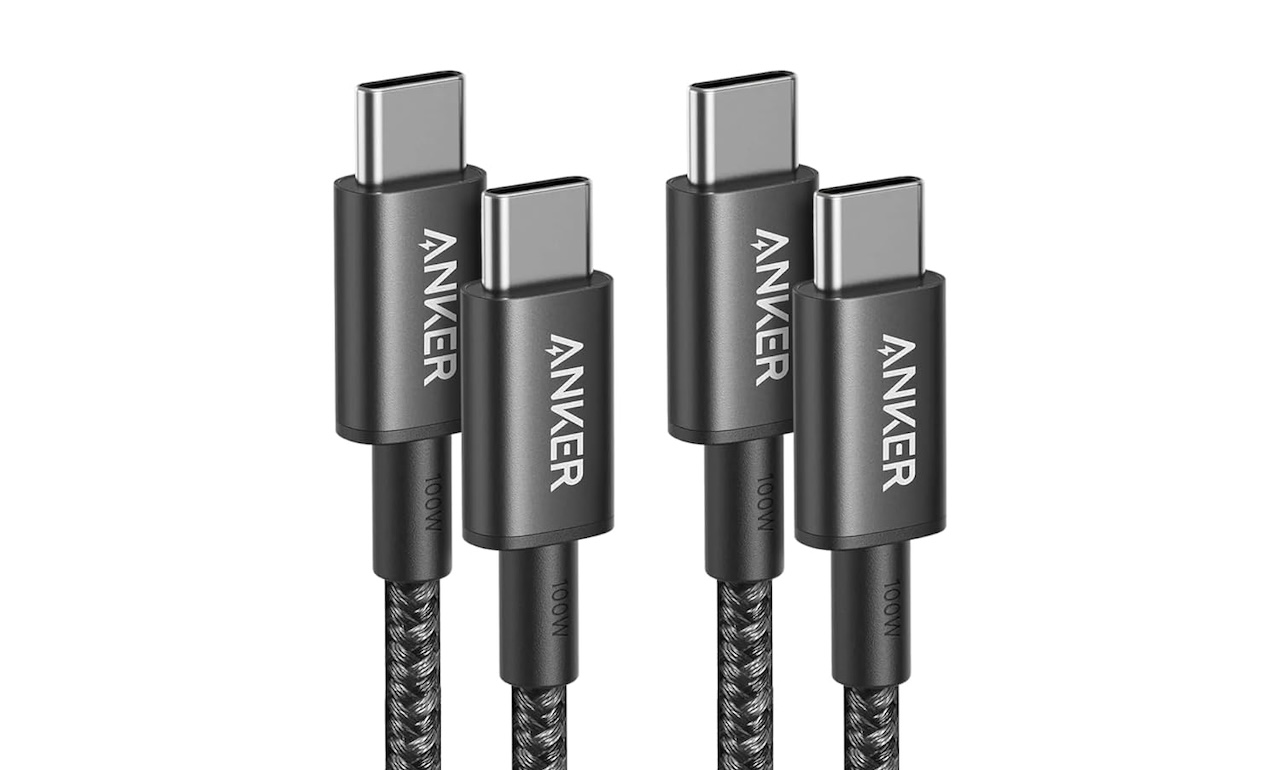
Price: $13.59
Where to Buy: Amazon
Need a bedside charging cable? Prioritize length and durability. Frequently copying large video files from the Pixel to a computer? Check the data-transfer specification as well.
Buyer fit: Anyone who has reached the stage where nobody in the house knows which USB-C cable came with which device.
6. Spigen Ultra Hybrid MagFit for Pixel 11
You bought the Pixel in a color you actually like. Putting it immediately inside a black rectangle feels a little disappointing.
The Spigen Ultra Hybrid MagFit for Pixel 11 gives you another route.
Its clear construction lets the phone remain visible while adding protection, and magnetic compatibility means you can still use compatible stands, chargers, batteries, and mounts.
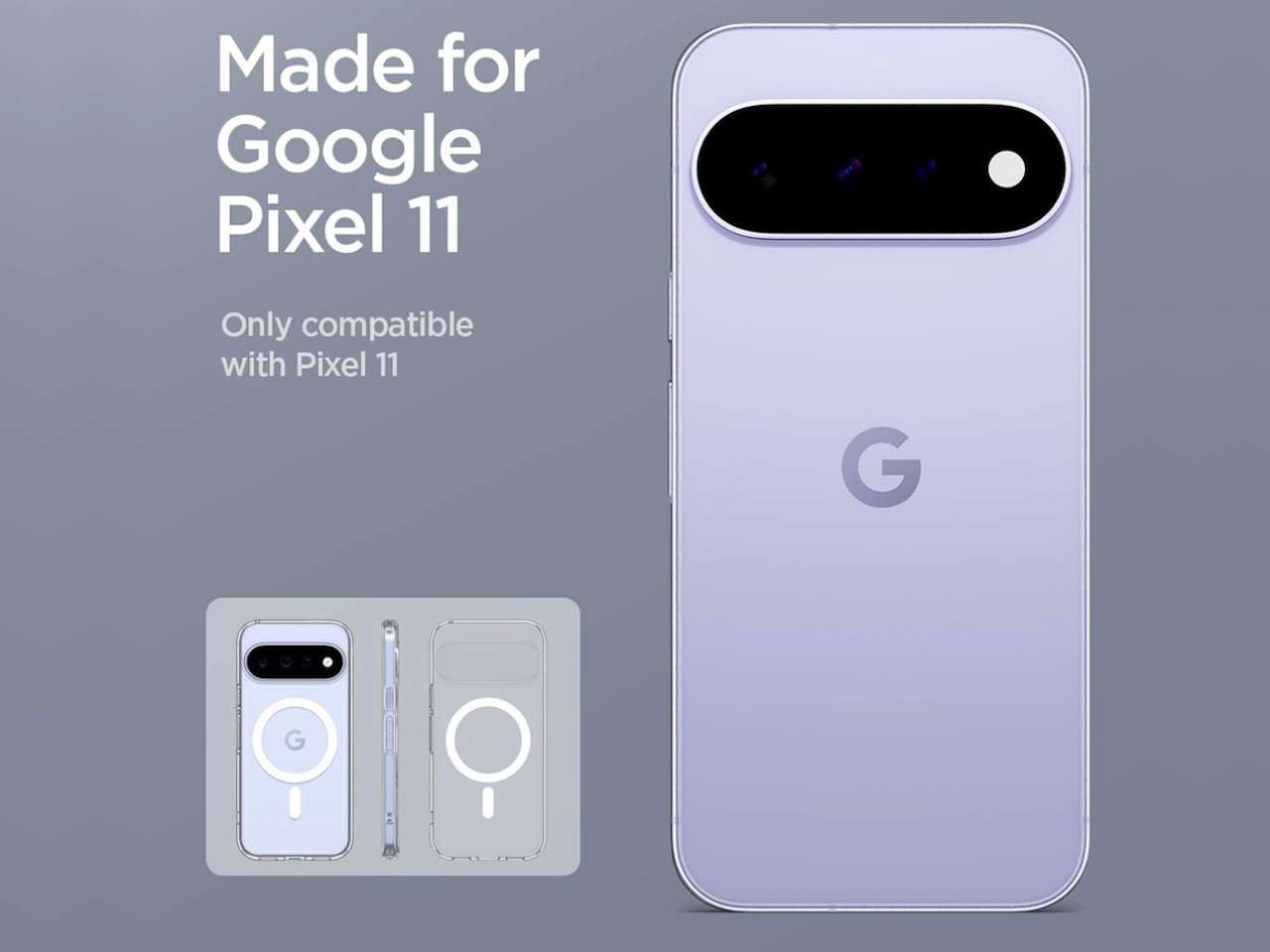
That’s particularly relevant to this Pixel generation because magnetic accessories no longer have to depend entirely on a case with an aftermarket ring.
Price: $16.99
Where to Buy: Amazon
There’s one thing a launch-day product page won’t tell you: how clear the case remains after months of sunlight, skin oils, heat, and pockets. Yellowing and discoloration are long-term questions, so I wouldn’t pretend an early recommendation answers them.
Buyer fit: Get this instead of Google’s case if showing off the Pixel 11 itself matters to you.
7. Google Pixelsnap Charger with Stand
Your phone is charging on your desk, but every notification makes you pick it up and put it back down again.
A stand fixes that little annoyance.
The Google Pixelsnap Charger with Stand lets the Pixel remain upright and visible while charging, making it easier to glance at notifications, timers, incoming calls, or media controls.
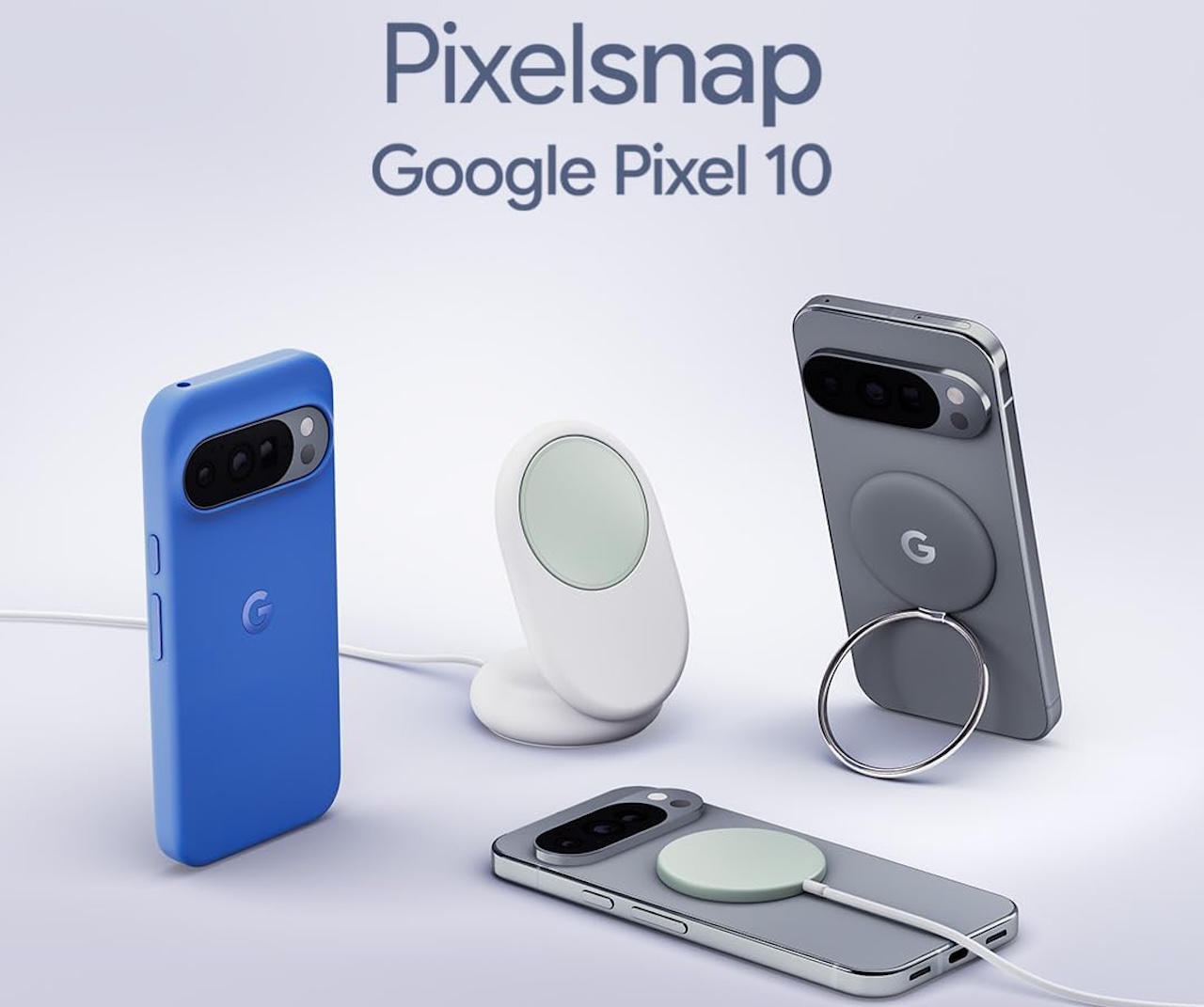
Price: $39.99
Where to Buy: Amazon
The magnetic alignment is the important part. Instead of manually trying to position the charging coils correctly every night, compatible hardware snaps into place.
Still, don’t interpret a supported maximum charging rate as a promise that you’ll see that number throughout an entire charge. Wireless charging creates heat, and phones manage charging dynamically as temperatures and battery levels change.
The spec establishes capability. A full charging test establishes performance.
Buyer fit: This makes the most sense on a desk or nightstand where your Pixel already spends hours every day.
8. Anker Nano Power Bank (10K, Built-In USB-C Cable)
It’s 5 p.m., your Pixel is at 14%, and the nearest wall outlet belongs to somebody guarding it like inherited property.
This is when a power bank earns its place in your bag.
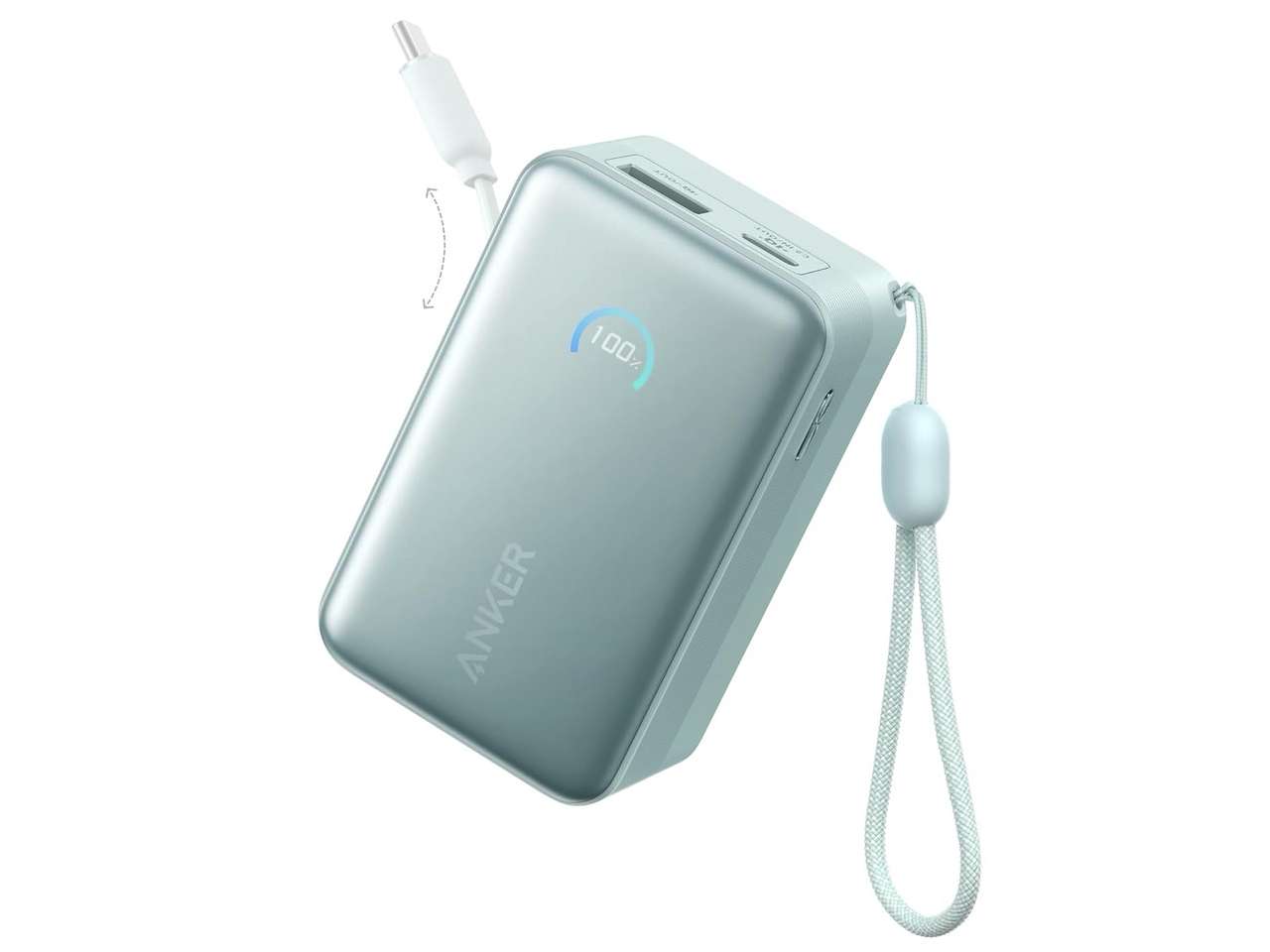
I’d look at the 10,000mAh Anker Nano Power Bank with a built-in USB-C cable.
The built-in cable is more useful than it sounds. A battery doesn’t help much if the required cable is sitting at home, and eliminating one loose item makes the whole setup easier to grab.
Price: $45.99
Where to Buy: Amazon
I also prefer the 10,000mAh class for everyday carry. Larger batteries offer more capacity, but weight and bulk eventually reach the point where you stop bringing them.
Just remember that 10,000mAh printed on a power bank isn’t 10,000mAh deposited directly into your phone. Conversion and charging losses are part of the process.
Buyer fit: Commuters, travelers, heavy camera users, and anyone regularly hunting for an outlet before dinner.
9. Anker MagGo Power Bank (10K, Qi2)
A power bank solves your battery problem and replaces it with a phone-and-battery-connected-by-a-cable problem.
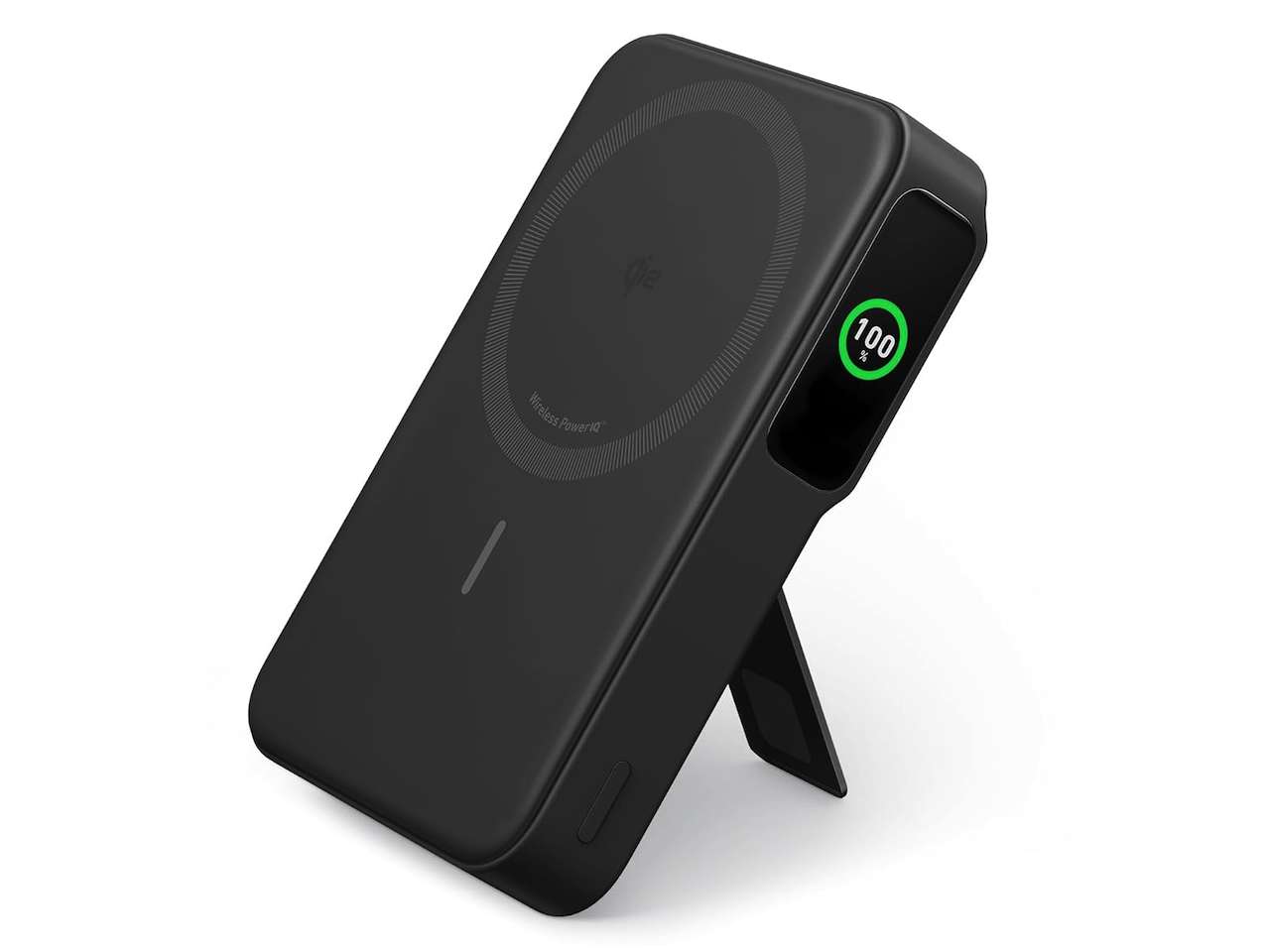
If that annoys you, look at the Anker MagGo Power Bank (10K) with Qi2.
A compatible magnetic battery attaches to the back of the phone, leaving you with one handheld package rather than two devices connected by a loose cable.
Price: $59.99
Where to Buy: Amazon
That’s the convenience argument.
The evidence question is efficiency. Wireless charging generally involves more energy loss and heat than plugging in directly, so I wouldn’t buy a magnetic battery because you expect it to outperform a wired power bank.
I’d also look for Pixel 11-specific hands-on reports before treating any magnetic battery as a perfect physical match. The phone’s camera hardware and the battery’s dimensions determine whether the combination feels comfortable in your hand.
Buyer fit: Buy it because you hate cables, not because you’re chasing maximum charging efficiency.
10. iOttie Velox Mini Qi2 Wireless Air Vent Mount
Google Maps is telling you to turn in 500 feet, and your Pixel is sliding around the cupholder.
Put it somewhere you can actually see it.
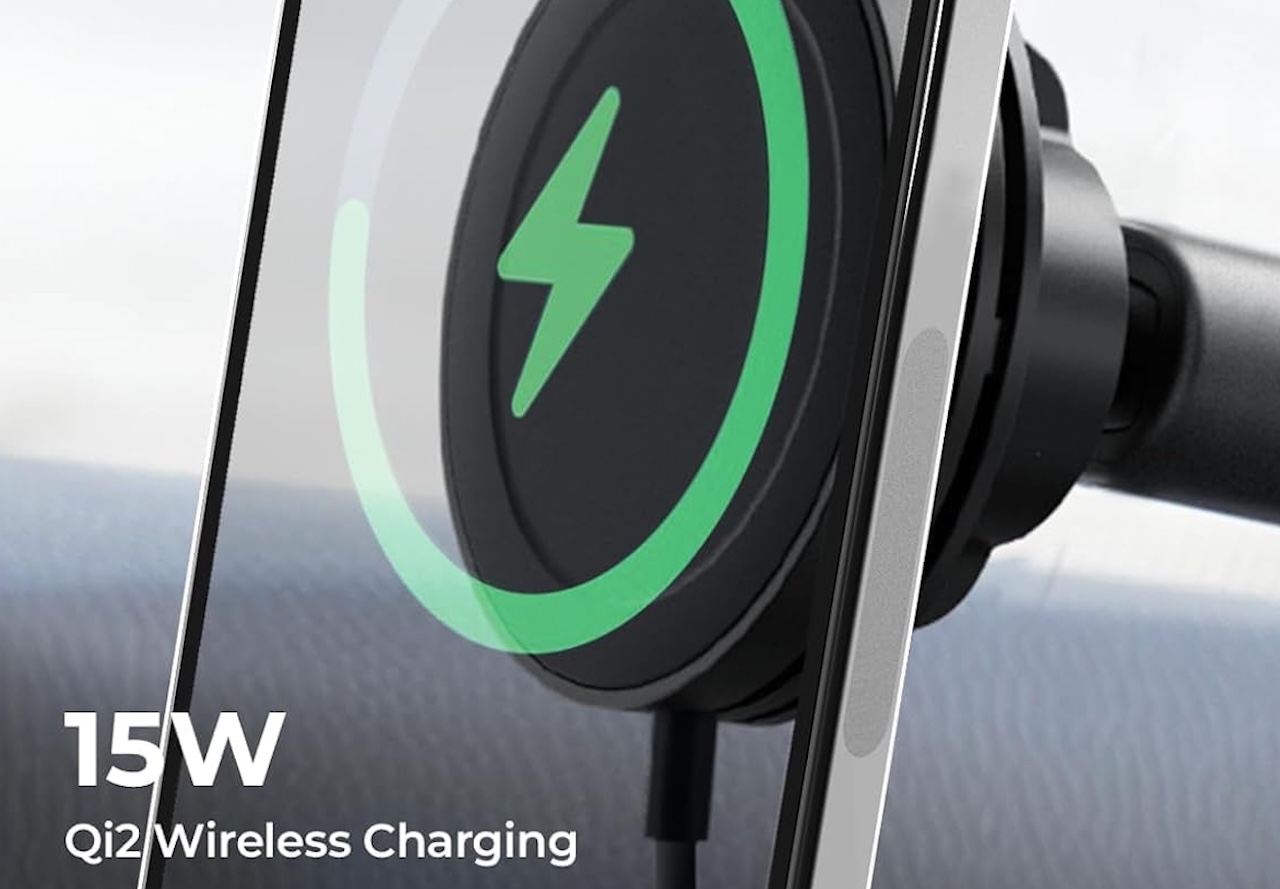
The iOttie Velox Mini Qi2 Wireless Air Vent Mount combines magnetic mounting with wireless charging. iOttie specifies compatibility with Qi2-enabled smartphones, up to 15W wireless output, and includes a 20W power adapter.
On paper, that’s a sensible match for a Qi2-equipped Pixel 11. But “on paper” matters.
Price: $30.99
Where to Buy: Amazon
A specification sheet can’t tell us how the exact Pixel 11-and-iOttie combination behaves after two hours of navigation with the display, GPS, cellular connection, and wireless charging all generating heat.
There’s another wonderfully low-tech compatibility issue: your air vents. Some vent designs simply work better with clip-on mounts than others. iOttie also makes a dash-and-windshield version if your car’s vents aren’t suitable.
Buyer fit: Regular Google Maps or Waze users. Occasional drivers probably don’t need a dedicated charging mount.
11. FiiO KA11 USB DAC
Your favorite headphones still work perfectly. Your new phone simply has nowhere to plug them in.
You could replace the headphones. Or you could fix the actual problem.
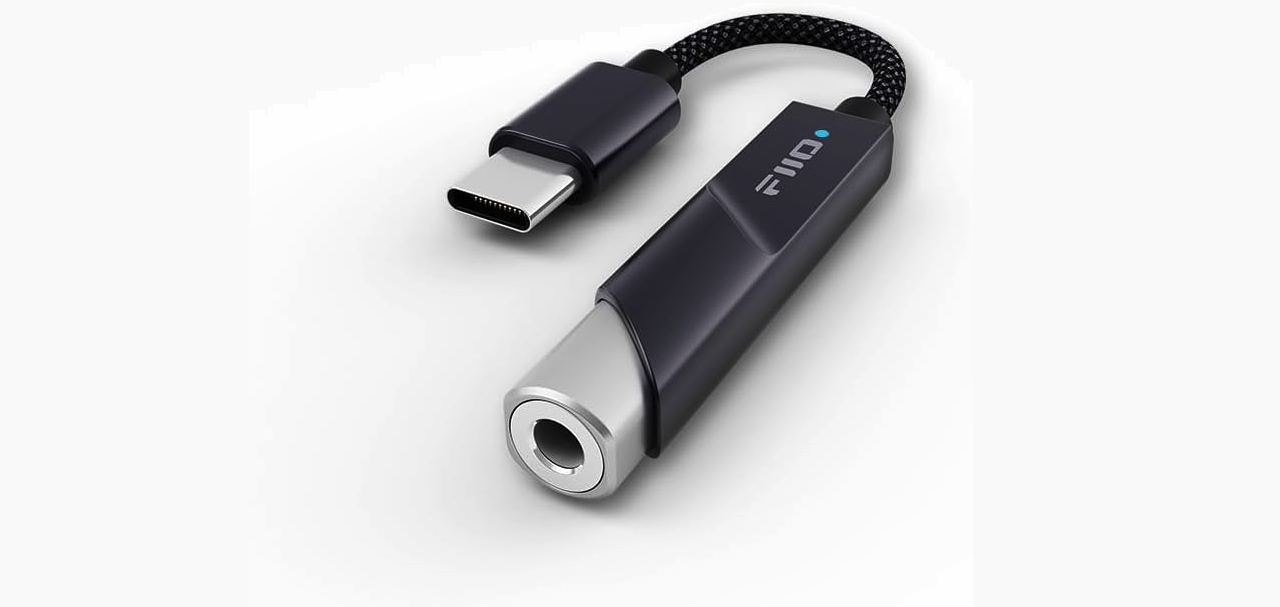
The FiiO KA11 USB DAC plugs into USB-C and provides a conventional 3.5mm headphone output, letting you keep using wired headphones you already like.
Price: $32.99
Where to Buy: Amazon
It’s more purposeful than buying the cheapest anonymous dongle available because it’s a dedicated DAC/headphone amplifier.
That doesn’t mean everyone needs one.
If you’re trying to resurrect a $15 pair of earbuds from a kitchen drawer, an inexpensive compatible USB-C-to-3.5mm adapter makes more financial sense. The FiiO becomes interesting when the headphones on the other end are good enough that you actually care about keeping them.
USB audio compatibility can also vary, so I’d still confirm device support rather than assuming that every USB-C audio accessory behaves identically with every Android phone.
Buyer fit: People with wired headphones worth keeping. Everyone else can save the money.
What I’d Actually Buy for the Pixel 11
Eleven accessories make a useful shopping list. They don’t make a sensible shopping cart.
If a Pixel 11 were arriving at my door tomorrow, I’d buy a case, the right USB-C PPS charger, and perhaps the Pixelsnap charging stand.
The case protects the expensive thing. The charger solves something you’ll do every day. The Pixelsnap stand earns its spot only if you regularly charge at a desk or bedside table.
After that, I’d wait for my routine to expose the next problem.
If the battery keeps dying during long days, buy the power bank. If you’re constantly using Maps, get the car mount. If you’re traveling with a laptop, consolidate chargers with the Anker Prime. If the Pixel has made your favorite wired headphones homeless, add the FiiO.
That’s also the safest approach when buying accessories this close to a phone launch.
A manufacturer’s compatibility claim can tell you that two products were designed to work together. A standard such as Qi2 can tell you that devices share a technical framework. Neither automatically tells you whether an accessory is enjoyable to use every day.
That’s what hands-on testing is for.
So don’t treat this list as 11 things your Pixel 11 needs. Treat it as 11 problems you might encounter and one product worth considering when each problem actually becomes yours.
Your accessory drawer will probably be smaller for it.