
 CES 2026 NEWS – Most conversations worth capturing happen before you’re ready for them. The meeting starts while you’re still finding a seat. The doctor begins explaining a diagnosis while you’re processing the previous sentence. Your client mentions the real constraint in the first thirty seconds, not the last. Recording tools that require unlocking, launching, or configuring don’t fail because they lack features. They fail because real conversations don’t wait. Your phone can technically record anything, but by the time you’ve unlocked it, found the app, and tapped the button, the first minute is already gone.
Plaud knows this pattern intimately.
For the past two and a half years, the company has built hardware specifically for in-person capture, growing to over 1.5 million users who rely on physical devices rather than phone apps or meeting bots. The NotePin S is the physical half of what Plaud calls their “360-degree capture” promise, with a companion desktop app handling virtual meetings. The clearest validation came from an unexpected source: a father whose newborn spent four weeks in and out of hospitals used his NotePin to record every consultation with doctors. In the fog of sleep deprivation and life-altering medical conversations, the device captured what his exhausted brain could not. That story circulated internally at Plaud and shaped how the company approached the NotePin S redesign.
Add The Gadgeteer as a preferred source to see more of our coverage on Google.
Why the Original NotePin Lost Moments
The first-generation NotePin required a squeeze activation. Users had to press the entire device firmly and hold it long enough for recording to begin. In my review unit, the pressure required felt excessive: you could feel the device pressing deep into your shirt just to get it to vibrate and confirm recording had started. In practice, this created a gray area. Did I squeeze it hard enough? Is it recording? A journalist at a recent briefing mentioned missing an entire interview because he thought he had activated it but had not. The friction was subtle but consequential: when you’re unsure whether a device is working, you stop trusting it.
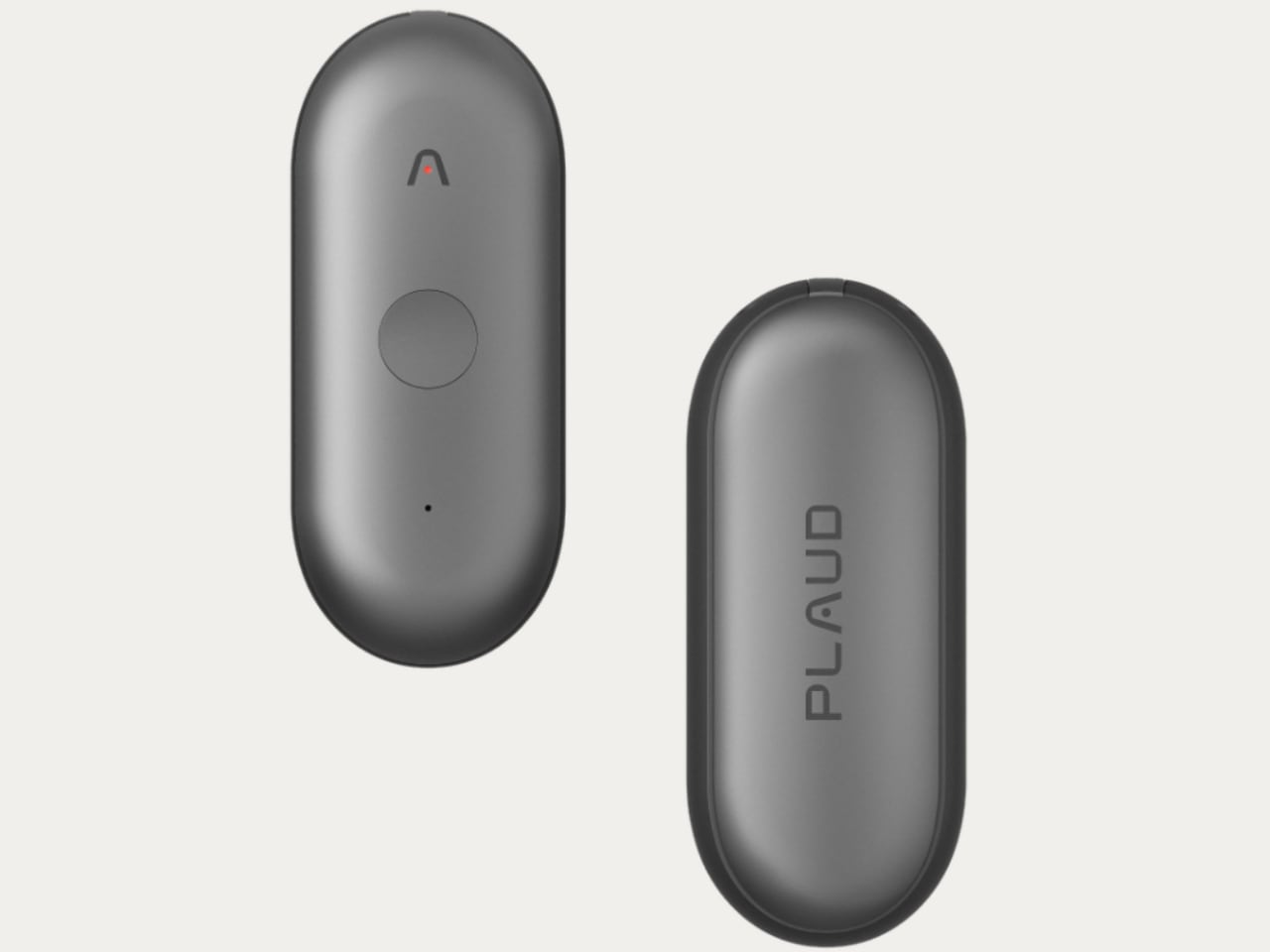
Physical feedback changes everything. The NotePin S introduces a dedicated record button with a tactile recess. One long press starts recording. You feel it vibrate. There is no ambiguity. In moments that move faster than your intention can keep up, that certainty matters.
What the Hardware Actually Does
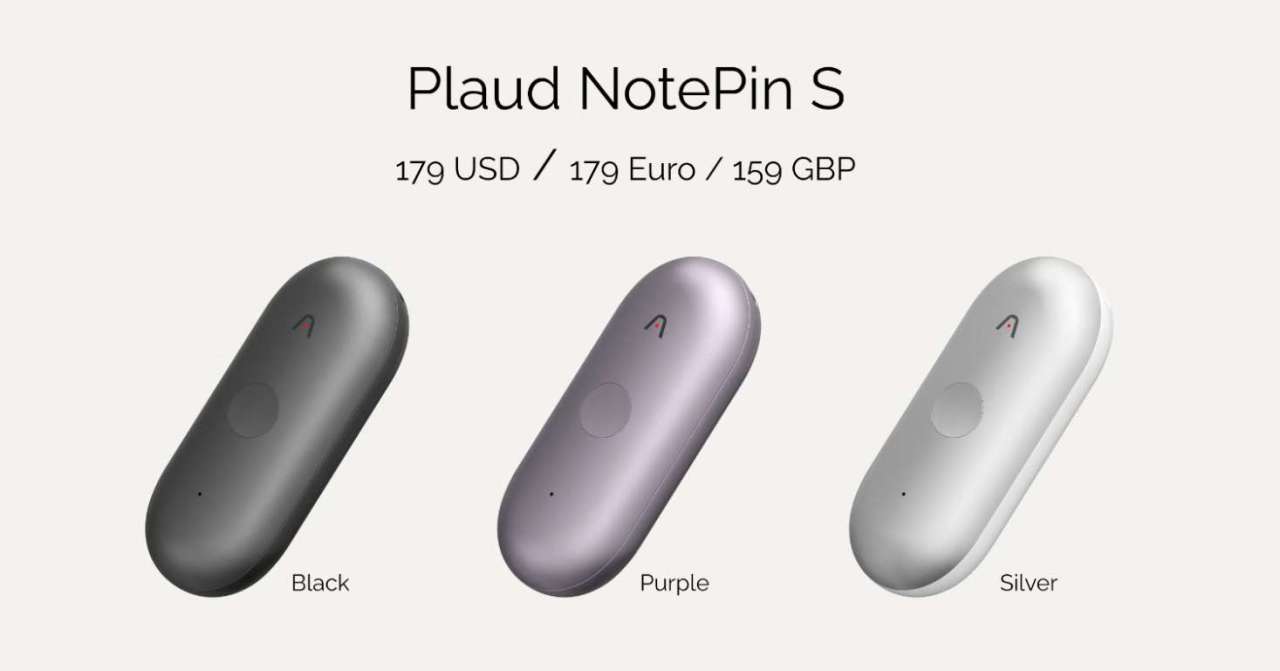
Dual microphones with a pickup range of up to 9.8 feet handle the audio capture. Plaud tuned this specifically for real rooms: conferences where ambient noise drowns out phone recordings, hospital consultations where you’re sitting across from a doctor, coffee shop meetings where background chatter competes with the conversation. The device weighs 0.6 ounces and comes in black, purple, or silver. Four wearing modes ship in the box: pin, wristband, lanyard, or clip.
Imagine sitting in a specialist’s office while they explain a treatment protocol. The room is quiet but tense. You’re focused on understanding, not transcribing. Across the table, the doctor is using acronyms you’ll need to look up later and referencing medication names that sound similar but aren’t. The NotePin S sits on your lapel, capturing everything, while you stay present in the conversation. That’s the scenario Plaud optimized for.
Press to Highlight Changes What Gets Summarized
A new feature called Press to Highlight lets you tap once during recording to flag critical moments. If someone mentions a specific number, makes a verbal commitment, or says something you’ll want to quote later, you tap. The AI treats that moment as an anchor for emphasis in the final summary. This addresses a fundamental problem with automatic summarization: the system has no way of knowing what you personally care about unless you tell it.
The tradeoff is real. Highlighting only works if you’re paying enough attention to tap at the right moment. Distracted recordings produce distracted summaries. Plaud built a feature that rewards presence rather than replacing it.
The Intelligence Layer
All recordings flow through Plaud Intelligence, the same AI engine powering the desktop application. Transcription covers 112 languages and dialects with speaker identification. Custom vocabulary recognition handles industry jargon, so medical terminology and sales acronyms appear correctly rather than as phonetic guesses. Unlike generic transcription services that treat every word equally, Plaud’s engine learns your professional vocabulary over time. Over 10,000 user-created templates let you regenerate summaries in different formats: meeting notes, lecture outlines, customer discovery briefs, or narrative drafts. Ask Plaud lets you query across all your recorded conversations and get answers with citations back to exact moments. The search works across months of recordings, so you can ask a question today about something someone said six weeks ago and get a timestamped answer. This transforms the device from a recording tool into a retrieval system for professional memory.
Zapier integrations and enterprise security round out the platform.
Who This Is Actually For
Sales professionals who can’t afford to break eye contact while scribbling notes. Medical professionals navigating consultations with patients and colleagues who speak in specialized terminology. Academic lecturers who want teaching guides generated from their own sessions. Journalists who need verbatim quotes without the awkwardness of holding up a phone. Parents attending IEP meetings or specialist appointments where the stakes are too high for incomplete notes.
The unifying thread is high-stakes, in-person conversation where the cost of missing something outweighs the friction of wearing a small device.
Who Should Skip This
If your work happens primarily over video calls, Plaud Desktop handles that scenario without additional hardware. If you’re uncomfortable wearing a visible recording device, no amount of form factor refinement will change that. Legal professionals with strict chain-of-custody requirements need purpose-built solutions, not general-purpose capture. And if you rarely find yourself in conversations worth recording, this solves a problem you don’t have. The NotePin S is sharp for a specific use case; outside that use case, it becomes an expensive accessory.
Availability
NotePin S launches January 4, 2026, during CES, with a retail price of $179 USD. Three subscription tiers provide AI processing: Starter at 300 minutes per month, Pro with extended minutes, and Unlimited. The original NotePin will be phased out gradually as the S takes over the product line.
For existing Plaud users, this extends the ecosystem into physical spaces. For new users, it’s the entry point to a platform that treats conversation as intelligence worth preserving.
I’m looking forward to getting a review unit of the NotePin S and sharing my personal thoughts on the device. In the meantime, I’m using the original NotePin for all of my CES coverage this year: note-taking, capturing content from briefings, and documenting the show floor. Once my NotePin S arrives, I’ll be putting it through its paces throughout CES 2026. Stay tuned.
📡 CES 2026 Coverage
Want more from the show floor?
We’re covering the biggest announcements, wildest concepts, and gear that actually matters from CES 2026.
Related News & Review
https://the-gadgeteer.com/2026/01/04/plaud-desktop-captures-your-virtual-meetings-without-the-bot-awkwardness

2-Pack LED Video Light Kit, NiceVeedi Studio Light, 2800-6500K Dimmable Photography Lighting Kit with Tripod Stand&Phone Holder, 73" Stream Light for Video Recording, Game Streaming, YouTube
(as of April 5, 2026 11:16 GMT -05:00 - More infoProduct prices and availability are accurate as of the date/time indicated and are subject to change. Any price and availability information displayed on [relevant Amazon Site(s), as applicable] at the time of purchase will apply to the purchase of this product.)
