
One of my regularly watched television shows is the Discovery Channel’s
It Takes a Thief. The point of the show is to demonstrate how easy it is for
a thief to break into someone’s house and steal everything with any
value; the show aims to educate people on better ways to protect themselves from
being a victim. On one of last season’s episodes, they featured a grandmother
who had transferred all of her family photos and documents to her computer’s
hard drive. During the course of that particular show’s staged robbery, the
thief emptied the grandmother’s silver drawer, jewelry box and medicine cabinet,
and then he picked up her computer tower and casually carried it out the door.
Had the robbery been real, all of her carefully collected family photos and
documents would have been gone forever. Even though the "victim" knew she would
be getting all of her possessions back at the end of the show, I still couldn’t
help but feel sorry for her as she agonized over the idea of losing her digital
treasures.
Of course, robbery isn’t the only way that information stored on a computer’s
hard drive can be lost. But until I saw that particular episode, I had never
thought about the benefits of keeping a separate backup copy locked in a safe. A
little bit of overkill? Perhaps…but maybe not. I guess it depends on what kind
of information one keeps on their computer.
Over the last month I have been testing an
EDGE Tech
diskGO 2.5" Backup Ultra Portable Hard Drive. Measuring approximately 5.5"
long x 2.75" wide x 0.5" thick and weighing just 6.5 ounces, this is one of the
smallest portable hard drives I’ve reviewed. Not only does the diskGO’s size
make it a good choice for a loaded-down road warrior, it also makes for a very
easy to hide emergency backup.
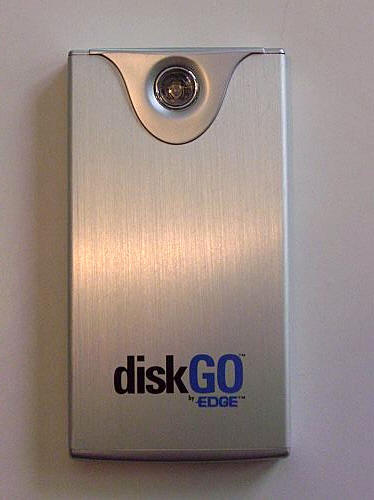
Available in 40, 80, 100 or120GB, the pocketable diskGO has a brushed
aluminum casing that feels very solid and sturdy. When squeezed, the diskGO
easily passes the Gadgeteer creak test. The front of the drive has a single
clear plastic button, which when used with the included Bakup4all software
enables a customizable one-touch backup solution.
| STYLE: | Brushed aluminum cover, providing protection and cooling |
| USE: | Includes Backup4all by Softland Software & Installation CD |
| SPEED: | Hi-Speed USB 2.0 (up to 480 Mbps), backwards compatible to USB 1.1 |
| POWER: | USB Bus, External power supply (optional) |
| COMPATIBILITY: | PC Operating System Windows 2000+ |
| SUPPORT: | 1 year warranty & toll-free technical support |
| CAPACITIES: | 120G, 100G, 80G, 40G |
The slight texture of the brushed aluminum case makes the drive easy to hold
without showing obnoxious fingerprints.
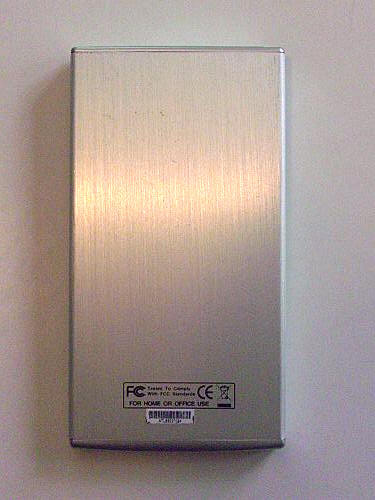
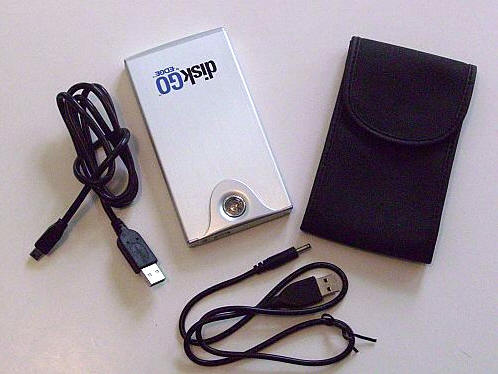
Included in the package are the diskGO, a black vinyl carrying case, a USB
2.0 cable, a user guide, a CD which contains the Backup4all software and Windows
98/98SE Driver, and a USB power cable.
The 2.0 USB cable should be able to draw enough juice to power the drive, but
if additional power is needed a second USB port on the host computer can be
commandeered to provide the necessary extra boost.
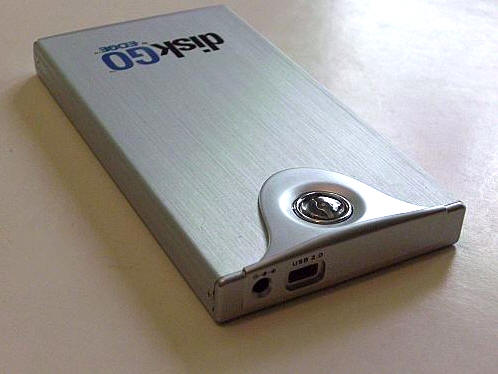
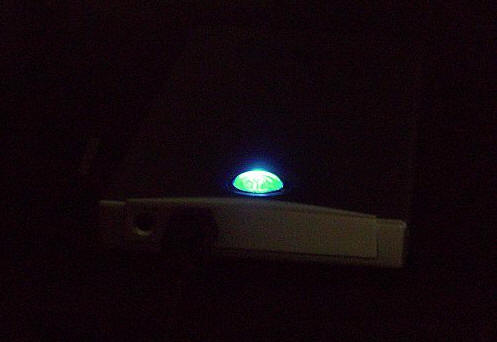
When the drive is plugged in, the clear button will glow bright blue. The LED
will blink when the drive is being accessed or a backup operation is underway.
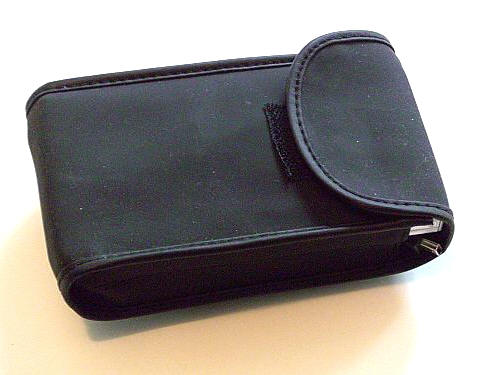
The diskGO’s back vinyl storage bag holds the drive and both sets of
connection cables; this package will easily fit inside a laptop bag’s empty
pocket.
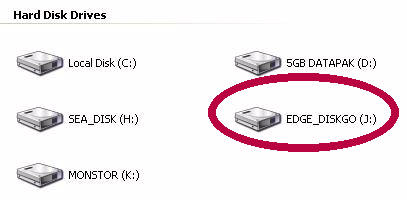
When plugged into the host computer’s USB port, the diskGO shows as a
separate and accessible hard disk drive.
After installing the included Backup4All software, a blue arrow is added to
the system tray. Clicking the icon will pull up the backup software so that it
can be configured.

Multiple backup sets can be made, each with their own automatic backup
schedule if desired. For this example, I decided to create a backup of the My
Documents folder and my computer’s Outlook file. Icons can be chosen from a list
to represent a backup group.
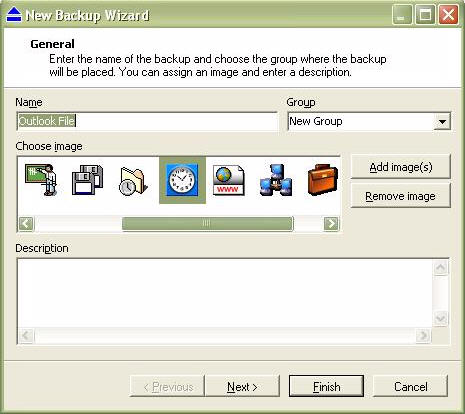
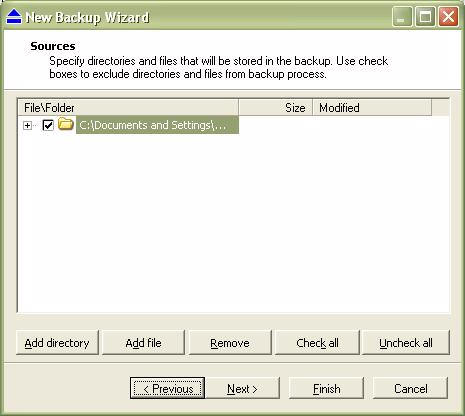
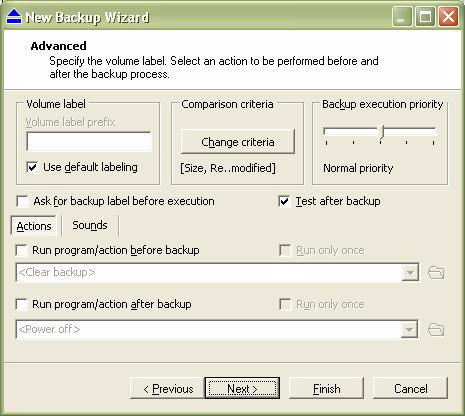
The Backup Wizard is easy to follow; individual files or entire folders may
be chosen.
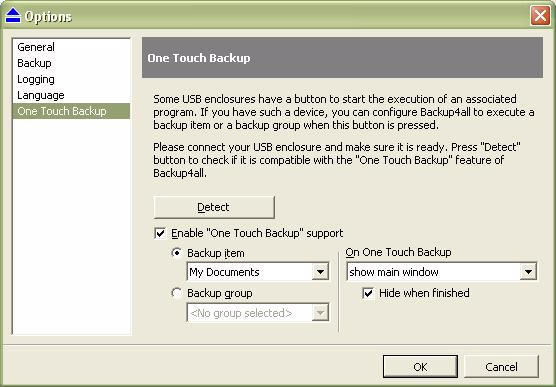
The button on the diskGO can be set for One Touch Backup of an item or a
group of items. Mine is set to backup the My Documents folder.
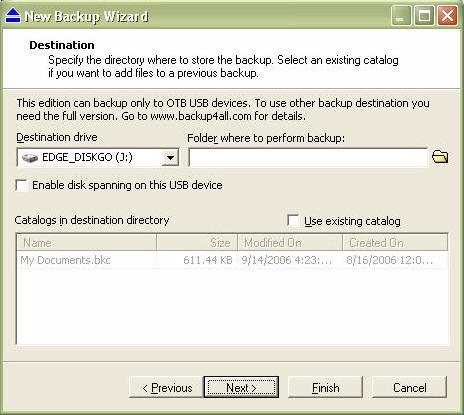
The destination file is preset for the diskGO; since this is a bundled and
therefore restricted version, the user does not have the option of changing the
destination to another drive on their computer.
The backup types available are Full Backup, Incremental Backup, Differential
Backup and Mirror Backup.
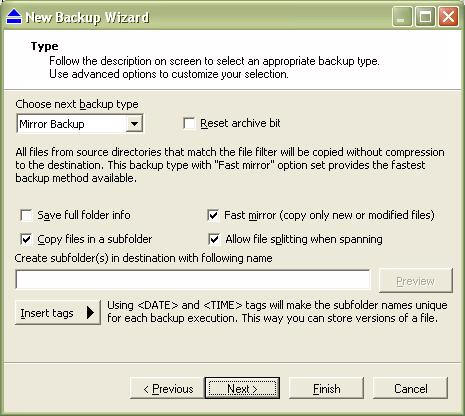
The backups can be as complex as the user needs them to be…
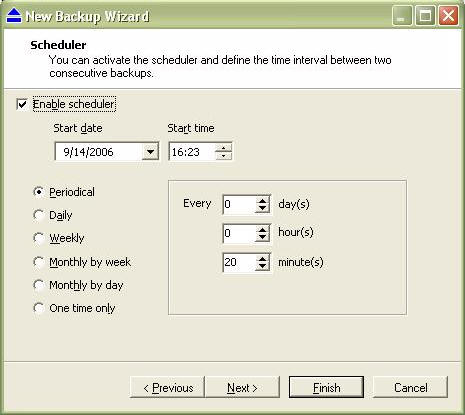
The Scheduler allows the user to set time when the diskGO will go automatic
backups of the selected sets. This is very handy if the drive is always attached
to the users computer, but not as important if the drive is used sporadically.
Icons along the top of the console window allow the user to select the files
they want displayed – for instance those that have changed since the last
backup, those that have remained the same, or those that have been removed.
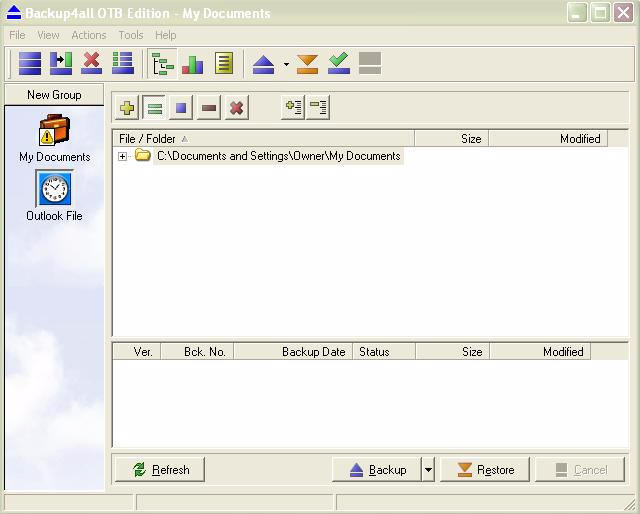
A backup can be performed at any time by pressing the onscreen button…
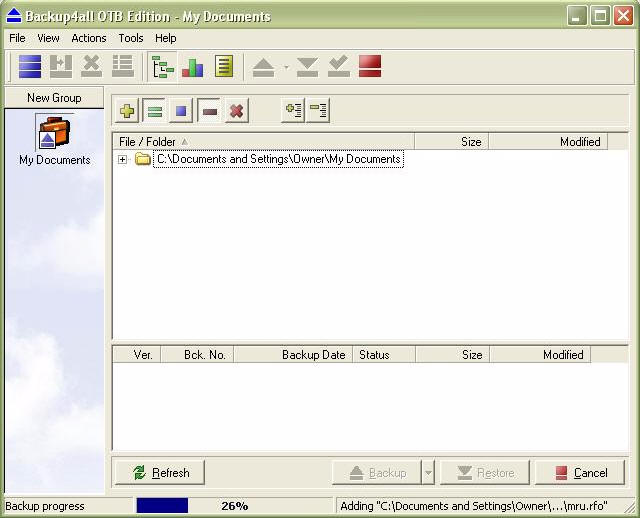
…pressing the Restore button will allow a quick and painless restoration
should one be needed.
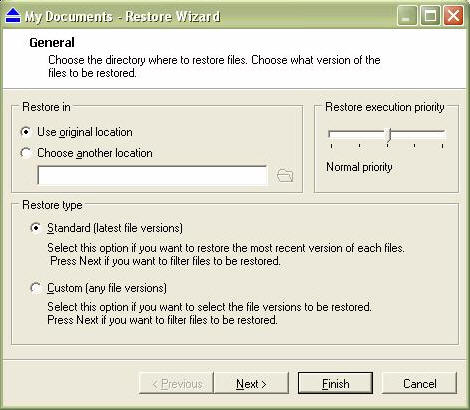
Of course, if the user does not want to use the backup software, files may be
dragged and dropped instead. Here are some sample transfer times…
A 714MB movie file from desktop to the diskGO took one minute 16 seconds.
A 714MB movie file from the diskGO to desktop took one minute seven seconds.
The EDGE Tech
diskGO 2.5" Backup Ultra Portable Hard Drive manages to cram quite a few
features in a small package. It is easy to set up and easy to operate, and it is
the perfect size for both travel or hiding for safe-keeping. If you need a
backup drive that holds a large amount of memory in a small amount of space,
then the diskGO may be just what you’ve been looking for.
The price list for the various size diskGO drives is located here.
![[MINI SIZE. ULTRA PORTABLE CHARGER]: Roughly the size of an AirPods Pro case, this smallest power bank packs 10,000mAh of long lasting power into a tiny, nano footprint. Easily slide this ultra slim, credit card size charger into your skinny jeans, a...](https://m.media-amazon.com/images/I/41rATpm6dyL._SL160_.jpg)
INIU Portable Charger, Ultra Mini 10000mAh 45W Fast Charging with Detachable Cable, Flight-Safe Travel USB C Power Bank External Phone Battery Pack for Xiaomi iPhone 17 16 Samsung S26 Google iPad etc
(as of June 8, 2026 21:45 GMT -05:00 - More infoProduct prices and availability are accurate as of the date/time indicated and are subject to change. Any price and availability information displayed on [relevant Amazon Site(s), as applicable] at the time of purchase will apply to the purchase of this product.)
tomtoc 7L Sling Backpack Crossbody Bag for Men Women, EDC Daypack Chest Shoulder bag for 14-inch MacBook Pro M5 Pro/Max, 13" MacBook Air/Neo, 13" iPad Air M4/Pro M5, Organized, Daily Use, Work, Travel
(as of June 8, 2026 18:48 GMT -05:00 - More infoProduct prices and availability are accurate as of the date/time indicated and are subject to change. Any price and availability information displayed on [relevant Amazon Site(s), as applicable] at the time of purchase will apply to the purchase of this product.)Product Information
| Price: | |
| Manufacturer: | EDGE Tech Corp |
| Retailer: | EDGE Tech Corp |
| Requirements: |
|
| Pros: |
|
| Cons: |
|
