
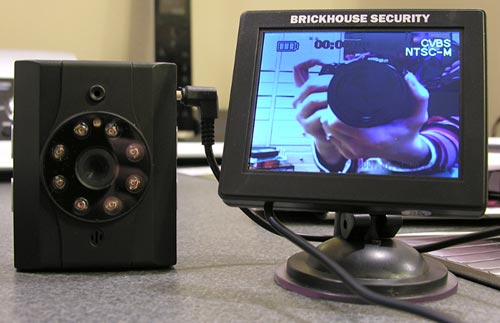
Gadgeteer HQ is located in the basement of my home. Several times a week, I’ll be working on a review and will hear someone walk across my front porch and then ring the door bell. Most of the time it is a UPS or FedEx person, but either way, it would be great to be able to see who is at my door before I run up the stairs to find out. For that reason, I’m always on the lookout for an easy to use wireless camera. When I saw the Wi-Spi EX30 from BrickHouse Security, I knew I had to give it a try.
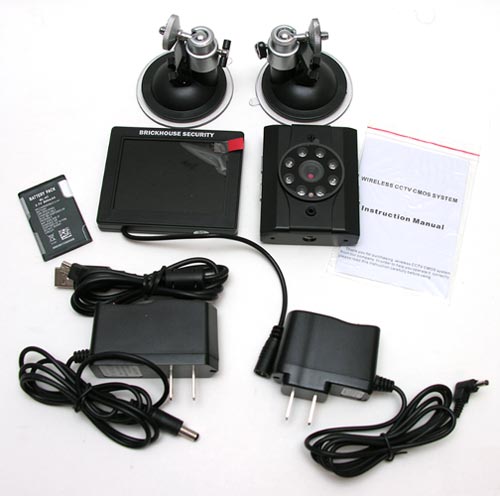
Package Contents
Wireless color camera with nightvision
Wireless 2.75″ Monitor with built-in 2.4GHZ Receiver
2 AC adapters
Battery for camera
USB cable
2 Suction mounts
Instruction Manual
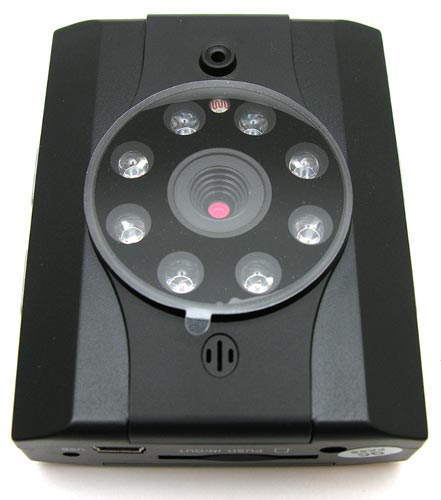
The camera is about the size of a deck of cards. It features a microphone, night vision capability and an SD card slot for video recording.
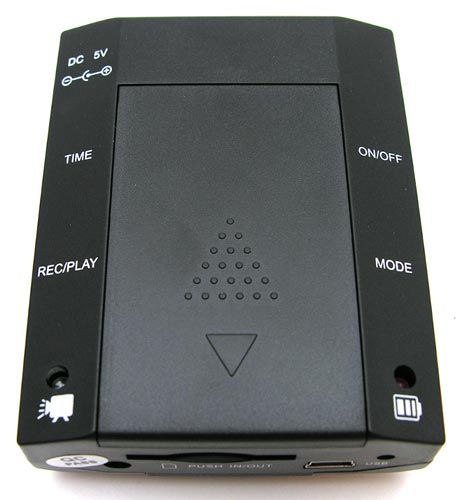
The camera can be powered by the included rechargeable battery pack, or via the included AC adapter.
Two LEDs in the bottom corners show the status of the camera. The Left LED blinks Blue to show that the camera is recording, and the Right LED blinks Red to show that the battery is charging.
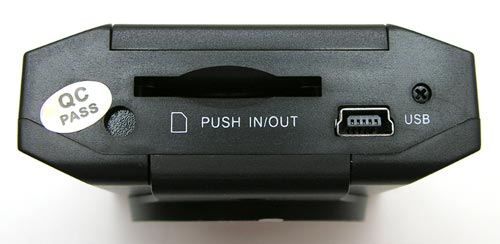
There’s a slot on the bottom of the camera that can accommodate an SD card. An SD card is not included, you’ll need to supply one yourself. By default, this camera will save 640×480 resolution video files to the SD card every 2 minutes. These files are saved as .AVI files and are approximately 85mbs in size. Unfortunately, you can’t use the camera without an SD card. An exclamation point will be displayed in the center of the wireless monitor and the camera will automatically power off after a few minutes if you don’t have an SD card inserted.
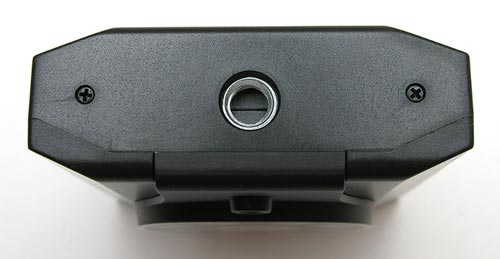
The top of the camera has a threaded socket for the included suction mount.
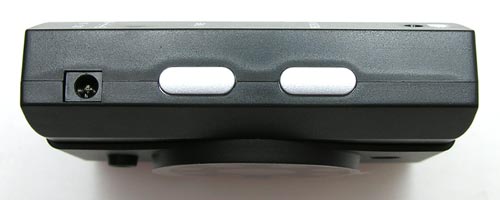
There are buttons on either side that allow you to interact with the camera.
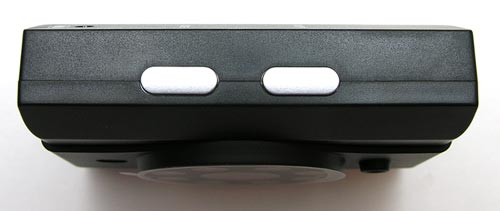
There are buttons for power, time set, mode, rec/play. To me in seems a bit odd to put the video control buttons on the camera instead of the wireless display. Typically you would not be near the camera when you want to view the video… I find it a bit inconvenient to go to the camera to change the settings.
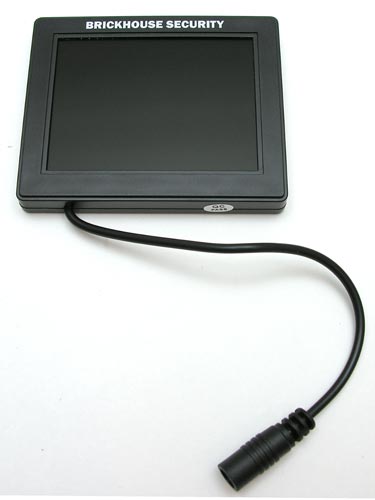
The wireless monitor has a 2.75″ color display. A power cable is attached to the monitor, which you plug the included AC adapter into. I wonder why the wireless monitor doesn’t have a battery option like the camera?
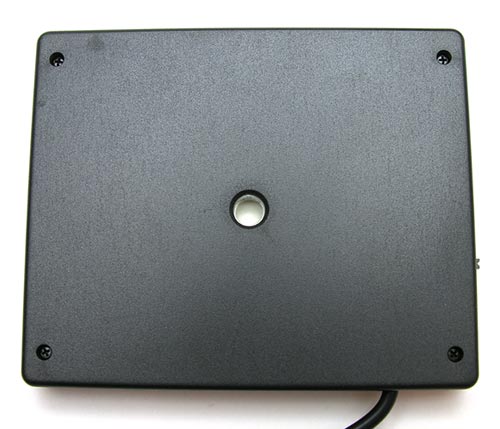
The back of the monitor has a threaded socket for the included suction mount.
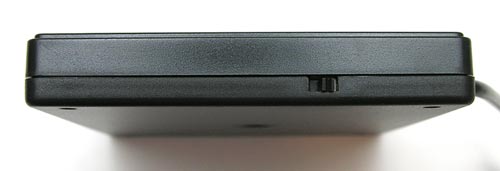
A small power switch is located on the side.
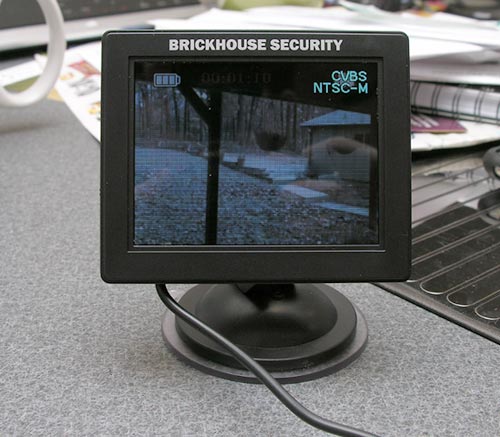
Using this camera / monitor combo is very easy. All you do is set the camera where you want to capture video and press the power button. You can either use it on battery power or with the AC adapter. Plug in the wireless monitor and it will display the live video feed from the camera. As long as the wireless monitor is no more than 30ft from the camera, the picture is pretty good. It’s not HD or anything and it is a bit grainy, but it is just fine as a security camera.
Here are two sample videos:
brickhouse-security-video2 – Day time video (26mb) that was shot through a window.
brickhouse-security-video3 – Night vision video (18mb) that was shot in a completely dark room. The reason for the blurry video is that was too close to the items I was capturing.
I also wanted to point out that the camera will capture audio along with the video, but the wireless monitor does not have a speaker, so it won’t play any sounds that are captured. You’ll only hear audio if you play the videos on your computer from the SD card.
I like the Wi-Spi EX30 camera system BrickHouse Security because it’s wireless and very easy to use. I wish that the playback controls were on the monitor instead of the camera, that the monitor had a built in speaker and a battery power feature. But all in all, it’s a nice basic setup that takes up very little space. The price doesn’t seem to be out of line given that the camera is wireless and you also get a small color monitor with it.

Now retrieving an image set.
2-Pack LED Video Light Kit, NiceVeedi Studio Light, 2800-6500K Dimmable Photography Lighting Kit with Tripod Stand&Phone Holder, 73" Stream Light for Video Recording, Game Streaming, YouTube
(as of July 14, 2026 14:09 GMT -05:00 - More infoProduct prices and availability are accurate as of the date/time indicated and are subject to change. Any price and availability information displayed on [relevant Amazon Site(s), as applicable] at the time of purchase will apply to the purchase of this product.)
ALTSON 60 LED Portable Selfie Light Video Conference Lighting with Clip & Camera Tripod Adapter Rechargeable 2200mAh CRI 97+, 3 Light Modes for Phone iPhone Webcam Laptop Photo Makeup
(as of July 21, 2026 01:58 GMT -05:00 - More infoProduct prices and availability are accurate as of the date/time indicated and are subject to change. Any price and availability information displayed on [relevant Amazon Site(s), as applicable] at the time of purchase will apply to the purchase of this product.)Product Information
| Price: | $169.95 |
| Manufacturer: | BrickHouse Security |
| Pros: |
|
| Cons: |
|

Gadgeteer Comment Policy - Please read before commenting
My question is how badly it clobbers an 802.11b/g connection. My attempts to use 2.4 GHz wireless cameras have always caused interference on data communications and the data communications degraded the video link.
@Curt I didn’t notice anything problems. I can go home tonight and do some speed tests with and without the camera powered on.
I noticed a USB connector, that you said absolutely nothing about. Is the camera controllable from it? Can it power the camera? Could it be used to ‘Network’ the camera, for remote viewing?
@Curt I just tested the speed on my iMac using http://www.speedtest.net and the results were not any different than when I don’t have this camera powered on and transmitting video wirelessly.
Hi Julie,
How long does the battery last and how long can you record up to? 8 hours?
Three quick questions:
1)I would like to know how long the battery lasts while recording in a low/no light area?
2) How bright is the camera lights around the lense while it is recording in a low/no light area. IE is it very obvious that it is a camera?
3) Do the suction mounts have a “quick release” function or are they the “lick and stick” type?
whats to battery life on the wireless camera in terms of hours of continuous recording? how many hours of video can it record? what are the camera modes: continous? motion activated? schedule activated? whats the max size SD card it can use?
@Den When I was using this camera, I only used it plugged in to the AC adapter. Unfortunately, I can’t test it because after months of use, the hardware has failed. I need to contact BrickHouse to see if it’s a known issue that can be resolved (I don’t know which part is dead – the camera or the monitor.
Bottom line, you might want to contact them with your questions.
When I power up my camera, i can’t record because everytime i power it up there is a triangle on my screen.I read above that you need an sd card for it to work.I did get the card,and there is only one way to put it in the camera. I don’t know what i’m doing wrong.Do you think someting is wrong with the camera?
I’d like to know how long the battery lasts while recording and stand by?
how many hours of video can it records? what are the camera modes: continous? motion activated? schedule activated?
@Kruy I no longer have this camera, so I can’t tell you how long it can record on one charge. I used it plugged in. Regarding how many hours that it can record, it depends on the size of the SD card that you use. It can only record in continuous mode.
How long can u record on one battery charge.. ? Is it reccommened for outdoors..?