
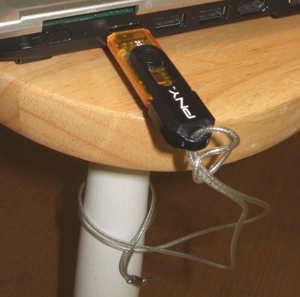
 Here’s a cool use for one of those USB flash drives laying at the bottom of your junk drawer – use it as an alarm for your laptop. LAarm is a (free for personal use, $50 for business) laptop alarm security application that sounds an alarm when a laptop is in danger of being stolen or losing data. It can also recover and destroy data if the laptop is stolen. You can read a full review of the application at techchee.com

2-Pack LED Video Light Kit, NiceVeedi Studio Light, 2800-6500K Dimmable Photography Lighting Kit with Tripod Stand&Phone Holder, 73" Stream Light for Video Recording, Game Streaming, YouTube
(as of June 9, 2026 04:52 GMT -05:00 - More infoProduct prices and availability are accurate as of the date/time indicated and are subject to change. Any price and availability information displayed on [relevant Amazon Site(s), as applicable] at the time of purchase will apply to the purchase of this product.)

Gadgeteer Comment Policy - Please read before commenting
I have tried a while ago a similar solution. The problem? In the mall, the tiny laptop speakers are not loud enough. This idea might works for quiet environments such as office or library.
Pressing down and holding the power buttons of many laptops shuts them down, rendering this useless. Or just hitting the old “suspend or hibernate” key combo will defeat this. It would be wise not to rely on this alarm at all.
I like this article very much. I tried that out. Two thumbs up! My antique flash drive became useful again and my laptop gets another protection layer.