
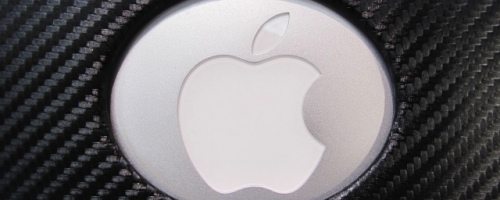
If you’re like me, you may have a problem with wanting to keep your new toys shiny. For years, I struggled with this issue on my laptops. For some reason, those “Invisible Shield” type skins never work out for me because I could never get dust and bubbles out of them, and the imperfections bothered me. I like the snap-on shells, but the usually add considerable bulk. So let’s take a look at another shell case, the XGear Shadow case in Premium Carbon for the Macbook pro Unibody.
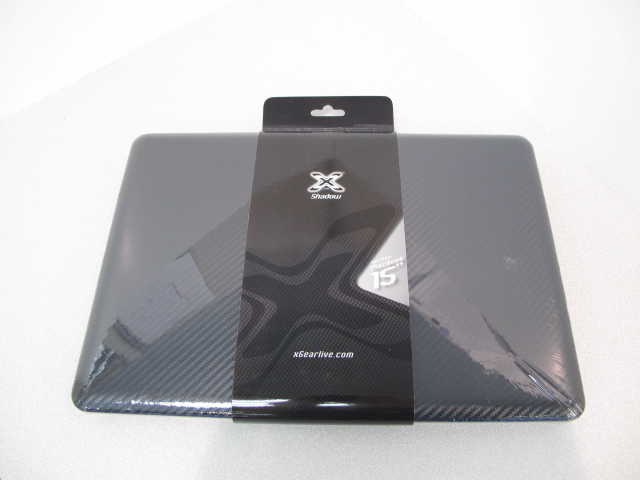
The XGear case comes in a simple plastic wrap. Nothing terribly fancy. So let’s take a look inside.
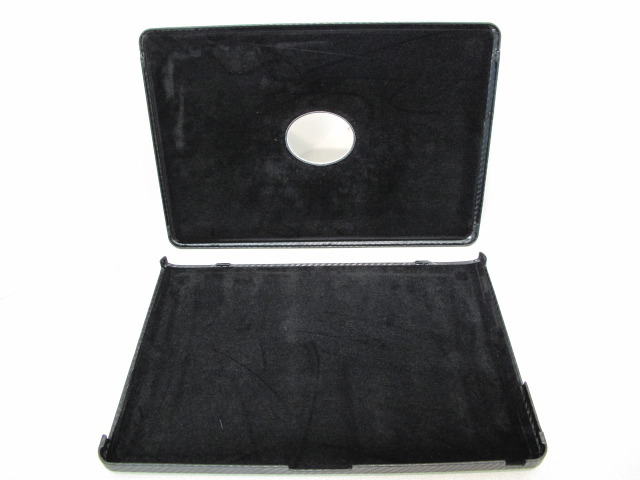
The inside is lined with a soft, velvety material.
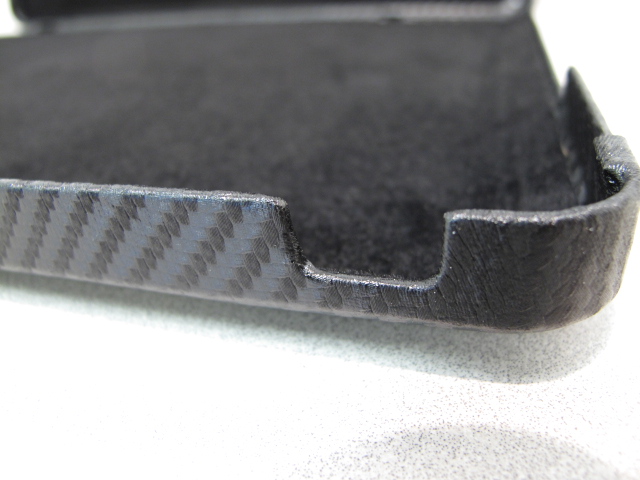
The bottom half includes cutouts for the disc slot, ports, and even the IR receiver/status light.
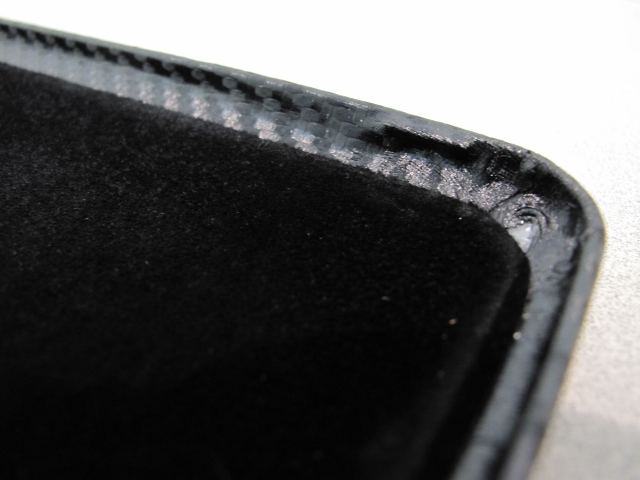
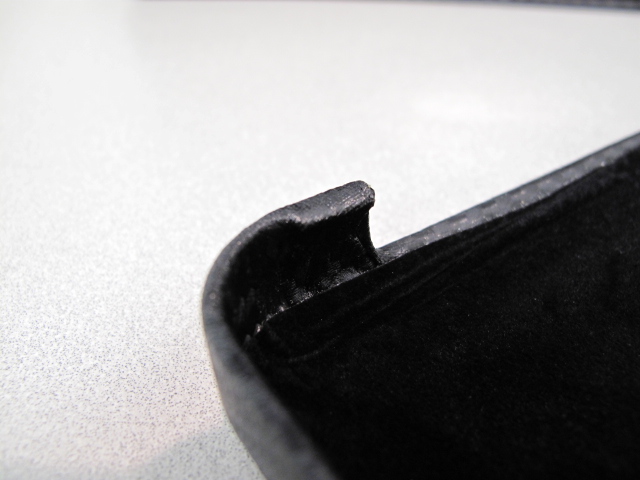
The top half is flatter, and is held on by tiny “hooks”.
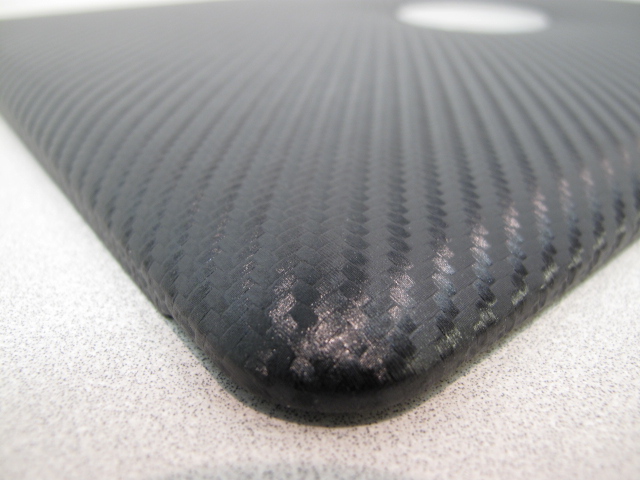
This picture of the lid shows the carbon fiber detail. I’m not sure if it’s REAL carbon fiber, but it looks awfully convincing and has that shimmery 3-D effect. The entire case is slightly padded and mostly rigid.
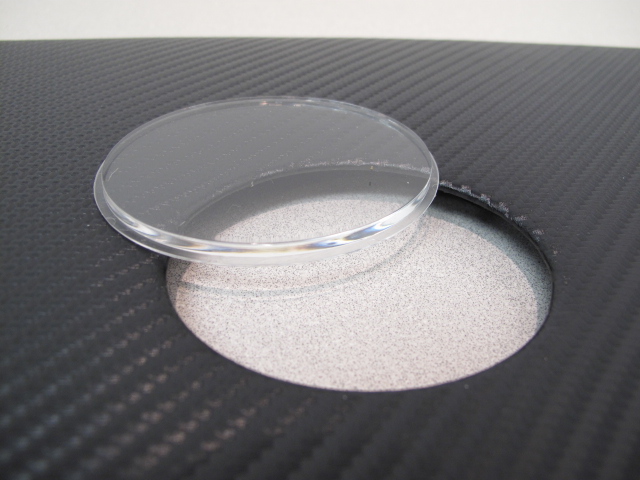
The lid also includes a cutout for the Apple logo. The kit comes with a plastic window you can use- or not use- to cover the logo.
Now let’s put the cover on the laptop!
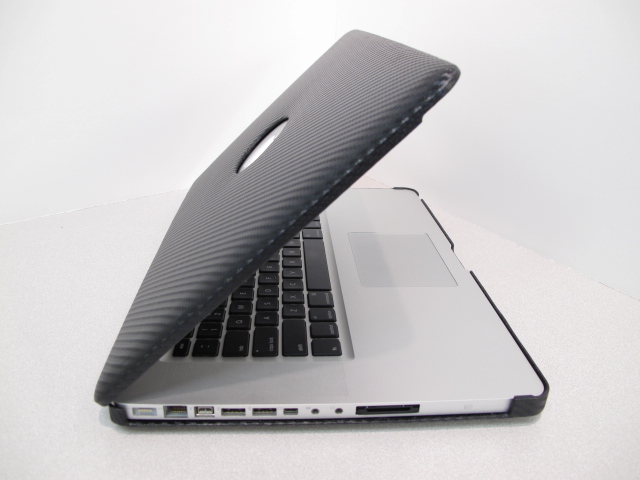
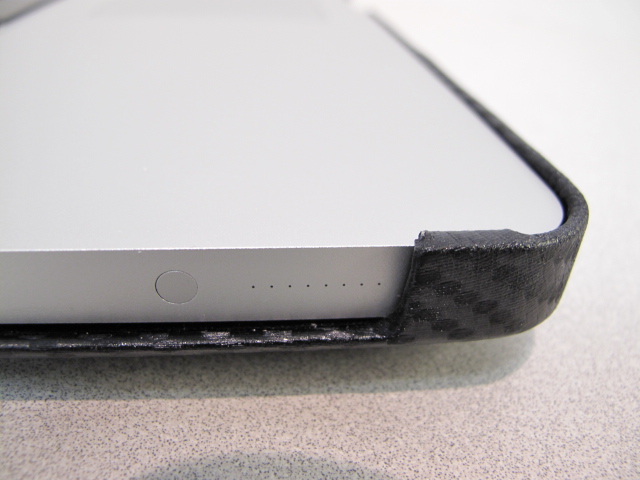
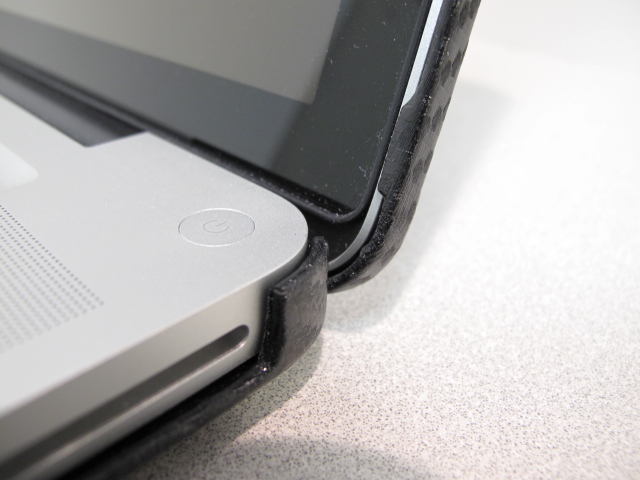

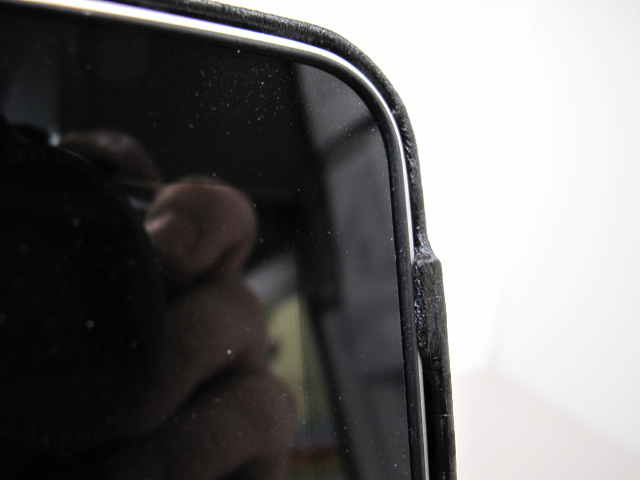


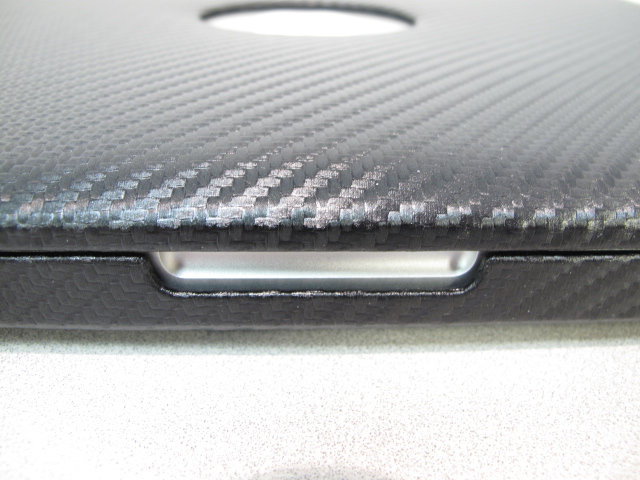
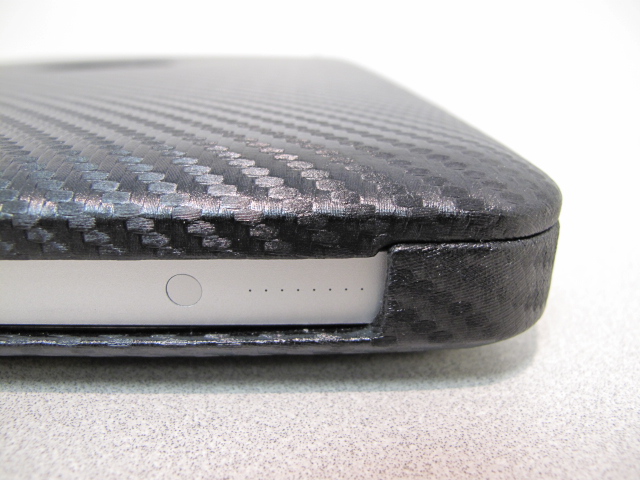
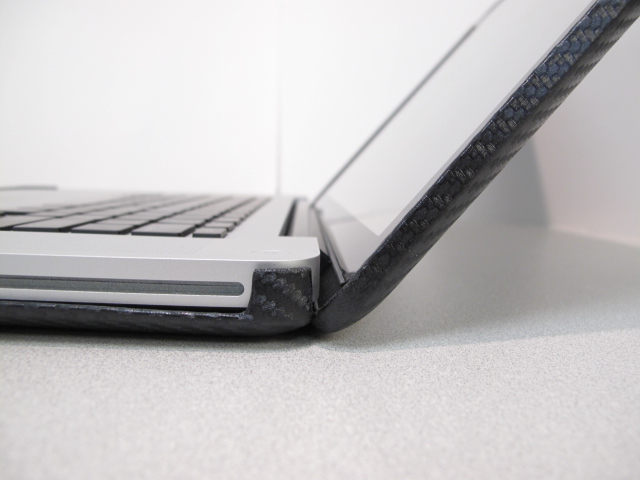
As is the case with nearly every snap-on case I’ve tried, this case does hinder the screen from folding as far as it can. But the difference is slight, and the resulting angle is still perfectly usable.
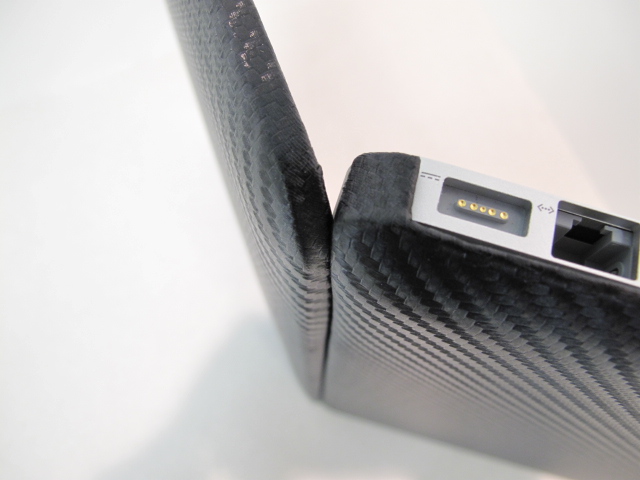
There is one major problem with this case design: When open, the cooling vent is blocked.
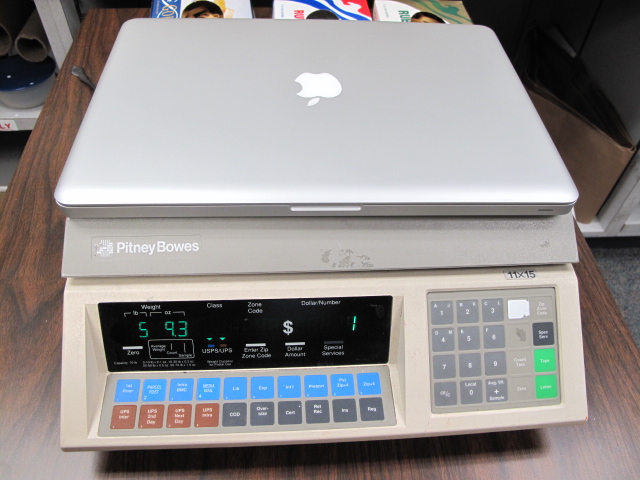
The other problem is weight. The Macbook Pro Unibody I have weighs in at about 5 lbs, 9 oz by itself…
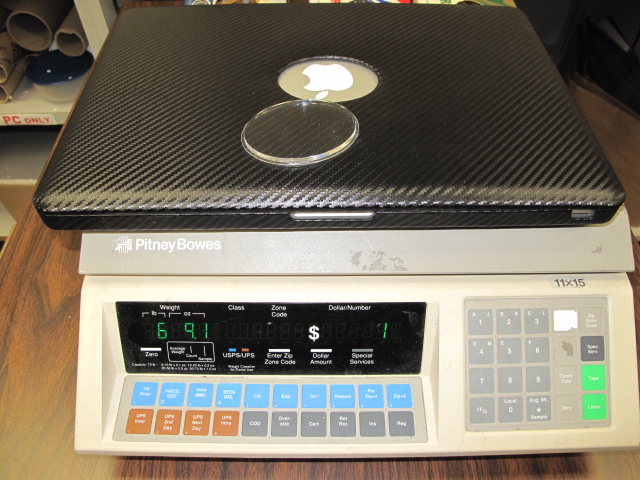
…And with the case (and the little oval window) it weighs in almost exactly 1 lb heavier.
In all, I found the XGear case to be very well built. The narrower tilt angle is still fine, but I’m concerned about the vent slot restrictions. The added weight and bulk was another concern for me as well.
Gerber Gear Suspension 12-in-1 EDC Multi-Plier Multitool with Pocket Knife, Needle Nose Pliers, Wire Cutters and More, Gifts for Men, Camping and Survival, Grey
9% Off
Gerber Gear 22-47162N Fast Draw Folding Assisted Opening Pocket Knife, Fine Edge, Black
7% OffProduct Information
| Price: | $79.99 |
| Manufacturer: | XGear |
| Pros: |
|
| Cons: |
|

Gadgeteer Comment Policy - Please read before commenting
That is a beautiful case, and the photos are fantastic! I’m hoping to get a unibody MacBookPro soon – my current model goes out of AppleCare in November. Maybe this time I need to look at a cover, rather than covering it with stickers. (Everyone in the company has almost the identical laptop, so we do things to make them unique, to tell them apart at meetings.)
Thanks for the excellent coverage.
I would be extremely worried about this case causing overheating. You’re blocking the rear vent obviously, but what about all the heat that is dissipated through the bottom of the computer? Sure, a lot of heat comes out through the keyboard, but a lot comes out through the bottom as well.
Agreed: I was too chicken to run it for stress tests in fear of heat.
In the past when I used the plastic snap-on shell cases, I eventually got rid of the bottom half because I was paranoid about heat build up. Yes, I carried my previous MBP with the TOP plastic shell only for a year or two!
I’m sticking to that clear vinyl “shield” stuff for the *bottom* of my new MBP for now, just as scuff protection. I have to tell myself a computer is meant to be used, not kept in a display case!
What you guys think of this case from Germany?
http://www.redmaloo.com/products.php
Worth a review?
GReat looking case, but as many editing freaks like me know macbook pros through out alot of heat especially when working with CS4 or Final Cut Pro 2. Heat is my main concern and that is the first thing I would do when designing a mbp case. Great concept but, never block vents on something that already gets hot when working on processor intensive projects.
Well you made up my mind. I have a new MacBook Pro 15″ and I had it sitting on my lap all day yesterday and I don’t think the heat will be too much of an issue (it was also charging). I usually have it sitting at a 90 degree angle so it will still allow for sufficient cooling hopefully. It’s the nicest case I could find on the 30+ sites I looked on. I also found it for $54.99 at one of the other sites.
Saw your review after I bought this. I have similar concerns for the case as well. MBP is best on its own, but without a proper casing, I’m worried it’ll be scratched. After all its my first Mac. That’s why I invested in a better casing such as this one.
After 1 day of using it, there’s no heat issue. I also have moshi clearguard on. But bear in mind tat I’ve yet to run things like Photoshop. Maybe that’s why my MBP’s temperature is still under control.
Hopefully it won’t cause too much of an issue for me. I’ll just have to ensure my MBP operates under a fan. If there’s a need, i’ll just remove the moshi clearguard.
I bought one after reading this review and I am very pleased and can highly recommend it. Thanks for this perfect review with the many pictures! The XGear Shadow is replacing a black mCover from iPearl which is really such a cheap product and waste of money. I am glad I found this one to protect my new Mac. I also have a Moshi palmguard and not notcied any issues.
hey do you know if the carbon fiber on the case is real or not?
I’ve seen a lot of these types of carbon fiber cases and they were some what real carbon fiber. What I mean is that the carbon fiber that you see most people have is layered on top of something. So when you see a car with a carbon fiber hood for example is a layer of carbon fiber on top of fiberglass. If you have ever seen real carbon fiber, you’ll note that its really thin and fairly strong for its thickness. So is this case just the carbon fiber or does it have a layer of plastic or something for filler?
Oh my no. This isn’t “real” carbon fiber. It’s got some slightly padded material that’s covered by a fabric that simulates carbon fiber.
I have been looking around at some of our reviews on the web and have noticed a lot of people concerned about the venting on our Shadow product. If I may help a little by saying I personally run CS3 off of a MacBook Air with a Carbon Shadow Air case and a 13″ MacBook Pro with a Carbon Shadow 13″ case. We have never had any issues with over heating out computers, nor have we had a customer return a product due to lack of venting.
Our cases are not made out of “real” carbon fiber as it is very expensive to produce such a case. Our current line does have a very thin layer of protective foam.
If you have any questions about our product you may e-mail Sa***@*******ve.com and it will get sent to our tech department.
Thanks for the comments! Good to know.
Does this case cover the sleep sensor at the top of the screen?
Thanks
If you mean the bits around the iSight camera, then no.
It should be ok with the vent. If you look at the vents, there are two areas the air can come out through. The bottom AND the top. Air should be able to escape through there. If you think it gets too hot, I installed iStat program to show me the temp of my MBP at the header bar.
There is a good amount of space at the top of the keyboard for the air to escape.
Andy,
this might be an awkward question:
i very much like the case but can not validate from the pictures whether it would be an option to drill small ventilation holes to avoid overheating problems. I wonder whether the lack of problems by the sales rep from the case is also not due to the fact that he might have the macbook air with SSD which should produce less heat and be retaining less heat due to its thin character which will be different for the macbook pros. Appreciate your view.
Could be. I have no idea! SSD laptops might run cooler, that’s for sure.
thanks !!
Just will post another Q:
I am searching for a case/sleeve that provides significant protection against water & impact for my 15″ Macbook Pro. I have spotted the pelican 1090 case (http://www.otterboxcases.nl/index.php?ProdCode=PL1090CC) or Otterbox 7040 (http://www.notebookreview.com/default.asp?newsID=2981).
Can you/anyone else suggest another that would be more slim but still provide similar protection ?
Thanks much appreciated !
http://www.radtech.us/Products/MacTruck.aspx
http://www.radtech.us/Products/CompuShell-Aluminum-Laptop-Case.aspx
Hi there do you have XGear Shadow Premium Carbon fiber case for laptop Macbook Pro 17”
? thank you !
I don’t sell these. I just review them. Sorry.
do you have carbon fiber cell case cover macbook pro 17” inch ?
John,
Again, I don’t sell anything.
I have had mine for a year on my 15″ and I do NOT use my laptop daily and THE CASE IS ALREADY FALLEN APART. VERY POORLY MADE. DO NOT BUY!