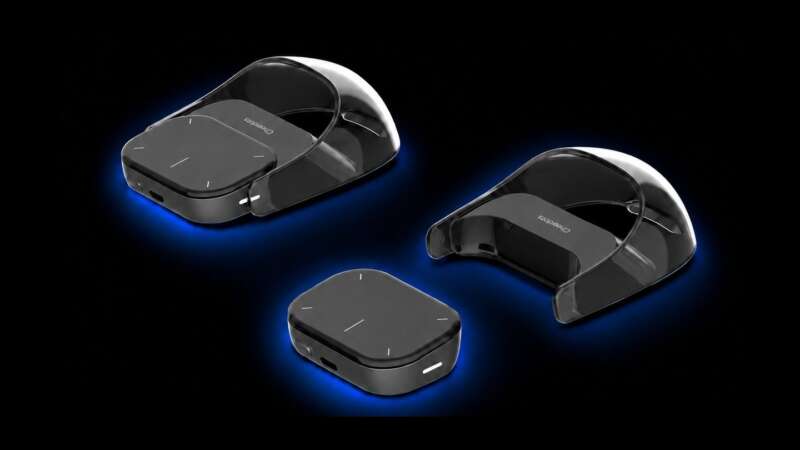
OpenAI’s first hardware product isn’t the friendly home assistant many people expected. It’s a $230 desktop controller for people who already run several Codex coding agents and want their status, shortcuts, and approval controls within reach.
That makes Codex Micro more revealing than revolutionary. OpenAI isn’t selling a general-purpose keyboard. It’s selling a physical command layer for a software process that still feels new, expensive, and specialized. The useful question isn’t whether the device looks good on a desk. It’s whether your agent workload has become complicated enough to warrant dedicated controls.
Price: $230
Where to Buy: OpenAI Supply Co.
A keyboard that refuses to be a keyboard
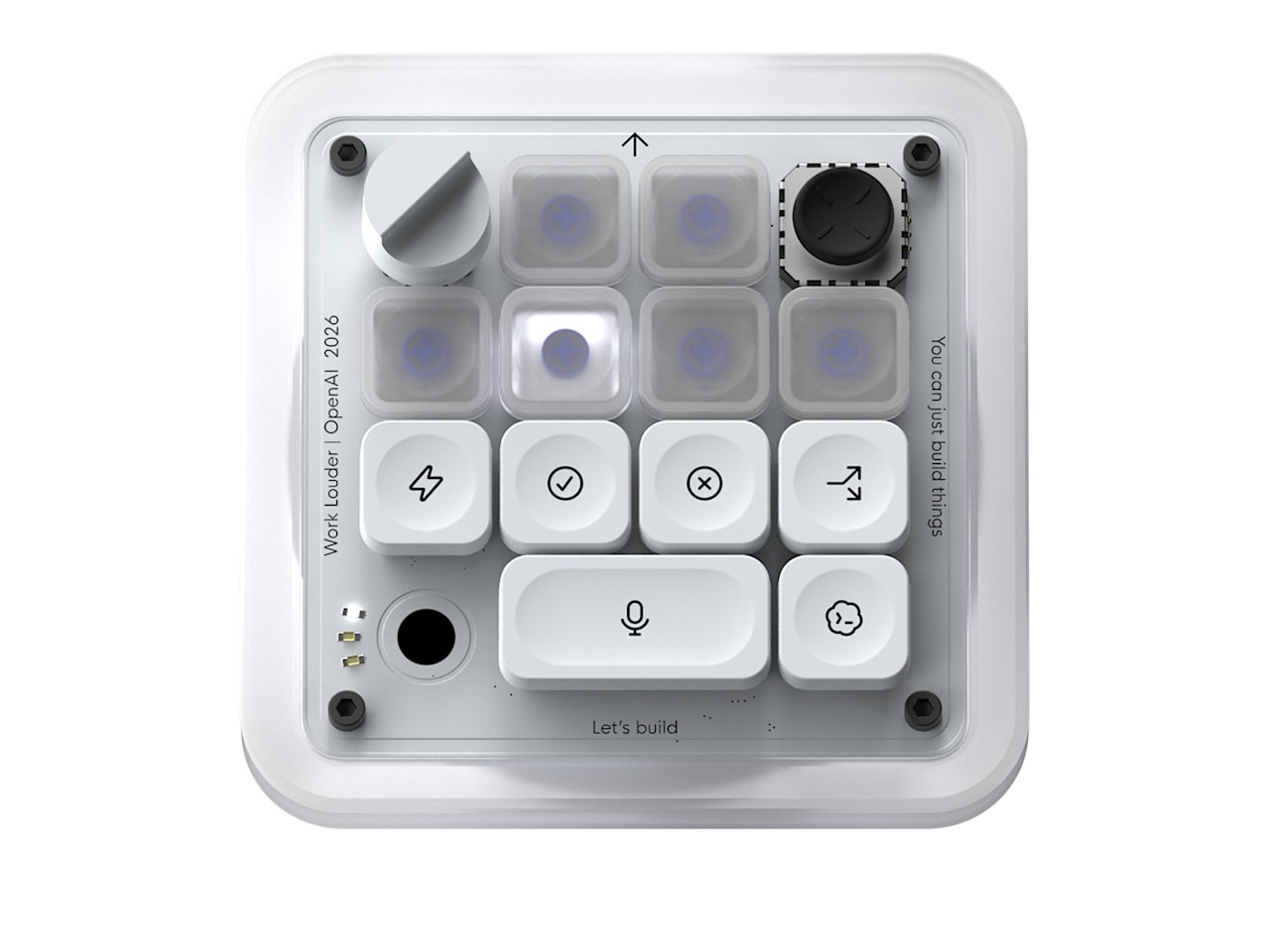
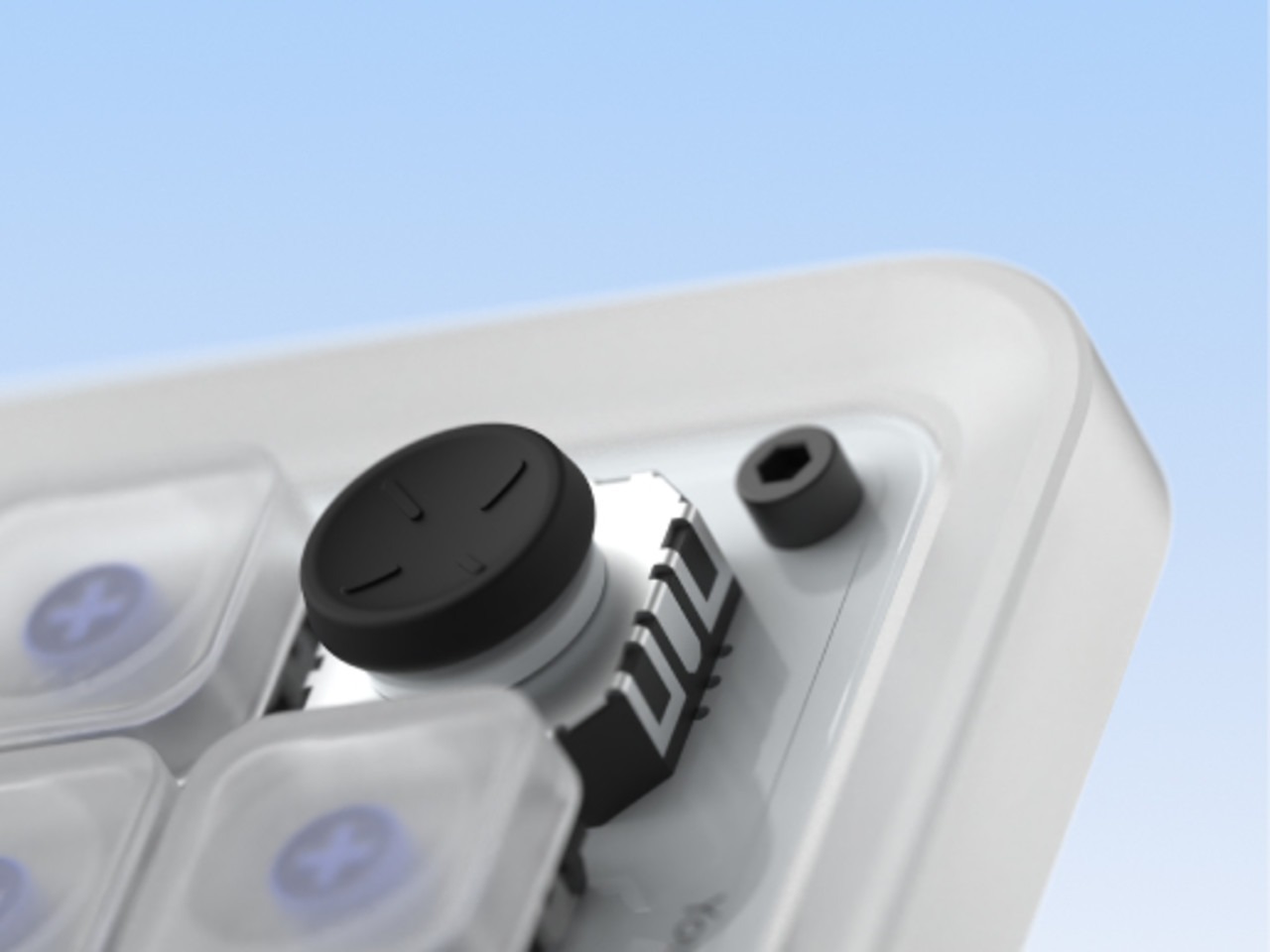
The Codex Micro comes from a collaboration between OpenAI and Work Louder. OpenAI lists the device at $230 and describes it as a command center for agentic work. The product page lists 13 mechanical switches, a touch sensor, a rotary encoder, a planar joystick, RGB lighting, Bluetooth, USB-C, Mac and Windows compatibility, and a Codex Icon Keyset with 32 custom keycaps.
Those parts tell you where the product sits. A normal keyboard helps you produce text. Codex Micro helps you supervise a set of software workers. Its illuminated Agent Keys show whether an agent is idle, thinking, running, waiting, or finished. Its Command Keys keep frequent actions close, while the joystick launches repeatable actions such as reviewing a pull request, debugging an error, or refactoring code.
That distinction sets the first boundary. The device doesn’t replace a keyboard, and it doesn’t make Codex more capable by itself. It changes the physical distance between the person supervising the work and the controls that manage it.
That makes Codex Micro a control surface rather than a keyboard.
Status lights turn background work into a desk object
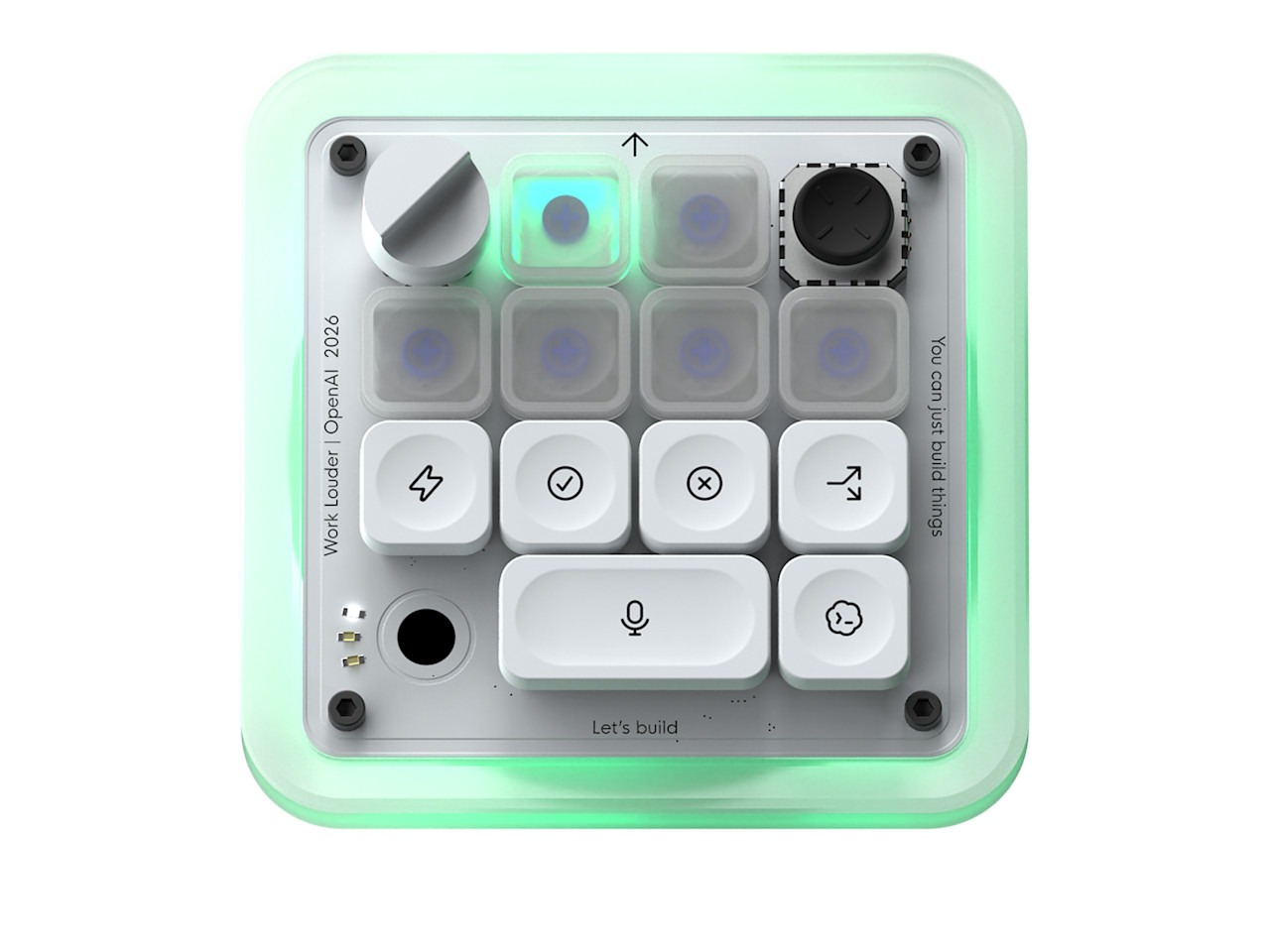
A single coding agent can live in a terminal tab. Several agents create a monitoring problem. You need to know which task is still running, which one needs a response, and which one has completed work that earns inspection. OpenAI’s product page puts those states on six RGB Agent Keys.
The RGB system gives the process a physical overview before you open each chat or terminal window. It also turns background software into another source of desk noise.
The design works best for a person who already treats agent supervision as a continuous activity. If you start one task, wait for it, and inspect the result, the lights add decoration.
Several agents change the calculation. If you’ve queued tasks and switch between them, the lights can reduce the number of windows you need to keep open.

The dial makes compute a physical choice
The most unusual control is the rotary dial. OpenAI says it adjusts the reasoning level for an agent. A lower setting keeps simple work moving quickly, while a higher setting gives a harder task more time and computing resources.
That control makes an invisible software setting tangible. You can reach for more reasoning without opening a menu, or reduce it when a task needs a faster response.
It also exposes the cost of agentic work. The dial is useful only when you understand the trade between speed, depth, and resource use. Codex Micro puts that decision on the desk, but you still have to choose the right setting.
Shortcuts are useful only when the process stays stable
The product page lists dedicated controls for accepting, rejecting, and sending instructions, along with a push-to-talk action and a new-chat command. Those shortcuts make sense when the same actions repeat all day; they make less sense when your tools, prompts, or coding habits change every week.
The joystick follows the same rule. OpenAI says it can launch common Codex actions, including pull-request review, debugging, and refactoring; that makes the device a small control surface for a repeatable practice, not a universal remote for every software task.
The phrase “your most-used actions” defines the product. Remapping pays off when the same actions repeat throughout the day; otherwise, the device becomes another accessory to configure.
The price asks for a narrow kind of confidence
At $230, Codex Micro costs more than a conventional mechanical keyboard. The purchase makes sense only if dedicated Codex controls remove enough switching and monitoring friction to justify the price.
OpenAI describes the product as a limited-run collaboration, and the product page currently shows it as out of stock. That status turns the purchase into an early hardware bet even before you decide whether the controls fit your desk. Buyers need confidence in the current Codex integration, the desktop software, the remapping system, and the product’s longer support path.
A $230 shortcut device can earn its place when it replaces repeated navigation across several active tasks. It becomes a novelty when the owner spends more time configuring it than using it.
TG’s AI hardware coverage shows the larger buying question: specialized hardware needs a job beyond the label attached to it.
TG’s AI laptop guide faces the same test, but Codex Micro’s job is narrower and more physical.
Who should buy a Codex Micro?
Buy it when you already run multiple Codex sessions, switch between agent states throughout the day, and repeat the same approvals, prompts, and actions often enough to memorize the controls.
The RGB status keys target that workflow: a developer already supervising several tasks, not a curious newcomer.
Skip it when you want a normal keyboard, use Codex occasionally, or still change your coding setup every few days. A macro pad, stream controller, or software shortcut layer can cover the basic idea without committing your desk to one agent ecosystem.
Wait if you like the concept but don’t yet know which actions deserve a physical control. Codex Micro works best after that workflow already exists; it won’t create the workflow for you.
What OpenAI’s first hardware says about agent design
Codex Micro treats AI agents less like chat windows and more like workers in a shared workspace. The user doesn’t only ask for an answer.
The user starts tasks, watches progress, supplies approval, changes the level of reasoning, and decides which result earns attention.
That’s a meaningful shift in interface design. A chat box hides the work inside a conversation. Codex Micro puts status, intervention, and escalation on a small physical panel. The product makes the case that supervising software can need its own controls, just as video editors, musicians, and streamers use dedicated surfaces for repeated actions.
The risk is equally clear. A dedicated controller can make a new process feel established before the process proves its value. Hardware gives a habit a home, but it doesn’t guarantee that the habit earns the space.
Final take: a useful controller for a very specific desk
Codex Micro is specialized hardware for a specific audience. Its status lights, joystick, rotary encoder, and dedicated keys make Codex supervision faster to monitor and control. They don’t make occasional AI coding worth $230.
The right buyer already has several agents running, knows which actions repeat, and wants those actions closer than a tab or menu. Everyone else should keep the idea in software. Codex Micro earns its place only when agent supervision has become a regular part of the job.
Price: $230
Where to Buy: OpenAI Supply Co.
OpenAI didn’t build a keyboard for everyone. It built a dashboard for the person who already has too many agents open.