The best AI laptop is still a laptop first.
That sounds obvious until you shop the category and see how quickly the stickers take over: Copilot+ PC, Ryzen AI, Core Ultra, Snapdragon X, TOPS, NPU, on-device assistant, creator AI. Some of those labels help, and some mostly decorate a normal spec sheet. The useful test is simpler: would you still want this machine if the AI badge vanished?
For this guide, I treated AI hardware as a bonus only after the basics looked right. Screen, memory, storage, battery, weight, app compatibility, and price came first. Only then did I look at the NPU or GPU story.
Quick picks
Start with the Lenovo Slim 7i Aura Edition if you want the least dramatic answer. It’s light, balanced, and built around Intel Core Ultra rather than a compatibility gamble.
🛒 Best AI Laptop Picks
Lenovo Slim 7i Aura Edition: $1,124.94 – Where to Buy:
Lenovo Yoga 7 2-in-1: $899.99 – Where to Buy: Amazon
ASUS Vivobook S16: $1,044.99 – Where to Buy: Amazon
HP OmniBook 5 16: $950.82 – Where to Buy: Amazon
Microsoft Surface Laptop 15: $1,150 – Where to Buy: Amazon
Acer Swift 16 AI: $1,899.99 – Where to Buy: Best Buy
ASUS ProArt P16 – From $1,999 – Where to Buy: Amazon
The Lenovo Yoga 7 2-in-1 is the flexible one. Notes, sketches, couch use, and presentations are its lane.
Need a larger screen? The ASUS Vivobook S16 is the value play. Need creative muscle? The ASUS ProArt P16 is the one with the serious GPU.
The HP OmniBook 5 16 and Microsoft Surface Laptop 15 both lean on Snapdragon X. They’re worth a look if battery life beats software certainty for you.
Acer’s Swift 16 AI is the bargain wildcard. Strong screen, strong price, more seller homework.
Comparison Table
| Pick | Best fit | Platform | Memory and storage | Display | Live price checked | Main caution |
|---|---|---|---|---|---|---|
| Lenovo Slim 7i Aura Edition | Most people | Intel Core Ultra 7 256V | 16GB, 1TB | 14-inch OLED | $1,124.94 | Not for heavy creator work |
| Lenovo Yoga 7 2-in-1 | Convertible use | AMD Ryzen AI 5 340 | 16GB, 1TB | 14-inch OLED touch | $899.99 | Smaller workspace |
| ASUS Vivobook S16 | Big OLED value | AMD Ryzen AI 7 350 | 16GB, 1TB | 16-inch OLED | $1,044.99 | Memory is fixed at 16GB |
| HP OmniBook 5 16 | Battery-first travel | Snapdragon X X1-26-100 | 16GB, 512GB | 16-inch OLED | $950.82 | Windows on Arm app checks required |
| Microsoft Surface Laptop (7th Ed., 15-inch) | Surface fans | Snapdragon X Elite | 16GB, 256GB | 15-inch PixelSense touch | $1,150 | 256GB storage is tight |
| Acer Swift 16 AI | Budget Intel hunters | Intel Core Ultra X9 388H | 32GB, 1TB | 16″ 2.8K OLED DCI-P3 100% touch display | $1,899.99 | High-end, top of the line performer |
| ASUS ProArt P16 | Creators | Ryzen AI 9 HX 370 plus RTX 5070 | 32GB, 2TB | 16-inch OLED 120Hz | Check Amazon | Expensive, specialized, reseller listing |
How I judged the AI part
The NPU helps with Copilot+ PC features, camera effects, background tasks, transcription, and the local AI features Windows keeps adding. It won’t make a poor screen better. It won’t add RAM later. It won’t fix an app that dislikes Arm. That is the trap. There’s also a real split between NPU AI and GPU AI. Thin Copilot+ PCs use the NPU for efficiency. Different job. Creator laptops still lean on Nvidia GPUs for video effects, 3D work, rendering, and larger local AI tools. If that distinction is fuzzy, read our guide to Intel, AMD, and Snapdragon laptop platforms before you buy.
Lenovo Slim 7i Aura Edition
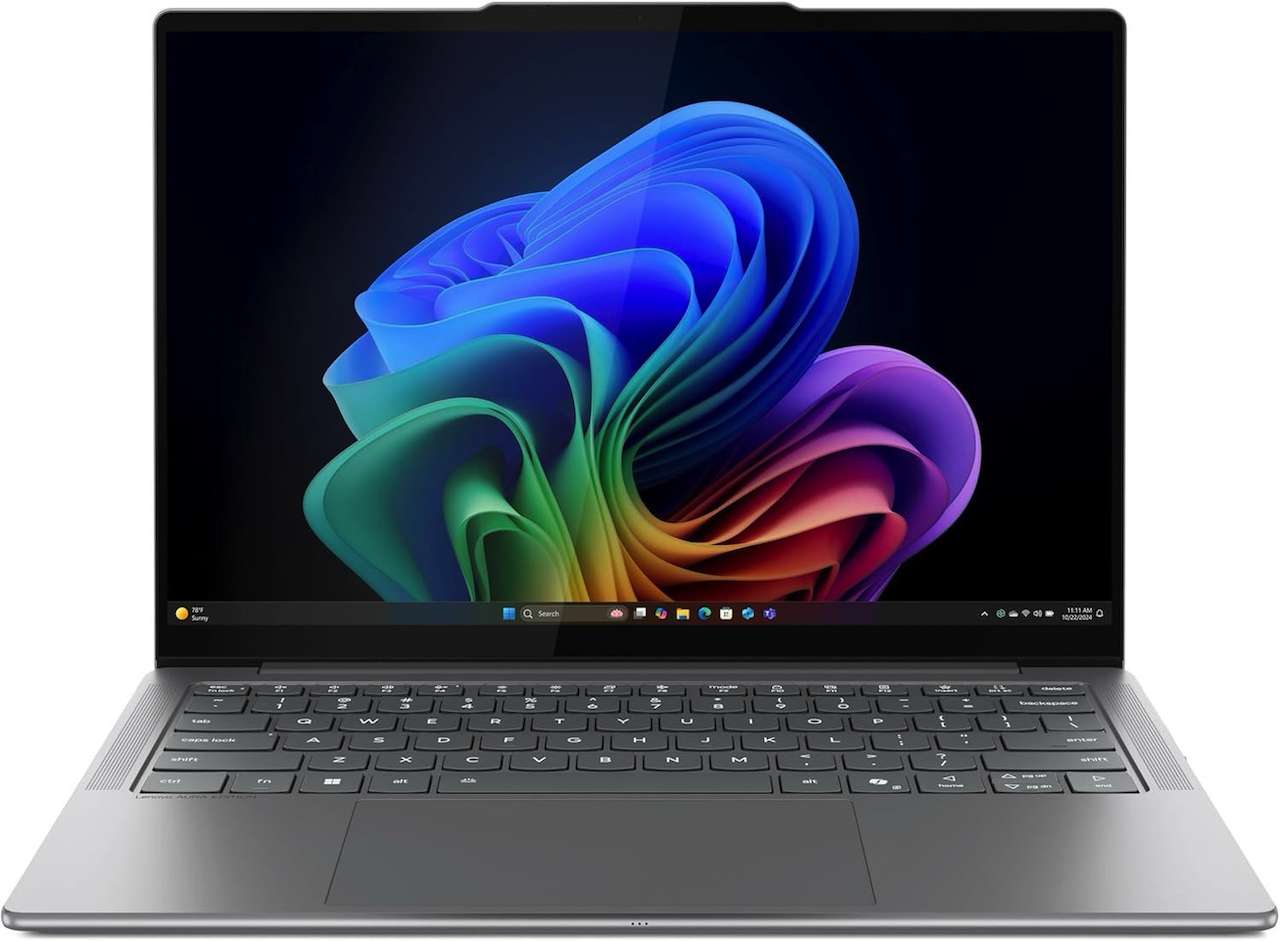
Price: $1,124.94
Where to Buy: Amazon
The Slim 7i wins by not making the buyer explain away much. It has enough memory for mainstream work, enough storage for a real laptop life, a light body, and an OLED panel in a travel size.
Intel’s Core Ultra 7 256V also keeps the software story straightforward. You get the modern NPU without stepping into the Windows on Arm question.
Small catch: this isn’t a creator workstation. If your day starts with renders, heavy video projects, or games, look elsewhere.
💡 My pick: This is the safest default AI laptop in the group.
Lenovo Yoga 7 2-in-1 14AKP10
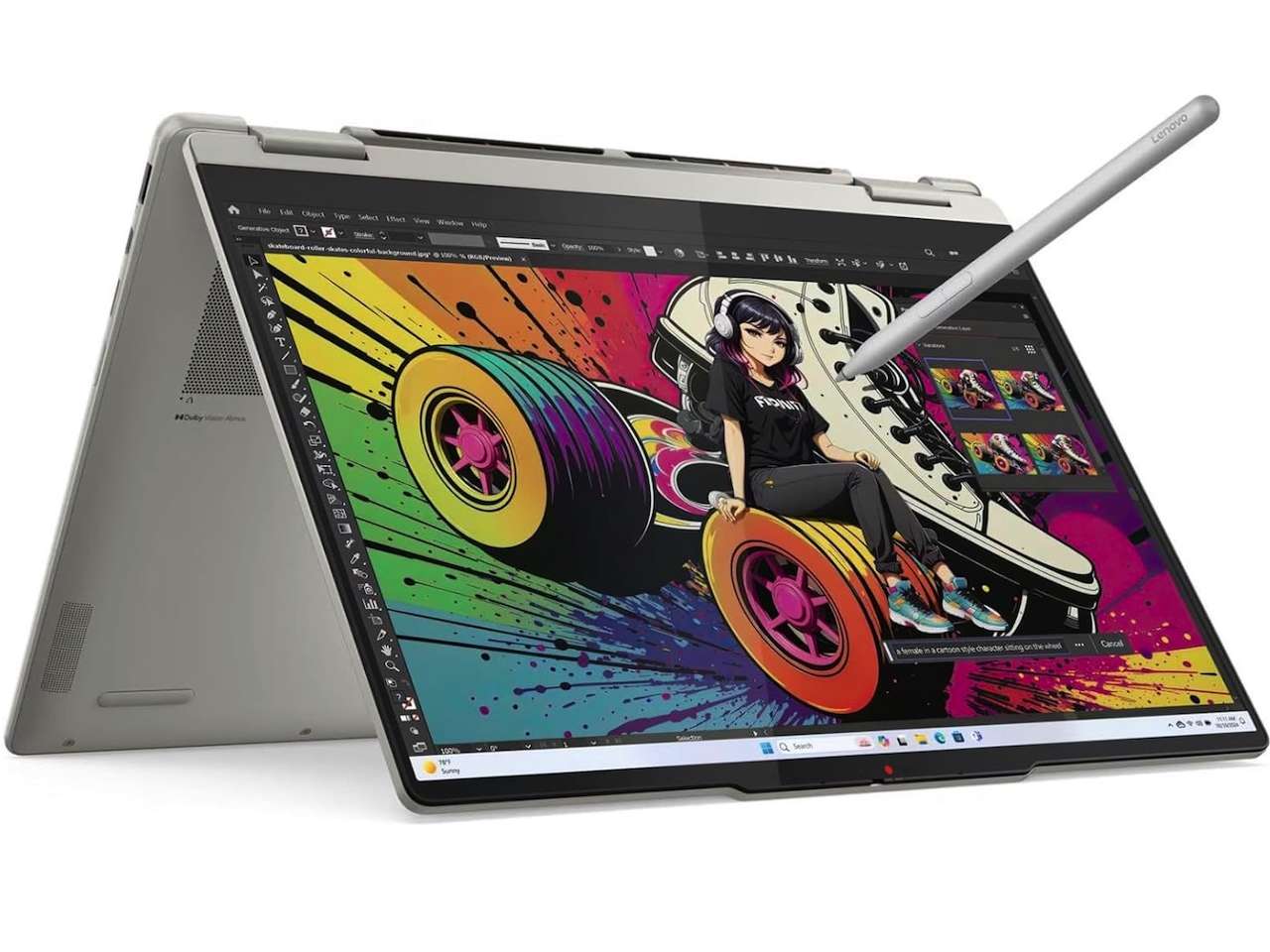
Price: $899.99
Where to Buy: Amazon
Fold the screen only if you’ll use it.
That sounds basic, but it changes the recommendation. A convertible only earns its hinge if you take notes, mark up documents, sketch, watch video away from a desk, or present from odd places. This one backs that use with an OLED touch panel, pen support, and current Ryzen AI hardware.
The trade is workspace. Fourteen inches can feel tidy on a flight and cramped in a spreadsheet. Know your desk. I’d buy this over the Slim 7i only if the 2-in-1 shape changes how I work.
ASUS Vivobook S16 Copilot+ PC
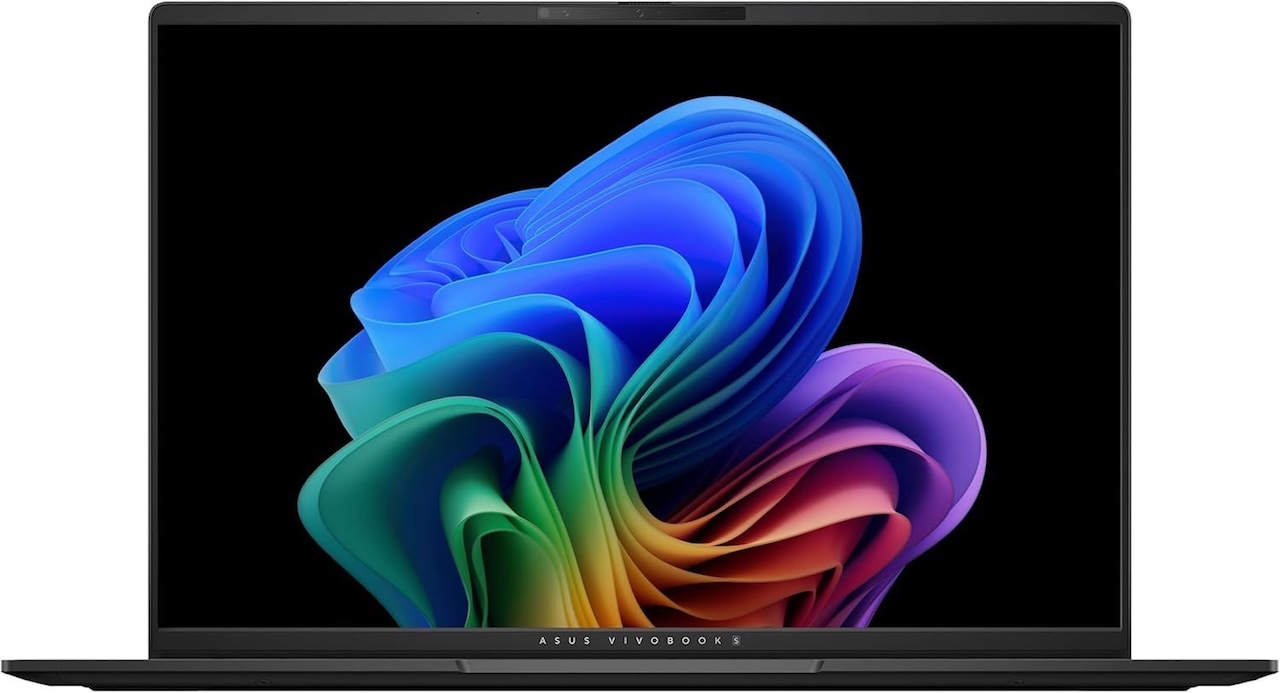
Price: $1,044.99 (From $1,199.99)
Where to Buy: Amazon
Big panels change daily work.
Its trade-off is simple: take the bigger canvas and accept the fixed memory ceiling. A 16-inch OLED panel gives documents, browser windows, timelines, and side-by-side apps room to breathe. The weight is still reasonable, it doesn’t feel like an old desktop replacement. The Ryzen AI 7 platform is plenty credible for everyday Windows performance, and the 1TB SSD is welcome.
Memory is the limiter.
For office work, research, writing, streaming, and light editing, 16GB is fine. For heavier creative work or local AI experiments, buy more RAM somewhere else because this config doesn’t leave room to grow.
HP OmniBook 5 16 Next Gen AI PC
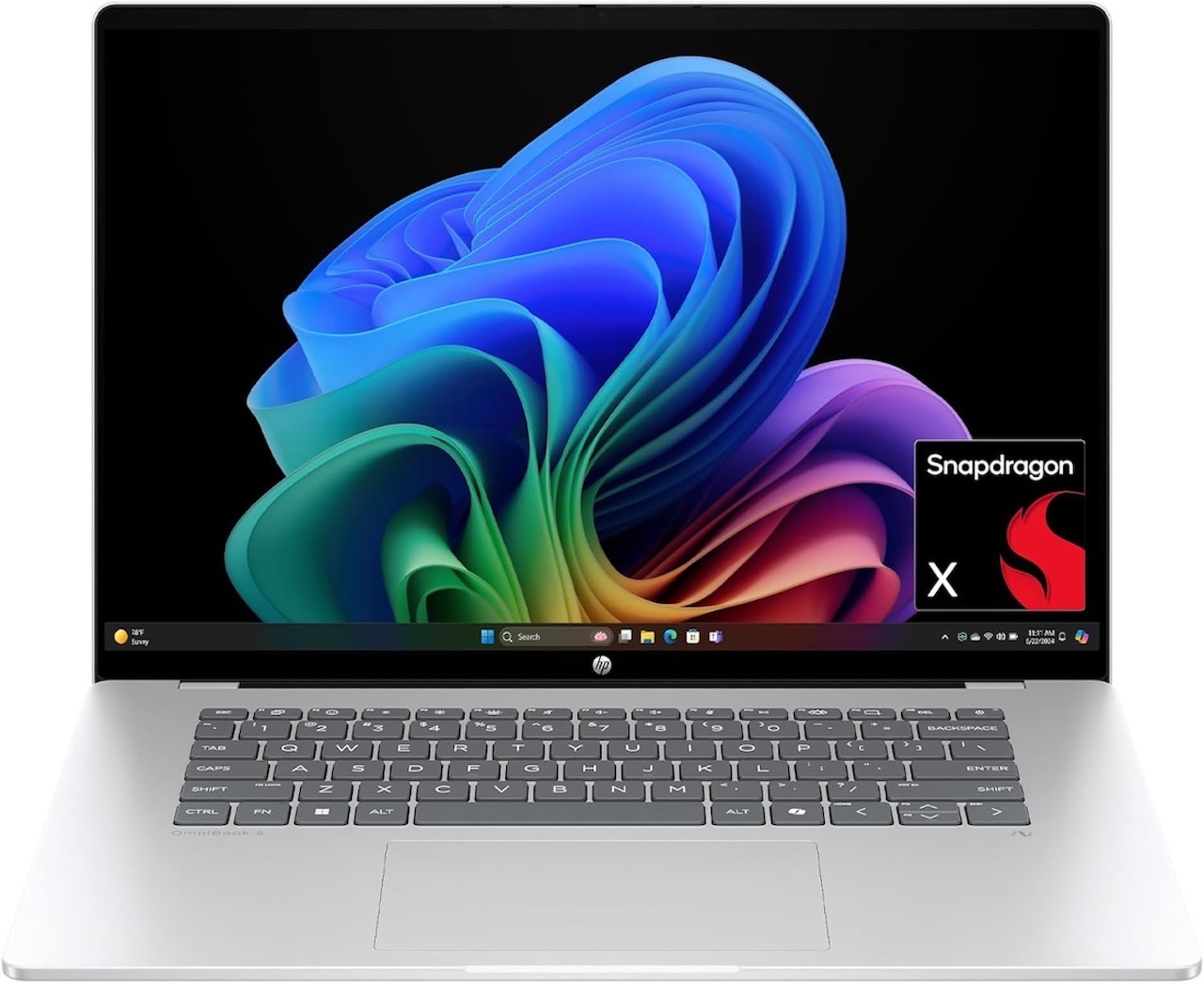
Price: $950.82
Where to Buy: Amazon
For travelers, battery anxiety is the whole pitch.
The Snapdragon X platform is the reason to look at it, because the best airport laptop is the one that does not make you scan the wall for an outlet before you open your bag. HP’s listing and buyer notes both point toward long battery life, and that can change how a laptop feels on travel days.
Then comes the Arm checklist. Browser work, Microsoft 365, writing, video calls, streaming, and light productivity are safe ground. Niche Windows apps, older peripherals, specialist creative tools, and games deserve a compatibility check before money leaves your account.
Storage is also modest at 512GB. Fine for cloud-first work. Less fine for big local libraries.
Buy it for battery confidence. Don’t buy it blind.
Microsoft Surface Laptop (7th Edition, 15-inch) Copilot+ PC
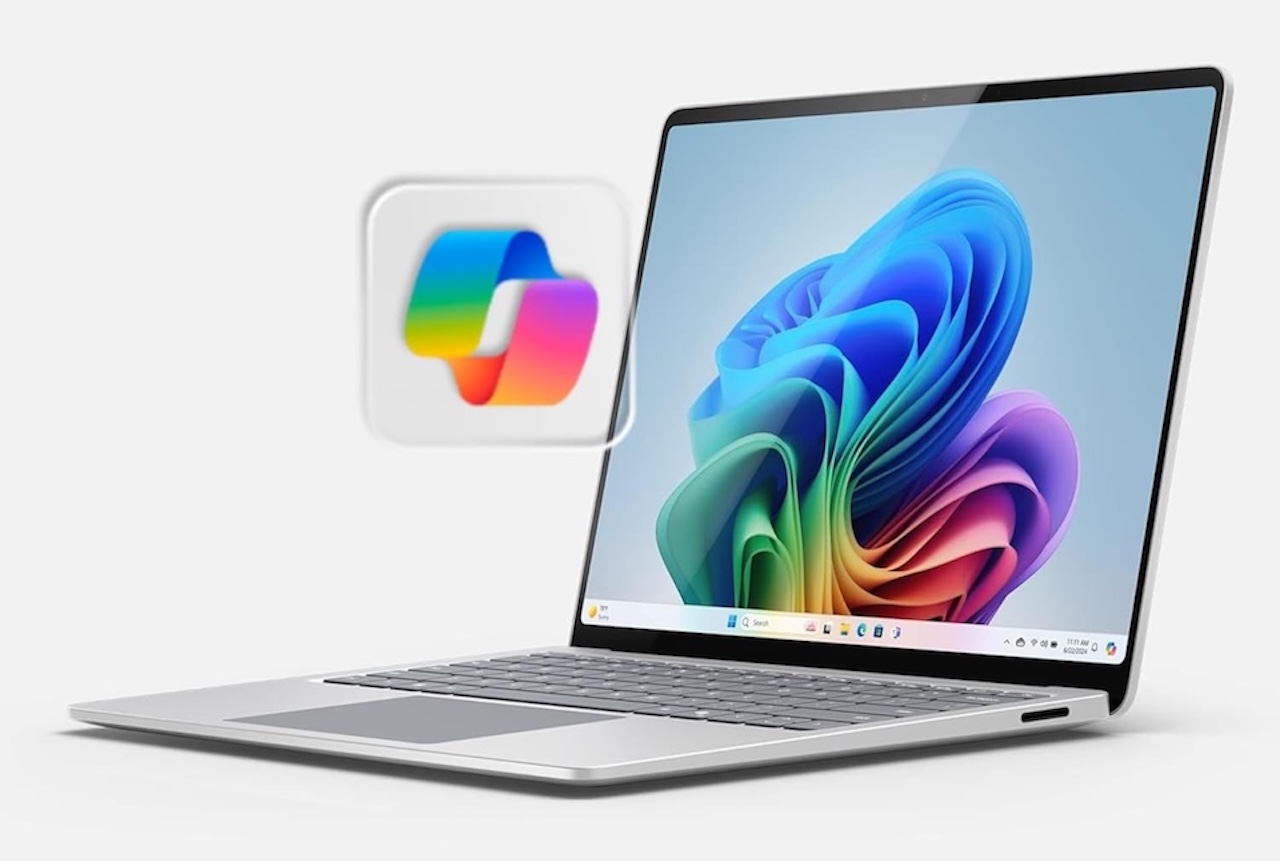
Price: $1,150 (From $1,599)
Where to Buy: Amazon
Officially, this is the 15-inch Surface Laptop (7th Edition), Microsoft’s 2024 Copilot+ model. Surface buyers already know the appeal.
You’re paying for the whole Microsoft package: keyboard, touchpad, webcam, chassis, screen, and a clean design that doesn’t feel like a parts-bin experiment. The Amazon review base is also larger than many newer AI laptops, which gives this pick more buyer signal.
The frustrating part is storage. A 256GB SSD feels stingy at this price.
If you want a Surface and your apps behave on Snapdragon, it belongs on the shortlist.
If you keep local photos, video projects, games, or offline media, choose a larger SSD configuration before checkout.
Acer Swift 16 AI
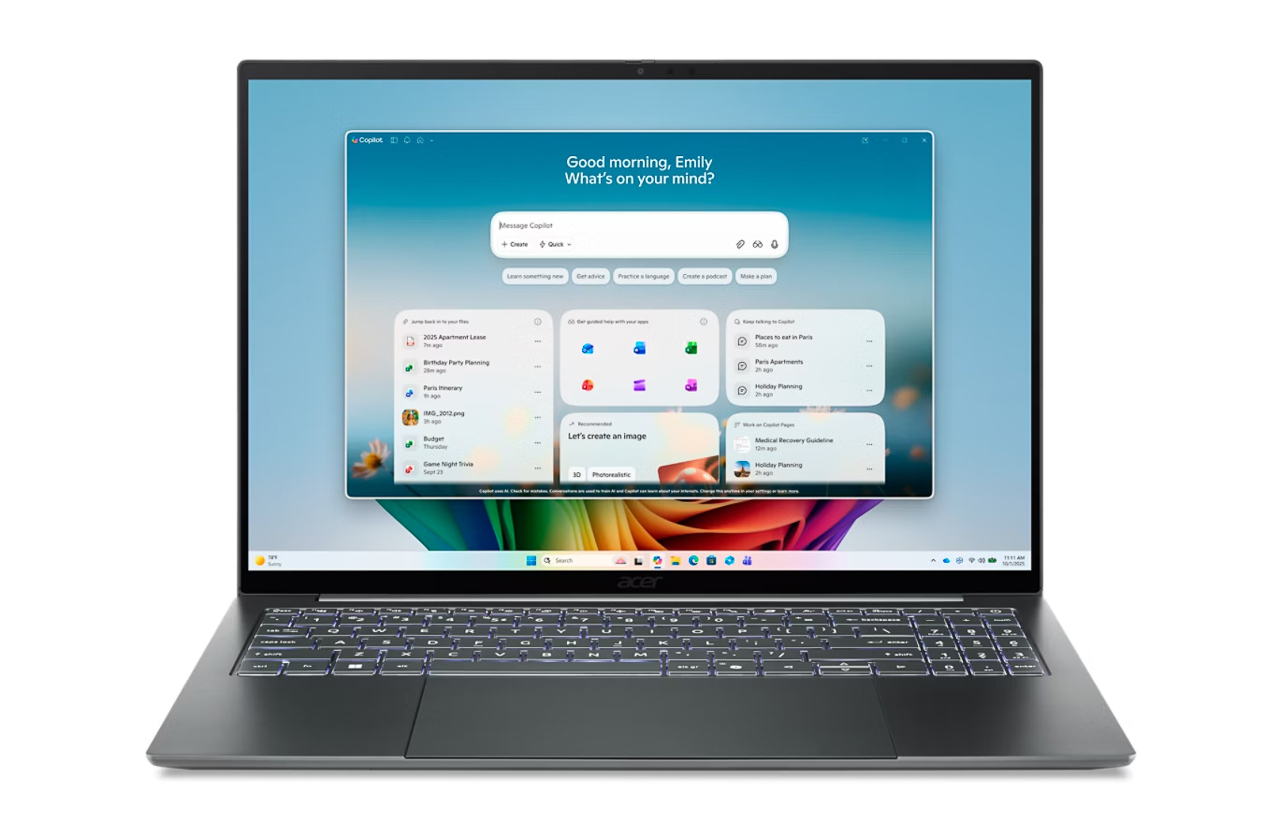
Price: $1899.99
Where to Buy: Best Buy
Acer’s Swift 16 AI SF16-71T-97GV is a Copilot+ PC built around an OLED display that targets movies, gaming, and visual editing with deep blacks, wide viewing angles, and high contrast. The panel covers a 100% DCI-P3 color gamut, so you are getting wide color coverage and precise reproduction that is suited to video editing, graphic design, and photo work. It pairs that screen with LPDDR5X memory for higher data speeds, which is meant to improve multitasking on modern workloads. Connectivity is forward-looking as well, with Wi-Fi 7 on the 6 GHz band for higher bandwidth and efficiency plus USB4 for faster data transfer and single-cable expansion.
ASUS ProArt P16 Creator Laptop
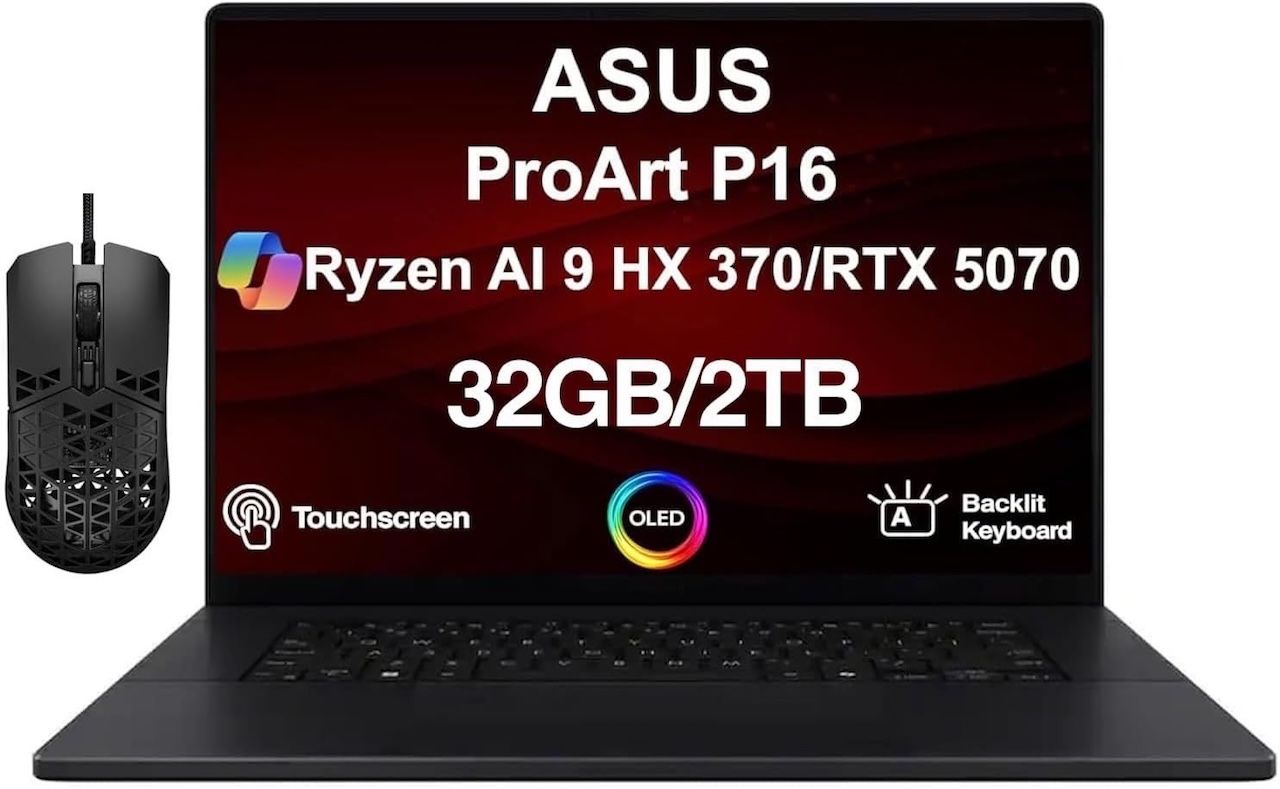
Price: From $1,999
Where to Buy: Amazon
Creators should read this section differently.
Most laptops in this guide are thin productivity machines with NPUs. This one adds a GeForce RTX 5070, 32GB of memory, and 2TB of storage, which makes it useful for video work, GPU-accelerated effects, rendering, and more serious local AI tools.
It’s also the easiest machine here to overbuy.
One more catch: like the Acer, this Amazon listing is a third-party reseller unit (sold by “GreatPriceTech”) that has been opened and upgraded, so the warranty and return terms come from the seller, not ASUS. Check the seller details before you buy.
If the GPU saves hours or replaces a desktop setup, the ProArt makes sense. If your AI use means Copilot, webcam effects, captions, and chat in a browser, this is too much laptop.
Intel, AMD, or Snapdragon X
Pick Intel Core Ultra if you want broad Windows compatibility and fewer surprises. The Lenovo Slim 7i and Acer Swift 16 AI are the Intel options here. Safe choice. Pick AMD Ryzen AI if you want strong all-around Windows performance without moving to Arm. The Lenovo Yoga 7, ASUS Vivobook S16, and ASUS ProArt P16 sit in that lane. No app drama. Pick Snapdragon X if battery life and quiet travel use are more important than maximum software certainty. The HP OmniBook 5 16 and Surface Laptop 15 are the Snapdragon choices. For more context, read our Yoga Slim 7x Gen 11 review before buying an Arm laptop blind. Check first.
Practical buying notes
You don’t always need a Copilot+ PC. If you’re buying a new Windows laptop above roughly $900, support is nice to have. It shouldn’t rescue a weak screen, tiny SSD, bad keyboard, or poor price.
For everyday work, 16GB is enough. For creative apps, coding, heavy browser sessions, and local AI experiments, more memory is safer. Many thin laptops have soldered memory, so buy the amount you want on day one.
TOPS tells you about NPU throughput, not laptop quality. It doesn’t tell you whether the display is good, the thermals are quiet, the ports are right, or your software behaves.
Don’t buy a laptop for games because it says AI. Shop GPU first. Among this list, only the ASUS ProArt P16 has the kind of dedicated Nvidia GPU that changes gaming and creator performance.
Final Recommendation
If I were buying one AI laptop for normal work today, I’d start with the Lenovo Slim 7i Aura Edition.
It gives the category a sensible shape: modern processor, OLED screen, 1TB storage, light body, and no Windows on Arm app puzzle.
If I needed more screen space, I’d move to the ASUS Vivobook S16. If battery life was the whole point, I’d check my apps and then compare the HP OmniBook 5 16 with the Surface Laptop 15.
If creative workloads paid the bills, I’d stop pretending an ultraportable is enough and price out the ASUS ProArt P16.
The AI badge isn’t the decision. It’s one spec among many. Buy the laptop you’d still want after the sticker comes off.
🛒 Best AI laptop picks
Lenovo Slim 7i Aura Edition: $1,124.94 – Where to Buy: Amazon
Lenovo Yoga 7 2-in-1: $899.99 – Where to Buy: Amazon
ASUS Vivobook S16: $1,044.99 – Where to Buy: Amazon
HP OmniBook 5 16: $950.82 – Where to Buy: Amazon
Microsoft Surface Laptop 15: $1,150 – Where to Buy: Amazon
Acer Swift 16 AI: $789.99 – Where to Buy: Amazon
ASUS ProArt P16 – From $1,999 – Where to Buy: Amazon
Frequently Asked Questions
Are AI laptops worth buying in 2026?
Yes, but buy the laptop first. The NPU helps with Copilot+ features and local AI tasks, it won’t fix a dim screen, a small SSD, or an app that dislikes Arm. Sort the basics before the badge.
What is the best AI laptop for most people?
The Lenovo Slim 7i Aura Edition Intel Core Ultra 7 256V, 14-inch OLED, 16GB, 1TB, and no Windows on Arm complications.
What is the best AI laptop for creators?
The ASUS ProArt P16. Its RTX 5070, 32GB, and 2TB SSD handle video, rendering, and serious local AI work that no thin Copilot+ PC can match.
Do you need a Copilot+ PC?
Not necessarily. Above roughly $900 it’s a reasonable bonus. It unlocks Recall, Live Captions, and on-device AI features. But it shouldn’t be the reason you buy an otherwise weak machine.
Which AI laptop has the best battery life?
The HP OmniBook 5 16, rated up to 34 hours, making it the clear travel pick. The Surface Laptop’s Snapdragon X Elite runs around 20 hours, solid but only modestly ahead of the Intel and AMD options here.