
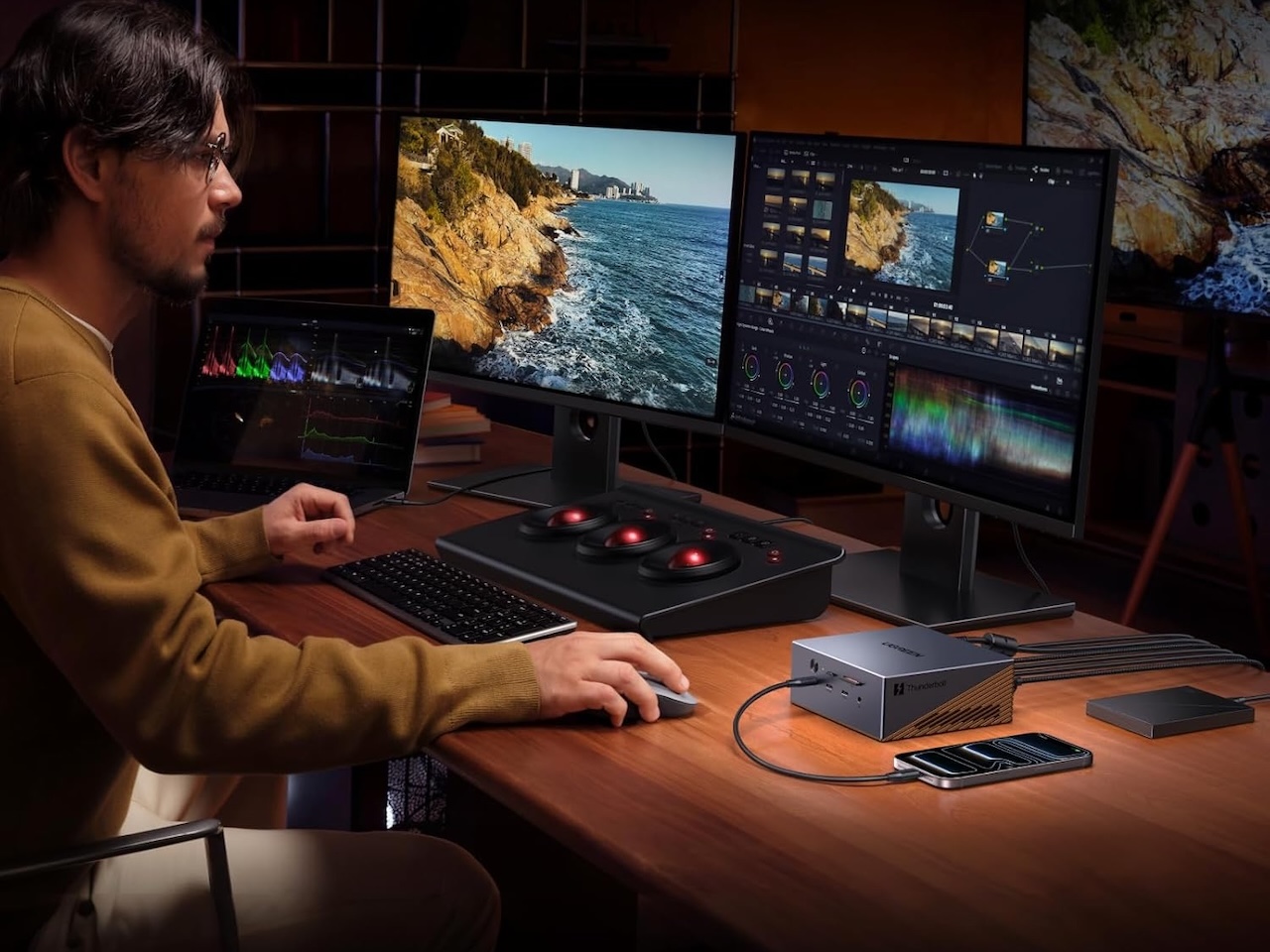
After a long wait, the Thunderbolt 5 dock field has finally narrowed to a handful of real options. Intel showed off Thunderbolt 5 back in 2023, and by mid-2026 the docks are finally here. Plugable’s TBT-UDT3 Thunderbolt 5 docking station has been on sale since 2025, and Satechi and UGREEN shipped their first TB5 docks this spring. These docks move data at up to 120Gbps, run more than one fast monitor, and deliver up to 140W of laptop charging, all over a single cable. Their specs and prices vary enough that the one you pick matters.
How Thunderbolt 5 docking stations compare to Thunderbolt 4
Thunderbolt 5 is Intel’s latest connectivity standard, and it doubles Thunderbolt 4’s two-way bandwidth from 40Gbps to 80Gbps. If you’re weighing Thunderbolt 5 vs Thunderbolt 4 for your next docking station, the bandwidth jump is the headline change. If your Thunderbolt 4 dock has been working fine, the new numbers are still worth a look. When it’s running a display, it can push 120Gbps in one direction. That’s a big jump from TB4’s 40Gbps cap. In real use, one cable can run two 4K monitors at 144Hz, or a single 8K monitor, with no quality tricks. Speeds to external SSDs also roughly double. Drives that felt slow at 3,000MB/s on TB4 can finally hit close to their full speed. Charging gets a smaller upgrade. The spec now allows up to 240W, but every dock shipping right now still tops out at 140W.
At a glance: 4 Thunderbolt 5 docks Compared
| Dock | Price | Downstream TB5 ports | Max displays | Charging | Built-in SSD |
|---|---|---|---|---|---|
| UGREEN Maxidok 10-in-1 | $229 | 2 | Dual 6K (Mac) / Dual 8K (Win) | 100W laptop | No |
| Plugable TBT-UDT3 | $299.95 | 3 | Dual 6K (Mac) / Dual 8K (Win) | 140W | No |
| UGREEN Maxidok 17-in-1 | $390 | 2 | Up to 8K (Win) | 140W | Yes (M.2 NVMe) |
| Satechi CubeDock | $399 | 3 | 6K (Mac) / 8K (Win) | 140W | Yes (M.2 NVMe up to 8TB) |
The three docks actually shipping in mid-2026
Three names matter right now: Satechi’s Thunderbolt 5 CubeDock, Plugable’s TBT-UDT3, and UGREEN’s Revodok Maxidok line (17-in-1 and 10-in-1). All three are in stock as of late May. Other TB5 docks announced at CES 2026 are still on “pre-order” or “coming in Q4.” Everything below covers retail units you can buy today, not CES demo units.
Satechi Thunderbolt 5 CubeDock: built-in SSD slot
Satechi’s CubeDock is the looks-first pick. It’s a small aluminum cube about the size of a Mac mini. An SSD slot on the bottom takes any M.2 NVMe drive up to 8TB (screws and screwdriver included) and reads and writes at up to 6,000MB/s. Along with UGREEN’s 17-in-1, it’s one of two docks here with storage built in. Ports: three TB5, 2.5GbE, full-size SD and microSD, a USB-A and USB-C at 10Gbps, a built-in fan, and 140W of laptop charging. Displays go up to 6K on Mac or 8K on Windows. Street price is around $399.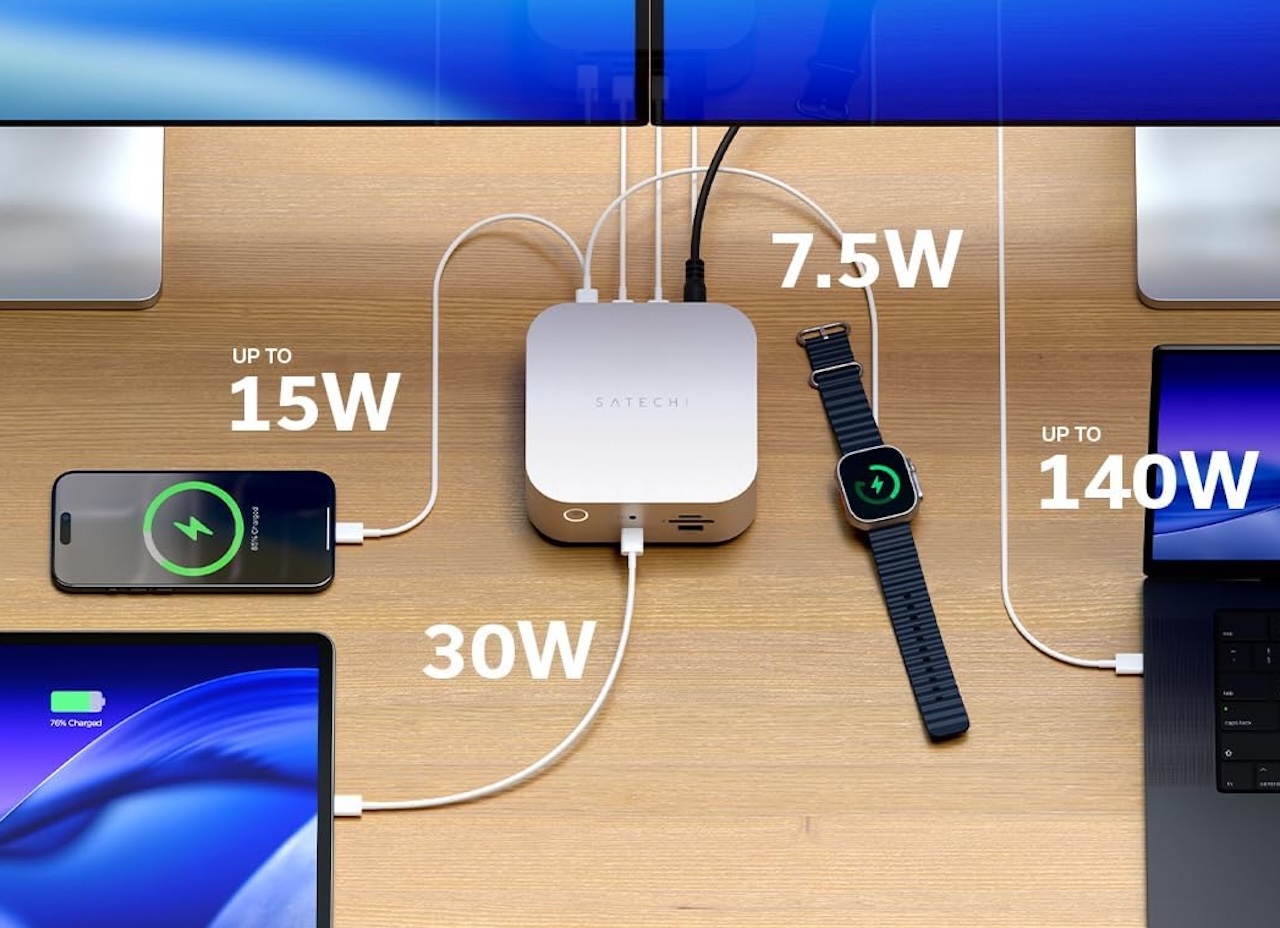
It fits creators who already use a fast external SSD for active project files. Drop a 4TB drive into the slot and your dock becomes your scratch drive too, clearing cables off your desk. The trade-off: no built-in HDMI or DisplayPort. All video runs through the three TB5 ports, so HDMI monitors need active USB-C-to-HDMI adapters.
Plugable TBT-UDT3: three TB5 ports, best price-per-TB5-port
Plugable’s TBT-UDT3 goes the other way. It has no SSD slot, and the case is plain matte plastic. But it leans hard into Thunderbolt 5 itself: three TB5 ports running at the full 120Gbps Bandwidth Boost spec. That’s enough to run up to three external monitors using USB-C or TB5-to-HDMI/DP cables. Add 2.5GbE, SD and microSD slots, two USB 10Gbps ports, USB 3.0, and 140W charging. The result is an 11-in-1 laptop dock for $299.95. That’s the best price-per-TB5-port of any dock shipping today.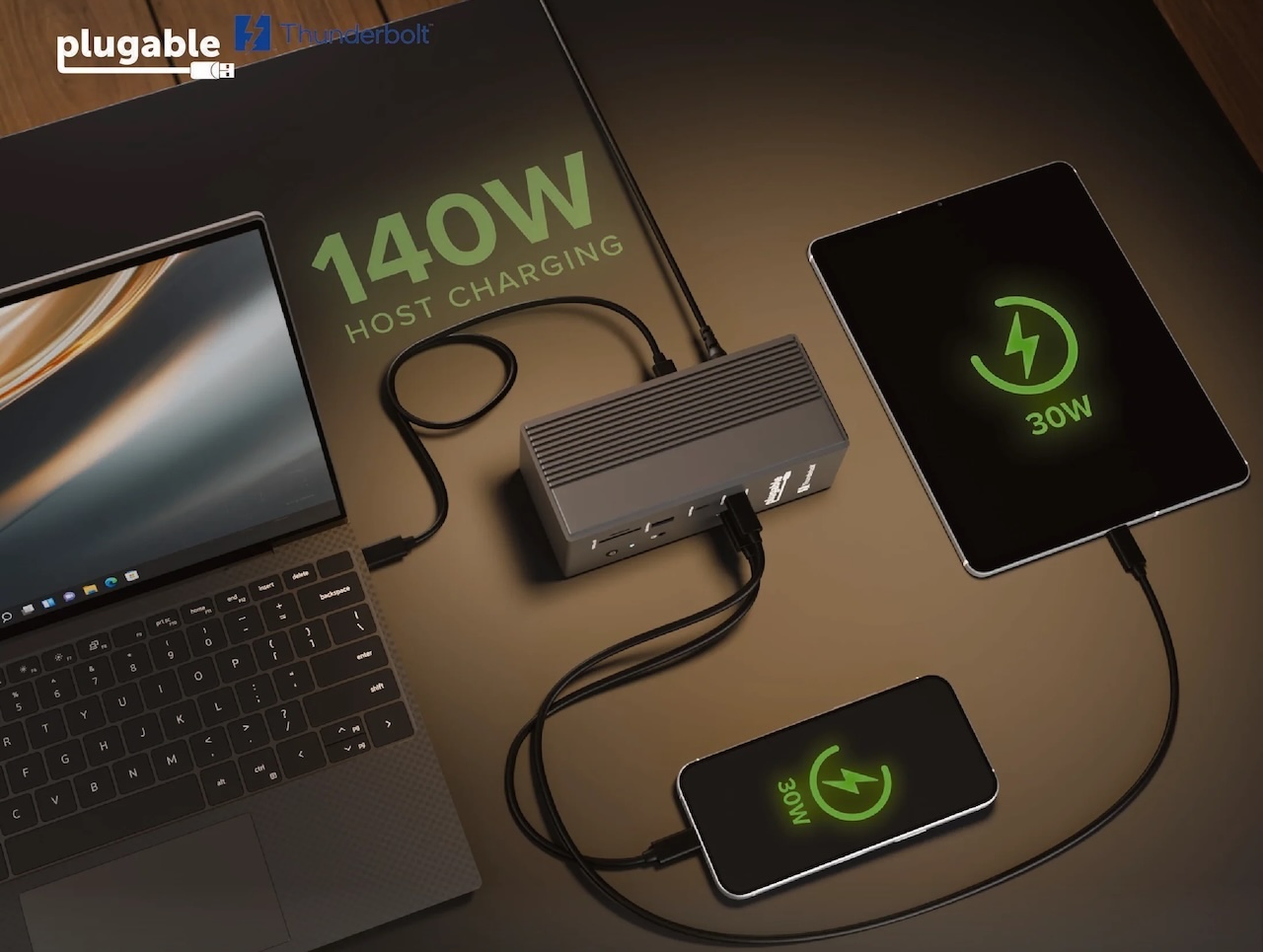
It’s the easy pick if you want the most Thunderbolt 5 speed for your money and don’t mind bringing your own HDMI adapters. Plugable earned a Macworld Best of 2026 award and a PCWorld Editors’ Choice badge. The weak spot: no built-in HDMI 2.1, so multi-HDMI setups need active adapters.
UGREEN Revodok Maxidok: 17-in-1 vs 10-in-1
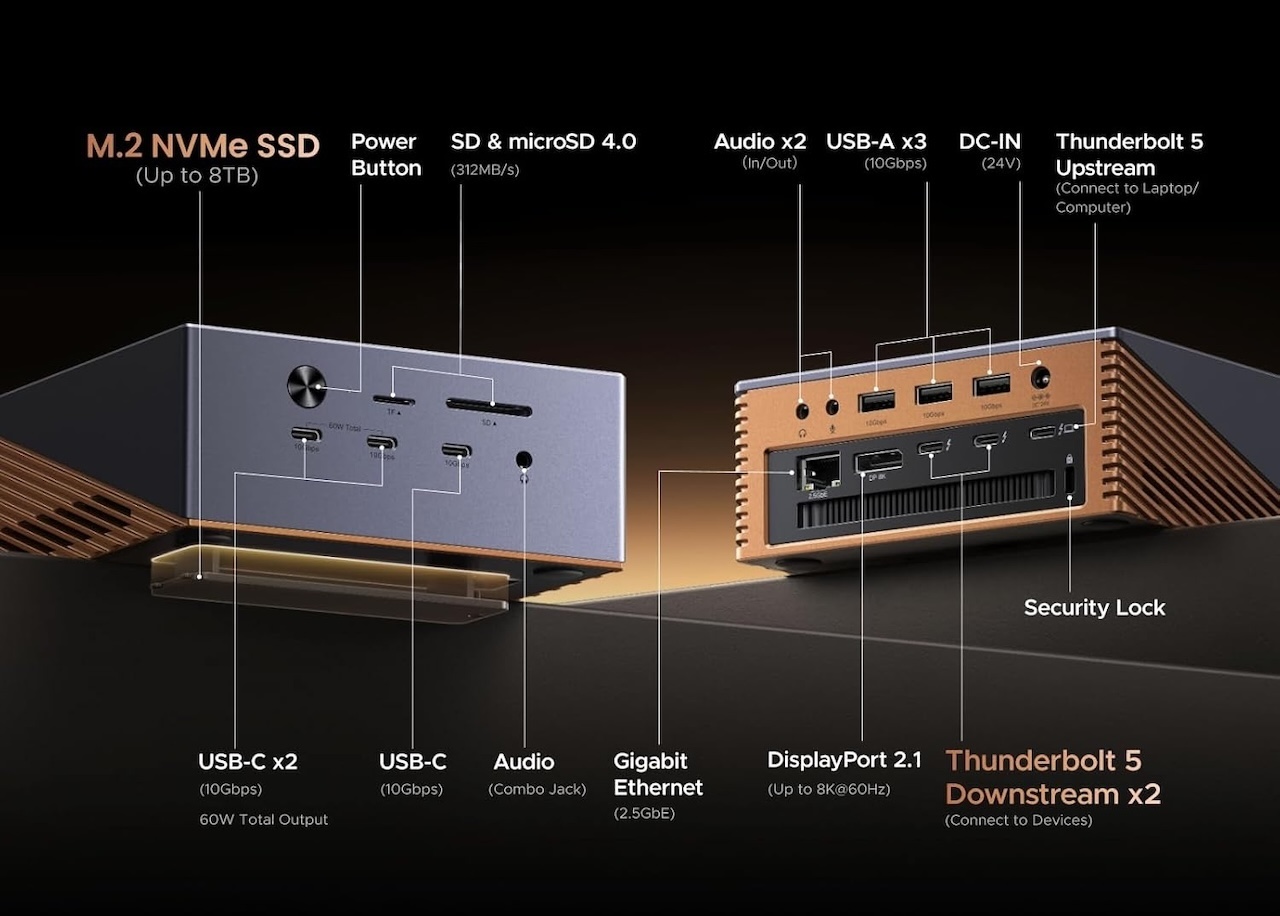 UGREEN is going wide. The Revodok Maxidok 17-in-1 is built for hot-desk setups and AV carts that need every port. You get up to three video outputs (one DisplayPort 2.1 plus two downstream Thunderbolt 5 ports), three USB-A 10Gbps ports, 2.5GbE, full-size SD and microSD, 3.5mm audio in and out, a built-in M.2 NVMe SSD slot, and 140W laptop charging. It sells for around $390 on sale and is about the size of a hardcover book.
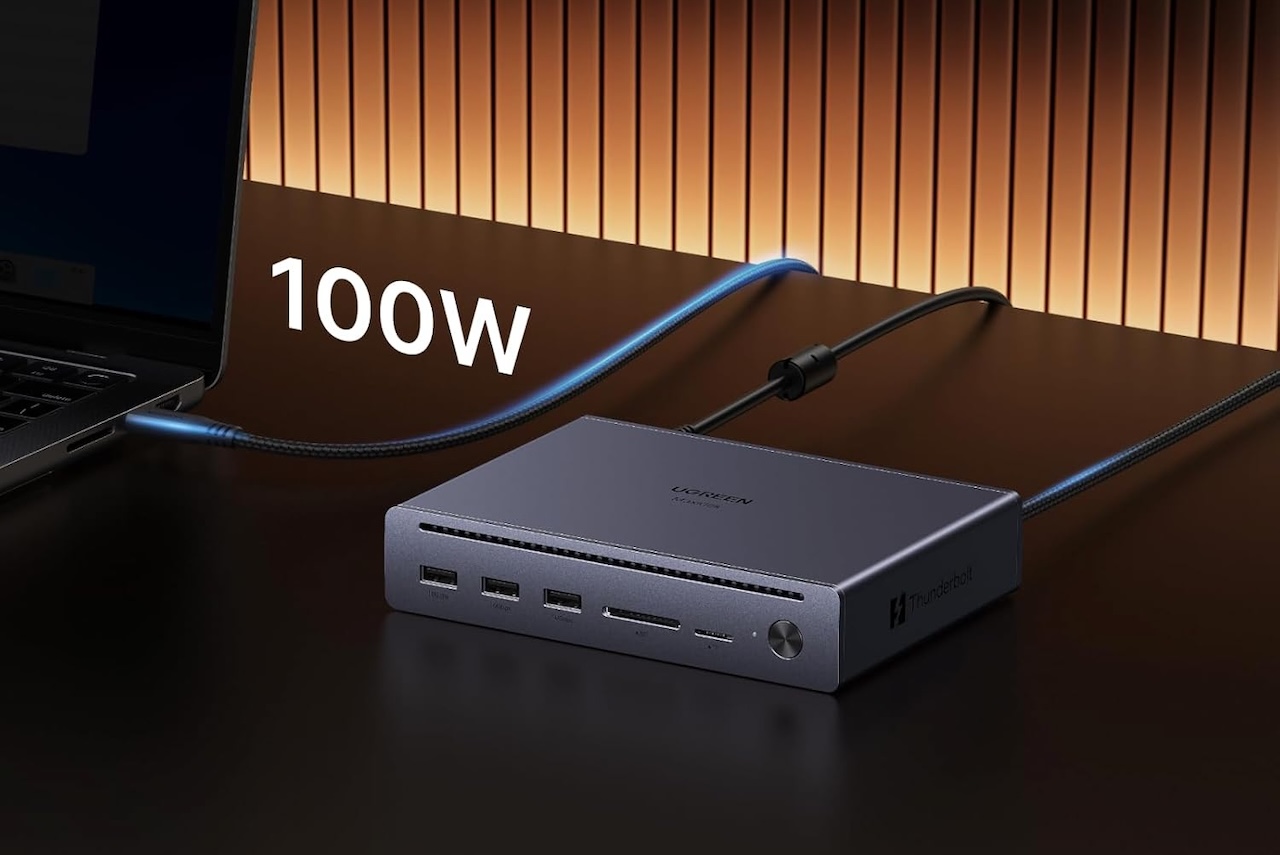
The Revodok Maxidok 10-in-1 is its more sensible little sibling at $229. You get one DisplayPort 2.1, three USB-A ports at 10Gbps, dual downstream TB5 ports, Gigabit Ethernet, and an SD/microSD card reader. It still supports Bandwidth Boost and charges your laptop at up to 100W (the dock’s 140W total power budget is split across all ports). There are just fewer ports and no HDMI, and the case is smaller.
Pick the 17-in-1 if you’re combining a podcast rig, capture card, several drives, and a wired headset onto one cable. Pick the 10-in-1 if your home office is mostly wireless. It’s also the cheapest Thunderbolt 5 hub for everyday use.
Real prices vs discounted TB4 docks
Here’s the catch: Thunderbolt 4 docks are cheap right now. CalDigit’s TS4 goes for around $340 on sale, and OWC’s Thunderbolt Hub sells for $140 to $170. Only two TB5 docks land in that range: Plugable’s TBT-UDT3 at $299.95 and UGREEN’s Revodok Maxidok 10-in-1 at $229. Both come in at or below a top-end TB4 dock. The Satechi CubeDock and UGREEN 17-in-1 cost $50 to $260 more, depending on which TB4 dock you compare them to.
The extra cost only pays off if you actually use the extra speed: two fast 4K monitors, one 8K monitor, or a fast external SSD. If your laptop docking station 2026 setup is just one 4K monitor at 60Hz and a few USB devices, a cheaper TB4 dock will feel the same day to day.
Who should buy now vs wait for fall
Buy now if you already have a TB5 laptop and a job that actually needs the speed. TB5 laptops include the M4 Pro/Max and M5 Pro/Max MacBook Pro, plus some Intel Core Ultra 200-series laptops from Lenovo, Dell, and Razer that use a separate TB5 chip. Speed-hungry work means a real Thunderbolt 5 workstation setup: video editors pulling RAW from external SSDs, developers running several fast monitors, or anyone tired of juggling two TB4 hubs.
Wait if your laptop only has TB4. There’s no reason to pay extra for TB5 if your laptop can’t use it. The full TB5 dock list is wider than this guide covers. CalDigit’s TS5 ($369) and TS5 Plus ($499) are on sale, and OWC sells three TB5 docks at the high end. We’re focused on Satechi, Plugable, and UGREEN because they cover the price range most readers shop in.
The one spec mismatch to check before buying a Thunderbolt 5 hub
Before you order, check whether your laptop’s TB5 chip supports Bandwidth Boost, the 120Gbps mode for displays. Some early TB5 implementations cap out at 80Gbps both ways, depending on the controller chip the laptop maker used. Those won’t drive the two 4K 144Hz monitors these docks promise. Check your spec sheet for “Bandwidth Boost” or “120Gbps display,” not just “Thunderbolt 5.” Buying a $400 dock that runs at TB4 speed because your laptop can’t keep up is the easiest mistake to avoid.
Which Thunderbolt 5 dock should you buy?
For most readers in mid-2026, Plugable’s TBT-UDT3 is the best Thunderbolt 5 dock for first-time buyers. It sits near the bottom of the TB5 price range, matches the highest downstream TB5 port count of any dock here, and the build holds up. Get the Satechi CubeDock instead if you were already going to buy a separate SSD enclosure. Move up to UGREEN’s Revodok Maxidok 17-in-1 only if you really need every port on the back.
Frequently Asked Questions
Is Thunderbolt 5 worth it in 2026?
Only if your laptop has Thunderbolt 5 and you actually push a lot of data. Two 4K 144Hz monitors, fast external SSDs, or 8K video work are the use cases that pay off. A regular work-from-home setup with one 4K monitor will feel the same on a Thunderbolt 4 docking station.
Is Thunderbolt 5 backward compatible with Thunderbolt 4?
Yes, with one caveat. Every Thunderbolt 5 dock here works with Thunderbolt 4 laptops and USB4 hosts at TB4 speeds. Thunderbolt 3 support varies by dock. Plugable’s TBT-UDT3, for example, does not support TB3 systems, so check the spec sheet before buying. You won’t get the 120Gbps Bandwidth Boost on anything older than TB5.
What laptops have Thunderbolt 5 in 2026?
The M4 Pro/Max and M5 Pro/Max MacBook Pro have native Thunderbolt 5. On Windows, Intel Core Ultra 200 series laptops support it through a separate Thunderbolt 5 controller chip, used in select Lenovo, Dell, and Razer models.
Do you need a Thunderbolt 5 cable for a Thunderbolt 5 dock?
For full speed, yes. A passive Thunderbolt 4 cable will work at TB4 speeds, but to hit 120Gbps Bandwidth Boost you need a certified Thunderbolt 5 cable. Most of these docks ship with one in the box.


Gadgeteer Comment Policy - Please read before commenting
The only expanded capability hub that fits my bill is the CalDigit T5 Plus with it’s 10GbE RJ45 Ethernet Port. All my Dell Workstations are Running 10GbE. My 3 Data-Center’s native backbone networks are 10GbE, 25/40GbE and the 100GbE for all Flash RAID GEN 6 Storage Units. That’s where the Dell PowerEdge Server’s Live.