
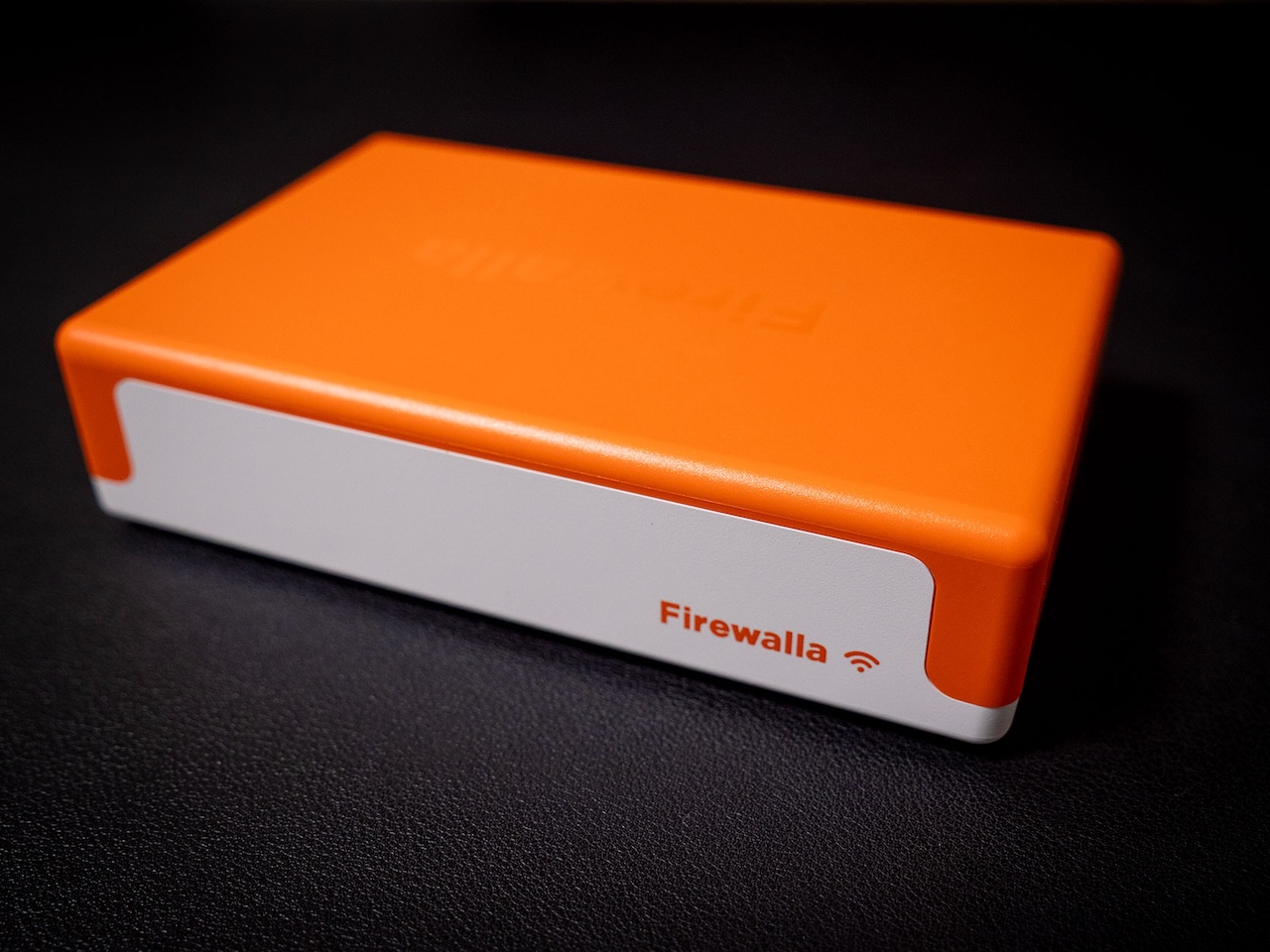
REVIEW – Every hotel Wi-Fi network is a trust exercise you’re losing. Connect a laptop to the hotel’s guest network, and within seconds your device has announced itself to every other machine on that shared subnet, broadcasting its name, services, and open ports to strangers you’ll never meet. I packed the Firewalla Orange on a recent trip to Japan specifically to test whether a 244-gram box could actually solve that problem, or whether “portable firewall” was just a marketing phrase stretched over a travel charger with ambitions.
Turns out, the Orange delivered on the core promise and complicated my expectations in ways the spec sheet didn’t warn me about.
What Firewalla Ships in the Box
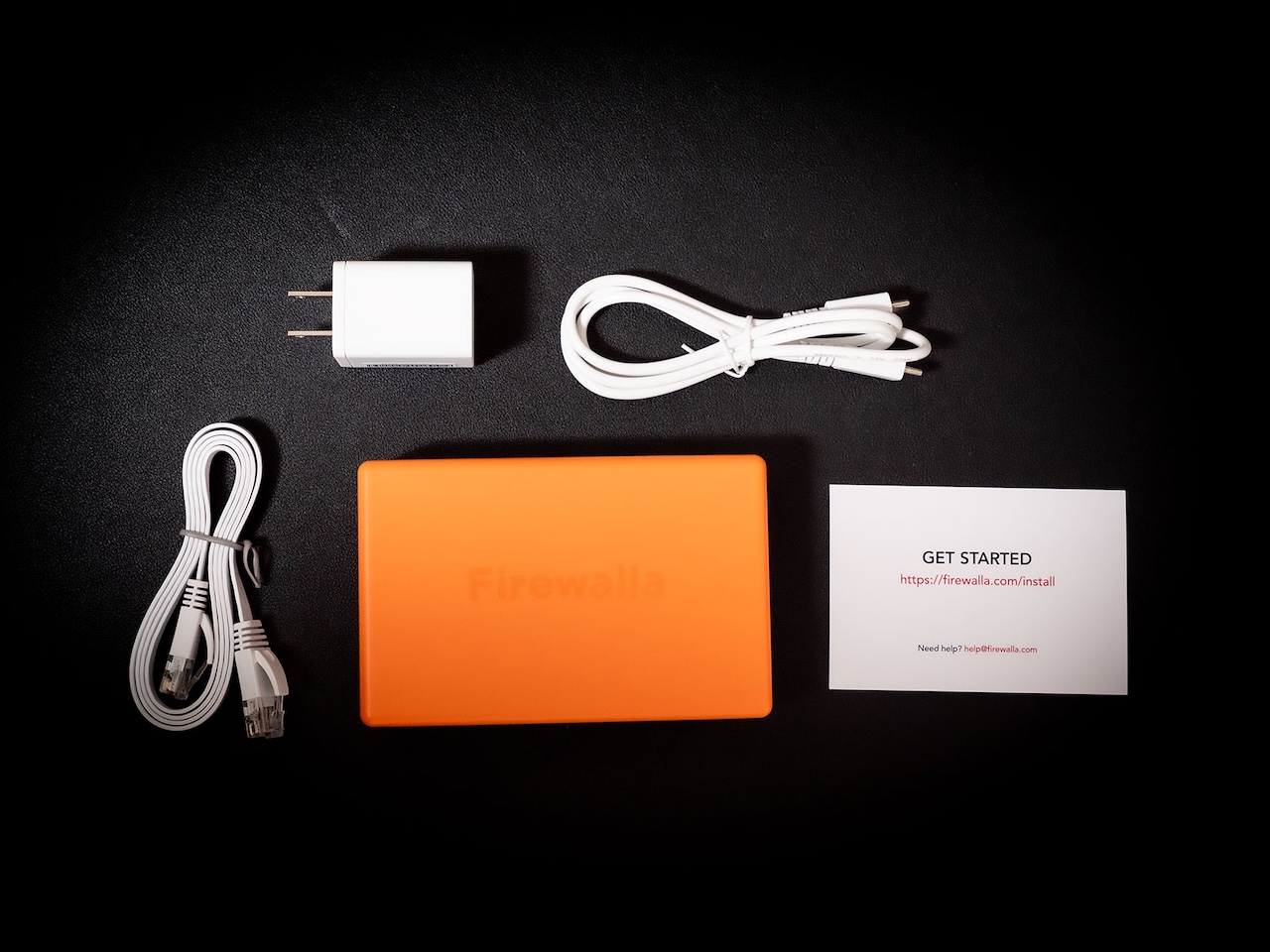
Open the packaging and the contents look almost too simple for a $339 security appliance. You get the Orange itself, a USB-C power cable, a compact wall adapter, a flat Cat6 Ethernet cable, and a card pointing you to firewalla.com/install. No thick manual, no setup CD, no mounting hardware.
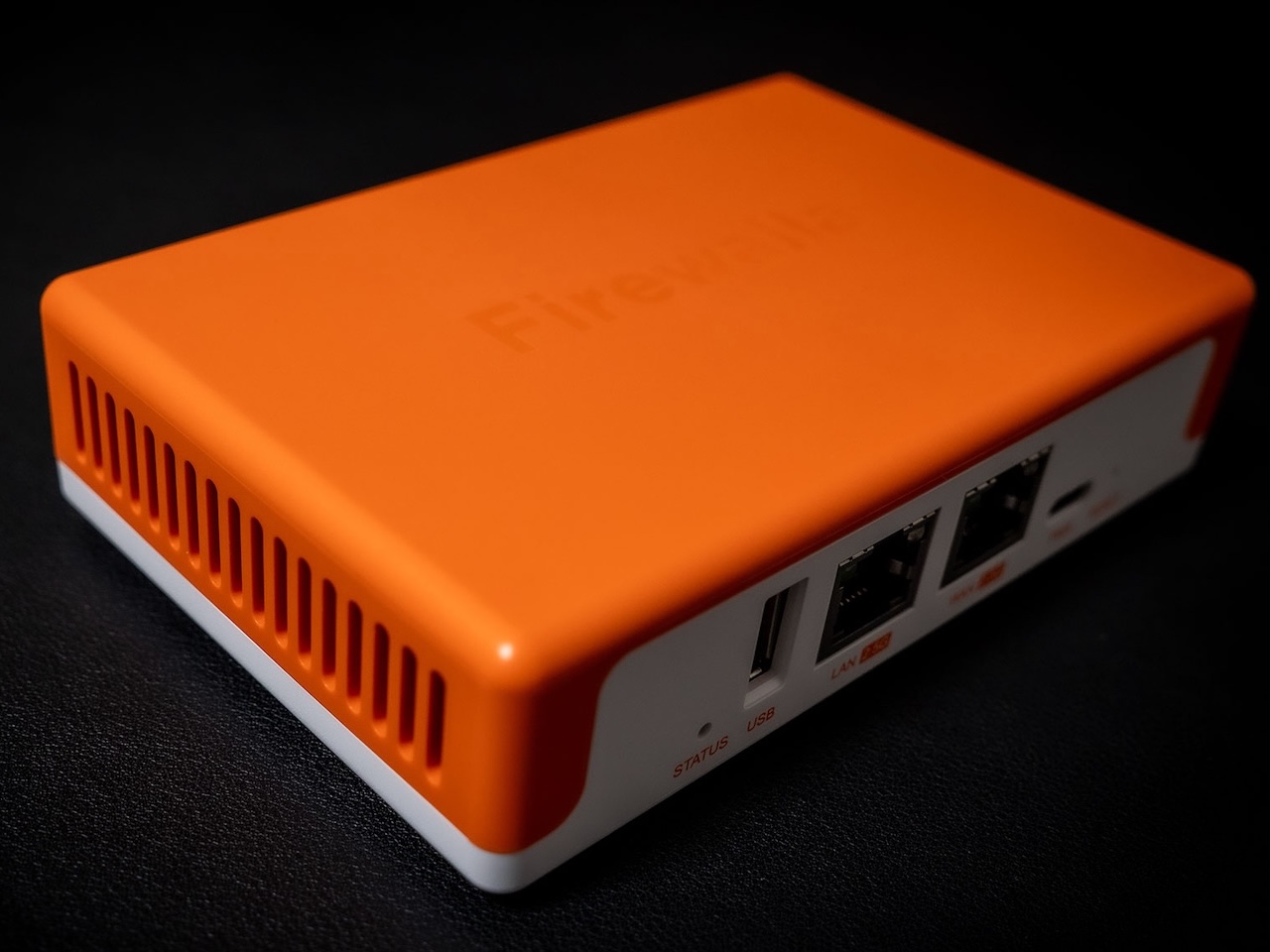
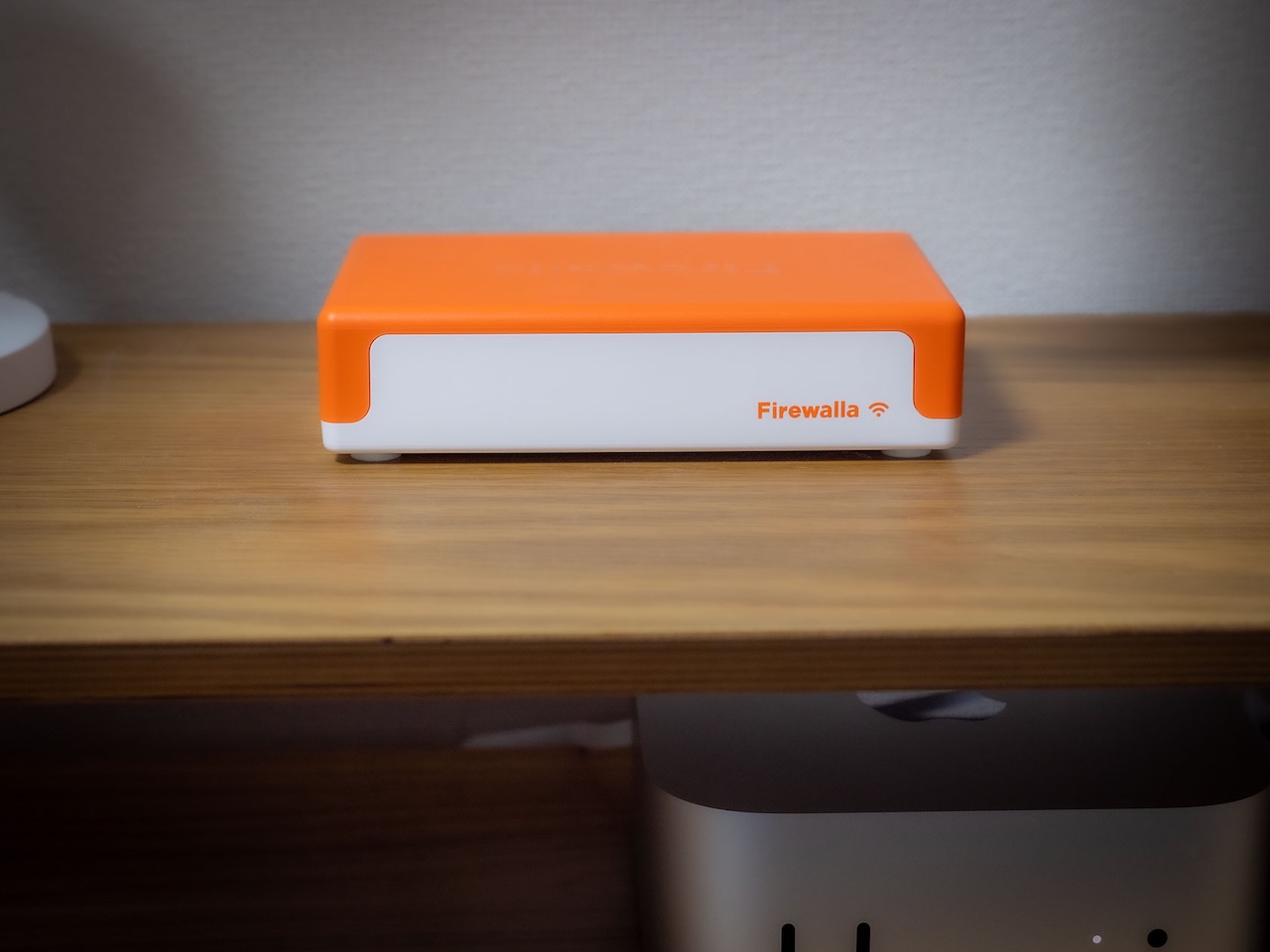
The device is smaller than a paperback novel at 12.8 x 8.3 x 3 cm, with an orange matte top shell that sits on a white plastic base. Firewalla’s branding is embossed into the orange lid, subtle enough that you’d miss it from across a desk. Ventilation slits run along the left side, and tiny rubber feet keep it from sliding on smooth surfaces. Picking it up, the 244 grams registers more like a smartphone with a case than networking gear. That physical lightness is the entire pitch: this box travels with you, and nothing about holding it contradicts that claim.
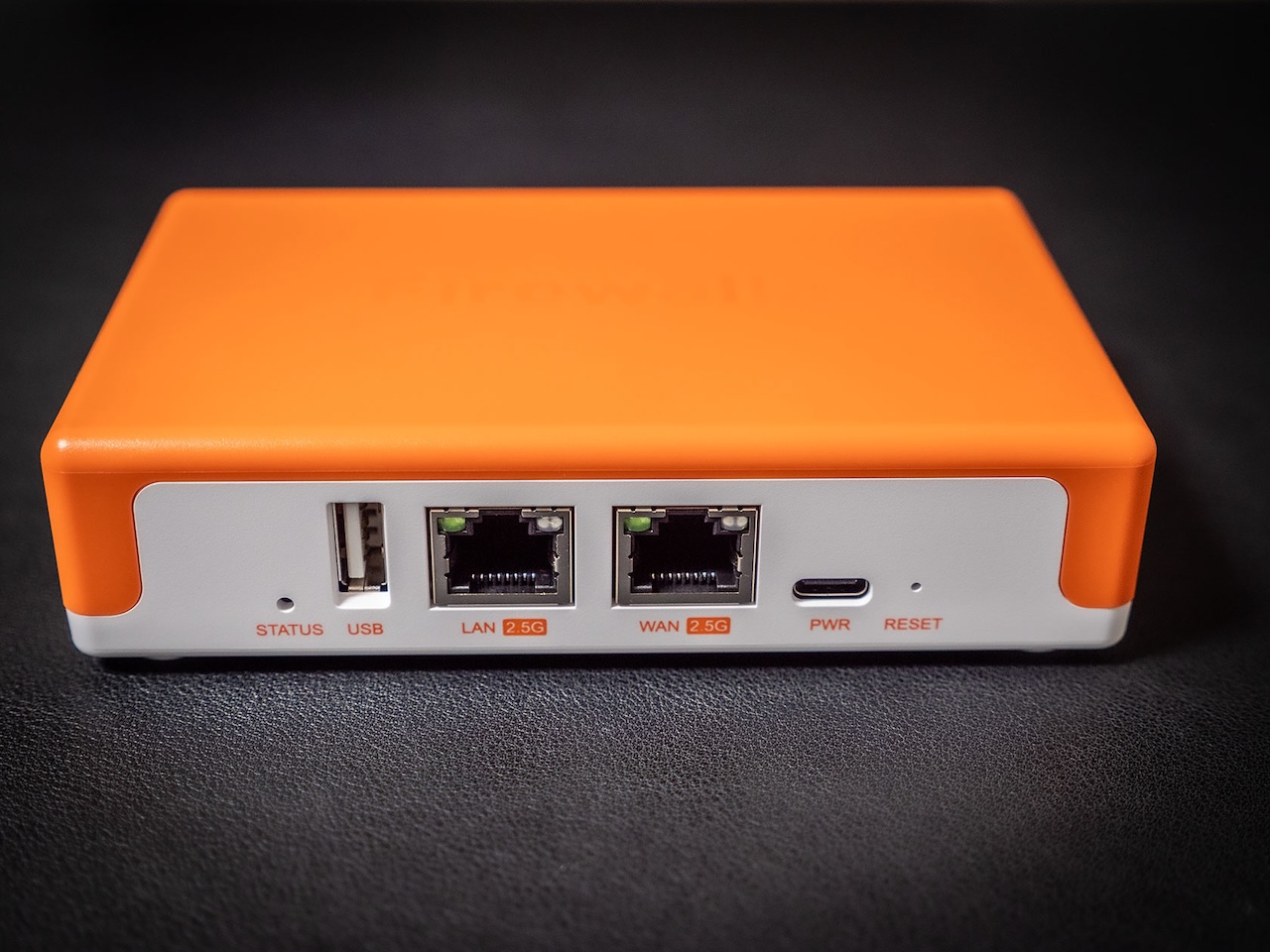
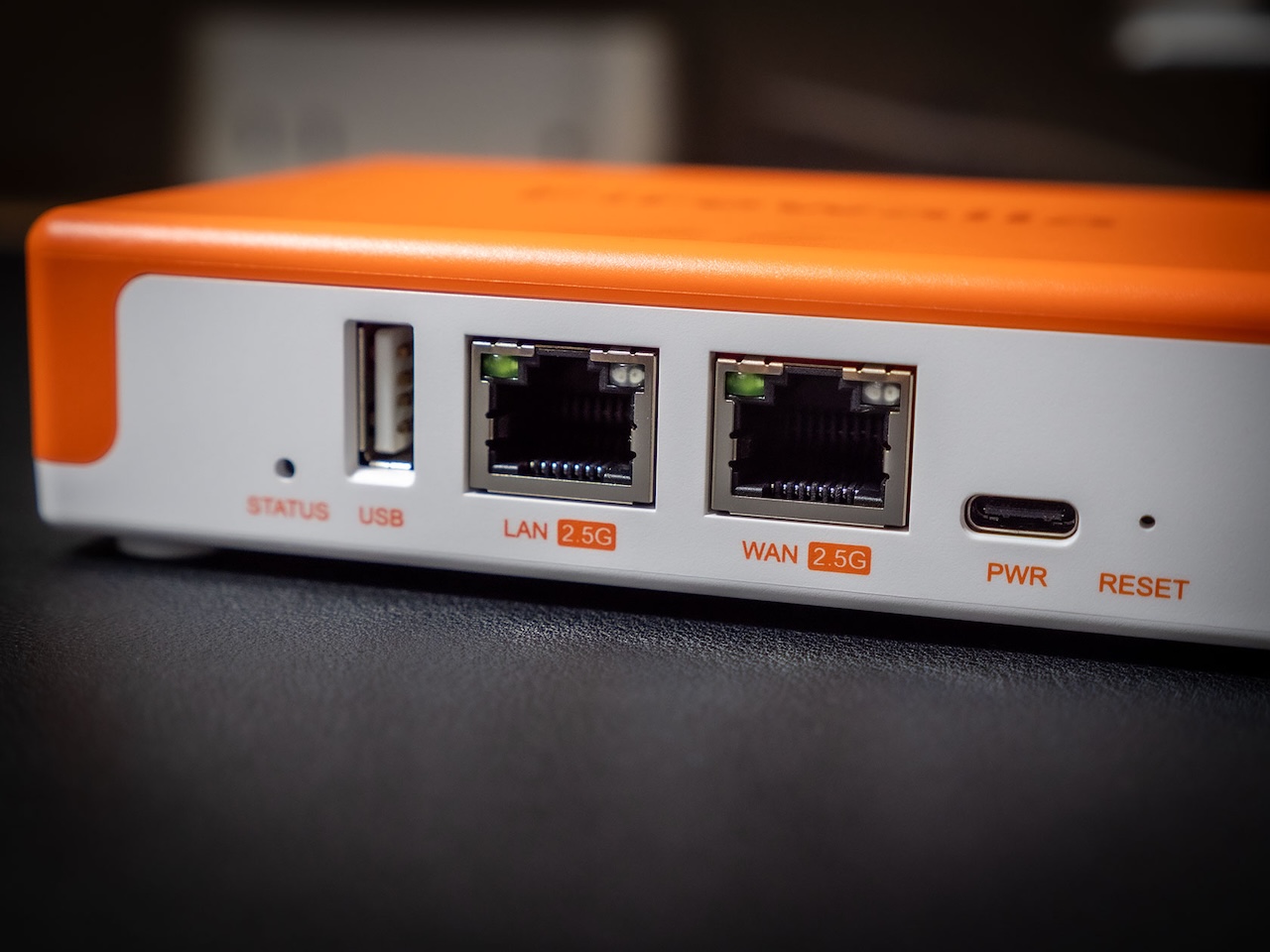
Around back, the port layout is left-to-right: a status LED pinhole, a full-size USB-A port, LAN and WAN Ethernet jacks (both labeled 2.5G in orange text), a USB-C power input, and a recessed reset button. Two ports. That’s it. Firewalla chose constraint over flexibility here, which means no dedicated IoT port, no spare LAN jack for a second wired device. For a travel-first product, the tradeoff makes sense. For someone trying to replace a home router with four LAN ports, it does not.
Setup Took 10 Minutes, With One Catch
Pairing the Orange to the Firewalla iOS app starts with scanning a QR code on the bottom of the unit. The app immediately asks whether you want to use it as a standalone router or add it to an existing network, a choice that determines how aggressively it takes over your IP management. I chose router mode for home testing.
From tapping “Add New” to seeing the “Welcome to Firewalla” confirmation screen, the whole process took about 10 minutes. That includes the provisioning phase (a “Setting Up” screen with a progress bar and bold “Do NOT unplug” warning) and a “Ready to Apply?” summary of preconfigured defaults: Smart Queue with video call prioritization for Google Meet, Teams, Webex, and Zoom; Active Protect set to Strict mode; and Ad Block also at Strict. You can review and adjust everything before the settings push to the device. That summary screen felt like the right call, letting me verify what the Orange was about to enforce on my network before any traffic flowed through it. Four minutes from box to functioning firewall is faster than most consumer routers manage, and the Orange doesn’t require a browser-based setup wizard or a desktop app to get there.
One catch surfaced right after setup completed. My iPhone triggered a “MAC Randomization Detected” warning, because iOS rotates Wi-Fi MAC addresses by default for privacy. Firewalla tracks devices by MAC address, so every time a device reconnects with a randomized address, it shows up as a brand-new unknown machine. The app offers a “How to turn off” link, but following Apple’s instructions to disable Private Wi-Fi Address for the Firewalla network means voluntarily weakening an iOS privacy feature to make your firewall work properly. That friction repeats for every Apple device, every Android phone with MAC randomization enabled, every privacy-conscious laptop. It’s not a showstopper, but for a product built around zero-trust principles, asking users to reduce device privacy to get accurate device tracking feels like a philosophical contradiction the firmware should eventually resolve through fingerprinting or other identification methods.
Wired Performance on 2 Gbps Fiber
Connected directly to my 2 Gbps fiber line via Cat6e with QoS disabled, the Orange pulled 1,720 Mbps down and 1,380 Mbps up. Those numbers landed close enough to my Unifi Gateway Fiber that the Orange wasn’t meaningfully throttling throughput on a wired connection. Firewalla claims “greater than 2 Gbps” packet processing from the 4-core 64-bit ARM CPU, and while my ISP plan doesn’t saturate that ceiling completely, the 1,720 Mbps download result suggests the hardware can push traffic at the speeds the spec sheet promises without becoming the bottleneck.
Wi-Fi 7 performance told a different story, though not a disappointing one. With the Orange tucked into a closet about 26 to 33 feet from my phone (one drywall partition between us), the built-in Wi-Fi Test tool reported 183.5 Mbps download. That’s respectable for a single-antenna travel device broadcasting through a wall, but it makes clear that the Orange’s wireless radio is a convenience feature, not a replacement for a dedicated access point or mesh system. Your home router’s Wi-Fi will almost certainly be faster. The Orange’s Wi-Fi exists so you can create a protected network anywhere, including places where you have no Ethernet access at all, and on that basis it performs well enough to stream 4K video, run video calls, and browse without noticeable latency.
Peninsula Tokyo: The Real Test
Hotel Wi-Fi is where the Firewalla Orange stops being an interesting gadget and becomes a tool that earns its price. I plugged the Orange into USB-C power in my hotel room, opened the app, tapped through the “Set up a wireless connection?” prompt, and selected the Peninsula’s guest network from a list of detected SSIDs. The hotel’s captive portal loaded within the Firewalla app itself, I entered my room credentials, and the Orange was online.
From that moment, every device I connected to the Orange’s own Wi-Fi network sat behind a full firewall, IPS, and ad blocker instead of hanging naked on the hotel’s shared subnet. Speed tests through the Orange showed 151 Mbps down and 76 Mbps up, which actually exceeded what I expected from a hotel connection being double-NATed through a pocket-sized intermediary device. The experience felt indistinguishable from a normal Wi-Fi connection, just filtered through a security stack that the hotel’s own network lacked entirely.
I also configured the WireGuard VPN client to route through our company’s VPN server, applied it to two devices, and confirmed a stable connection. For anyone who needs to access region-locked services or route sensitive work traffic through a trusted endpoint while abroad, the VPN client setup takes about two minutes and sticks between reboots. Checking the dashboard after a day of use, the Orange had processed 56 flows and blocked 15 of them (a 26.8% block rate) between ad blocking and Active Protect rules. Those blocked connections included tracking domains and ad networks that would have run silently in the background on an unprotected hotel connection.
The app does a lot, but it asks a lot too
Firewalla’s iOS app packs an unusual amount of control for a consumer networking product. Beyond the main dashboard (which shows flows, blocked connections, and a 30-day traffic graph), you can drill into individual device monitoring with live throughput data, configure per-device or network-wide controls for Internet, Gaming, Social, Video, and Porn blocking, toggle Safe Search enforcement, set up Family mode, and manage DNS services. The VPN Client screen supports OpenVPN, WireGuard, and AnyConnect connections with per-device routing policies.
Active Protect runs in Single Engine mode with IPS/IDS threat detection, and a separate Firewalla AI toggle enables machine-learning analysis of alarms, unknown domains, and device identification.
The depth is impressive if you already know what IPS rules and DNS-over-HTTPS mean. The app doesn’t hold your hand through these features, though. Strict mode ad blocking, for example, will break certain websites and apps that depend on first-party ad domains for functionality. The app tells you “It may take a few minutes to take effect on your devices, depending on the TTL settings of your DNS server,” which is accurate but assumes you know what TTL and DNS caching mean. Firewalla has positioned the Orange as a product for security-aware mobile professionals, and the app’s information density reflects that target audience. A less technical user could run the defaults and benefit immediately from the ad blocking and threat protection, but customizing the feature set requires networking literacy that goes beyond what most consumer routers demand.
Should you carry a firewall in your bag?
The Firewalla Orange costs $339 with no monthly fees, which puts it in an awkward price bracket. It’s more expensive than a quality travel router like the GL.iNet Beryl AX ($80) but less capable as a pure Wi-Fi device. It’s far cheaper than buying a dedicated home firewall and a separate travel router, and the zero-subscription model means the total cost of ownership stays flat after purchase.
What the Orange actually replaces is the nagging compromise of connecting to networks you don’t control. Every airport lounge, every hotel lobby, every coworking space Wi-Fi network runs on trust you can’t verify. The Orange eliminates that uncertainty in about 2 minutes of setup time per new location: plug in USB-C power, join the local Wi-Fi through the app, and your devices sit behind a real firewall with IPS, ad blocking, and optional VPN routing.
Wired performance at 1,720 Mbps down proves it can also serve as a capable home firewall for anyone on a multi-gigabit connection, though the two-port limitation and modest Wi-Fi range (183.5 Mbps through one wall at 30 feet) mean it’s not trying to replace a full home router setup. It’s trying to be the security layer you add in front of one. The MAC randomization friction deserves attention in a future firmware update, because asking privacy-conscious users to weaken device privacy to use a security product creates exactly the kind of tradeoff the Orange was designed to eliminate. At $339, Firewalla is betting that the people who understand why hotel Wi-Fi is dangerous are the same people willing to pack one more small box in their carry-on. Based on my week between home testing and a Tokyo hotel room, that bet pays off.
The sample for this review was provided by Firewalla. Firewalla did not have a final say on the review and did not preview the review before it was published.

Gadgeteer Comment Policy - Please read before commenting
I have the Firewalla Gold Plus at home and love it! The best firewall there is IMHO!
This is a very informative blog for me. I very much benefited from reading this blog. Keep sharing.