Lenovo closed its Innovation World keynote with a simple message from Luca Rossi, president of Lenovo’s Intelligent Devices Group: AI shouldn’t live inside one device. His point was that people shouldn’t have to think about where the intelligence comes from. Sometimes it belongs on the device, sometimes in the cloud, and sometimes across both. For the user, it should simply work.
That’s the strategy behind Lenovo’s IFA 2026 announcements. The company is trying to move AI from a destination users open on one machine into an experience that follows them across PCs, phones, tablets, wearables, and the tools where their work already lives.
The devices give that idea something concrete to stand on. Lenovo’s new Yoga laptops put substantial local computing power in a portable frame. Its tablets start with a pen and a blank canvas. IdeaPad and IdeaCentre bring the design to everyday buyers, Motorola takes it into a pocket or onto a wrist, and the Think portfolio brings it to the office. Even the rollable and ultra-light concepts ask how a device could adapt to the work instead of making the user adapt to the device.
Qira is one part of this launch: Lenovo’s ambition is to carry context between supported devices and services. The wider lineup also includes displays, accessories, security tools, and hardware concepts with their own purposes. Here’s what each announcement brings, and where planned retail products end and concepts begin.
Qira connects supported devices, while the hardware has its own job
The Innovation World keynote framed personal AI as something that should follow a person across devices rather than live inside one application. Lenovo’s demonstration connected the idea to familiar information: email in Gmail and Outlook, notifications, and notes in Notion. Finding something you already saved is a more concrete use for an assistant than asking it to generate another generic answer.
Lenovo Qira is the software thread running through supported PCs, tablets, phones, and wearables. Through integrations powered by Workato, Lenovo aims to connect Qira with the email, calendar, and collaboration services people already use. The Yoga announcement extends that idea to carrying context between stages of a creative project. Those capabilities depend on compatible devices, configurations, markets, languages, and services. Buying any Lenovo product doesn’t automatically unlock the whole experience.
That distinction also helps explain the hardware. The new portfolio ranges from systems built to run demanding AI models locally to inexpensive ways of making everyday work more comfortable. Not every buyer needs a local model running on a laptop. Plenty will care more about a better pen, an adjustable desktop screen, or a watch that can take a call without the phone.
Yoga Pro 9n and Yoga 9n 2-in-1 give creators two different choices
Editing video, building software, and working with AI models on the laptop itself are the jobs Lenovo has in mind for the Yoga Pro 9n (15-inch, Gen 11). Its NVIDIA RTX Spark hardware supports up to 128GB of 9400 MT/s unified memory on select configurations. That capacity is aimed at demanding local workloads, including 3D rendering and RTX gaming, rather than everyday browsing.


You’ll work on a PureSight Pro OLED display, with a pen-enabled haptic Force Pad offering another input surface beside the keyboard. Lenovo X Power cooling and a 9.2MP IR camera round out the setup. The question for this portable creator machine is how well it handles those workloads while balancing heat, battery life, and software compatibility. Those answers need testing.
If your work moves between typing and drawing, the Yoga 9n 2-in-1 (16-inch, Gen 11) offers a different approach. Fold its 360-degree hinge to draw on the OLED touchscreen, or keep it open and use the haptic Force Pad for pen input without reaching across the screen. It also uses NVIDIA RTX Spark, with up to 64GB of 9400 MT/s unified memory.


The 16-inch panel supports a variable refresh rate up to 120Hz. A six-speaker Dolby Atmos system includes a rotating soundbar that keeps its tweeters facing forward across different positions. The Yoga Pen Gen 2 adds tilt sensitivity, palm rejection, low-latency input, and customizable controls. Lenovo notes that the Force Pad supports AES 1.0 even though the pen supports up to AES 3.0, so the two drawing surfaces shouldn’t be assumed to behave identically. Pricing and availability for both laptops remain unannounced.
Two Yoga tablets bring the pen-first approach down in size
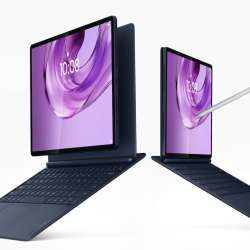
A larger drawing surface is the reason to look at the Yoga Tab Plus Gen 2. Its 13-inch 4K PureSight Pro display gives illustrations, notes, and editing tools more room than the smaller Tab. Snapdragon 8 Elite powers it, and an available magnetic clamshell keyboard provides a place to type when the job calls for more than a pen. Harman Kardon audio handles the entertainment side.
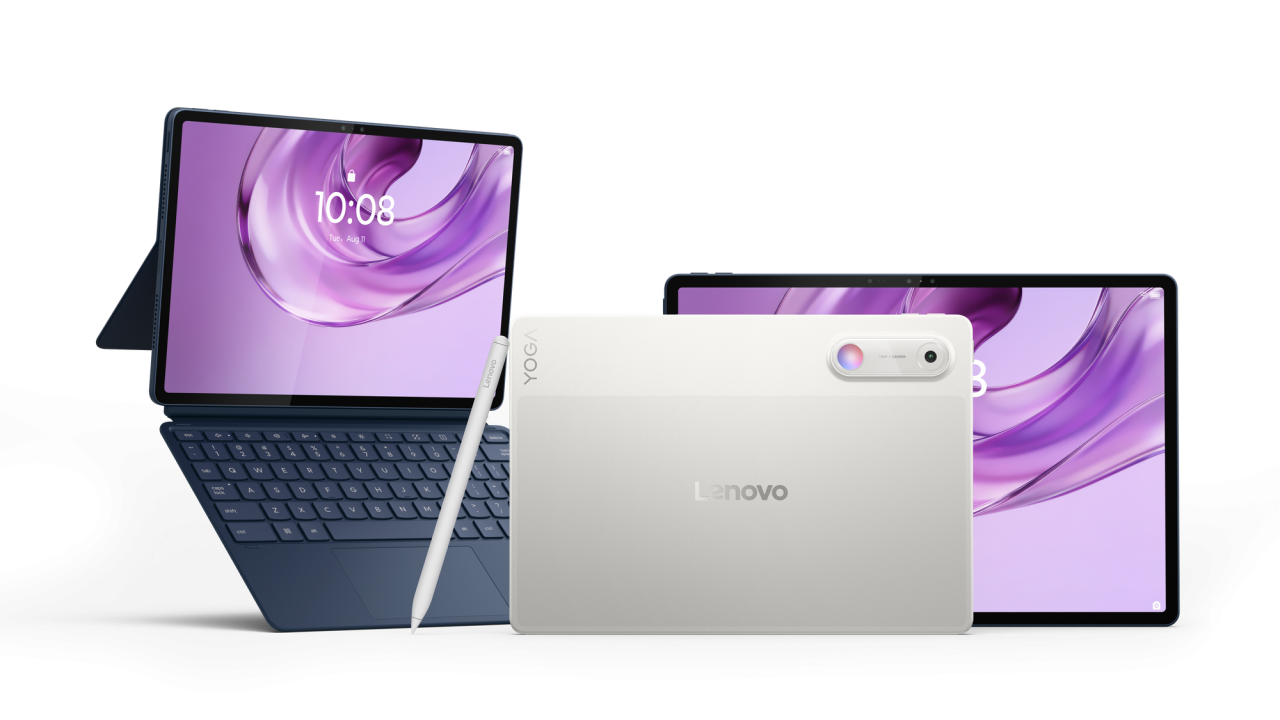
The Yoga Tab Gen 2 is easier to fit into a smaller bag: it has an 11-inch screen and weighs 480g. MediaTek’s Dimensity 9500s powers this more portable option, with a detachable 2-in-1 keyboard pack for switching between handheld use and typing. You’re choosing a smaller workspace, not giving up the lineup’s pen, voice, camera, and touch approach.
The Tab Pen Pro 2 gives both tablets familiar drawing controls: pressure and tilt input, palm rejection, a squeeze gesture to select, and a flip gesture to erase. It supports 8,192 pressure levels. AI Note, Live Transcript, Lenovo AI Vision, and Qira make up the software offering. For anyone planning to keep a tablet for years, Lenovo lists Android 17 at launch, seven OS upgrades through Android 24, and security support through 2033. Schedules and feature availability still depend on the device and market.
The expected starting prices are $999.99 for Yoga Tab Plus Gen 2 and $729.99 for Yoga Tab Gen 2, with both expected from September 2026. That puts the smaller Tab $270 below the Plus at their announced starting prices. Keyboards and package contents vary by market.


IdeaPad Vibe makes the mainstream laptop less anonymous
The IdeaPad Vibe gives mainstream laptop buyers a choice of 14-inch or 15-inch sizes, but the processor choice also changes what you can upgrade. AMD versions go up to Ryzen AI 400 Series processors and have two memory slots supporting up to 32GB. Qualcomm versions use Snapdragon X, with select models offering up to 24GB of memory and metal chassis designs starting at 1.3kg. Intel versions will follow later.


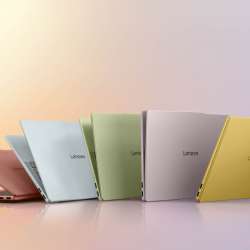
There’s more personality here than the usual grey laptop, with Dreamy Violet, Spicy Gold, Zen Green, Chill Blue, Radiant Coral, Moody Blue, and Lowkey Grey spread across the range. Optional swappable keycaps let you change the look further. Pick the screen before getting attached to a finish, though: OLED options are limited to Lowkey Grey and Moody Blue. Available IPS configurations reach 120Hz, and the choices vary by model.
Dual SSD slots provide room for storage expansion, while USB-A, USB-C, HDMI, microSD, and audio connections cover a range of peripherals. The upgraded or maximum specifications don’t apply uniformly across both processor families. AMD models are expected from October 2026 at $699.99, with Qualcomm versions following in November at $699.99.
IdeaCentre AIO i brings color and adjustability to the shared desktop
A computer shared around the house needs to fit the space and the people using it. The IdeaCentre AIO i comes in 23.8-inch and 27-inch versions, with a colorful design and slimmer rear housing for a study, kitchen, or home office. Both sizes use Full HD screens with refresh rates up to 120Hz, powered by Intel Core Series 3 processors.


You can raise the screen by 30mm and tilt it from minus 5 to 15 degrees to adjust its position. Six USB ports provide room for peripherals, and HDMI input and output give you options for connecting other equipment or a display. Touch, wireless charging, and an up-to-5MP IR camera with a physical shutter are optional, so check the configuration rather than assuming they’re included. The 27-inch version supports up to 32GB of LPDDR5x memory.
The color-matched Lenovo Essential Wireless Combo Gen 3 Keyboard & Mouse completes the coordinated setup, but it’s sold or provided separately depending on the market. Adaptive Lighting is also a future OTA feature, not something buyers should assume works at first boot. Starting prices are expected to be $939.99 and $1,149.99, respectively, from November 2026.
Motorola Edge 70 Plus concentrates on the camera and battery
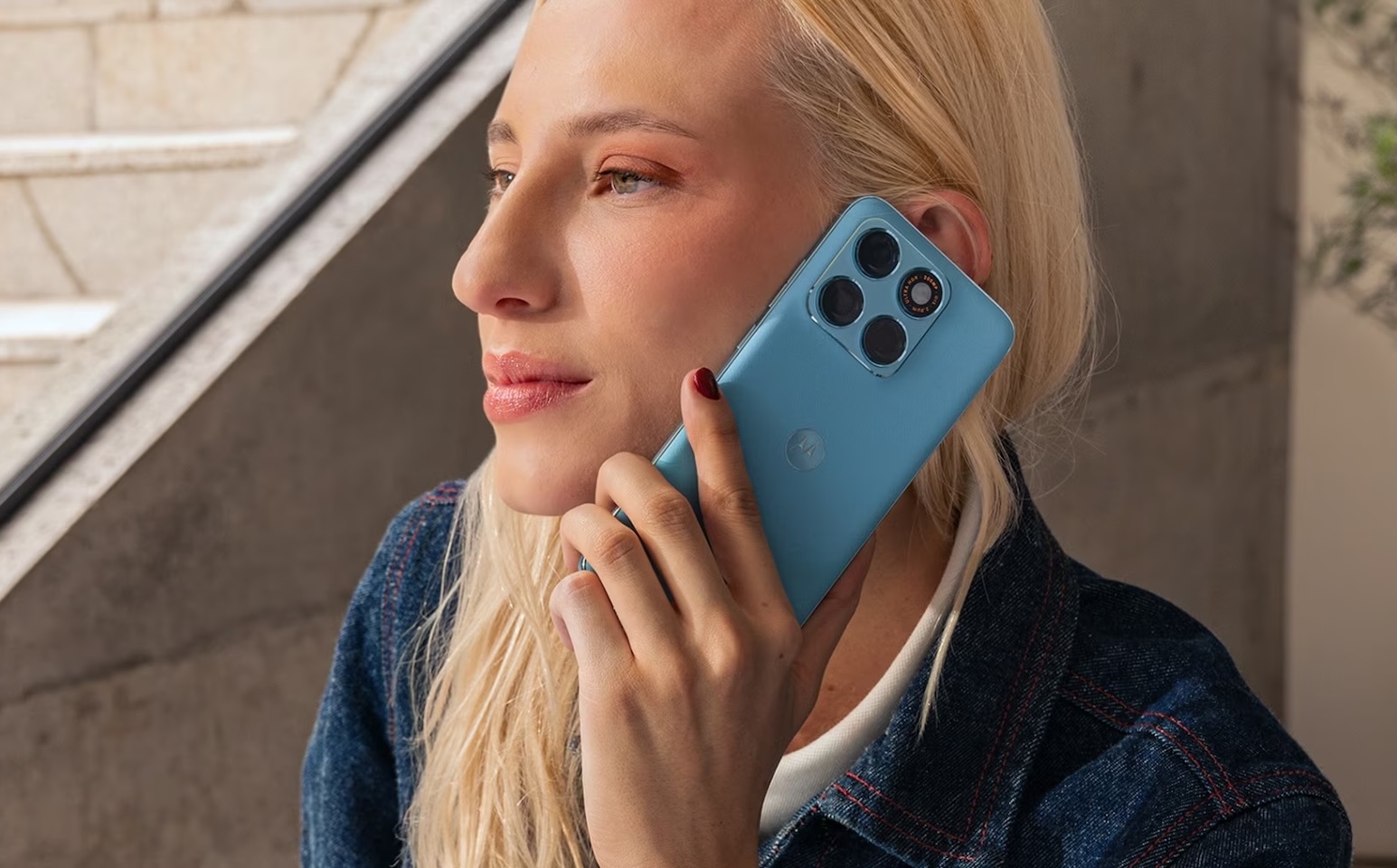 Photography is the main pitch for the Motorola Edge 70 Plus, led by a 200MP camera with optical image stabilization. A dedicated macro camera covers close-up subjects, while a 32MP front camera handles selfies. Motorola calls its zoom feature 10x Super Zoom; that doesn’t mean there’s a dedicated 10x optical telephoto lens. The camera’s real appeal will depend on the photos it produces, not the megapixel count alone.
The other draw is a 6,500mAh battery with 45W TurboPower charging. For games and video, there’s a large 6.78-inch AMOLED display running at up to 144Hz, backed by Snapdragon 7s Gen 3 hardware and vapor-chamber cooling. Memory is 8GB, with 128GB or 256GB of storage. Pantone Mountain View, Gray Lilac, Milky Blue, and Sage finishes use silk-inspired, acetate, or leather-inspired textures, giving the phone a choice of looks as well as colors.
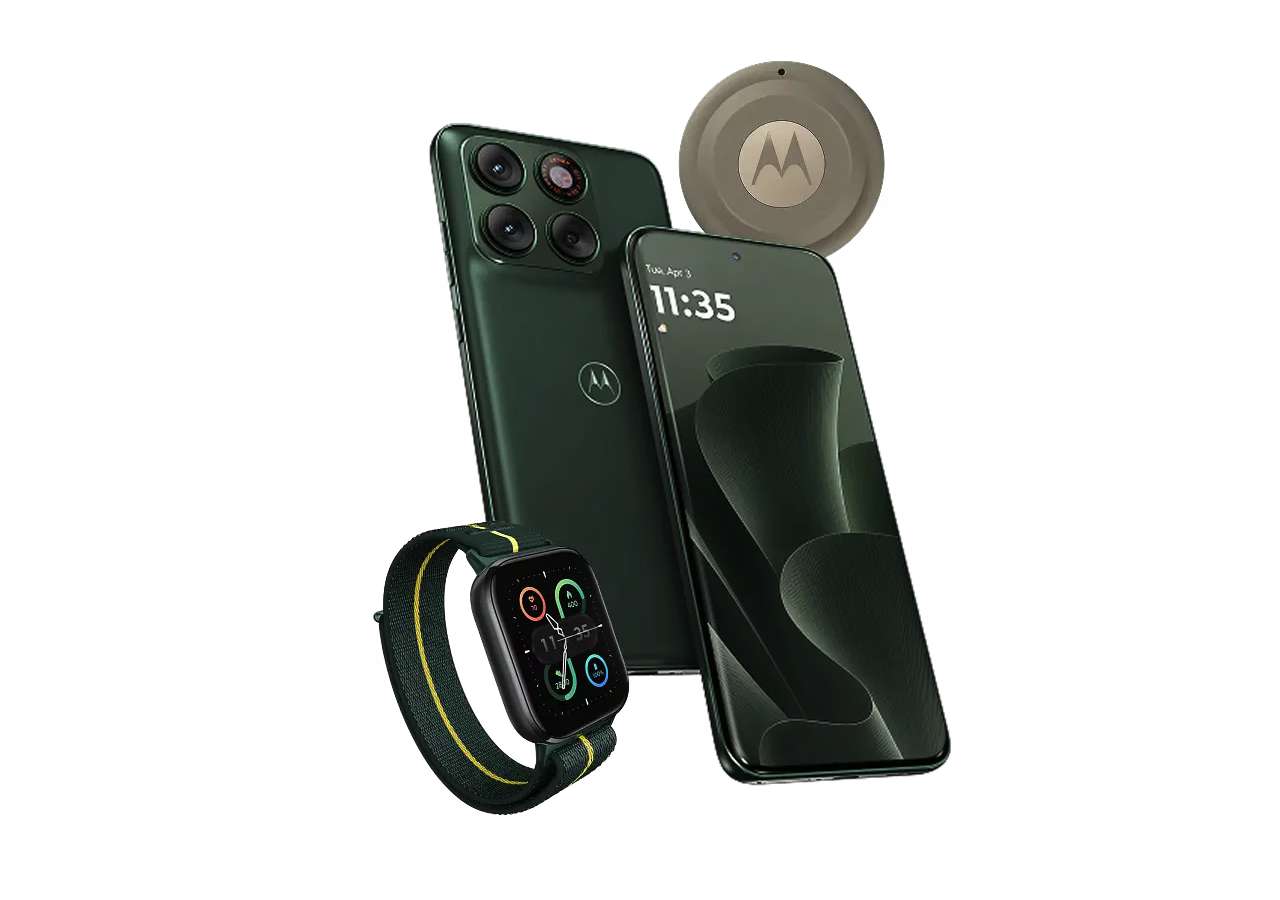
Bypass charging is the feature gamers should look at closely. When enabled in Gametime and after reaching a selected battery threshold, the phone can draw power directly from the charger. It’s optional, off by default, and dependent on charging conditions, so it isn’t a blanket promise of lower temperatures in every game.
Motorola says the Edge 70 Plus will reach select European and Middle Eastern markets in the coming weeks. U.S. availability and pricing haven’t been announced in these launch materials.
Razr with Crystals by Swarovski turns the foldable into a design statement
For someone who wants their phone to double as an accessory, the Motorola Razr with Crystals by Swarovski makes its case through the finish. Identified as Razr 70 in the international briefing materials, this Brilliant Collection edition pairs Pantone Meteorite with a quilted, leather-inspired surface. It carries 35 hand-positioned Silver Night crystals on the body and a separate, larger 32-facet crystal on the hinge.


You can use it while it’s closed: the 3.6-inch outer screen can run full apps without unfolding the 6.9-inch internal AMOLED display. A dual-50MP camera system and 4,800mAh battery sit underneath the styling. The reason to choose this edition is its design, rather than a different performance tier.
Motorola lists selected markets in North America, Europe, the Middle East, Turkey and Africa, and Latin America. Exact country availability and pricing remain local announcements. A clear protective case is included in select regions, so that detail also needs to be checked for the version being sold.
Moto Watch Ultra adds LTE, Wear OS, and Qira at the wrist
Leaving your phone behind doesn’t have to mean missing calls and messages. That’s the appeal of the Moto Watch Ultra, Motorola’s first LTE watch. You’ll need a cellular plan and a supported regional carrier for independent connectivity. Wear OS, Polar health and fitness insights, and Motorola Qira bring apps, activity tracking, and AI features to the same watch, though they don’t all work independently of a phone.
Polar’s tools look at both activity and recovery, covering sleep stages, overnight recovery, breathing exercises, calorie estimates, and training intensity. Running Coach adds guided running and walking workouts, while dual-band GPS supports outdoor tracking. Google Wallet and Wear OS apps give it everyday uses beyond exercise.
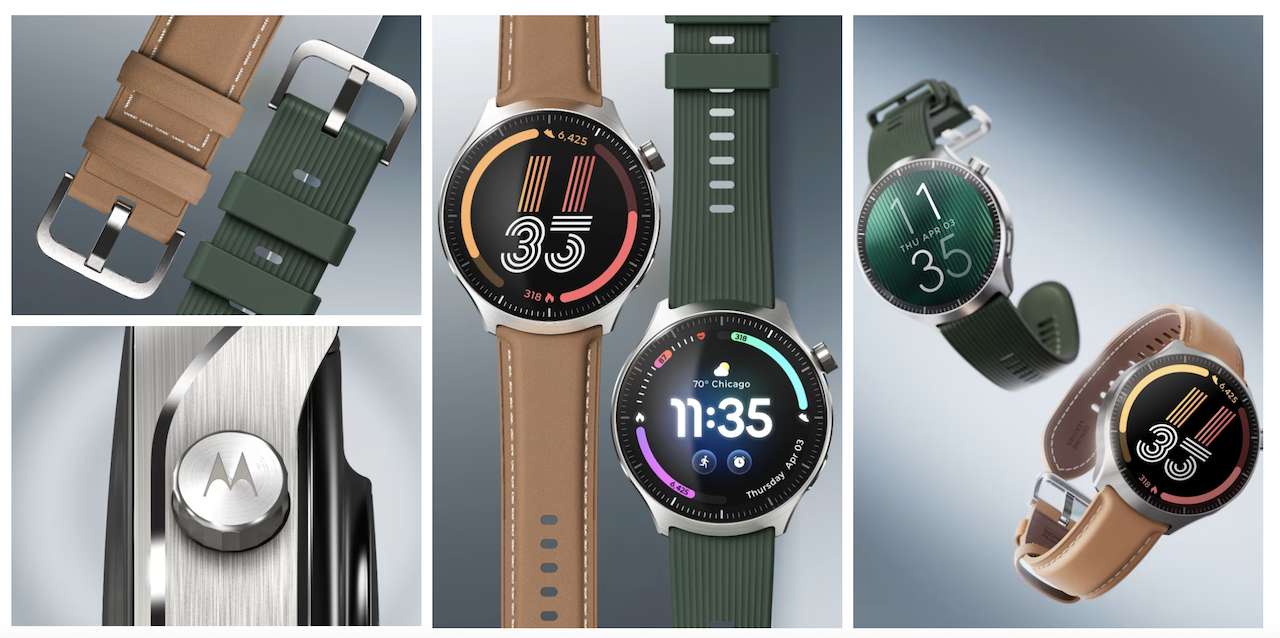
The watch has a 1.5-inch OLED display rated up to 2,700 nits, a 46mm stainless-steel body, Snapdragon W5+ Gen 1 hardware, and compatibility with standard 22mm straps. Motorola claims up to two days of active use with the always-on display disabled. Qira requires a Motorola account and an active connection to a compatible device; the presence of LTE doesn’t mean every cross-device AI feature operates independently.
Starting MSRP is €429, with rollout planned across select countries in Europe, the Middle East, Latin America, North America, and Asia-Pacific in the coming weeks. U.S. pricing and supported carriers haven’t been specified.
With the Moto Snap Wireless Charger, the useful question is how fast it’ll charge the phone you own. It supports up to 25W on Qi2.2-compatible devices, rising to 30W with Motorola’s protocol on supported phones. Device and magnetic-case compatibility determine which speeds you can use. It starts at €39 in selected regions and includes a 1.5m braided USB-C cable; an optional stand bundle was shown at the pre-brief.
ThinkCentre brings local AI to desktops of three sizes
The ThinkCentre X Ultra is for teams that want to run larger AI workloads on hardware they control. It puts up to AMD Ryzen AI Max+ PRO 495 Series processors and 128GB of unified memory into a 1.6-liter desktop. Preconfigured tools through AMD Ryzen AI Developer Center support Windows and Linux, giving those teams a starting point for setting up local AI work.
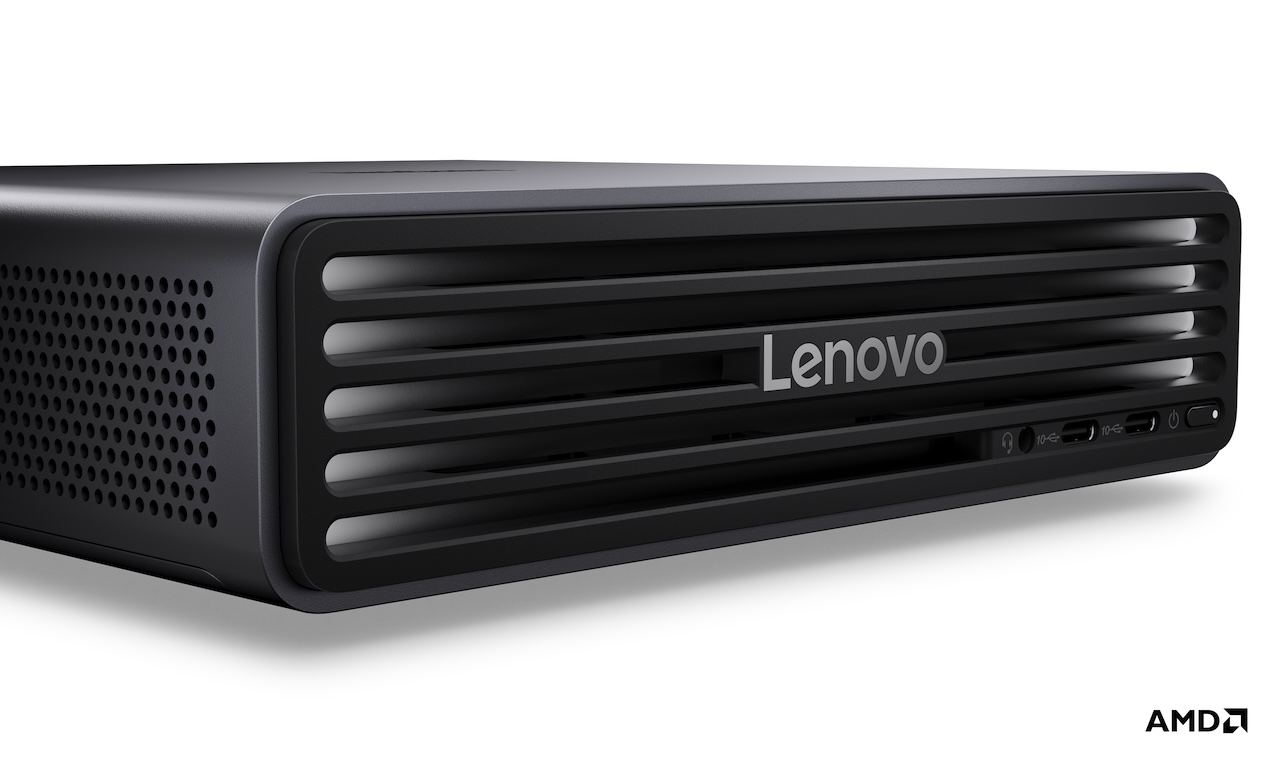 Teams that outgrow one machine can connect up to four systems for larger workloads. Expected availability begins in November 2026 at $3,699.
The other ThinkCentre choices are about fitting local AI capability into an office. The ThinkCentre M75s Gen 6 uses a small-form-factor case and up to AMD Ryzen AI PRO 400 Series desktop processors, with Lenovo quoting up to 50 TOPS of local AI acceleration. It’s expected from October 2026 at $1,489.
For a crowded desk, the smaller ThinkCentre M75q Gen 6 can mount behind a monitor. It supports up to 64GB of memory and four displays, so a small computer doesn’t have to mean a single-screen setup. It’s expected from September 2026 at $1,379.
ThinkBook separates on-device AI from ultra-light mobility
Meetings and mobile work are the focus of the ThinkBook 14 Gen 9. Qira meeting tools and Copilot+ PC features sit alongside Snapdragon X2 Plus processors, for which Lenovo quotes 80 TOPS of AI performance. Actual usefulness depends on the applications you run, rather than that number alone. The laptop starts at 1.3kg and measures 17.7mm thick, with a 14-inch WUXGA screen rated at 400 nits and optional touch.
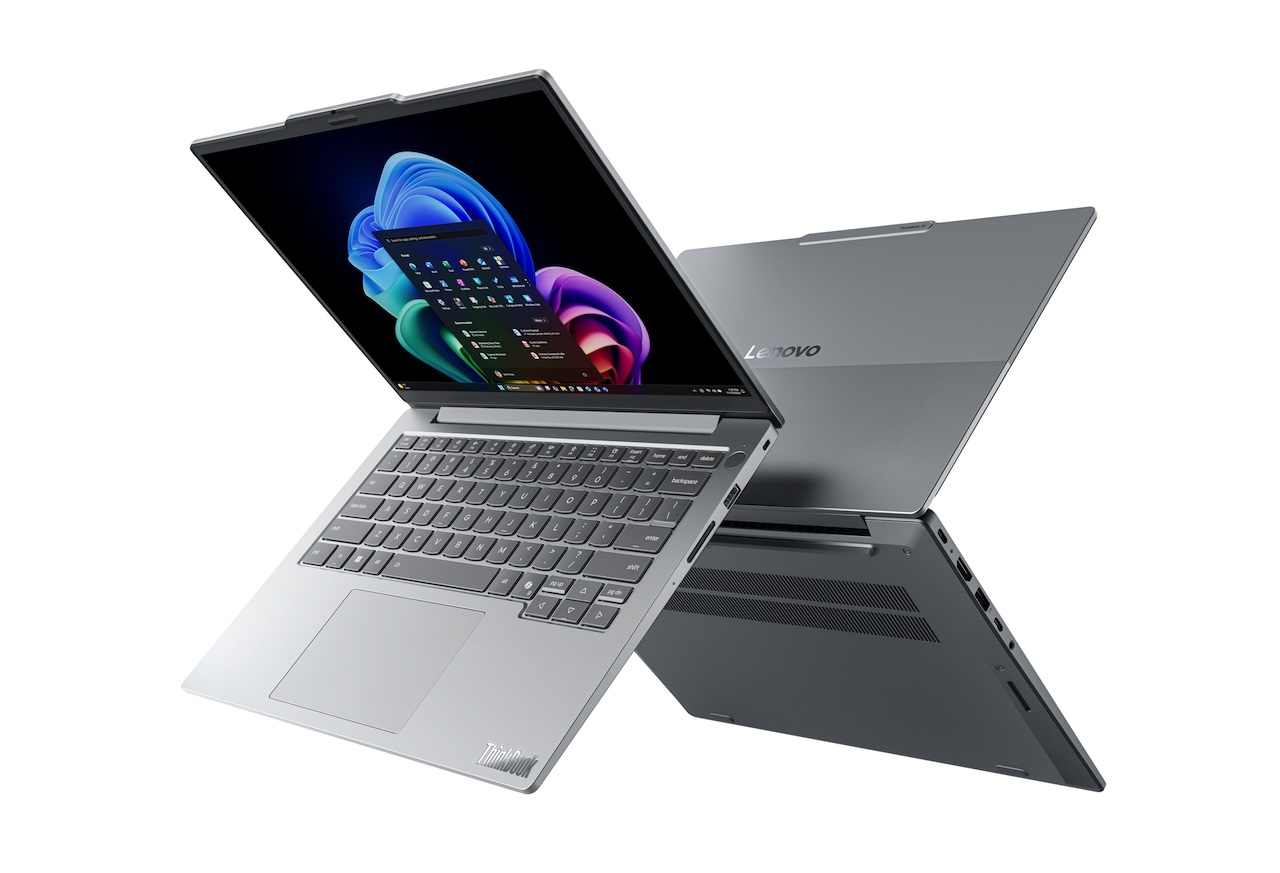
If carrying less weight is your priority, the ThinkBook 14x Gen 2 comes in at 990g and 12.9mm thick. It’s built around Intel Core 7 Series 3 processors for everyday productivity. You can choose OLED display options or optional LCD touch, with Luna Grey, Celestial White, Mystic Violet, and Veil Blue finishes across the range.
Expected starting prices are $1,299 for ThinkBook 14 Gen 9 in October 2026 and $999.99 for ThinkBook 14x Gen 2 in the first quarter of 2027.
Four ThinkVision monitors cover conferencing, OLED, and docking
If video calls dominate your desk time, the ThinkVision P34WD-4v puts the camera and docking connections into a curved 34-inch WQHD ultrawide. Its built-in 5MP camera supports automatic framing and multi-participant detection, while Windows Hello handles sign-in. Thunderbolt 4 docking and daisy-chain support help connect the rest of the desk. Lenovo also includes distance-based volume adjustment and presence and privacy sensors.
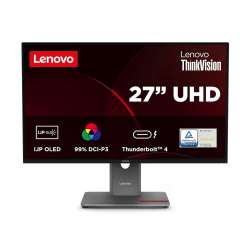
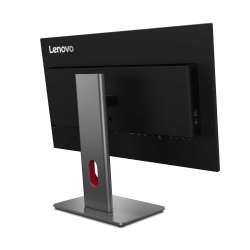
For photo, video, and design work, the ThinkVision P27UL-40 puts the emphasis on the picture. It’s a 27-inch 4K InkJet Printing OLED monitor with Thunderbolt docking. The panel covers 99% DCI-P3 and 100% sRGB and carries DisplayHDR True Black 500 certification. Its RGB pixel layout is intended to reduce colored edges around text, a useful concern when the same screen handles both visual work and documents.
The ThinkVision T32UD-4v and ThinkVision T34WD-4v offer a simpler shape-and-size choice: a 31.5-inch UHD screen or a 34-inch ultrawide for spreading work across a wider display. Both include conferencing features, Microsoft Teams certification, Windows Hello, and USB-C docking with up to 100W power delivery. Their 48Hz-to-120Hz variable refresh rates round out the shared features.
Lenovo lists the P27UL-40 for March 2027 from $1,299, the T32UD-4v for February 2027 from $899, and the T34WD-4v for January 2027 from $999. The P34WD-4v has an expected starting price of $699.
ThinkShield addresses the less visible side of the AI rollout
A lost laptop and an employee’s use of an AI service create different problems for IT. ThinkShield TraceLock, powered by Absolute Security, addresses the hardware side. It’s intended to let IT teams locate, wake, lock, or wipe supported ThinkPads remotely, using firmware persistence and wake-on-cellular capabilities. That requires compatible hardware, WWAN connectivity, and the relevant software bundle.
Prompt Security, a SentinelOne company available through ThinkShield, tackles how an organization uses AI. It gives IT teams tools to monitor that use, apply rules, and protect information. These are separate security offerings; neither comes automatically with every new Think-family product.
AeroBlade, Swan, and Smart Canvas are concepts, not purchase promises
A lighter laptop is appealing until cooling limits what you can do with it. Project AeroBlade explores that tradeoff with a 14-inch Intel-powered concept measuring under 10mm thick and weighing under 830g. Lenovo’s Active Flow thermal design uses Frore Systems AirJet technology instead of conventional fans. It’s still active cooling, and whether the design can sustain demanding work needs to be demonstrated.
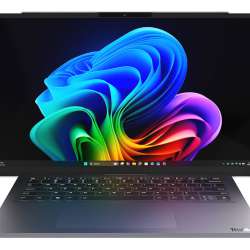
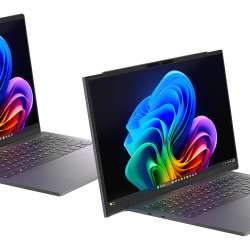
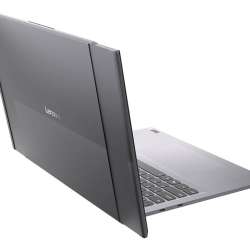
With Project Swan, the question is whether you can carry a small laptop and expand its workspace when you need it. Its screen rolls out horizontally from 14 inches to a 17-inch, 16:9 display, providing more room for documents and side-by-side work. The concept weighs 1.6kg and measures 17.9mm thick. There’s no retail price or shipping commitment yet.
Lenovo Smart Canvas Concept explores moving creative work between a tablet and a desktop. Lenovo demonstrated it with a Yoga AIO i Aura Edition (32-inch, Gen 11) and Yoga Tab Gen 2, using pen, voice, camera, and touch input. The attraction is being able to change devices as the work changes. The AIO serves as the desktop side of this demonstration, not a separately announced retail launch.
The lineup arrives on different schedules. Lenovo expects the Yoga tablets and ThinkCentre M75q this September, with IdeaPad Vibe and several other PCs following in the fall. The listed ThinkVision launches extend into 2027, while the two Yoga laptops still lack prices and shipping dates. AeroBlade, Swan, and Smart Canvas remain experiments rather than purchase options.
Each product still has to earn its place on its own, whether that’s a larger drawing surface, a compact local-AI desktop, or a watch that can stay connected without a phone nearby. For devices that support Qira, there’s an additional test: moving between them should make everyday work easier. That’s where Lenovo’s cross-device AI ambition will have to prove itself.