REVIEW – I’m surprised dash cams are mandated by insurance companies. This review is a result of not having a dash cam installed when we needed it, but also diving a bit deeper into when you need it to be recording which is a whole additional use case. Viofo was kind enough to send a review unit with a bunch of extras to tackle exactly the coverage we were looking for. Here’s our story…
⬇︎ Jump to summary (pros/cons)
Price: $439.99 | $359.99
Where to buy: Viofo and Amazon
What is it?
The A229 Ultra from Viofo is a 3 channel dashcam with 4k forward camera, 4k rear camera and FHD cabin camera that’s powered by the vehicles CLA (Cigarette Lighter Adpater) or a separately available hardwire kit.
What’s included?
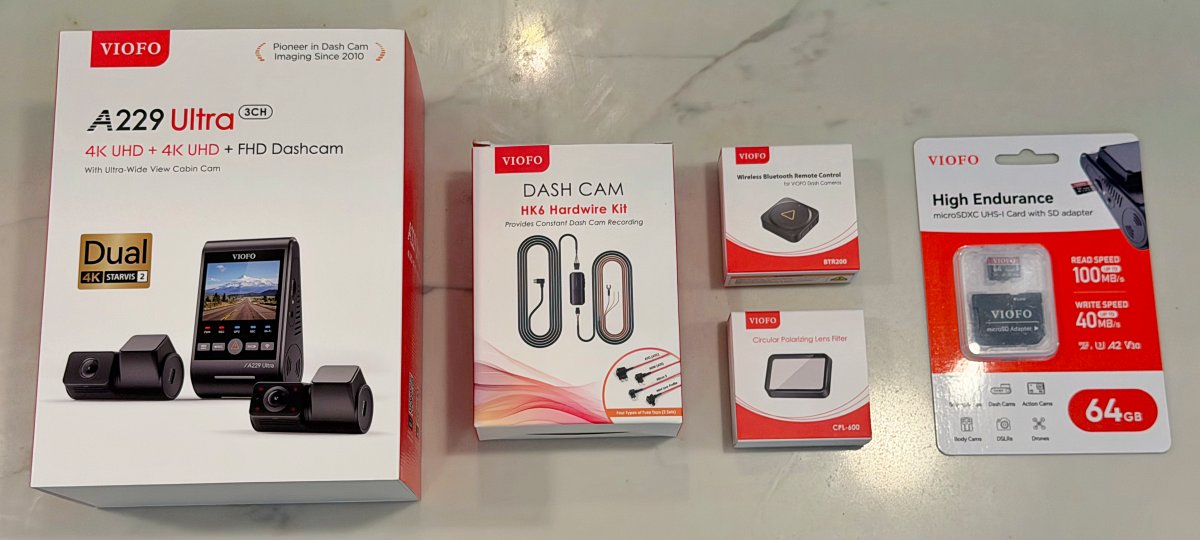
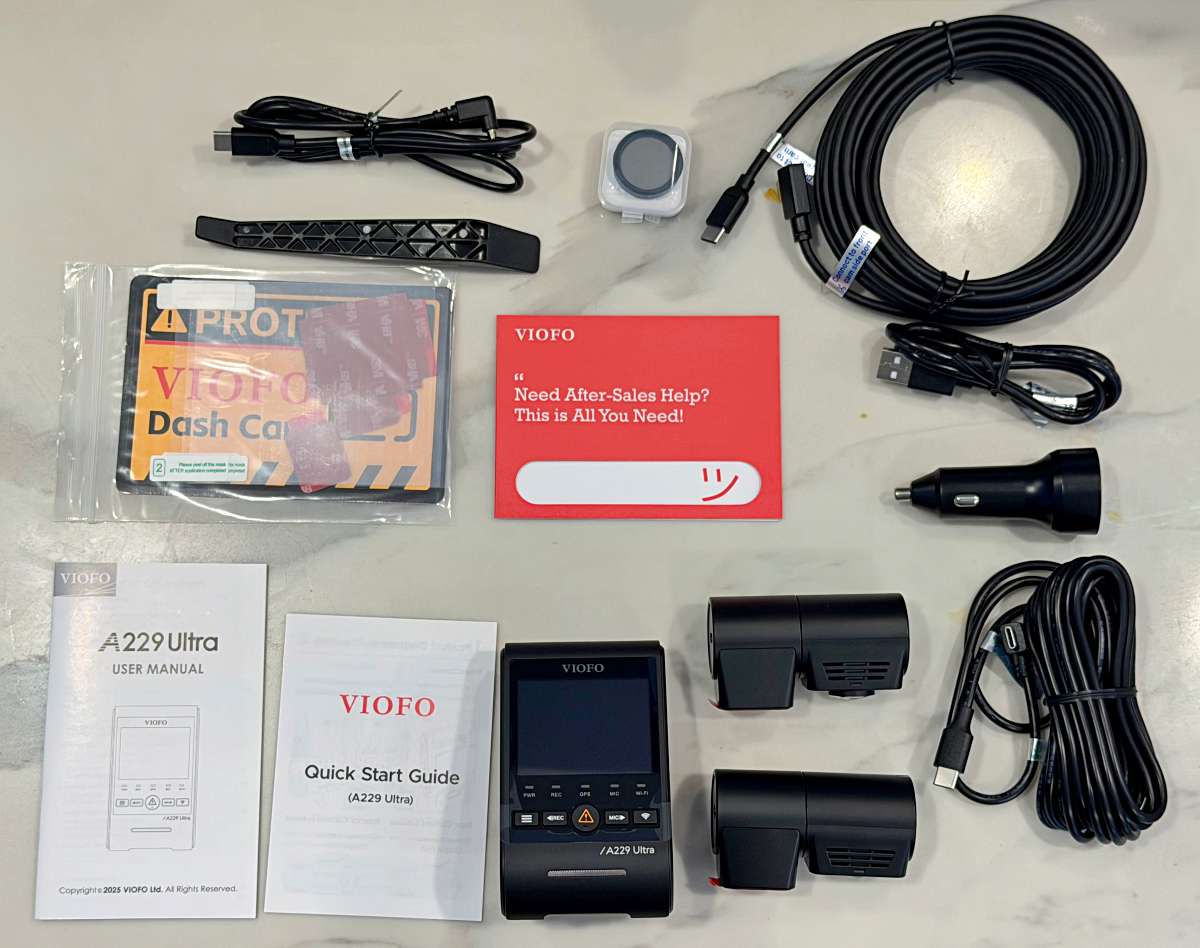
Here’s all of what we received for the review. Some of these items are available in bundles on Amazon and all are also available separately.
- A229 Ultra 3ch with 4k forward camera
- 4k rearward camera
- FHD cabin camera
- CLA charger and power cable
- cables for rear and cabin cameras
- Dashcam hardwire kit
- Fuse taps
- Power module with to and from cables
- Polarizing lens filter for rear camera
- Wireless BT button
- 64GB Micro SD card
Tech specs
- Channels: 3 (Front + Rear + Interior)
- Chipset: Novatek 98529
- Image Sensors:
- Front and Rear: Sony STARVIS 2 IMX678 8MP Sensor
- Interior: Sony STARVIS 2 IMX662 2MP Sensor
- Video Resolution:
- 4K P30 + 4K P30 + 1080 P30
- 4K 21:9 + 4K 21:9 + 1080 P30
- 1080 P30 + 1080 P30 + 1080 P30
- Wi Fi: 2.4GHz and 5GHz
- Bluetooth: Built in, support BTR200 (Optional)
- CPL: Support CPL 600 Rear Filter (Optional)
- Display: 2.4 inch High Resolution TFT3 Display
- Lens:
- Front and Rear: F1.8 Aperture, FOV = 140°
- Interior: F2.2 Aperture, FOV = 210°
- Video: Codec = H.264 | Format = MP4
- Image: Format = JPEG
- Frequency: 60 Hz
- G sensor: Off, Low, Middle, High Sensitivity
- USB Port: USB Type C Port
- Hardwire Kit: (Optional) HK4, HK6
- Backup Battery: Built in Super Capacitor
- Micro SD support: Cards up to 512GB
- Temperature:
- Operating: minus 20°C to 65°C
- Storage: minus 20°C to 70°C
- Input Power: DC 5V, 2A
- Parking Mode: Supports (Auto Event Detection, Time lapse, Low Bitrate Recording)
- Buffered Parking Mode: Supported
- Time Lapse Recording: Off, 1fps, 2fps, 3fps, 5fps, 10fps
- GPS Logger: Built in
- WDR, HDR: Front HDR + Rear HDR + Interior HDR
- Voice Notification: Supported
- Voice Control: Supported
- Loop Recording: 1 min, 2 min, 3 min, 5 min, 10 min
- LED Indicators: Power LED, Recording LED, Wi Fi LED, Microphone LED, GPS LED
Design and features
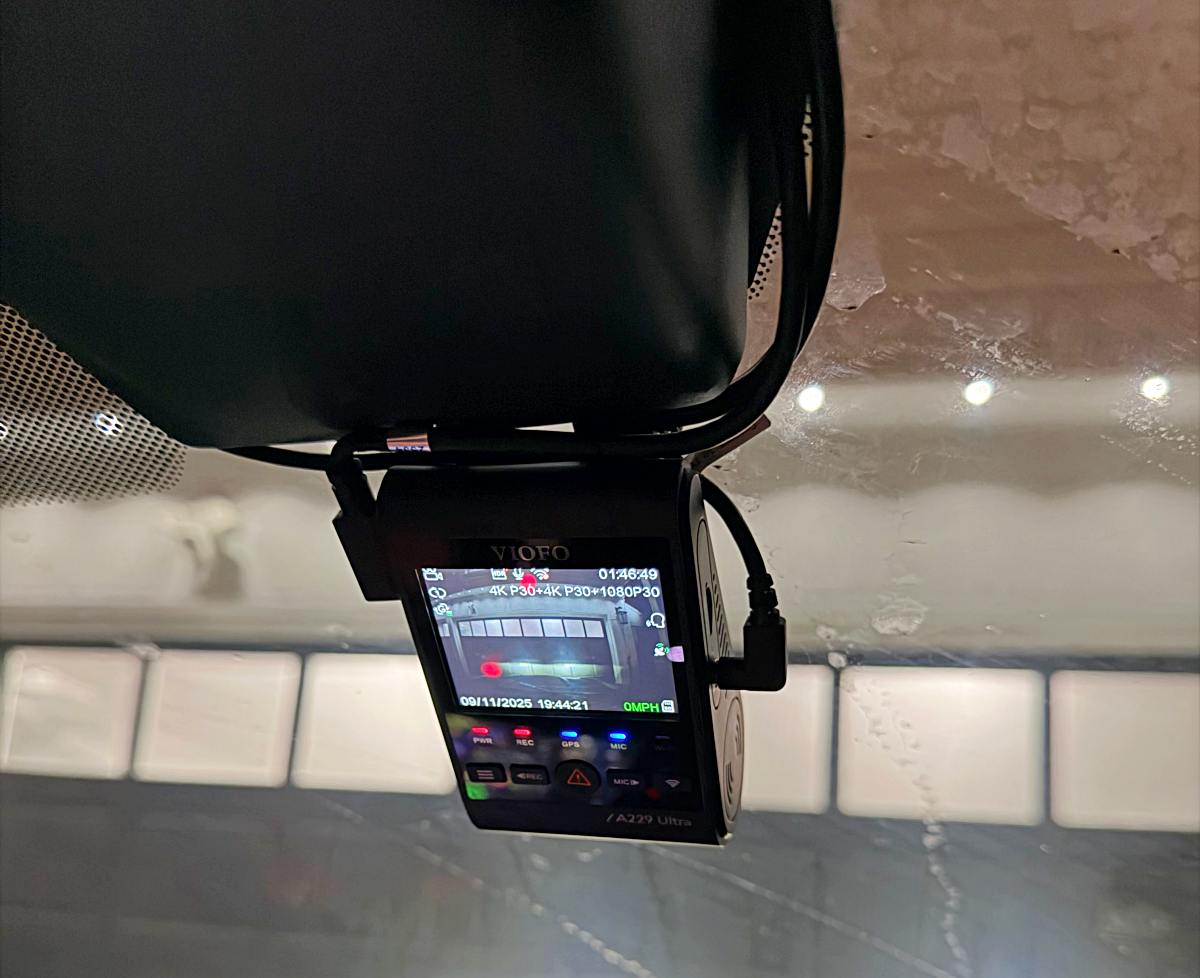
The Viofo A229 Ultra 3 Channel Dashcam has a 4k forward and rear camera for capturing crisp and clear footage.
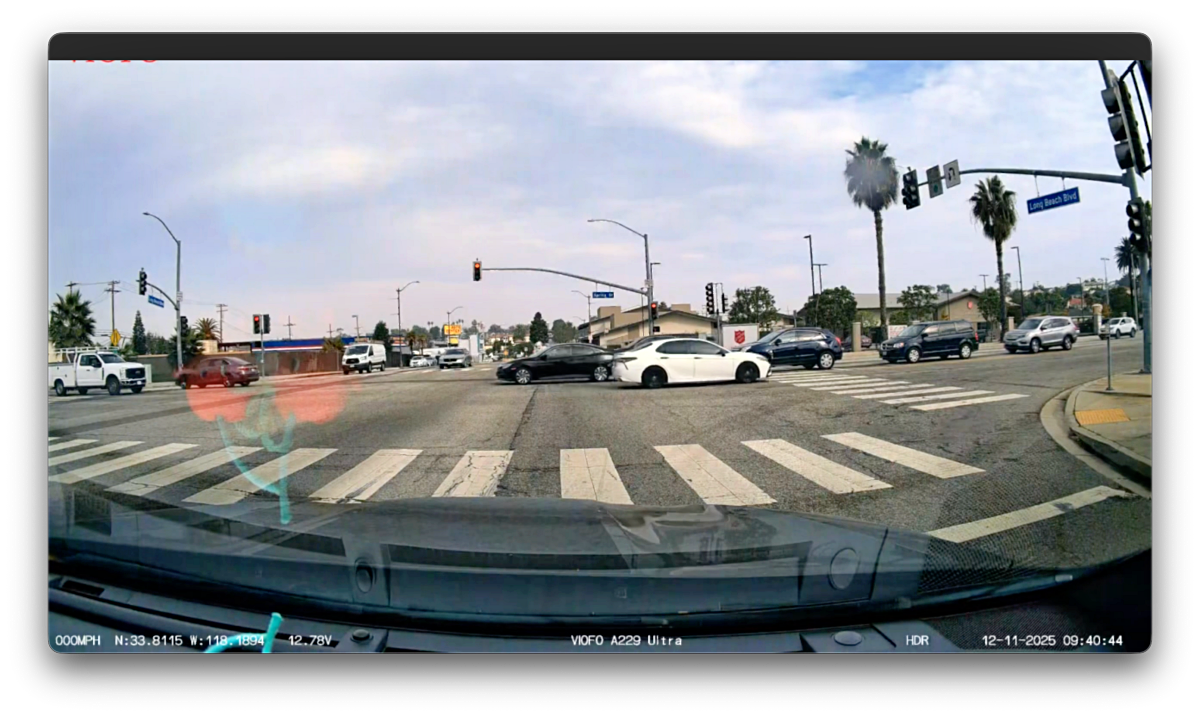
It also has a clear, bright display to help navigate settings and find relevant clips.
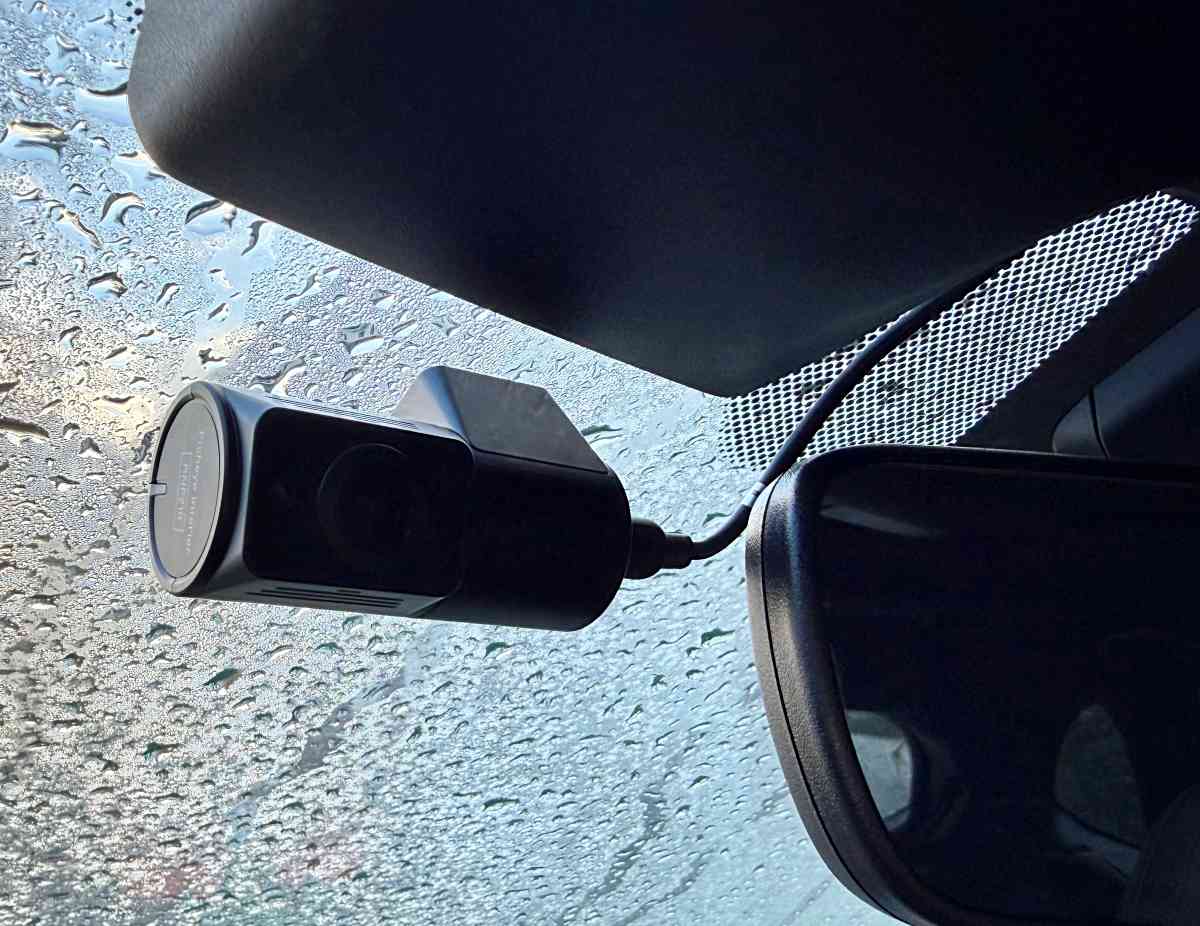
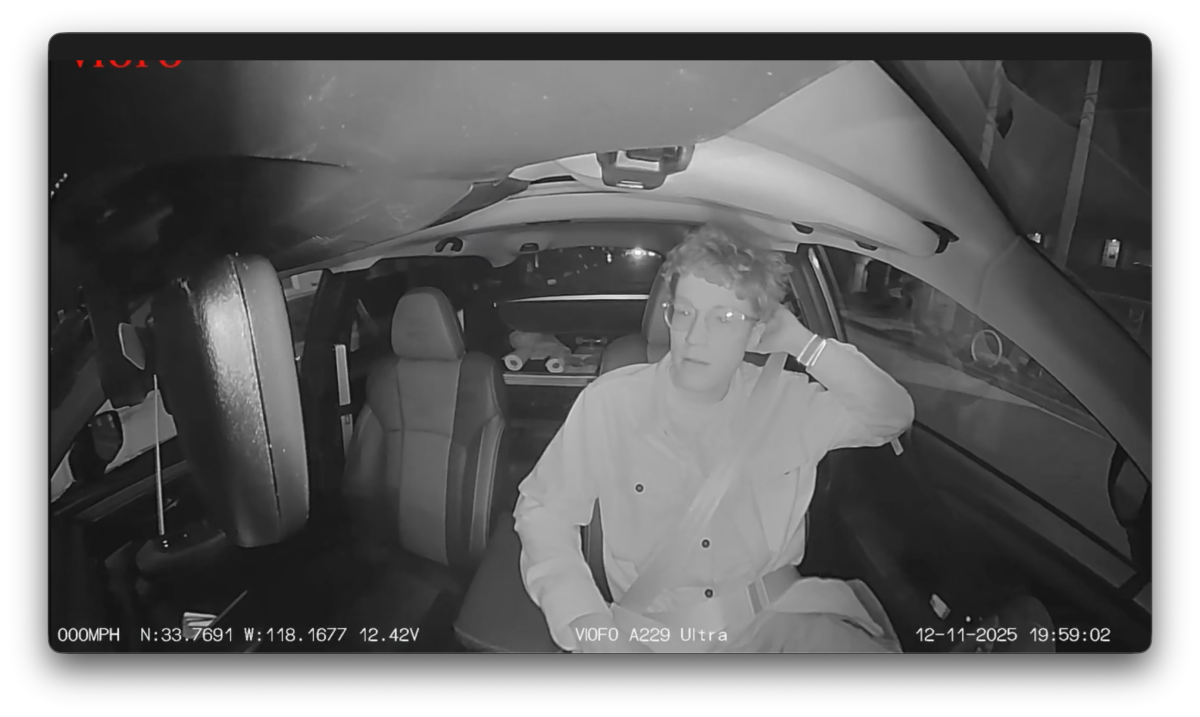
The cabin camera has a 210º fisheye view to capture everything inside the care.
It also automatically shifts to black and white for night shots.
Assembly, Installation, Setup
Installation can be very quick if you don’t mind dangling wires, but can take infinitely longer depending on which accessories you install and how tucked away you want everything to be. We installed the A229 Ultra into my son’s 2025 Subaru Wilderness with a bunch of accessories and wanted everything as tucked as possible so it took about 4 hours.
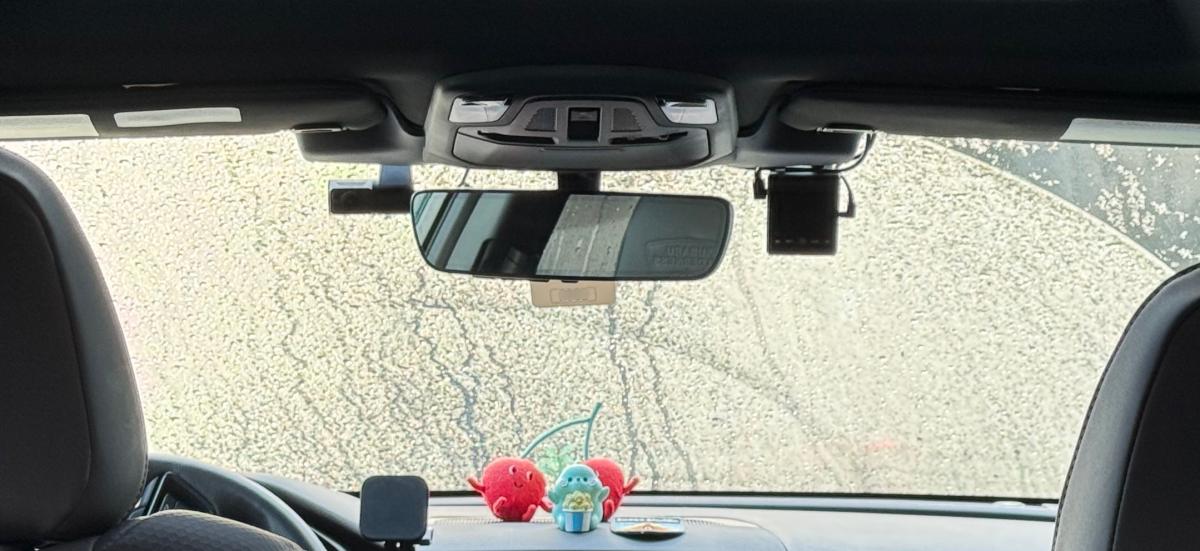
The main unit (front camera) installs easily with peel-and-stick 3M adhesive. Look closely at the unit ahead of time to see where all the ports and buttons are. This will keep you from nesting it up against something and blocking a port you might need to reach. We installed this to the right side of the rear view mirror and below the one of the Subaru EyeSight modules. This keeps it more or less out of view while driving which is useful.
The rear camera installs the same way, but we needed to have the main unit installed and powered up first to help with placement. Same went for the interior camera.
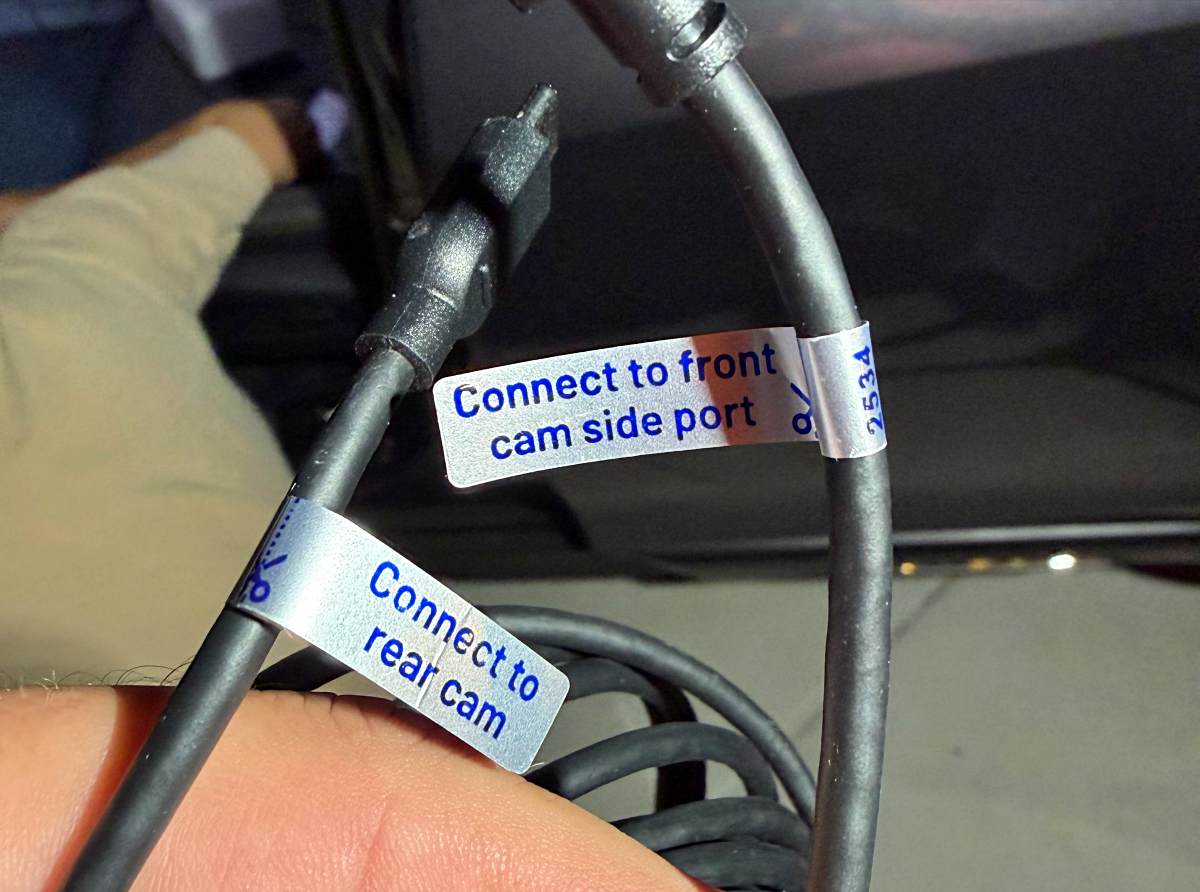
One thing that Viofo did very well was cable labels. Cannot say enough about how helpful these were when other parts of the install might be causing frustration.
If you want to power the main unit from your car’s cigarette lighter, you can use the included SLA plug to do just that. We chose to hardwire the unit for reasons I’ll cover later. This required the Dashcam Hardwire Kit.
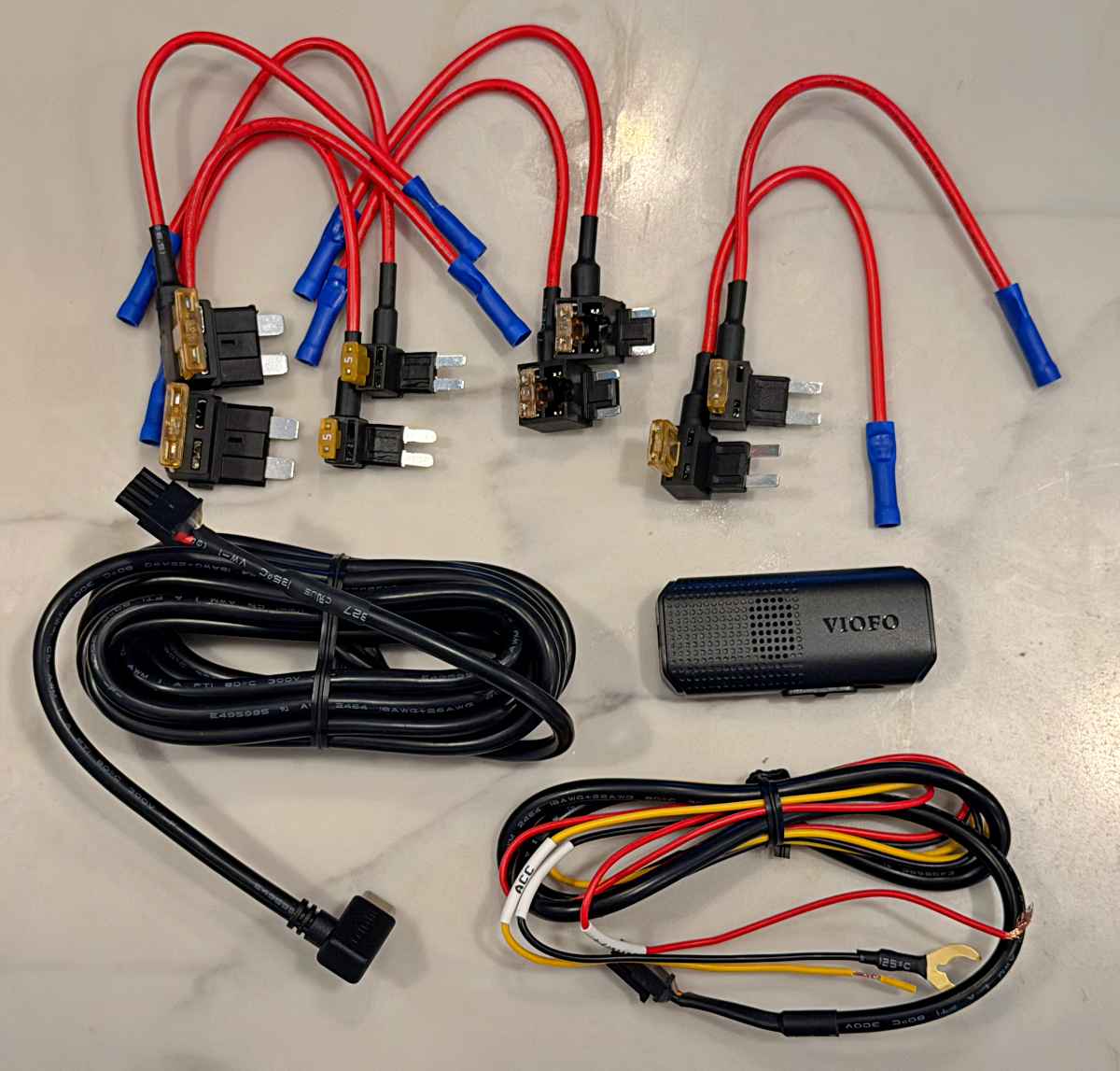
In that kit there’s a long cable that makes the run from the camera down to the fuse box, a controller, and a fuse-side cable along with 4 pairs of cables that each use a different fuse type. Find the type that matches the fuses in your car. Below are the ones that matched for us, and then you use crimp connectors to attach them to the longer cable that routes back up to the main camera.
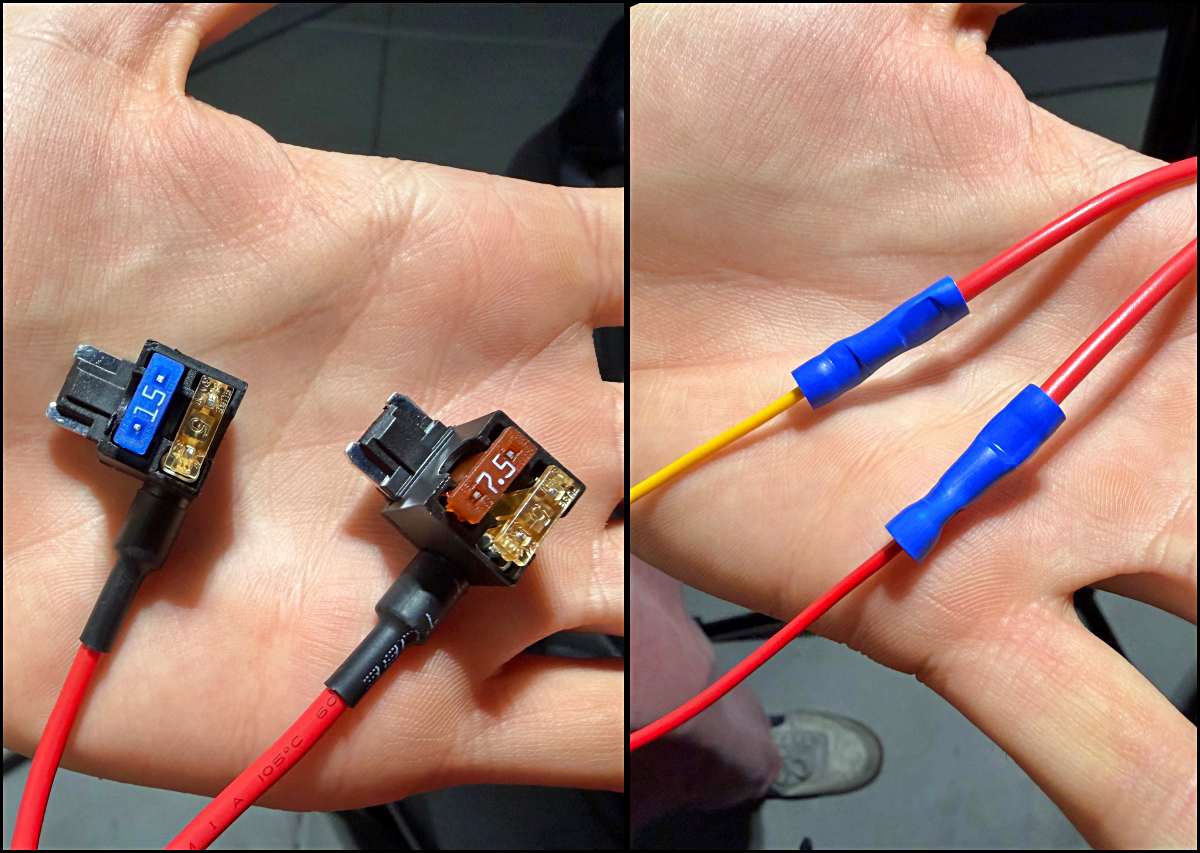
You’ll then want to find the relevant fuses in your fuse box, pull those fuses and insert them into the cables you just attached. We dove into the interwebs and found a post from someone installing a Viofo product into a Subaru who called out the fuses they used. We chased those down and then used a multi-meter to verify the readings. Our goal was to find power that would allow the A229 to continue recording even when the Subaru was off. More on that later.
While Satchel had been working through all that, I had connected the long hardwire power cable to the main camera and had been tucking it into the headliner over and down the driver’s a-Pillar to get to the fusebox. Once connected, grounded and excess cable-tied and tucked away, we were able to power up the unit and confirm all was working. We installed late one evening so I don’t have any photos here, but it’s basically just pulling at the trim of your car gently, popping some push-connect latches and a lot of cable tucking.
Installing the cabin camera was relatively easy by comparison as that was just headliner cable tucking. The rear camera took more of an effort as it had to go all the way to the back inside the edge of the headliner and then over to the top center above the rear hatch to be able to be fed through one of the accordion gaskets where it could drop out right where we needed to place it below the 3rd brake light. We had to verify that the camera would see below the rear hatch spoiler, which it did.
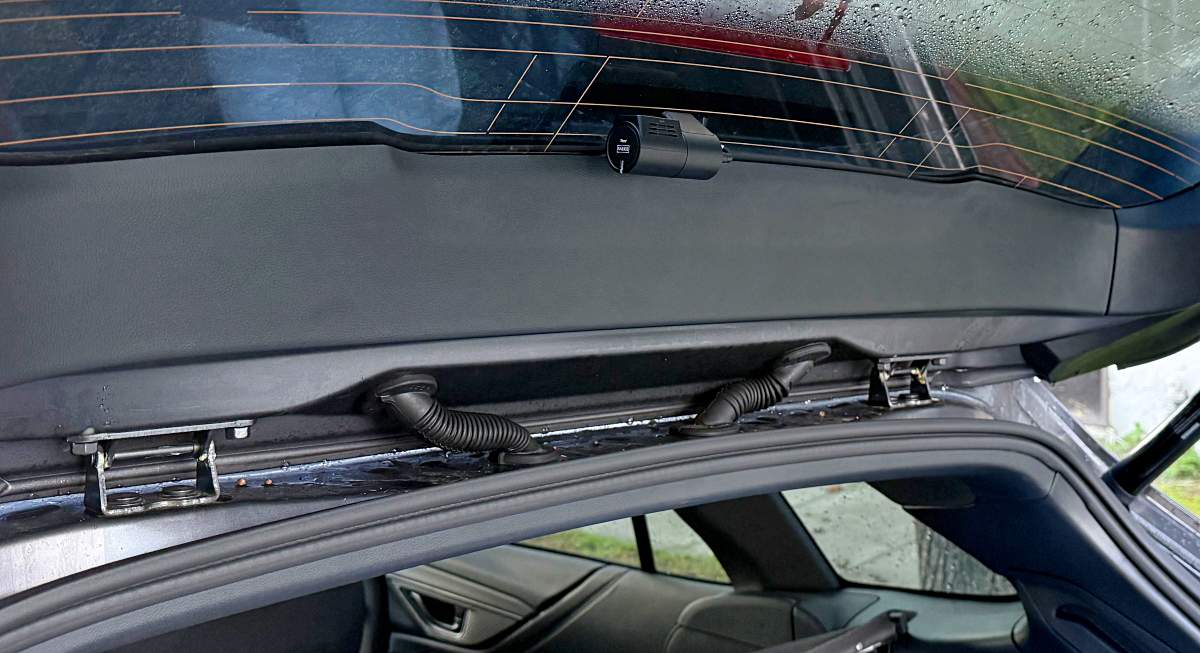
Note that all 3 cameras have a camera that needs to be manually rotated. A couple of them were tight enough that we were a little afraid to force it, but they moved smoothly after getting them to turn. The cabin and rear cameras also do have an UP orientation, so if you install upside down, you can’t just flip the image in the settings app. (If this is possible, we missed it).
Last step is installing the SD card, formatting said card and then adjusting any settings to your personal preferences.
Performance
So here’s our story. Satchel lives in Long Beach and like a lot of the community does not have dedicated parking which means he’s usually hunting for a place to park multiple blocks away from his apartment. One morning, he got to his one year old, self-purchased Subaru Outback Wilderness, to find it destroyed.
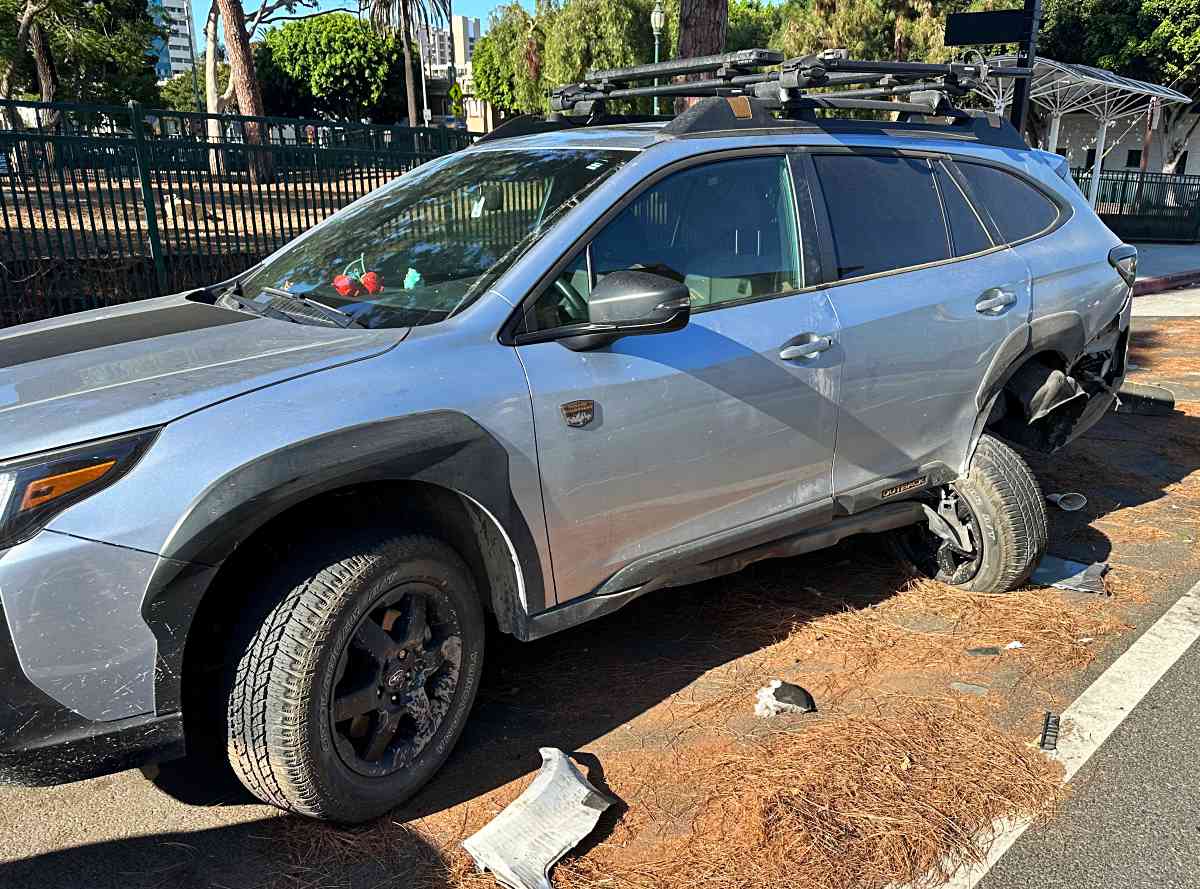
As you can see above, a car had slammed into the rear driver side hard enough to rip the rear wheel 90º and then go on to hit two additional cars in front of his. In our case, we were extremely lucky that he hadn’t been in the car, that the driver had actually stayed on the scene and there was already a police report tucked under his wiper blade. A neighbor even came down and provided a bunch of photos of the previous night’s activity. Satchel was fully insured and was able to get a brand new Subaru Outback Wilderness, but this is where I want to relay some dashcam details.
The Subaru dealer was very careful to specifically call out that the EyeSight system that Subaru uses for lane guidance and collision avoidance does not record any of that information, nor act as a dashcam in any such way. As we started looking into dashcams, very few of them provide ways to record when the car is parked and off.
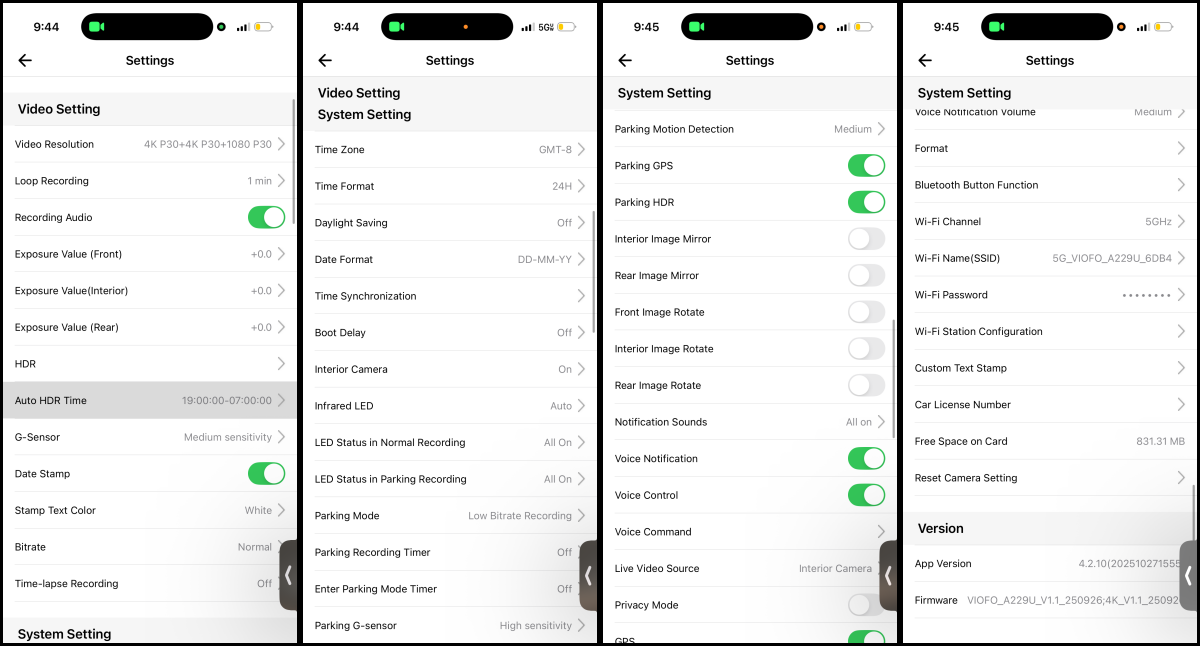
That’s one of the things that drew us to the Viofo A229 Ultra. With the hardwire kit, we were able to connect the camera system to a fuse line that continually provides power when the car is off. In the A229 settings we’re able to set it into a relatively low power mode where it can be triggered by motion to record an event like the accident that had previously occurred. We were also able to set a threshold for the system to not drain the 12v battery to0 far.
Having front, rear and a cabin camera is great. You can always choose not to install the cabin camera if you don’t want/need it. The fact that the system can be set up to not only auto-start, but also run while the car off is a major bonus. Had this been installed at the time of the past accident, it would have caught something which could have been critical had not all of the previously mentioned evidence been available.
Note that the A229 does have WiFi, but not cellular connectivity, so unless your car has an always-on WiFi hotspot, you’ll need to physically be at your car to connect to the A229 with your phone to retrieve footage or even be alerted that something has happened. However, that footage could be the critical evidence allowing the insurance to cover your claim.
The App can show live footage of all connected cameras while you’re in the car, and obviously allows you to browse through the recorded files to find specific footage.
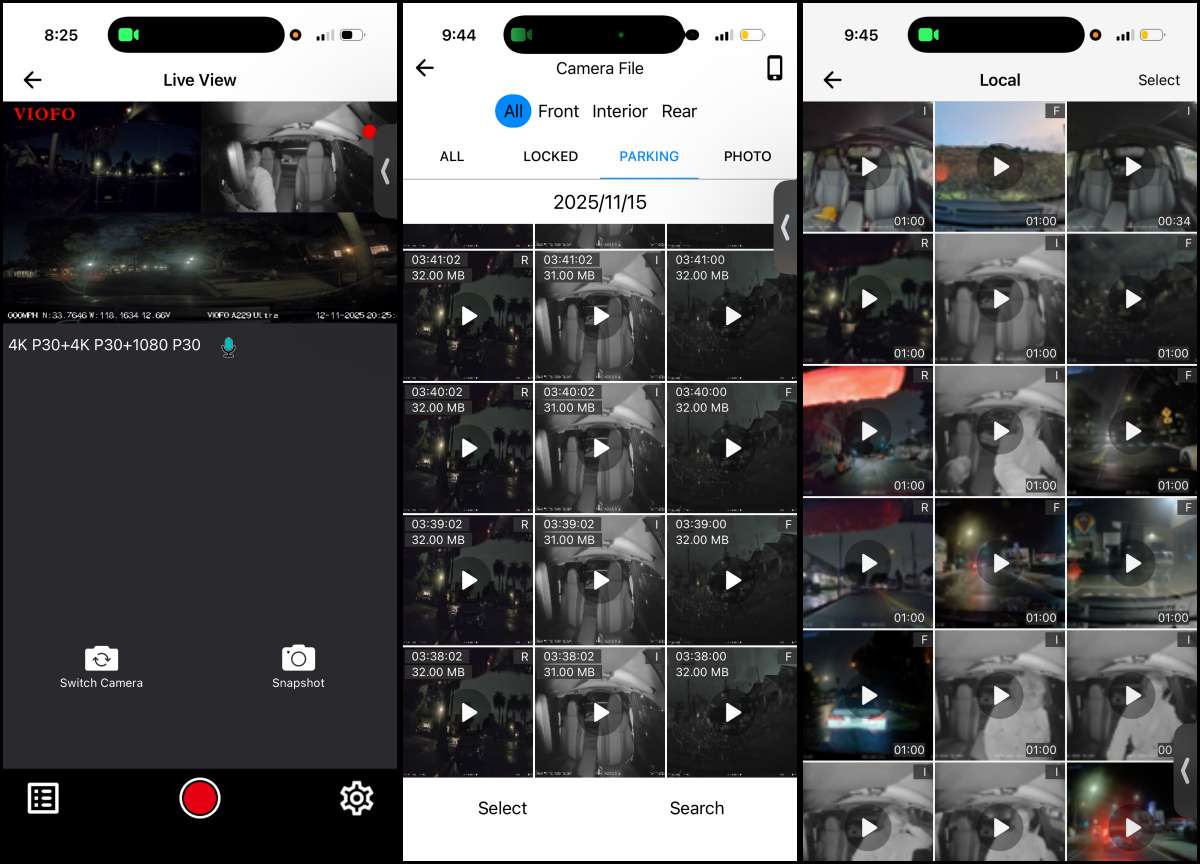
The sheer number of settings in the app can be daunting, but nice to have them all available.
Final thoughts
The Viofo A229 Ultra brings peace of mind, knowing that there’s a record not just of your drive should but also of your car when you aren’t there should something happen. While the install can be a little challenging, the universal nature of the kit makes it an easy one to recommend, especially with the different bundles allowing you to select just the components you need.
What I like about the Viofo A229 Ultra
- 4k front and rear facing cameras
- Hardwire kit allows for functionality when car is off
- Expandable with Micro SD cards and lots of settings
- Universal kit that should work with almost any vehicle.
What needs to be improved?
- Hardwire kit might be a little too technical for some users
Price: $439.99 | $359.99
Where to buy: Viofo and Amazon
Source: The sample of this product was provided for free by Viofo whom did not have a final say on the review and did not preview the review before it was published.

TERUNSOUl 4K+4K Dash Cam Front and Rear, Free 128GB Card Included, 5.8GHz WiFi Dash Camera for Cars, Built-in GPS, G-Sensor, 170°Wide Angle, 3" IPS Screen, 24H Parking Mode, Support 512GB Max
(as of March 17, 2026 21:38 GMT -05:00 - More infoProduct prices and availability are accurate as of the date/time indicated and are subject to change. Any price and availability information displayed on [relevant Amazon Site(s), as applicable] at the time of purchase will apply to the purchase of this product.)