
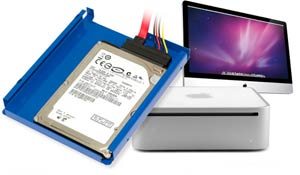
 I don’t know about the rest of you, but I rarely use the CD drive in my iMac or Macbook Pro. 99.9% of the time, I download software instead of buying CDs. And I don’t watch DVDs on my devices either. OWC has a cool product that will let you ditch your optical drive for something that you might use more often – more disk space. With their $79.99 do-it-yourself Data Doubler kit for the Mac mini (2009) and iMac (2009/2010), you can replace the internal optical drive with a second hard drive or Solid State Drive for up to 750GB additional internal capacity or a RAID array. Check their site for compatibility info.

Seagate Portable 2TB External Hard Drive HDD — USB 3.0 for PC, Mac, PlayStation, & Xbox -1-Year Rescue Service (STGX2000400)
$79.99 (as of July 18, 2025 10:30 GMT -04:00 - More infoProduct prices and availability are accurate as of the date/time indicated and are subject to change. Any price and availability information displayed on [relevant Amazon Site(s), as applicable] at the time of purchase will apply to the purchase of this product.)

Gadgeteer Comment Policy - Please read before commenting
That is pretty pricey for a metal tray and a cable. Definitely, not cost effective if one just want more storage…especially if complete external USB terabyte drives can sometimes be had for under $100 on sale.
Still, it is a pretty cool specialized solution if there is a good reason that everything must be in one box (perhaps if doing a carputer installation or as a DVR mounted in the back of a LCD TV panel).
this is pretty much just an ad.
@ticktianc Well it is a news item and not a review, so I guess it could be considered advertising for the product.