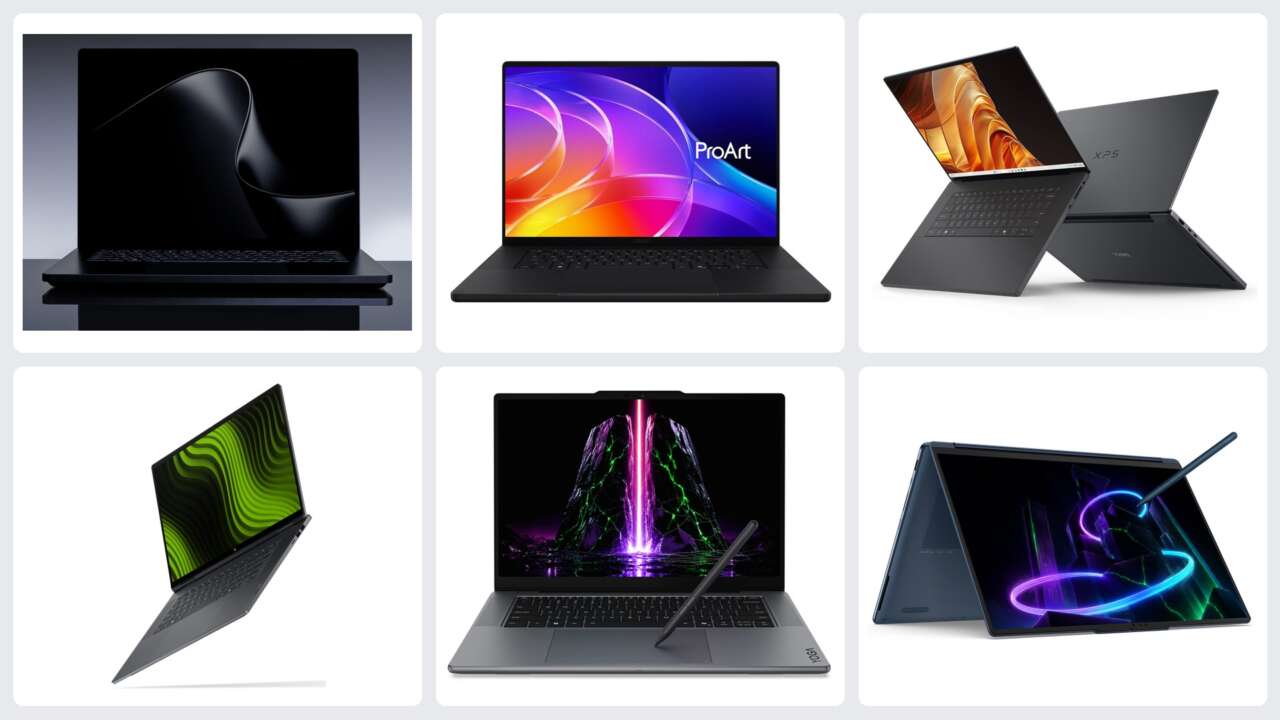
The most useful RTX Spark comparison starts with how you work. Lenovo’s two Yoga designs put that choice in focus: a conventional creator laptop with room for larger local workloads, or a convertible built around drawing and presenting. From there, compare the screen, memory, connections, software, and exact price of the alternatives.
October 7 brought preorder announcements from Microsoft, ASUS, and Dell, plus confirmed pricing and October availability from HP. Lenovo detailed both Yoga designs at IFA, with prices still TBD, while other desktops remain further down the road. Start with the work you want the machine to handle, then compare the memory, screen, ports, and exact configuration that support it.
What the RTX Spark PCs have in common
RTX Spark combines an Arm-based NVIDIA Grace CPU, Blackwell RTX graphics, and unified memory. NVIDIA’s laptop specification lists an 18-core CPU with a 5,120-core GPU and a higher tier with a 20-core CPU and a 6,144-core GPU. Both carry the N1X name. That makes the exact configuration important: the least expensive laptop in a family doesn’t automatically include its strongest chip or 128GB memory option.
The CPU and GPU share the memory pool. That gives local AI models and large creative projects more room than the dedicated graphics memory in many conventional laptops, but the operating system and applications need memory too. Microsoft explicitly says the GPU-addressable amount is less than the system total and varies with configuration and workload.
For a buyer running smaller local models alongside cloud services, a 24GB or 32GB configuration is the entry point. For larger models, image-generation pipelines, and several creative applications open together, compare the 64GB and 128GB configurations before choosing a chassis. Model size, quantization, context length, and the rest of the workload determine what fits.
NVIDIA’s headline one-petaflop figure is theoretical FP4 AI performance using sparsity. It isn’t a measured editing speed, a gaming frame rate, or a guarantee that every model runs quickly. The useful comparison is the job you need to finish, the memory it needs, and the sustained performance of that exact machine.
CUDA, RTX acceleration, and Windows Prism emulation form part of the shared NVIDIA and Windows foundation for these RTX Spark PCs. They don’t distinguish one brand’s software bundle from another. The GB300 workstations discussed later use a separate platform.
| Model | Starting U.S. price | Configuration tied to that price | Announced timing |
|---|---|---|---|
| Lenovo Yoga Pro 9n | TBD | Up to 128GB; sold configurations TBD | TBD |
| Lenovo Yoga 9n 2-in-1 | TBD | Up to 64GB; sold configurations TBD | TBD |
| Surface Laptop Ultra | $2,599.99 | 24GB / 512GB / 18-core CPU / Windows 11 Home | October 16 availability |
| ASUS ProArt P14 | $2,599.99 | 24GB / 512GB / 3K OLED; 18-core CPU | October 16 retailer release |
| ASUS ProArt P16 | $2,799.99 | 24GB / 512GB / 4K OLED; 18-core CPU | October 16 retailer release |
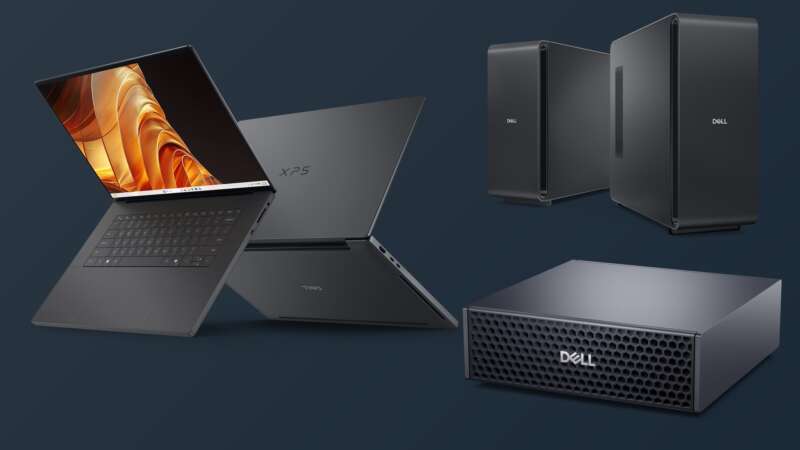
| Dell XPS 16 Creator Edition | $3,799.99 | 32GB / 512GB / 3.2K OLED; 18-core CPU | October 16 retailer release |
| HP OmniBook X 14 | $2,999.99 | Exact base configuration not specified in October release | Expected October 16 |
| HP OmniBook Ultra 16 | $3,199.99 | Exact base configuration not specified in October release | Expected October 16 |
| Surface RTX Spark Dev Box | $5,999.99 | 128GB / 2TB / 20-core CPU / Windows 11 Pro | November shipping |
Lenovo’s two Yoga designs: choose how you work first
Lenovo’s Yoga Pro 9n and Yoga 9n 2-in-1 show why the shape of an RTX Spark laptop matters. We covered both in our Lenovo IFA 2026 coverage. The Pro 9n is the traditional creator laptop, with a higher memory ceiling and a lighter body. The 9n 2-in-1 gives you a larger touchscreen that folds around for drawing and presenting. Both prices remain TBD.
Lenovo Yoga Pro 9n: for editing, coding, and larger local workloads
Price: TBD
Availability: TBD
Learn more: Lenovo Yoga Pro 9n announcement
The Yoga Pro 9n (15-inch, Gen 11) is the one I’d put first for a creator who spends most of the day at the keyboard, editing a timeline, building software, or running local AI tools. Its announced configuration range reaches 128GB of 9400MT/s unified memory, twice the 2-in-1’s published ceiling. Starting weight is 1.65kg, compared with 1.94kg for the convertible. That is a useful combination when the computer has to travel as well as handle substantial projects.


Official Lenovo images show the Pro 9n’s OLED workspace, rear design, and pen-enabled Force Pad.
The 15.3-inch PureSight Pro OLED screen has a 2560 × 1600 resolution and a 48–165Hz variable refresh rate. Lenovo specifies up to 1,100 nits of peak HDR brightness; touch is optional. The haptic Force Pad accepts pen input, giving you a drawing surface below the keyboard while you keep your eyes on the display. It doesn’t turn this clamshell into a folding drawing tablet.
Photographers and video editors get a practical port selection: two 40Gbps USB4 connections with DisplayPort 2.1 and Power Delivery 3.0, two 10Gbps USB-A ports, HDMI 2.1, a UHS-II SD reader, and a headset jack. Lenovo also lists two M.2 2242 SSD slots. That combination is worth comparing with thinner machines that need an adapter for older USB accessories or a camera card.
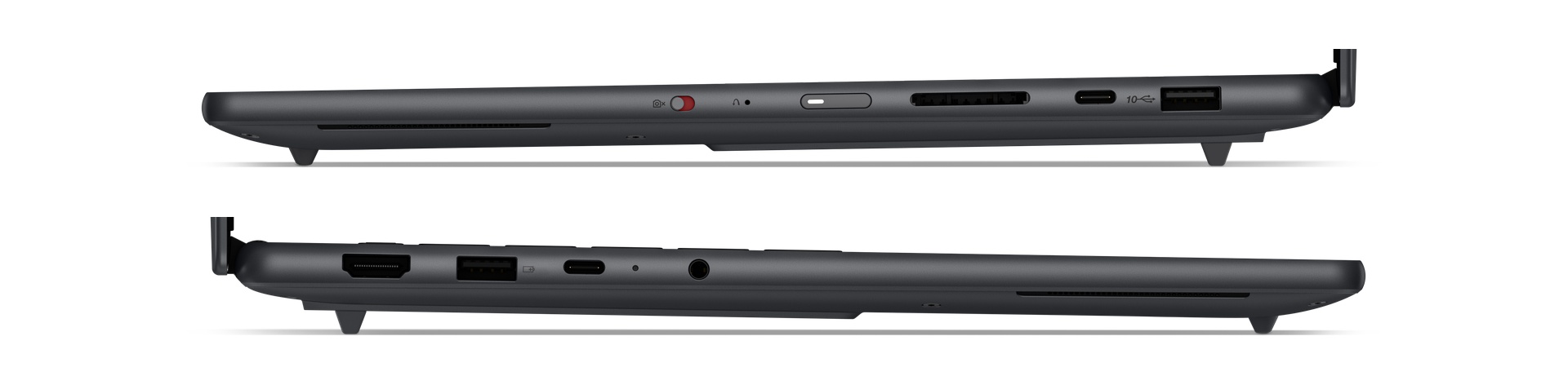
A 92.5Wh battery, 140W adapter, 9.2MP IR camera, and four-speaker audio system complete the main hardware story. Lenovo specifies an 80W thermal design power and X Power cooling. For the buyer, the attraction is the conventional laptop layout, the larger memory option, and those built-in connections. Price, exact sold configurations, and measured sustained performance will determine where it lands against Surface, ProArt, and XPS.
Lenovo Yoga 9n 2-in-1: for drawing, annotation, and presenting
Price: TBD
Availability: TBD
Learn more: Lenovo Yoga 9n 2-in-1 announcement
The Yoga 9n 2-in-1 (16-inch, Gen 11) makes the stronger case when you regularly move from typing to drawing on the screen, marking up a design, or turning the display toward somebody else. Its 360-degree hinge supports laptop, tablet, tent, stand, and canvas positions. Both the OLED touchscreen and haptic Force Pad accept pen input, so you can choose a direct drawing surface or keep the screen upright.


Official Lenovo images trace the convertible from laptop through flat and folded positions to tent mode.
You get a larger, higher-resolution 16-inch 2880 × 1800 OLED touchscreen with a 30–120Hz variable refresh rate and a quoted 1,100-nit HDR peak. The tradeoff is a published memory ceiling of 64GB, rather than the Pro 9n’s 128GB. For an illustrator who also uses compatible local AI tools, the flexible screen may matter more. For someone buying primarily to fit larger local models in memory, the Pro deserves the closer look.
The 1.94kg convertible has a 99.9Wh battery and six speakers, with two tweeters in a rotating soundbar. It keeps two USB4 Type-C ports, two USB-A ports, HDMI, an SD reader, and audio. Its card reader uses UHS-I rather than the Pro 9n’s UHS-II, and Lenovo specifies up to 2TB of PCIe Gen 4 QLC storage. The drawing-oriented design therefore comes with its own memory and storage choices; it isn’t simply the Pro 9n with a different hinge.

The Yoga Pen Gen 2 supports tilt, palm rejection, and customizable controls. One detail matters if the pen is central to your work: Lenovo says the Force Pad supports AES 1.0 while the pen supports up to AES 3.0. The screen and pad should not be assumed to offer identical drawing behavior. Choose this Yoga for the ways you’ll use the hinge and pen, then check the final configuration when pricing arrives.
For more from the same event, our six Lenovo Best of IFA 2026 picks cover the company’s award-selected concepts, tablet, monitor, desktop, and IdeaPad.
How Surface, ProArt, XPS, and OmniBook compare
Lenovo’s pair makes the first decision clear: a conventional workspace with a larger memory ceiling, or a folding screen for drawing and presenting. For buyers comparing Microsoft, ASUS, Dell, and HP, screen shape, carrying weight, connections, and what each announced starting price includes are the next filters.
Portable preorder: ASUS ProArt P14, 24GB / 512GB, $2,599.99
Larger-screen preorder: ASUS ProArt P16, 24GB / 512GB, $2,799.99
Microsoft Surface Laptop Ultra: a tall workspace and a broad port selection
Price: From $2,599.99; 24GB / 512GB
Where to buy: Microsoft Surface Laptop Ultra
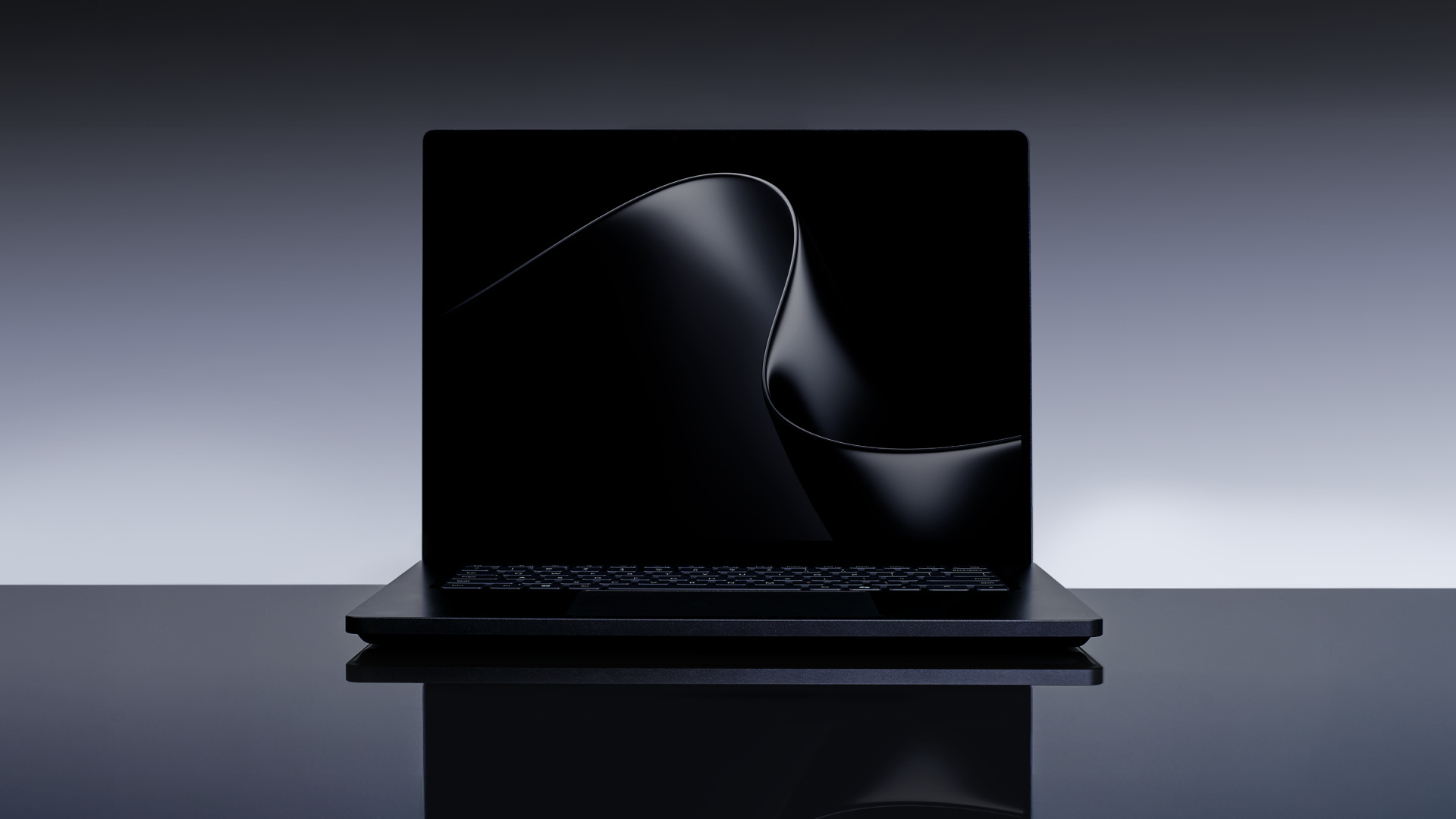
Microsoft’s new 15-inch Surface starts at $2,599.99 for an 18-core CPU, 5,120-core GPU, 24GB of unified memory and a 512GB SSD in Platinum. Availability begins October 16. That entry configuration includes Windows 11 Home; the 32GB-and-higher memory options include Windows 11 Pro.
The display is the main reason to put Surface on a shortlist. Its 120Hz, 3:2 mini-LED PixelSense Ultra touchscreen gives documents, code, and editing interfaces a taller shape than the 16:10 screens used by most of this group. Microsoft quotes 262 pixels per inch and up to 2,000 nits of peak HDR brightness. That peak is measured on a 10 percent HDR window; it doesn’t describe sustained full-screen brightness. Touch is supported, but Surface Pen and Slim Pen input aren’t.
A 140W USB-C adapter and Magnetic Connect cable are included. The port layout includes three USB-C connections, USB-A, HDMI, a full-size SD reader, and a headphone jack. One USB-C port accepts the new Magnetic Connect charging cable and remains usable for data, displays, and other USB-C accessories. Microsoft says the laptop supports up to three external 4K displays with compatible equipment.
At less than 18mm thick and under 4.5 pounds, it’s a portable workstation-style option. Storage options reach 2TB. The replaceable SSD and published repair support also deserve attention if you keep a work computer for years. Choose it for the taller touchscreen, local development, and an adaptable desk setup; choose a pen-equipped convertible instead if drawing directly on the display is central to your work.
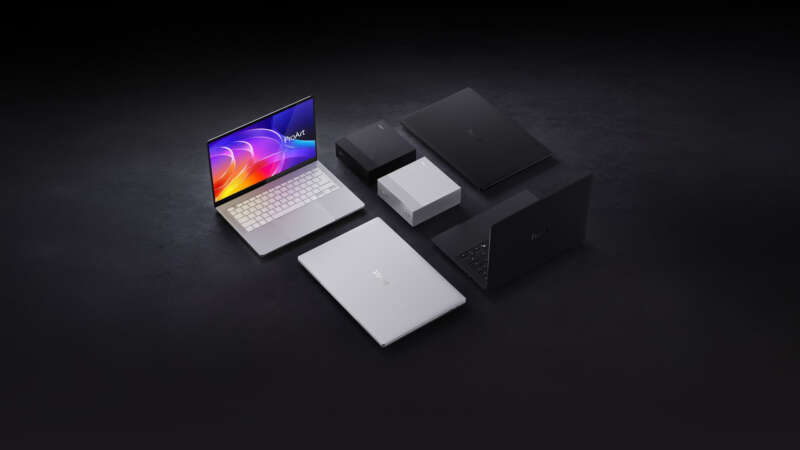
ASUS ProArt P14: start here if the laptop travels every day
Price: $2,599.99 for 24GB / 512GB / 3K OLED
Where to buy: ASUS ProArt P14 at Best Buy

The P14’s entry configuration costs $2,599.99 and pairs 24GB of memory with a 512GB SSD and a 14-inch 3K OLED touchscreen. That model uses the 18-core CPU and 5,120-core GPU. Best Buy lists an October 16 release date.
At 3.26 pounds, with a 90Wh battery and a 140W USB-C adapter, the P14 is the smaller-bag choice in ASUS’s pair. It keeps a useful collection of connections: three USB4 Type-C ports with display and charging support, one USB-A port, HDMI 2.1, an SD 4.0 reader, and a headphone jack. Wi-Fi 7, Bluetooth 5.4, an infrared camera, and a haptic touchpad complete the mobile-work setup.
ASUS offers higher-memory P14 configurations, including 128GB, but the entry price doesn’t buy them. Screen specifications need the same care: the base retailer listing quotes up to 1,100 nits peak brightness, while ASUS’s broader specifications reach 1,600 nits on selected configurations. Pick the exact memory and display combination, then compare its price.
ASUS ProArt P16: more screen and a faster card-reader standard
Price: $2,799.99 for 24GB / 512GB / 4K OLED
Where to buy: ASUS ProArt P16 at Best Buy
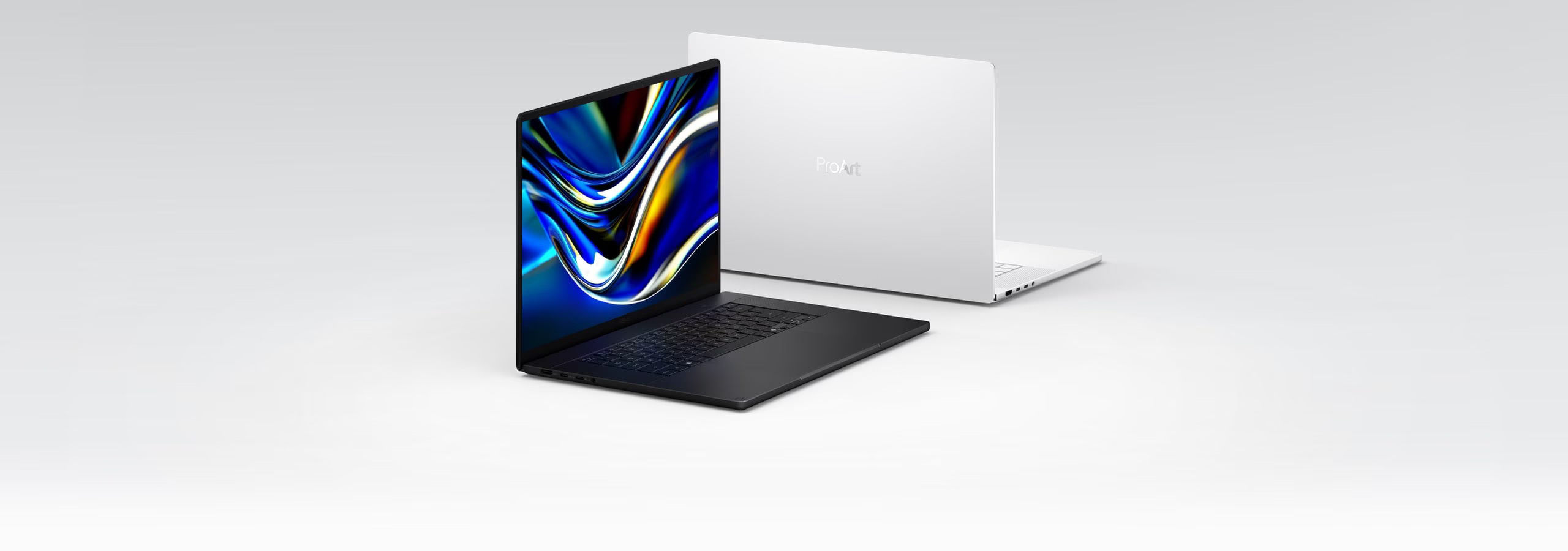
An extra $200 at the entry level buys a 16-inch 4K OLED touchscreen in the $2,799.99 P16. Memory and storage remain 24GB and 512GB, with the same 18-core CPU and 5,120-core GPU as the base P14. Best Buy also lists October 16 for that configuration.
The P16 weighs 3.90 pounds, carries a 99.9Wh battery, and includes a 140W USB-C adapter. Its USB-A, three USB4 Type-C ports, HDMI, and audio connections mirror the smaller laptop’s main layout. The card reader steps up to SD Express 7.0, a useful difference for photographers and video creators moving large files from compatible cards.
ASUS’s specification reaches 4K at 120Hz, with up to 1,600-nit peak HDR brightness. There are also 3K configurations, so a P16 name alone doesn’t establish the screen. The memory range reaches 128GB and the SSD specification reaches 2TB.
For photo and video work, I’d compare the P16’s larger display and SD Express reader against the P14’s lower carrying weight first. Then I’d price the memory capacity the workflow actually needs. Moving from a 24GB entry laptop to a high-memory configuration can matter far more than that $200 starting-price difference.


Dell XPS 16 Creator Edition: a creator-focused OLED laptop with three USB4 ports
Price: $3,799.99 for 32GB / 512GB / 3.2K OLED
Where to buy: Dell XPS 16 Creator Edition at Best Buy
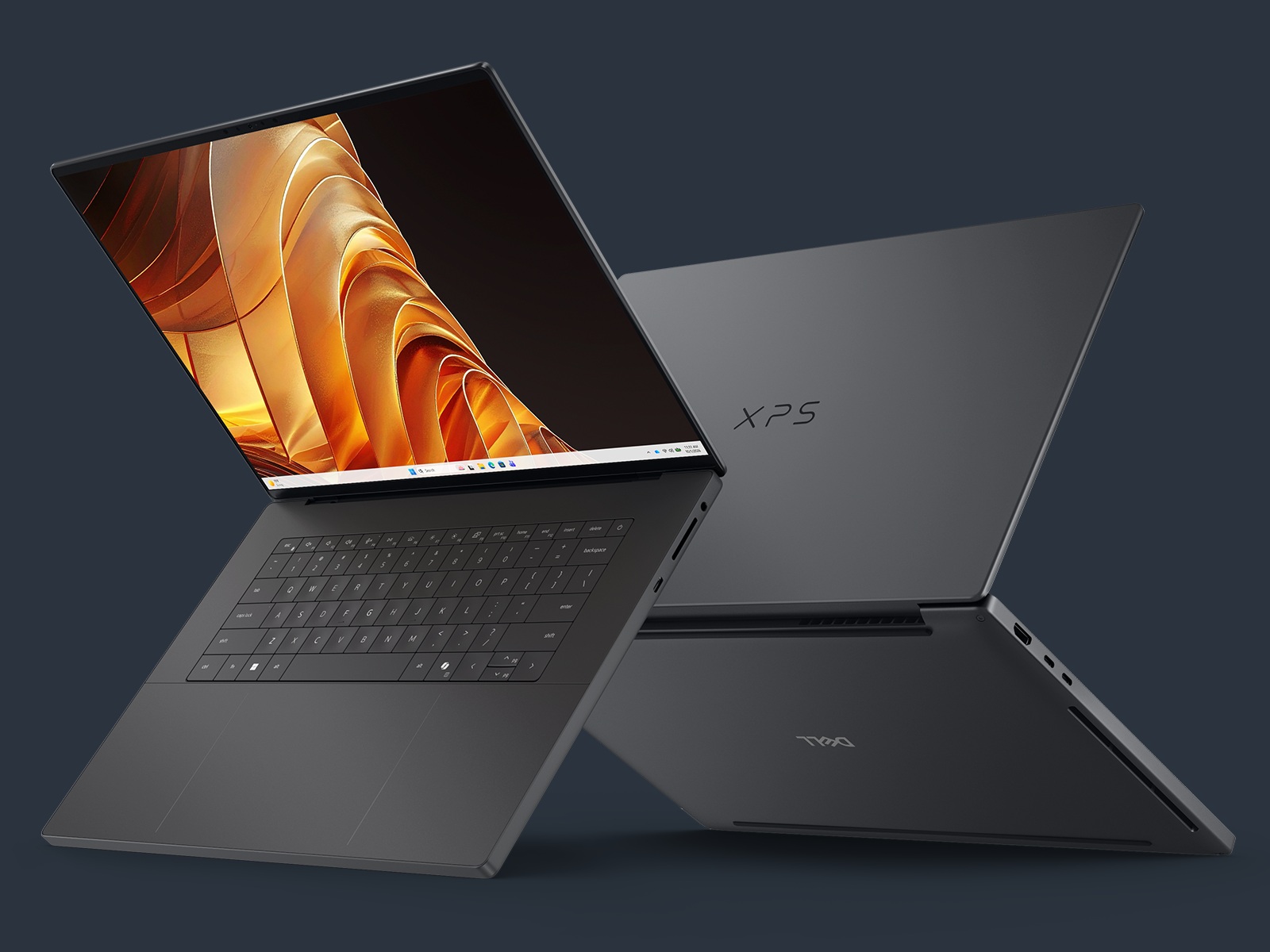
Dell offers U.S. preorders through Best Buy, with Dell.com availability to follow. The $3,799.99 Best Buy listing pairs 32GB of memory with a 512GB SSD, an 18-core CPU and a 5,120-core GPU, with October 16 listed as the release date. Higher configurations reach a 20-core Grace CPU, a 6,144-core Blackwell GPU and 128GB of unified memory. The chassis measures 17.8mm thick and starts at 4.45 pounds.
Its 16-inch tandem OLED display has a 3200 × 2000 resolution and a 20–120Hz variable refresh rate. Dell specifies 100 percent DCI-P3 coverage, factory calibration below Delta E 2, and up to 1,000 nits peak brightness. Those are useful specifications for a creator comparing screen options; they don’t replace measurements of a finished review unit.
Dell gives this XPS three 40Gbps USB4 Type-C ports with DisplayPort 2.1 and Power Delivery, HDMI 2.1b, a full-size SDXC v7.1 reader, and an audio jack. Charging works through any of the three USB-C ports. There’s no USB-A port in the published list, which matters if your camera accessories, security key, or other everyday equipment still use that connector.
This is a strong configuration to investigate for a desk-to-studio workflow built around USB-C displays and fast external storage. The base Dell costs $1,000 more than the base ProArt P16. It provides 8GB more memory, while both include a 512GB SSD; ASUS lists a 4K screen for that P16, compared with Dell’s 3.2K tandem OLED. That makes the XPS decision about the whole machine: its display technology, chassis, connections, and the configuration you need. Paying more doesn’t establish faster editing or AI performance before those exact machines are tested. Dell lists up to 4TB of SSD storage across the family, separate from the 512GB retail configuration.
There’s another useful comparison at nearly the same price: Microsoft lists a 20-core Surface Laptop Ultra with 32GB of memory and a 1TB SSD for $3,699.99. That is $100 less than the base XPS, with the higher-core chip and twice the storage. Surface has a 15-inch 3:2 mini-LED screen; Dell has a 16-inch tandem OLED. Those differences make a stronger buying discussion than comparing two maximum-memory headlines.
HP OmniBook X 14 and Ultra 16: thin designs with October 16 availability
Announced starting prices: HP X 14 $2,999.99; HP Ultra 16 $3,199.99
Related preorder: ASUS ProArt P14, 24GB / 512GB, $2,599.99
Related preorder: ASUS ProArt P16, 24GB / 512GB, $2,799.99

HP’s announced pricing sets a $2,999.99 starting price for the OmniBook X 14 and $3,199.99 for the OmniBook Ultra 16, with both expected to reach HP.com on October 16. HP also names Best Buy for the Ultra 16 and several U.S. retailers for the X 14.
The X 14 is the portability-led design. HP measures its rear chassis height at 13.53mm, and its OLED display carries VESA DisplayHDR True Black 1000 certification. A 140W USB-C GaN adapter supports charging to 50 percent in about 30 minutes when the system is shut down under HP’s stated test conditions.
The Ultra 16 adds a 16-inch 3K OLED display, quad speakers, and a 99Wh battery. HP’s raised hinge and rear cooling layout create space for larger heat pipes and two thin fans. The series reaches 128GB unified memory, though HP’s launch release doesn’t bind that capacity to its starting price.
HP quotes up to 15 hours of battery life for the X 14 and 17 hours for the Ultra 16. Those figures come from local full-HD video playback at 200 nits, not running a large local model or exporting video. I’d use the chassis and display differences to make an initial shortlist, then compare the final port list, weight, and exact retail configuration before ordering.
Desktops for the work that keeps running after you close the laptop
When your laptop leaves the desk with you, a separate desktop can keep local models, agents, or creative jobs running. Compare the prepared software environment, networking, storage, and actual buying offer alongside memory capacity.
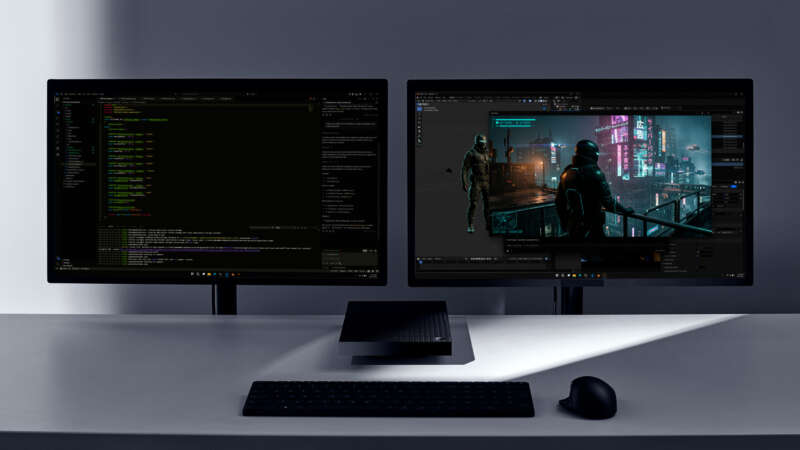
Surface RTX Spark Dev Box: a preconfigured developer workspace
Price: $5,999.99 for 128GB / 2TB; November shipping
Where to buy: Surface RTX Spark Dev Box at Microsoft
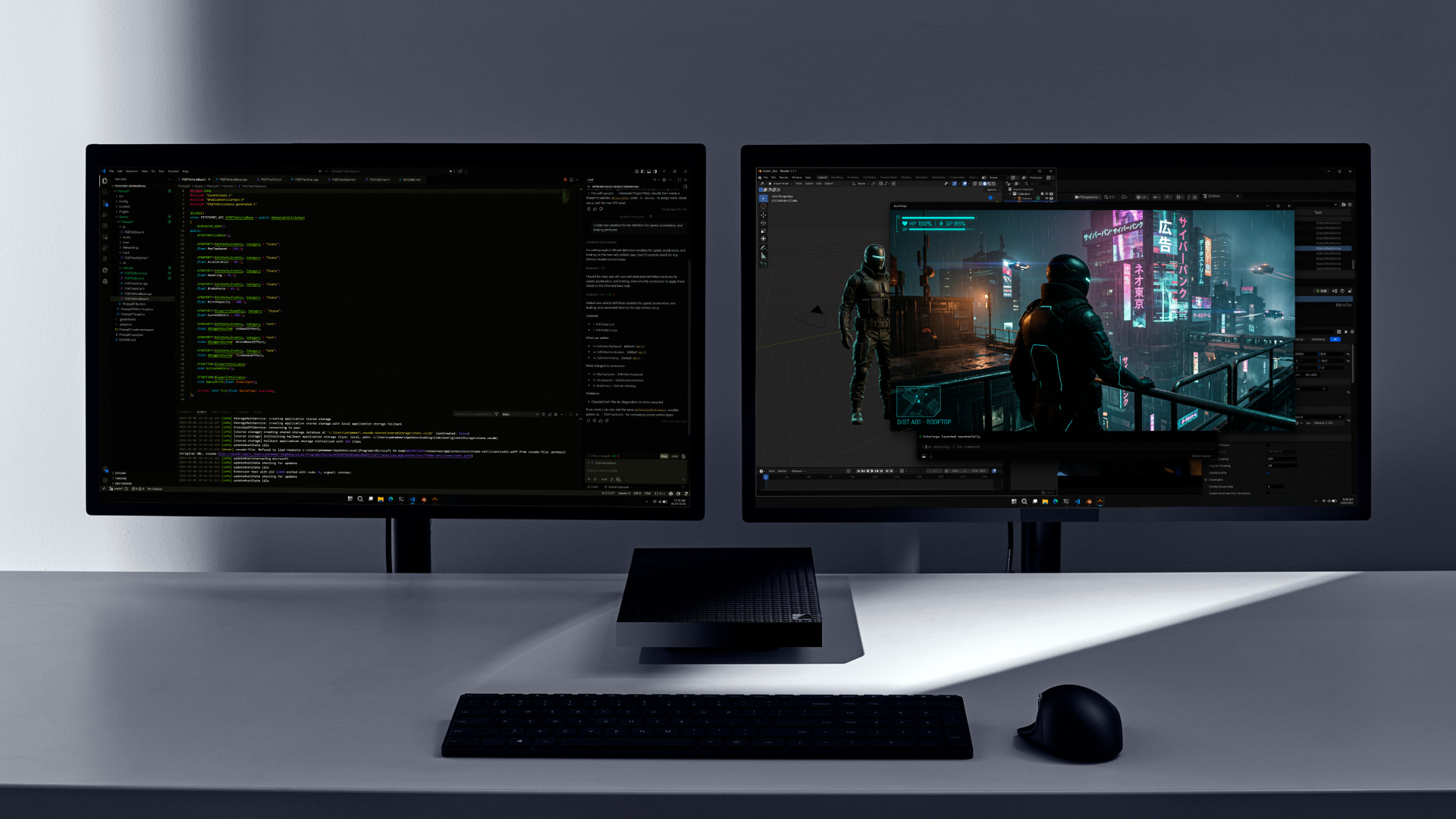
Microsoft’s compact Dev Box costs $5,999.99 for a 20-core CPU, 6,144-core GPU, 128GB of memory and a 2TB SSD, is available to preorder exclusively through Microsoft in the U.S., and is scheduled to start shipping in November. That timing is different from the Surface Laptop Ultra’s October 16 availability.
The Dev Box combines that memory with a 100W thermal envelope and an included 165W power supply and a developer-focused Windows 11 Pro setup. Microsoft lists tools including Visual Studio Code, WSL, GitHub Copilot, and PowerShell 7. Its published connections include two USB-C ports, USB-A, HDMI, Ethernet, and a headphone jack.
Its clearest audience is a developer who wants a dedicated local machine with the environment already prepared. Budget for the monitor and keyboard separately. Compare Ethernet speed and exact USB capabilities before matching it to your existing storage and displays; connector names alone don’t establish those details.
ASUS ProArt GR1X: compact local AI with 10GbE
ASUS price: Not announced; planned later in 2026
Related desktop preorder: Surface RTX Spark Dev Box, $5,999.99
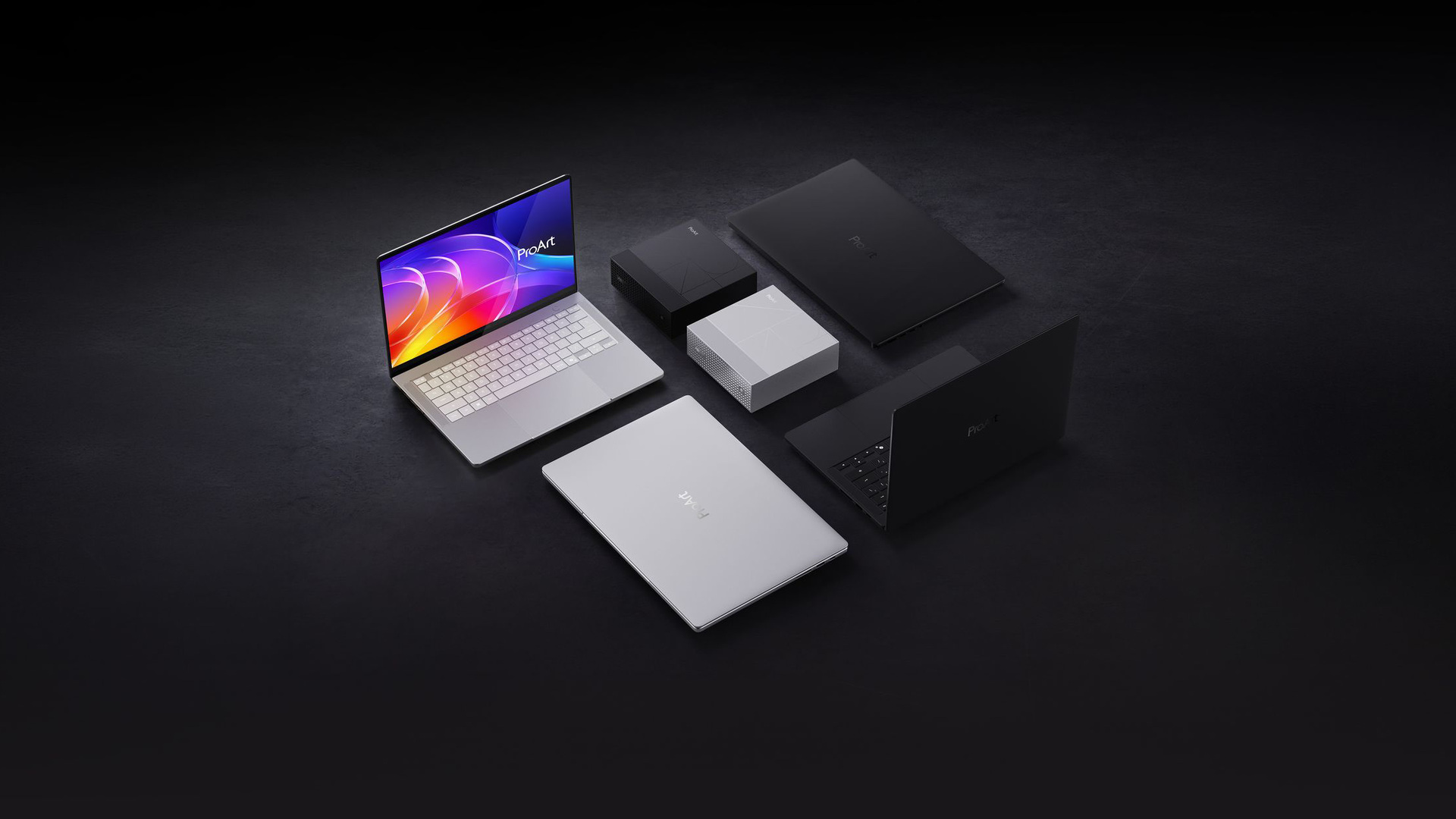
ASUS’s GR1X desktop puts a 20-core Grace CPU, 6,144-core Blackwell GPU, and 64GB or 128GB of memory into a 150 × 150 × 51mm enclosure. It weighs 1.48kg, has a listed 140W thermal design power, and uses a 240W supply. ASUS plans availability later in 2026 through selected retailers.
The networking and display connections make it interesting for a studio. It has 10Gb Ethernet, Wi-Fi 7, and Bluetooth 5.4, plus three 20Gbps USB-C ports with DisplayPort alternate mode and a fourth USB-C connection with power input. HDMI 2.1 completes the display options, with ASUS advertising support for up to four displays. These USB ports are listed at 20Gbps, so don’t assume they match the 40Gbps USB4 ports on several laptops.
This is the compact desktop to investigate when large assets live on fast network storage or a multi-display workspace matters more than a built-in screen. Its advertised cooling and always-on positioning fit long-running work, while final pricing and storage configurations will determine its value.
Dell Creator Edition Desktop: a fixed home for creator workloads
Dell price: Not announced; coming soon
Related desktop preorder: Surface RTX Spark Dev Box, $5,999.99
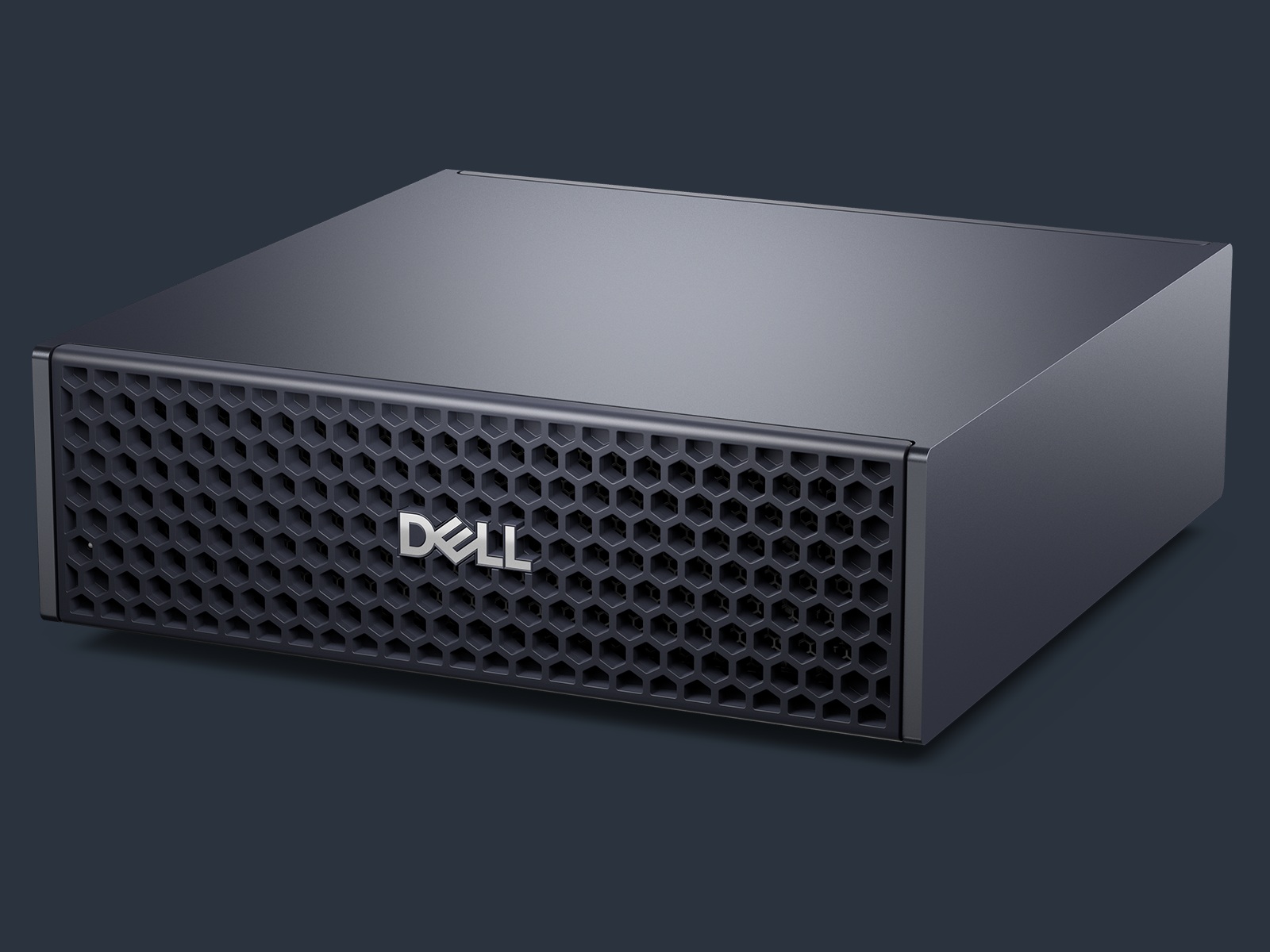
Dell’s compact Creator Edition Desktop brings RTX Spark and up to 128GB of unified memory to a machine intended for extended creative and AI workloads. Dell lists up to 4TB of SSD storage for the desktop family. It’s listed as coming soon, with the exact retail configuration and price still to be announced.
Dell advertises up to one petaflop of FP4 compute and support for models with up to 200 billion parameters. Treat model capacity as a qualified platform claim: quantization, context, and working memory determine whether a particular model fits, and the number doesn’t tell you its response speed. This desktop belongs on the watchlist for buyers who want a permanent creator workstation and can wait for the complete specification and offer.
HP OmniDesk and Acer’s compact design: further down the buying road
Prices: Not announced in the cited design releases
Related desktop preorder: Surface RTX Spark Dev Box, $5,999.99
HP named its RTX Spark OmniDesk in September and described a compact desktop for always-running AI tasks. Acer separately showed its Acer SFF RTX Spark design at IFA, with up to 128GB unified memory. Those announcements establish the products’ direction, but neither source supplies a complete current retail offer. They’re future options to track rather than substitutes for a configuration you can order today. NVIDIA has also named Gigabyte as a partner; a named, verified product is still needed for a direct comparison.
The GB300 workstation announcements serve a different buyer
Price: Request a workstation quote
Where to enquire: Dell Pro Precision with GB300
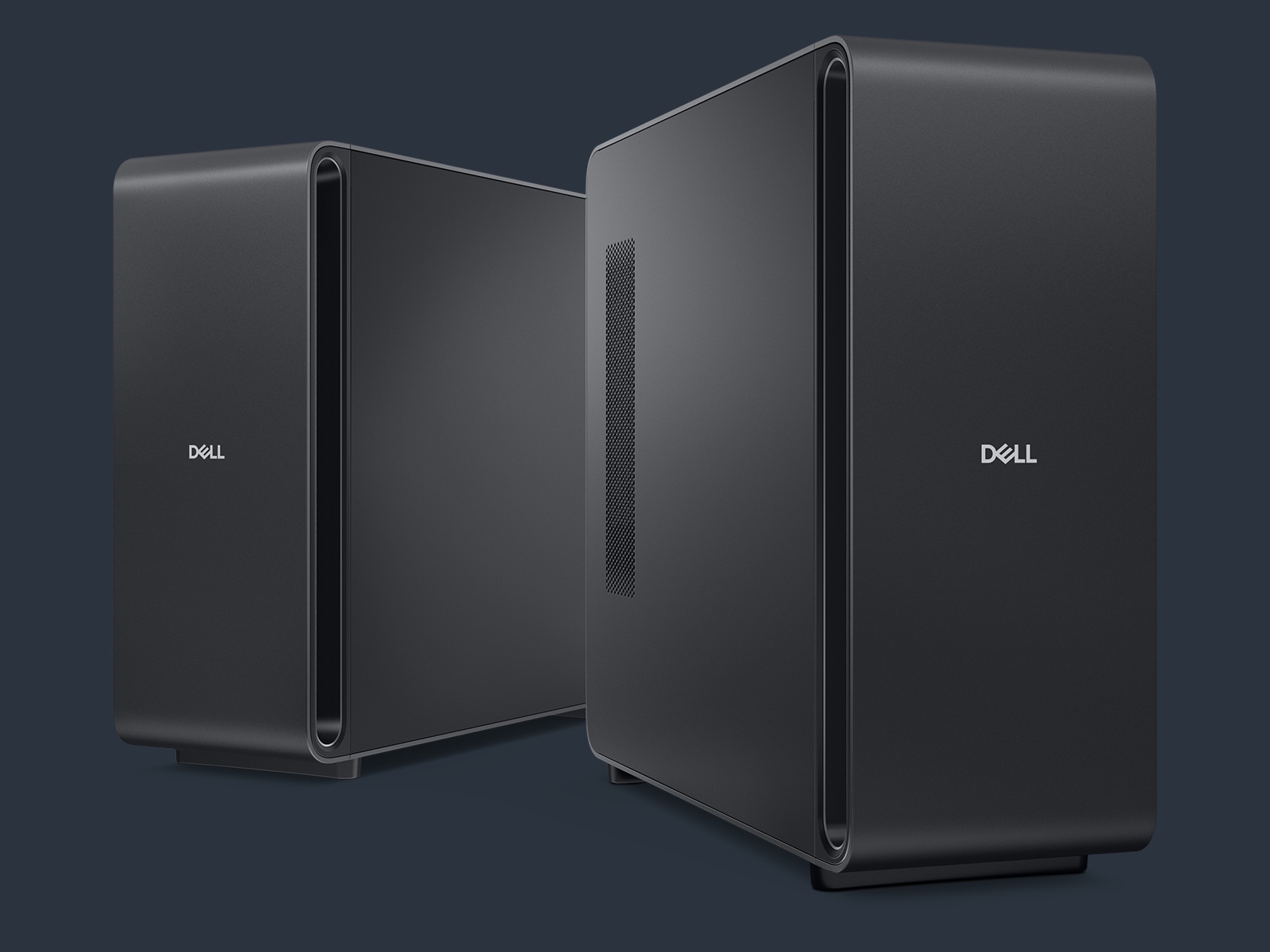
Dell Pro Precision with GB300 and HP ZGX Fury extend the Windows story into much larger AI workstations. They use NVIDIA’s GB300 Grace Blackwell Ultra Desktop Superchip, a different platform from the RTX Spark laptops and compact desktops above.
Dell describes 748GB of coherent memory, divided into 496GB of CPU memory and 252GB of GPU memory, with up to 20 petaflops of FP4 compute. Its portfolio page lists up to 16TB of SSD storage and ConnectX-8 networking with two 400GbE QSFP ports. Windows availability is described as coming soon in the launch release. HP has also demonstrated Windows on the ZGX Fury and directs buyers to sales representatives for details. These systems are for organizations sizing substantial local AI workloads, shared use, and managed deployment. Their memory capacity and infrastructure requirements deserve a separate quote and workload evaluation rather than a casual comparison with a $2,599.99 laptop.
Match the ports to the equipment you own
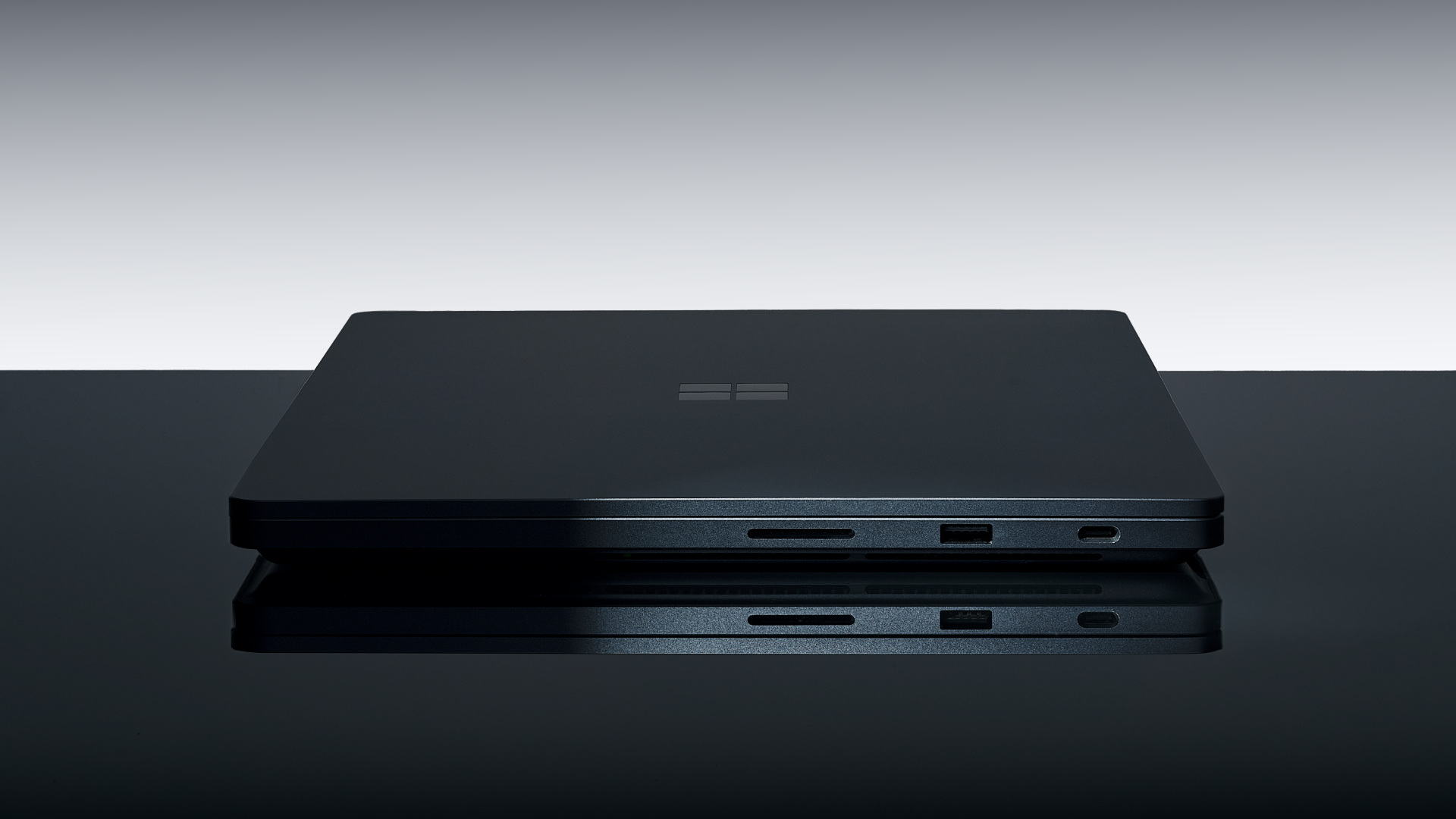
Camera-card speed, external storage, and charging can change the choice. ASUS P16 adds SD Express, Lenovo Pro 9n keeps two USB-A ports, and GR1X adds 10Gb Ethernet. USB-C describes the connector; the listed data speed and display support describe what it can do.
| Model | USB and video connections | Card reader and networking |
|---|---|---|
| Surface Laptop Ultra | Three USB-C, USB-A, HDMI; one magnetic USB-C charging connection | Full-size SD; exact port speeds not established here |
| ASUS ProArt P14 | Three USB4-C with display/PD; USB-A 10Gbps; HDMI 2.1 FRL; audio | SD 4.0; Wi-Fi 7 / Bluetooth 5.4 |
| ASUS ProArt P16 | Three USB4-C with display/PD; USB-A 10Gbps; HDMI 2.1 FRL; audio | SD Express 7.0; Wi-Fi 7 / Bluetooth 5.4 |
| Dell XPS 16 Creator Edition | Three USB4-C 40Gbps with DP 2.1 / PD; HDMI 2.1b; audio | SDXC v7.1; no USB-A in published list |
| Lenovo Yoga Pro 9n | Two USB4-C 40Gbps with DP 2.1 / PD 3.0; two USB-A 10Gbps; HDMI 2.1; audio | UHS-II SD; Wi-Fi 7 / Bluetooth 5.4 |
| Lenovo Yoga 9n 2-in-1 | Two USB4-C 40Gbps with DP 2.1 / PD 3.0; two USB-A 10Gbps; HDMI 2.1 FRL; audio | UHS-I SD |
| Surface RTX Spark Dev Box | Two USB-C, USB-A, HDMI, audio | Ethernet; speed not established here |
| ASUS ProArt GR1X | Three USB-C 20Gbps with DP 2.1; one USB-C 20Gbps with EPR PD input; HDMI 2.1 | 10GbE; Wi-Fi 7 / Bluetooth 5.4 |
The cited HP announcements don’t provide a complete port specification. Check the final model sheet before buying for a particular dock or display setup.
Compare the software you’ll actually use
Microsoft’s Windows launch demonstrations show two parts of the software story: setting up agents on a mini desktop, and routing work between local and cloud models.
ASUS has the most specific creator-workflow package in these launch materials. MuseTree handles local generative creation, StoryCube organizes media, and ProArt Creator Hub provides system and creator controls. ASUS describes a dedicated Hermes skill connecting the agent to MuseTree, with FLUX and Wan models, while its ComfyUI partnership supplies reusable workflows and resource packs. Zenni Claw is ASUS’s own assistant for integration with its applications and devices. Hermes and ComfyUI themselves are broader tools; the ASUS integrations and packaged workflow are the distinction.
For a creator repeatedly generating assets, sorting footage, and handing results between applications, that is a practical reason to compare ProArt. Check model requirements against the selected memory capacity. ASUS also advertises eligible Adobe and Google AI bundles, which are separate from the local tools and carry their own eligibility and subscription terms. Local model processing doesn’t mean every connected service is free or works offline.
Microsoft emphasizes the prepared development environment and the Windows platform. Surface RTX Spark Dev Box arrives with a developer-focused Windows 11 Pro setup and tools such as VS Code, WSL, Git and PowerShell. The benefit is reducing setup work on a dedicated development machine. Microsoft’s Windows software roadmap also applies beyond Surface: Execution Containers are generally available on Windows 11, while GitHub HydraFusion’s local-and-cloud routing is slated for an experimental preview later in October. Copilot’s new hybrid capabilities are expected over the coming months. Those timelines shouldn’t become promises that every announced feature is installed on day one.
HP is pairing its hardware with Perplexity. The plan includes Perplexity Computer experiences for consumer PCs and a one-month Perplexity Pro trial on eligible devices beginning in November, expanding to both new and existing machines. That gives HP buyers an announced route into a broader assistant workflow. It isn’t an October 16 guarantee for every OmniBook, and a one-month trial isn’t a permanent software entitlement. HP’s materials describe a mix of local capability and partner services, so the exact task determines where processing happens.
Dell’s launch centers on a consistent Windows workflow across laptop, compact desktop, and enterprise workstation. Its materials name native creative applications, CUDA development, agent tools and Prism support, but don’t establish a Dell-exclusive consumer AI assistant. For an enterprise evaluating the GB300 system, the more concrete difference is the planned Windows environment with WSL access to Linux AI tools, alongside the infrastructure IT already manages. Windows and WSL remain shared platform technologies; Dell’s hardware, deployment and support offering is the buying distinction.
Acer’s SFF announcement concentrates on hardware and local AI capability. Check the actual included software and support terms when an exact configuration becomes available.
Which group should buy what?
- Mobile creators: Start with ASUS P14 and HP X 14. Carrying weight, the actual memory configuration, and how often you connect a larger monitor should drive the choice.
- Photo and video editors: Compare Lenovo Yoga Pro 9n, ASUS P16, Dell XPS 16 Creator Edition, Surface Laptop Ultra, and HP Ultra 16. Check the exact screen, camera-card standard, external storage speed, and your editing application’s support.
- Pen users and presenters: Start with Lenovo Yoga 9n 2-in-1 for its 360-degree hinge and dual-surface pen input. Surface Laptop Ultra’s touchscreen doesn’t support a pen.
- Local AI developers: Start with model memory requirements, then compare the 64GB and 128GB offers. For a dedicated desk machine, consider Dev Box’s prepared software environment and GR1X’s 10GbE and multi-display connections.
- People running jobs all day: Compare compact desktops once their full offers are available. A fixed machine avoids making the laptop you carry around responsible for a continuously running workload.
- Enterprise AI teams: Evaluate the GB300 systems with actual model, concurrency, networking, software, and support requirements. A vendor’s maximum parameter claim is only the beginning of that discussion.
- Primarily gaming or everyday office buyers: Check the exact games, plug-ins, peripherals, and applications you rely on before buying into a new Arm platform. NVIDIA and partners have announced native applications and gaming support, while other software uses Windows Prism emulation. Your own required software list is the useful compatibility test.
Portable preorder: ASUS ProArt P14, 24GB / 512GB, $2,599.99
Larger-screen preorder: ASUS ProArt P16, 24GB / 512GB, $2,799.99
The purchase I’d make is the one that removes a real limitation: insufficient model memory, an awkward port setup, too little screen space, or a laptop that can’t stay at the desk when the work needs to keep running. Choose that requirement first. Then compare the exact configurations that solve it.