
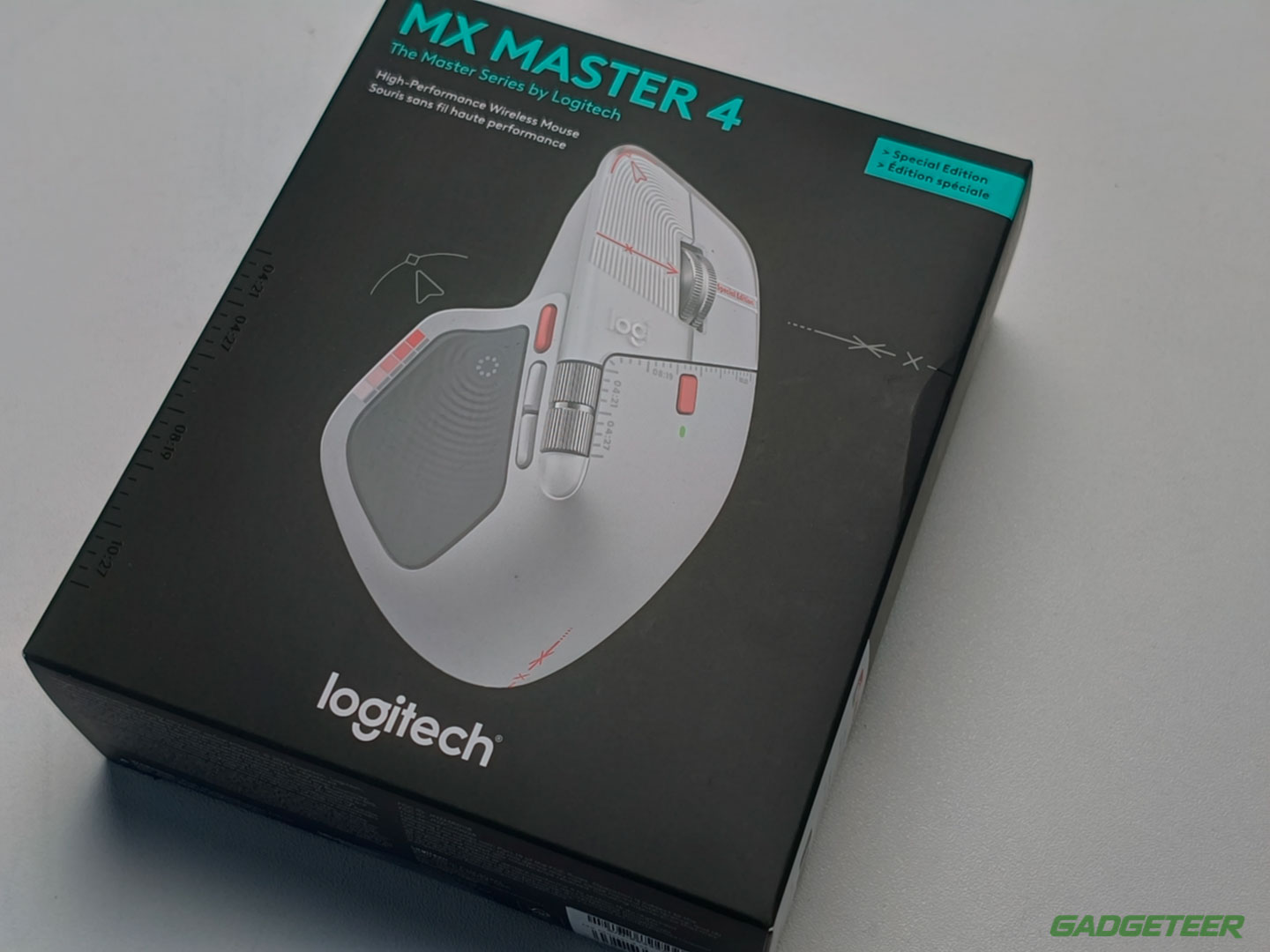
The Creator Edition prints a designer’s artboard in red across the pale gray shell of the MX Master 4 that took our Editor’s Choice in Developer trim. Same mouse underneath, louder outfit.
It’s the same question the Developer Edition answered earlier this month: does the shell alone justify picking this version over the plain Graphite or Pale Gray mouse? Underneath the print, nothing changes. Logitech says so itself, and my desk time with the Developer hardware says the same. The shell is the product this time.
Price: $119.99
Where to buy: Amazon (standard MX Master 4), Logitech (Creator Edition)
Our reviews:
Logitech MX Master 4 Developer Edition review: same great mouse, stupid awesome shell
Logitech MX Master 4 mouse review – My new favorite mouse!
An artboard printed where your palm lands
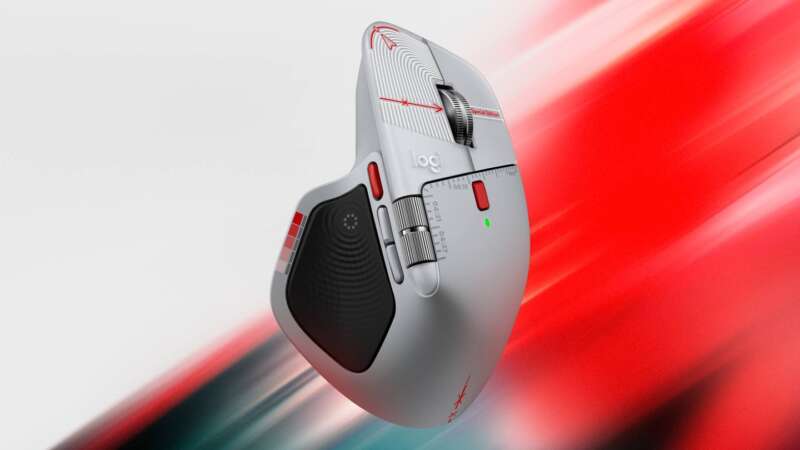
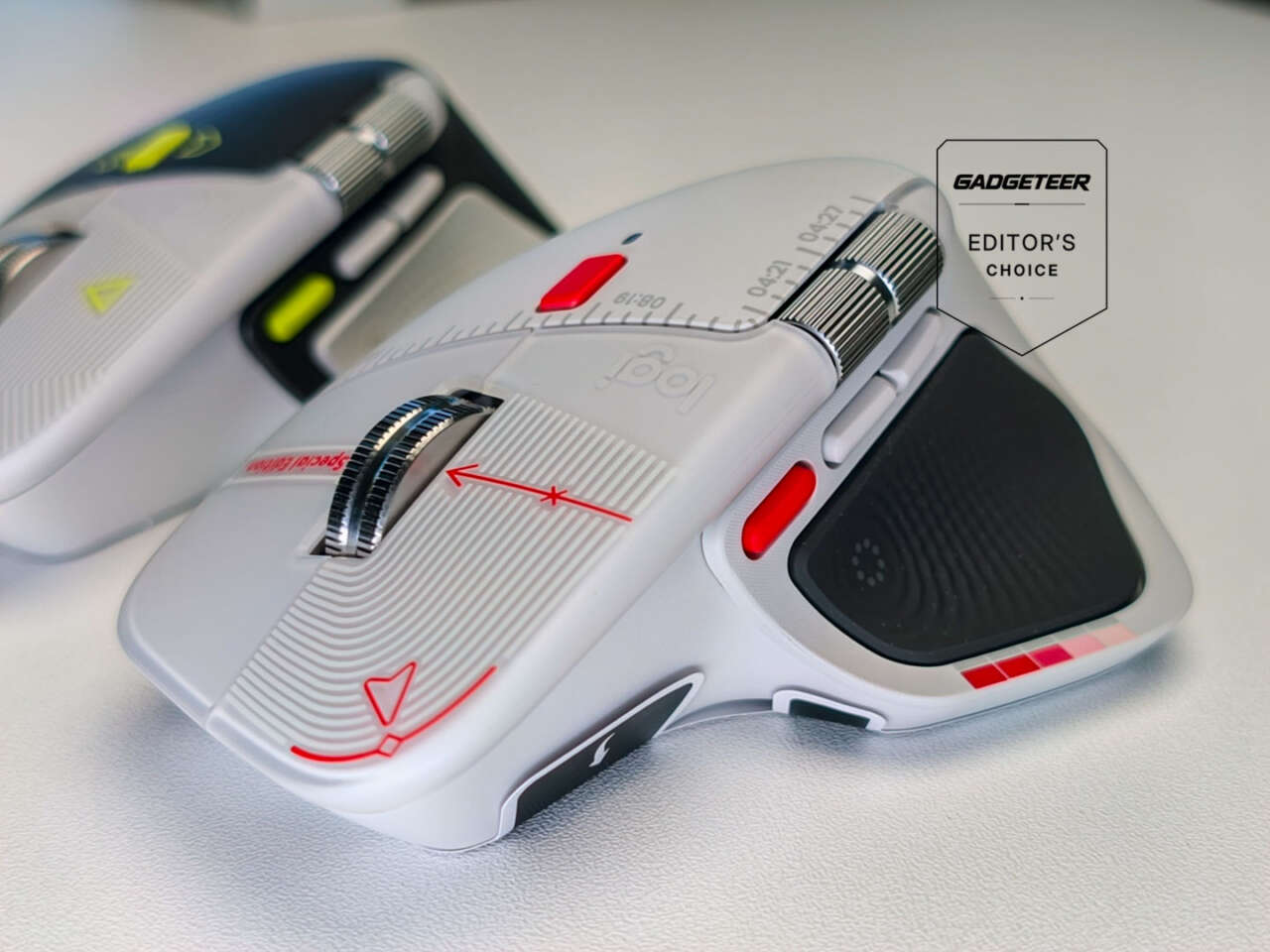
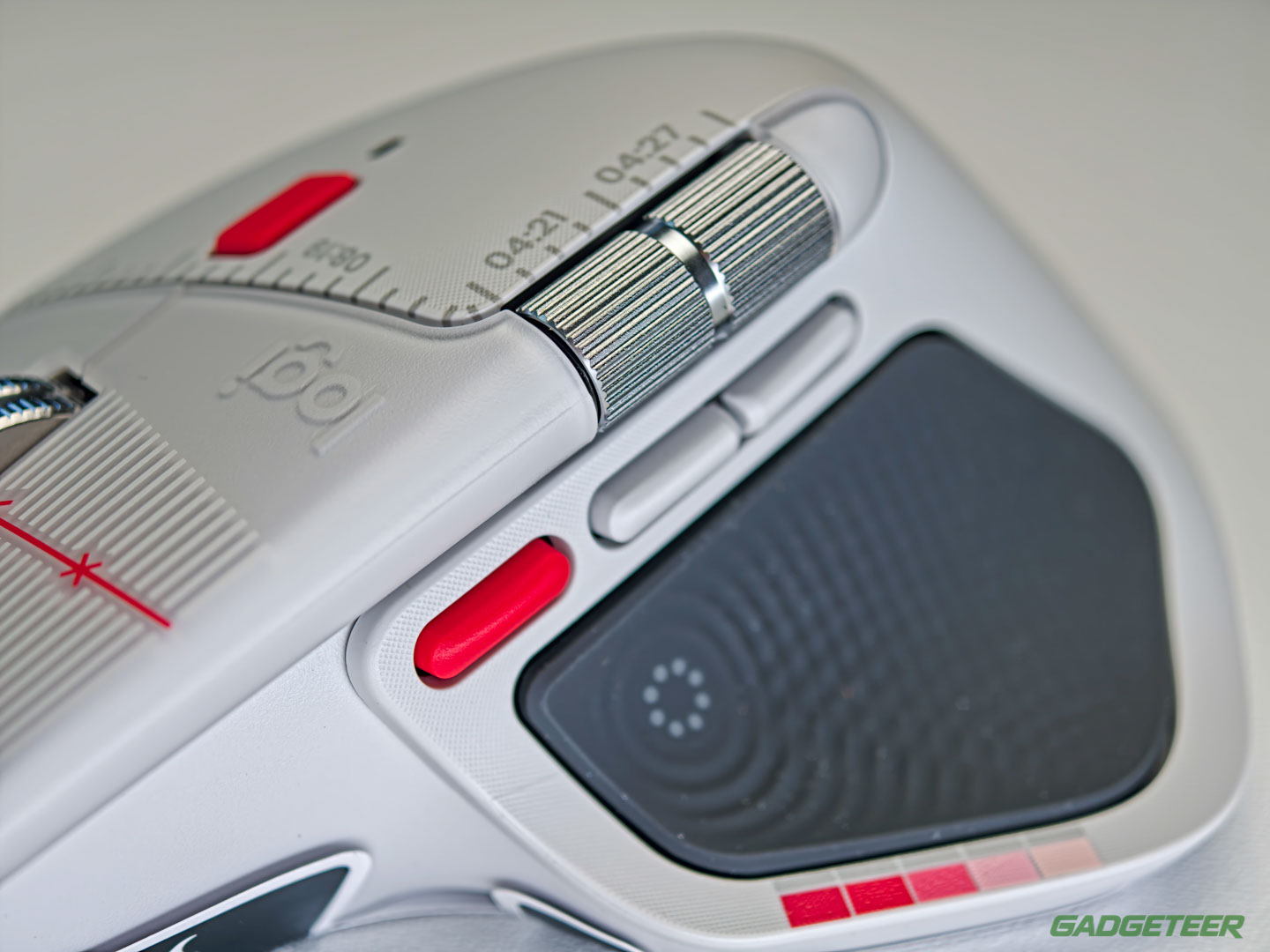
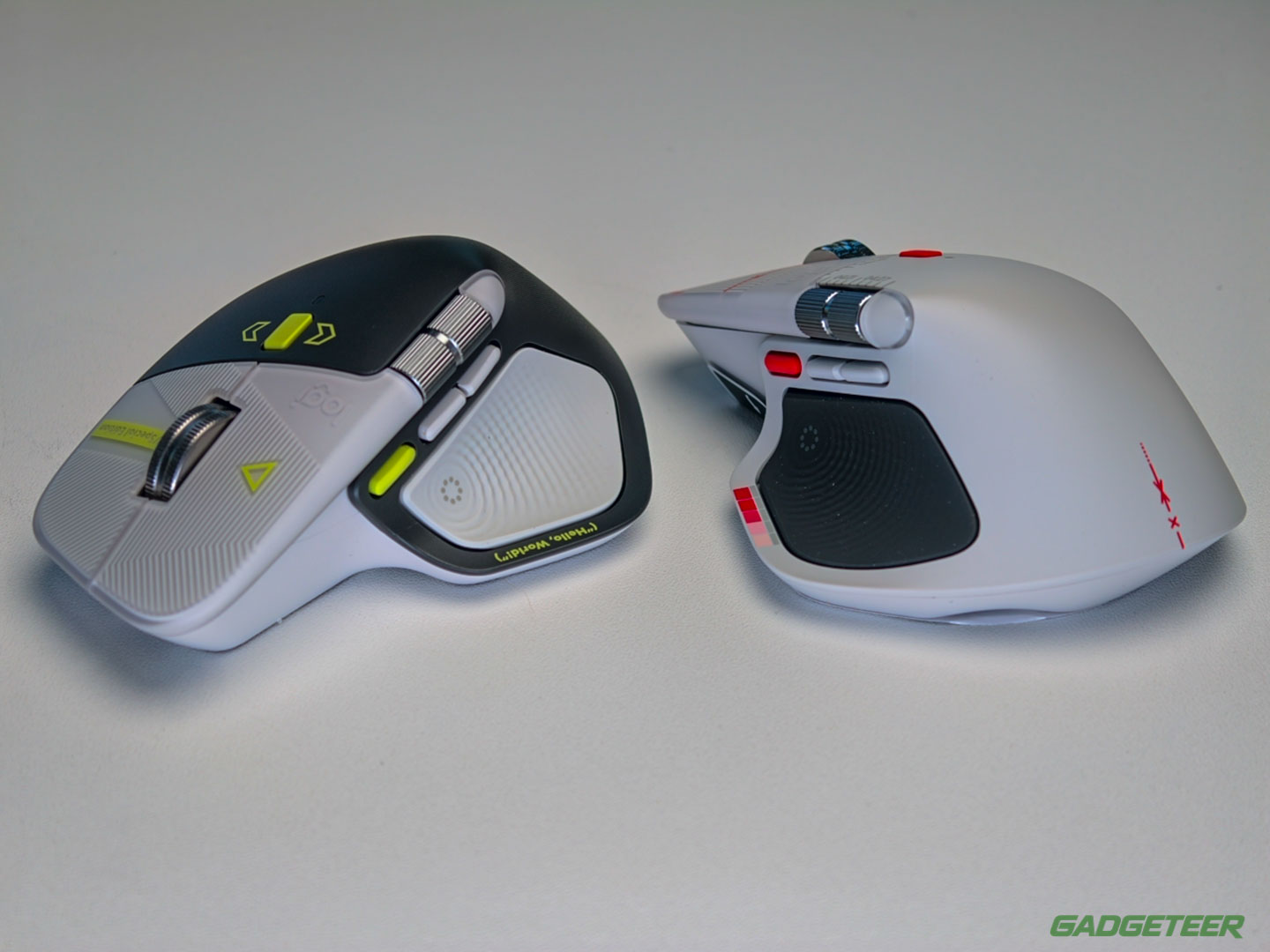
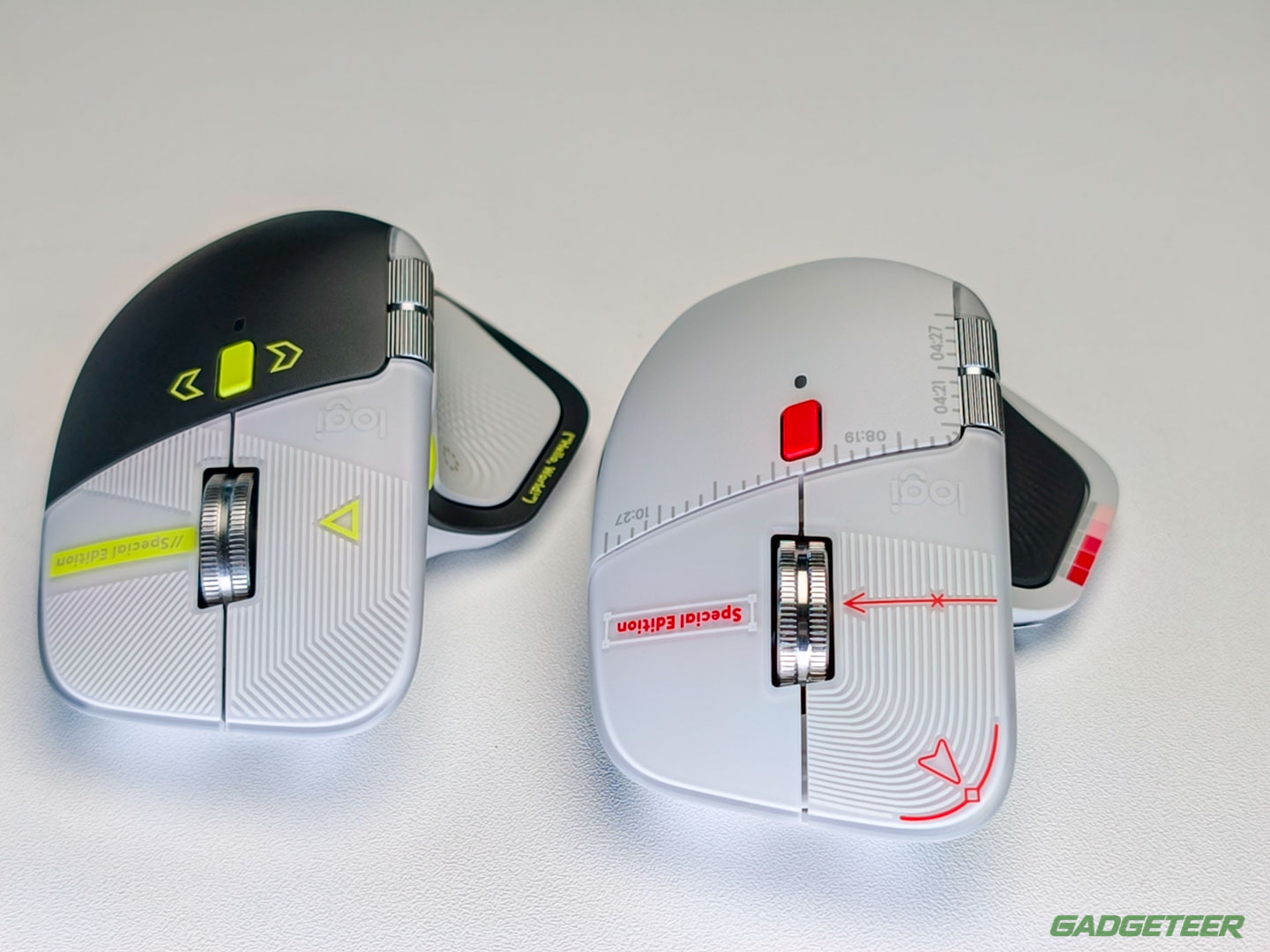
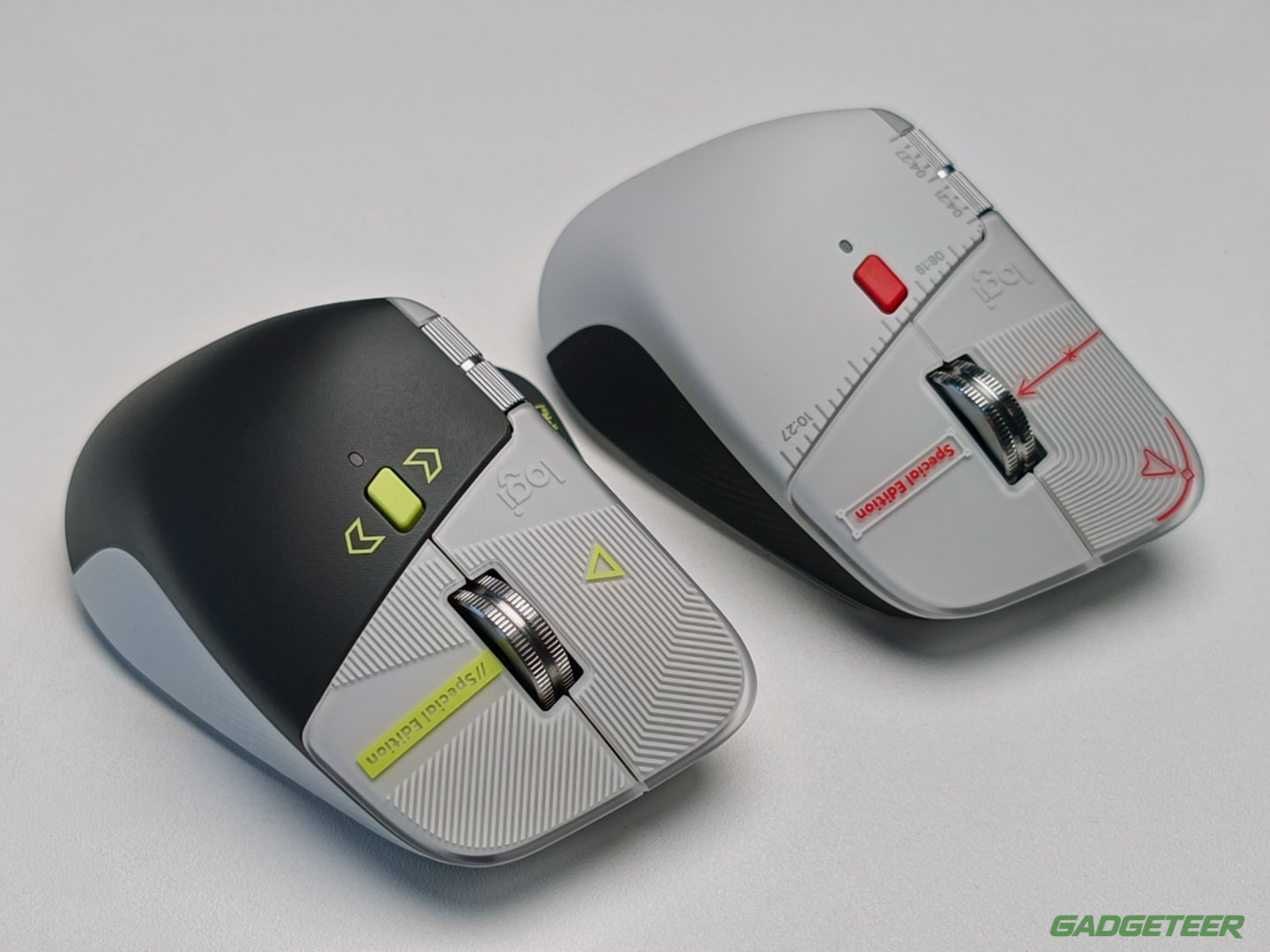
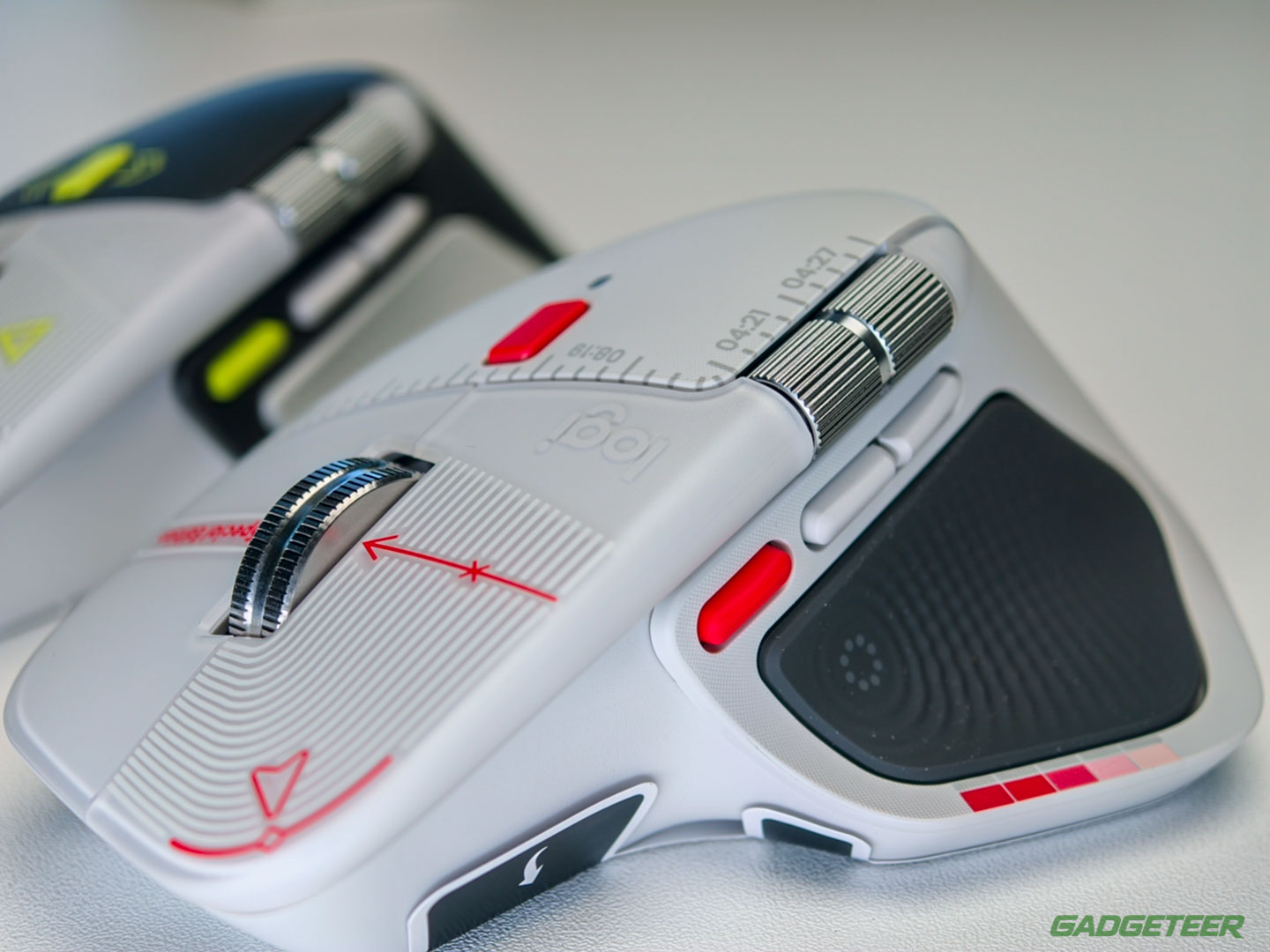
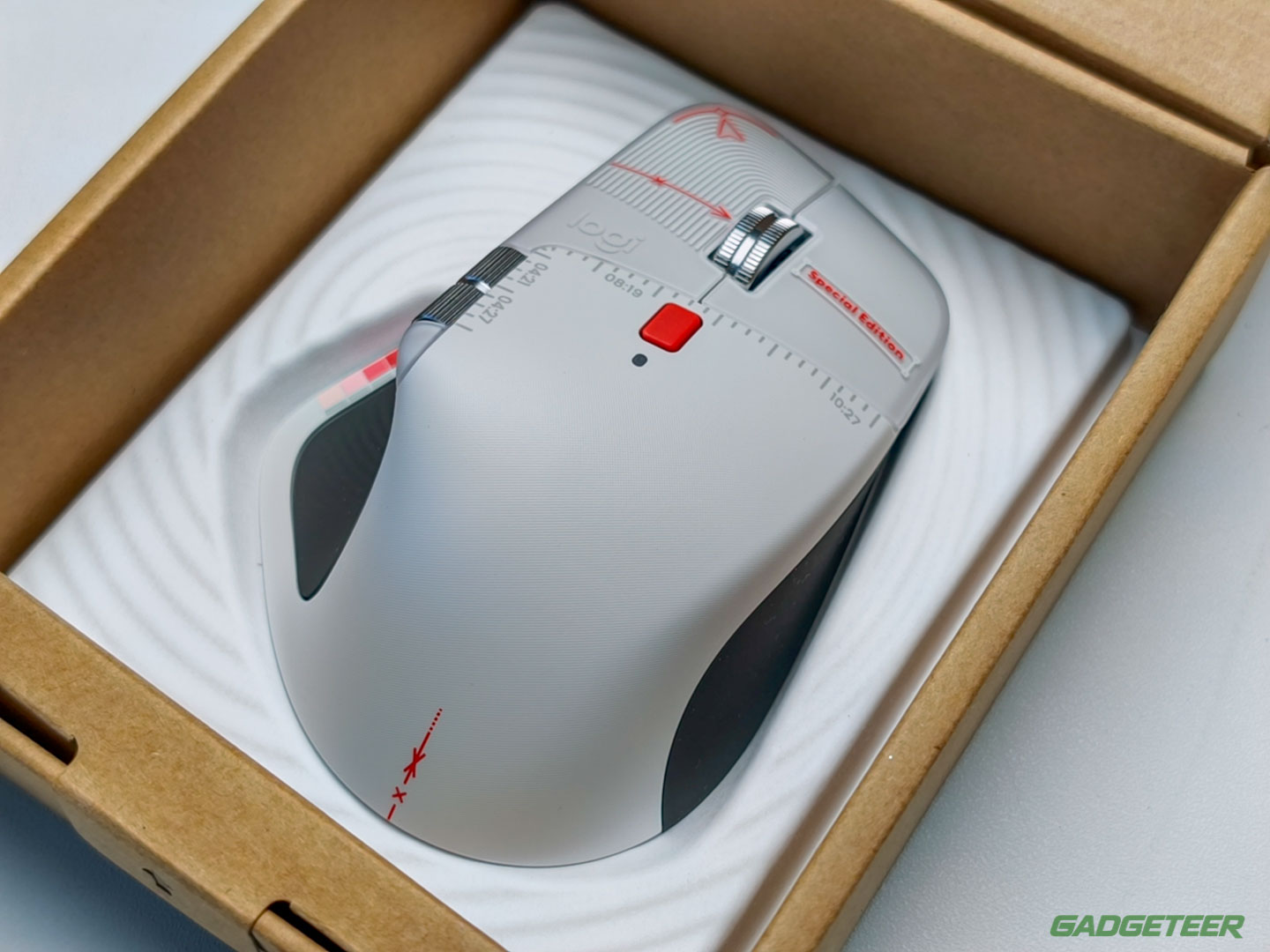
The pale gray shell carries layout grids, color calibration bands and alignment crosshairs printed directly on the body, with ruler ticks and timeline stamps running beside the steel wheel.
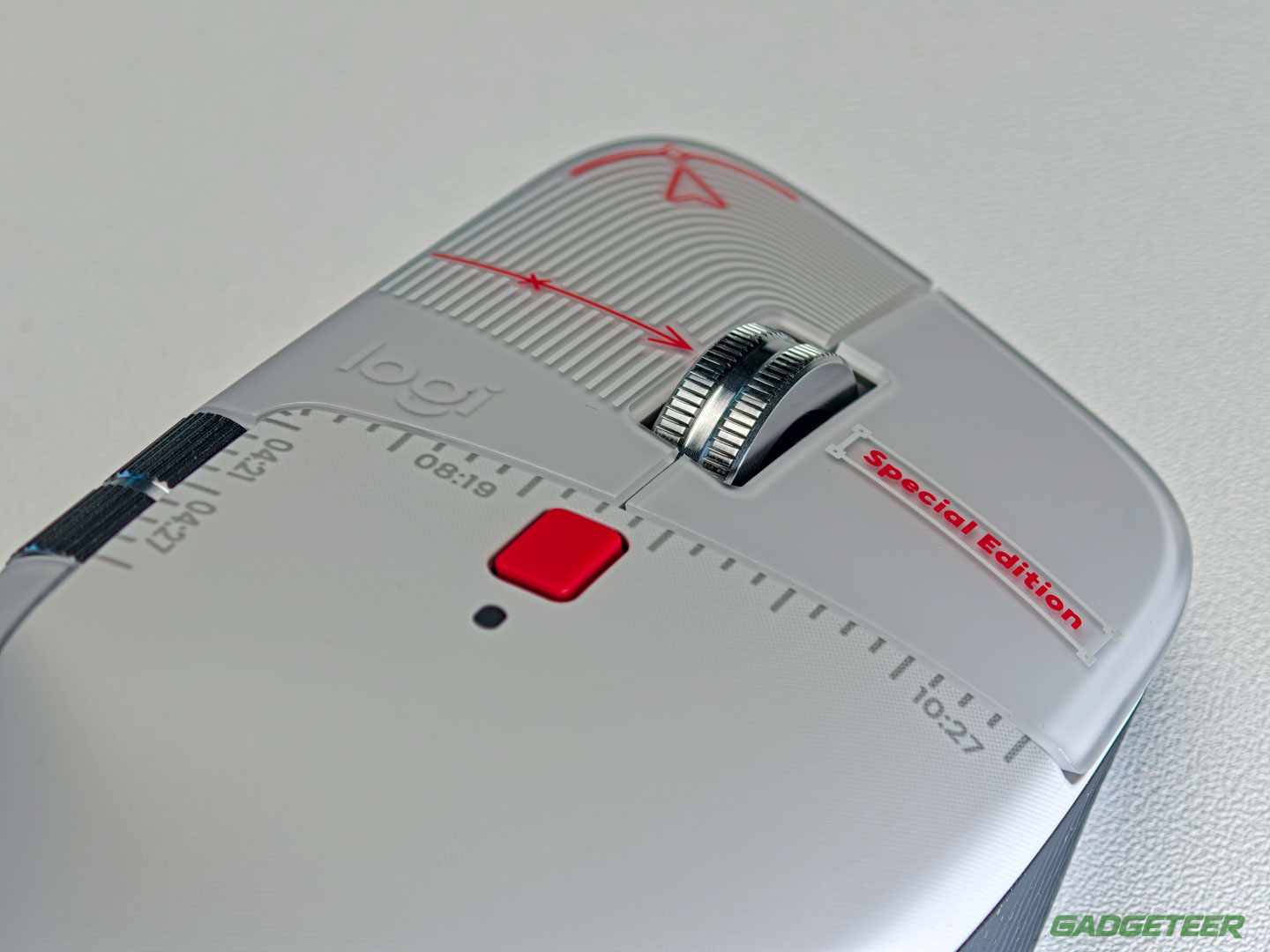
Four timeline stamps on the shell are dates in disguise. 04:21 marks World Creativity Day, 04:27 World Design Day, 08:19 World Photography Day and 10:27 the World Day for Audiovisual Heritage, the one Logitech’s launch post leaves out.
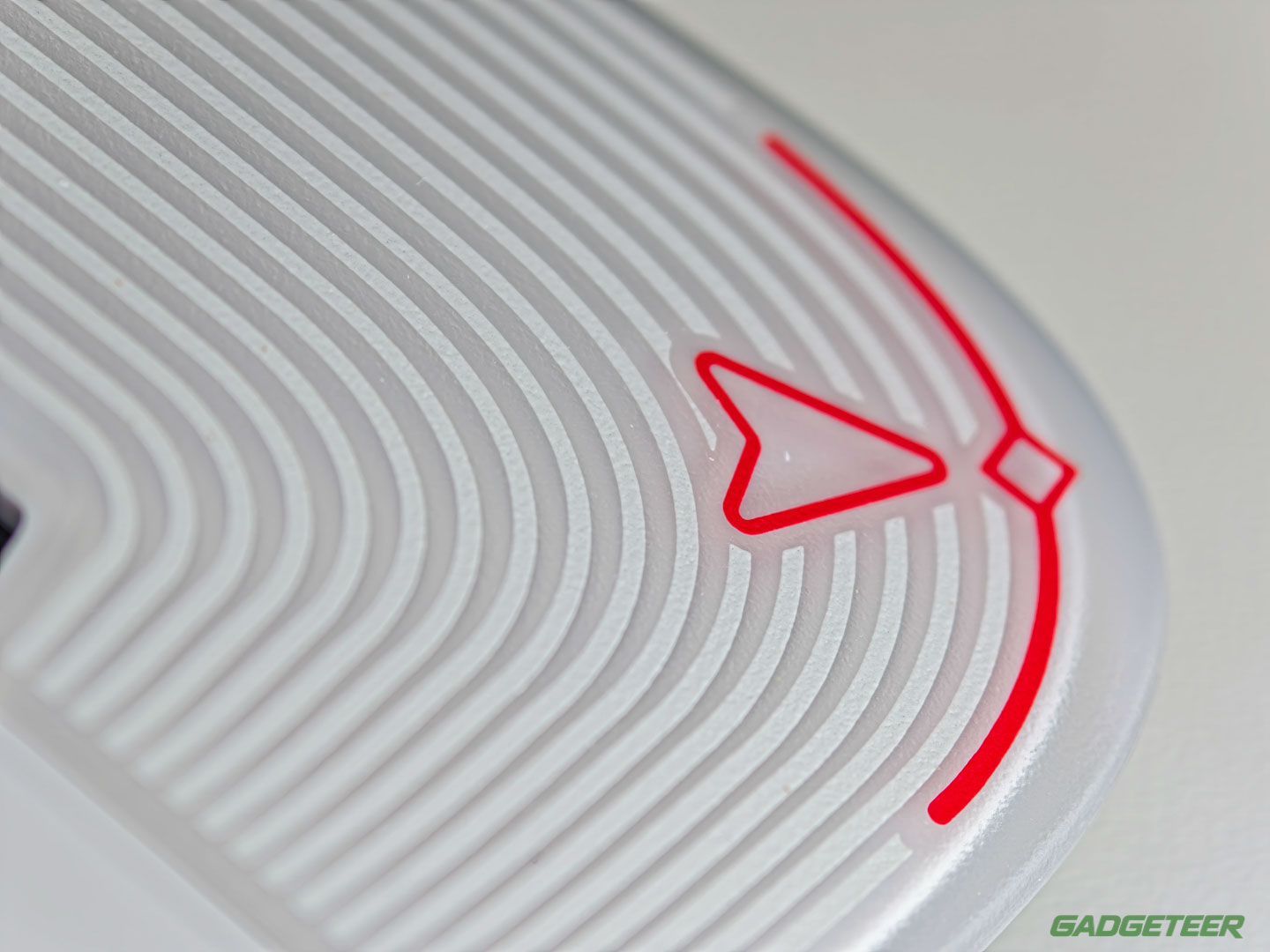
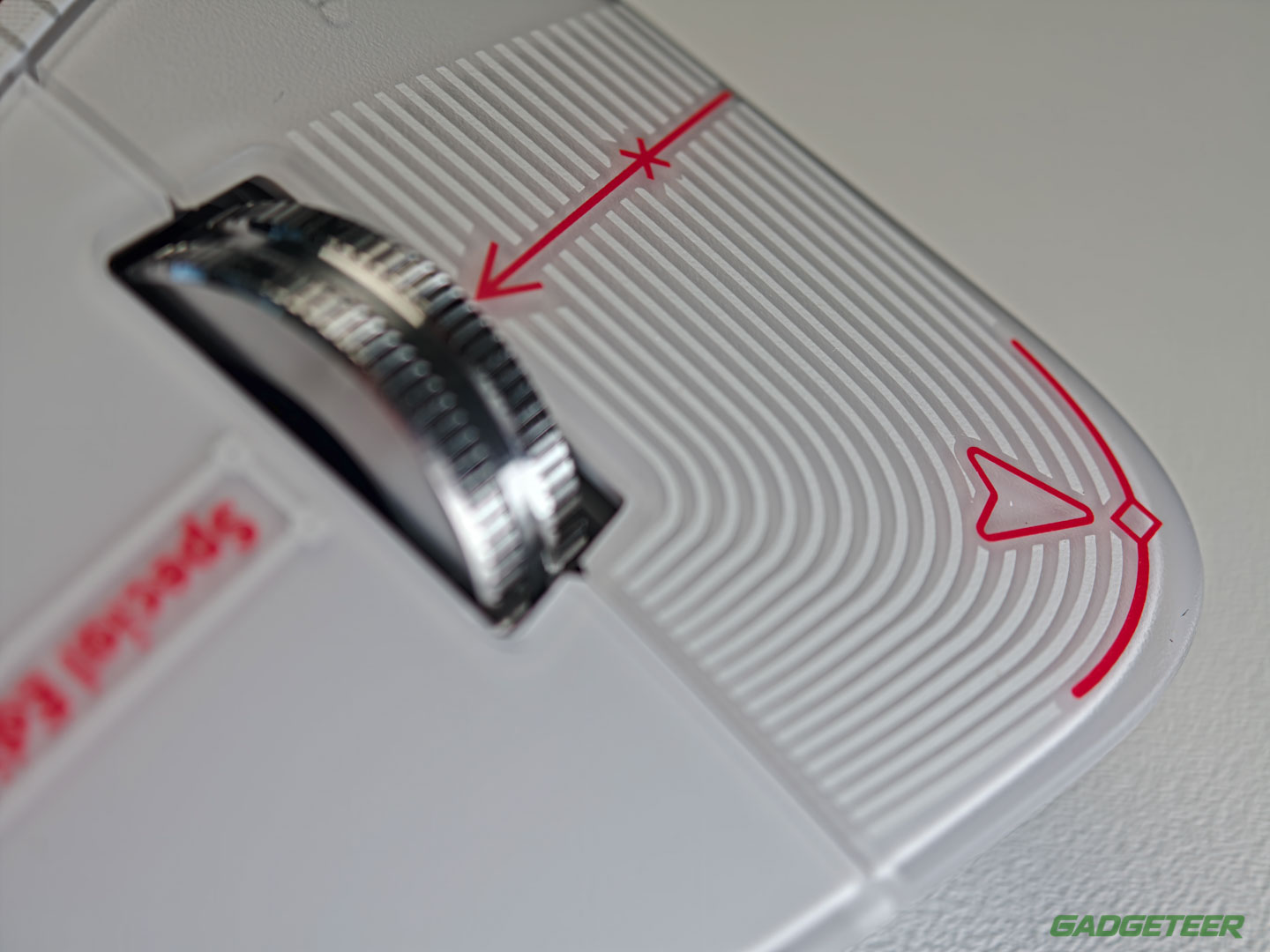
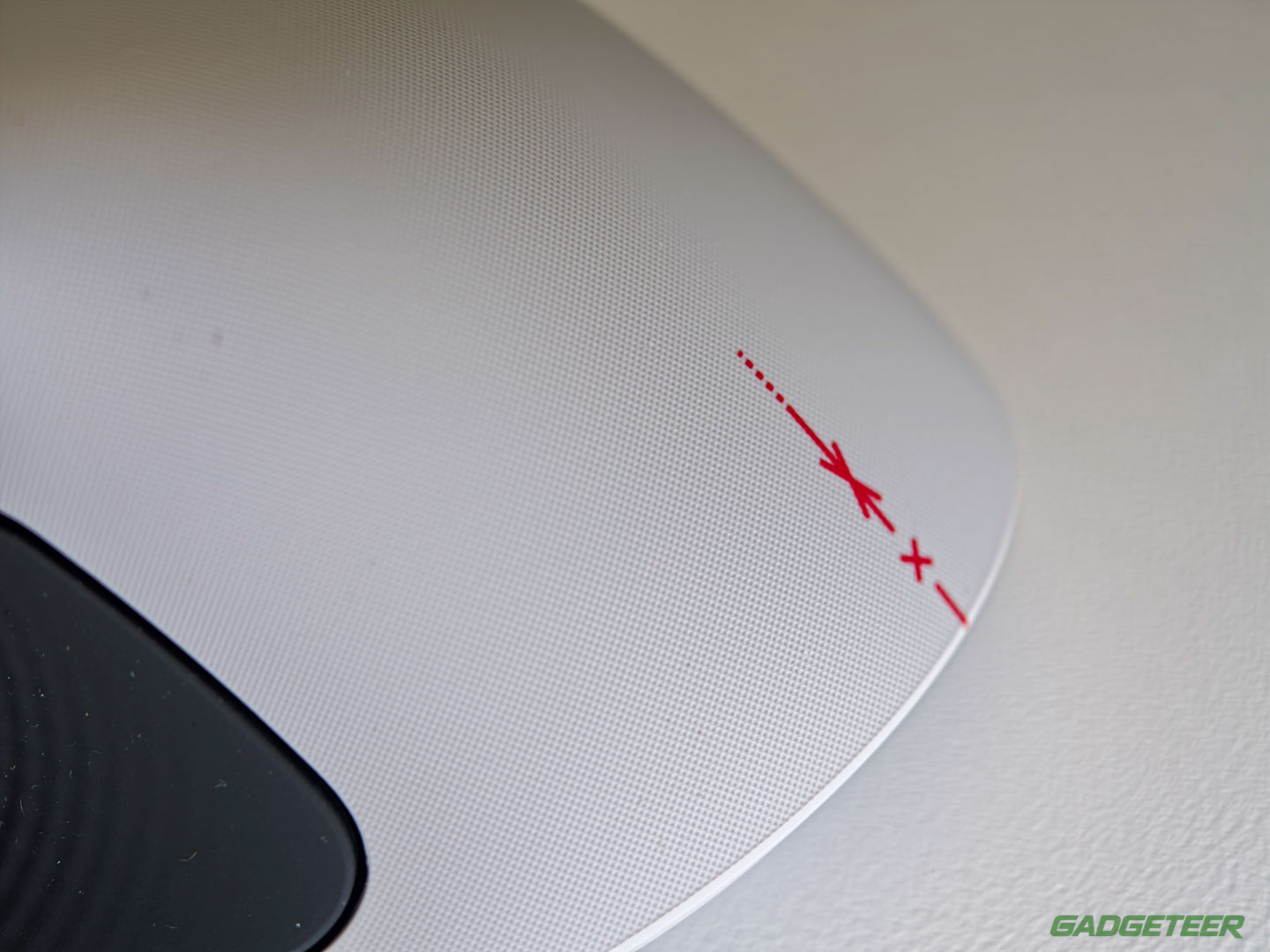
Ribbed and frosted, the click panels make the red cursor outline and crop-mark arrow printed over them shift as the light moves across my desk, so the whole top reads like a marked-up proof.
Down the thumb wing, a five-step strip fades from full red to pale pink like a calibration band pulled off a proof sheet, and the black Haptic Sense Panel carries a dotted circle at its center.
Around back, the print gives way. Pale gray sits over a black panel with a single red crosshair trail.
Red annotation against etched code
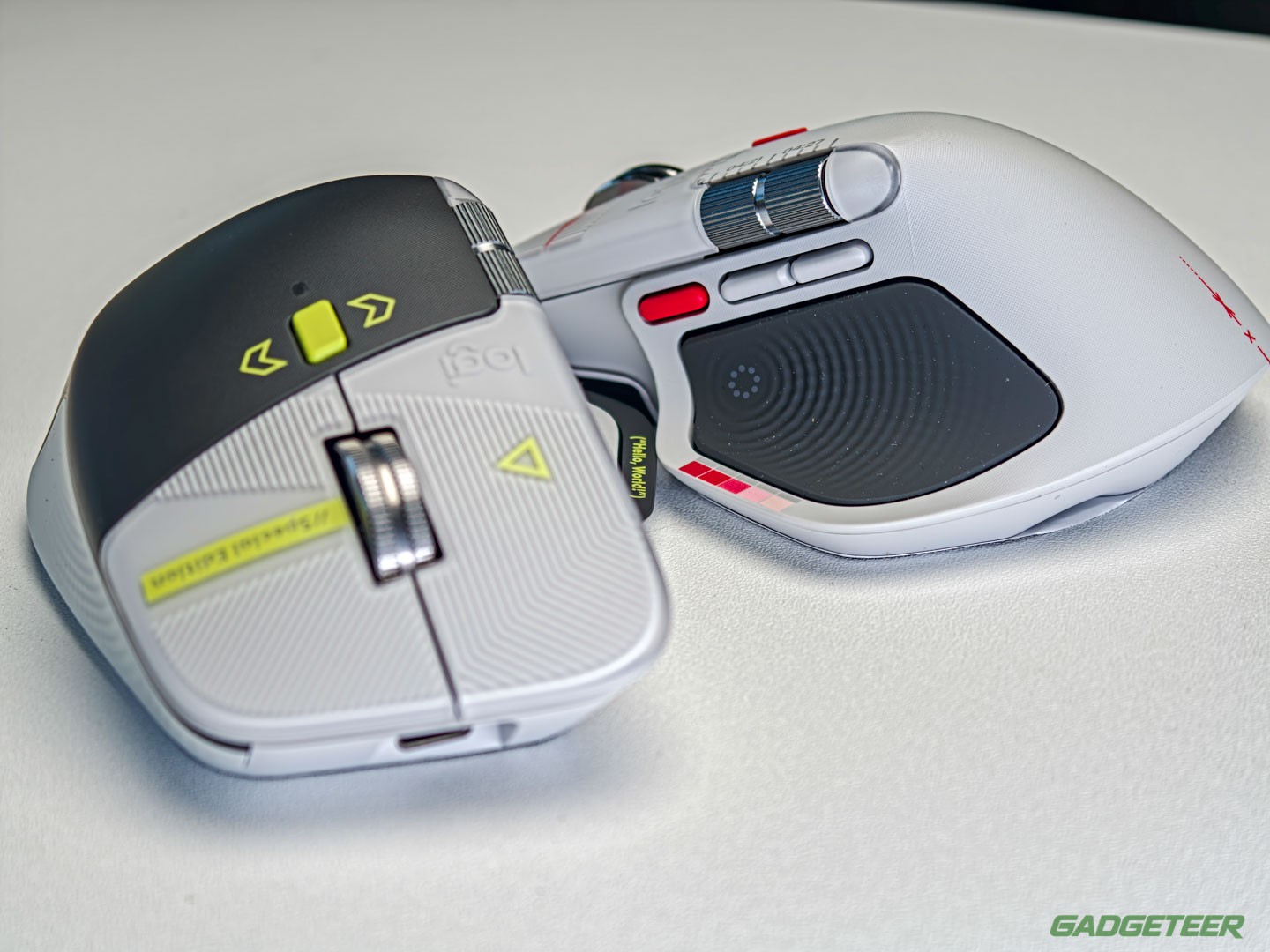
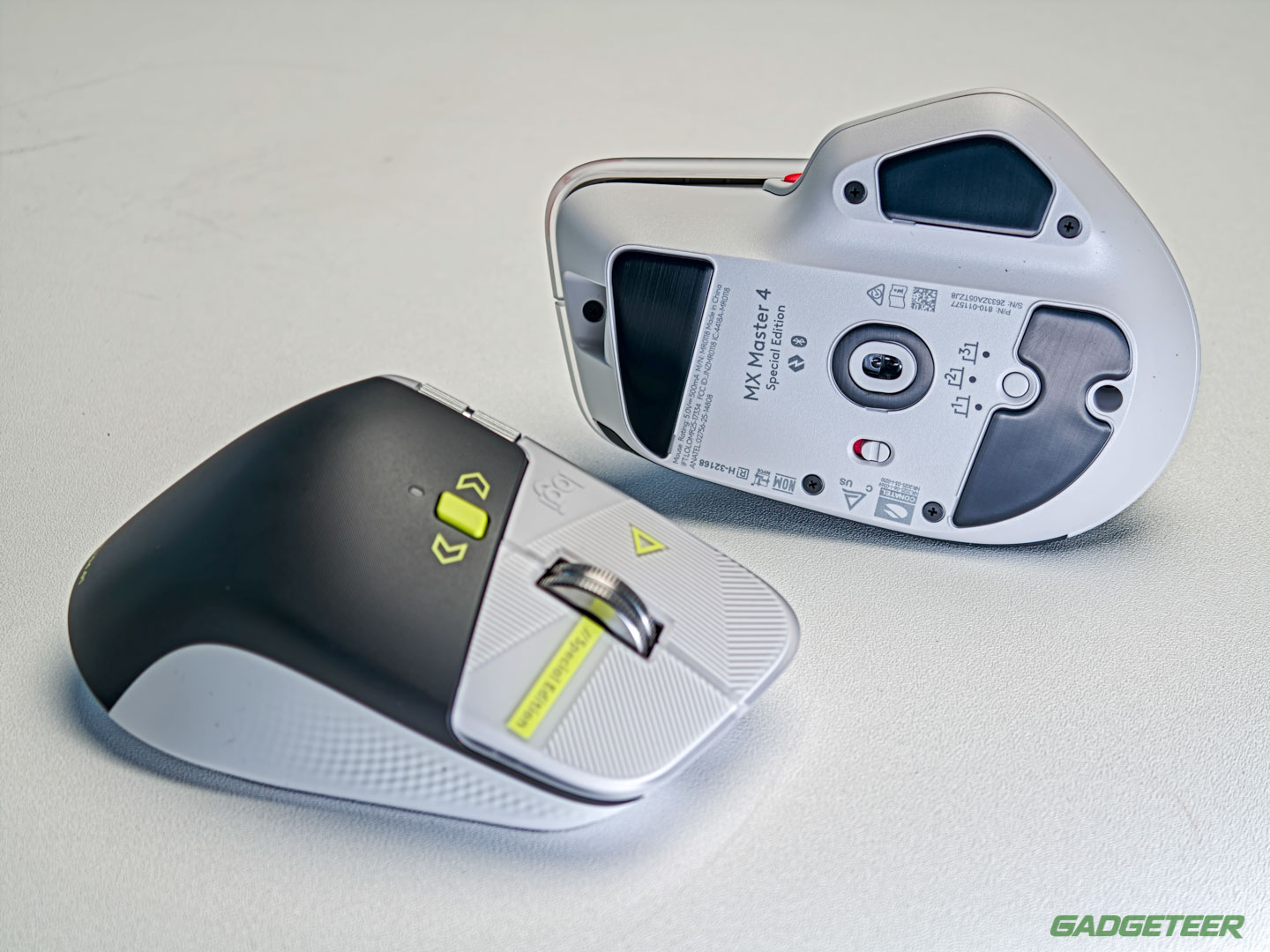
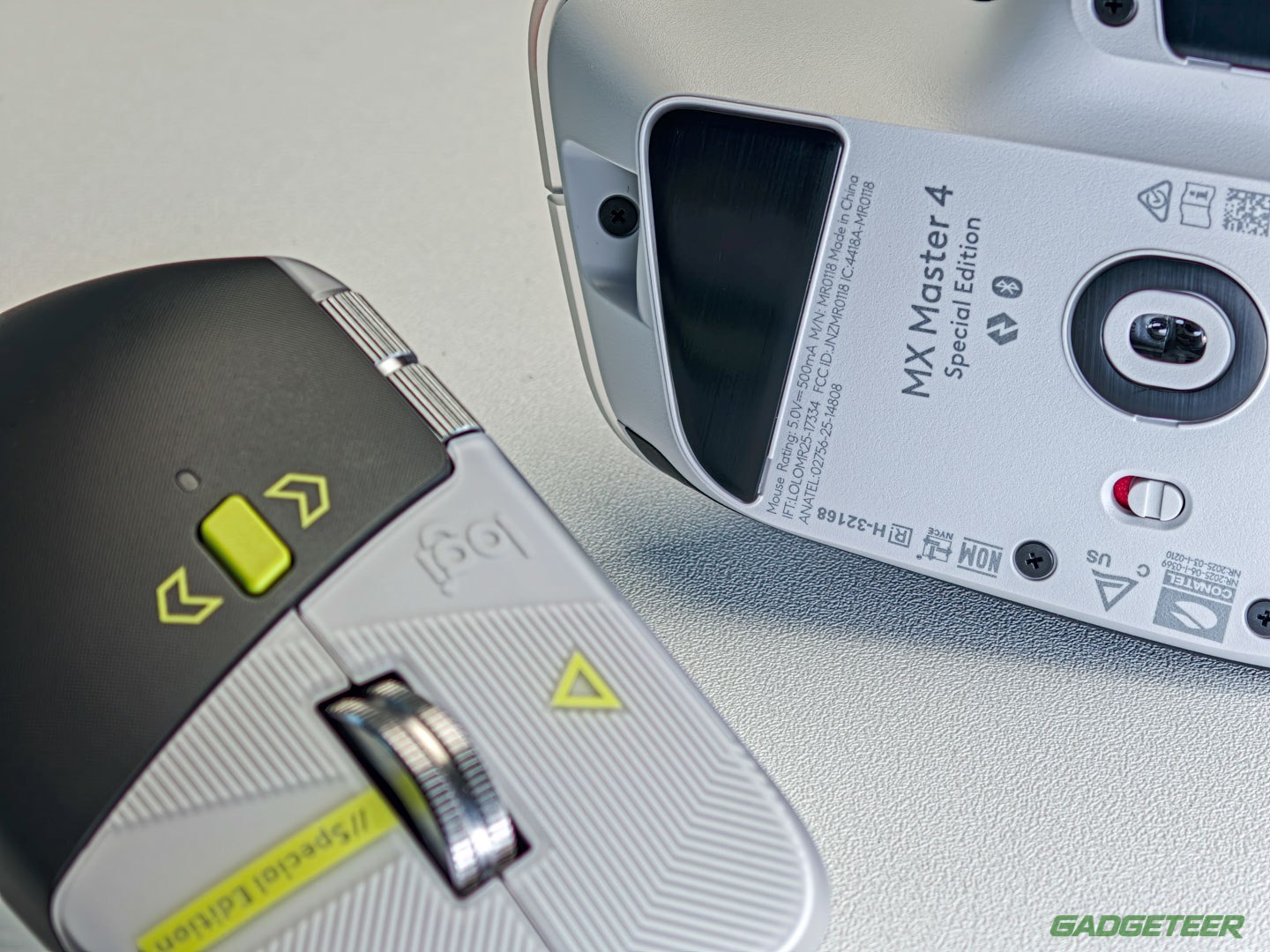
Put both editions on one desk and the split is total: the Developer wears pale gray and graphite, laser-etched with syntax marks and lit by lime-green accents.
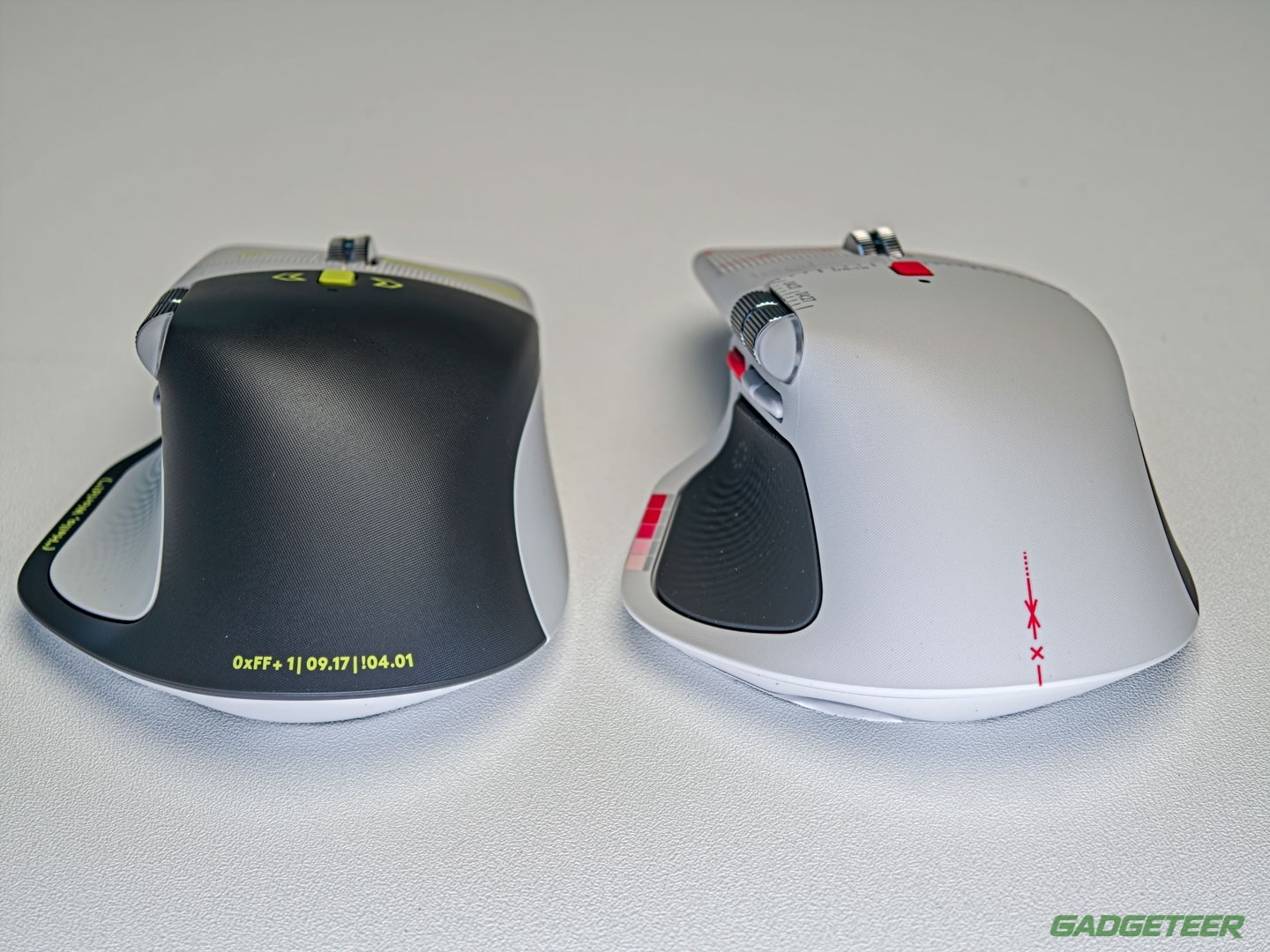
Its Easter eggs speak code instead: 0xFF + 1 for World Programmers’ Day, 09.17 for the first Linux kernel release and !04.01 for World Backup Day. Two tribes, two dialects, one shared mouse.
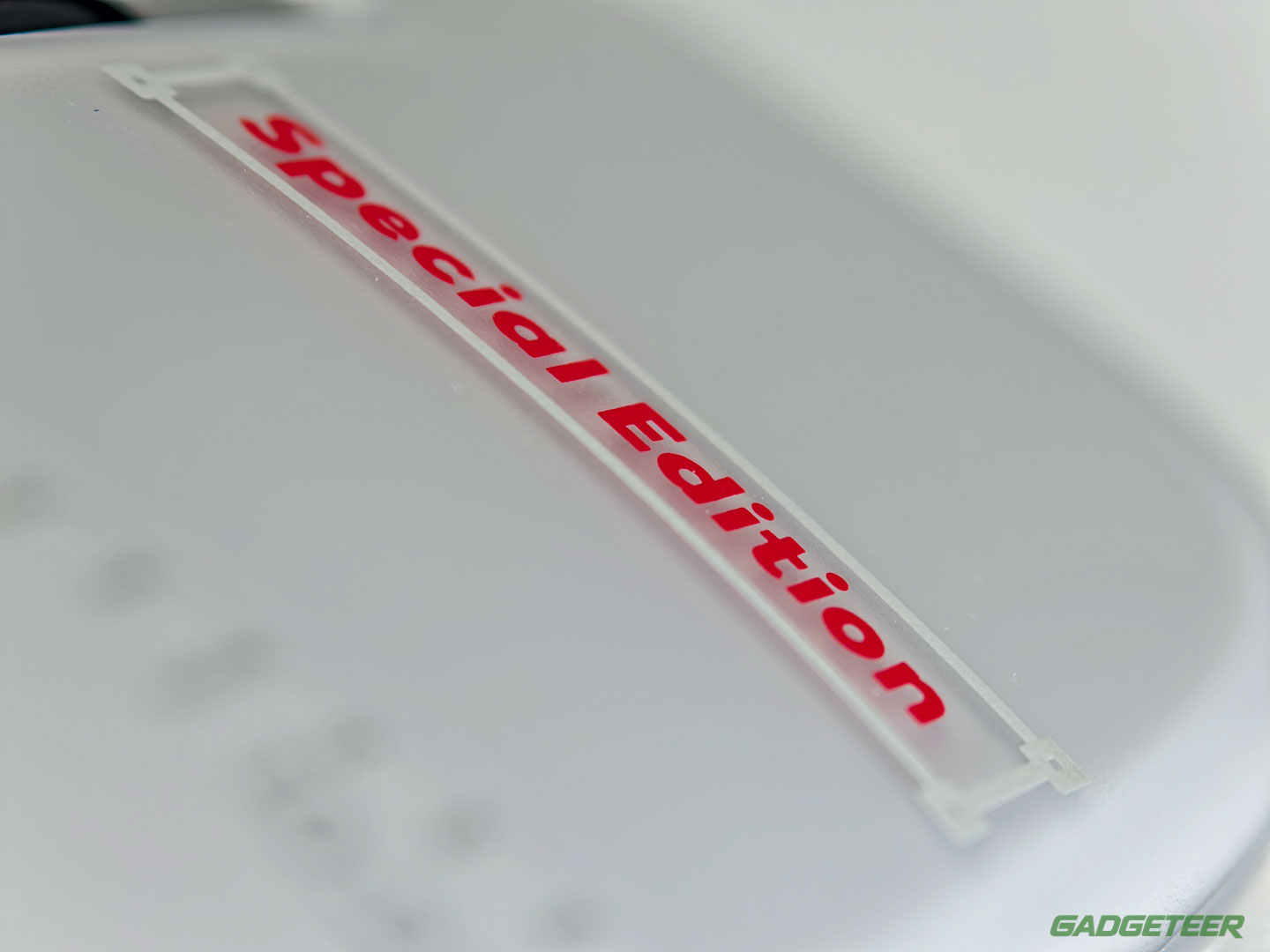
Even the process differs: Logitech etches the Developer’s code into the shell and prints the Creator’s studio graphics onto it, then builds both to survive daily handling without rubbing off. The difference shows up close: etched lines catch light like engraving, while the red print sits flat and bright on the pale gray base.
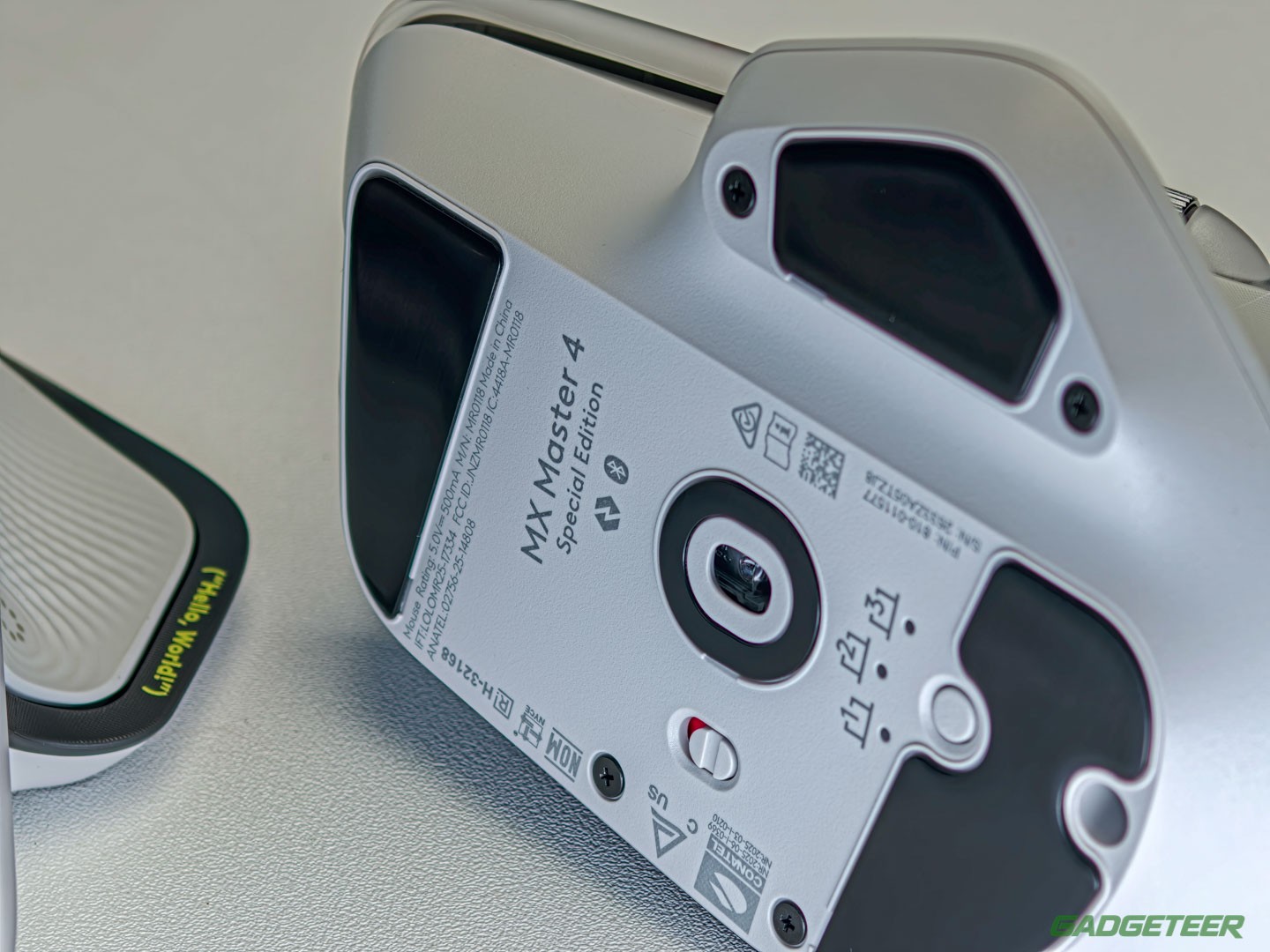
The thumb rests say it smaller: {Hello, World} on one, a dotted circle on the other.
Everything under the print is the mouse I already picked
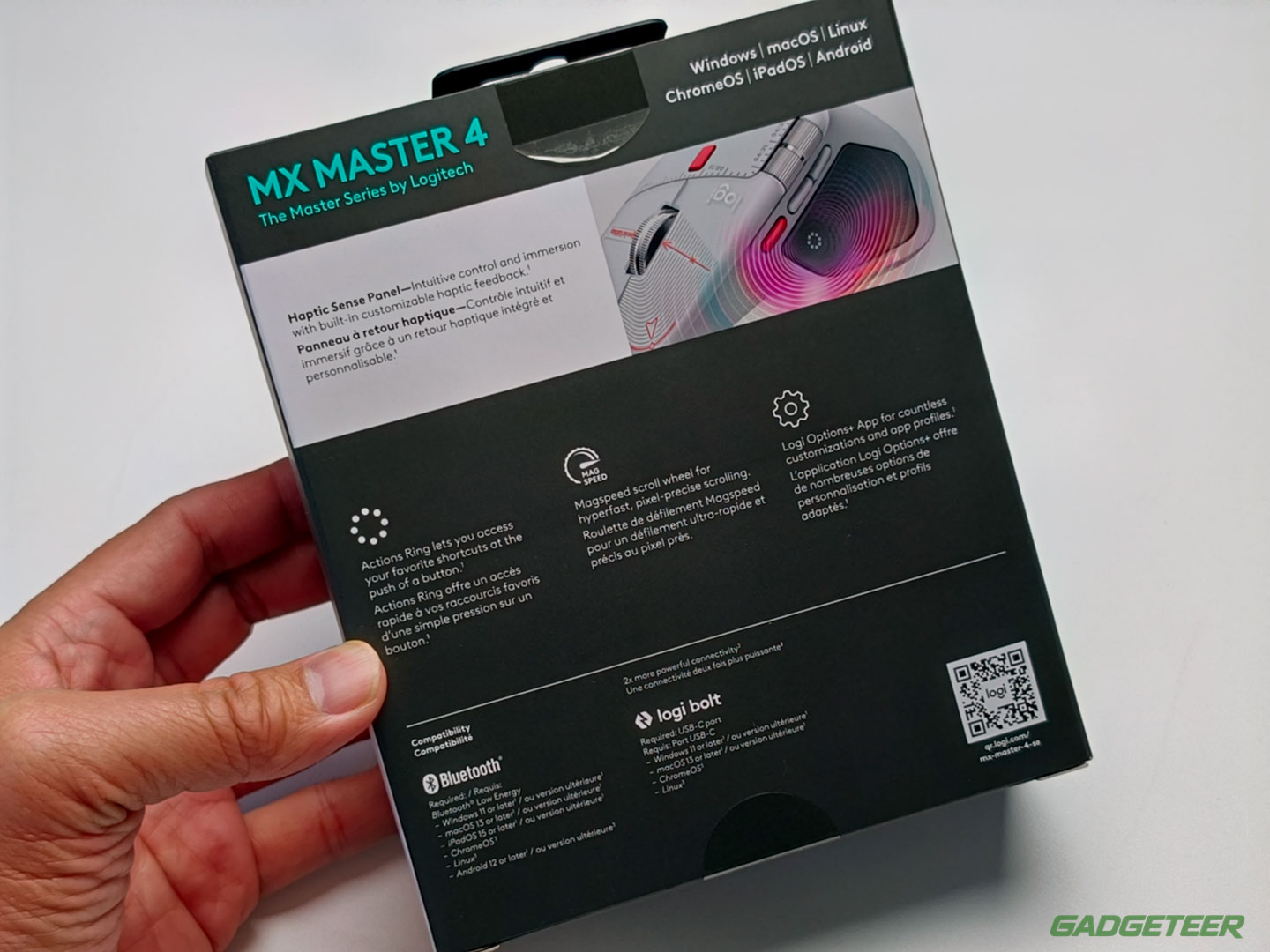
Logitech states it flatly in its own FAQ: no differences in MX Master 4 features between the editions, just the MagSpeed wheel, the haptic feedback and the Actions Ring button carried over whole. The sculpt, the buttons, the wheels and the sensor are one shared design, and the special editions are two prints over it. Every control sits exactly where it sat on the standard mouse, because Logitech changed nothing under the print.
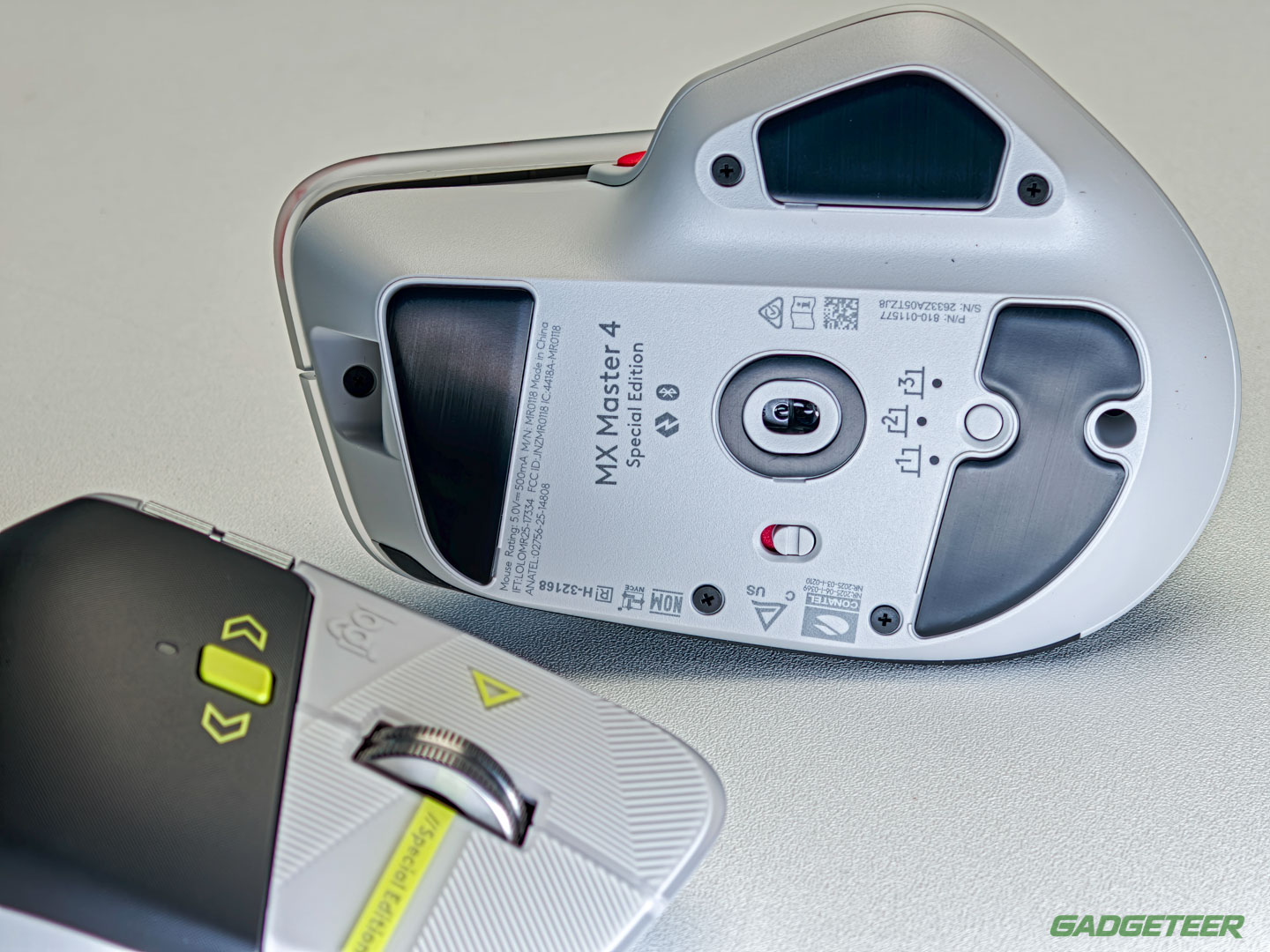
Nothing moved underneath. The Darkfield sensor still tracks on glass at least 4mm thick across a 200 to 8,000 DPI range, and the tall sculpt still parks the thumb on a wide shelf at 150 grams.
My setup carries over untouched: the thumb button fires Wispr Flow, a second trigger hides behind the scroll wheel, and the side buttons run screenshot, paste and Enter, with the wheel click still set to Back.
Under the thumb, the Haptic Sense Panel still taps back on window snaps and slider stops, and a press still opens the Actions Ring. Logitech rates that ring at up to 63 percent less mouse movement on repeated tasks.
The battery is the same 650 mAh cell rated for up to 70 days per charge over USB-C, and the mouse still pairs with three computers over Bluetooth or the Logi Bolt receiver in the box. Logitech Flow moves the cursor and files between those computers through Options+.
Logi Options+ still sets every button, the haptic strength and the Actions Ring per app, and it runs on Windows and macOS.
The tradeoff is a shell that shows everything
The light shell is the risk in this purchase: every scuff, coffee splash and desk-grime smudge shows up on a shell this light, while the Developer’s graphite rest hides the very same marks.
Loud is the whole idea here. The other direction pays better: this is the one MX Master 4 that changes the room, bright in a sea of graphite desk gear, and the print gives your eyes something to find between calls.
Pick the Developer if your desk runs dark and minimal, because its etched gray shell disappears into a setup the way the Creator never will, and it asks nothing of the room around it.
Nobody cross-shops these two shells on specs, because there’s nothing to cross-shop: the decision is which print you want to look at for the next three years.
Which shell takes the desk
Buy the Creator Edition if you design, edit photos or cut video for a living and your desk could use the color it brings: it’s the Editor’s Choice mouse in the shell your work already speaks, at $119.99 from Logitech.
| Creator Edition | Developer Edition | MX Master 4 | |
|---|---|---|---|
| Price | $119.99 | $119.99 | $119.99 |
| Shell | Pale gray with red print | Pale gray and graphite with lime accents | Graphite or Pale Gray |
| Graphics | Printed layout grids, crosshairs and a color calibration strip | Laser-etched syntax, circuit traces and a {Hello, World} prompt | None |
| Easter eggs | 04:21 · 04:27 · 08:19 · 10:27 | 0xFF + 1 · 09.17 · !04.01 | None |
| Haptic Sense Panel | Yes | Yes | Yes |
| Sensor | Darkfield, 200 to 8,000 DPI | Darkfield, 200 to 8,000 DPI | Darkfield, 200 to 8,000 DPI |
| Battery | Rated for up to 70 days | Rated for up to 70 days | Rated for up to 70 days |
| Weight | 150 g | 150 g | 150 g |
Buy the Developer instead if code is your native language, since it carries the same hardware, the same Editor’s Choice and the same $119.99 with the etched shell. Skip both if you already own an MX Master 4.
The standard MX Master 4 on Amazon in Graphite or Pale Gray stays the pick for anyone who wants the hardware without the poster.
Both editions are limited drops sold at Logitech’s store and select retailers while supplies last, so the shell you want is the shell to order. Logitech’s FAQ promises no restock once a drop sells out, so don’t wait on it.
Price: $119.99
Where to buy: Amazon (standard MX Master 4), Logitech (Creator Edition)
Our reviews:
Logitech MX Master 4 Developer Edition review: same great mouse, stupid awesome shell
Logitech MX Master 4 mouse review – My new favorite mouse!
Two special editions in, the MX Master 4 has become a canvas Logitech hands to its tribes, and the Creator is the brighter print. The red one takes my desk.