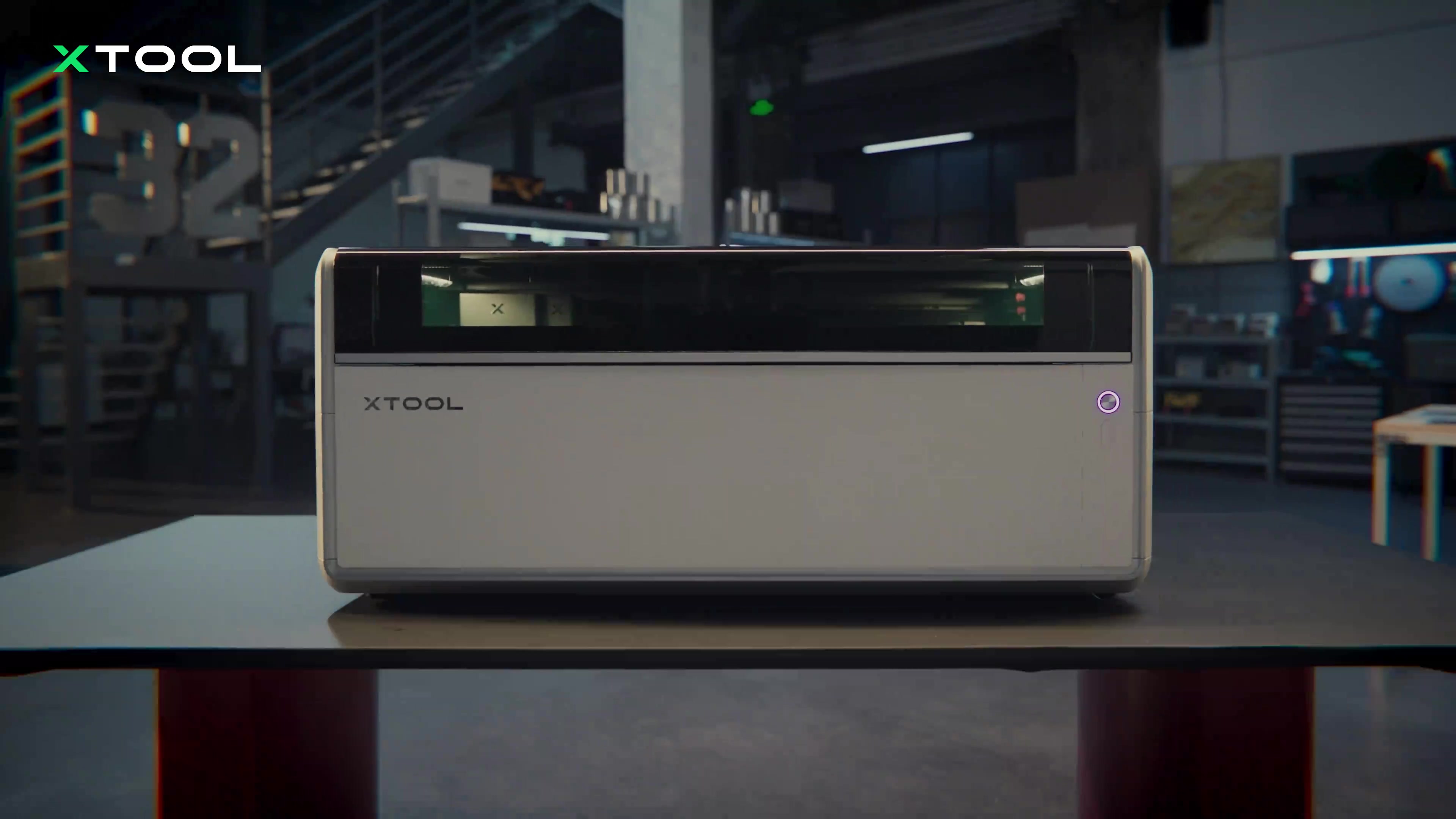
The xTool X1 is now available, bringing wood cutting, metal engraving and engraving inside glass into one expandable machine. Every X1 starts with a 55W CO2 laser. Add the 20W diode galvo module and you can connect optional fiber, MOPA or UV sources as your projects change, rather than buying all five laser types at the start.
The October 29 launch brings US pricing from $3,399 for the CO2 machine and $3,999 for the CO2-plus-diode version. The CO2 laser can cut a wooden sign, while the external sources add processes such as metal engraving and making an image inside a glass keepsake.
Where to buy: xTool X1
These five prices are for the machine and the listed laser sources, without the accessory bundles below.
| Laser configuration | US launch price | Buying option |
|---|---|---|
| 55W CO2 | $3,399 | CO2 Standalone |
| 55W CO2 + 20W diode galvo | $3,999 | Choose CO2 + Diode Galvo, no additional source, Standalone |
| CO2 + diode galvo + 30W fiber | $5,799 | Fiber configuration |
| CO2 + diode galvo + 5W UV | $6,499 | UV configuration |
| CO2 + diode galvo + 60W MOPA | $6,679 | MOPA configuration |
GADGETEER’s full review coming soon
Start with the materials you want to make
The 55W CO2 laser handles wood, acrylic, leather and paper. Its 615 × 320mm working area is about 24.2 × 12.6 inches, giving you room for larger signs or several smaller pieces laid out together. The published cutting limits reach 18mm basswood and 20mm acrylic, with the required settings and passes depending on the material.
The optional 20W diode galvo module adds engraving for materials including wood, leather, dark acrylic and cardstock. It’s also the required connection for the external UV, fiber and MOPA sources. You can add that module to the CO2-only X1 later, so the entry configuration doesn’t close off future expansion.
From a wooden sign to a glass keepsake
xTool’s examples show how the laser choice changes the project. A wooden sign combines a CO2-cut outline with diode-engraved artwork. Fiber adds depth to metal travel badges, MOPA brings color to metal artwork, and UV creates a pet portrait inside a glass keepsake.


The three external options serve different jobs:
- 30W fiber: metal marking and deeper metal engraving, including embossed designs.
- 60W MOPA: color engraving and embossing on metal.
- 5W UV: fine-detail work and engraving inside glass. It’s the X1 source that supports subsurface glass engraving.
You connect one external source at a time; each is an additional purchase or part of a higher-priced package.
For a craft business, that could mean starting with cut acrylic or wooden products and adding a metal or glass process later. A shop making personalized metal pieces has a different reason to expand than one making glass keepsakes.
How does the X1 engrave quickly across a larger work area?
The X1 combines a moving gantry with a galvo system that steers the beam using mirrors. Moving that system across the bed extends its reach beyond a fixed galvo’s small working region. Our earlier look at the X1’s motion system and swappable lasers explains how those parts fit together.
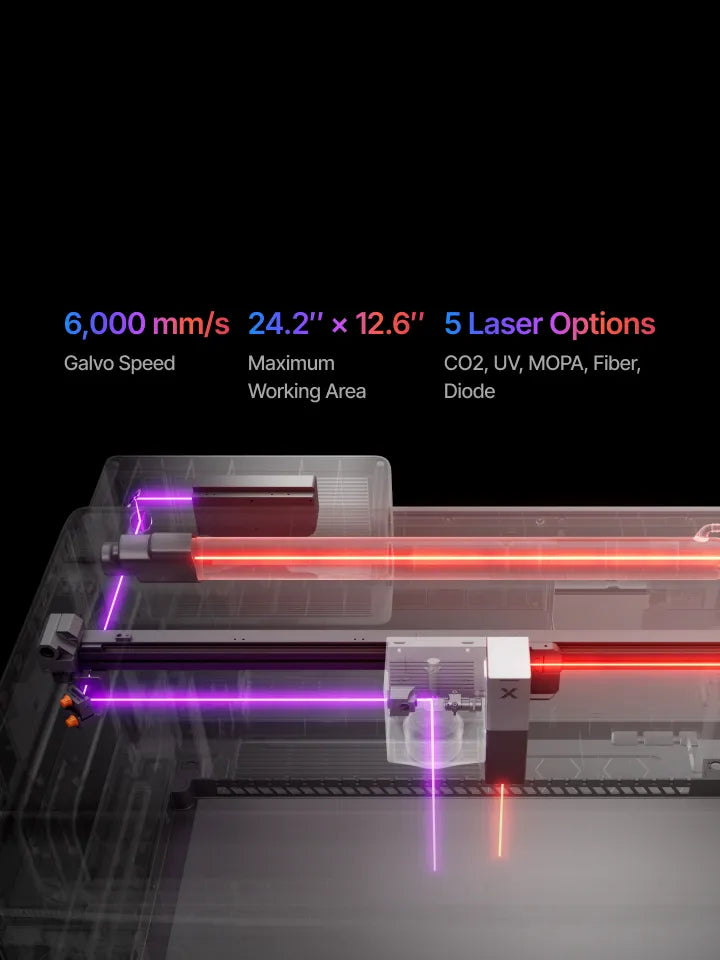
The maximum specified engraving speed is 6,000mm/s for the galvo laser sources, while the CO2 system tops out at 600mm/s. Finished-job times also depend on the material, detail, power and number of passes.
An aluminum frame cast in one piece supports the motion system. For placement, an 8MP overview camera works with a 12MP close-up camera and a ranging camera. LiDAR and the motorized AutoLift platform support focusing and height adjustment, reducing the need to set the work height by hand.
Leave room for the machine and its accessories
At 1,000 × 580 × 420mm and 60kg, the main unit needs a substantial workspace. That’s roughly 39.4 × 22.8 × 16.5 inches and 132 pounds, before allowing room for external modules, ventilation and material handling. CO2 processing height reaches 150mm; the other laser sources support up to 140mm.
The optional conveyor feeder supports work up to 118 inches long with additional conveyor rails. Rotary accessories support cylindrical projects, and the X1 lists a maximum rotary engraving diameter of 110mm. Air purification, rotary equipment and a conveyor are separate purchasing decisions, so leave them in the budget if your intended work needs them.
Designs run through xTool Studio, with USB and Wi-Fi connections. Supported file types include SVG, DXF, JPG, PNG and BMP, covering vector artwork and common image files.
Launch configurations and shipping
Add accessories with a CO2 bundle
These three options all use the same 55W CO2 machine. The higher bundle prices add accessories, not diode, fiber, UV or MOPA laser sources.
| Single CO2 package | What’s included | US launch price |
|---|---|---|
| Standalone | X1 with 55W CO2 | $3,399 |
| Versatile Bundle | X1 with 55W CO2, MagSwap RA3 rotary, X1 Intelligent Conveyor Feeder and X1 Mobile Work Stand | $4,499 |
| All-in-One Bundle | Everything in the Single CO2 Versatile Bundle, plus the SafetyPro AP2 air purifier | $5,399 |
Leave room to expand
The diode galvo module is the connection needed for an external fiber, UV or MOPA source. Choose a laser configuration above for those capabilities; choose a CO2 accessory bundle for rotary work, material feeding and a dedicated stand. The conveyor’s maximum 118-inch work length requires additional rails.
These are the launch prices announced October 29. The current US store lists the launch promotion through December 6 at 11:59 p.m. PST. Its first-batch shipping guidance is dispatch within seven business days, subject to regional inventory and order priority.
If you’re primarily cutting wood and acrylic, the CO2 configuration is the lower-cost starting point. The CO2-plus-diode version adds faster galvo engraving and the connection you’ll need for the external sources. Glass interiors call for UV; metal engraving points toward fiber or MOPA, depending on the finish you want.
Price: From $3,399 for the 55W CO2 launch configuration
Where to buy: xTool X1
GADGETEER’s full review coming soon
My full review is coming shortly, and I can’t wait to show you all the fun and exciting things you can do with the X1.
X1 questions answered
Will my existing xTool rotary attachment work?
The X1 supports the RA3, RA2 and RA2 Pro rotary attachments. Its compatible accessories also include the AP2 and AP2 Max air purifiers and the IF2 inline fan.
Is the working area the same for every process?
No. Surface engraving, engraving inside glass and metal embossing have different processing areas. The optical path, focus requirements and attached equipment determine the usable space for each job.
Which computers does the X1 support?
The X1 uses xTool Studio on Windows and macOS.
How does the X1 differ from the F Ultra series?
The X1 combines CO2 cutting with a larger workspace and optional laser expansion. The F Ultra series focuses on specialized metal and glass work, higher-speed processing and portability.