The lights flicker, the screen goes black, and the document you spent an hour on is gone. A hard shutdown at the wrong moment can corrupt a drive or kill a power supply outright, and a dropped router ends the video call either way. It takes one bad second on the power line, and every home office has had that second.
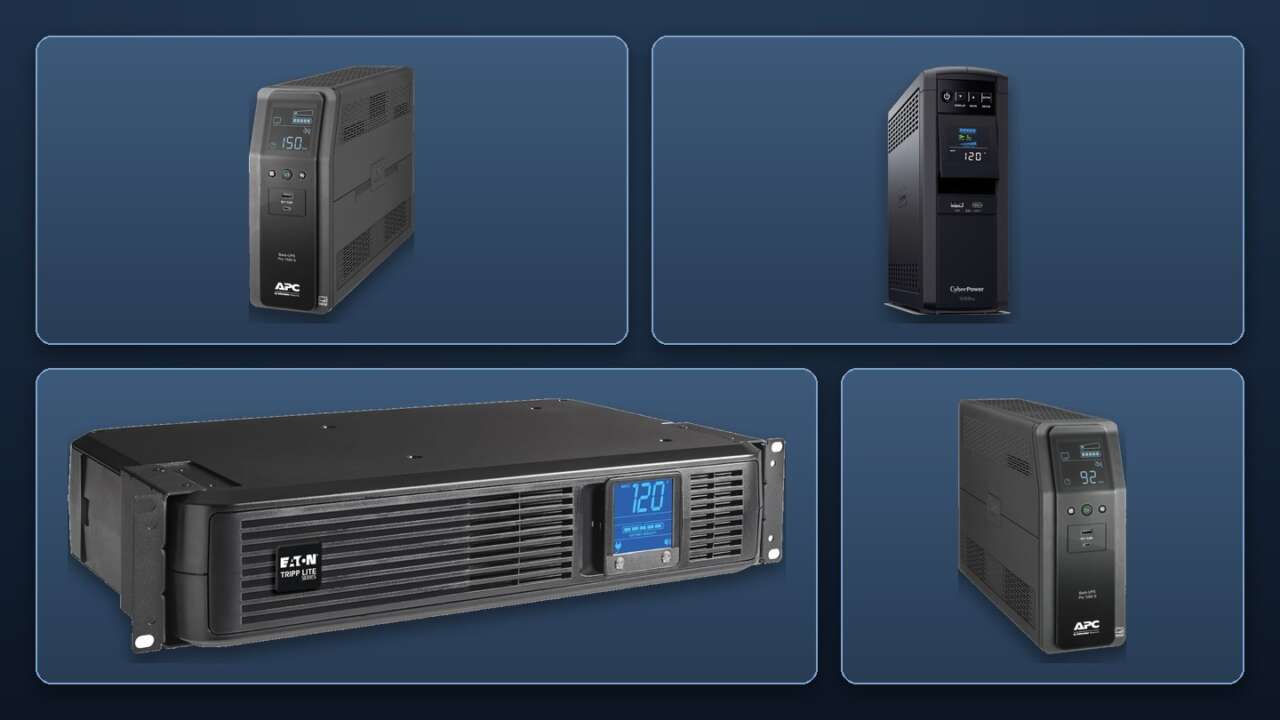
A UPS battery backup, an uninterruptible power supply, sits between the wall and your gear. It hands the load to its battery in milliseconds, holds it there long enough to save your work and shut down cleanly, and swallows the surges that never make the news. The ten units below cover a gaming rig, a work desk, a network closet, and a lone router, and every one is buyable today.
At a Glance
| Pick | Best For | Capacity (VA) | Price |
|---|---|---|---|
| APC Back-UPS Pro 1500VA (BR1500MS2) | The full workstation | 1500 VA | $299.99 |
| CyberPower CP1500PFCLCD | Gaming PCs | 1500 VA | $239.95 |
| APC Back-UPS Pro 1000VA (BR1000MS) | A single desktop | 1000 VA | $194.99 |
| Eaton Tripp Lite SMART1500LCD | Rack and network gear | 1500 VA | $276.90 |
| CyberPower CP1000PFCLCD | Midrange gaming rigs | 1000 VA | $179.95 |
| Vertiv Liebert PowerUPS 200 (PSA6-850LVT) | The second desk | 850 VA | $142.38 |
| APC Back-UPS BE850G2 | The home office network corner | 850 VA | $137.70 |
| CyberPower EC850LCD | Outlet count in a small body | 850 VA | $119.95 |
| GoldenMate 1000VA LiFePO4 | Never replacing the battery | 1000 VA | $189.99 |
| APC Back-UPS BE600M1 | Keeping Wi-Fi alive on a budget | 600 VA | $83.99 |
1. APC Back-UPS Pro 1500VA (BR1500MS2): the full workstation anchor
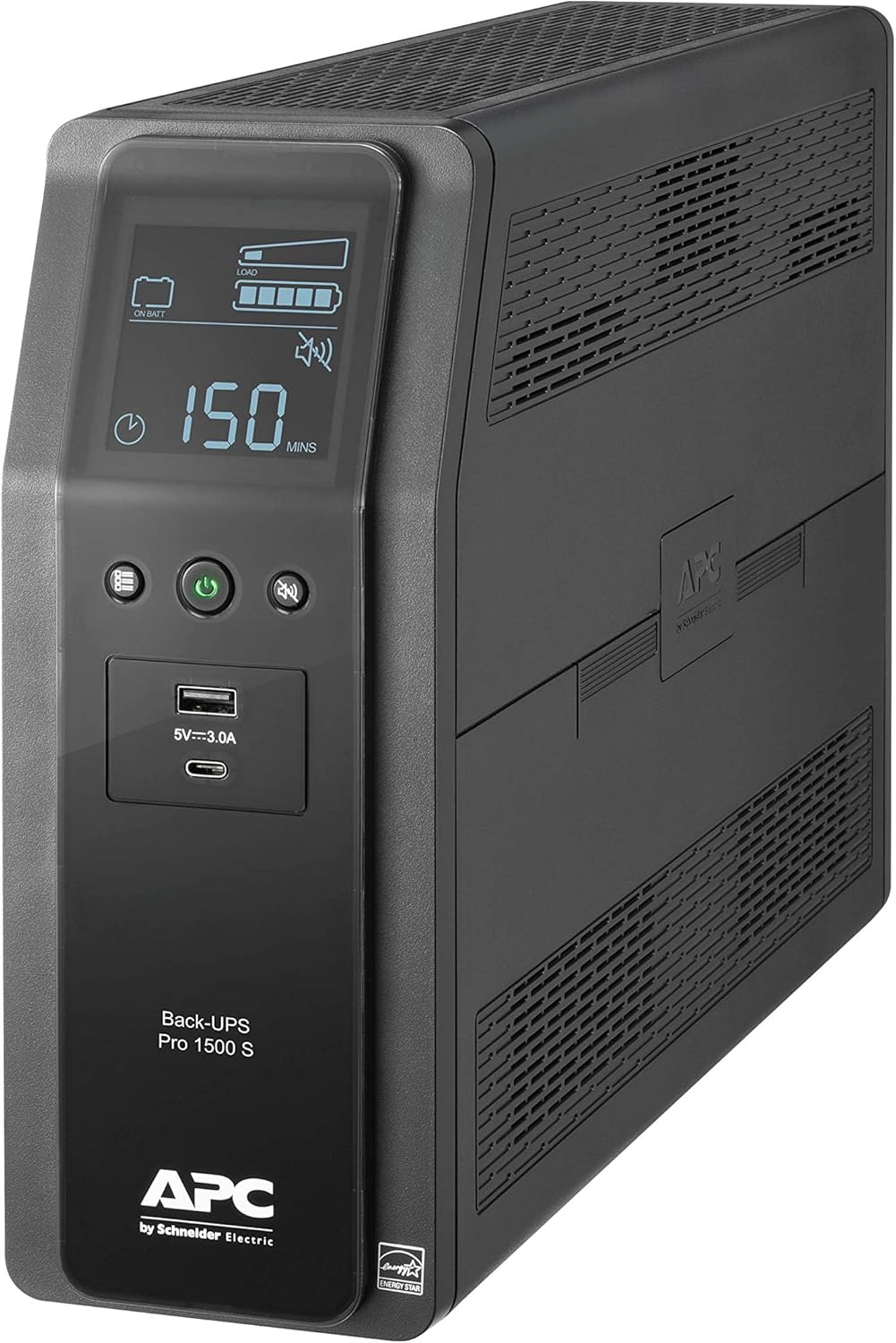
This is the anchor: 1500VA and 900W of pure sine wave output with automatic voltage regulation, so brownouts get corrected before the battery ever takes over. Ten outlets split six battery-backed and four surge-only, the LCD shows load, runtime, and battery health, and USB-A and USB-C ports charge a phone from the same box. The battery is a user-swappable cartridge (APCRBC163), so the unit outlives its first battery.
Price: $299.99
Where to Buy: Amazon
Why it works: pure sine wave, 900W, and a swappable battery, so the anchor never gets replaced over a worn-out pack.
2. CyberPower CP1500PFCLCD: the gaming PC pick
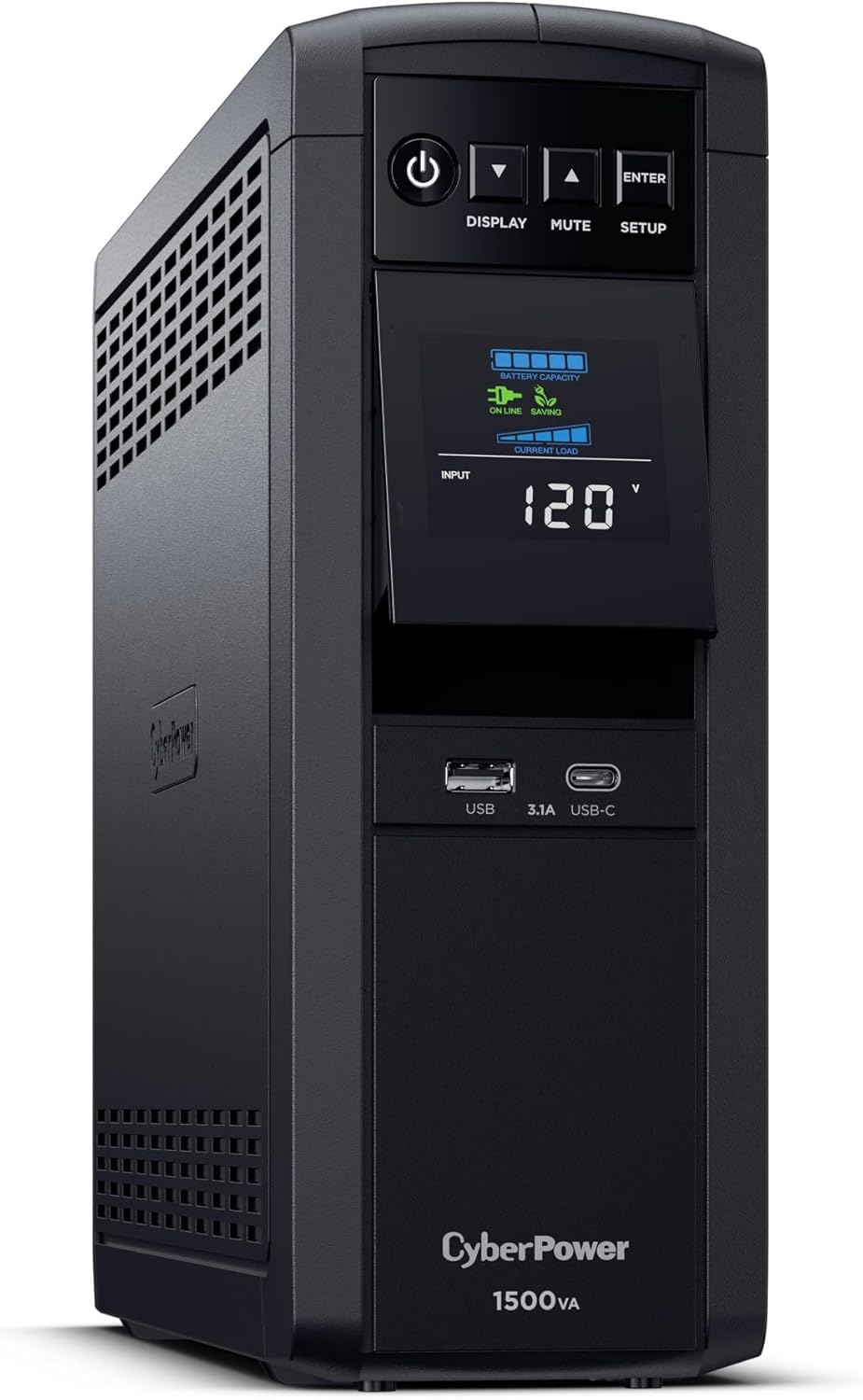
Gaming power supplies with active PFC want a true sine wave, and some buzz, run hot, or drop out on a stepped one. This CyberPower feeds them the real thing: 1500VA and 1000W, the highest watt rating in this guide, across 12 outlets split evenly between battery and surge-only. A color LCD tracks the load, and CyberPower rates runtime at 10 minutes under a half load.
Price: $239.95
Where to Buy: Amazon
Why it works: the highest watt rating here, with the exact waveform an active PFC gaming rig asks for.
3. APC Back-UPS Pro 1000VA (BR1000MS): the single-desktop sweet spot
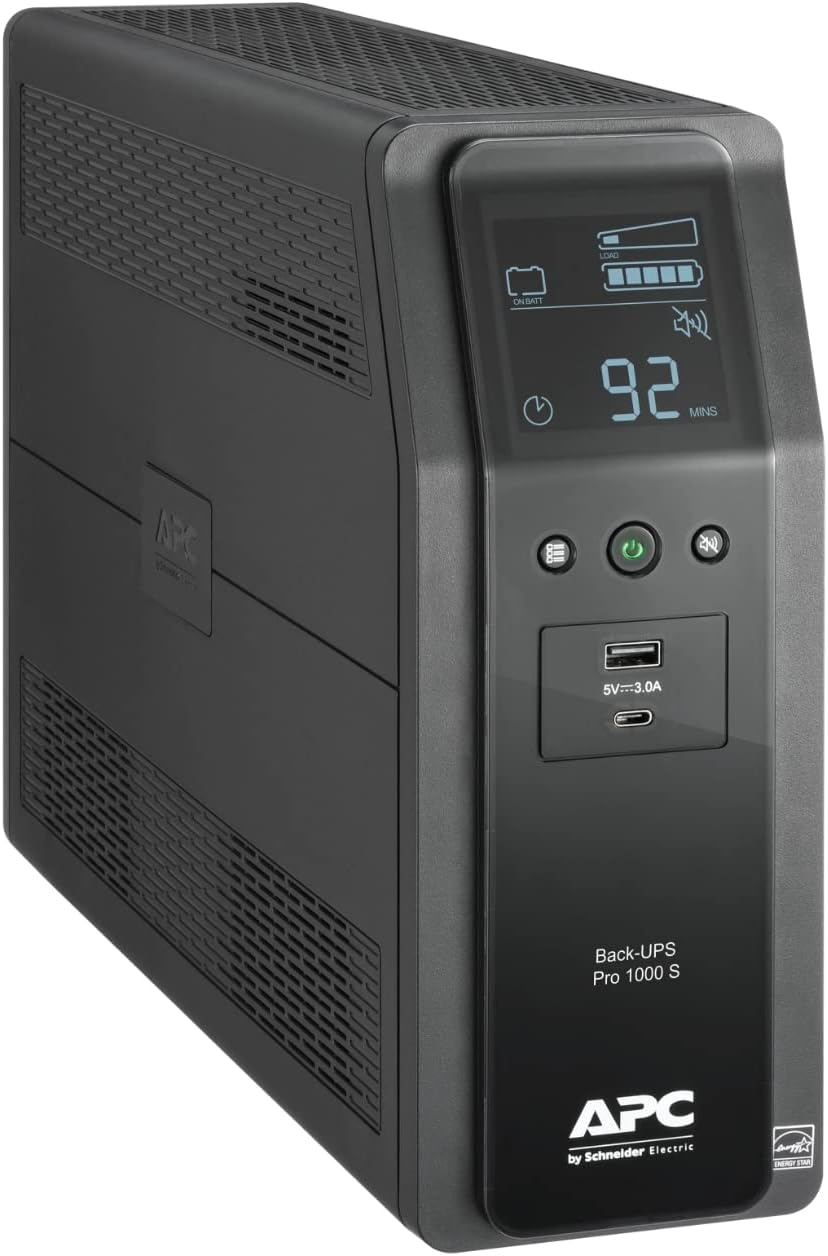
Most desks don’t need 1500VA. A desktop, one or two monitors, and the network stack draw a few hundred watts, and this 1000VA, 600W unit covers that load with pure sine wave output and room to spare. It keeps the Pro formula: AVR, 10 outlets split six and four, an LCD, and USB-C charging, with a replaceable cartridge (APCRBC160) when the battery wears out.
Price: $194.99
Where to Buy: Amazon
Why it works: the Pro feature set sized to a normal desk instead of a worst-case one.
4. Eaton Tripp Lite SMART1500LCD: the rack and network closet pick
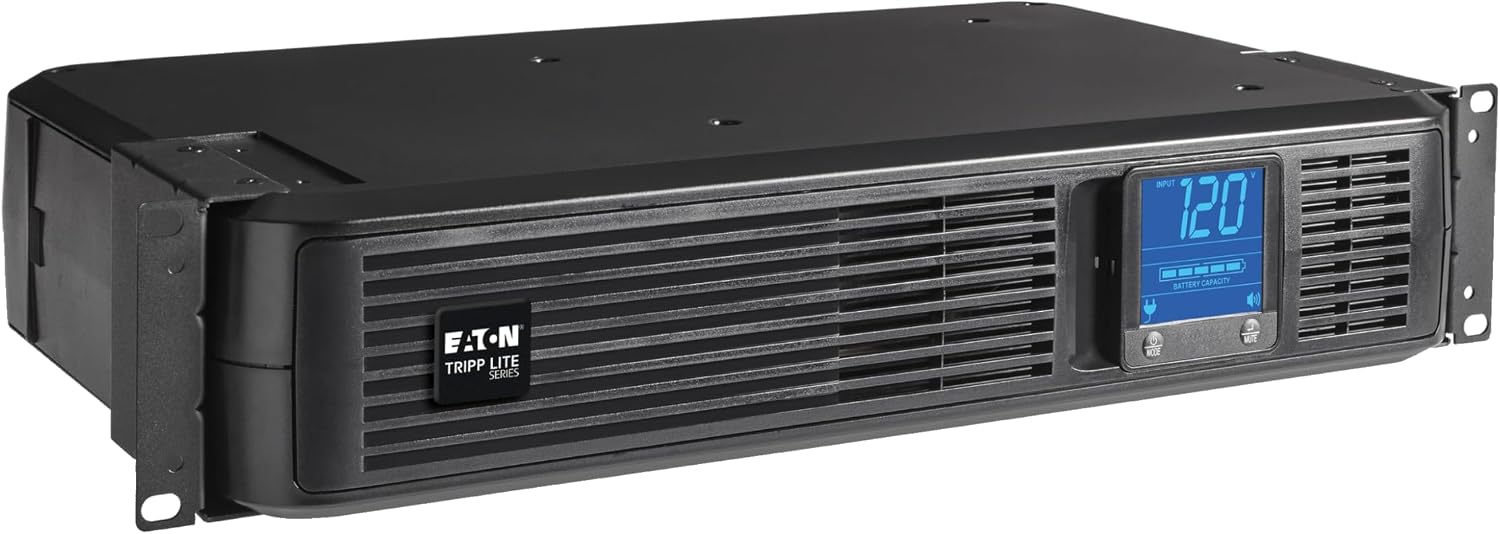
Network gear lives in racks and closets, and this is the pick shaped for it: 1500VA and 900W in a 2U chassis that mounts in a rack or stands as a tower. Eight outlets, AVR that corrects input from 75V to 147V without touching the battery, and a front LCD that rotates to match the mounting. USB and serial connections feed Eaton’s PowerAlert software for unattended shutdown.
Price: $276.90
Where to Buy: Amazon
Why it works: rackmount shape, a wide AVR range, and software that shuts the whole closet down in order.
5. CyberPower CP1000PFCLCD: PFC sine wave at 1000VA money
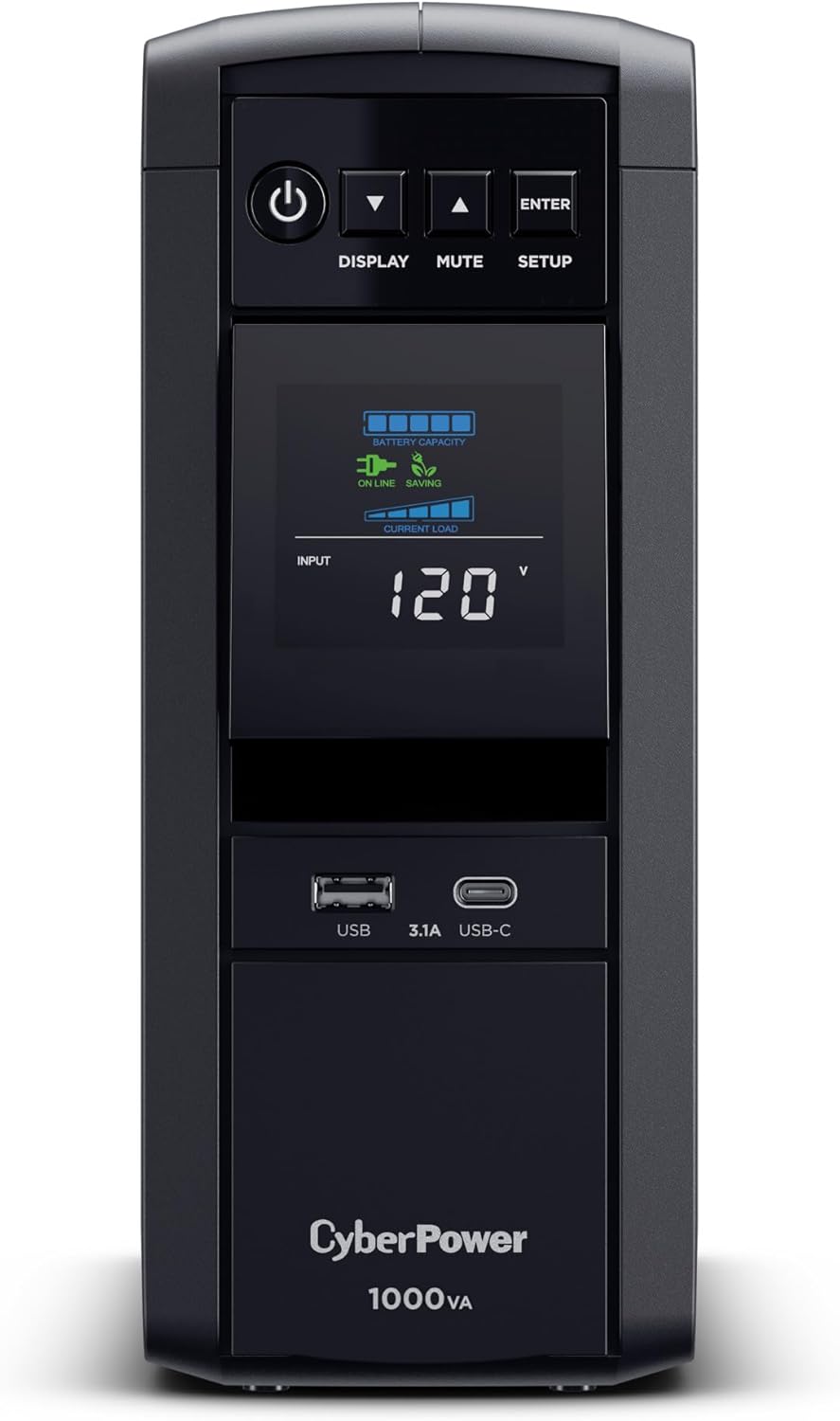
The PFC sine wave recipe at a smaller size and price: 1000VA and 600W of pure sine wave output that active PFC power supplies accept without complaint. Ten outlets split five battery-backed and five surge-only, a color LCD, and USB-A plus USB-C charging ports for the phone on the desk. It is the gaming PC answer for rigs that draw midrange power instead of flagship power.
Price: $179.95
Where to Buy: Amazon
Why it works: PFC-safe sine wave output without paying for capacity a midrange rig never draws.
6. Vertiv Liebert PowerUPS 200 (PSA6-850LVT): the second desk pick
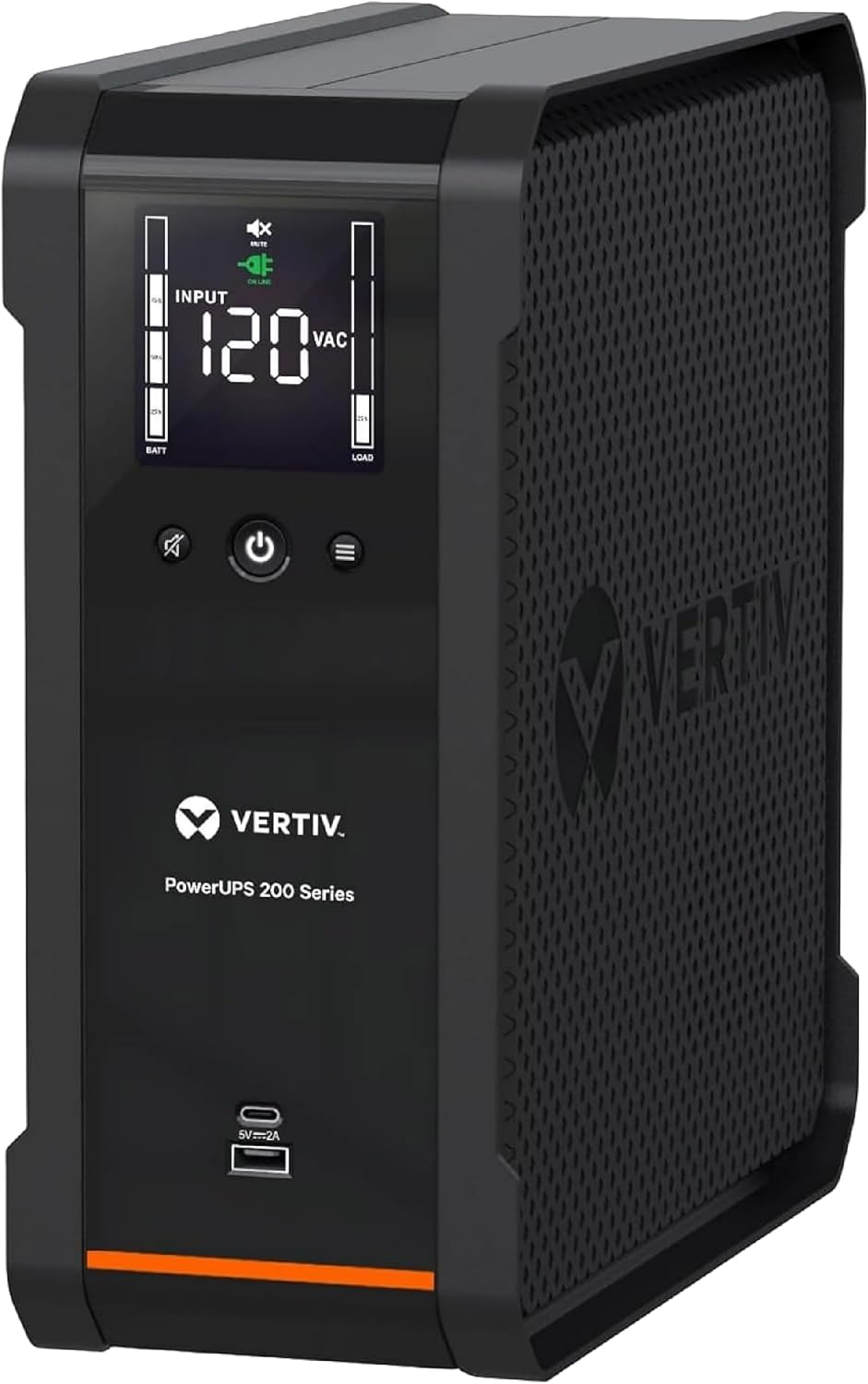
Vertiv builds power for data centers, and the PowerUPS 200 is that lineage at desktop scale: 850VA and 530W, line-interactive with AVR, so sags get corrected without draining the battery. Eight outlets, an LCD showing load and battery state, and USB-C plus USB-A charging ports for the phone on the desk. A 3-year warranty backs the box, longer than most of this guide carries. It fits a console corner, a second desk, or a point-of-sale till.
Price: $142.38
Where to Buy: Amazon
Why it works: data center lineage with AVR and USB-C in a compact 850VA box, backed for three years.
7. APC Back-UPS BE850G2: the home office network corner
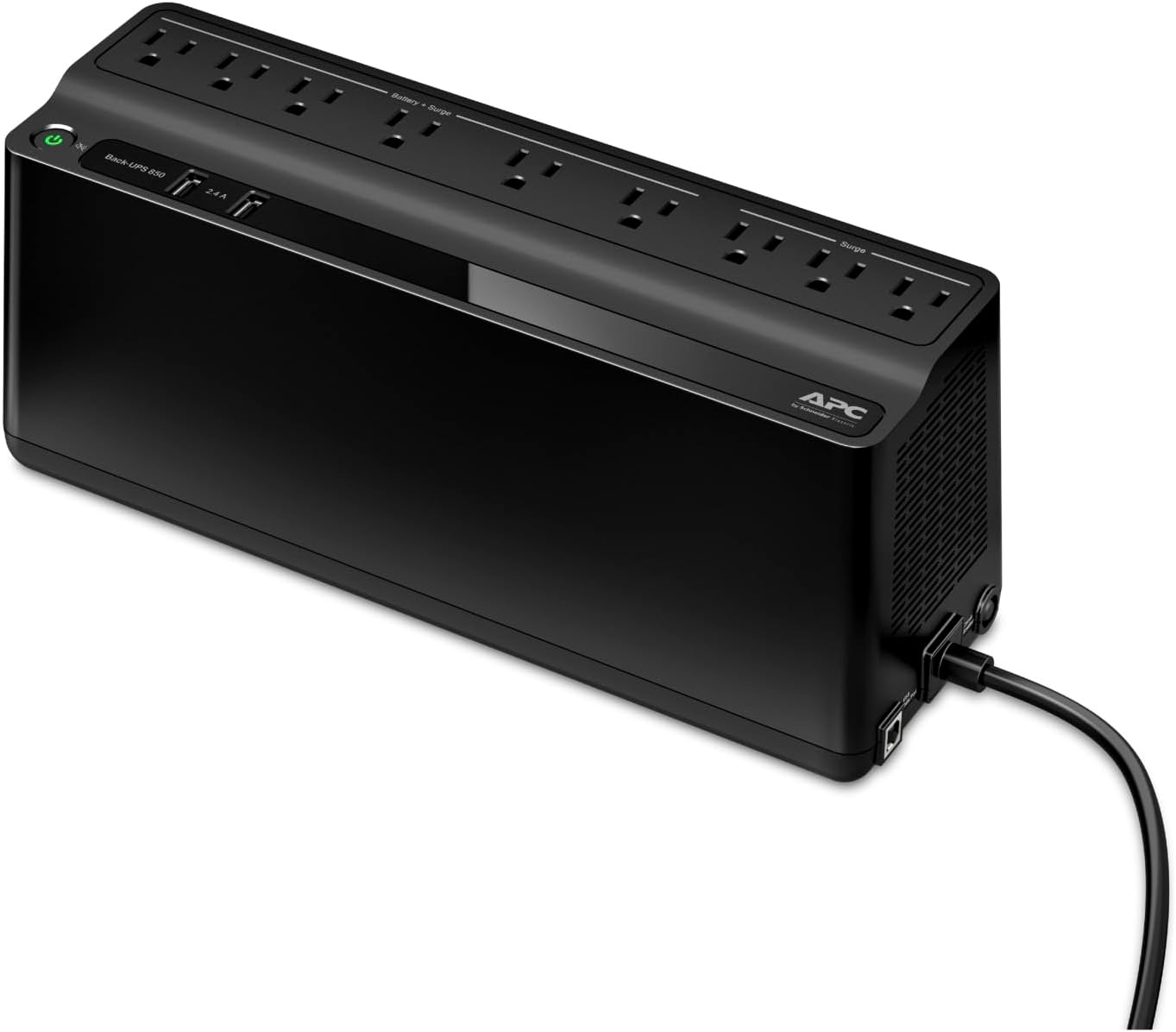
The home office pick is flat on purpose: the BE850G2 mounts on a wall or slides under a desk edge, with 850VA and 450W behind nine outlets, six battery-backed and three surge-only. Put the router, modem, and NAS on the battery side and the outage becomes a non-event for everything in the house that works over Wi-Fi. USB-A and USB-C ports charge a phone, and the RBC17 battery swaps in minutes.
Price: $137.70
Where to Buy: Amazon
Why it works: flat, wall-mountable, and sized for the gear that keeps the whole house online.
8. CyberPower EC850LCD: 12 outlets in a compact body
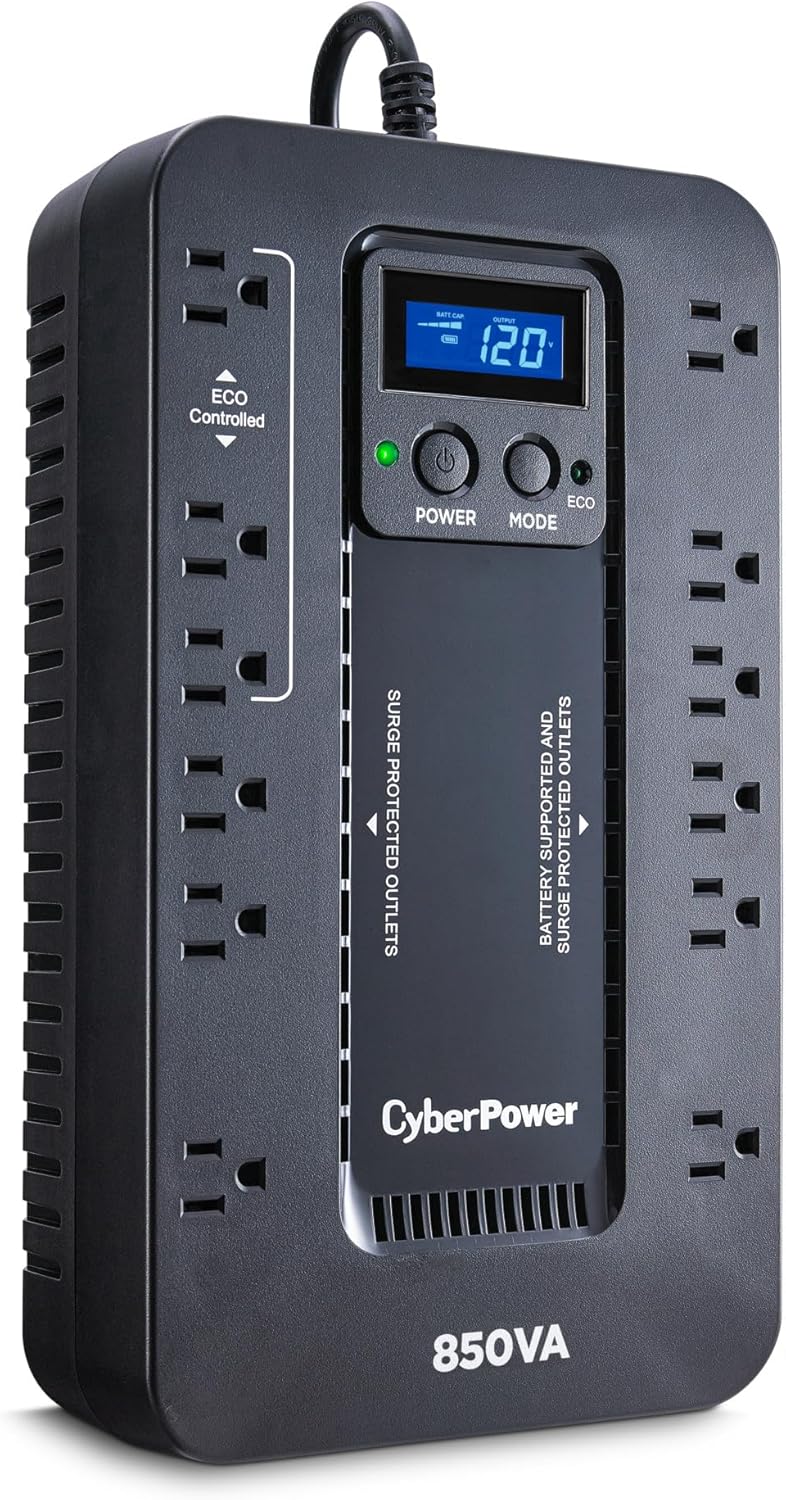
Twelve outlets, the most in this guide, packed into a compact 7.7 pound body that fits where a mini-tower will not. Three of the surge-only outlets run ECO mode: when the PC sleeps or shuts down, they cut power to the peripherals plugged into them and stop the idle draw. Output on battery is a simulated sine wave, fine for a standard desktop and network gear, and capacity is 850VA and 510W with an LCD reporting load and battery state.
Price: $119.95
Where to Buy: Amazon
Why it works: the outlet count wins, and ECO mode stops peripherals sipping power all night.
9. GoldenMate 1000VA LiFePO4: the battery you don’t replace
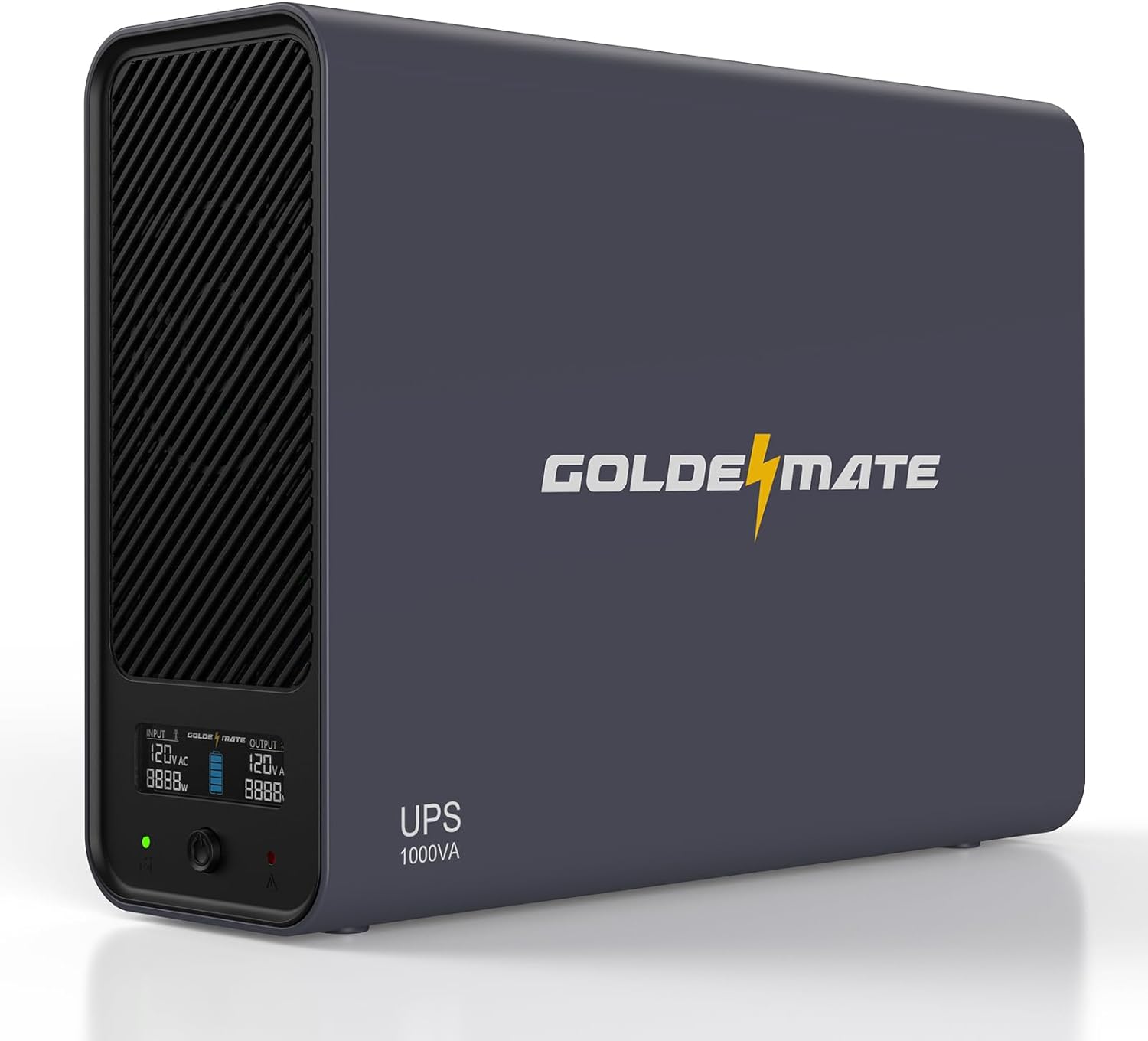
Every lead-acid UPS in this guide needs a new battery in a few years. This one runs a LiFePO4 pack rated for 5,000 or more cycles, the same chemistry as modern power stations, and GoldenMate rates it at up to 25 minutes under a 300W load. Output is 1000VA and 600W of pure sine wave across eight outlets, with an LCD on the front.
Price: $189.99
Where to Buy: Amazon
Why it works: the battery is the product, thousands of cycles instead of a replacement every few years.
10. APC Back-UPS BE600M1: the budget way to keep Wi-Fi alive
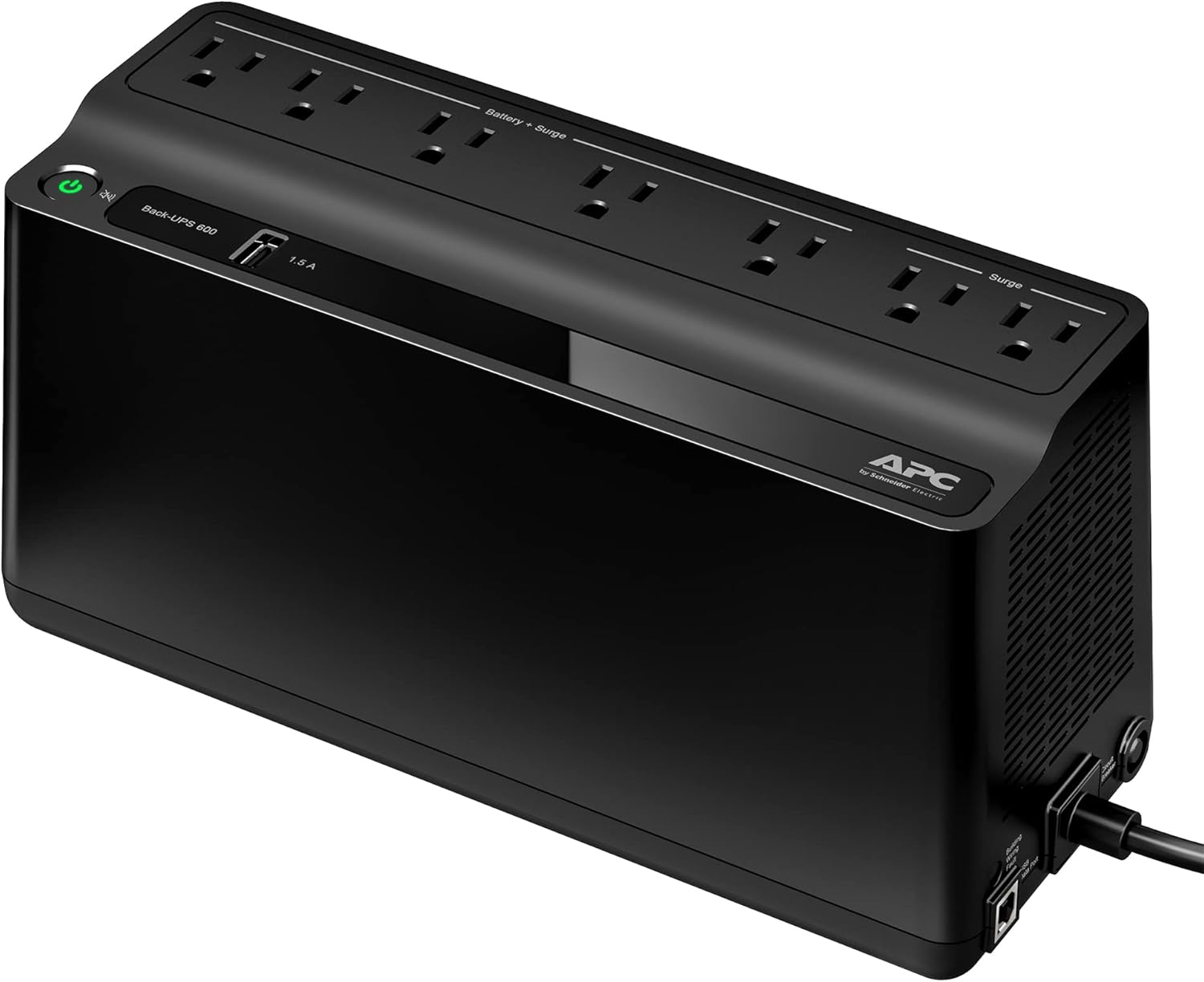
The budget pick does one job and does it well: it keeps the internet up. At 600VA and 330W it won’t carry a gaming rig, but a modem and router draw about 10W, and APC rates this unit at 4.3 hours on a load that size. Seven outlets split five battery-backed and two surge-only, one USB port charges a phone, and the flat body wall-mounts out of the way.
Price: $83.99
Where to Buy: Amazon
Why it works: 4.3 hours of Wi-Fi through an outage, from the smallest and cheapest box here.
How to Choose Your UPS Battery Backup
Size on watts, not VA. The watt rating is the budget; the VA number is the headline. Add up the draw of everything going on the battery outlets, then keep the total at 80 percent or less of the unit’s watt rating so the UPS has headroom and runtime. A gaming PC under load pulls 400 to 600W before the monitor. A laptop on a dock pulls 60 to 150W. A modem and router together pull 10 to 20W.
Pure sine wave for gaming PCs, simulated for the rest. Modern power supplies with active PFC are built around a clean sine wave. Feed one a simulated (stepped) sine wave and some units buzz, run hot, or shut off at the switchover. Any gaming rig or active PFC build gets a pure sine wave pick, full stop. Routers, modems, consoles, and basic desktops run fine on simulated output, and that is where the cheaper standby units earn their price.
Read runtime honestly. A desktop UPS is measured in minutes at load. The 1500VA units in this guide run about 10 minutes at half load and a few minutes at full load. The job is riding through flickers and sags, then giving you a clean, orderly shutdown when the outage stays. Runtime follows the load, not the box: drop to a 10W router and the same class of battery runs for hours.
Plan for the battery replacement. Lead-acid packs wear out; APC lists an expected life of 2 to 5 years for its replacement cartridges. Every APC and CyberPower pick here takes a user-replaceable cartridge, so a worn pack is a five-minute swap instead of a new UPS. The GoldenMate pick is the alternative route: a LiFePO4 battery rated in thousands of cycles, built to outlast the replacement cycle entirely.
Split the outlets on purpose. Only some outlets on any UPS are battery-backed; the rest are surge-only. The PC, the monitor, and the network gear go on the battery side. Speakers, lamps, and chargers go on the surge side. A laser printer never goes on a battery outlet at all: its heating element pulls hard enough to overload the UPS the moment it cycles.
A UPS isn’t a power station. The UPS sits inline and switches to battery in under 10 milliseconds, fast enough that a running PC never notices the swap. A portable power station is the opposite tool: far more stored energy, built for outages measured in hours, and the right pick for a refrigerator or a CPAP. Our guide to eight portable power stations sorts that category by job. Buy the UPS for the desk, the station for the house.
Who Should Skip a UPS
Laptop-only households. Your battery is already built into the computer. A solid surge protector covers the charger, and the money does more work as storage, a spare adapter, or a second charger for the bag.
Whole-home backup shoppers. Nothing in this guide runs a refrigerator, a furnace blower, or a well pump through the night. That job belongs to a large power station or a standby generator, and shopping this category for it ends in a return.
Anyone expecting hours at full load. A desktop UPS gives minutes at its rated load by design, and no setting changes the physics. If the plan is gaming through a blackout, the plan needs watt-hours, and watt-hours live in the power station category.
Frequently Asked Questions
What size UPS do I need for a gaming PC?
Count the watts first. Most gaming builds draw 400 to 700W at the wall under load, monitor included. Buy a pure sine wave unit rated comfortably above your total: the 1500VA picks here (the CP1500PFCLCD at 1000W, the BR1500MS2 at 900W) cover flagship rigs, and a 1000VA sine wave unit covers a midrange build. That is the whole calculation behind the best UPS for gaming PC searches, and it takes two minutes.
How long will a battery backup for a computer actually run?
Minutes at desktop loads, hours at network loads. Plan on about 10 minutes at half load from a 1500VA unit and 3 to 5 minutes at full load, which is time to save and shut down, not time to keep working. Put a 10W modem and router on the BE600M1 and APC rates the same kind of battery at 4.3 hours. The load decides, every time.
Is a UPS worth it for a home office?
Yes, and the math is one incident long. One corrupted drive, one fried power supply, or one lost afternoon of unsaved work costs more than a midrange UPS for a home office. The outage that counts is rarely the long blackout; it is the two-second sag in a thunderstorm, three times a week, and a UPS eats those without you ever knowing they happened.
What is the best uninterruptible power supply for a modem and router?
The smallest pick in this guide, the BE600M1. Light loads stretch its runtime to hours, the flat body hides behind the network shelf, and the price stays low because the job is small. Runtime is the deciding spec for network gear, and small units are built for exactly this load.
UPS or portable power station: which one keeps a PC alive in an outage?
The UPS, for the seconds that decide it. It switches in under 10 milliseconds, so the PC never reboots, and it conditions the power the rest of the time. The power station wins the hours after: bigger battery, longer runtime, more outlets for the house. Most desks end up with the UPS first and the station second, each doing the half of the job it was built for.