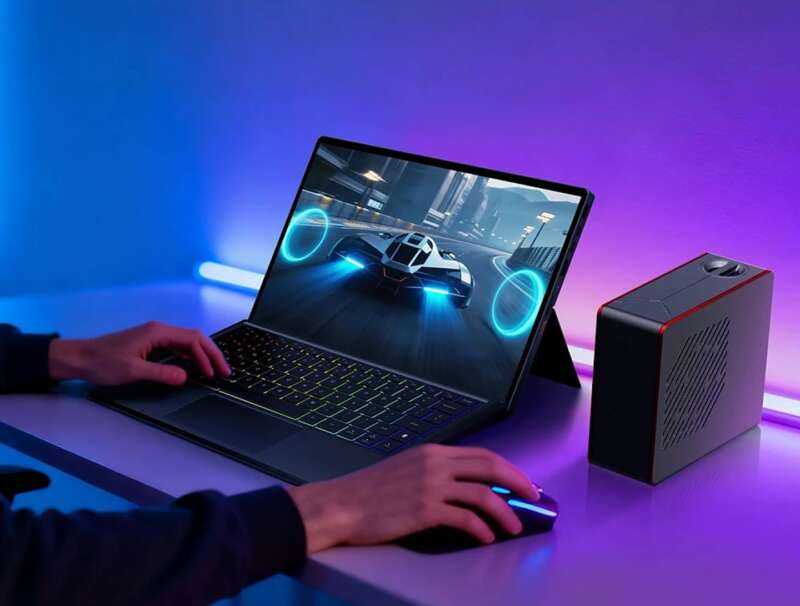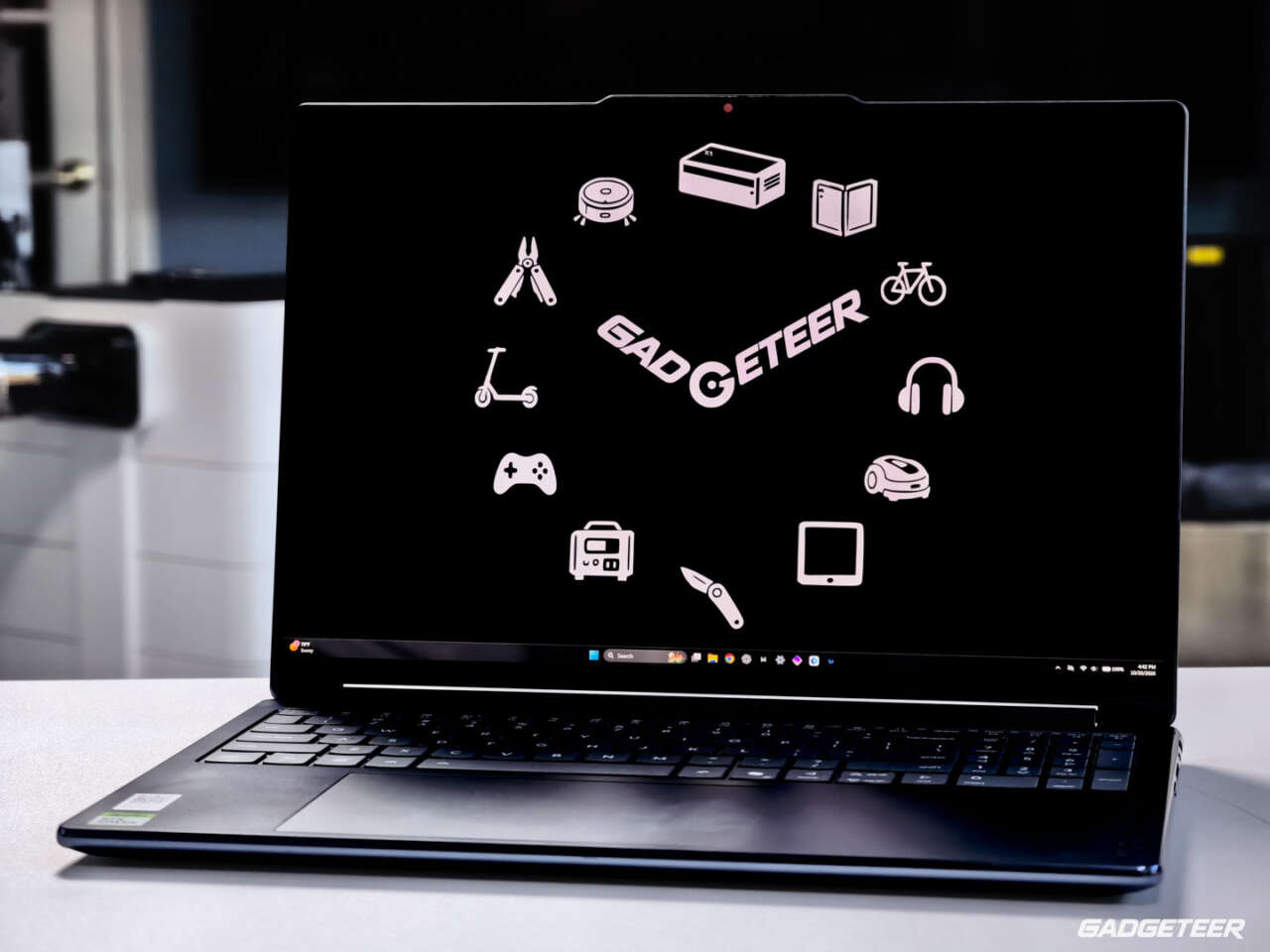
The Lenovo Yoga 9n 2-in-1 has turned its own unboxing footage into a review export and completed our matched local-AI tests. The reason it interests me is what Lenovo puts around that processing power: a 16-inch OLED screen that folds into tent or tablet mode, an included pen and a trackpad that doubles as another pen surface. My main everyday adjustment is the keyboard and off-center trackpad.
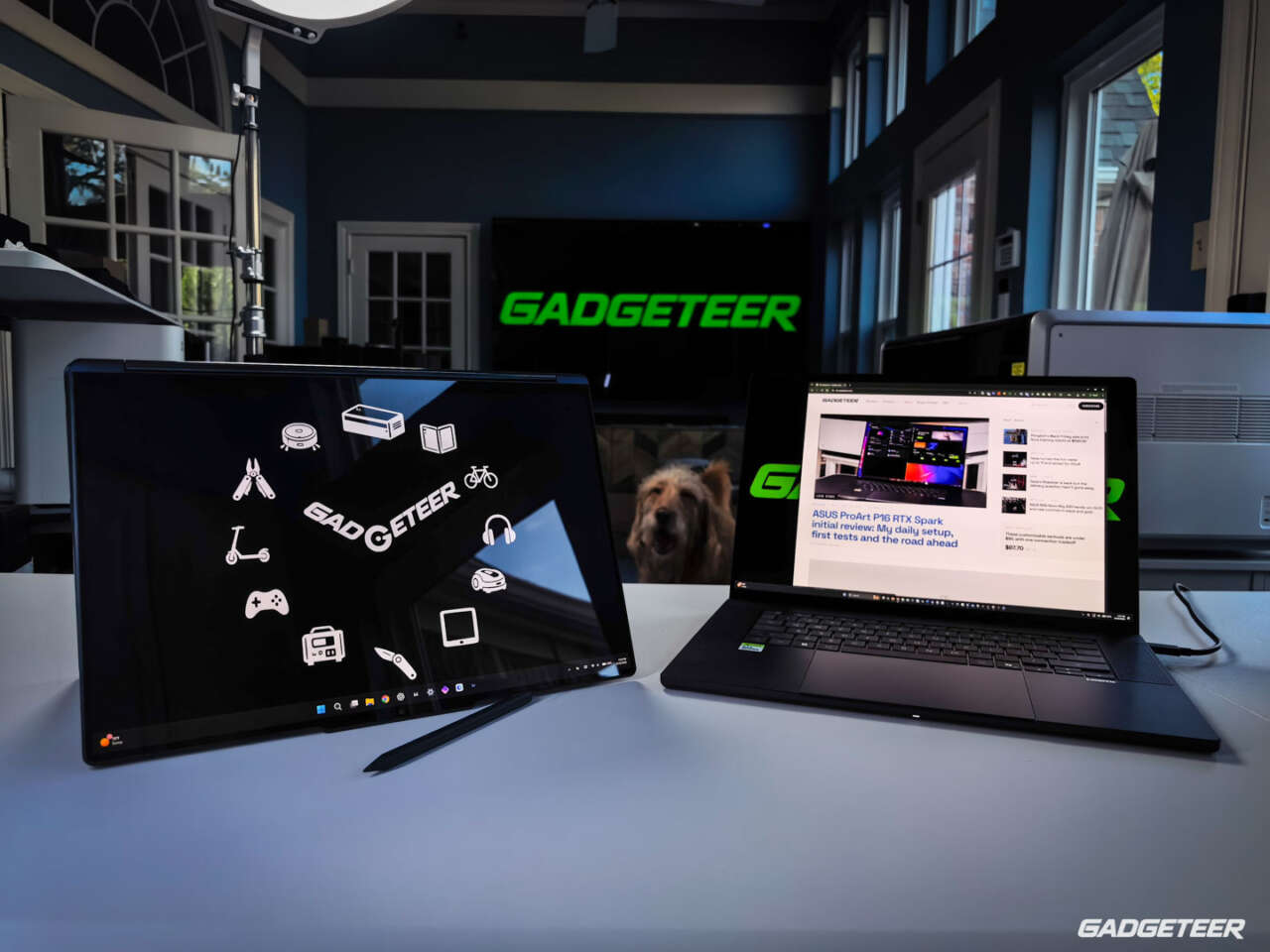
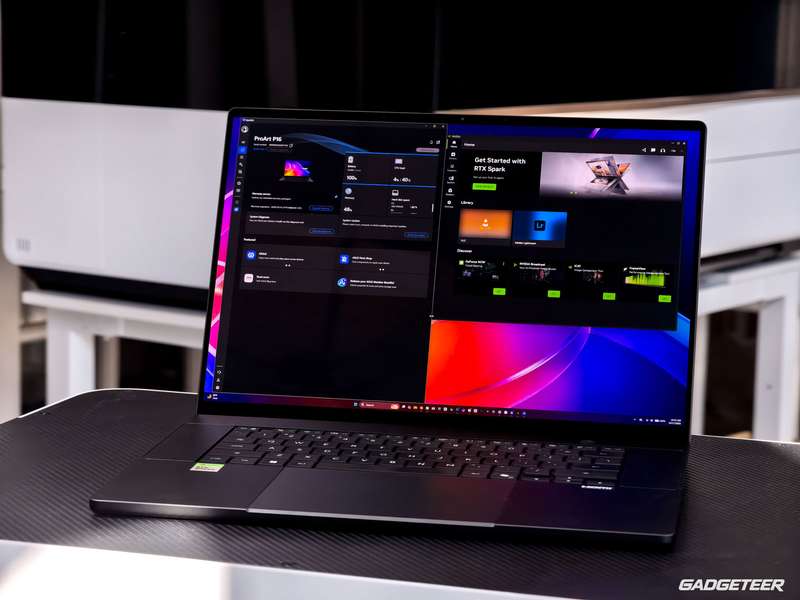
If you made it through my massive ASUS ProArt P16 RTX Spark review and you’re still here, thank you. That one had enough charts to qualify as light exercise for your scrolling finger. Since the Lenovo Yoga 9n uses the same processor, I’ll spare you the full benchmark marathon this time. The ASUS review covers the deep dive; here, I’m focusing on Lenovo’s take on the hardware, its own results, and what’s different in everyday use.
Price: $3,749.99 for my review unit model 83N7000UUS, with a 20-core RTX Spark N1X, 64GB memory and 1TB storage in Cosmic Blue, checked October 17, 2026.
Where to buy: Best Buy. Check current availability and delivery.
My early verdict
I love both laptops for different reasons. The Yoga’s appeal is its flexibility on a desk: a full-size creative laptop that can change position for viewing and pen input. It has already completed useful video and local-AI work. I still haven’t become comfortable with its number-pad and trackpad layout, and I haven’t established its controlled battery life or properly tested the pen. Those are important parts of a buying decision at $3,749.99.
Five findings so far
- The convertible design is the main reason to consider it. The OLED screen folds back, and the included pen supports input on both the display and Force Pad. Drawing quality is still untested.
- It completed a real video job. A 6-minute, 35-second rough assembly of its unboxing footage exported in just under six minutes at 540 × 960, with GPU rendering off.
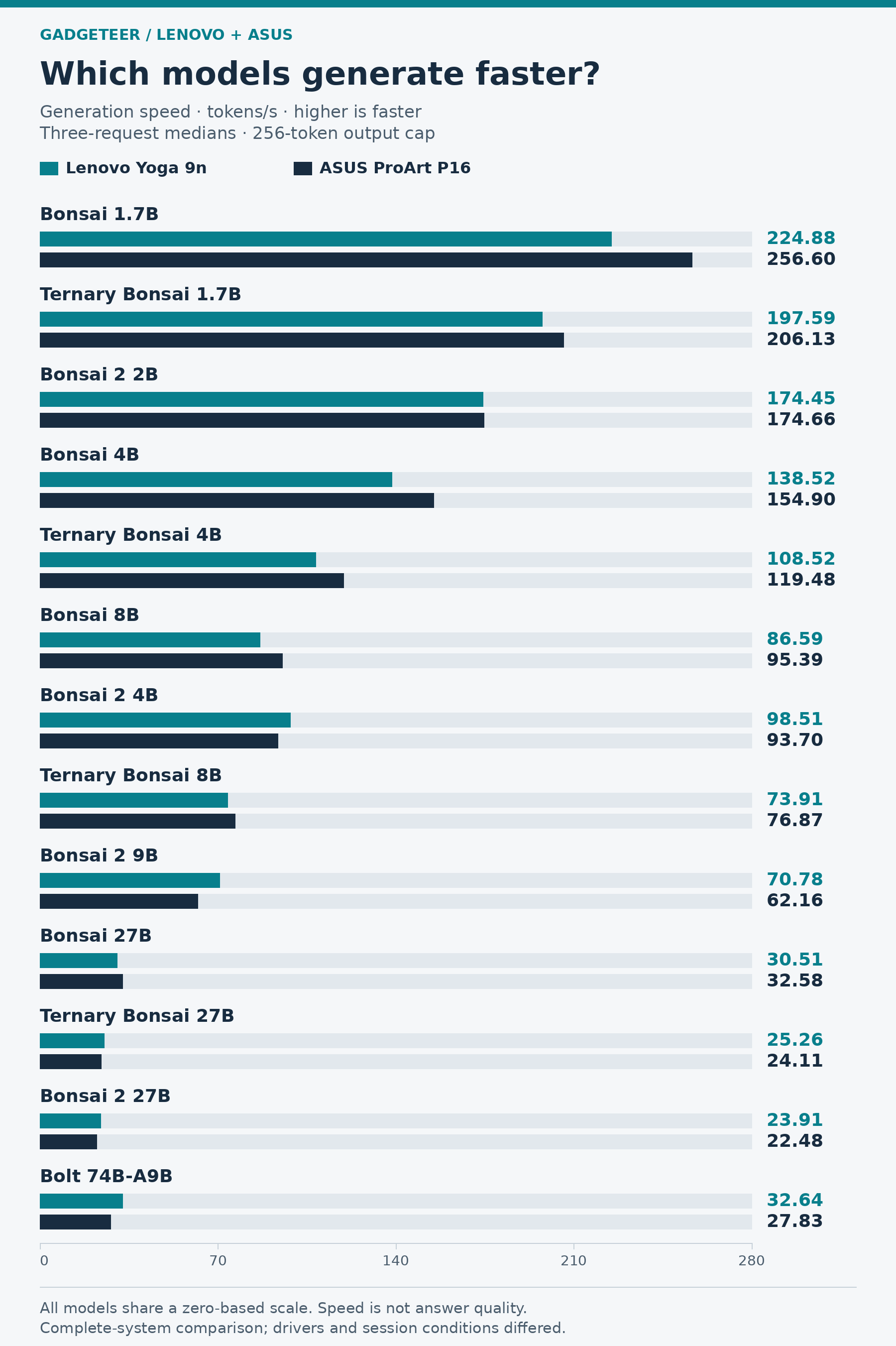
- The AI speed lead changes with the model. Lenovo generated Bolt output 17.3% faster than ASUS and Bonsai 2 9B output 13.9% faster. ASUS finished the tested Qwen and image-generation jobs sooner.
- The keyboard layout is my clearest tradeoff. I keep catching nearby number-pad keys, and the large off-center trackpad takes adjustment.
- This is an initial review. Pen response, controlled battery life and conventional CPU, GPU and SSD results still need work. The completed AI and export tests don’t answer every performance question.
The Yoga I’m using
My review unit configuration is 83N7000UUS in Cosmic Blue, with 64GB of memory and a 1TB SSD. Windows identifies it as Yoga 9 2-in-1 16N1X11. It is the convertible Yoga 9n, separate from the lower-tier Yoga Pro 9n review unit.
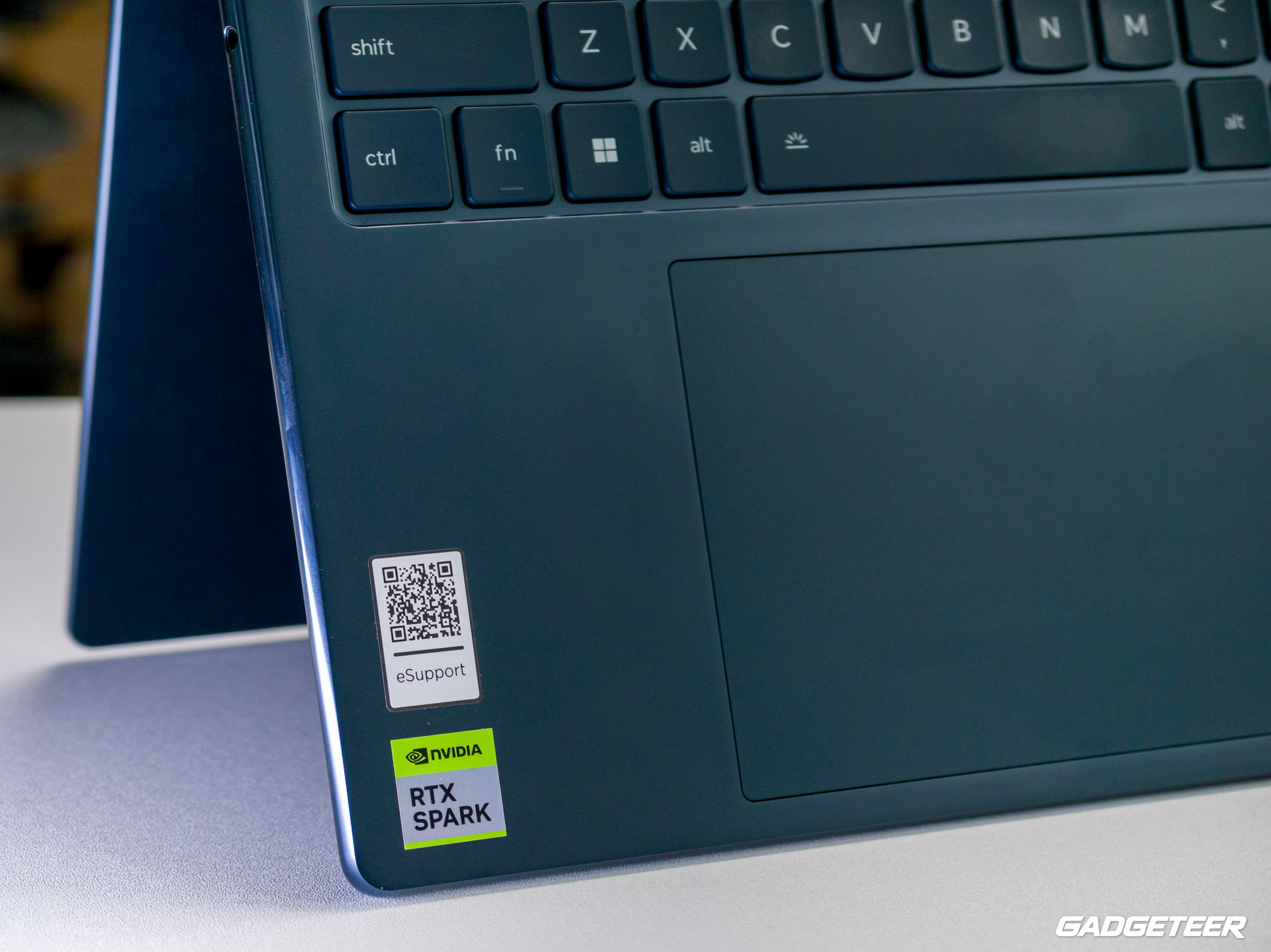
Both this Yoga and my ProArt review unit report NVIDIA RTX Spark N1X with a 20-core CPU and a 6,144-core Blackwell GPU. They share that processing foundation. The screens, keyboards, ports and cooling systems around it give them different roles, and the same processor doesn’t guarantee identical performance.
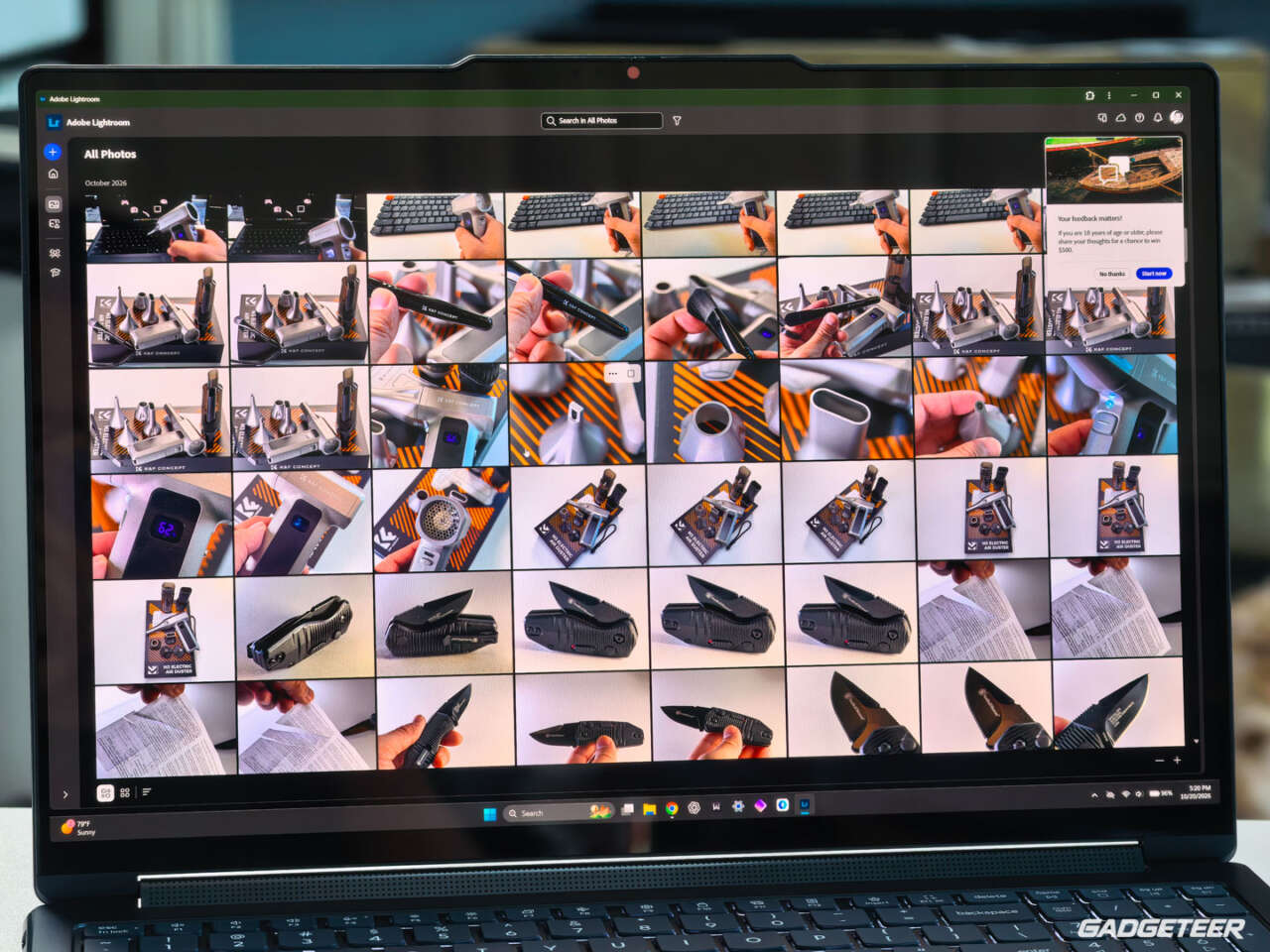
The Yoga has a 16-inch, 2880 × 1800 OLED touchscreen, 64GB of soldered LPDDR5X memory at 9,400MT/s, a 1TB PCIe Gen 4 QLC SSD and a 99.9Wh battery. Best Buy’s exact 83N7000UUS listing was $3,749.99 when checked October 17, 2026.
The hardware I touch every day
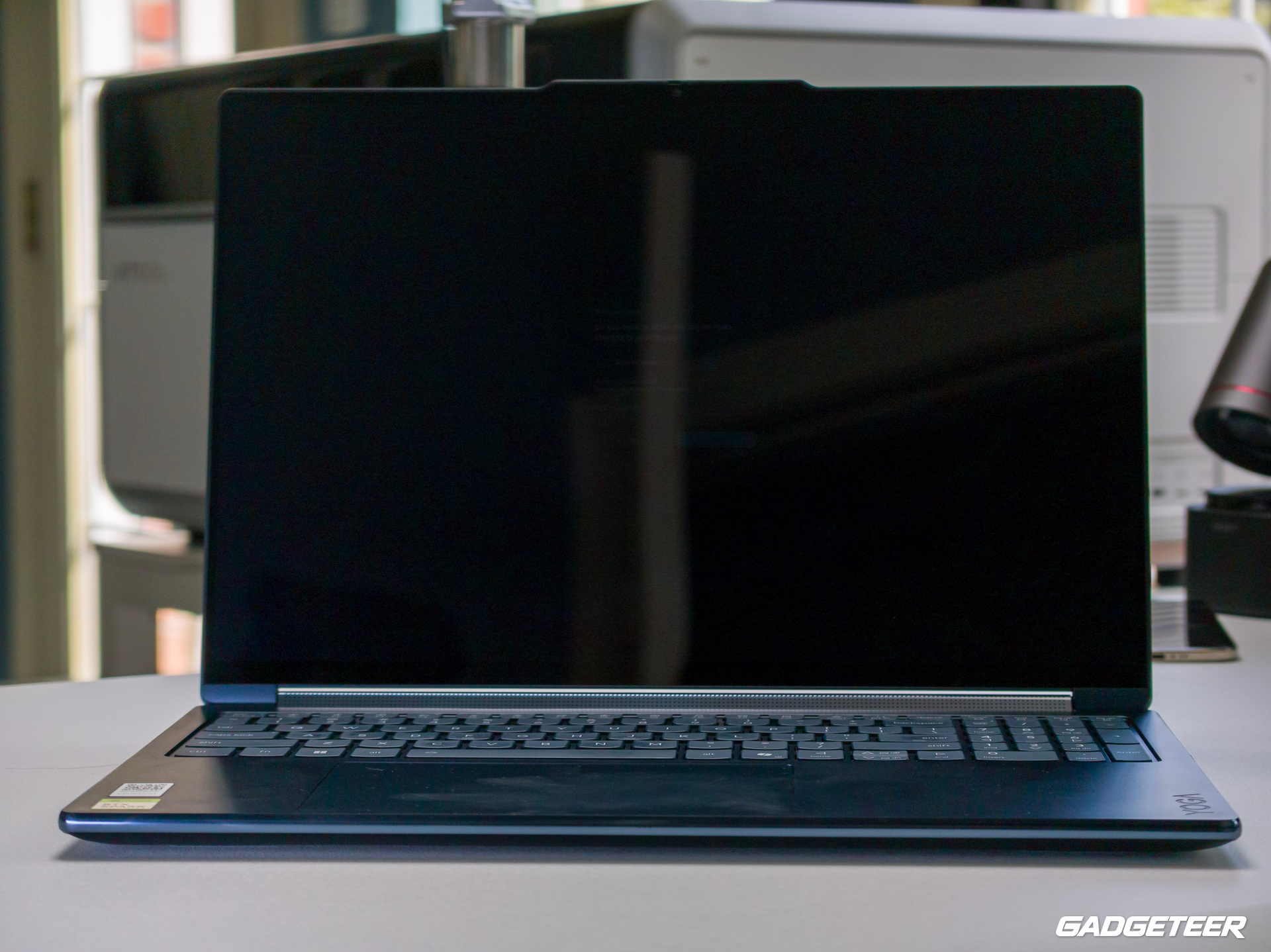
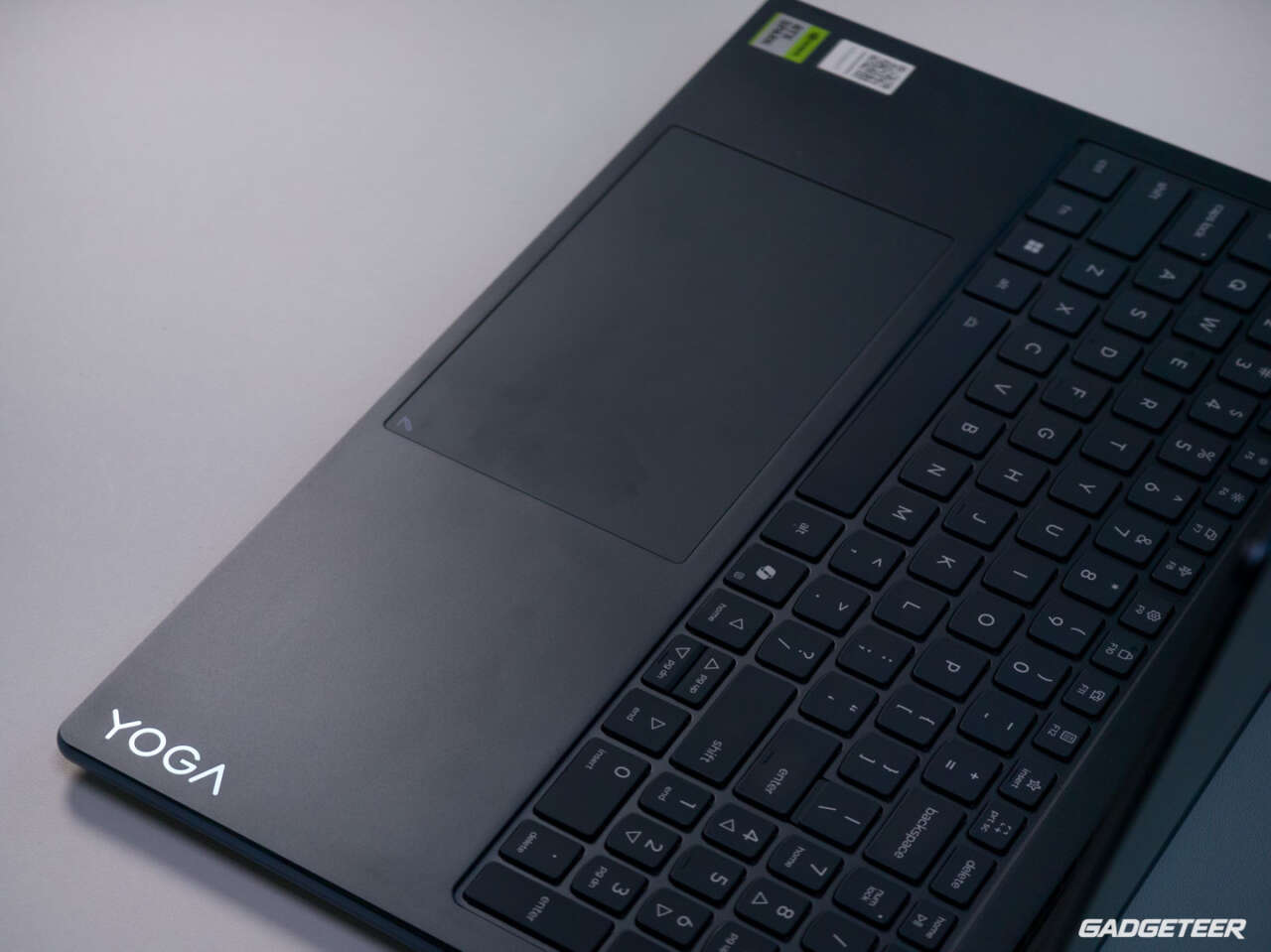
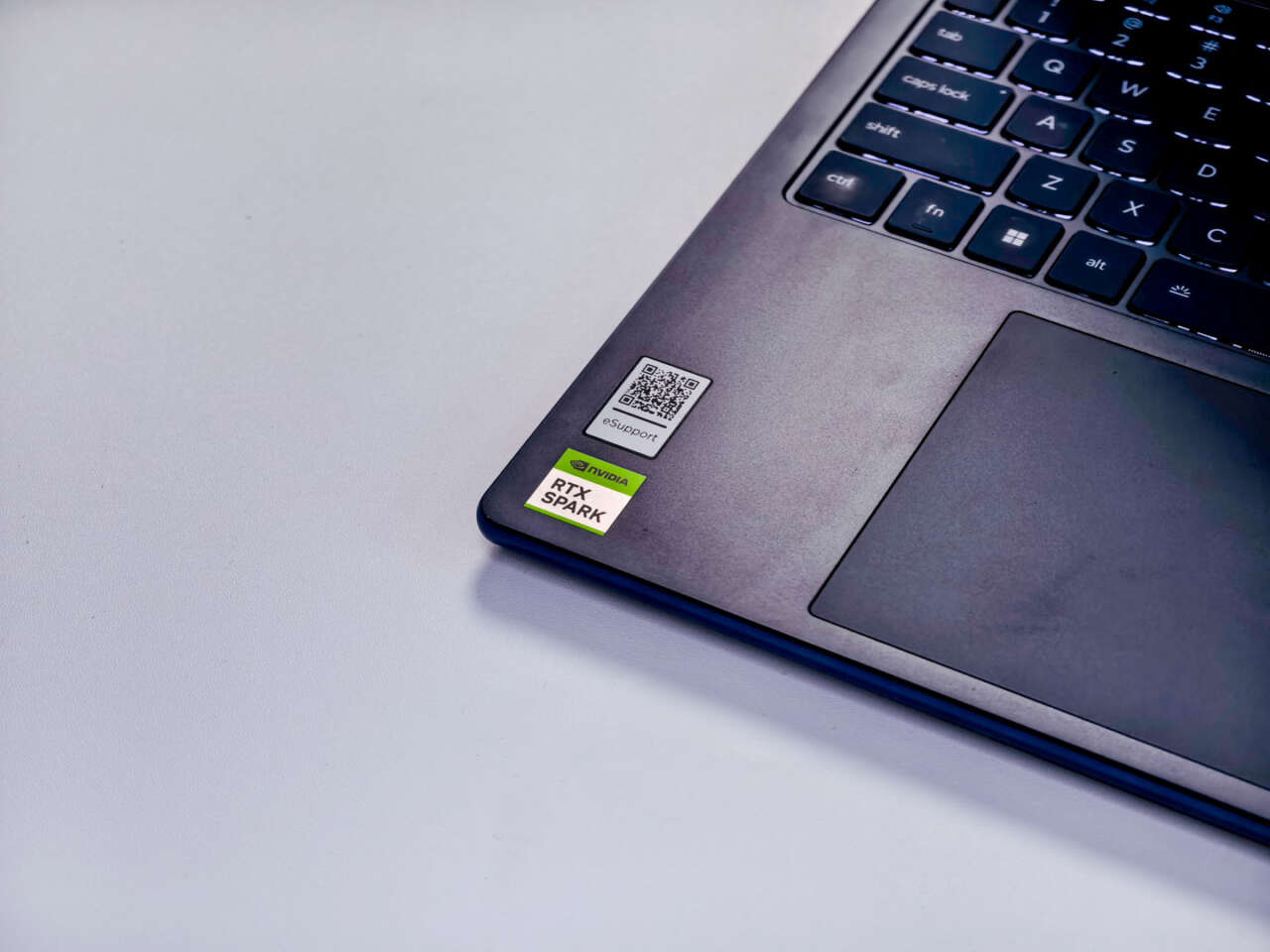
The keyboard and trackpad have been my biggest everyday adjustment. I’ve used plenty of Lenovo laptops, but I still haven’t settled into this layout. The dedicated number pad sits beside the main keyboard, and my fingers keep catching nearby keys. The trackpad is large; its off-center position is what frustrates me. The ProArt’s layout, without that separate number pad, has been more comfortable for me.
Try the layout in person, especially if you spend much of your day typing. Someone who uses a number pad constantly may welcome a feature I keep bumping into.
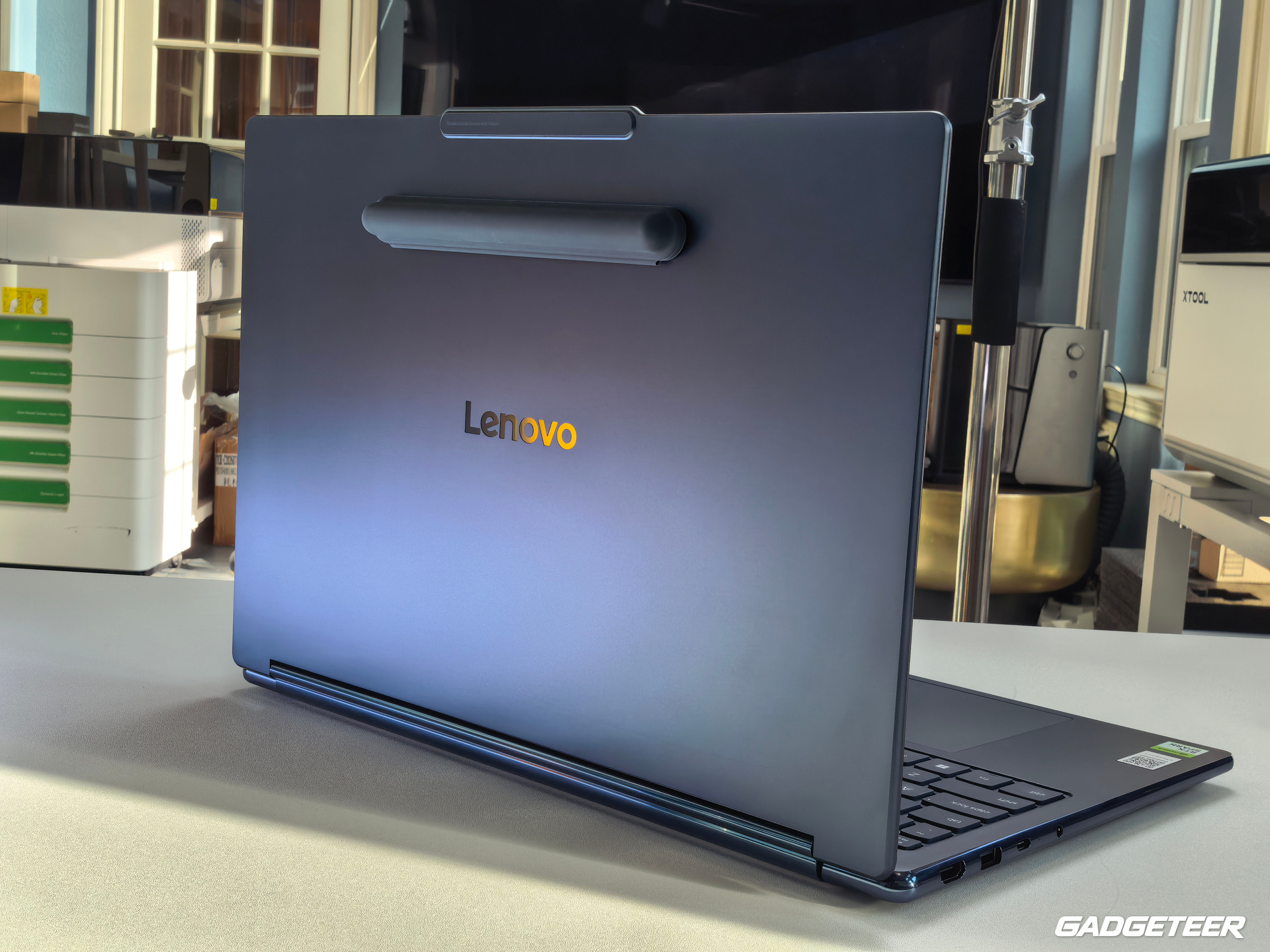
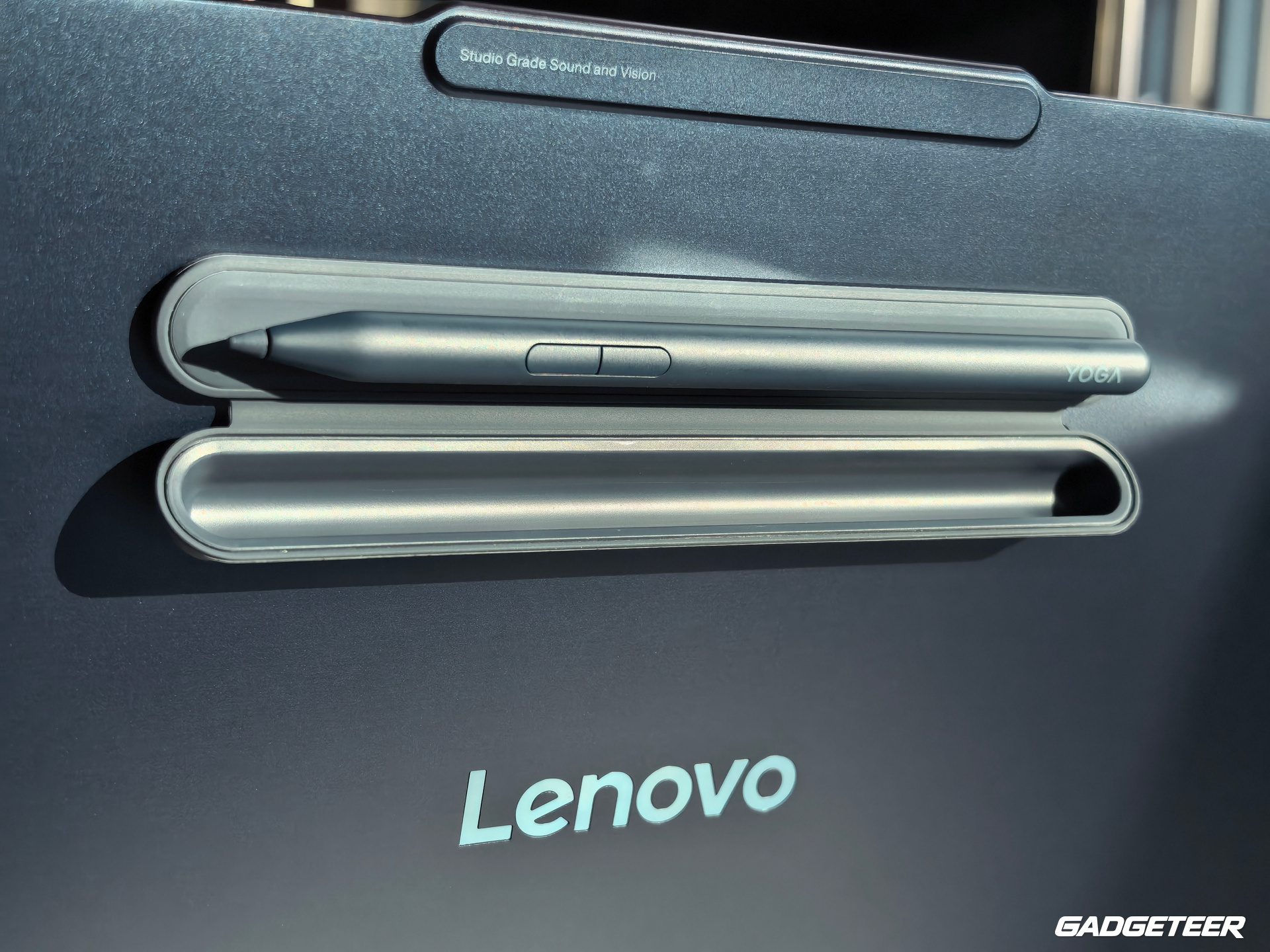
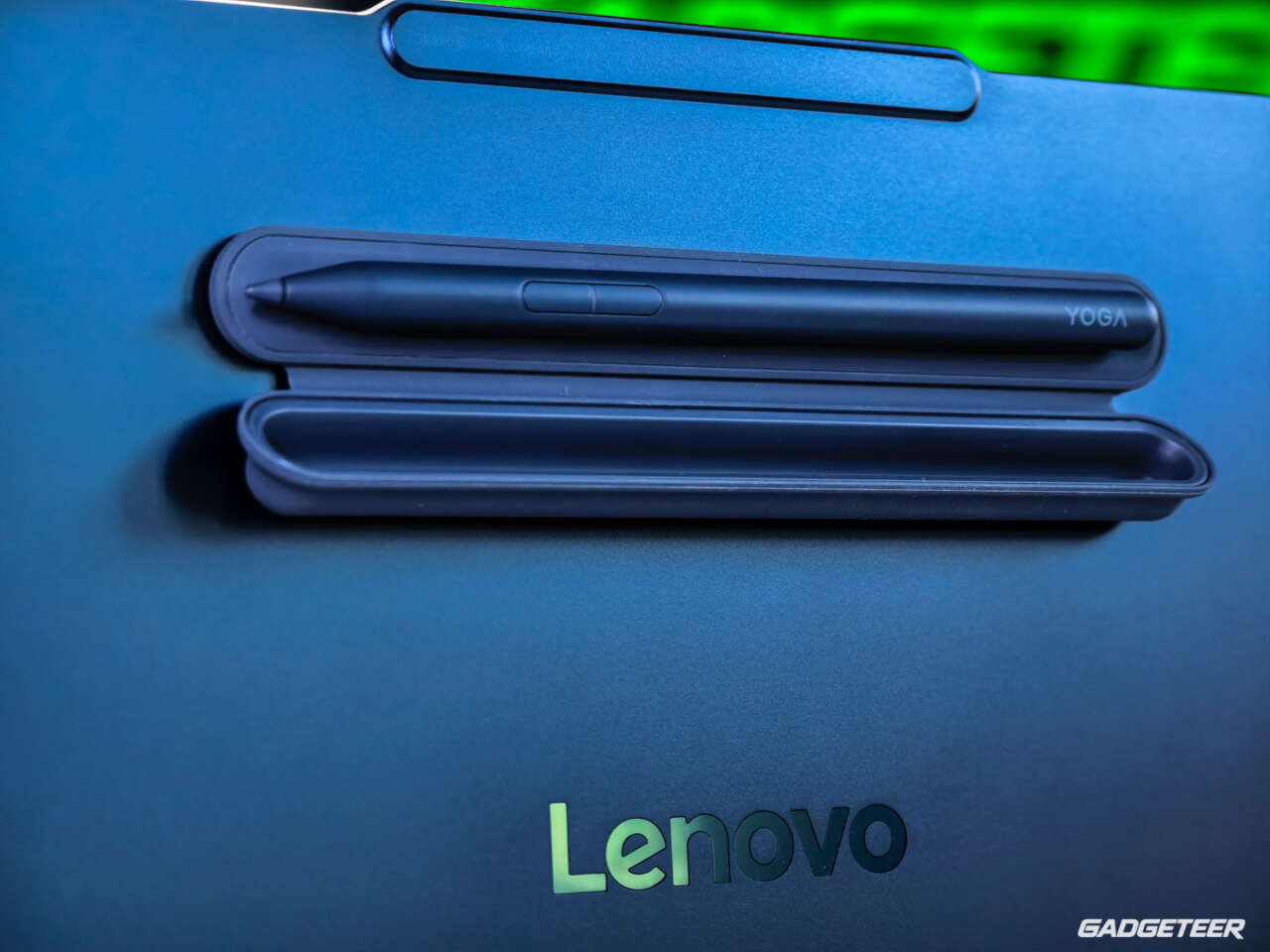
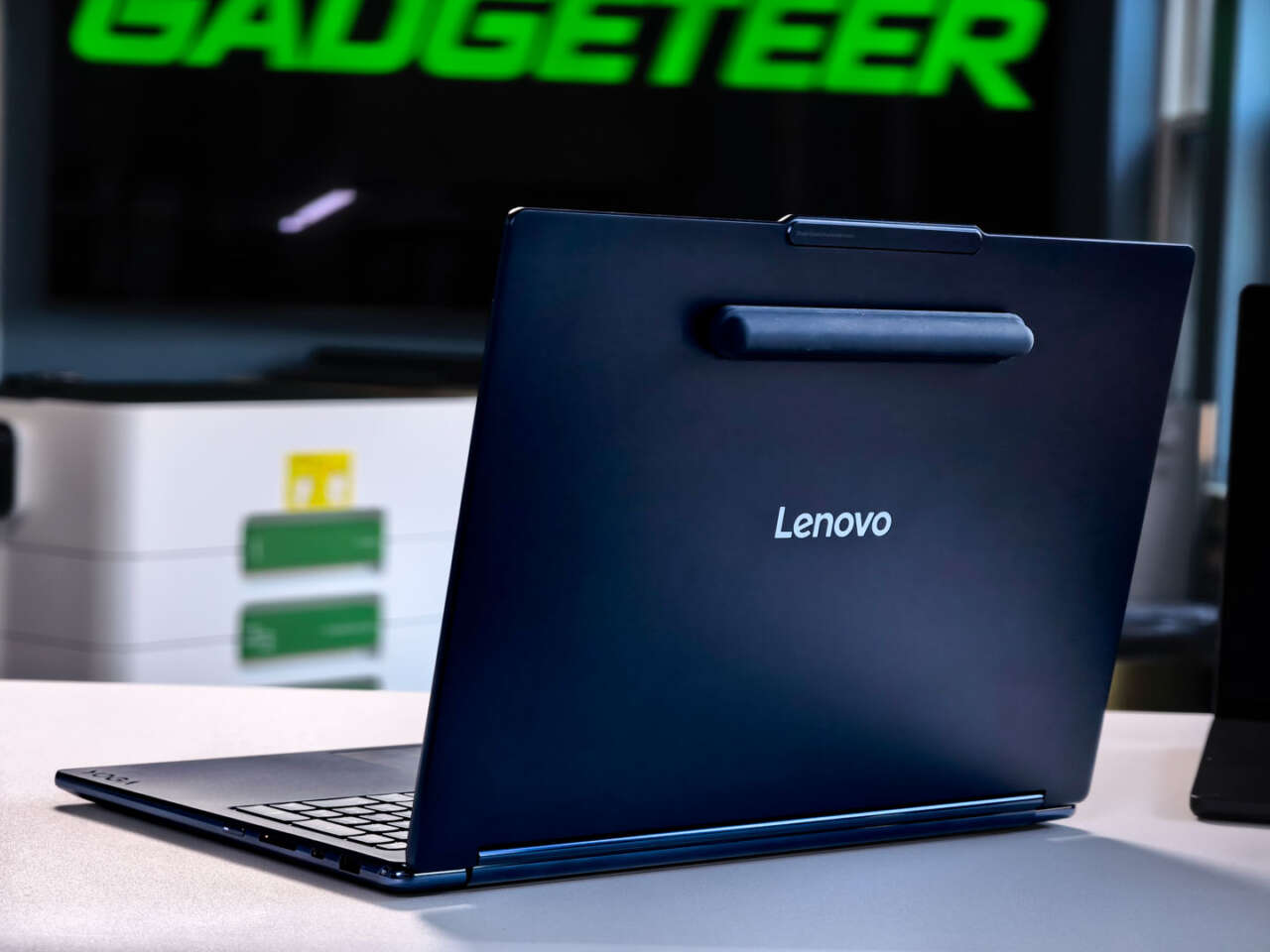
The Yoga’s broader design is more appealing to me. The Cosmic Blue finish, aluminum lid and rounded edges are familiar from my unboxing. Its magnetic pen case keeps the pen with the machine, although it adds to the back of the display. At this size, I see tablet and tent modes primarily as different ways to position a desk workspace. Folding it back still leaves a full-size laptop to hold.
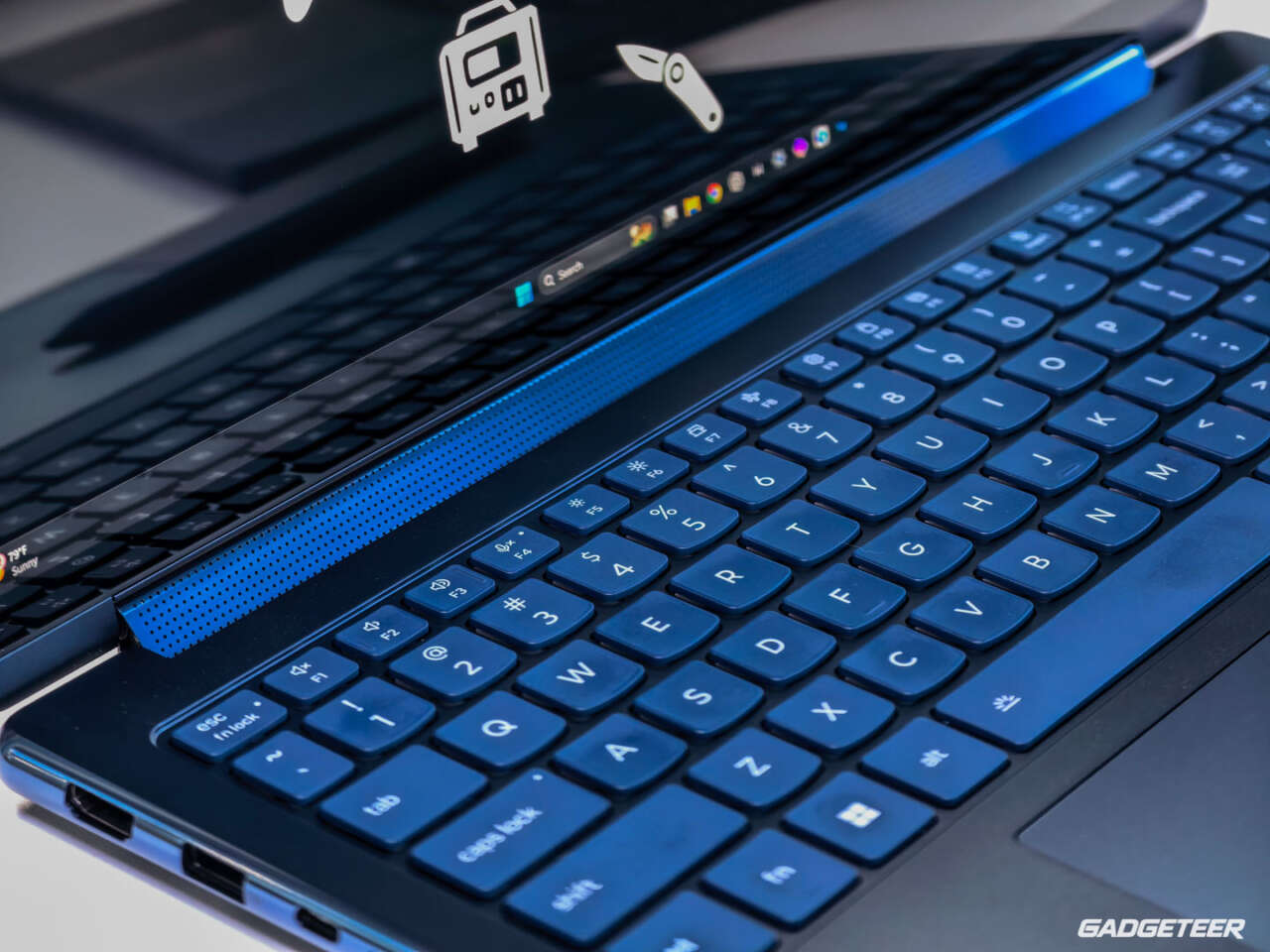
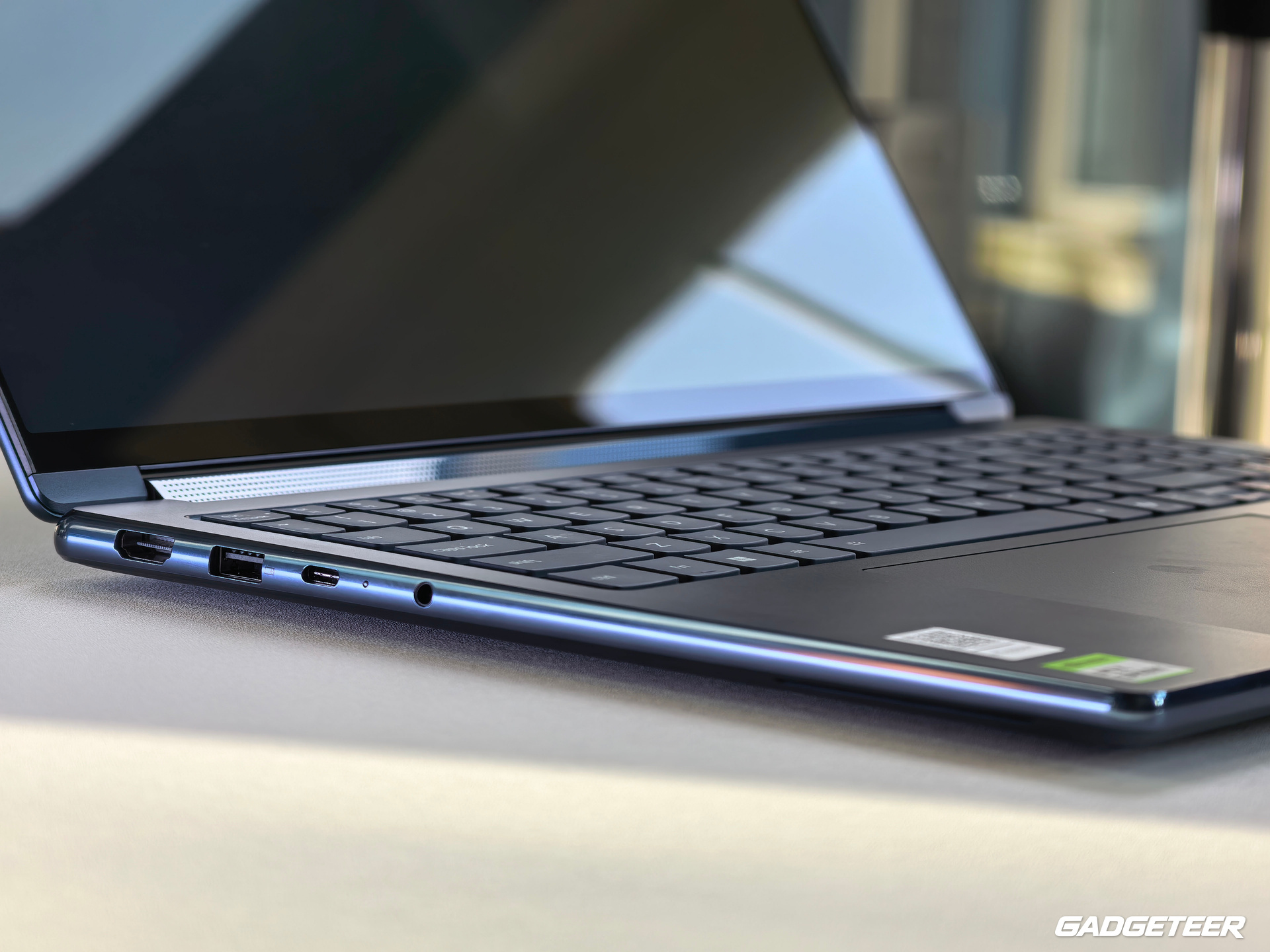
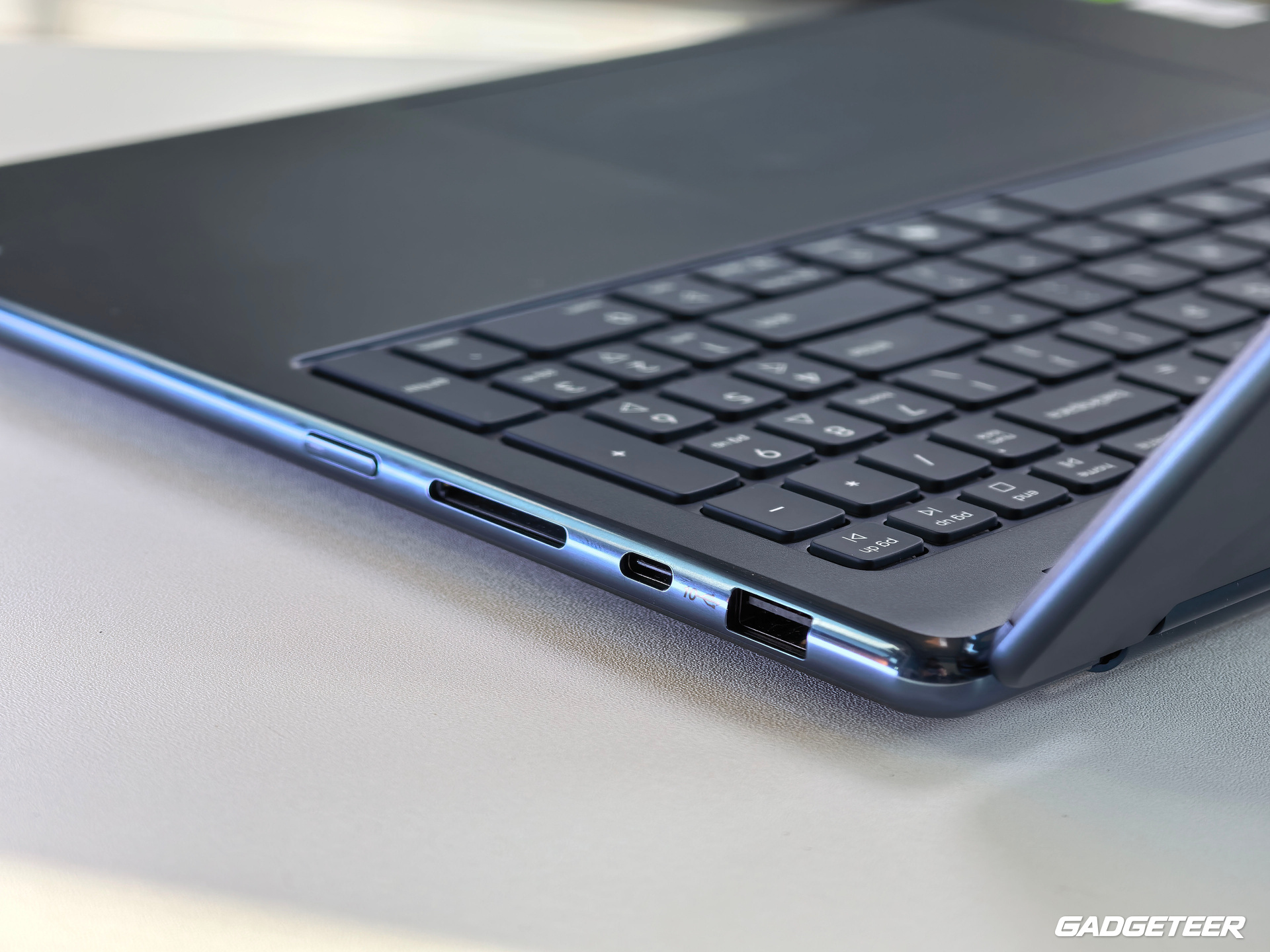
Two tweeters sit in the rotating soundbar hinge, with four woofers completing the six-speaker system. I haven’t compared how it sounds in each position. There is a USB4 port on each side, plus two USB-A ports, HDMI 2.1, a full-size UHS-I SD reader and a 3.5mm audio jack. The built-in reader is useful for camera cards, but UHS-I is an important detail for anyone expecting UHS-II ingest speeds. Card-ingest and sustained-copy speeds haven’t been measured here.
The display and two places for the pen
The 16:10 OLED provides a 2880 × 1800 workspace, a 30 to 120Hz variable refresh range, full sRGB and P3 coverage, Dolby Vision and DisplayHDR True Black 1000. Its 1,100-nit HDR peak applies to highlights, rather than sustained full-screen brightness.
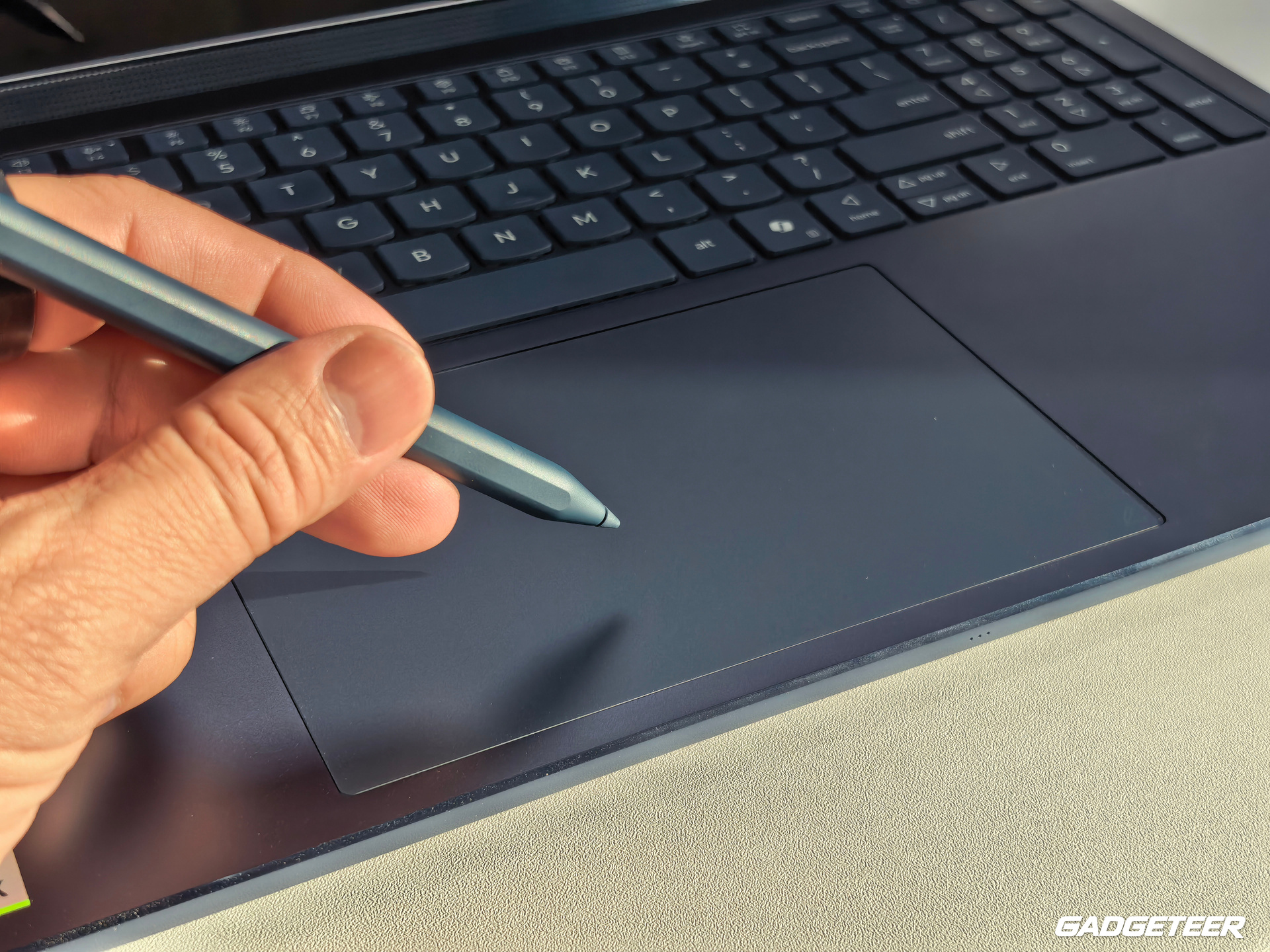
I connected the USB-C-charged Yoga Pen Gen 2 and got the Lenovo Pen Settings notification. The pen supports AES 3.0, tilt and up to 8,192 pressure levels. Its unusual option is the Force Pad: pen input below the screen can leave the image unobstructed, while drawing directly on the display puts the pen over the work. I want to try both for photo masks, notes and precise selections. Pressure response, palm rejection and edge accuracy still need a proper test.
A slowdown I noticed
During a Cinebench session in Standard mode, typed characters took a few seconds to appear, and I couldn’t capture a screenshot. I also estimated about three seconds to send a test message. Typing and screenshot capture recovered after both a reboot and a ChatGPT desktop-app update. Because both happened before the recovery, I can’t separate their effects or assign the slowdown to the laptop’s hardware. I’ll retest this in Performance mode.
What it has actually done
The most useful creative test used seven takes from the Yoga’s own unboxing. The source was 2160 × 3840 portrait HEVC video at about 30fps, with AAC audio. FilmCraft assembled the takes chronologically into a 6-minute, 35-second sequence and retained the original audio.
The 540 × 960 review export took 358.52 seconds, with GPU rendering off. It passed a full video-and-audio decode check, sampled frames were inspected, and the source files remained unchanged. That produced a reopenable project and a working review copy. It was one software-rendered rough assembly, so it doesn’t establish 4K delivery speed, GPU encoding performance or a polished edit with every spoken line checked.
A separate FFmpeg transcode took 56.17 seconds and produced a 77.7MB review copy, 92.3% smaller than the FilmCraft export. Duration and frame count stayed unchanged, the AAC audio matched, and the compact copy passed a full decode check. It was a different job, so I keep its time separate.
Software support still needs a practical check
Both laptops use Windows on Arm. Native ARM64 apps and emulated x86/x64 apps take different execution paths, and a working application doesn’t settle every plug-in or peripheral-driver question.
On the Yoga, native ARM64 command-line jobs in PhotoCraft, VectorCraft, FilmCraft, LightCraft, PdfCraft, EffectCraft and DesignCraft opened, converted, saved and exported test files. LightCraft retained an exposure adjustment after closing and reopening its library, and the two exports had identical hashes. EffectCraft also showed why an output needs inspection: a completed title render was visibly clipped until its position was corrected.
DaVinci Resolve 21.1.1.10 was installed, but its interactive operation, GPU setup and export path weren’t qualified in this session. An x64 xTool Studio beta also installed and opened, without an X1 hardware job. One bundled CH340 package lacked an ARM64 driver, but we didn’t establish that this package was required by the X1. I wouldn’t treat either application launch as proof of the full workflow.
Local AI: useful work still needs a checked answer
The Yoga ran Nemotron 3 Nano 4B locally through Ollama 0.40.3 ARM64, with all 43 model layers offloaded to the GPU. Three short checks worked repeatedly: frame-count arithmetic, a structured tool call and explaining a supplied tool result. Their three-run medians were 0.198, 0.417 and 0.982 seconds respectively, with three correct results in each check. These AC-powered, Balanced-mode tests used documented prompt caching and excluded initial model loading; they aren’t an uncached laptop comparison.
The agent work made the limits clearer. Hermes 0.21.7 needed a launcher workaround, then correctly read a file and returned its marker and frame count in 7.113 seconds. A broader receipt-inventory job ended in 14.45 seconds with a successful exit code, but made no tool calls, omitted hashes and invented statuses. We rejected it. Two narrower video-integrity audits later made the required file reads and passed independent hash checks.
That is the useful lesson for my work: give the agent a bounded job, then verify what it actually did. Qwen3 4B’s first bounded tool-call attempt also hit its 256-token output limit without making the required structured call. These are results for those model-and-task settings, with no evidence that the common RTX Spark processor caused the mistakes.
RTX Spark’s CPU and integrated GPU share physical system memory. Windows showed 64GB installed on this Yoga and a 32GB graphics figure; that graphics figure describes a reserved part of system memory. It isn’t an extra 32GB of separate VRAM. Installed capacity alone doesn’t establish the largest useful model or context a particular app can run.
Battery life is still an open question
During the October 13 setup and editing session, I unplugged the Yoga at about 8:35 p.m. Chicago time. Screenshots showed 82% at 9:37 p.m. and 60% at 10:16 p.m. That is a 22-percentage-point drop across roughly 39 minutes of a busy session involving setup, local models and video processing.
There was no exact starting percentage or fixed continuous workload and display setting. I can’t turn those observations into an all-day runtime estimate, and I don’t have a measured charging curve yet.
I heard the fan kick in during the later 32K-input Qwen tests. The sampled GPU temperature peaked at 61°C across those nine trials, with no allocation errors or thermal stops. That supports a narrow observation about that batch; sustained cooling and measured fan noise remain untested.
Who this Yoga makes sense for
The Yoga makes its clearest case for someone who wants a 16-inch local-processing laptop with a screen that can change position for viewing and pen input. The completed video and AI work gives that idea some substance. Its number pad and off-center trackpad are also things I’d try before committing to it.
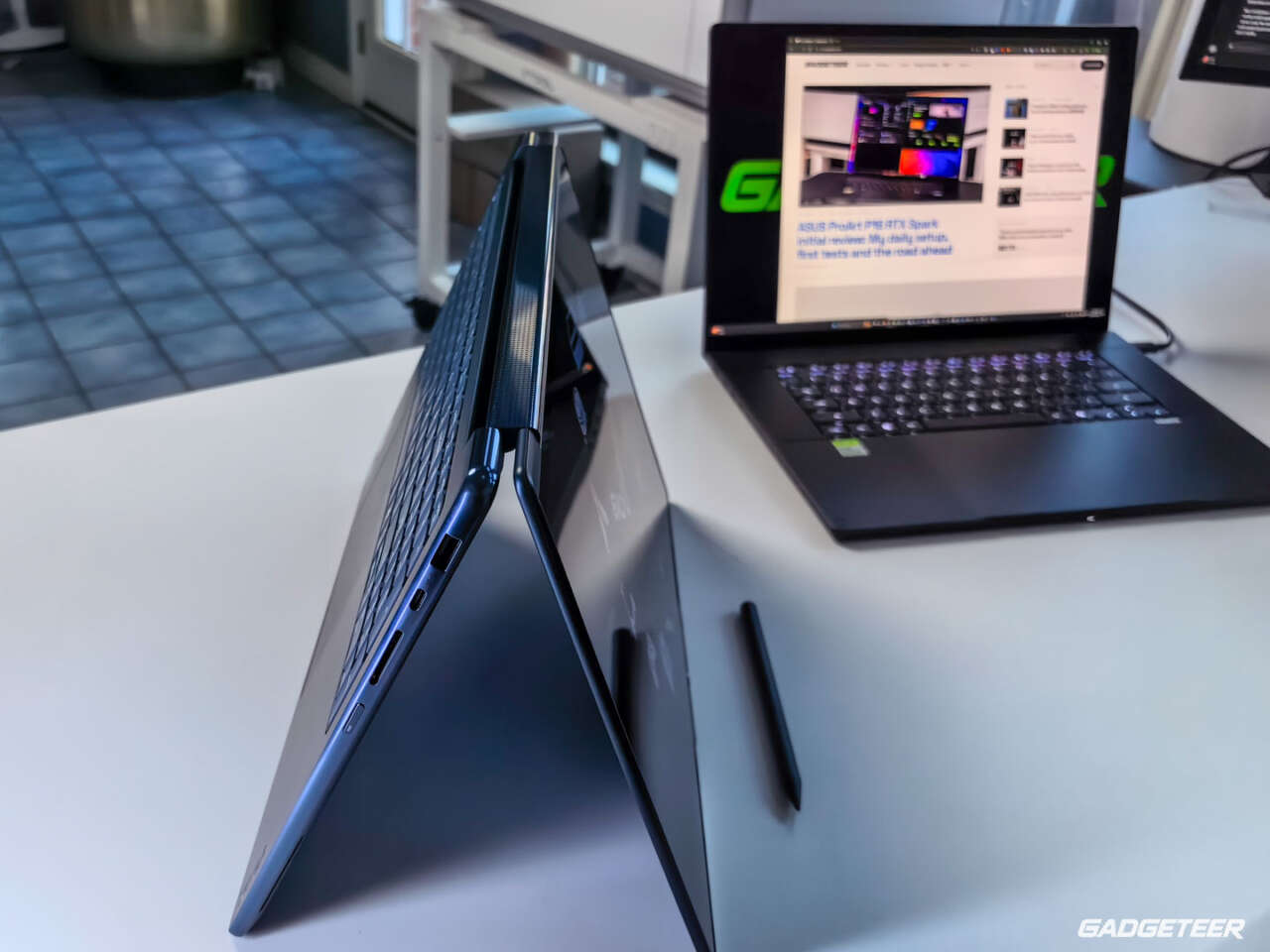
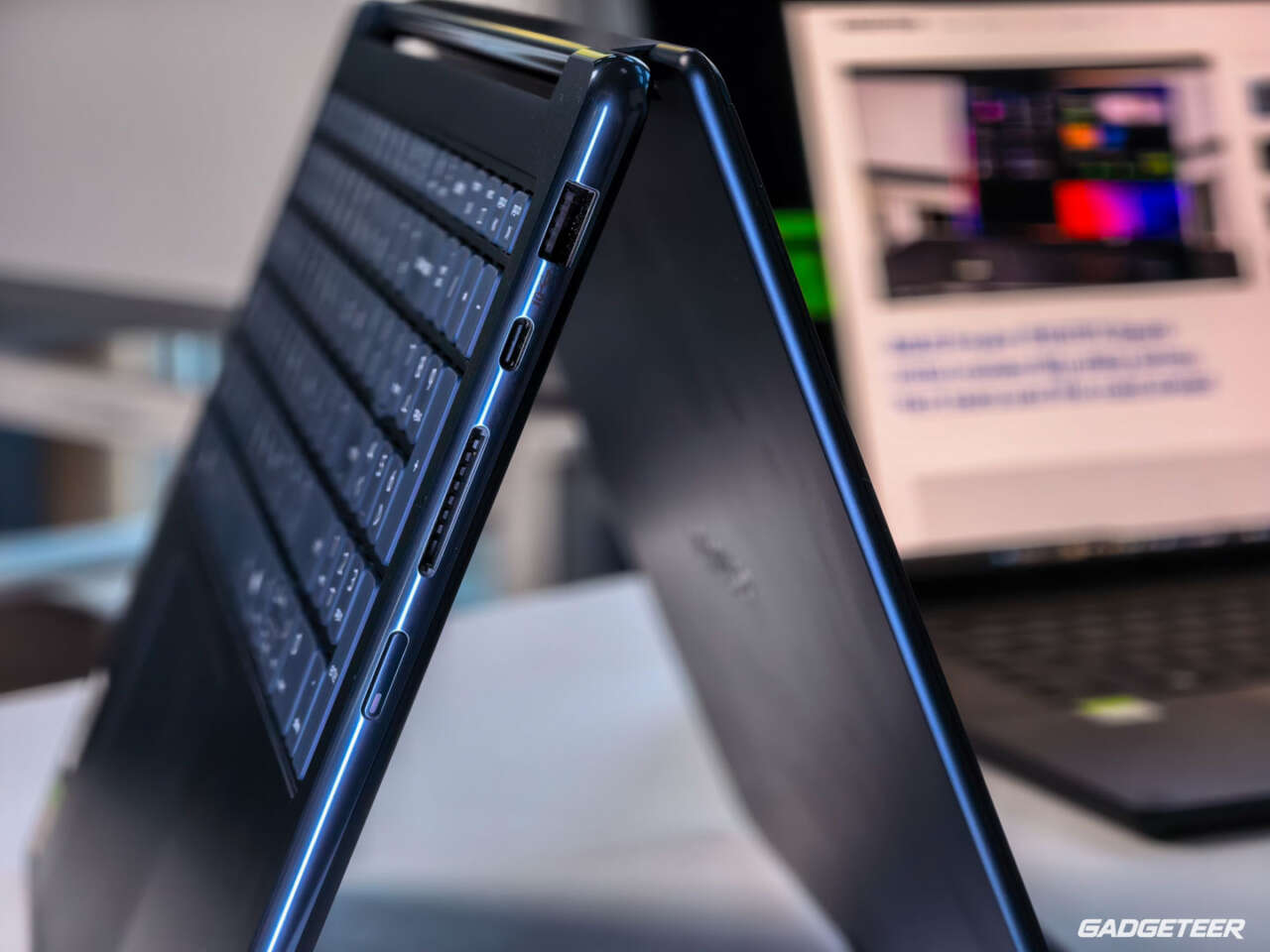
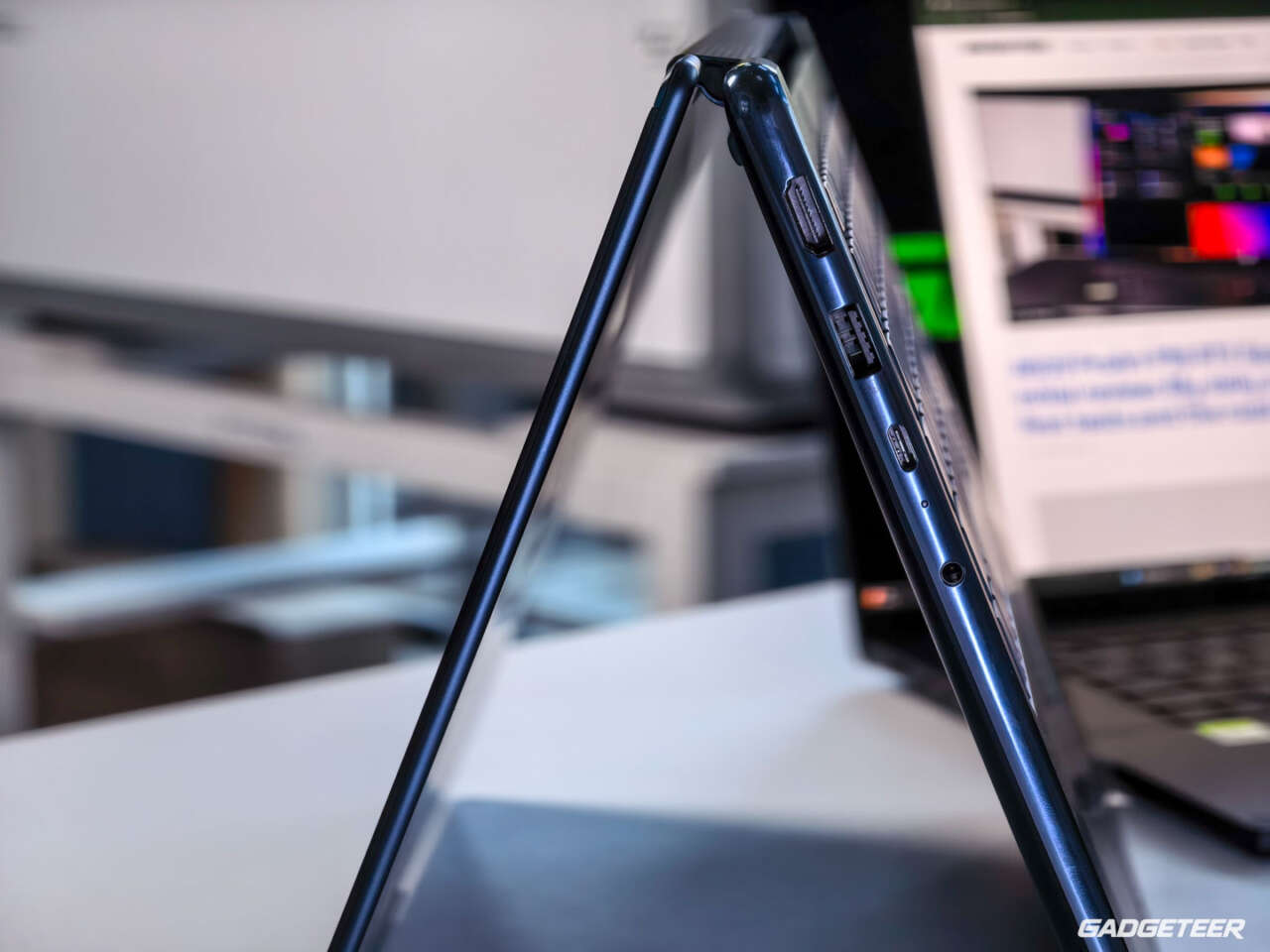
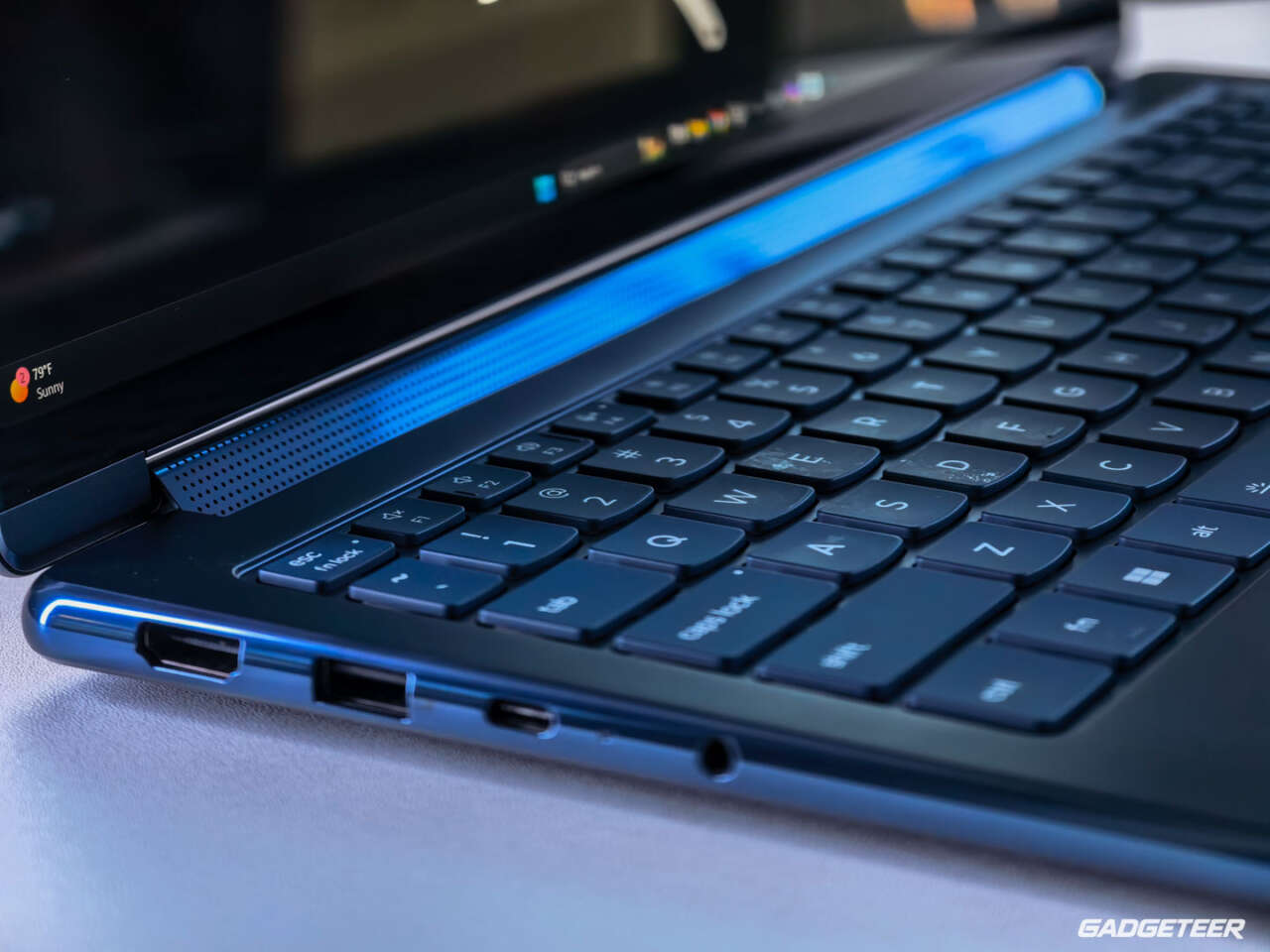
I love what Lenovo has done with the convertible design. I still need more time with the pen and battery before making a recommendation around drawing or a full day away from an outlet. For now, the Yoga’s flexibility is the attraction, and its everyday layout is the adjustment.
This is my first review of the Lenovo Yoga 9n. There’s more work ahead, especially exploring how far we can push its 64 GB of unified memory with the apps and local AI jobs I use every day. I’ll build on these initial results as that testing continues.
Price: $3,749.99 for my review unit model 83N7000UUS, with a 20-core RTX Spark N1X, 64GB memory and 1TB storage in Cosmic Blue, checked October 17, 2026.
Where to buy: Best Buy. Check current availability and delivery.
The matched benchmark results
Here are the Lenovo results beside the actual ASUS measurements. The shared processor makes this an interesting comparison of two complete laptops; it doesn’t isolate which hardware or software difference caused a timing gap. The longer platform and model discussion is in the ASUS review linked above.
Read the units as different questions: tokens per second measures how quickly output is generated, first streamed content measures the wait for an answer to begin, and whole-request time measures the wait until it finishes. Image backend time excludes application startup and total request overhead. None is a measure of answer quality.
Generation speed across 13 models
These are medians of three matched requests per model, each capped at 256 output tokens. Higher is faster. Lenovo led in Bolt and several Bonsai 2 probes; ASUS led on most earlier Bonsai models.
View exact data: Which models generate faster?
| Model | Lenovo generation, tokens/s | ASUS generation, tokens/s |
|---|---|---|
| Bonsai 1.7B | 224.88 | 256.60 |
| Ternary Bonsai 1.7B | 197.59 | 206.13 |
| Bonsai 2 2B | 174.45 | 174.66 |
| Bonsai 4B | 138.52 | 154.90 |
| Ternary Bonsai 4B | 108.52 | 119.48 |
| Bonsai 8B | 86.59 | 95.39 |
| Bonsai 2 4B | 98.51 | 93.70 |
| Ternary Bonsai 8B | 73.91 | 76.87 |
| Bonsai 2 9B | 70.78 | 62.16 |
| Bonsai 27B | 30.51 | 32.58 |
| Ternary Bonsai 27B | 25.26 | 24.11 |
| Bonsai 2 27B | 23.91 | 22.48 |
| Bolt 74B-A9B | 32.64 | 27.83 |
A longer Qwen request
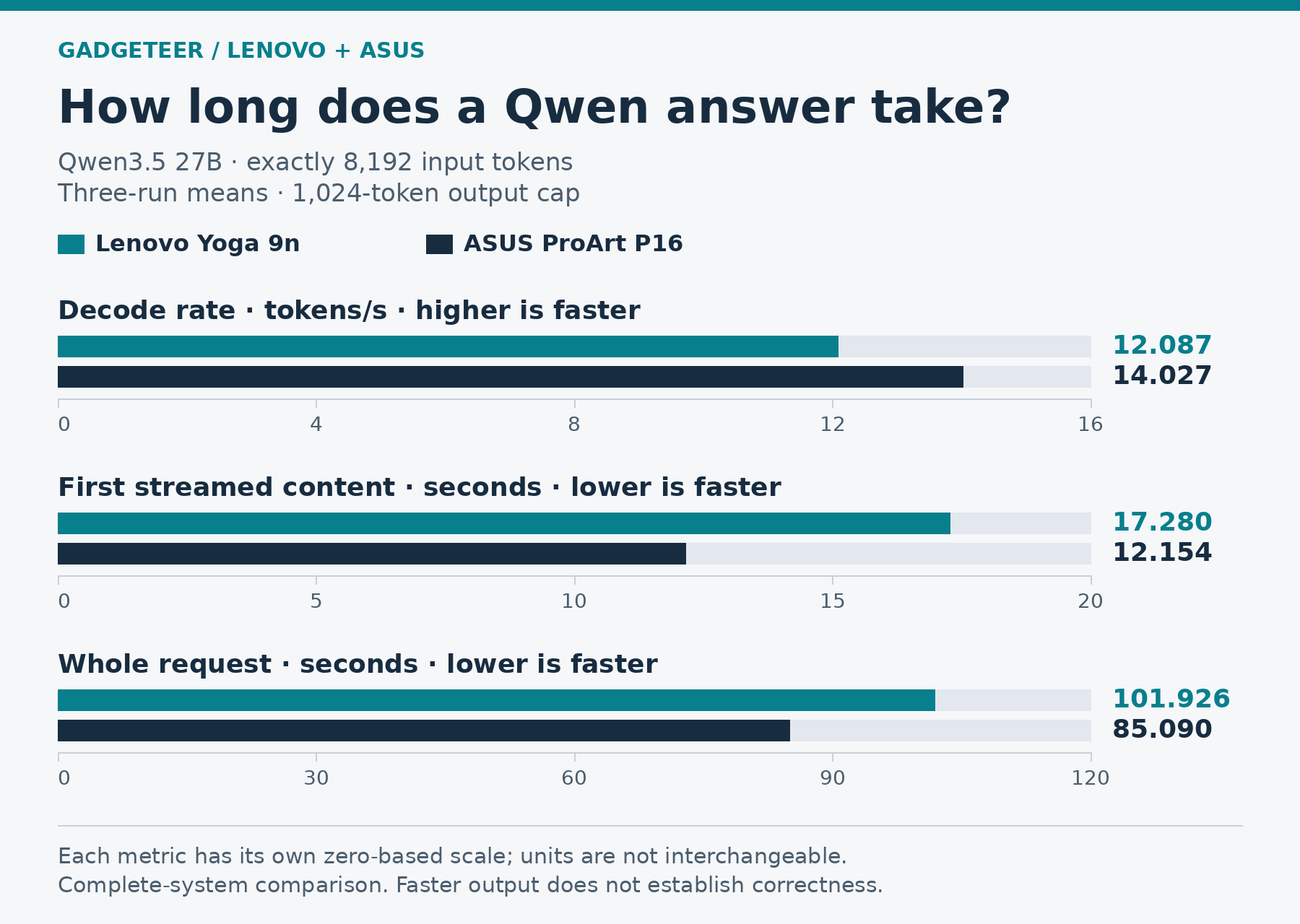
This separate Qwen3.5 27B workload used exactly 8,192 input tokens and a 1,024-token output cap. The values are three-run means. Lenovo’s decode rate was 13.8% lower, and it took longer both to begin returning content and to finish.
View exact data: How long does a Qwen answer take?
| Qwen3.5 27B, three-run mean | Lenovo | ASUS |
|---|---|---|
| Decode rate, tokens/s | 12.087 | 14.027 |
| First streamed content, seconds | 17.280 | 12.154 |
| Whole request, seconds | 101.926 | 85.090 |
Image-generation time
The six SDXL renders after the first observation averaged 17.465 seconds on Lenovo and 14.274 seconds on ASUS, so Lenovo took 22.4% longer. The first observed render and subsequent-render mean have different sample scopes; the first observation wasn’t a controlled cold-cache test.
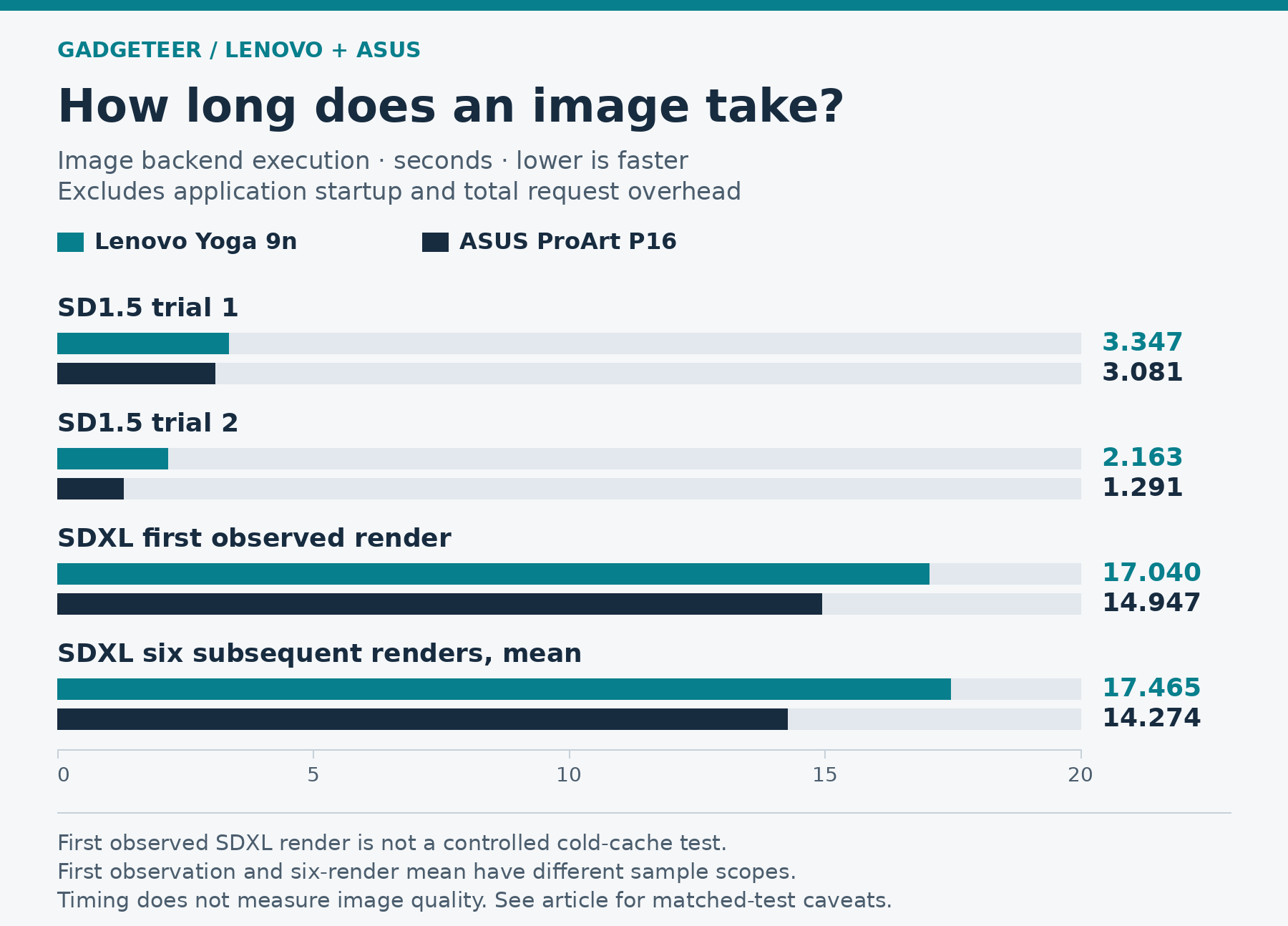
View exact data: How long does an image take?
| Image backend execution, seconds | Lenovo | ASUS |
|---|---|---|
| SD1.5 trial 1 | 3.347 | 3.081 |
| SD1.5 trial 2 | 2.163 | 1.291 |
| SDXL first observed render | 17.040 | 14.947 |
| SDXL six subsequent renders, mean | 17.465 | 14.274 |
Qwen with 32K input
The nine Lenovo trials originally skipped by a conservative check before inference were subsequently completed: three tasks, each repeated three times. The original skips weren’t inference failures. Together with the earlier 21 executions, these complete all 30 extended Lenovo cases across two sessions.
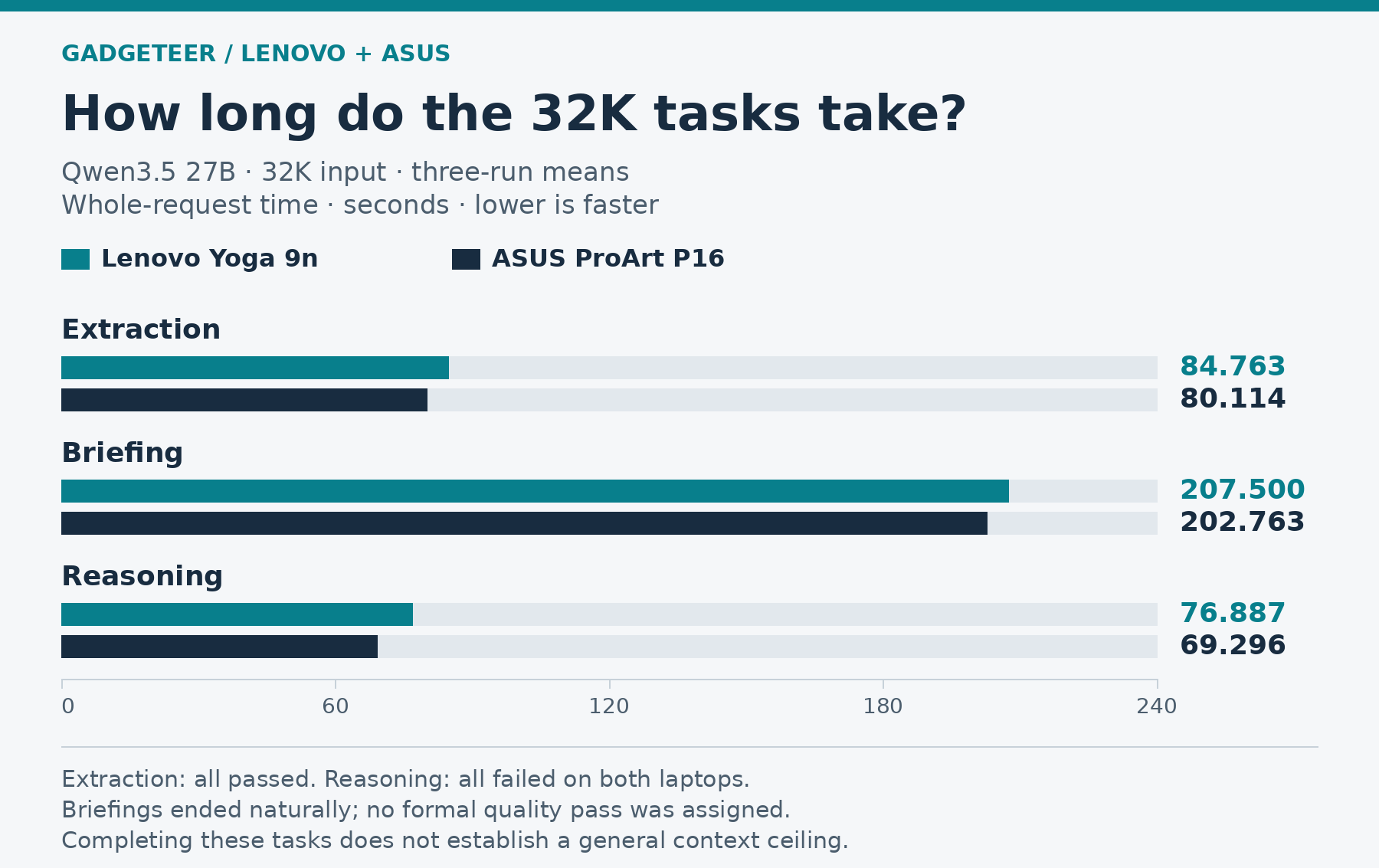
View exact data: How long do the 32K tasks take?
| Qwen3.5 27B, 32K input; three-run mean | Lenovo whole request, seconds | ASUS whole request, seconds |
|---|---|---|
| Extraction | 84.763 | 80.114 |
| Briefing | 207.500 | 202.763 |
| Reasoning | 76.887 | 69.296 |
Extraction passed all three 32K runs on each system. Reasoning failed all three on both, returning 3,660 instead of 4,914. Briefings ended naturally, without a formal quality pass. All nine requests and response texts matched ASUS. Completing these workloads doesn’t establish a general model-size or context ceiling.
What was matched, and what wasn’t
The Bonsai/Bolt comparison contains 159 matched scored trials and 20 shared readiness checks. ASUS also recorded one extra readiness check for its separate extended Bolt session; no scored trial was excluded. Requests and response texts matched, and all nine SD1.5/SDXL PNGs were byte-identical, including the failed counting composition. Matching outputs establish repeatability for those inputs, not correctness.
Weights, requests, seeds, output caps, image graphs and checkpoints were matched. The short baseline used an 8,192-token context, q8 KV cache, full GPU offload, flash attention, batch 512/ubatch 128, prompt caching disabled and temperature zero. That context setting is distinct from the separate Qwen test’s exact 8,192-token input.
NVIDIA drivers differed: 617.42 on Lenovo and 617.21 on ASUS. Background activity, power settings, ambient conditions and disk-cache state weren’t fully controlled across sessions. These results describe the complete tested systems. ASUS’s separate CPU, graphics, storage and battery measurements remain ASUS results; they don’t fill the gaps in this Yoga’s testing.