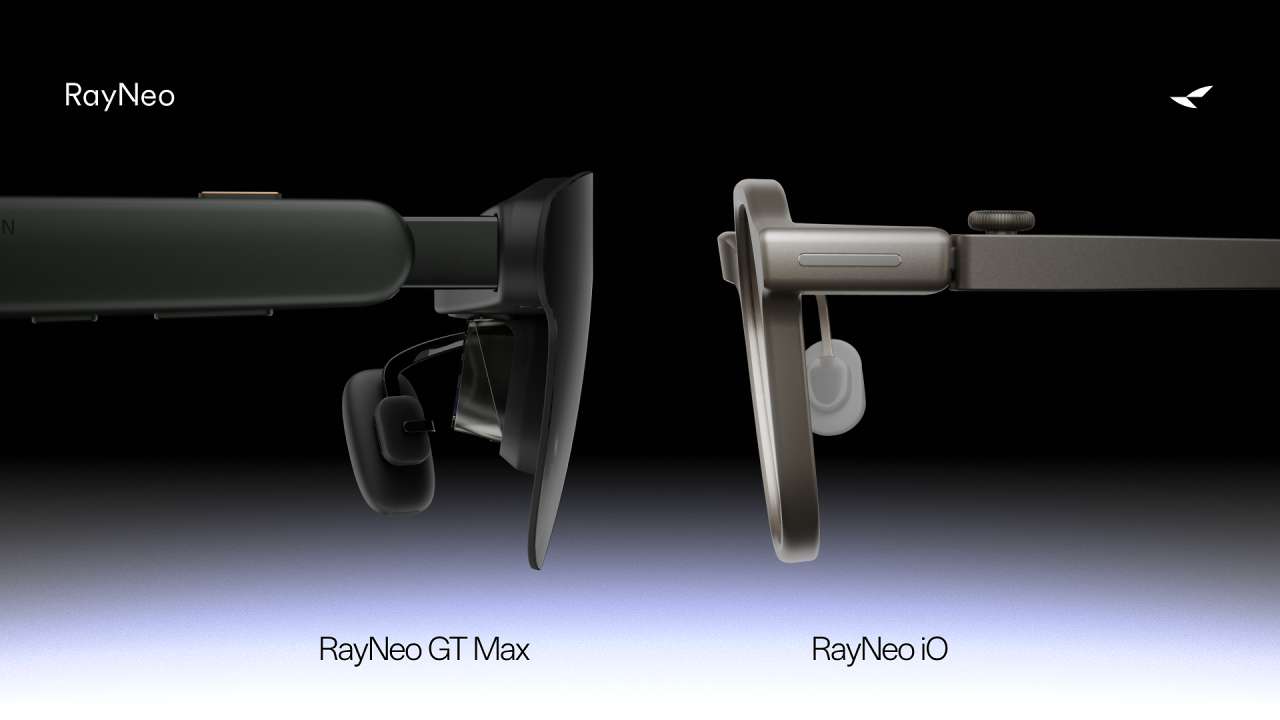
Smart glasses have a basic problem: the more technology companies add, the harder they can become to treat like normal glasses.
Price: TBD
Where to Buy: RayNeo
Cameras raise privacy questions. Displays and batteries can add bulk. And if you’re expected to wear smart glasses throughout the day, comfort and usefulness matter more than simply packing in another feature.
The RayNeo iO Smart Glasses take a more focused approach. Instead of trying to become a wearable camera or miniature entertainment system, the iO puts information in your field of view, including Live Captions, live translation, Voice Memo, AI assistance, meeting follow-ups, and a teleprompter.
RayNeo positions the iO as all-day heads-up productivity glasses, while the new GT Series is aimed at entertainment. That gives the iO a different profile from camera-first smart glasses, although its microphones and recording-related features still require the same consideration you would give any audio-recording device.
The Display Is for Information, Not Movies
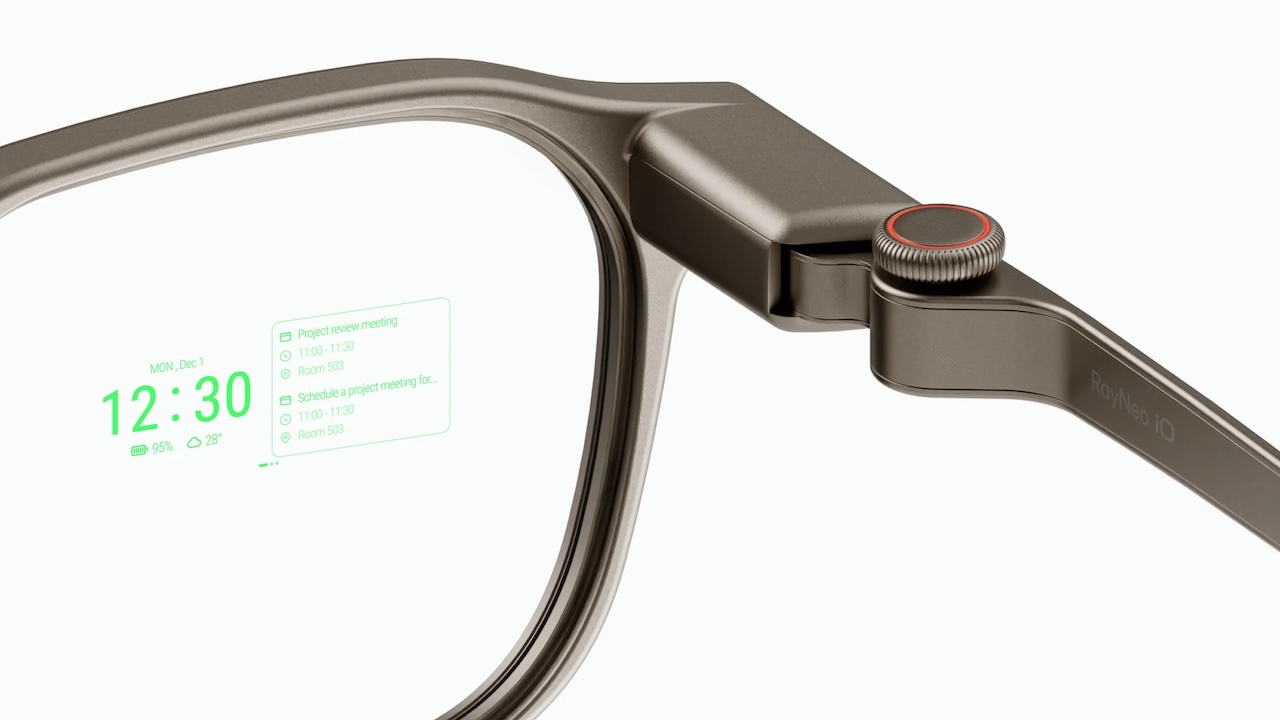
The iO uses a transparent near-eye display designed around everyday information rather than immersive entertainment.
The practical difference matters. These aren’t intended to replace a headset or RayNeo’s entertainment-focused display glasses. Instead, the display puts information within view when you need it.
RayNeo’s interface includes a tactile Smart Crown rotary dial on the right temple, along with head gestures.
That’s a narrower vision of augmented reality, but potentially a more useful one for something you’re supposed to wear regularly.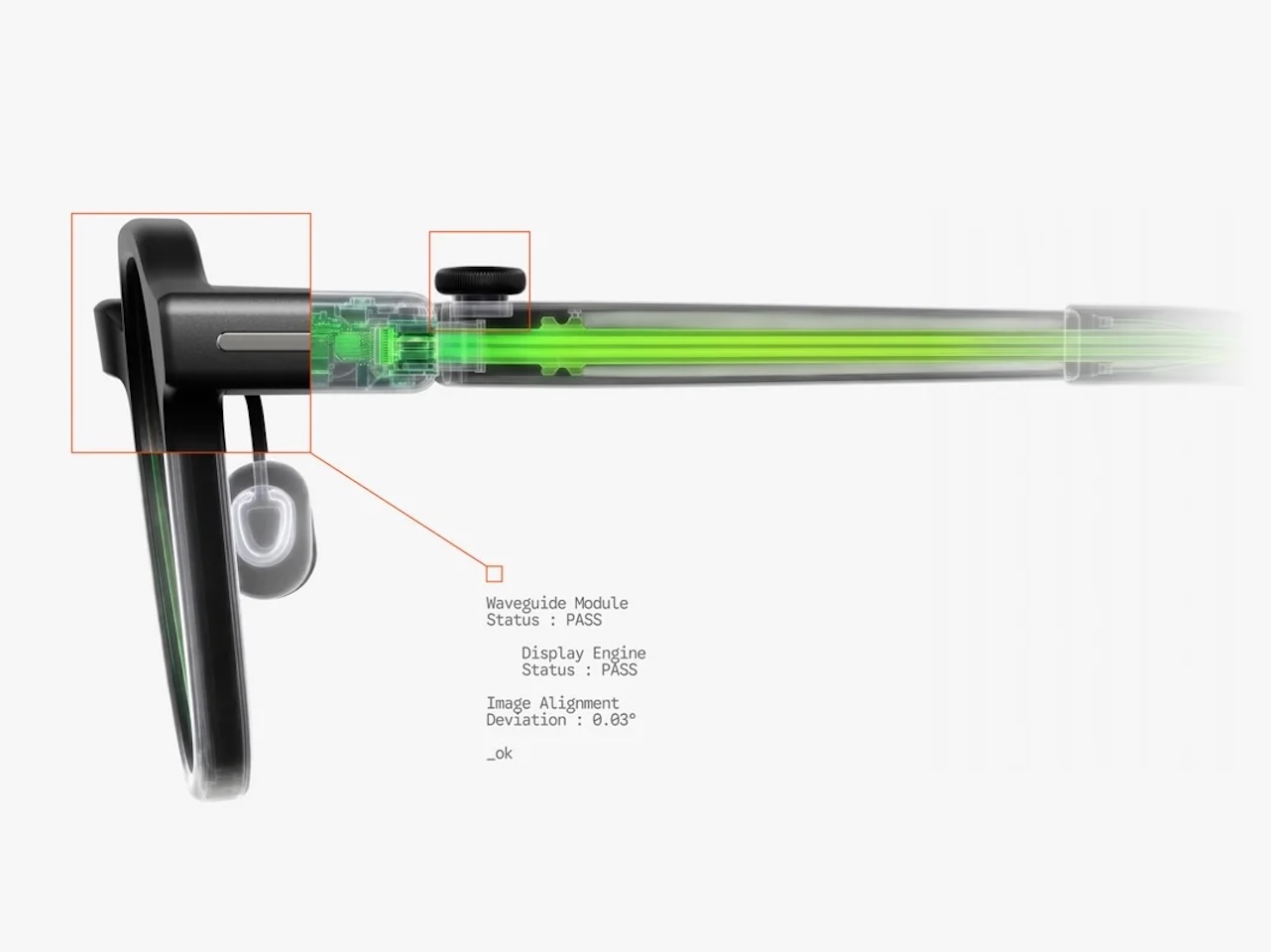
Live Captions May Be Where the Display Earns Its Keep
One of the iO’s most interesting features is Live Captions. RayNeo’s official support page says the iO offers Live Captions with real-time translation across up to 40 languages. RayNeo’s launch announcement separately says its translation system supports 55 languages and 109 accents with about one second of latency, so the exact language count may depend on feature mode or rollout.
Think about the practical possibilities. Someone speaking quickly in a meeting could effectively get subtitles. Conversations in noisy environments may become easier to follow. When traveling, translated speech could appear within your view instead of requiring you to repeatedly look down at a phone.
But that’s the promise, not evidence of performance. RayNeo points to Live Captions, translation, and voice capture as core productivity features. That establishes what the feature is designed to handle. It doesn’t independently establish how accurately it performs under real-world conditions.
Translation latency and accuracy will matter enormously too. Those are questions that require independent testing.
 They Can Also Become a Memory for Your Meetings
The iO’s Voice Memo and Ambient AI Life Log features are designed to make conversations useful after they happen.
RayNeo’s support page describes Voice Memo with AI summaries for reviewing key points from a meeting or conversation later. Its launch announcement also says Ambient AI Life Log can capture schedules and conversation contexts in a low-power background mode, then extract action items and prompt calendar updates after meetings.
Saved information may become useful beyond the original conversation, especially if RayNeo’s AI features can turn meeting context into practical follow-up prompts.
There is an important caveat. RayNeo says core features are powered by RayNeo AI and Gemini 3.1 Flash Lite, with an optional Multi-Model AI Selection tier for switching among major large language models in the companion app. That does not independently verify the quality of the generated summaries or action items.
For someone who spends hours in meetings, lectures, or interviews, those features may be more relevant than camera capture.
There is still a privacy consideration. Microphones can record conversations even without a camera.
RayNeo says a hardwired LED status light illuminates whenever recording or translation modules are active.
 Presenters Get a Teleprompter in Their Glasses
There’s another feature that could make the iO particularly interesting to creators, speakers, and presenters: a built-in teleprompter.
Scripts appear on the near-eye display, with adjustments for display distance, screen size, position, text size, width, and line spacing.
RayNeo also offers an Auto-Teleprompter, which it says dynamically syncs with spoken pace to scroll scripts hands-free during presentations.
That could reduce the need to glance toward a phone, laptop, notes, or traditional teleprompter while presenting or recording a video.
Whether the teleprompter tracks speech naturally enough to disappear into the experience is another question specifications cannot answer.
 Keeping the Hardware Small Is Part of the Strategy
For smart glasses meant to be worn regularly, physical design isn’t a secondary consideration.
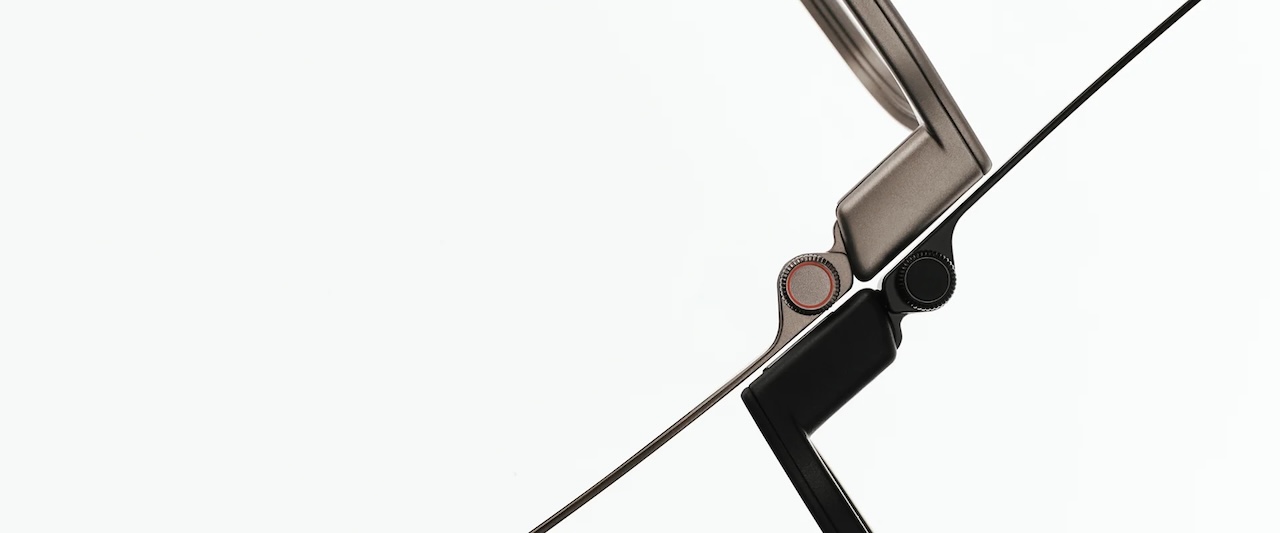
RayNeo promotes the iO as lightweight eyewear intended for everyday productivity. For a tangible reference point, RayNeo’s support page describes the iO as a 34g frame with 50:50 weight distribution, while the launch announcement lists 33 grams, AZ91D magnesium-aluminum alloy, dual aerospace-grade titanium temples, and the same balanced front-to-rear weight distribution. That puts the iO in very light eyewear territory on paper, but specifications alone cannot establish all-day comfort. Frame shape, nose pressure, prescription requirements, and individual fit still matter.
The iO also supports Bluetooth 5.4, has official Apple MFi licensing, and works across Android and iOS. That compatibility matters. Smart glasses may keep your phone in your pocket more often, but they don’t necessarily make it irrelevant.
Buyer Fit
The RayNeo iO Smart Glasses make the most sense for someone interested in smart glasses but uncomfortable with wearing a camera throughout the day.
Their strongest potential uses aren’t photography or immersive entertainment. They’re meetings, presentations, Live Captions, transcription, translation, notifications, and hands-free access to information.
Creators and presenters may find the teleprompter particularly appealing. Frequent travelers could benefit from translated captions. People bouncing between meetings may see more value in Voice Memo, AI summaries, Ambient AI Life Log, action-item extraction, calendar prompts, and AI assistance.

But much of that value depends on software execution. Speech recognition accuracy, translation quality, AI summaries, display readability, comfort, battery life, and everyday reliability need independent testing before we can say how well the iO delivers on RayNeo’s promises.
Price: TBD
Where to Buy: RayNeo
The iO’s appeal may ultimately come down to restraint. Instead of trying to capture everything you see or turn your glasses into a miniature entertainment system, RayNeo is betting that captions, translation, reminders, and useful information are enough reasons to put a display in front of your eyes.