A laptop keyboard is fine until it isn’t.
Maybe your back-to-school setup is an iPad that is great for reading PDFs but frustrating when you need to write a 1,500-word paper on its glass keyboard. Maybe you travel with a phone or tablet because carrying a laptop, charger, mouse, and everything else turns your personal item into a mobile electronics drawer. Or maybe your laptop keyboard works perfectly well, but you would rather sit back from the screen instead of spending an afternoon hunched over it at a library table.
A Bluetooth keyboard can solve all three problems, but there is an unavoidable tradeoff: the easier a keyboard is to carry, the more carefully you need to consider what happens when it is time to type. These five portable keyboards approach portability differently, giving students and travelers choices ranging from an ultra-thin board to folding designs and a more traditional multi-device keyboard.
1. Logitech Keys-To-Go 2: Best for Students Carrying an iPad or Tablet
The problem with many portable keyboards is that you save space in your backpack only to spend every writing session adjusting to unusual key spacing or an unfamiliar layout.
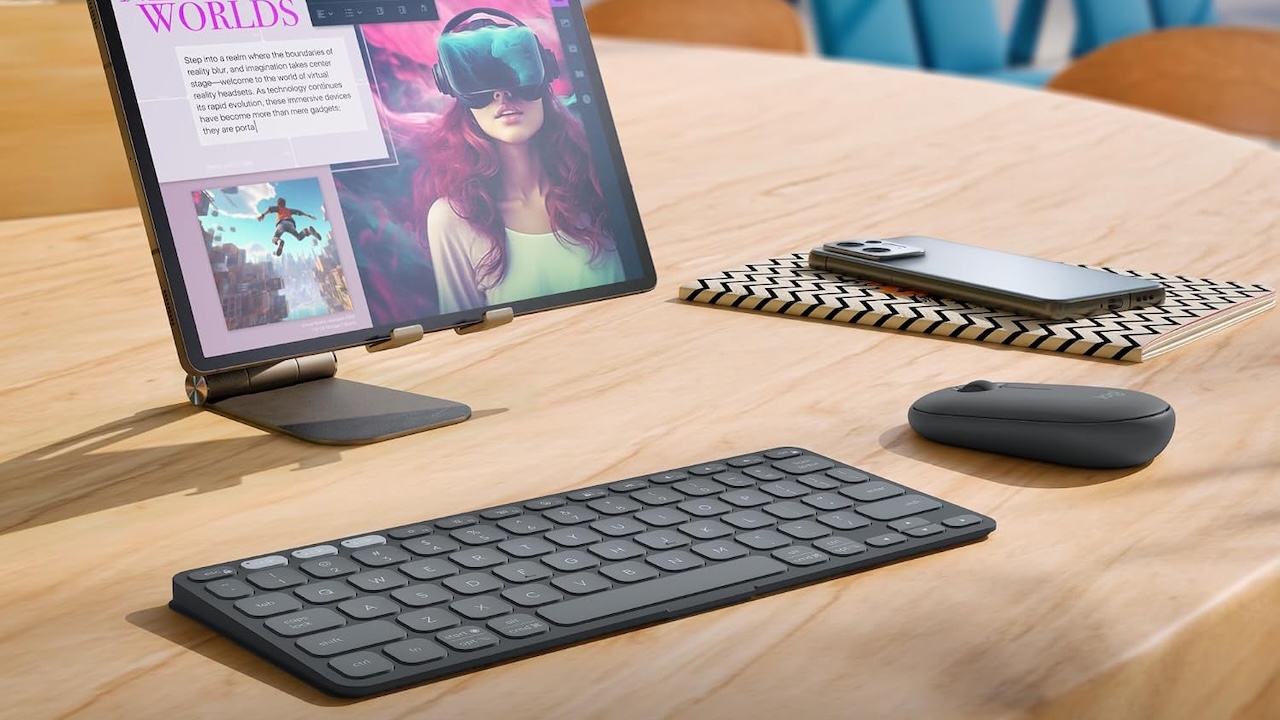
The Logitech Keys-To-Go 2 is designed for someone who wants portability without moving all the way into folding-keyboard territory.
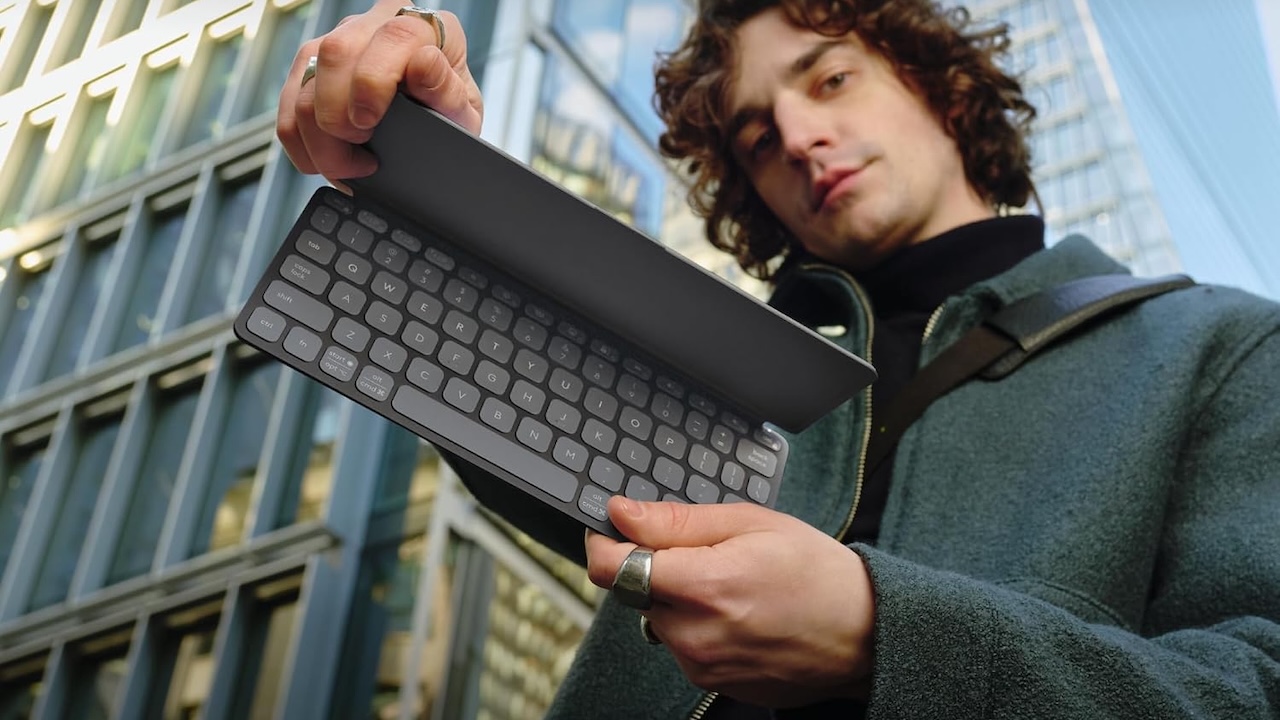
It measures approximately 250 x 105 x 8.8mm and weighs 222g, while Logitech uses scissor switches with 1mm of total key travel. It supports Windows, macOS, iPadOS, iOS, ChromeOS, and Android, making it particularly flexible if your school setup includes more than one type of device.
Logitech also equips the Keys-To-Go 2 with a built-in cover that protects the keys while it is being carried. The practical advantage is that you can slip it into the same compartment as notebooks and cables without needing a separate keyboard case.
Price: $69.99
Where to Buy: Amazon
The Keys-To-Go 2 is not rechargeable. Instead, it uses two replaceable CR2032 coin-cell batteries, which Logitech rates for up to 36 months. That figure comes from Logitech rather than independent endurance testing, so actual battery life will depend on how you use it.
Buyer fit: Choose the Keys-To-Go 2 if keeping your tablet setup thin matters, but you still expect to write papers, emails, notes, and reports regularly. Just remember that you will need a separate stand or case to position your tablet comfortably.
2. ProtoArc XK01: Best If You Refuse to Give Up the Number Pad
Some people can work happily on a tiny keyboard, but anyone spending serious time in spreadsheets may have a very different definition of portable productivity.
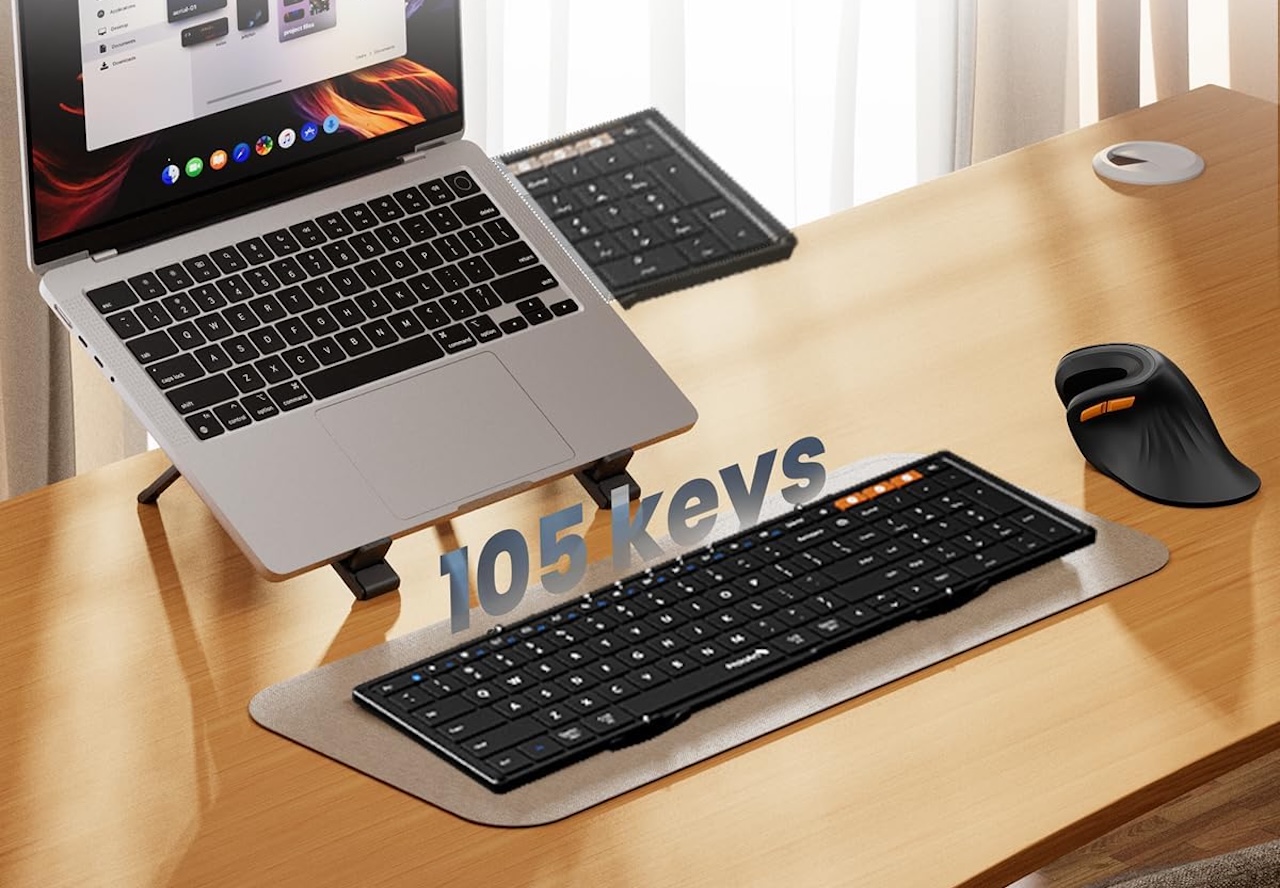
The ProtoArc XK01 takes an unusual approach because instead of removing the number pad to make the keyboard smaller, ProtoArc lets the keyboard fold into thirds.
ProtoArc describes the XK01 as having a full-size 105-key layout with 0.65-inch keycaps and a numeric keypad. When folded, it measures approximately 8.48 x 4.71 x 0.82 inches and weighs 10.5 ounces. Open it and the keyboard stretches to approximately 15.21 inches wide.
Price: $35.09
Where to Buy: Amazon
Calling it full-size is ProtoArc’s description rather than the result of independent measurements comparing every key with a desktop keyboard, but the presence of the numeric keypad gives it an obvious practical advantage for spreadsheets, accounting work, and data entry.
The XK01 uses scissor switches, Bluetooth Low Energy, and three Bluetooth 5.1 channels for switching among devices. Its rechargeable 210mAh Li-Po battery charges over USB-C. ProtoArc claims up to six months of battery life on a full charge, although that is a manufacturer estimate rather than an independent battery test.
The practical attraction is straightforward. Instead of forcing spreadsheet users to give up the number pad, the XK01 lets you fold the entire keyboard into a much smaller package when it is time to leave.
Buyer fit: The XK01 makes the most sense for business students, spreadsheet-heavy travelers, and anyone who considers a number pad essential rather than optional.
3. iClever BK08: Best Folding Keyboard When You Also Want a Touchpad
Connecting a keyboard to your tablet solves the typing problem, but it can leave you reaching for the screen every time you want to move the cursor, select text, or navigate between apps.
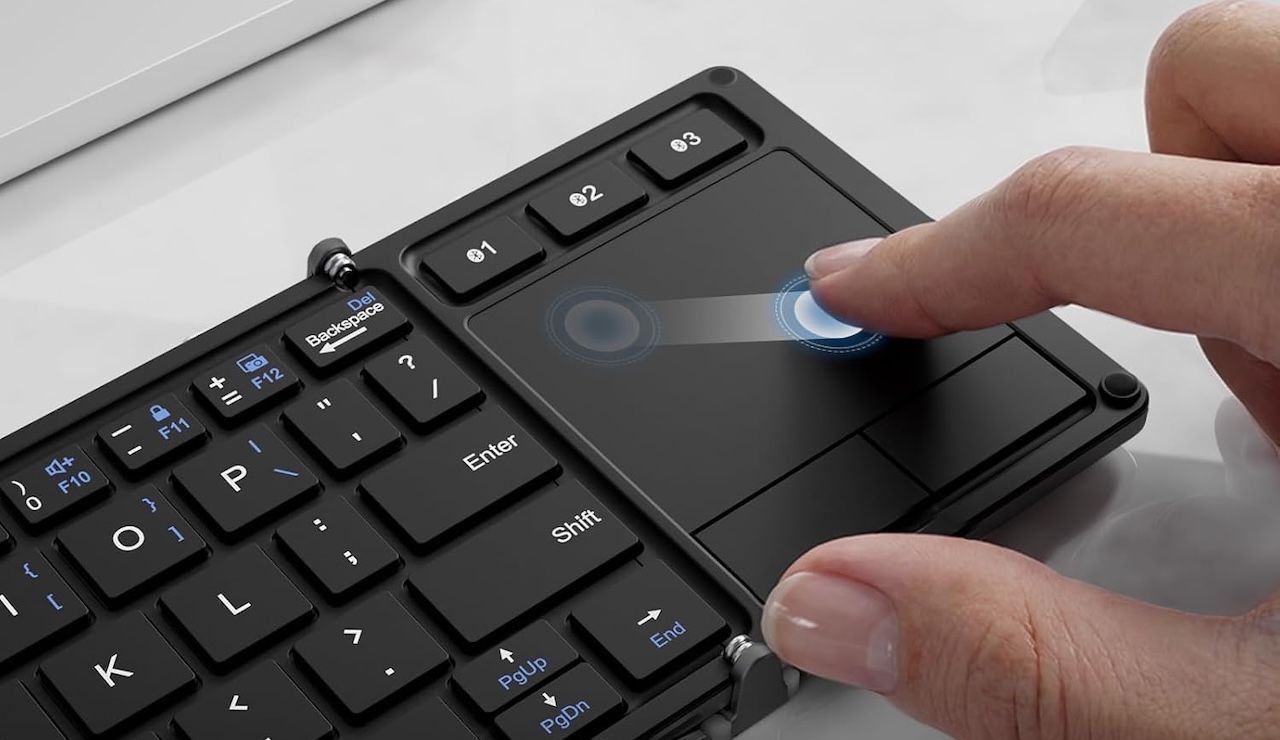
The iClever BK08 addresses both sides of the problem by combining a folding Bluetooth keyboard with an integrated touchpad.
Specifications for the BK08 vary between product documentation and revisions, which is worth knowing before ordering. It supports Bluetooth connections with Windows, macOS, iOS, Android, and ChromeOS devices, though touchpad support can vary by platform. Other BK08 documentation lists a 220g version with dimensions around 278 x 90.6 x 5.7mm unfolded, along with 60 hours of uninterrupted use and charging in under two hours.
Price: $47.69
Where to Buy: Amazon
That variation means you should check the specifications on the exact Amazon listing before buying rather than assuming every BK08 revision is identical.
The integrated touchpad is what makes the design especially useful for travel. Instead of packing a Bluetooth keyboard and separate mouse, you can create a compact mobile workstation from one accessory.
The compromise is typing space. iClever itself describes the keys on one current version as about 90 percent of standard size, so anyone accustomed to a full desktop keyboard should expect an adjustment period.
Buyer fit: Choose the BK08 if you want to turn a compatible tablet into a compact travel workstation and prefer keyboard and pointing controls in one accessory. Because touchpad behavior can depend on the connected platform, verify compatibility with the device you intend to use before buying.
4. Arteck HB030B: Best for Late-Night Typing
Dorm rooms, overnight flights, hotel rooms, and other dim environments introduce another portable-keyboard problem because sometimes you simply cannot see the keys clearly.
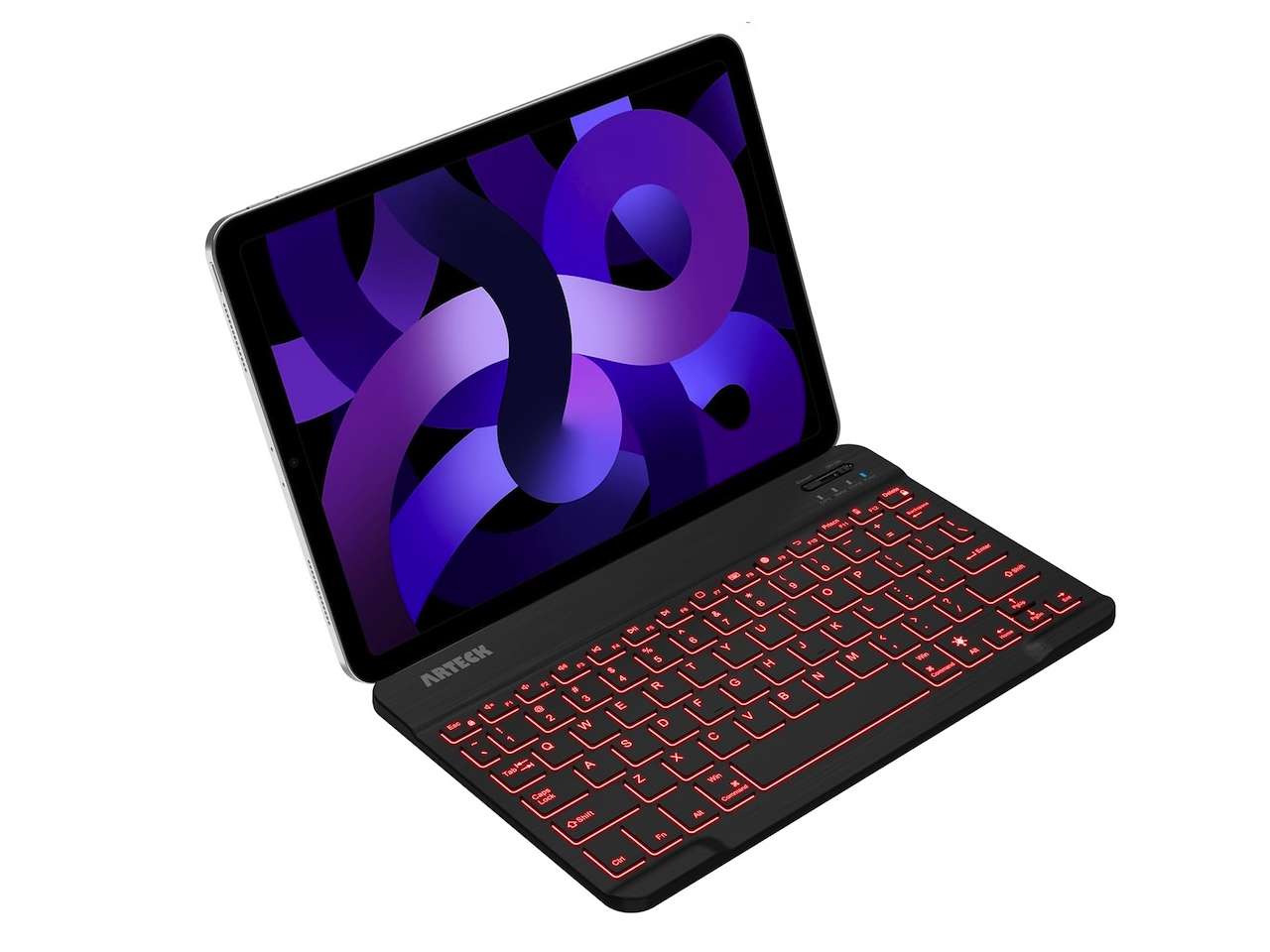
The Arteck HB030B addresses that with seven backlight colors, giving students and travelers an illuminated keyboard without requiring a full-size setup. Independent testing has also confirmed the seven selectable backlight colors.
Price: $24.99
Where to Buy: Amazon
Arteck lists the HB030B at approximately 9.7 x 5.9 x 0.24 inches and 0.37 pound, or around six ounces. Arteck lists compatibility with iOS, Android, macOS, and Windows.
That makes the backlighting genuinely practical for students sharing a dorm room or travelers working after the cabin lights go down.
Arteck also advertises six months of battery life, but the conditions behind that estimate matter. The figure assumes roughly two hours of daily use with the backlight turned off, so someone regularly using the illuminated keys should expect different results.
Unlike the Keys-To-Go 2, the Arteck uses a built-in rechargeable lithium-polymer battery, which means you recharge the keyboard rather than replace coin cells.
Buyer fit: The HB030B makes sense for students and travelers who want a thin, light Bluetooth keyboard with illuminated keys, especially when low-light typing is a regular part of the routine.
5. Logitech Pebble Keys 2 K380s: Best for School, Travel, and Your Desk
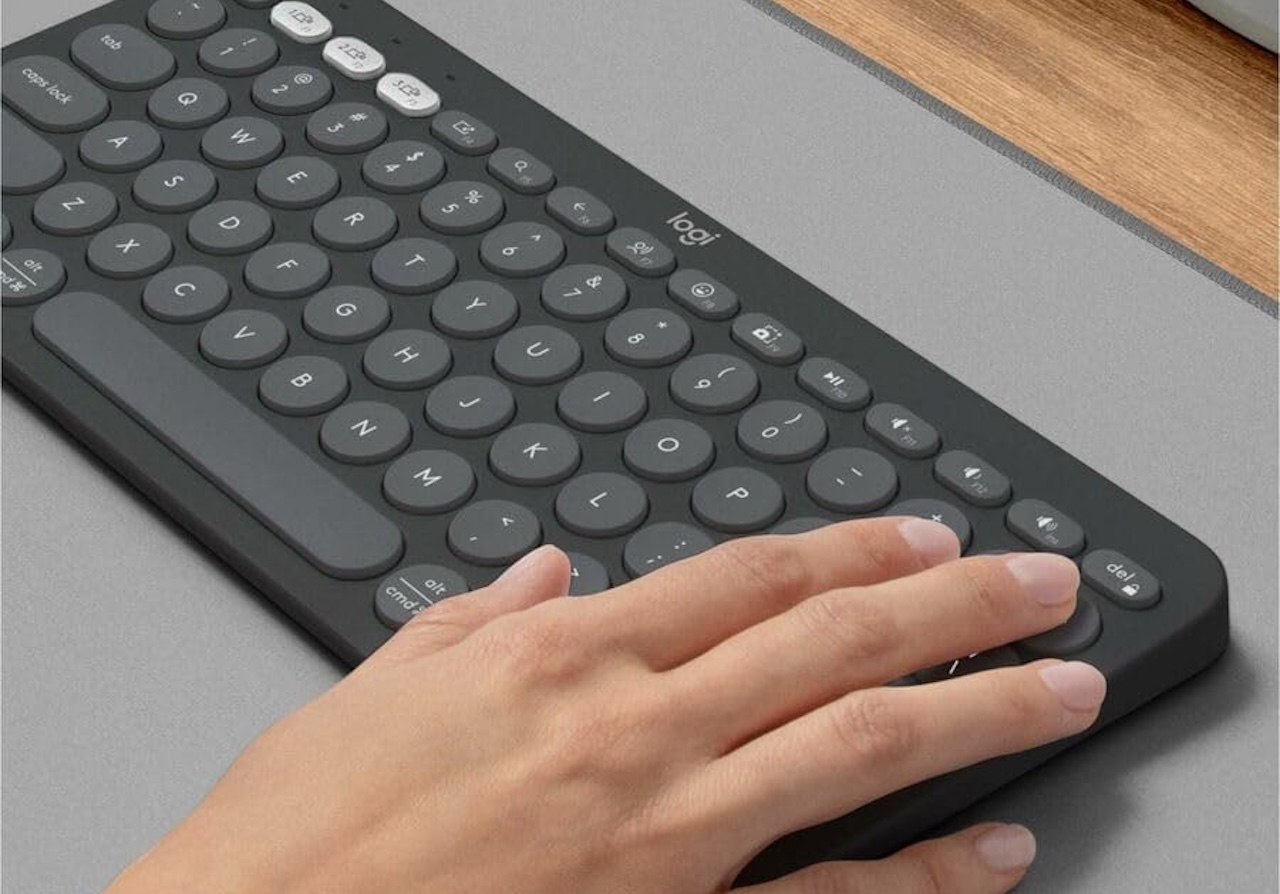
The Pebble Keys 2 K380s is for people who want portability without the compromises of a folding keyboard.
It measures about 279.5 x 124.2 x 16.4mm and weighs 415g with batteries. Logitech uses scissor switches with 1.5mm key travel and Bluetooth Low Energy, making it a more substantial option than the ultra-portable models here.
Price: $39.99
Where to Buy: Amazon
Powered by two AAA batteries, Logitech rates it for up to three years of use. It works well as a tablet keyboard for class or travel, then as an everyday desk keyboard at home. The tradeoff: it does not fold, so your bag needs room for its full width.
Buyer fit: Buy the Pebble Keys 2 K380s if typing comfort and everyday usefulness matter more than shaving every possible inch and ounce from your travel setup.
Which Portable Keyboard Should You Buy?
For an iPad or tablet-first student, I would start with the Logitech Keys-To-Go 2 because its thin construction, protective cover, and broad device compatibility make it particularly easy to add to an existing mobile setup.
If you need a number pad, the ProtoArc XK01 stands out because its folding design gives you what ProtoArc describes as a full-size 105-key layout without requiring that full width inside your bag.
For a compatible tablet workstation without a separate mouse, the iClever BK08 earns its place through the integrated touchpad. If you frequently work in dorm rooms, airplanes, or other low-light environments, the Arteck HB030B brings useful backlighting into a lightweight design.
Finally, if you want one keyboard that can travel to school and then become your regular keyboard at home, the Logitech Pebble Keys 2 K380s offers the most conventional approach.
The best portable keyboard is not necessarily the smallest one. It is the one that saves enough space in your bag without giving up the features you will miss as soon as you sit down and start typing.