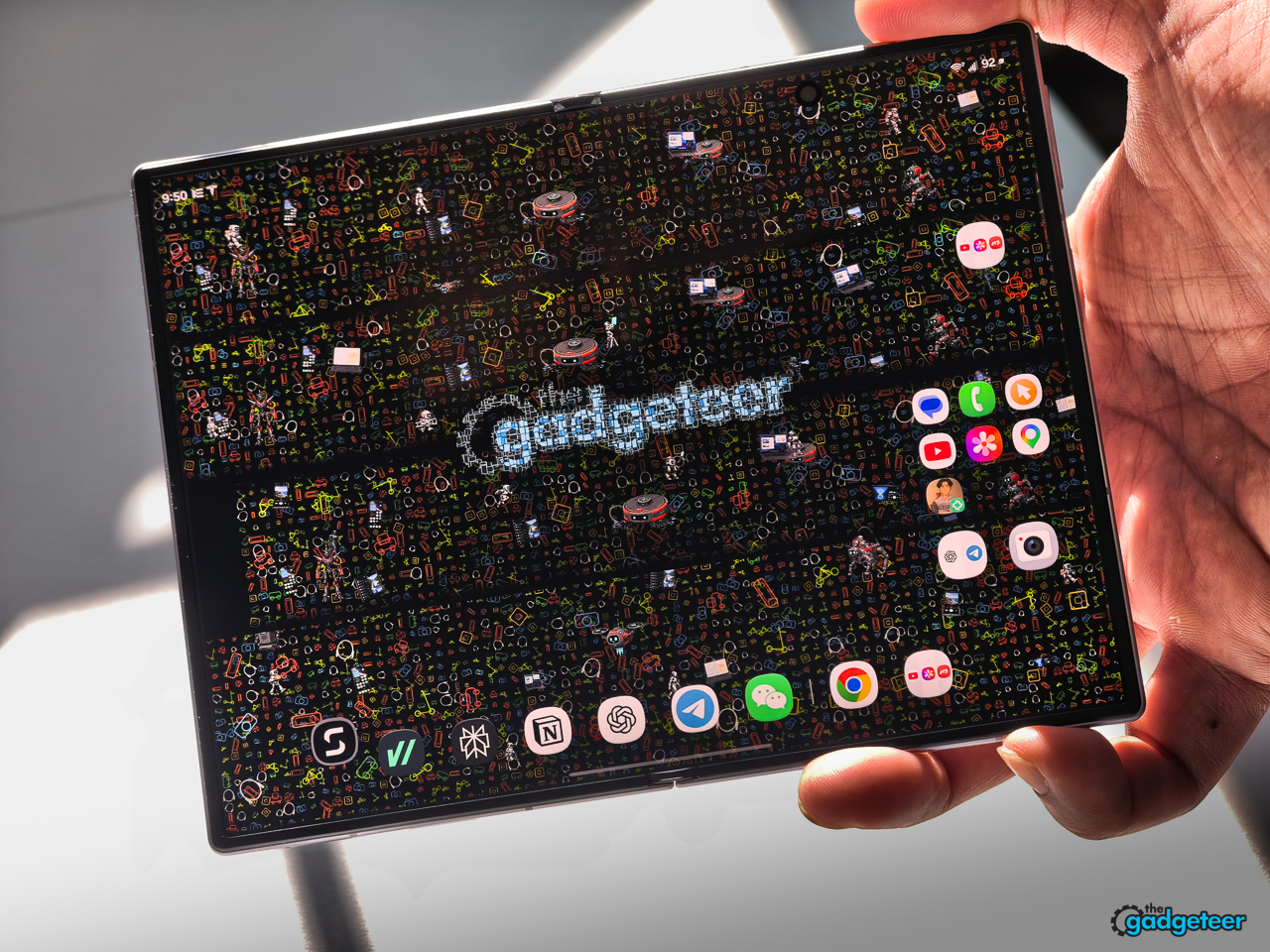
If I had to use one phone forever, it would be the Galaxy Z Fold8. After using it since launch, I don’t miss the iPhone 17 Pro Max, or any other phone, for that matter. It works in both states that count: closed as the phone I use without thinking, and open as the larger screen I actually want. Samsung built the standard Fold8 around a simple but difficult promise: it has to feel like a normal phone when it’s shut, then earn the extra screen when I open it. Its shorter, wider 201-gram body gives it its best chance yet.


This is the question I keep coming back to: can the Fold8 still be the best foldable for me if it leaves out a few features? It has real omissions, including built-in Qi2 magnets, a telephoto camera, stylus support, and a multi-position hinge. I don’t need every one of those features. I need to know whether the things I touch every day, the cover display, the balance, the pocket feel, and the inner screen, make those compromises small enough to live with.
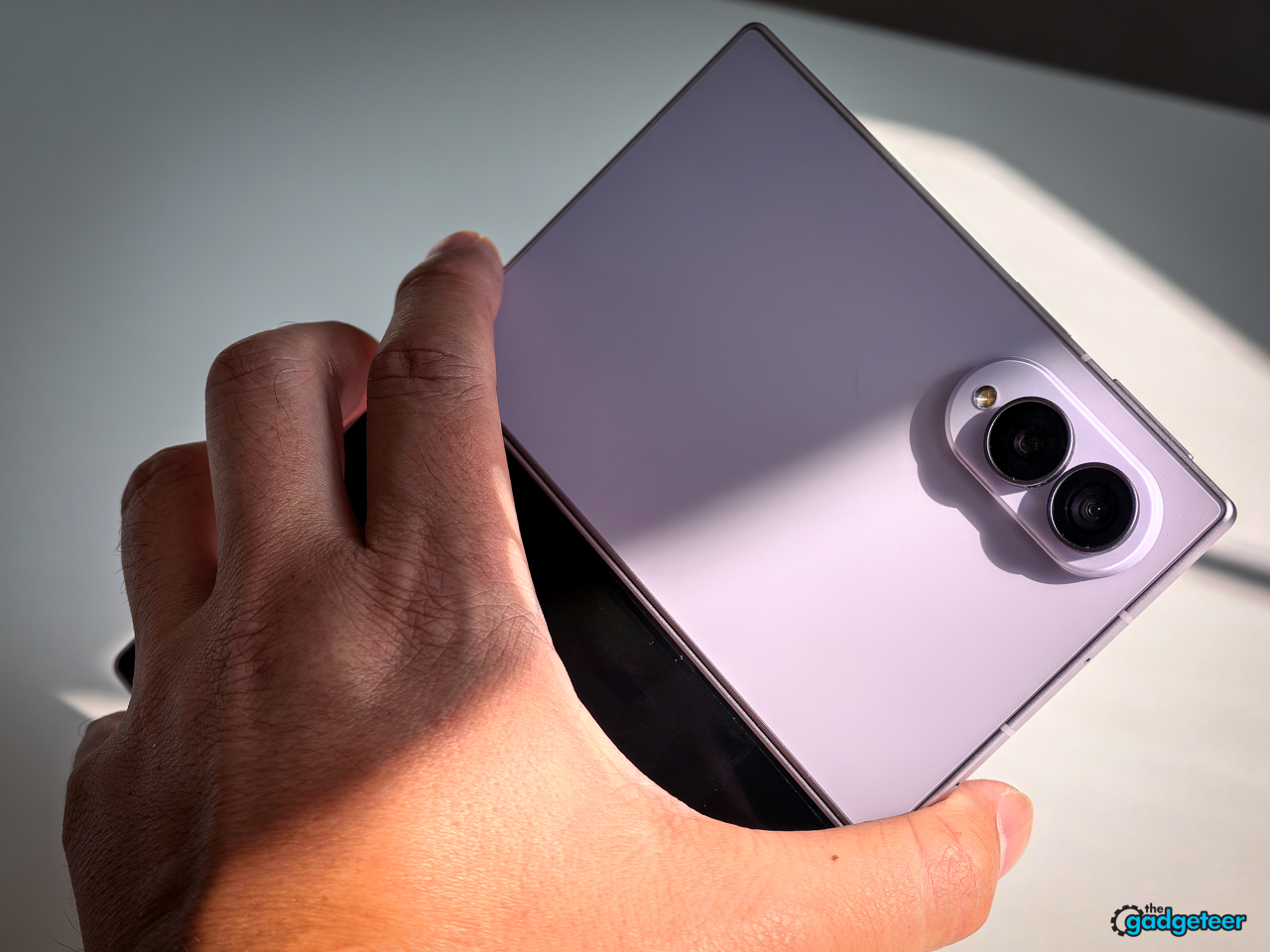
Samsung’s wider, shorter direction is why. It fixes the old tall, narrow-cover-screen problem without making the inside display feel like a party trick. Closed, the Fold8 feels secure and easy to use. Open, it gives me room to do real work rather than simply look at a bigger version of the same phone.
That’s where Samsung’s choice to keep the Fold8 at 201 grams becomes more complicated. You can add a larger camera module and more features, but you add weight along with them. Or you can keep the phone light. I want the latter, and the Fold8’s 201-gram figure is a real part of its appeal.


The number is only part of it. I’m not faulting the OPPO Find N6 or the iPhone 17 Pro Max for their camera hardware. But more material concentrated at the top of a phone, including a larger camera housing, can change how the device balances in the hand. The Fold8 feels less top-heavy to me. My index finger can wrap around the top of the device and give it a natural anchor, instead of bracing against a camera-heavy upper half. That balance reduces hand fatigue when I’m holding or using it for longer stretches.
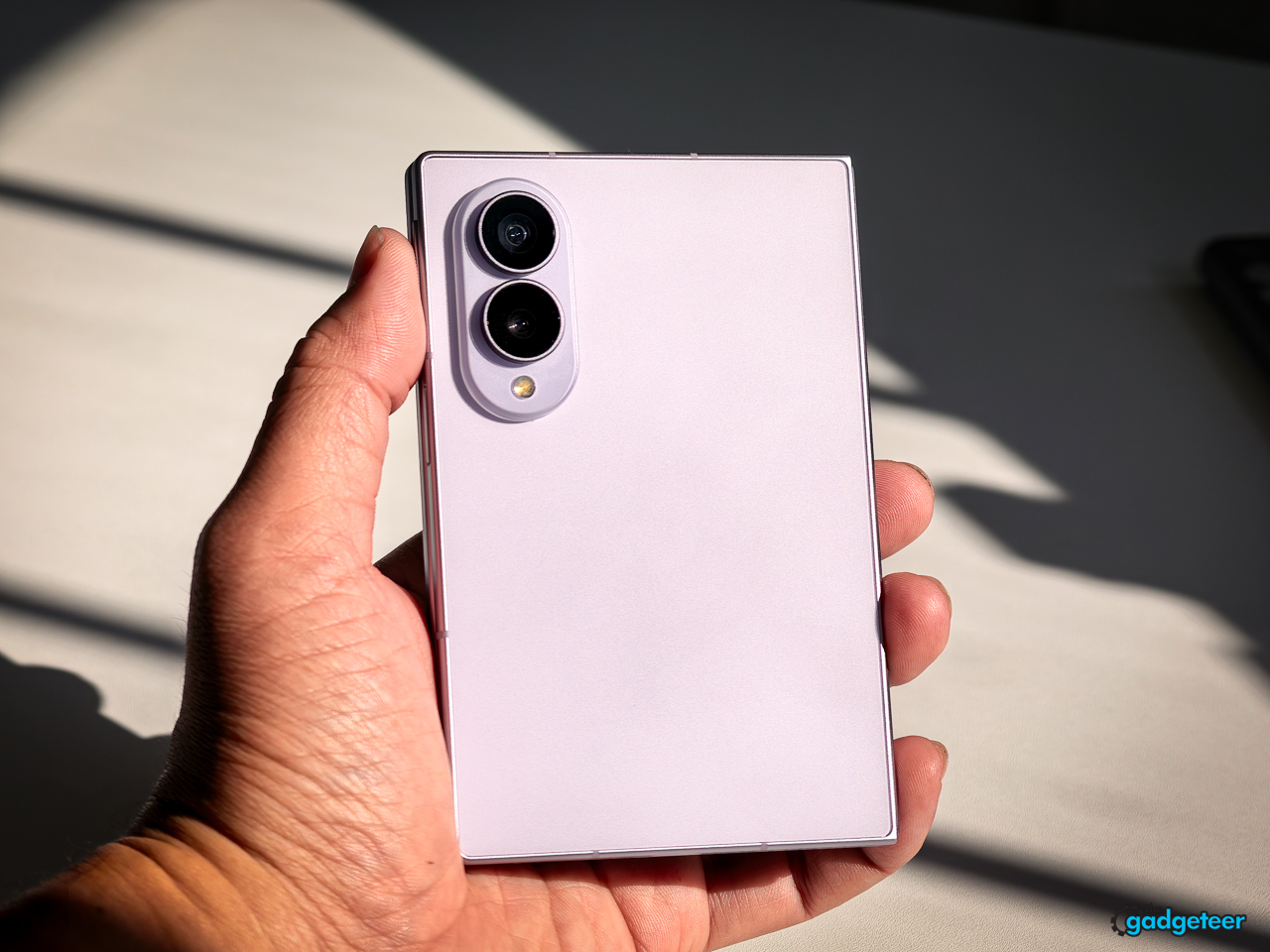
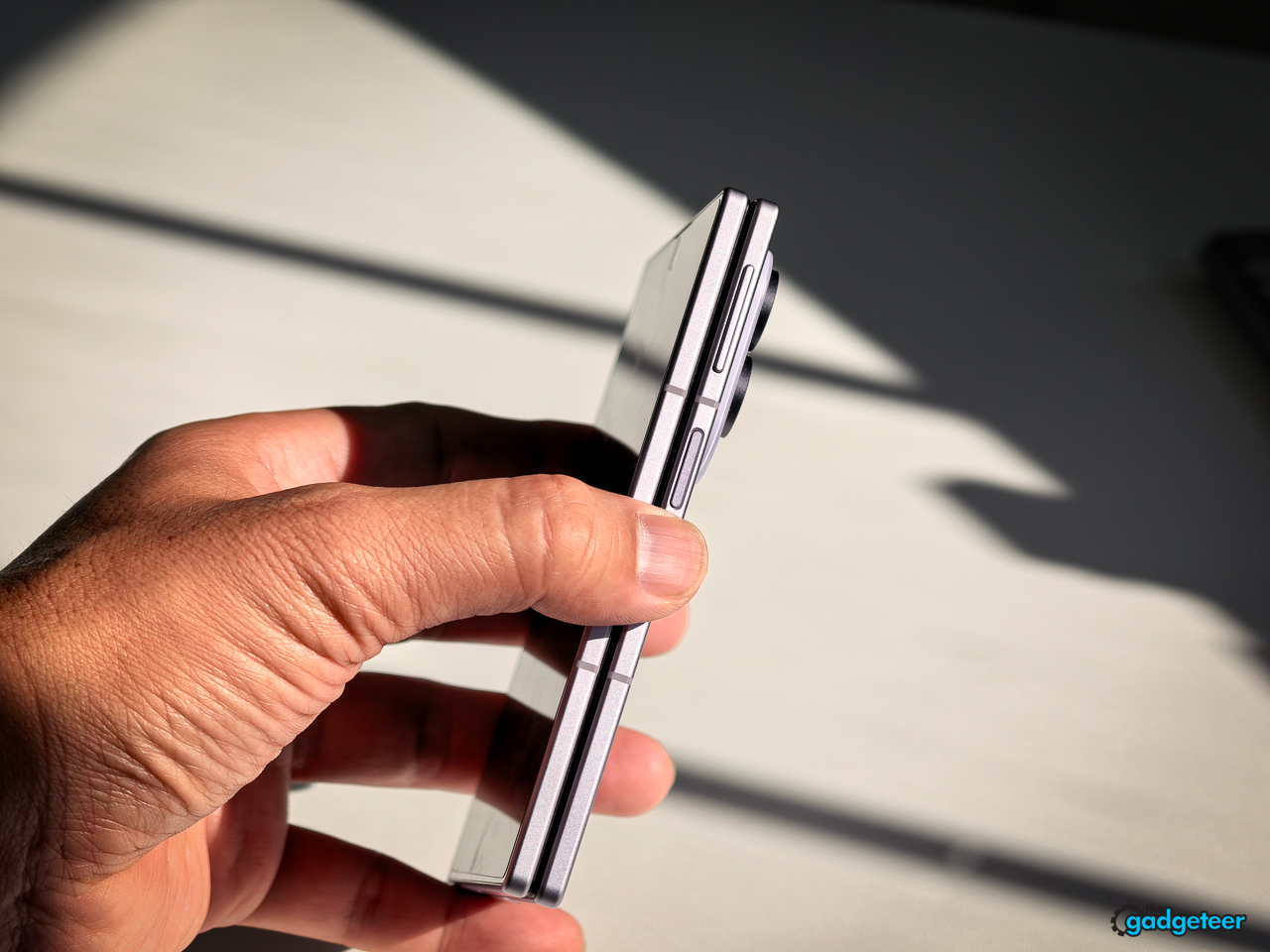
Samsung also leaves a slight indentation at the seam between the two halves. It sounds small, but my fingertips find it immediately when I want to open the Fold8. It gives me a natural starting point instead of making me dig at a perfectly flush edge. That makes opening the phone feel easier and more deliberate, and it cuts down on the fumbling that can make a foldable feel precarious.
It also changes something I didn’t expect to think about so often: whether the phone feels secure in my pocket. I have a slightly neurotic fear that a tall modern phone, foldable or not, will work its way out when I sit down. The Fold8’s shorter, wider shape feels more settled in my pocket, whether I’m wearing shorts, jeans, or slacks. That’s not the kind of benefit a specification sheet captures, but it’s real in everyday use. It gives me one less thing to worry about while I’m moving through the day.
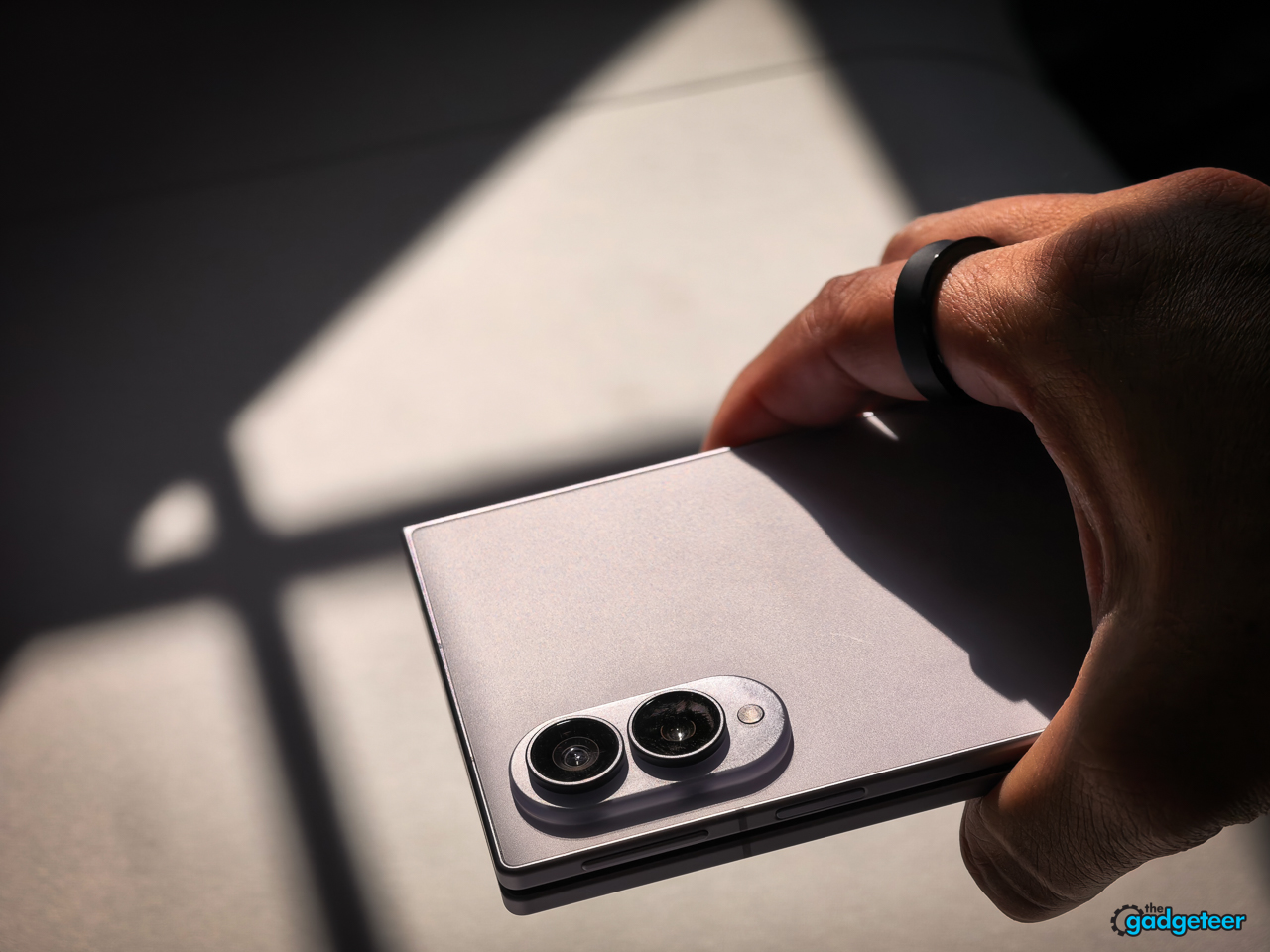
That security affects how I use it when I’m traveling, too. If I’m holding a coffee and pulling luggage, I’m not going to open a foldable and create one more way to drop an expensive phone. Closed, the Fold8 gives me a secure grip and a usable display. I open it when I have the attention and both hands to make the larger screen worth using.
Living with the Fold8 every day
I’ve used the 256GB Galaxy Z Fold8 since launch. Once the novelty wore off, I wanted to know whether it was the best phone, or the best foldable, for me. I used it for messages, email, browsing, Google Discover, YouTube, research, work, Maps, product photos and video, and travel.
Closed first, open when it helps
Samsung’s wider design has one job before anything else: it has to make the Fold8 feel like a complete phone when it’s shut. That means typing, messaging, maps, camera use, and one-handed tasks can’t feel like chores you tolerate until you open the inner display.
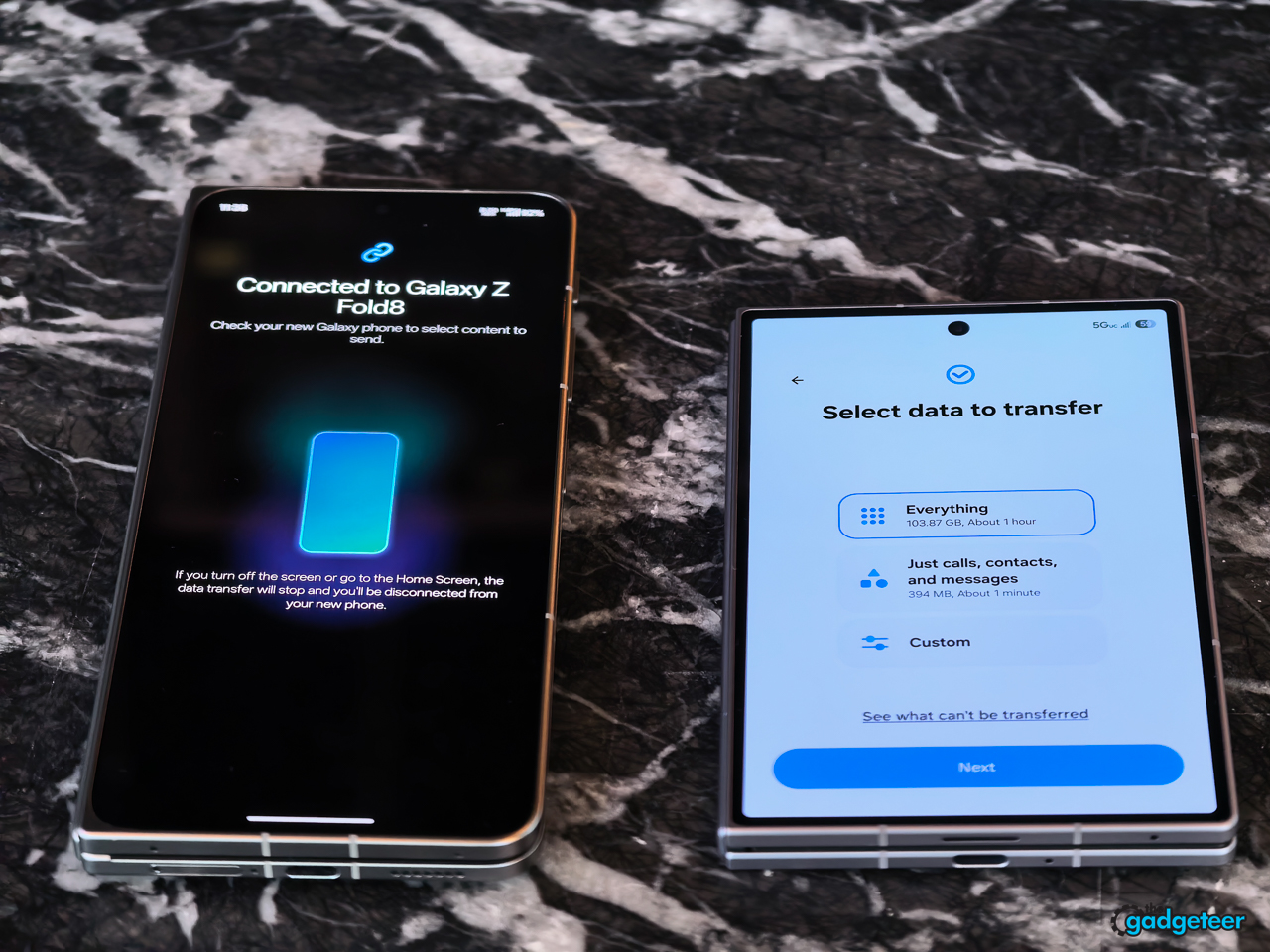
The first thing I expected to miss was height. I don’t, especially when I’m typing. The wider cover display gives me enough room to type comfortably, so the shorter shape hasn’t felt like I traded away a normal phone just to get a more pocketable Fold.
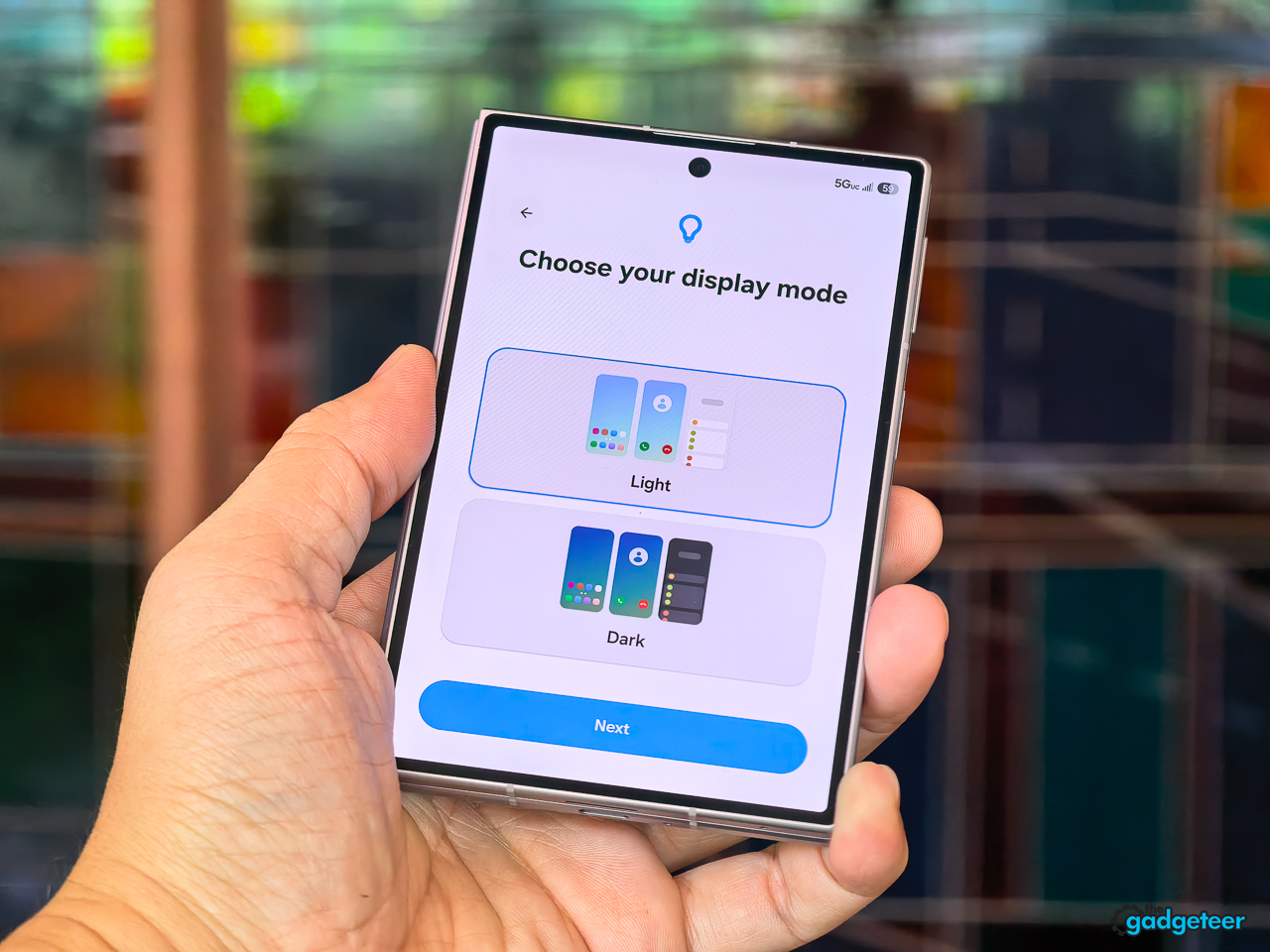
The numbers help explain why. The Fold8 cover display is 5.5 inches at a 10:16 ratio, while the iPhone 17 Pro Max display is 6.9 inches at roughly a 19.5:9 ratio. Using those published measurements, the Fold8 gives up about 1.6 inches of screen height and roughly a quarter of the display area, but its cover screen is fractionally wider. That’s a meaningful loss for long reading or a large video, but it’s not a keyboard-width loss. For the things I do while typing, that difference has been more important than the missing height.
The top of the cover display also feels better designed than the bare dimensions suggest. Samsung places the status information at the upper corners instead of making it feel like a hard strip sitting above the content. As I scroll through a page, Google Discover, or YouTube, the content feels like it runs into the top edge and the status indicators quietly blend into the screen. It’s a small detail, but it makes the closed display feel less chopped off.
One feature I wish Samsung had brought over from the Galaxy S26 Ultra is its Privacy Display. I don’t see its absence as a reason to skip the Fold8, but it would have been a useful pro touch on the cover screen.
It also fits the content routine I actually have. I use the Fold8 heavily for discovery: a quick flick to Google Discover, then YouTube when I want to see what is new or find something worth watching. I don’t spend much time on social media, so I’m not judging this phone around an endless social-feed habit that’s not mine. For my use, the closed screen is an easy, low-friction place to start discovering content, and I only need to open the Fold when a link, video, or task earns the larger display.


At the end of the night, I often leave it closed, too. I’m usually reviewing the news, clearing email, and using Wispr Flow to jot down a few notes. In that setting, the cover display already feels right, and voice input means I don’t need a larger on-screen keyboard. The Fold8 doesn’t need to open just to make that routine feel complete.
When I opened it
A larger screen isn’t automatically a better reason to carry a foldable. The Fold8 earns its hinge only when the inside display changes the task in front of me: a page is easier to read, video is more enjoyable, two apps work better together, or a piece of work gets done with less friction.
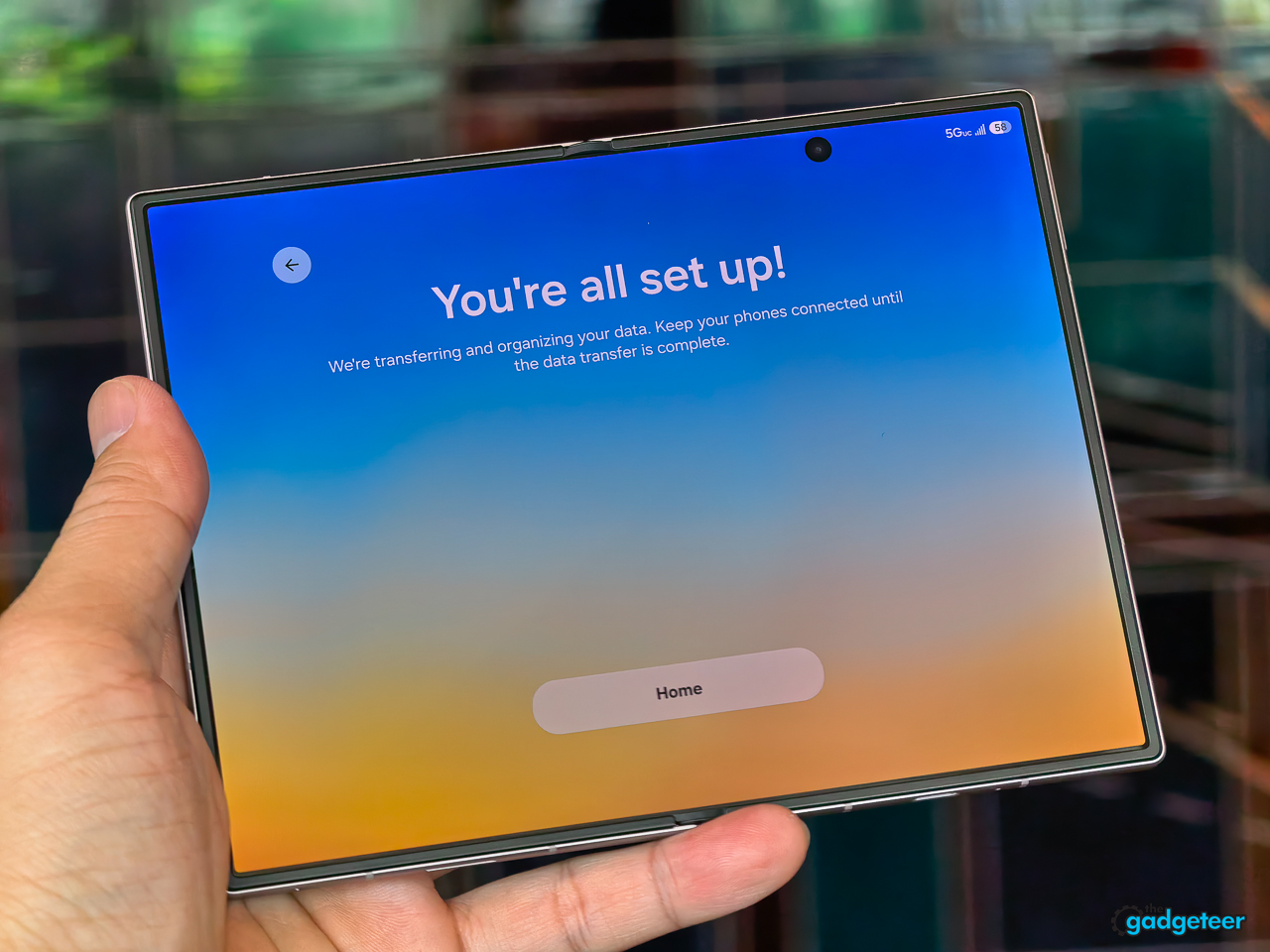
The first time I opened the Fold8, I had the reaction most people expect from a foldable: Holy cow, this is amazing. This is what my fingers want. Weeks later, I still feel that way. The content looks fantastic, and the inside display turns into a workspace rather than simply a larger phone.
Portrait is where the Fold8 feels most natural to me. When I’m reading a book, working through a long website, or simply taking in content, I love holding it that way. It feels more natural in my hands than landscape, and the screen lets the content sit the way I expect it to.
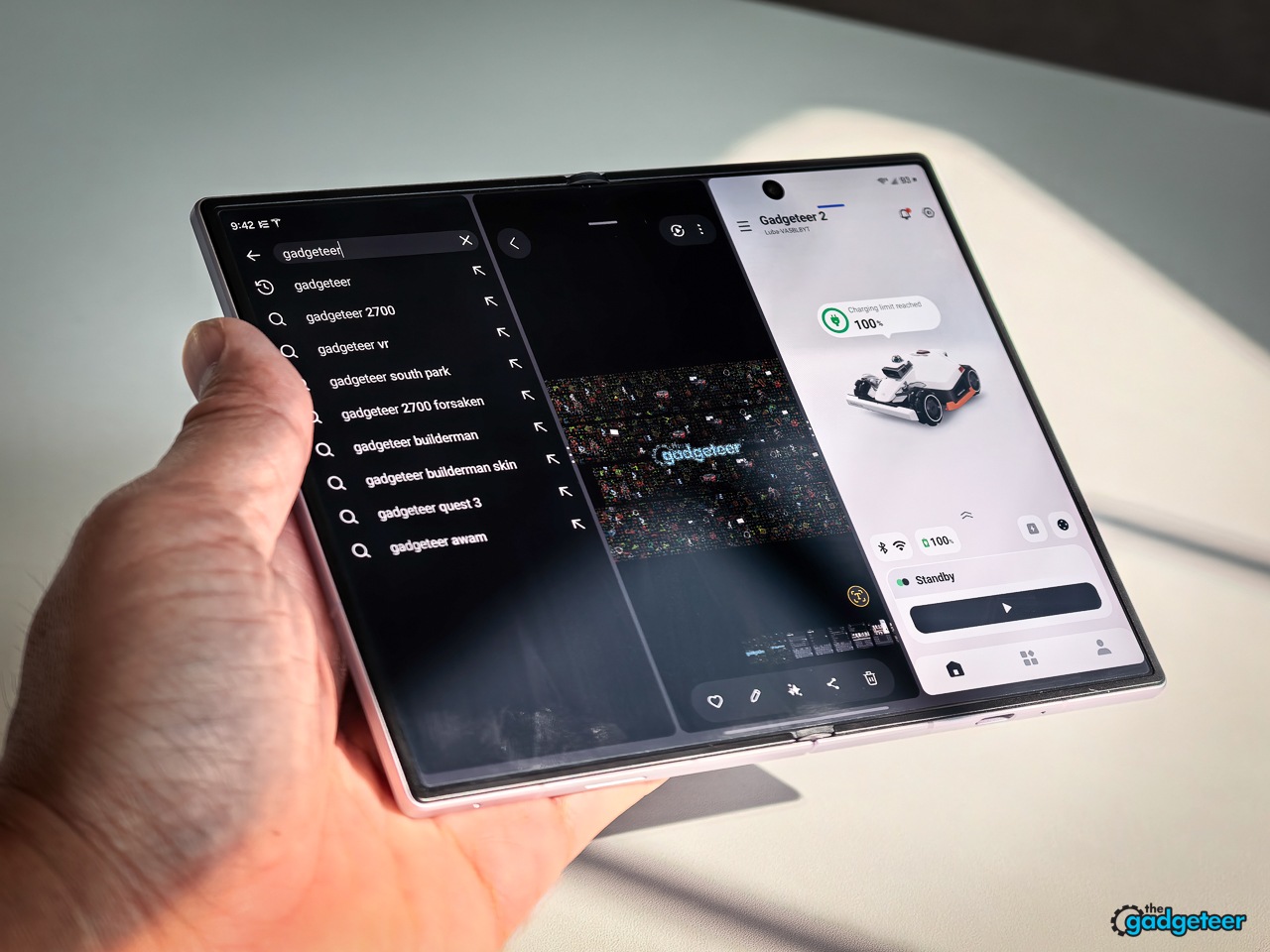
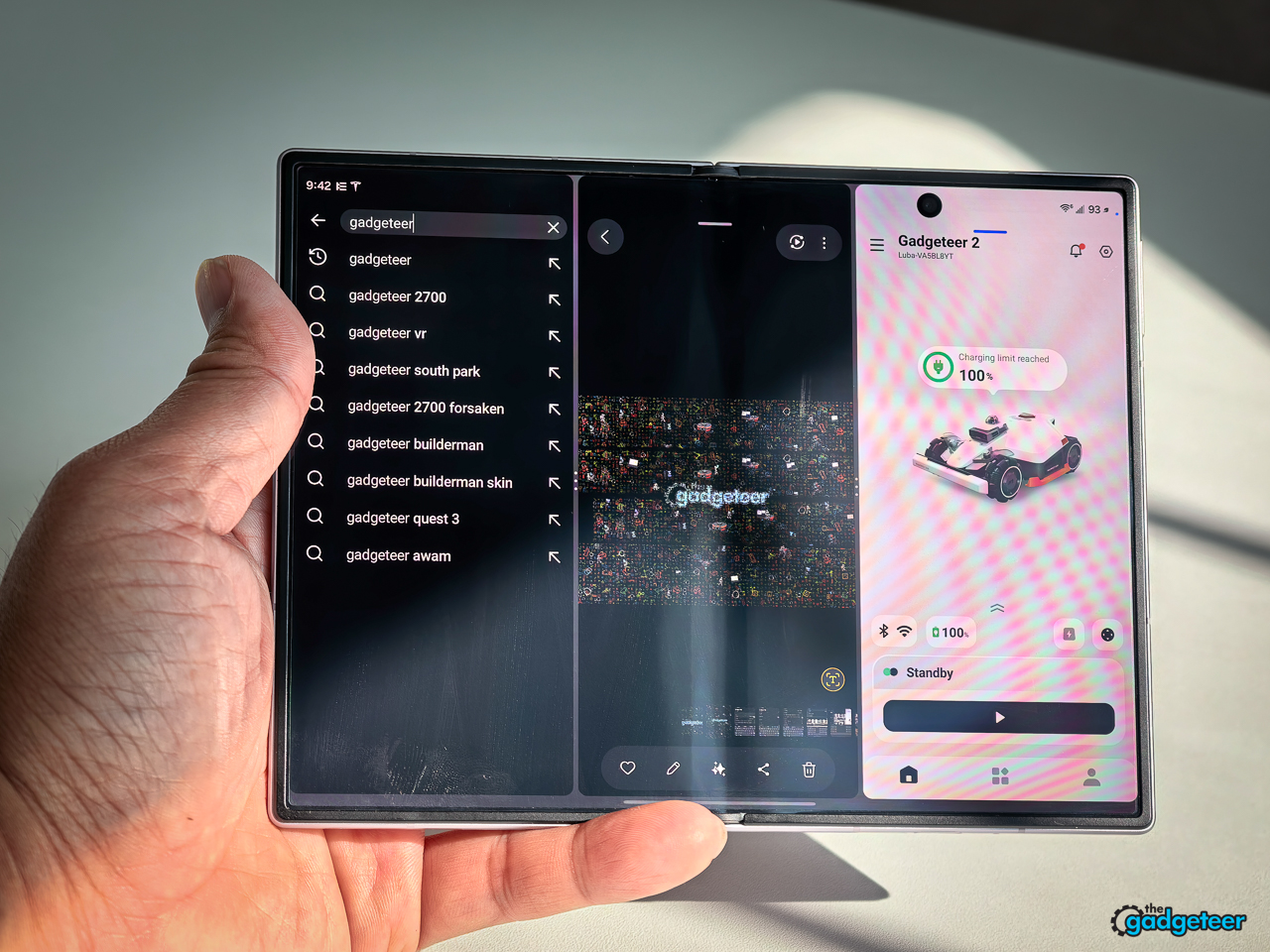
I use the multitasking, but I don’t need to turn the screen into a cockpit every time. A brain can only take so much information at once, and I rarely reach for a floating pop-up window. I also don’t use more than one app in portrait. Landscape earns its place when I want two apps open side by side, then resize or swap them as I go.
That isn’t a new capability, but the proportions are the difference. ChatGPT beside a browser works because each app gets an almost symmetrical, usable space. So does Slack beside my calendar when I’m talking with the team and checking what’s next. Notion beside a browser is another pairing I use when I’m researching. A normal phone can show me those apps, but it makes me choose one at a time or constantly switch between them. On the Fold8, I can arrange the work around what I’m doing instead of arranging what I’m doing around the phone.
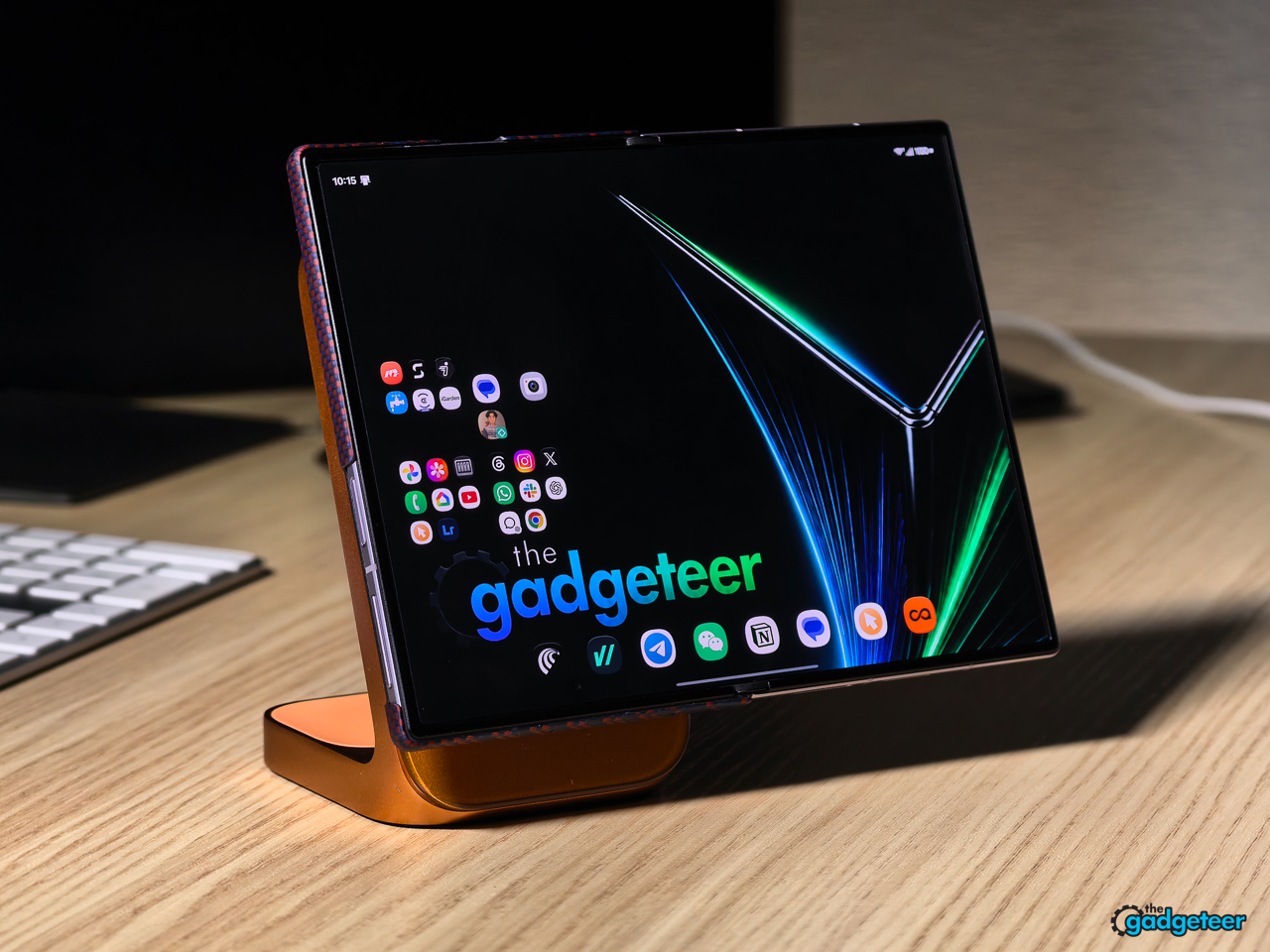
Samsung makes repeat pairings easier to reach. I can flip a saved pair between vertical and horizontal layouts or swap the apps around. I can also star a pair and save it to the home screen or quick-access bar, so Slack and Calendar, or Notion and a browser, are ready in the arrangement I already use.
The most useful pairing for my job is the robotic lawnmower’s app beside the camera. When I’m filming a mower at work, I can keep the camera open on the right, show the mower’s live position in the app on the other side, and capture a screenshot of the complete setup. That gives the viewer the physical action and the context at the same time: the mower moving through the yard, plus where it is in the mapped space.
An iPhone can’t give me that exact capture. Other foldables, including the OPPO Find N6, can. The capability isn’t new or uniquely Samsung’s. What the Fold8 adds for me is the ease of holding it while I’m doing the work. The shorter, better-balanced shape gives me a more secure grip while I’m filming and monitoring the app, which makes the workflow more convenient instead of merely possible.
I’m not trying to make this a full software or AI review. I use “Hey Google” or “Hey Gemini” for simple things such as turning off lights or checking the weather, but I’m not yet using the wider set of AI tools in a way that should influence a Fold8 buying decision. They’re there for people who want them. I’ll table that discussion for separate reviews rather than pad this one with features I don’t actually use.
The landscape hold feels equally considered. When I open it horizontally, my thumb lands about a quarter-inch short of the top edge and my pinky rests naturally near the middle of the device. The shorter shape gives my hand more natural contact points instead of asking it to stretch around a tall, top-heavy slab. It’s one more way the Fold8’s proportions feel designed around how I actually hold it.
There’s one orientation quirk I do notice. In portrait, I naturally flip the device so the camera module sits to the left. That can put both speakers on the same side under the way I’m holding it, and either hand can block one of them. I have to consciously flip the phone so the camera module sits at the bottom when I’m watching something. In landscape, the speakers sit at opposite ends, so I don’t have to think about blocking them. That’s a small annoyance, but it’s the sort of detail that only shows up after living with the phone.
What can interrupt the rhythm
The Fold8 only feels effortless if its speed, software, battery, charging, accessories, and display don’t pull me out of the routine that makes the form factor appealing. I’m not interested in grading those features in isolation. I want to know whether they let me keep using the phone the way I naturally do.
The inner-display crease is still there. About 95 percent of the time, I don’t notice it and I don’t feel it. Every now and then, the light hits it at the right angle and I see it. Samsung has improved the crease tremendously, but it hasn’t disappeared.
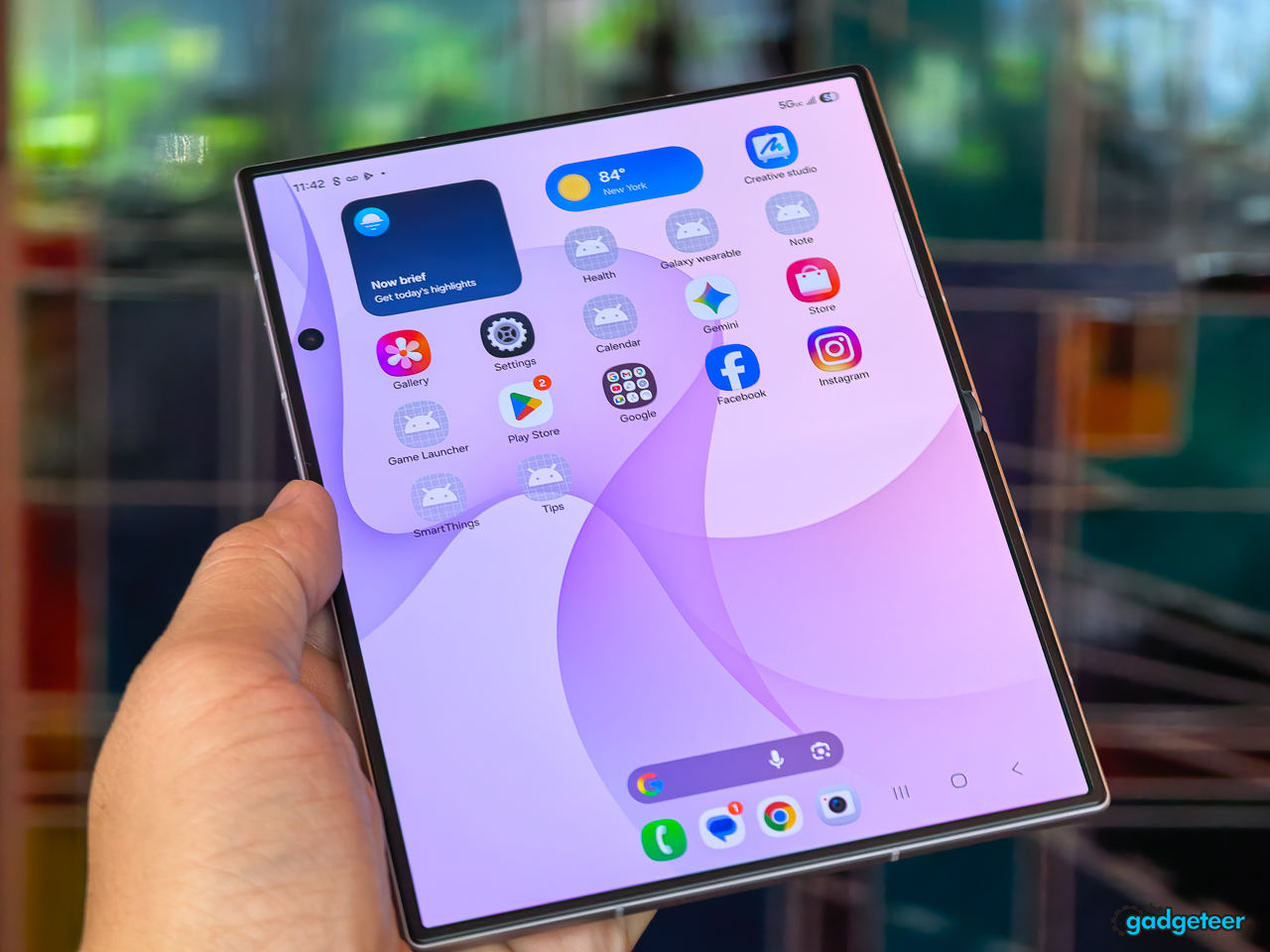
The OPPO Find N6 shows a different standard. OPPO says its hinge uses a 3D liquid-printing process, and in my use its crease is essentially invisible. The Fold8 doesn’t reach that point. If even the occasional visible crease bugs you, you’ll have to decide whether you love this form factor enough to live with it. I do, but I’m not going to pretend the line is gone.
Battery life does, too. I don’t think about charging through a normal full day. I’ve gone to bed with 16 or 17 percent left, then plugged in for the night.
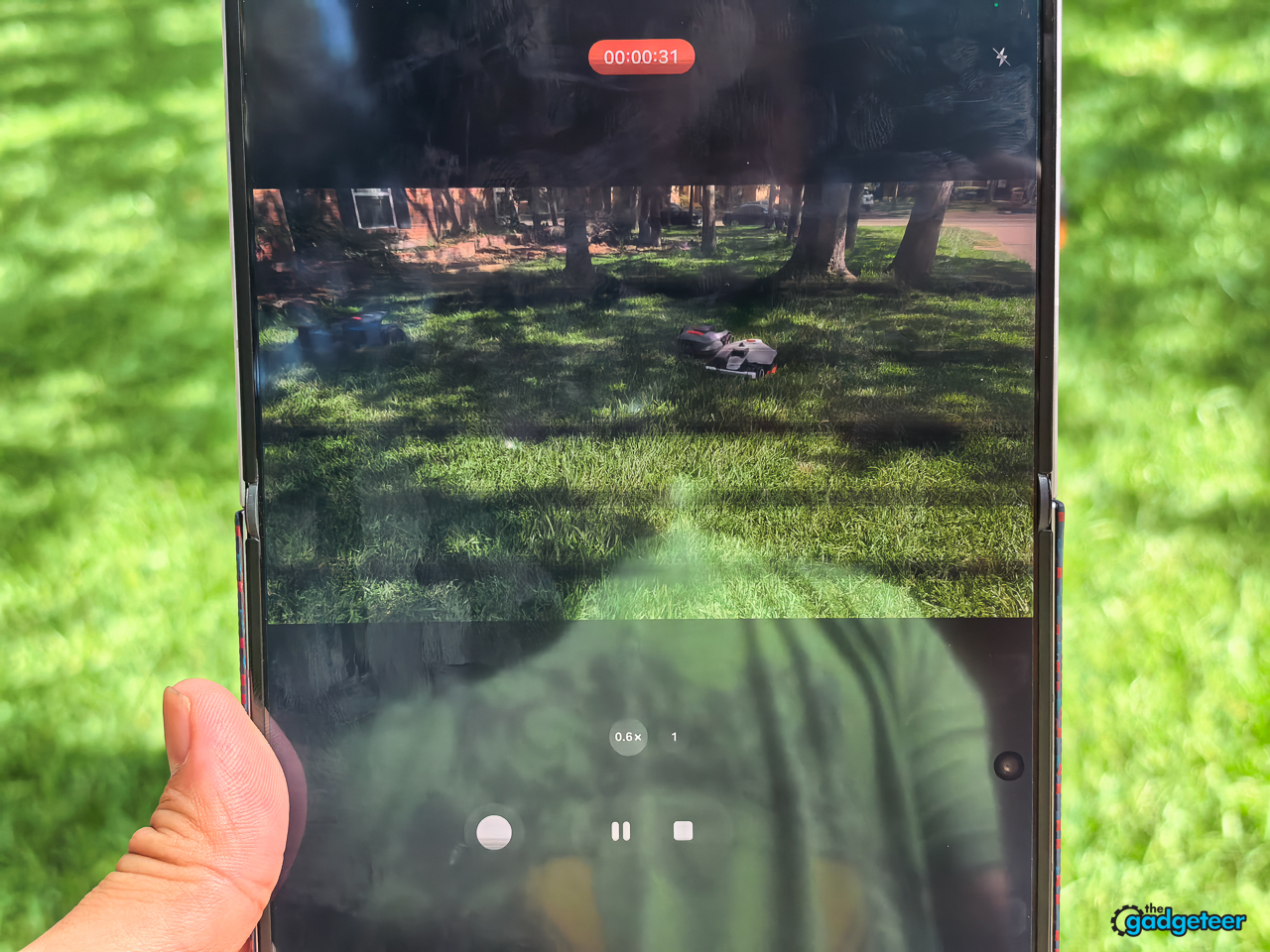
That held up when I pushed the Fold8 harder, too. I was out in Dallas, Texas, filming robotic lawnmowers in 100-plus-degree weather and recording for 15, 20, or 25 minutes at a time. I had no heat issue and no shutdown. That’s impressive, especially in those conditions.
That’s how I want battery life and thermals to behave: they stay out of my head.
Samsung uses a 4,800mAh silicon-carbon battery, still a lithium-ion system but with a silicon-carbon anode that packs more energy into less space. Samsung hasn’t disclosed the exact proportion.
Samsung rates the Fold8 for 45W wired charging, or up to 63 percent in around 30 minutes with a 45W adapter and a 3A USB-C cable. It also supports 20W fast wireless charging. Those are Samsung’s lab figures, so your result will vary with the charger, cable, temperature, and what the phone is doing.
I’d still welcome faster wired charging. Samsung doesn’t chase the charging speeds of some Chinese brands, but I can live with that trade-off because the battery life has been very good. I don’t need the Fold8 to win a charging-speed contest if it gets through my day without becoming a concern.
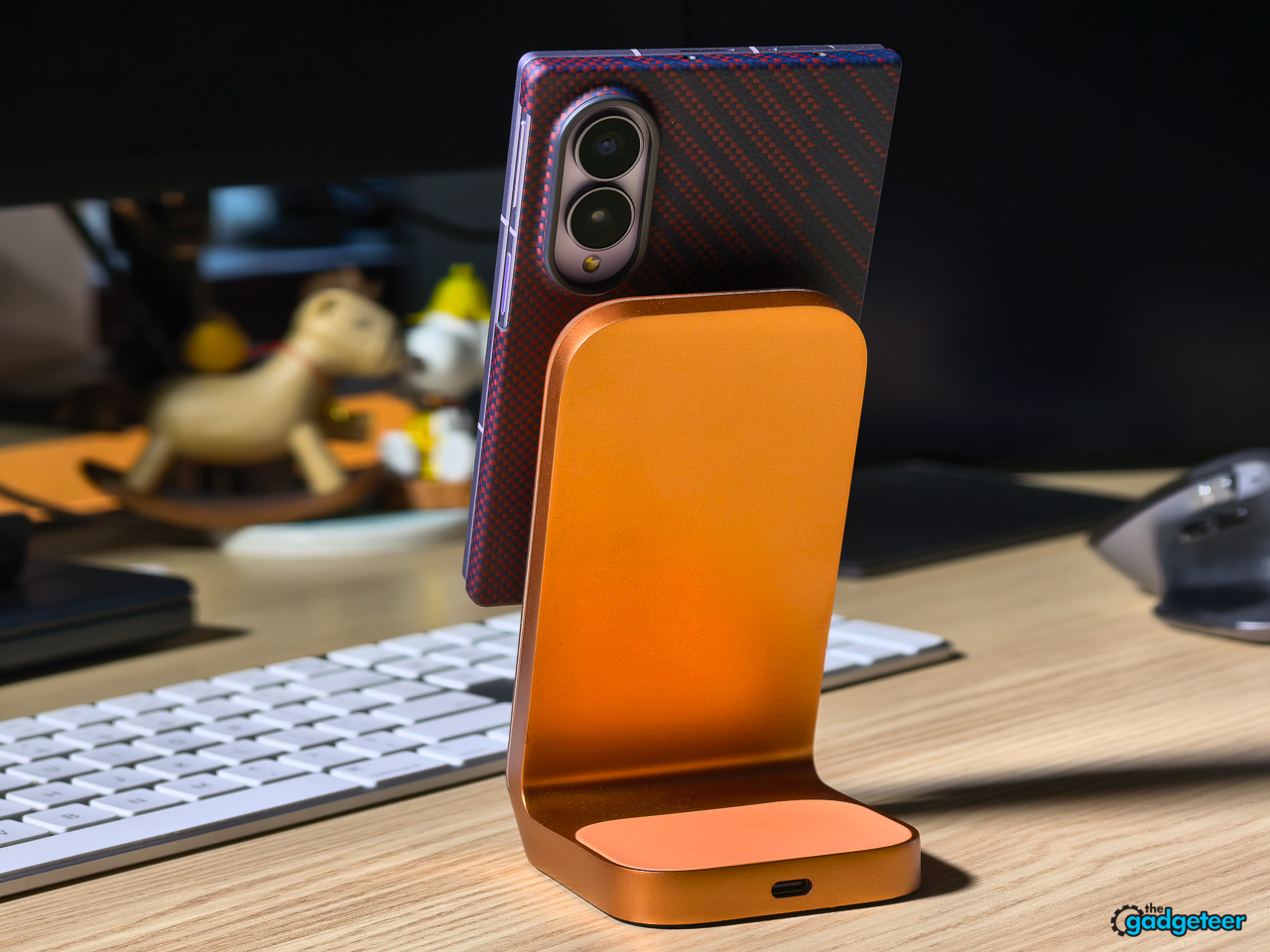
Qi2 is where charging becomes frustrating. This isn’t only about dropping the phone on a desk charger. If I’m traveling and need Maps on a magnetic car dock, I can’t simply stick the Fold8 in place without a case. I’m forced to use one. The same goes for a portable magnetic battery pack. I can’t attach one securely while I’m on the go without adding that case first.


Trust me, I’ve tried the workarounds. Magnetic stickers and rings haven’t held securely on the Fold8’s slick back. The only option that really sticks is a solid metal piece with double-sided tape underneath it, and that defeats the purpose because it interferes with wireless charging. So while the Fold8 can charge wirelessly, it can’t natively do the magnetic-car-mount and accessory routine I rely on. Plopping a phone onto a wireless charger feels much easier than reaching for a cable, and the difference feels surprisingly old-fashioned on a phone this expensive.
Built-in magnetic Qi2 support is still rare on Android, but it isn’t exclusive to Google. Google’s Pixel 10, Pixel 10 Pro, Pixel 10 Pro XL, and Pixel 10 Pro Fold support Pixelsnap magnetic Qi2 accessories, and HMD’s Skyline also lists magnetic Qi2 charging. That makes this less of an industry-wide limitation and more of a decision Samsung expects me to work around.
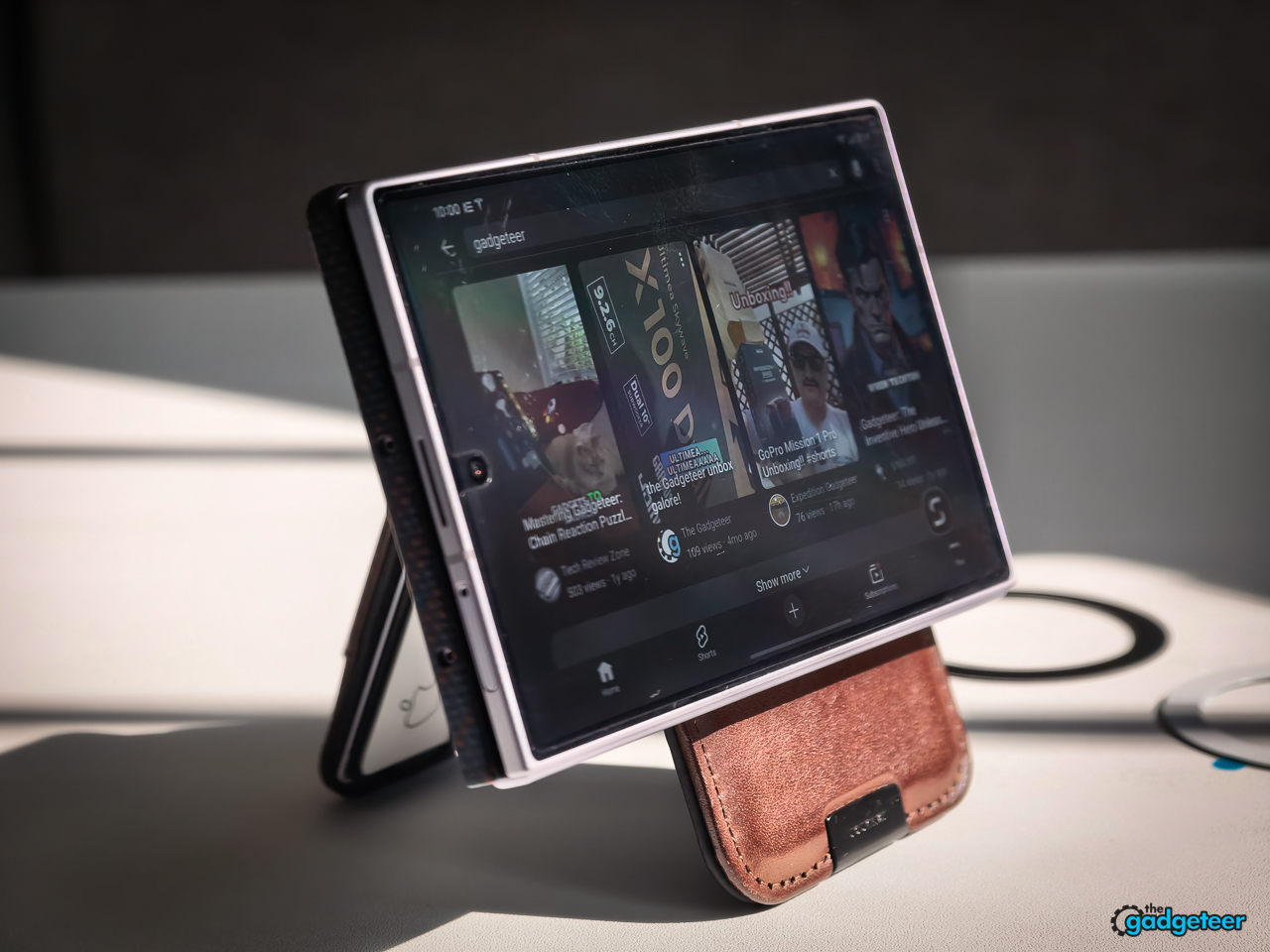
Samsung’s accessories are top-notch. Samsung provided me with its carbon-fiber case, and I love the design. It adds the magnetic connection I want, but it covers only one side of the Fold8. I wouldn’t want it to cover the other side. More material there would add bulk without adding much beyond protection. Even as it is, the single-sided case changes the balance in my hand. The Fold8 stops feeling quite like the light, even device Samsung designed, and that breaks my heart a little.
The case also includes a front screen protector that I genuinely like. Its anti-glare treatment makes a big difference outdoors. The Fold8’s inner display also handles glare well when I’m using it unfolded in the sun. Neither surface escapes fingerprints and smudges, which can still drive me nuts, but I can live with that when reflections aren’t fighting the content on screen.
When I thought about other devices
The Fold8 doesn’t make every trade-off disappear. It asks me to decide whether a limitation actually interrupts my day, or whether it’s only a feature I can list.
I don’t need a multi-position hinge in my daily routine, but creators who use a foldable as a tiny tripod for video, calls, or time-lapses may feel that absence immediately. I have another foldable that supports a stylus, and I don’t use it. For me, the pen is one more thing to carry and manage. That’s not a dismissal of people who rely on one. It’s simply the difference between a capability I can name and one I actually miss.
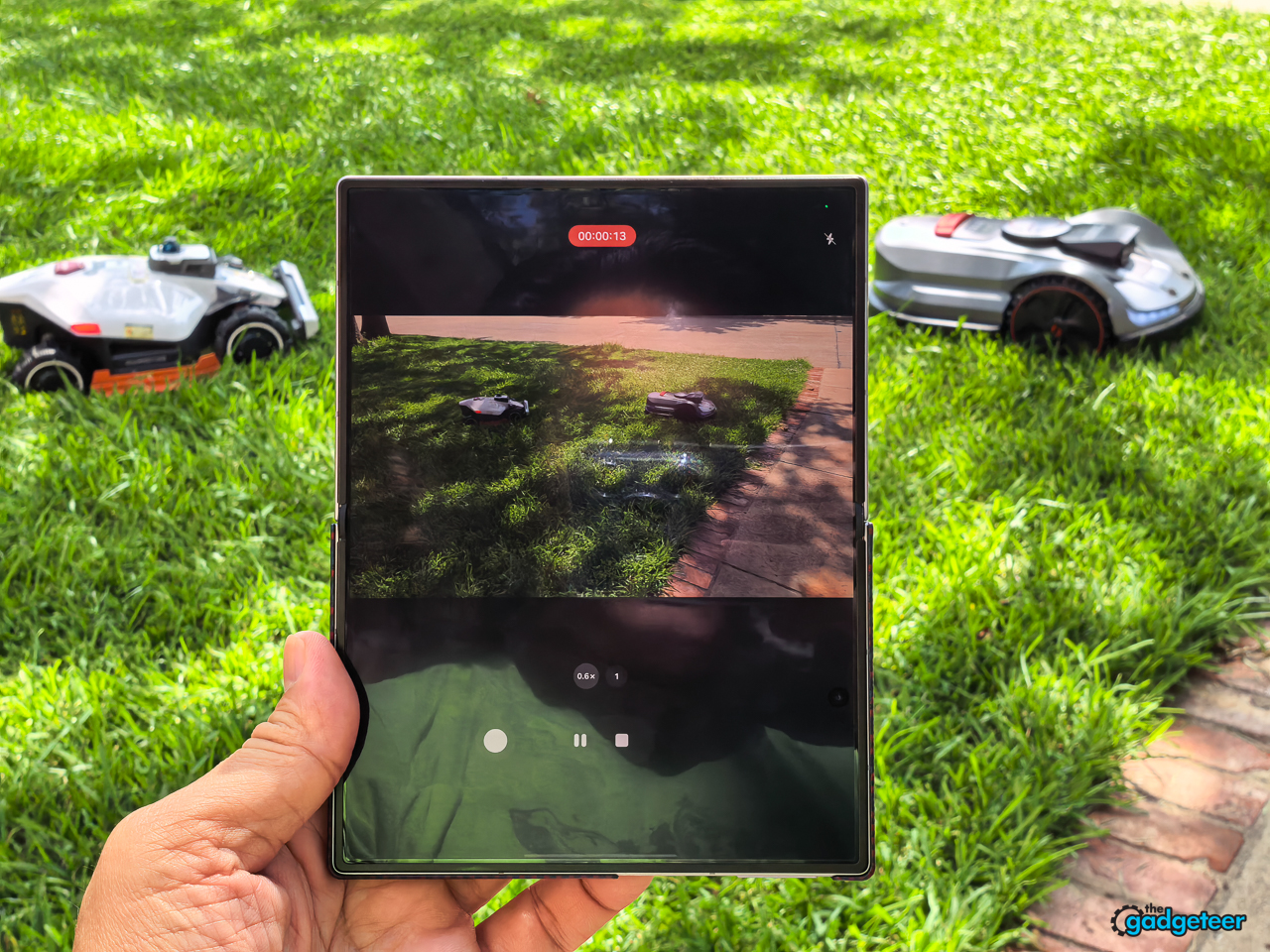
The camera quality itself hasn’t been an issue for me. I use the landscape lock a lot on the Samsung Galaxy S26 Ultra, and I’m glad to have it on the Fold8. It fits the way I shoot. Photos and video have both looked very good, and I haven’t had to fight the camera to get usable results.
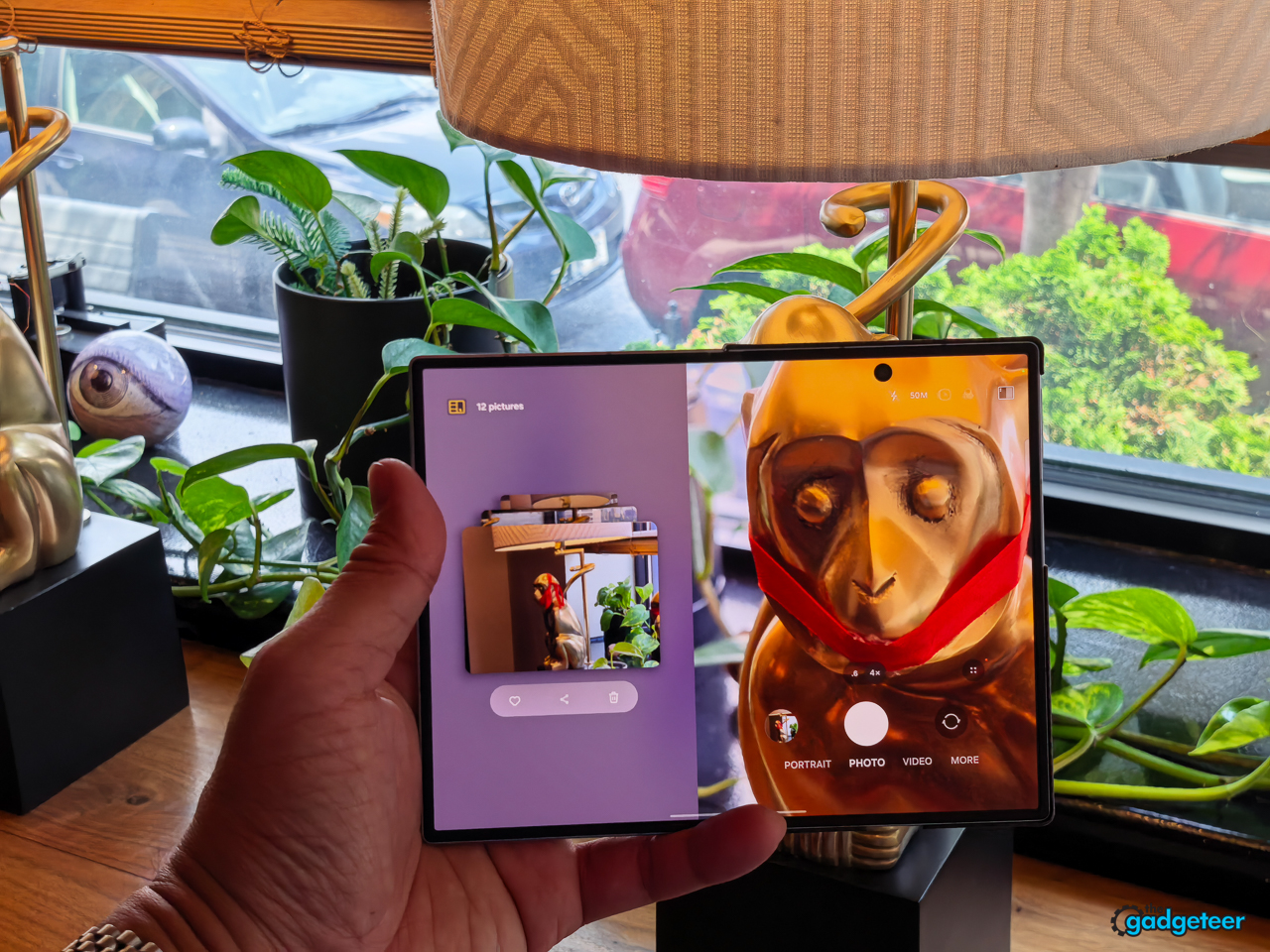
I’m past pixel peeping for the kind of work I do. The Gadgeteer publishes product images at 1280 by 960 pixels, so I care about whether a photo holds up at the size readers actually see, not whether it wins a microscopic comparison. The Fold8’s photos and video have held up without complaint. I’ll let the images and video I shot with it show that rather than make an abstract claim about detail.
The Fold8 isn’t short on camera quality. Its main and ultrawide cameras have been very good and have felt on par with the Fold8 Ultra. The 50MP main camera gives it 2x optical-quality zoom, and digital zoom reaches 10x. I use it rarely, but it looks decent when I need to get a little closer. It isn’t a telephoto or periscope lens, though.
I notice that most when I’m shooting products. Sometimes I want to step back and frame the subject with a real telephoto lens instead of cropping in digitally. That’s a valid limitation, and it’s one reason the Ultra exists. But I haven’t missed it as often as I expected to.
The question isn’t simply whether the Fold8 has a telephoto, a pen, or a hinge that holds itself open. It doesn’t. The question is whether you need one of those things often enough to change the phone you choose.
The choice Samsung wants you to make
Samsung designed the standard Fold8 around a different set of priorities than the Fold8 Ultra. I judge it by whether its lighter, wider, more straightforward approach better fits the person buying it.
I keep coming back to the old BlackBerry trade-off. A physical keyboard could be incredibly useful when you needed it, but it took up space every time you didn’t. A telephoto lens isn’t the same thing, and I’m not claiming that removing one lens alone makes the Fold8 lighter. The ownership calculation feels similar: hardware that earns its place only occasionally still has a physical cost every time you pick up the phone.
For me, the Fold8’s 201-gram weight and balance are the primary touch point. I feel them every time I hold it, while I only reach for true optical zoom occasionally. I’d rather have the lighter, better-balanced phone and live without a telephoto lens than carry that added camera hardware for a feature I rarely use. The Fold8 Ultra is the better fit for people who reach for its added camera and productivity capabilities often enough to make that trade-off worthwhile.
Who this Fold8 is for
People like me. If you agree with a lot of what I’ve said here, then this is your device.
Choose the Fold8 Ultra or another device if optical zoom, a stylus, a multi-position hinge, or built-in magnetic attachment is essential to how you use a phone.
Verdict
I don’t miss the OPPO Find N6 either, even though I love that device. For me, the Fold8 and the Find N6 are tied as the best foldables I’ve used. They also sit at the top of the phones I’ve used for The Gadgeteer in 2026.
The Fold8 isn’t flawless. I still want built-in Qi2 magnets, and buyers who need a telephoto camera, stylus support, or a multi-position hinge should choose accordingly. But Samsung got the daily experience right: the Fold8 feels balanced, secure, complete when closed, and genuinely useful when open. For people like me, that’s enough to put it at the top.