
A couple years ago I remember seeing a
BMW MP3 watch which featured an integrated USB cable. The idea of converging
a watch with self-contained digital music player was clever, but at $275 for the
256MB version and $350 for the 512MB version, the price was a bit steep. Even
so, the BMW watch proved to be a tempting buy for people that wanted a flash
drive they could wear on their wrist – one that would also record voice memos
and play digital music. With the introduction of the
Skullcandy
MacGyver MP3 / Voice Recording Watch, it is now possible to get a similar
watch with even more features and more memory, for much less money.
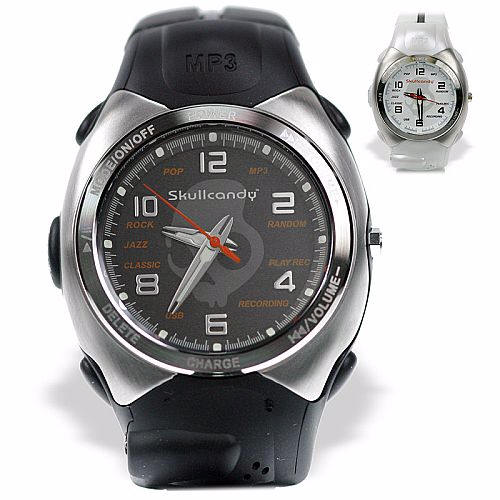
Photo courtesy of the Skullcandy
site
Available in black or white, and with memory amounts ranging from 128MB to
1GB, the Skullcandy watch starts out with a stylish watch face which includes
their trademark skull behind the futuristically styled hands. I was sent the
512MB version in white which I consider to be the more feminine of the two
colors offered, and my comments will reflect this particular model. The watch
comes with a set of matching earphones and foam covers for the ear buds. Nothing
else is needed, as the watch is completely plug & play. However,
drivers are
available on the Skullcandy site should they be needed.
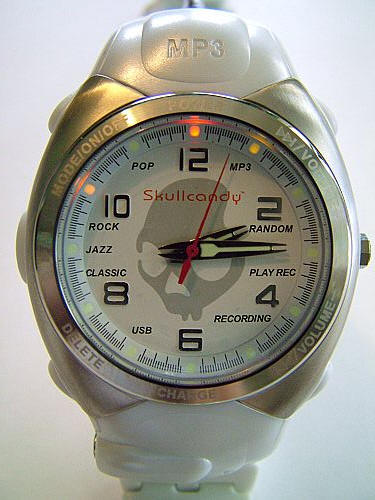
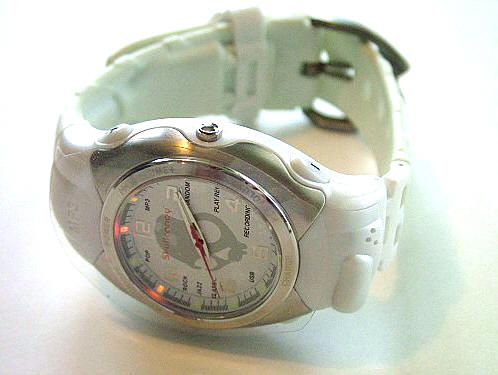
The watch is composed of pearly white plastic with a brushed aluminum
decorative bezel. Its design is quite attractive; edgy without being too "punk".
The white band is flexible rubber, and quite comfortable when worn. The MacGyver
is a largish watch, its case measures approximately 2.5" tall x 1.5" wide x 0.5"
thick, and it weighs 2.6 ounces. I have a 5.5" wrist, and I don’t feel that it
looks too bulky on me…
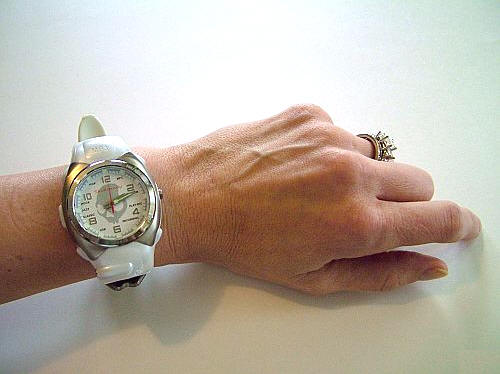
…even though the strap is a bit long and I have to wear it on the last
hole.
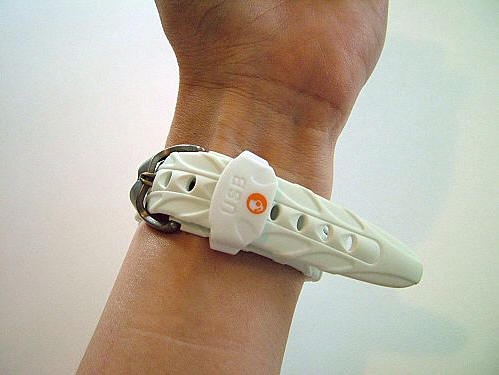
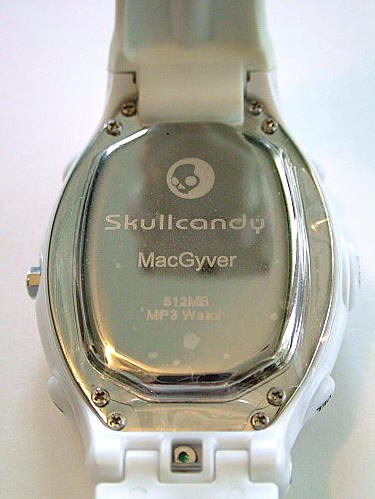
The back of the watch states the memory size…
All in all, the MacGyver is a great looking watch in and of itself. It
actually weighs less and is slightly smaller than the Omega Planet Ocean I have
been wearing, so it is quite easy to forget that it is even on. Not bad for a
convergent device!
As far as time keeping, I set the MacGyver to the atomic clock on my wall the
day I received it, over two weeks ago. The watch is still keeping the exact
time, having neither lost nor gained any minutes.
Let’s take a look at the MacGyver’s specifications…
- Music format: MP3/WMA/WAV/ADPCM
- Equalizer modes: Pop/Rock/Jazz/Classic/Normal
- Built in 2.5mm earphone jack
- 2.5mm earbuds included
- Built in microphone
- WAV/ADPCM voice recording
- Up to 5 hours non-stop play time
- Recharge battery and transfer files through integrated replaceable USB
cable - USB 1.1 flash storage 128MB/256MB/512MB/1024MB
- Automatic power off battery saver feature
- Win 98, 2000, XP, Mac OSX
- Shock proof, static proof
The time keeping portion of the watch seems to be powered by its own battery,
as it will continue running past the point when the MP3 player will no longer
function. Either that or the main battery reserves a portion of the USB charge
for that function. Since I wrote this review on the Friday before Christmas, I
was not able to get confirmation on the separate battery, but I will post as
soon as I know one way or another.
Added after the fact: A Skullcandy rep did answer my email shortly after the holidays and confirmed that I was correct about the separate battery.
The other functions of the watch are powered by plugging the integrated USB
cable into an available port on a computer. The USB plug is released by sliding
the strap keeper toward the buckle…
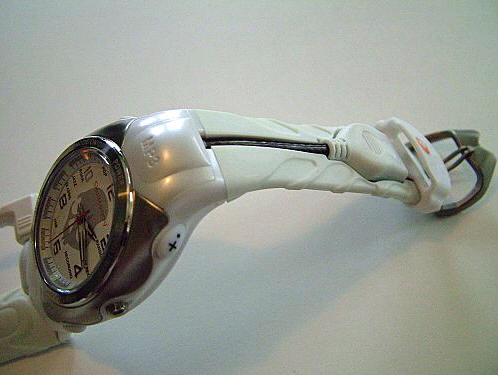
…which releases the USB plug.
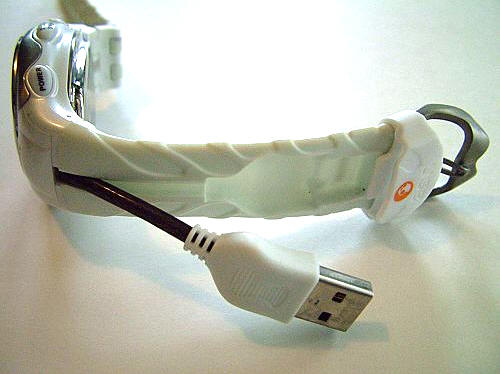
Once the USB plug is connected with an available port, the watch shows up as
an independent drive. Here it is represented by "Removable Disk (H:)".

Once inside the watch’s drive, songs or data can be directly dragged and
dropped into the file. Yes, the watch makes a quite handy thumb-drive, so if for
no other reason than that it means more songs, my suggestion would be to get the
largest memory watch. Voice recordings may also be moved from the VOICE file and
stored or played on the user’s main computer.
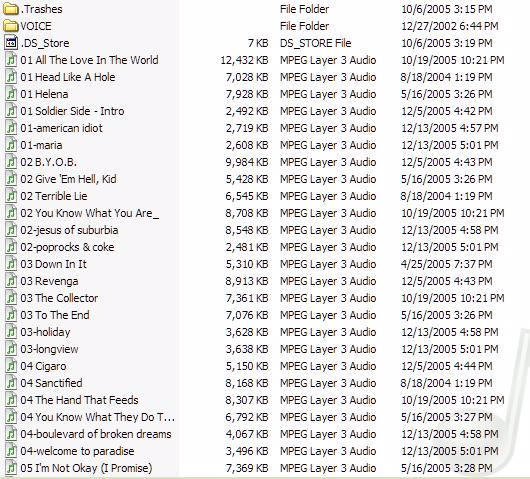
Since there is no display, the 512MB watch is great for shuffling among
approximately 80 of the user’s favorite songs.
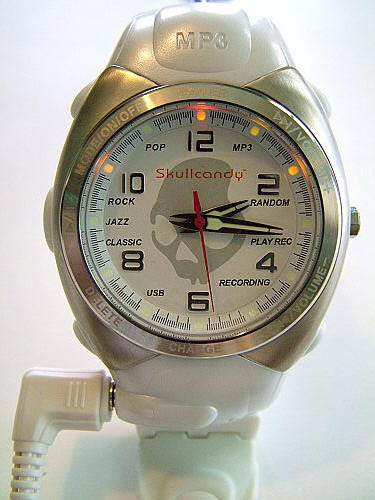
Behind every spot of lume on the watch’s dial is an LED which indicates
operating functions.
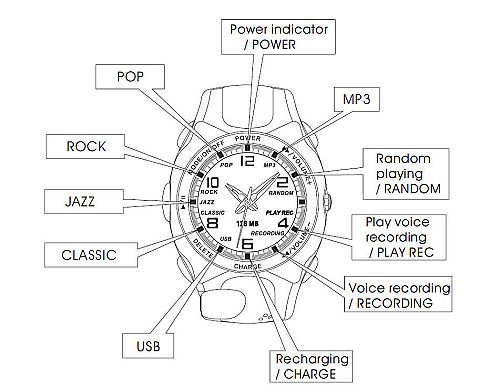
Photo courtesy of the Skullcandy
site
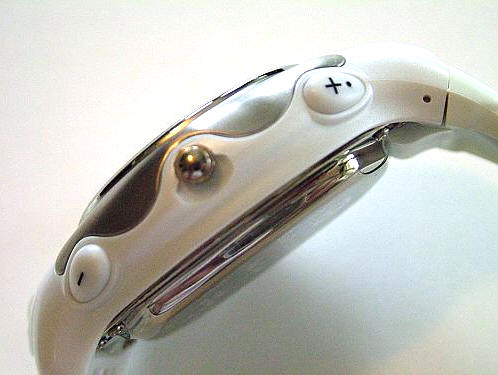
The right side of the watch has the volume + and – buttons, but these buttons
are also used for advancing or retreating to the next song. Volume is adjusted
by pressing and holding for a moment, whereas advancing or retreating from song
to song is accomplished by quickly pressing either button.
The buttons on the left are as follows: Power, Start / Stop, Delete and the
jack for the earbuds.
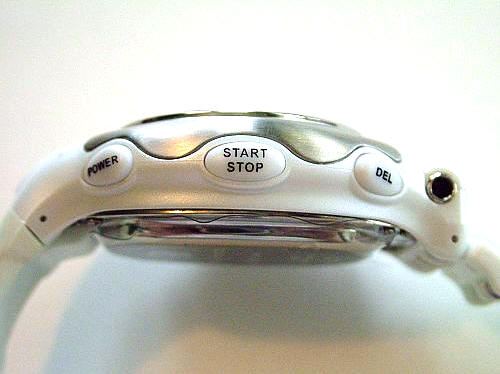
Power turns the MP3 player or voice recorder on. A quick tap will turn the
player on when it is off, and holding it for a couple of seconds will power the
player off when it is on. This button also serves as the mode for changing
equalizer settings from Pop to Rock to Jazz, Classic or off. Most of the songs I
tested the watch with were played through the Rock equalizer setting which
sounded surprisingly good – even through the included headset. Actually,
I was also please with the quality and sound of the included headset, and I
found it to be quite comfortable. I am always amazed when earbuds don’t feel too
large in my ear.
When music is not playing, but the Power button is switched on (indicated by
the red LED at the 12:00 lume), pressing the power button once will activate the
Random play function for the MP3 player. Pressing it twice will cause an LED to
glow yellow at the 5:00 lume, which when the Start / Stop button is pressed will
allow the user to record voice memos. Pressing the Start / Stop button at the
conclusion of the recording will stop that function. To replay recordings, the
Power button should be tapped until the red LED glows at the 4:00 lume. Once
again, pressing Start / Stop will allow the recording to be played or ended.
The Delete button is handy for erasing unwanted voice memos, but having it
made me nervous that accidentally touching it while playing MP3s might result in
their erasure. Well unfortunately, that’s exactly what did happen. Yikes!
I think that the Delete feature should either be harder to activate, or not
be available in MP3 mode. Since songs will be added or deleted through the
computer, I think it would be better that they not be so easy to lose on the
watch. So far, that is the only con I have found, but it may be a big one for
people with clumsy fingers.
One of the clever features of the player is that when a song is stopped
because the Start /Stop button was pushed, the song will resume at the same
point it was stopped when the button is pushed again. If a song is stopped
because the USB plug was inserted in a port, then the song will resume at its
starting point when the Start / Stop button is pressed again.
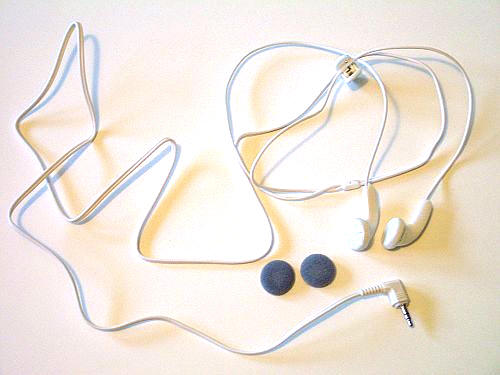
The earphone cable is approximately 50" long, which will fit even those with
abnormally long appendages. The cable has an integrated clip which allows it to
be securely anchored to a shirt or pocket, and the cable can be snaked up the
sleeve of a jacket for a more incognito listening experience.
All that’s really left is to discuss the battery power of this device, and it
was pretty decent. Testing began at 11:25, and the player ceased at 4:45, which
gave a total of five hours and twenty minutes play, twenty minutes better than
the advertised five hours.
Other than the possibility of an accidental song deletion, I can find no cons
to the Skullcandy MacGyver MP3 / Voice Recording Watch. The watch looks great
and keeps good time. The addition of a decent set of included earphones makes
the great sounding integrated MP3 player a handy addition to a device most of us
will always have on hand…errr wrist.
Auto Amazon Links: No products found.
Product Information
| Price: | 229.95 |
| Manufacturer: | Skullcandy |
| Requirements: |
|
| Pros: |
|
| Cons: |
|

Gadgeteer Comment Policy - Please read before commenting
my son want a macgyver mp3 watch but we are in Italy and we can’t find a store who sell this kind of gadget can you help us find a store here in our place who sell this kind of gadget….. we are in Varese, Italy.
Does this work with vista? And also in the USA about how much is this? Thanks
@Nick:
You dont have to worry about the kind of OS running in your PC, this baby acts like a flash and the files are visible thru the windows explorer. Just add and delete tunes as if it was in a regular external drive and you’ll have a kickin’ playlist on your wrist. It’s worth it man.
my mcgyver seems to be playing songs in random order even though its not set at random…the equalizer is set on rock and the mp3 LED blinks. how can i set it to play consecutively?
I bought two of these as presents and one for myself. All of them have stopped functioning as a watch as if the battery has just run out – replacing the battery seesm to be a problem. Is this a simple case of me not reading the instructions or is this a problem others have encountered?
i have 2 of this watch the gree and black.it seems like no other colors available at this time.when can i see a new design and colors of macgyver?
keep in mind all of Skull Candy has a lifetime warrenty. They are not made for lasting forever….. but you always get a brand new watch if it stops working:)
hey
i have got this watch and is using this.
i have been using this device for 5 years now.. but i have came into a difficult situation now.. and i need your help 🙁
my watch clock have stop working i guess the batree of the clock is down.. how can i change the battree??
and my watch Band or Belt is broken i don’t fine any band or belt here in market to replace.. please help me where can i find the belt of the watch
still in the market?
I have a watch exactly similar to this. It is from GENX, a local Korean Company. The strap is broken, the usb now hangs out. The earphone plug needs to be pluged and kept pressed to hear the sound. The watch has stopped showing time, due to batteries. Such watches are not designed keeping hot and humid countries like India. The only reason i still treasure it its sound, which leaves every ipod, mp3 player far behind.
This is my second mp3 watch, first Skullcandy brand (the exact same watch, though, sold under different brands). On both watches, I had the watch battery run out, which requires removing the entire “computer” apparatus inside in order to replace the watch battery. Havoc ensues doing this, as it is incredibly difficult to reassemble the watch so that the mp3 player still works. I successfully did it with my first watch, after about 10 hours of tedious labor, but with my current watch, I have not been able to reestablish the mp3 player function. Now I have a bulky watch that tells time and nothing else. I will probably stop purchasing these watches due to this design issue. I have never gotten more than 1 – 1.5 years of life out of the watch battery. Not worth the hassle. Otherwise, I have LOVED these watches and wish it was easier for them to remain completely functional.
As a followup to my last post (since somebody so kindly pointed out that Skullcandy products have lifetime warranties) I contacted customer service about the warranty on my watch which no longer works. They said they no longer make this watch so they cannot offer any warranty support. They suggested I take it to a jewelry store (because, as we all know, jewelry stores are experts at fixing computer-based problems). Wow. I don’t recommend purchasing any Skullcandy products if they cannot stand by a poorly designed product. I certainly won’t be, no matter how cool I thought this watch was while it was working.
I am looking to a reminder clock to tell me on the go my days appointment. This watch requires earphones I believe, which makes a simple action clumsy. Too bad there isn’t a small speaker like they have on watches for the blind which speaks the time. Hasn’t some one made a watch that holds multiple appointments which are announced into it and then plays them back? I can do that on my cell phone but it is clumsy
please help my mp3 watch not charge properly
Does anyone know who or what songs were preloaded on the watch before purchase? I remember one of the songs and can’t seem to find the artist or name.