

My iTunes library has over 10,000 songs. I’ve been accumulating music for years now and in that time, I’ve built my collection from ripping my own CDs and umm… by other methods too. As a result, my library is pretty messy. I have tracks with very descriptive names like Track 1 and Track 2 and unforgettable artists names like Unknown. That’s why I accepted an offer to try out an iTunes plugin called TuneUp. Let’s see if it can tame my wild musical forest.
TuneUp is compatible with both PC and Mac versions of iTunes and has the following features:
- Clean mislabeled music (artist names, genres, track numbers, genres, etc.)
- Find missing cover art
- Alert users of local concerts by their favorite artists
- Pull in the best music content from the web to enhance the listening experience (e.g. YouTube videos, Google News, etc.)
You can download a free version that will give you 500 track cleanups, grab 50 album covers and receive unlimited concert info and news. The Gold version is $11.95 per year or $19.95 lifetime and has no limitations.
Click thumbnails to see full-size image
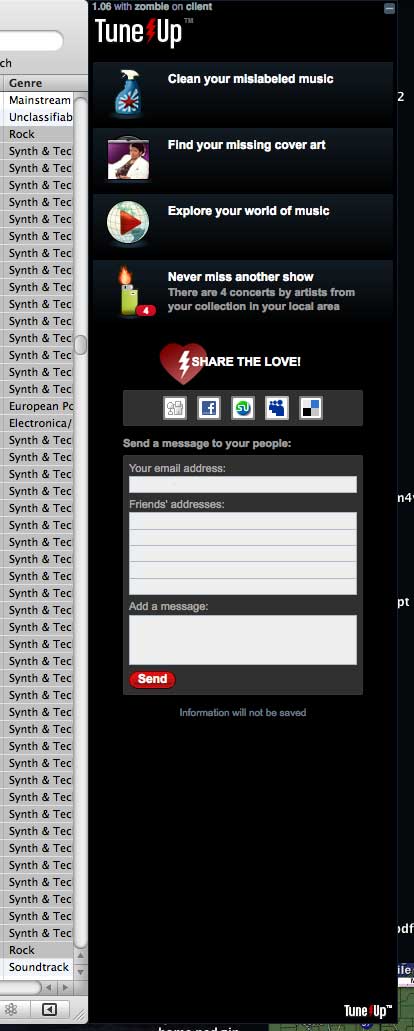
The install is simple and once completed, it will add a window to the right side of iTunes, with the TuneUp options.
Basically, there are 4 main features: Clean mislabeled music, Album art finder, Now playing and Concerts.
Cleaning Mislabeled Music
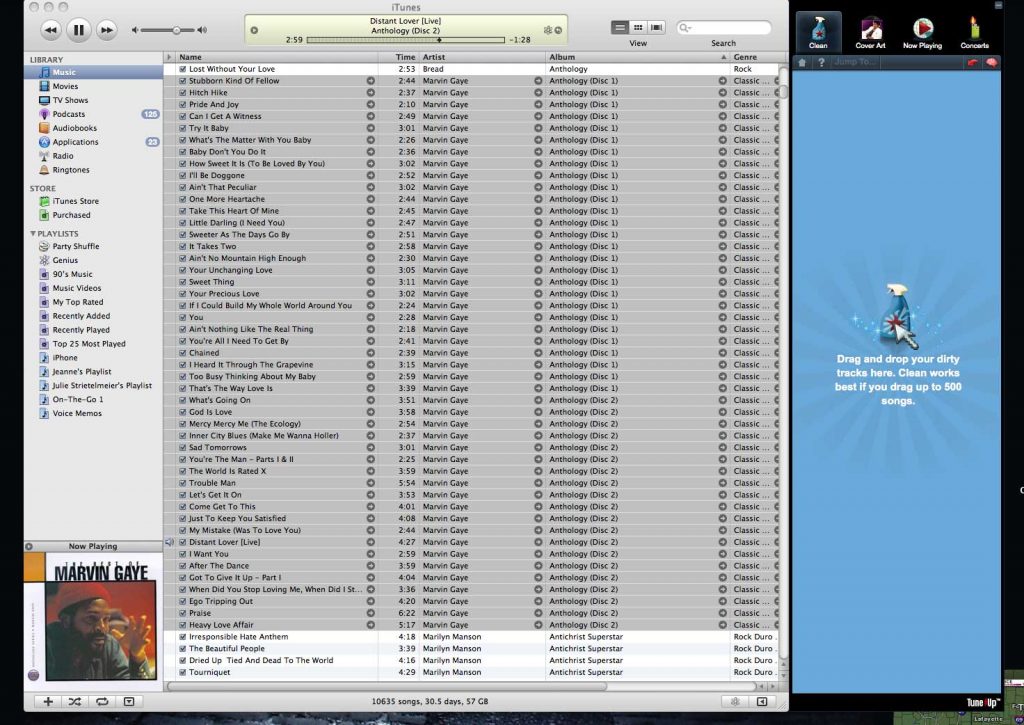
To clean your mislabeled music, you have to select the songs in the main iTunes panel and drag them into the TuneUp window. They suggest that you do about 500 tracks at a time.

I’ve mainly been doing several albums at a time and have found that it’s pretty slow even doing less than 50 songs at a time. The problem here is that you have to use the tool interactively. First you drag the music to the window and then wait for it to find matching track info in the database (you obviously have to be online for this tool to work…) and then you click the Save All button for it to apply the changes.
Sometimes TuneUp won’t be sure that it’s found the right data for your tracks and will list them as likely matches. When this happens, you’ll have to click Save on each match instead of allowing the Save All button to do all the work.
This is the feature I used the most while testing this plugin. Although it does a very good job finding and fixing track information, I found the whole process to be slow and and monotonous. There really needs to be a one click do it all kind of button. Dragging chunks of music at a time and waiting for it to find the info so I could click the Save All button got old really fast for me. Also I had a lot of beach balling (Mac speak for an app that freaks out and is too busy to allow access) activity going on with this plugin. Quite often, I would drag music to the window and it wouldn’t accept them. I would have to click on one of the other tabs and then go back to the clean tab before it would allow me to drag and drop the tracks.
Finding Missing Album Art
TuneUp does have a feature where it will scan your whole library for missing artwork and allow you to click a Save All button to fix them in one shot.

The first time I tried this feature, I had 427 missing cover art. I pressed the Save All button and came back hours later and it had only fixed about 25 of them… That’s when I noticed that each song could have several cover art choices associated with them. If you click on the art for a song, it will show the various choices. You can then pick the one you want and have it save that one. So again, this is an interactive feature that will take time to use. If you have a big library, it will take quite a bit of time.
Now Playing
While a song is playing the Now Playing screen will give you options to other content such as YouTube videos, concert notifications for your area, other song purchase recommendations and news.

Honestly, I wish I could turn off this screen because when I am working on cleaning up my library, I don’t want to automatically load this info and switch over to this tab every time I click play on a song.
Concerts
The concerts tab is useful for keeping up on shows in your area.

It shows dates, times, prices and even links to purchase tickets.
There’s also an Analyze screen that will show you a graph of what specific information is missing out of your iTunes library.

Hmmm, it looks like mine still has a LONG way to go…
TuneUp does a good job at finding and fixing missing information, but do wish it was faster and had a less interactive mode. As is, the price is not bad at all and I do have my fingers crossed that it will evolve as time goes by.
What methods or applications do all of you use to keep your iTunes library in tip top shape?
Product Information
| Price: | |
| Manufacturer: | TuneUp |
| Pros: |
|
| Cons: |
|

Gadgeteer Comment Policy - Please read before commenting
EAC + Lame for ripping @ V0/320
windows explorer for folder structure
flash renamer for mass file renaming to my standards
tag and rename for song tagging
allmusic.com and albumart.org for album art (drag into tag and rename)
itunes to a read-only network share for library/ipod sync
As a Mac user I’ve had excellent results with MPFreaker for cleaning up my library. It is fairly automated, flexible, and also provides lyrics. It does not get 100%, but nothing will. What it will do is show you graphically what each song is missing, both before and after you process it. A free trial is available, but it only processes 3 songs per program launch. That’s a pretty sucky limitation, but I finally sprang the $20 for the full version and am quite pleased with it.
Excellent find – thanks!
I’m so sick of the ubiquitous ‘track 1’. I delete about 300 of them every 18 months.
I usually use MediaMonkey.com, which offers some nice tools. Tain’t perfect, but it does me.
I’m playing with the iTunes replacement called SongBird, and so far it looks OK.
Yet another “itunes cleanup program” Sheeze….
Itunes itself will fix most issues with content that it knows about. (Free) The “problem” comes with the millions of releases that Itunes does not carry or is out of print. What to do?
Mediamonkey seems to fix many of the above issues, but falls into the same pit as Itunes as it fails to check the handful of FREE database resources or MSN for tag/artwork.
If only Itunes were not so stupid as to BREAK perfectly good artwork that was already linked to your tracks.
Personally, I got sucked in on one of these ‘ipod manager’ programs and find that there is more useful and functional FREE options available.
$20 to fix some tags? Get real. Pass on this one.
The most interesting feature IMHO is that it identifies the track by referencing Gracenote and uses “Audio fingerprints that cover more then 28 million tracks”.
It will correct the wrong artist and title information as well as album name and art.
Yep, it is tedious and could be better automated, but is there anything else out there that does not base its result on your (possibly flawed) data?
On OS X 10.4.11 and the latest iTunes, TuneUp froze with a blank window on launch, found no artwork I didn’t already have, crashed Safari on launching it via one of its links, and had no obvious ‘uninstall’ option (I did find it in the end, but still had to remove several files by hand).
i used this and i only got 100 cleanups with the newest version is there a way to get older versions and extra cleanup’s instead of paying $30 for unlimited cause i only have about 500 songs on ipod in genral
“iTSfv” is a little windows program that does it for free. But is not perfect either…
Tuneup works for only songs on itunes, but not ones aready on the ipod.
I can not chose to recommended a product that allows the activation on 1 (One computer) and only one transfer. I had a laptop die on me and bought a replacement and had the it activated on new PC only to have the stolen in a break and enter and now I am SOL for using the product.
I purchased Tuneup Gold in February 2011 and spent the entire month “cleaning” my music library (350 gb of music on an external HD). Finished just before iTunes upgrade 10.2 (which has now made Tuneup semi-worthless!). Very pleased with the program –
a few suggestions, though:
1: DO NOT enter 500 songs at a time – put in music by albums if possible…it seems to work much better that way, and more reliable.
2: It is not 100% effective – but it is pretty good…I was surprised at how many “obscure” tracks it did recognize…
3: If you are cleaning your kid’s music – GOOD LUCK! I was amazed at how many different sources and things my daughter’s music was from…Tuneup had a much more difficult time identifying stuff that my daughter had “ripped” from her “sources” at college!!!!
4: FOR MAC USERS: Wait until you are sure that the “problem” with compatibility between Tuneup and iTunes 10.2 is resolved before you purchase….
Overall – I was very happy with the results I had with Tuneup
considering how much music I had and the sources that I had obtained them from over the years…
I also have a Logitech Squeezebox, which has a difficult time identifying album artwork through iTunes – so this has been a great product as far as that is concerned…now, all my artwork displays on the controller (which acts as an iPod).
I honestly, just do research online (amazon, wikipedia, artists’ websites) to fill in any missing info on my 19,000+ tracks. ANd I manually fill in the info. Aslo find album artwork, save the pics to a folder and upload – which has the unfortunate side-effect of not transferring to my ipod, but I live with that. Likely the single slowest and work-intensive way to do it, but I’ve been doing it off and on for years, and I now have less than 2,000 left missing major information. And I’m very satisfied with the results. So I’ll stick with my method. 🙂